

In 2026, the best AI multiplayer workspace platforms are Microsoft Teams with Copilot, Google Workspace with Gemini, Slack, Notion, ClickUp, Miro, Asana, Zoom Workplace, Wrike, and Happeo, because each now treats collaboration as a live, AI-assisted operating layer rather than a bundle of chat, meetings, and files. The ranking says as much about the state of work as it does about software. The winners are not merely the tools with the most features, but the platforms with the strongest claim on organizational memory, workflow context, and administrative trust.
The old workplace software market was a map of separate territories: chat in one tab, meetings in another, project plans somewhere else, and institutional knowledge scattered across drives, docs, tickets, and memory. The new market is a contest to become the place where all of that context is indexed, summarized, queried, and increasingly acted upon by software agents. That is why the phrase AI multiplayer workspace matters: the platform is no longer just hosting the team; it is starting to join the team.
But this is also where the 2026 hype cycle needs a cold shower. Many vendors now describe ordinary automation as “agentic,” wrap search in the language of intelligence, and price AI as if every employee is suddenly a prompt engineer. The real ranking has to separate three things: adoption, usefulness, and lock-in. The best platforms make work easier. The most dangerous ones make leaving almost unthinkable.
Microsoft Teams remains the most consequential AI workspace because it begins with the advantage almost every competitor wants: distribution. Teams is not merely an app many companies choose; it is often the collaboration surface that arrives with Microsoft 365, Active Directory, Outlook calendars, SharePoint permissions, compliance policies, and the muscle memory of Office work. That makes Teams with Copilot the safest answer for many enterprises, even when it is not the most elegant one.
Copilot’s appeal in Teams is straightforward. It can summarize meetings, identify action items, draft follow-ups, surface prior decisions, and pull information from the Microsoft Graph across Outlook, Word, PowerPoint, Excel, OneDrive, SharePoint, and Teams itself. For administrators, the value is less about a magical chatbot and more about putting generative AI inside an existing governance perimeter. In regulated companies, that matters more than novelty.
The 2026 direction is clearly toward agents living in channels, meetings, and business workflows. Microsoft has been pushing Copilot beyond a sidebar and into role-based assistants, workflow automation, and connectors that let organizations bring project systems, code repositories, service desks, and line-of-business tools into the Teams context. That is the right architectural move. The collaboration problem was never that workers lacked another chat window; it was that the work itself was fragmented.
Teams’ weakness is the same as its strength: it is Microsoft all the way down. The platform can feel heavy, administratively dense, and optimized for organizations that already think in Microsoft 365 terms. Smaller teams may see Copilot’s value but balk at the licensing stack required to unlock the best experience. The AI is powerful precisely because it is close to the data, but that closeness depends on how well the tenant has been governed for years.
That makes Teams the number one platform by gravity rather than grace. It is not always the fastest-moving or most delightful AI workspace. It is the one most likely to become the corporate default because the world’s work already lives near it.
The strongest part of Google’s pitch is not any one chatbot feature. It is the possibility that an AI assistant can understand a long-running email thread, a folder full of planning documents, a spreadsheet of metrics, a meeting transcript, and a draft presentation without forcing the worker to manually stitch them together. Workspace has always been good at multiplayer creation. Gemini’s job is to make the workspace legible.
Google’s newer workflow features point in the right direction. Workspace Studio and automation tools suggest a future where teams build internal agents that route requests, generate reports, process approvals, or assemble campaign briefs without writing code. NotebookLM also gives Google a distinctive research and synthesis angle that Microsoft has not fully matched in feel, especially for teams that live in documents rather than formal project plans.
The catch is that Google’s AI packaging has been confusing, and claims about model access, context windows, and subscription tiers can vary across consumer, business, and enterprise products. A “one million token” headline is not the same thing as every employee in every Workspace plan getting uniform long-context capability inside every work surface. IT buyers should read the fine print, because the distance between a demo and a deployed tenant can be wide.
Still, Google Workspace deserves its second-place position because it has the collaboration DNA that AI workspaces need. It is fast, familiar, browser-native, and already trusted by startups, schools, nonprofits, agencies, and plenty of large enterprises. If Microsoft owns the enterprise back office, Google still owns the feeling of several people building something together in real time.
The platform’s advantage is that work conversations often happen there before they become formal work records elsewhere. Product decisions, engineering debates, sales escalations, incident updates, hiring discussions, and customer feedback all pass through Slack in a way that feels immediate and human. AI that can summarize that flow, extract decisions, and search across connected tools can turn Slack from a noisy stream into a usable memory system.
Slack’s app ecosystem remains one of its most important assets. The platform’s strength with Salesforce, Jira, Asana, GitHub, Google Drive, Zendesk, and countless other services makes it attractive to teams with heterogeneous stacks. Unlike Teams, which often presumes a Microsoft center of gravity, Slack is most comfortable as the connective tissue among many systems.
That flexibility also creates its strategic dilemma. If Slack is the place where work is discussed but not where work is completed, AI can only do so much. The platform must persuade companies that the conversation layer is authoritative enough to host agents, decisions, and workflow triggers. Salesforce ownership gives Slack more enterprise muscle, but it also makes customers ask whether the product’s future is broad collaboration or a CRM-adjacent command surface.
Slack belongs near the top because it understands how modern teams communicate. Its challenge is to transform chat history into operational truth without becoming yet another place where half-finished work accumulates.
That makes Notion one of the purest examples of an AI multiplayer workspace. It combines documents, structured databases, lightweight project management, internal wikis, and templates in a way that lets small teams build systems quickly. With AI layered on top, the workspace becomes less of a filing cabinet and more of a queryable operating manual.
Notion’s AI writing and editing features are useful, but they are not the main event. The more important feature is context-aware Q&A across a team’s pages and databases. A product manager asking about launch status, a new hire asking how expenses work, or an executive asking which customers are blocked should not have to know where the answer lives. Notion’s bet is that the workspace itself should answer.
The risk is structure. Notion is wonderfully flexible, and that is exactly why messy teams can build messy systems inside it. AI can summarize chaos, but it cannot always repair bad information architecture. Enterprises that need strict permissions, records retention, complex workflow controls, or deep reporting may find Notion better as a knowledge layer than as the system of record.
Notion ranks highly because it understands that the AI workspace is partly a writing surface, partly a database, and partly a company memory. For startups, creative teams, product groups, and documentation-heavy organizations, that combination remains unusually compelling.
The platform’s strength is breadth. A team can manage tasks, write documentation, track OKRs, build dashboards, use forms, coordinate campaigns, and run automations without leaving the system. That matters because AI quality depends heavily on context. The more work ClickUp captures, the more useful its assistant becomes.
Autopilot-style agents are the natural evolution of ClickUp’s product philosophy. Generating daily reports, updating task properties, creating workflows, summarizing project health, and answering status questions are exactly the kinds of repetitive coordination tasks that drain managers and project leads. If ClickUp can handle those reliably, it becomes less of a task tracker and more of a coordination engine.
The downside is complexity. ClickUp can feel like a productivity superstore: everything is available, but not everything is easy to find or govern. Teams that want a focused, opinionated experience may prefer Asana, Notion, Linear, or Trello-like simplicity. AI can hide some complexity, but it can also create a false sense that the underlying system is cleaner than it is.
ClickUp belongs in the top five because its ambition matches the moment. The AI workspace market rewards platforms that own more context, and ClickUp is built to absorb context. The buyer’s question is whether that breadth becomes leverage or sprawl.
AI in Miro is most valuable when it reduces the manual labor of visual thinking. Clustering sticky notes, generating mind maps from prompts, turning brainstorms into structured themes, suggesting diagrams, and helping teams move from chaos to synthesis all address real workshop pain. Anyone who has watched a remote team spend 45 minutes sorting digital sticky notes understands why this matters.
The platform is especially strong for design sprints, agile ceremonies, product discovery, service design, planning workshops, and cross-functional strategy sessions. Miro’s canvas gives distributed teams something closer to a shared room. The AI features make that room less dependent on a heroic facilitator.
Miro is not the place where every company’s work ultimately lands. It is not a full replacement for Teams, Google Workspace, Slack, or Asana. Its role is more specialized: it captures the messy, visual, pre-document phase of work and helps teams turn it into something structured.
That specialization is why Miro ranks in the middle rather than near the top. It is indispensable for some workflows and peripheral for others. But as AI workspaces mature, the winners will need to understand more than text, and Miro is one of the clearest examples of that broader future.
That distinction matters. In Asana, the highest-value AI features are not just summaries or drafts. They are risk detection, suggested next steps, task creation, workload insights, project status generation, and the ability to ask questions about blockers, owners, dependencies, and goals. This is AI for managers who need to see around corners.
Asana’s Work Graph gives it a real structural advantage. Because the platform already models tasks, projects, teams, goals, dependencies, and ownership, AI has something organized to reason over. That is different from asking a general chatbot to read a pile of documents and infer a work plan. Structured work data is less glamorous than a long context window, but often more operationally useful.
AI Teammates push the product into more ambitious territory. The idea of an assistant that adapts to a team’s workflow, monitors risks, and handles coordination tasks is exactly where enterprise collaboration is headed. But it also raises expectations. If an AI teammate misses a blocker, routes work poorly, or gives managers false confidence, the cost is not merely an awkward answer; it is a delayed project.
Asana is one of the best choices for organizations that care about accountability and delivery discipline. It may not be the broadest workspace, but it has one of the clearest theories of how AI should improve work: by making plans more visible, risks more obvious, and ownership harder to dodge.
AI Companion is genuinely useful because meetings generate a vast amount of unstructured work. Summaries, action items, follow-up drafts, meeting questions, highlight extraction, and cross-meeting recall can save time, especially in organizations that still treat meetings as their primary decision engine. Zoom’s newer push toward personal workflows and cross-platform note-taking suggests it understands that the meeting is only the start of the work, not the end.
Zoom’s advantage is user trust in live communication. People know how to join a Zoom call, host a webinar, record a session, and share a screen. Adding AI to that familiar behavior is easier than convincing users to adopt an entirely new workspace.
The limitation is that Zoom still has to fight the perception that it is a meeting layer with workspace features attached. Google and Microsoft can tie AI directly into documents, email, storage, identity, and office productivity. Slack owns persistent team conversation. Asana owns structured work. Zoom must persuade buyers that its meeting intelligence is central enough to justify treating Zoom Workplace as a hub.
For meeting-heavy organizations, that argument can work. Sales teams, customer success groups, education providers, consultancies, and distributed management teams may get immediate value from AI-generated meeting artifacts. But Zoom’s long-term challenge is to convert conversations into durable work records that live beyond the call.
The platform is particularly relevant for multinational organizations and teams with complex operational needs. Marketing operations, professional services, PMOs, creative production teams, and regulated businesses often need more than a friendly task board. They need request forms, auditability, workload balancing, cross-time-zone visibility, and reporting that executives can trust.
Wrike’s AI project risk features fit that environment well. The promise is not to make every worker more creative; it is to help managers detect slippage, overload, and process failure before they become deadline disasters. That is less glamorous than an agent writing a strategy memo, but it is closer to the problems many enterprises actually pay to solve.
The trade-off is usability. Enterprise-grade platforms can become dense, and Wrike is no exception. Teams looking for a lightweight workspace may find it more system than they need. But organizations with serious operational complexity often prefer a tool that feels engineered for control rather than one optimized for first-week delight.
Wrike deserves its place because the AI workspace market is not only about startups and knowledge workers chatting with bots. It is also about large organizations trying to make work predictable across departments, regions, vendors, and compliance regimes.
That may sound less exciting than AI agents, but it addresses one of the most persistent failures in digital work. Employees waste time hunting for policies, org updates, templates, benefits information, onboarding material, and team documentation. If AI-powered search can make that information discoverable across connected tools, the intranet becomes useful again.
Happeo’s appeal is strongest for mid-sized organizations that want a company knowledge hub without the overhead of a full enterprise collaboration transformation. Its integrations with Google Workspace and Microsoft 365 make sense because most companies already live in one or both ecosystems. Happeo’s value is in giving that scattered content a more coherent employee-facing front door.
The risk is that intranet products can become publishing platforms rather than living workspaces. Engagement analytics help, but only if leaders act on them and teams keep content current. AI search can retrieve stale information just as confidently as fresh information if governance is weak.
Happeo belongs on the list because the future of work is not only about creating more content; it is about finding the right content at the right time. In that narrower but important mission, it may offer better value than heavier platforms for organizations that need clarity more than complexity.
That is why Microsoft and Google sit at the top. Their platforms are not just collaboration tools; they are identity systems, storage systems, email systems, document systems, calendar systems, and compliance systems. Their AI can be woven into the daily fabric of work because they already own so much of that fabric.
Slack, Notion, ClickUp, Asana, Miro, Zoom, Wrike, and Happeo compete by owning different slices of context. Slack owns conversation. Notion owns flexible knowledge. ClickUp and Asana own work coordination. Miro owns visual collaboration. Zoom owns meetings. Wrike owns enterprise project operations. Happeo owns employee knowledge discovery. The best choice depends on which slice is most painful inside the organization.
This is also why buyers should be cautious about rankings that treat every platform as interchangeable. A design agency, a bank, a software startup, a hospital network, a university, and a global manufacturer do not mean the same thing when they say “workspace.” They have different risk profiles, governance needs, collaboration habits, and tolerance for vendor lock-in.
AI makes those differences more important, not less. The deeper the assistant reaches into organizational data, the more the platform becomes part of the company’s operating model. Choosing an AI workspace is no longer just a software procurement decision. It is a decision about where institutional memory will live.
That is why AI agents matter, even if the term is already overused. A useful agent is not a mascot that writes cheerful summaries. It is a constrained actor with access to the right context, permissions, workflow rules, and escalation paths. Most vendors are still early in that journey, but the direction is obvious.
For IT teams, the practical evaluation should start with governance. What data can the AI access? How are permissions inherited? Can administrators audit usage? Are prompts and outputs retained? Can sensitive files be excluded? Does the platform respect existing compliance boundaries? These questions are less exciting than model benchmarks, but they are more likely to determine whether deployment succeeds.
For workers, the test is simpler. Does the AI save time without making them verify everything twice? A meeting summary that requires 10 minutes of correction is not automation; it is clerical work with extra steps. A project-risk alert that points to real dependency conflicts is useful. A generic warning that “deadlines may be at risk” is dashboard theater.
The platforms that will endure are the ones that make AI boring in the best possible way. They will summarize accurately, route work correctly, find the right document, respect permissions, and know when not to act. In enterprise software, trust usually beats spectacle.
That fragmentation is not going away. If anything, AI may intensify it because every platform now wants to become the place where decisions are captured and acted upon. The more useful AI becomes inside each tool, the more each vendor has an incentive to keep users inside its own context.
The smartest organizations will resist the fantasy of a single perfect platform. They will standardize where standardization matters, integrate where teams need flexibility, and define clear systems of record. They will ask which platform owns meetings, which owns decisions, which owns tasks, which owns documents, and which owns official knowledge.
Without that discipline, AI workspaces can make the old mess faster. Summaries of scattered conversations are still scattered. Automated tasks without ownership are still noise. Agents without boundaries are still risk. The technology improves the operating model only if there is an operating model to improve.
The old workplace software market was a map of separate territories: chat in one tab, meetings in another, project plans somewhere else, and institutional knowledge scattered across drives, docs, tickets, and memory. The new market is a contest to become the place where all of that context is indexed, summarized, queried, and increasingly acted upon by software agents. That is why the phrase AI multiplayer workspace matters: the platform is no longer just hosting the team; it is starting to join the team.
But this is also where the 2026 hype cycle needs a cold shower. Many vendors now describe ordinary automation as “agentic,” wrap search in the language of intelligence, and price AI as if every employee is suddenly a prompt engineer. The real ranking has to separate three things: adoption, usefulness, and lock-in. The best platforms make work easier. The most dangerous ones make leaving almost unthinkable.
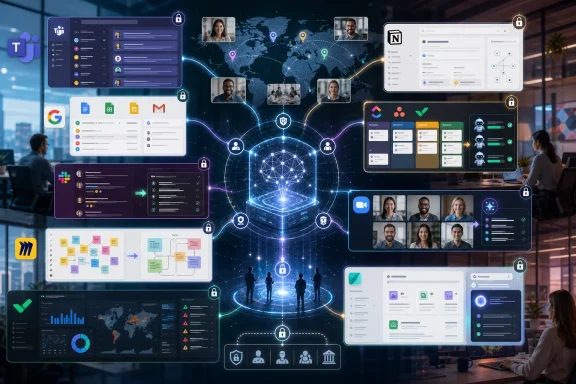 Microsoft Turns Teams Into the Default Office Operating System
Microsoft Teams remains the most consequential AI workspace because it begins with the advantage almost every competitor wants: distribution. Teams is not merely an app many companies choose; it is often the collaboration surface that arrives with Microsoft 365, Active Directory, Outlook calendars, SharePoint permissions, compliance policies, and the muscle memory of Office work. That makes Teams with Copilot the safest answer for many enterprises, even when it is not the most elegant one.Copilot’s appeal in Teams is straightforward. It can summarize meetings, identify action items, draft follow-ups, surface prior decisions, and pull information from the Microsoft Graph across Outlook, Word, PowerPoint, Excel, OneDrive, SharePoint, and Teams itself. For administrators, the value is less about a magical chatbot and more about putting generative AI inside an existing governance perimeter. In regulated companies, that matters more than novelty.
The 2026 direction is clearly toward agents living in channels, meetings, and business workflows. Microsoft has been pushing Copilot beyond a sidebar and into role-based assistants, workflow automation, and connectors that let organizations bring project systems, code repositories, service desks, and line-of-business tools into the Teams context. That is the right architectural move. The collaboration problem was never that workers lacked another chat window; it was that the work itself was fragmented.
Teams’ weakness is the same as its strength: it is Microsoft all the way down. The platform can feel heavy, administratively dense, and optimized for organizations that already think in Microsoft 365 terms. Smaller teams may see Copilot’s value but balk at the licensing stack required to unlock the best experience. The AI is powerful precisely because it is close to the data, but that closeness depends on how well the tenant has been governed for years.
That makes Teams the number one platform by gravity rather than grace. It is not always the fastest-moving or most delightful AI workspace. It is the one most likely to become the corporate default because the world’s work already lives near it.
Google Workspace Makes AI Feel Native, but the Packaging Still Bites
Google Workspace with Gemini is the cleanest counterargument to Microsoft’s enterprise gravity. Where Teams often feels like a command center attached to decades of corporate infrastructure, Google Workspace feels like the web-native collaboration model finally acquiring a reasoning layer. Docs, Sheets, Slides, Gmail, Drive, Meet, Calendar, and Chat were already built around simultaneous editing and cloud identity. Gemini gives that model a new interface.The strongest part of Google’s pitch is not any one chatbot feature. It is the possibility that an AI assistant can understand a long-running email thread, a folder full of planning documents, a spreadsheet of metrics, a meeting transcript, and a draft presentation without forcing the worker to manually stitch them together. Workspace has always been good at multiplayer creation. Gemini’s job is to make the workspace legible.
Google’s newer workflow features point in the right direction. Workspace Studio and automation tools suggest a future where teams build internal agents that route requests, generate reports, process approvals, or assemble campaign briefs without writing code. NotebookLM also gives Google a distinctive research and synthesis angle that Microsoft has not fully matched in feel, especially for teams that live in documents rather than formal project plans.
The catch is that Google’s AI packaging has been confusing, and claims about model access, context windows, and subscription tiers can vary across consumer, business, and enterprise products. A “one million token” headline is not the same thing as every employee in every Workspace plan getting uniform long-context capability inside every work surface. IT buyers should read the fine print, because the distance between a demo and a deployed tenant can be wide.
Still, Google Workspace deserves its second-place position because it has the collaboration DNA that AI workspaces need. It is fast, familiar, browser-native, and already trusted by startups, schools, nonprofits, agencies, and plenty of large enterprises. If Microsoft owns the enterprise back office, Google still owns the feeling of several people building something together in real time.
Slack Wins the Conversation Layer, Then Has to Prove It Can Own the Work
Slack remains the most culturally influential team communication product of the last decade, and in 2026 it is trying to turn that influence into something more durable. Its AI features are aimed at the pain Slack itself helped create: too many channels, too many threads, too many missed decisions, and too much organizational knowledge trapped in conversational exhaust. Channel summaries, thread recaps, answer search, and workflow-aware agents are not luxuries in Slack; they are survival features.The platform’s advantage is that work conversations often happen there before they become formal work records elsewhere. Product decisions, engineering debates, sales escalations, incident updates, hiring discussions, and customer feedback all pass through Slack in a way that feels immediate and human. AI that can summarize that flow, extract decisions, and search across connected tools can turn Slack from a noisy stream into a usable memory system.
Slack’s app ecosystem remains one of its most important assets. The platform’s strength with Salesforce, Jira, Asana, GitHub, Google Drive, Zendesk, and countless other services makes it attractive to teams with heterogeneous stacks. Unlike Teams, which often presumes a Microsoft center of gravity, Slack is most comfortable as the connective tissue among many systems.
That flexibility also creates its strategic dilemma. If Slack is the place where work is discussed but not where work is completed, AI can only do so much. The platform must persuade companies that the conversation layer is authoritative enough to host agents, decisions, and workflow triggers. Salesforce ownership gives Slack more enterprise muscle, but it also makes customers ask whether the product’s future is broad collaboration or a CRM-adjacent command surface.
Slack belongs near the top because it understands how modern teams communicate. Its challenge is to transform chat history into operational truth without becoming yet another place where half-finished work accumulates.
Notion Turns the Company Wiki Into an Interface for Asking Questions
Notion’s rise makes sense because most companies do not actually have a knowledge management problem; they have a knowledge retrieval problem. The information exists, but it is buried in documents, databases, project notes, onboarding pages, meeting recaps, and abandoned planning boards. Notion AI’s central promise is that teams should be able to ask the workspace what it knows.That makes Notion one of the purest examples of an AI multiplayer workspace. It combines documents, structured databases, lightweight project management, internal wikis, and templates in a way that lets small teams build systems quickly. With AI layered on top, the workspace becomes less of a filing cabinet and more of a queryable operating manual.
Notion’s AI writing and editing features are useful, but they are not the main event. The more important feature is context-aware Q&A across a team’s pages and databases. A product manager asking about launch status, a new hire asking how expenses work, or an executive asking which customers are blocked should not have to know where the answer lives. Notion’s bet is that the workspace itself should answer.
The risk is structure. Notion is wonderfully flexible, and that is exactly why messy teams can build messy systems inside it. AI can summarize chaos, but it cannot always repair bad information architecture. Enterprises that need strict permissions, records retention, complex workflow controls, or deep reporting may find Notion better as a knowledge layer than as the system of record.
Notion ranks highly because it understands that the AI workspace is partly a writing surface, partly a database, and partly a company memory. For startups, creative teams, product groups, and documentation-heavy organizations, that combination remains unusually compelling.
ClickUp Chases the One-App Dream With an AI Teammate Pitch
ClickUp has always had the most aggressive ambition in this category: replace the scattered collection of task tools, docs, dashboards, whiteboards, goals, forms, chats, and automations with one sprawling productivity platform. ClickUp Brain and newer agent features sharpen that pitch. If the work is already inside ClickUp, the AI can summarize it, answer questions about it, update it, and automate pieces of it.The platform’s strength is breadth. A team can manage tasks, write documentation, track OKRs, build dashboards, use forms, coordinate campaigns, and run automations without leaving the system. That matters because AI quality depends heavily on context. The more work ClickUp captures, the more useful its assistant becomes.
Autopilot-style agents are the natural evolution of ClickUp’s product philosophy. Generating daily reports, updating task properties, creating workflows, summarizing project health, and answering status questions are exactly the kinds of repetitive coordination tasks that drain managers and project leads. If ClickUp can handle those reliably, it becomes less of a task tracker and more of a coordination engine.
The downside is complexity. ClickUp can feel like a productivity superstore: everything is available, but not everything is easy to find or govern. Teams that want a focused, opinionated experience may prefer Asana, Notion, Linear, or Trello-like simplicity. AI can hide some complexity, but it can also create a false sense that the underlying system is cleaner than it is.
ClickUp belongs in the top five because its ambition matches the moment. The AI workspace market rewards platforms that own more context, and ClickUp is built to absorb context. The buyer’s question is whether that breadth becomes leverage or sprawl.
Miro Reminds Everyone That Not All Work Is Text
Miro’s place on this list is important because the AI workspace conversation is too often trapped in documents, chats, and meeting transcripts. Real collaboration also happens visually: diagrams, maps, canvases, sticky notes, product flows, journey maps, retrospectives, architecture sketches, and workshop boards. Miro owns that territory better than anyone.AI in Miro is most valuable when it reduces the manual labor of visual thinking. Clustering sticky notes, generating mind maps from prompts, turning brainstorms into structured themes, suggesting diagrams, and helping teams move from chaos to synthesis all address real workshop pain. Anyone who has watched a remote team spend 45 minutes sorting digital sticky notes understands why this matters.
The platform is especially strong for design sprints, agile ceremonies, product discovery, service design, planning workshops, and cross-functional strategy sessions. Miro’s canvas gives distributed teams something closer to a shared room. The AI features make that room less dependent on a heroic facilitator.
Miro is not the place where every company’s work ultimately lands. It is not a full replacement for Teams, Google Workspace, Slack, or Asana. Its role is more specialized: it captures the messy, visual, pre-document phase of work and helps teams turn it into something structured.
That specialization is why Miro ranks in the middle rather than near the top. It is indispensable for some workflows and peripheral for others. But as AI workspaces mature, the winners will need to understand more than text, and Miro is one of the clearest examples of that broader future.
Asana Makes the Strongest Case for AI as Project Governance
Asana has always been more disciplined than the “one app to replace them all” crowd. Its core idea is that work should be structured, assigned, sequenced, measured, and connected to goals. Asana Intelligence and AI Teammates build on that foundation by treating AI less as a writing assistant and more as a project governance layer.That distinction matters. In Asana, the highest-value AI features are not just summaries or drafts. They are risk detection, suggested next steps, task creation, workload insights, project status generation, and the ability to ask questions about blockers, owners, dependencies, and goals. This is AI for managers who need to see around corners.
Asana’s Work Graph gives it a real structural advantage. Because the platform already models tasks, projects, teams, goals, dependencies, and ownership, AI has something organized to reason over. That is different from asking a general chatbot to read a pile of documents and infer a work plan. Structured work data is less glamorous than a long context window, but often more operationally useful.
AI Teammates push the product into more ambitious territory. The idea of an assistant that adapts to a team’s workflow, monitors risks, and handles coordination tasks is exactly where enterprise collaboration is headed. But it also raises expectations. If an AI teammate misses a blocker, routes work poorly, or gives managers false confidence, the cost is not merely an awkward answer; it is a delayed project.
Asana is one of the best choices for organizations that care about accountability and delivery discipline. It may not be the broadest workspace, but it has one of the clearest theories of how AI should improve work: by making plans more visible, risks more obvious, and ownership harder to dodge.
Zoom’s Workspace Ambition Is Bigger Than Meetings, but Meetings Still Define It
Zoom Workplace is the clearest example of a pandemic-era giant trying to prove it is more than the behavior that made it famous. Zoom won mindshare as the meeting app, then spent the following years building team chat, phone, whiteboards, docs, scheduler features, clips, and AI Companion into a broader collaboration suite. In 2026, that repositioning is no longer cosmetic.AI Companion is genuinely useful because meetings generate a vast amount of unstructured work. Summaries, action items, follow-up drafts, meeting questions, highlight extraction, and cross-meeting recall can save time, especially in organizations that still treat meetings as their primary decision engine. Zoom’s newer push toward personal workflows and cross-platform note-taking suggests it understands that the meeting is only the start of the work, not the end.
Zoom’s advantage is user trust in live communication. People know how to join a Zoom call, host a webinar, record a session, and share a screen. Adding AI to that familiar behavior is easier than convincing users to adopt an entirely new workspace.
The limitation is that Zoom still has to fight the perception that it is a meeting layer with workspace features attached. Google and Microsoft can tie AI directly into documents, email, storage, identity, and office productivity. Slack owns persistent team conversation. Asana owns structured work. Zoom must persuade buyers that its meeting intelligence is central enough to justify treating Zoom Workplace as a hub.
For meeting-heavy organizations, that argument can work. Sales teams, customer success groups, education providers, consultancies, and distributed management teams may get immediate value from AI-generated meeting artifacts. But Zoom’s long-term challenge is to convert conversations into durable work records that live beyond the call.
Wrike Holds Its Ground With Enterprise Discipline
Wrike is not the buzziest name in the AI workspace market, but that may be part of its appeal. It has long served teams that need structured project management, dashboards, resource planning, request intake, approvals, and reporting at enterprise scale. Wrike AI extends that model with task generation, workflow suggestions, resource allocation, risk analysis, and smarter routing.The platform is particularly relevant for multinational organizations and teams with complex operational needs. Marketing operations, professional services, PMOs, creative production teams, and regulated businesses often need more than a friendly task board. They need request forms, auditability, workload balancing, cross-time-zone visibility, and reporting that executives can trust.
Wrike’s AI project risk features fit that environment well. The promise is not to make every worker more creative; it is to help managers detect slippage, overload, and process failure before they become deadline disasters. That is less glamorous than an agent writing a strategy memo, but it is closer to the problems many enterprises actually pay to solve.
The trade-off is usability. Enterprise-grade platforms can become dense, and Wrike is no exception. Teams looking for a lightweight workspace may find it more system than they need. But organizations with serious operational complexity often prefer a tool that feels engineered for control rather than one optimized for first-week delight.
Wrike deserves its place because the AI workspace market is not only about startups and knowledge workers chatting with bots. It is also about large organizations trying to make work predictable across departments, regions, vendors, and compliance regimes.
Happeo Shows the Intranet Was Not Dead, Just Waiting for AI Search
Happeo rounds out the ranking because it represents a different kind of workspace problem. Not every organization needs another project management system or meeting tool. Many need a modern intranet: a place where company knowledge, announcements, policies, pages, team spaces, and employee communications are centralized and searchable.That may sound less exciting than AI agents, but it addresses one of the most persistent failures in digital work. Employees waste time hunting for policies, org updates, templates, benefits information, onboarding material, and team documentation. If AI-powered search can make that information discoverable across connected tools, the intranet becomes useful again.
Happeo’s appeal is strongest for mid-sized organizations that want a company knowledge hub without the overhead of a full enterprise collaboration transformation. Its integrations with Google Workspace and Microsoft 365 make sense because most companies already live in one or both ecosystems. Happeo’s value is in giving that scattered content a more coherent employee-facing front door.
The risk is that intranet products can become publishing platforms rather than living workspaces. Engagement analytics help, but only if leaders act on them and teams keep content current. AI search can retrieve stale information just as confidently as fresh information if governance is weak.
Happeo belongs on the list because the future of work is not only about creating more content; it is about finding the right content at the right time. In that narrower but important mission, it may offer better value than heavier platforms for organizations that need clarity more than complexity.
The Best Platform Is Usually the One That Already Owns Your Context
The uncomfortable truth about AI workspaces is that feature comparisons only go so far. Once AI depends on organizational context, the best platform is often the one where your organization’s work already lives. A mediocre AI feature attached to complete context can outperform a beautiful AI assistant that has to ask users to upload everything manually.That is why Microsoft and Google sit at the top. Their platforms are not just collaboration tools; they are identity systems, storage systems, email systems, document systems, calendar systems, and compliance systems. Their AI can be woven into the daily fabric of work because they already own so much of that fabric.
Slack, Notion, ClickUp, Asana, Miro, Zoom, Wrike, and Happeo compete by owning different slices of context. Slack owns conversation. Notion owns flexible knowledge. ClickUp and Asana own work coordination. Miro owns visual collaboration. Zoom owns meetings. Wrike owns enterprise project operations. Happeo owns employee knowledge discovery. The best choice depends on which slice is most painful inside the organization.
This is also why buyers should be cautious about rankings that treat every platform as interchangeable. A design agency, a bank, a software startup, a hospital network, a university, and a global manufacturer do not mean the same thing when they say “workspace.” They have different risk profiles, governance needs, collaboration habits, and tolerance for vendor lock-in.
AI makes those differences more important, not less. The deeper the assistant reaches into organizational data, the more the platform becomes part of the company’s operating model. Choosing an AI workspace is no longer just a software procurement decision. It is a decision about where institutional memory will live.
The 2026 Workspace Race Comes Down to Memory, Agents, and Trust
The most important shift in 2026 is that collaboration platforms are competing to become systems of memory. The winning platform is not simply where employees talk or meet. It is where the organization remembers what was decided, why it was decided, who owns the next step, and what might break before the deadline.That is why AI agents matter, even if the term is already overused. A useful agent is not a mascot that writes cheerful summaries. It is a constrained actor with access to the right context, permissions, workflow rules, and escalation paths. Most vendors are still early in that journey, but the direction is obvious.
For IT teams, the practical evaluation should start with governance. What data can the AI access? How are permissions inherited? Can administrators audit usage? Are prompts and outputs retained? Can sensitive files be excluded? Does the platform respect existing compliance boundaries? These questions are less exciting than model benchmarks, but they are more likely to determine whether deployment succeeds.
For workers, the test is simpler. Does the AI save time without making them verify everything twice? A meeting summary that requires 10 minutes of correction is not automation; it is clerical work with extra steps. A project-risk alert that points to real dependency conflicts is useful. A generic warning that “deadlines may be at risk” is dashboard theater.
The platforms that will endure are the ones that make AI boring in the best possible way. They will summarize accurately, route work correctly, find the right document, respect permissions, and know when not to act. In enterprise software, trust usually beats spectacle.
The Ranking Says More About Work Than About Software
The ten-platform list is useful because it shows how fragmented the future workplace still is. There is no single universal workspace, only competing centers of gravity. Microsoft and Google dominate the suite layer. Slack dominates conversational culture. Notion and Happeo attack knowledge. ClickUp, Asana, and Wrike fight over work management. Miro owns the visual canvas. Zoom tries to turn meetings into a broader system of action.That fragmentation is not going away. If anything, AI may intensify it because every platform now wants to become the place where decisions are captured and acted upon. The more useful AI becomes inside each tool, the more each vendor has an incentive to keep users inside its own context.
The smartest organizations will resist the fantasy of a single perfect platform. They will standardize where standardization matters, integrate where teams need flexibility, and define clear systems of record. They will ask which platform owns meetings, which owns decisions, which owns tasks, which owns documents, and which owns official knowledge.
Without that discipline, AI workspaces can make the old mess faster. Summaries of scattered conversations are still scattered. Automated tasks without ownership are still noise. Agents without boundaries are still risk. The technology improves the operating model only if there is an operating model to improve.
The Buying Shortlist Should Start With the Work You Refuse to Lose
Before choosing among these platforms, organizations should identify the work artifacts they cannot afford to misplace: decisions, customer commitments, project risks, compliance records, engineering incidents, onboarding knowledge, financial approvals, or executive priorities. The right AI workspace is the one that protects and activates those artifacts, not necessarily the one with the longest feature list.- Microsoft Teams with Copilot is the strongest default for companies already committed to Microsoft 365, especially where compliance, identity, and Office integration matter.
- Google Workspace with Gemini is the best fit for organizations that live in browser-native collaboration and want AI woven through documents, mail, meetings, and automation.
- Slack remains the strongest communication layer for tool-diverse teams, but it must be paired with disciplined systems of record.
- Notion and Happeo are strongest when the central problem is company knowledge, documentation, and employee self-service.
- ClickUp, Asana, and Wrike should be evaluated by how much structure a team wants in project management, from broad all-in-one flexibility to enterprise operational control.
- Miro and Zoom are essential when visual collaboration or meeting intelligence is central to how the organization makes decisions.
References
- Primary source: Nubia Magazine!
Published: 2026-06-04T09:42:06.498319
Top 10 Best AI Multiplayer Workspace Platforms In The World 2026 | Nubia Magazine
In 2026, the concept of a workplace has fundamentally shifted. It is no longer a physical location but a digital environment where teams collaborate across...nubiapage.com - Related coverage: workspaceupdates.googleblog.com
Google Workspace Updates: Use your Gems in your Google Workspace Studio flows
workspaceupdates.googleblog.com
- Related coverage: techradar.com
Google Workspace gets a new intelligence layer to make Gemini more of an agentic assistant | TechRadar
Workspace Intelligence is all about giving Gemini full contextwww.techradar.com
