

The best antivirus software for 2026 is not a single universal product, but for most Windows users the shortlist begins with Norton, Bitdefender, Avast, ESET, McAfee, and Microsoft Defender, depending on whether the priority is paid suite features, free protection, lab scores, or enterprise-style control. The important shift is that “antivirus” is now a misleadingly narrow label for products that are really anti-fraud, anti-ransomware, identity-monitoring, and browser-defense platforms. The old contest over who catches the most classic viruses has become a broader fight over who can stop money-making crime before it reaches the user. For Windows households and small offices, that makes the best choice less about brand loyalty and more about knowing what kind of risk you are actually buying down.
The irony of the 2026 antivirus market is that the thing it is named for is no longer the center of the story. Traditional self-replicating viruses still exist in the historical sense, but the modern Windows threat landscape is dominated by malware that has a business model. Ransomware encrypts data and demands payment. Trojans steal credentials, session cookies, and financial information. Botnets turn ordinary PCs into rentable infrastructure for spam, credential stuffing, proxy abuse, or distributed attacks.
That shift matters because the right defense is no longer just a scanner that spots a bad executable after it lands on disk. The more valuable product is the one that blocks a malicious URL before the download begins, recognizes suspicious behavior before encryption spreads, and keeps phishing pages away from the browser session where users actually lose money. The best antivirus products in 2026 are therefore judged as much by their web protection, ransomware rollback, identity features, and false-positive discipline as by raw malware detection.
This is also why the market feels more confusing than it used to. A product sold as “antivirus” may include a VPN, password manager, cloud backup, parental controls, dark web monitoring, a firewall, a secure browser, a software updater, a file shredder, or some mixture of all of the above. Some of those additions are genuinely useful. Others are packaging designed to justify a subscription price in a market where Windows already ships with competent built-in protection.
The practical conclusion is blunt: paying for antivirus in 2026 only makes sense if the paid product gives you something beyond the baseline. That “something” might be excellent independent lab results, better phishing protection, stronger ransomware controls, family management, cross-platform coverage, or support that an ordinary user can actually reach. If it is merely duplicating Microsoft Defender with a noisier interface and an annual renewal nag, it is not a security upgrade.
Defender’s existence changes the entire buying decision. A decade ago, leaving a Windows PC with only Microsoft’s built-in protection felt like settling for the minimum. In 2026, that is no longer a fair description. Defender has matured into a credible default with strong showings in major independent lab tests, and for many careful users it is sufficient when paired with current Windows updates, a modern browser, and common-sense account hygiene.
But “sufficient” is not the same as “best for everyone.” Defender’s strength is its integration with Windows, its low friction, and its cost: free, silent, and already maintained through Microsoft’s update machinery. Its weakness is that it is not trying to be a full consumer security suite. It will not give every household the same polished identity monitoring, family dashboards, bundled VPN, backup, or cross-platform management that paid vendors sell.
That makes Defender the floor, not the ceiling. It is the answer for users who do not want another subscription and are willing to let Windows handle the basics. It is not necessarily the answer for families managing several devices, users who frequently install software from unfamiliar sources, people who want stronger anti-phishing layers, or small businesses that need clearer reporting and support.
The presence of Defender also raises the bar for the commercial market. If a paid antivirus cannot convincingly beat the free built-in option on protection, usability, and extra defenses, it is selling anxiety rather than security. That is the standard every 2026 recommendation should start from.
That breadth is both the appeal and the trap. For a household with several Windows PCs, phones, and less technical users, Norton’s all-in-one approach can reduce the number of separate services to manage. For a power user who already has a preferred VPN, password manager, backup tool, and browser-hardening setup, Norton can feel like a crowded dashboard wrapped around the one function they actually wanted.
The case for Norton is strongest when independent test performance is treated as the primary filter. Recent lab results and consumer security roundups continue to place Norton near the top tier, particularly for Windows malware protection. PCMag’s 2026 framing identifies Norton as an Editors’ Choice winner and notes particularly strong lab performance across several testing organizations.
The case against Norton is not that it fails at protection. It is that the subscription security-suite model has become a maze of tiers, renewal prices, device counts, and bundled services. Buyers should judge Norton less by the promotional first-year price and more by the renewal cost, the number of devices covered, and whether they will actually use the extra tools. A suite is only a bargain if its extras replace things you would otherwise pay for.
That does not mean Bitdefender is minimalist. Its paid suites can include ransomware protection, web protection, privacy tools, a secure browser for financial activity, system utilities, and VPN access, depending on the version. But the center of gravity is still security engineering rather than identity-service bundling. For Windows enthusiasts, that distinction matters.
Bitdefender is a particularly strong fit for users who want a premium product but do not want their antivirus to become the operating system’s main character. The best security software is often the one you rarely think about because it blocks threats quietly, updates itself, and does not constantly upsell you in the corner of the screen. Bitdefender is not immune from the economics of subscription software, but its best versions still make a persuasive case on protection first.
The trade-off is that some bundled features can vary by tier, region, and plan, especially around VPN limits and multi-device support. As with Norton, the 2026 buyer needs to read the product matrix rather than the headline. Bitdefender is easy to recommend as a top-tier engine; choosing the right package is where the work begins.
Avast and AVG share corporate lineage, and their products often appear together in testing discussions. They provide the obvious attraction: credible malware protection without an upfront subscription. For budget-constrained users, students, spare PCs, or relatives who would otherwise run nothing beyond the default, that can be a real improvement.
The catch is that free products are never truly outside the business model. They may encourage upgrades, reserve advanced features for paid tiers, or bundle more prompts than a user wants. A free antivirus that nags constantly can train users to click through security warnings without reading them, which is the opposite of good security design. The best free protection is the one that stays understandable and restrained.
Still, Avast and AVG deserve a place in the 2026 discussion because the free tier has become a meaningful competitive pressure. Microsoft Defender covers the default. Avast and AVG challenge the idea that serious third-party protection must cost money. Paid suites then have to justify themselves with convenience, extras, support, identity features, or demonstrably superior protection.
Recent independent testing has continued to place ESET in the upper tier, and PCMag’s 2026 roundup notes near-perfect results across multiple labs. That is the foundation of the ESET argument. It does not need to win on the longest list of extras if it can win the trust of users who care about detection, configurability, and a lighter touch.
ESET is especially interesting for small offices and power users who want to understand what their security software is doing. Many consumer suites hide complexity behind simplified dashboards; ESET has historically been more comfortable exposing controls. That can be a virtue in the right hands and a liability in the wrong ones.
The recommendation is therefore audience-specific. ESET is not necessarily the first product to install for a nontechnical family member who wants identity monitoring, parental controls, and one-click reassurance. It is a strong candidate for users who value precision, low drama, and the sense that the product is not trying to become a shopping portal.
The benefit of that approach is consolidation. A single subscription can cover multiple systems, and the surrounding services may be easier for mainstream users than assembling separate tools for VPN, identity monitoring, password management, and device protection. For many buyers, convenience is not cosmetic; it is the difference between using a security feature and ignoring it.
The risk is that breadth can blur the core evaluation. McAfee may be a good product for a household even when a narrower product is more elegant for a single PC. Conversely, a buyer who only wants malware protection may end up paying for a bundle of services they do not need. The right question is not “Is McAfee good?” but “Is McAfee’s bundle aligned with the way this household actually manages risk?”
In 2026, that is a defensible strategy. Security is no longer confined to the Windows desktop. The same family may face phishing texts, compromised passwords, scam websites, malicious downloads, and privacy leaks across phones, tablets, and PCs. McAfee’s value depends on whether its ecosystem reduces that sprawl or merely repackages it.
This is where behavior-based detection becomes central. The product may not know the exact hash of a new ransomware sample, but it can notice when an unknown process begins rapidly modifying documents, reaching into protected folders, or behaving like known encryption malware. The best systems intervene quickly without drowning the user in false alarms.
False positives are the hard part. A backup tool, development script, compression utility, or batch image processor can also touch many files quickly. If a security product blocks legitimate work too often, users disable it, exclude folders carelessly, or stop trusting warnings. The most impressive protection is not the most aggressive one; it is the one that distinguishes malicious behavior from merely unusual behavior.
That is why independent testing still matters. Vendor claims about AI, machine learning, and behavioral engines are cheap. Testing labs, while imperfect, provide an external view of protection rates, false positives, performance impact, and consistency over time. A product that looks unbeatable in marketing copy but struggles in comparative testing should be treated with caution.
This is why URL filtering and phishing protection deserve more attention than they often receive. Blocking malware at download time is useful, but blocking the page that hosts it is better. Preventing a user from entering credentials into a fake Microsoft 365, bank, shipping, or social-media login page may be more valuable than catching a trojan later.
Security vendors know this, which is why many antivirus products now rate search results, block known malicious domains, inspect downloads, and add browser extensions. The quality of those layers varies. A good browser defense should be fast, accurate, and legible. A bad one breaks pages, duplicates browser warnings, or becomes another stream of pop-ups.
Windows users should also remember that Microsoft, Google, Mozilla, and Apple are fighting the same fight inside the browser and operating system. SmartScreen, Safe Browsing, browser sandboxing, download reputation checks, and passkeys all reduce risk before antivirus gets involved. The best antivirus product complements those defenses rather than pretending it alone stands between the user and chaos.
This is the clearest example of a broader truth: antivirus software requires unusually deep trust. These products inspect files, monitor behavior, intercept web traffic, update constantly, and run with high privileges. A bad antivirus product is not merely ineffective; it can become a privileged liability. Even a technically excellent product can become unacceptable if the legal, geopolitical, or supply-chain risk is too high for the buyer’s environment.
For home users, that may sound abstract until the product disappears from the market, stops receiving updates, or is replaced through a migration deal. For businesses, it is already a familiar procurement issue. Security software is part of the attack surface and part of the compliance story. Vendor jurisdiction, update infrastructure, ownership, telemetry practices, and incident history all matter.
The Kaspersky episode should make Windows users more mature buyers. Detection scores are important, but they are not the only scores that matter. Trust is not a vibe; it is a product feature made from governance, transparency, legal exposure, and operational continuity.
For a careful Windows user who mostly stays inside mainstream software sources, keeps Windows updated, uses a modern browser, and practices decent password hygiene, Microsoft Defender may be enough. Add a reputable password manager, multifactor authentication, and regular backups, and that user is already ahead of many paid-suite customers who ignore warnings and reuse passwords.
For a family, Norton or McAfee may make more sense because the problem is not just malware; it is managing risk across people. If one subscription provides usable protections for several devices, identity alerts, parental controls, scam protection, and support, the suite model can be rational. The product is being bought as household infrastructure, not just a scanner.
For enthusiasts and technically confident users, Bitdefender and ESET remain especially attractive. Bitdefender brings a strong protection reputation with a polished consumer experience, while ESET offers a more controlled, less bloated feel. Avast and AVG occupy the budget-friendly lane, particularly for users who want more than Defender but cannot justify another subscription.
The one universal recommendation is backup. Antivirus can reduce the chance of infection, but it cannot guarantee recovery from every ransomware event, hardware failure, accidental deletion, or account compromise. A real backup strategy means versioned, offline or cloud-protected copies that ransomware cannot simply encrypt along with the original files. In 2026, backup is not an accessory to antivirus; it is the safety net that makes the whole security posture credible.
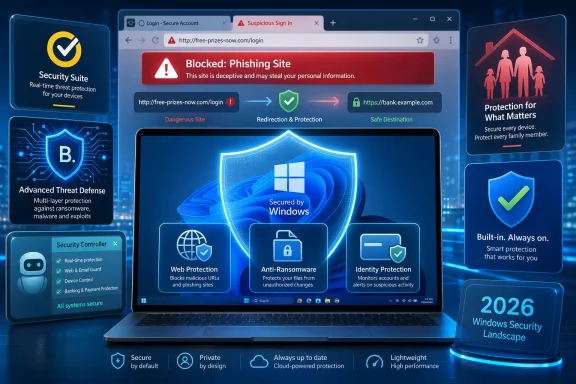 Antivirus Won the Virus War and Inherited a Messier One
The irony of the 2026 antivirus market is that the thing it is named for is no longer the center of the story. Traditional self-replicating viruses still exist in the historical sense, but the modern Windows threat landscape is dominated by malware that has a business model. Ransomware encrypts data and demands payment. Trojans steal credentials, session cookies, and financial information. Botnets turn ordinary PCs into rentable infrastructure for spam, credential stuffing, proxy abuse, or distributed attacks.That shift matters because the right defense is no longer just a scanner that spots a bad executable after it lands on disk. The more valuable product is the one that blocks a malicious URL before the download begins, recognizes suspicious behavior before encryption spreads, and keeps phishing pages away from the browser session where users actually lose money. The best antivirus products in 2026 are therefore judged as much by their web protection, ransomware rollback, identity features, and false-positive discipline as by raw malware detection.
This is also why the market feels more confusing than it used to. A product sold as “antivirus” may include a VPN, password manager, cloud backup, parental controls, dark web monitoring, a firewall, a secure browser, a software updater, a file shredder, or some mixture of all of the above. Some of those additions are genuinely useful. Others are packaging designed to justify a subscription price in a market where Windows already ships with competent built-in protection.
The practical conclusion is blunt: paying for antivirus in 2026 only makes sense if the paid product gives you something beyond the baseline. That “something” might be excellent independent lab results, better phishing protection, stronger ransomware controls, family management, cross-platform coverage, or support that an ordinary user can actually reach. If it is merely duplicating Microsoft Defender with a noisier interface and an annual renewal nag, it is not a security upgrade.
Microsoft Defender Changed the Price of Admission
Microsoft Defender Antivirus is the most widely used Windows antivirus product for the simplest possible reason: it is already there. On Windows 10 and Windows 11, Defender is installed by default, turns itself on when no third-party product is active, and steps aside when a paid suite takes over. That automatic handoff has done more to improve baseline PC security than almost any consumer security campaign.Defender’s existence changes the entire buying decision. A decade ago, leaving a Windows PC with only Microsoft’s built-in protection felt like settling for the minimum. In 2026, that is no longer a fair description. Defender has matured into a credible default with strong showings in major independent lab tests, and for many careful users it is sufficient when paired with current Windows updates, a modern browser, and common-sense account hygiene.
But “sufficient” is not the same as “best for everyone.” Defender’s strength is its integration with Windows, its low friction, and its cost: free, silent, and already maintained through Microsoft’s update machinery. Its weakness is that it is not trying to be a full consumer security suite. It will not give every household the same polished identity monitoring, family dashboards, bundled VPN, backup, or cross-platform management that paid vendors sell.
That makes Defender the floor, not the ceiling. It is the answer for users who do not want another subscription and are willing to let Windows handle the basics. It is not necessarily the answer for families managing several devices, users who frequently install software from unfamiliar sources, people who want stronger anti-phishing layers, or small businesses that need clearer reporting and support.
The presence of Defender also raises the bar for the commercial market. If a paid antivirus cannot convincingly beat the free built-in option on protection, usability, and extra defenses, it is selling anxiety rather than security. That is the standard every 2026 recommendation should start from.
Norton Still Looks Like the Safe Paid Bet
Norton remains one of the easiest paid antivirus recommendations because it combines strong malware protection with the kind of suite features that ordinary buyers understand. It is not just selling a scanner; it is selling a security bundle. Depending on the plan, that bundle may include cloud backup, a VPN, dark web monitoring, parental controls, a password manager, scam protection, and other identity-adjacent tools.That breadth is both the appeal and the trap. For a household with several Windows PCs, phones, and less technical users, Norton’s all-in-one approach can reduce the number of separate services to manage. For a power user who already has a preferred VPN, password manager, backup tool, and browser-hardening setup, Norton can feel like a crowded dashboard wrapped around the one function they actually wanted.
The case for Norton is strongest when independent test performance is treated as the primary filter. Recent lab results and consumer security roundups continue to place Norton near the top tier, particularly for Windows malware protection. PCMag’s 2026 framing identifies Norton as an Editors’ Choice winner and notes particularly strong lab performance across several testing organizations.
The case against Norton is not that it fails at protection. It is that the subscription security-suite model has become a maze of tiers, renewal prices, device counts, and bundled services. Buyers should judge Norton less by the promotional first-year price and more by the renewal cost, the number of devices covered, and whether they will actually use the extra tools. A suite is only a bargain if its extras replace things you would otherwise pay for.
Bitdefender Is the Technologist’s Favorite for a Reason
Bitdefender’s appeal has long been that it feels like a security product built by people who care about detection quality and system impact. It tends to show up well in independent testing, it has a reputation for strong malware defenses, and its Windows products often balance protection with relatively low day-to-day annoyance. In a category where many apps compete by adding widgets, Bitdefender’s core pitch remains refreshingly technical: stop bad things without making the PC feel worse.That does not mean Bitdefender is minimalist. Its paid suites can include ransomware protection, web protection, privacy tools, a secure browser for financial activity, system utilities, and VPN access, depending on the version. But the center of gravity is still security engineering rather than identity-service bundling. For Windows enthusiasts, that distinction matters.
Bitdefender is a particularly strong fit for users who want a premium product but do not want their antivirus to become the operating system’s main character. The best security software is often the one you rarely think about because it blocks threats quietly, updates itself, and does not constantly upsell you in the corner of the screen. Bitdefender is not immune from the economics of subscription software, but its best versions still make a persuasive case on protection first.
The trade-off is that some bundled features can vary by tier, region, and plan, especially around VPN limits and multi-device support. As with Norton, the 2026 buyer needs to read the product matrix rather than the headline. Bitdefender is easy to recommend as a top-tier engine; choosing the right package is where the work begins.
Avast and AVG Make Free Protection Hard to Dismiss
The free-antivirus conversation is awkward for paid vendors because some free products are genuinely good. Avast One Basic and AVG AntiVirus Free are frequently mentioned as free options that can outperform weaker paid products. That is not a small claim in a market where many consumers still assume “paid” automatically means “better.”Avast and AVG share corporate lineage, and their products often appear together in testing discussions. They provide the obvious attraction: credible malware protection without an upfront subscription. For budget-constrained users, students, spare PCs, or relatives who would otherwise run nothing beyond the default, that can be a real improvement.
The catch is that free products are never truly outside the business model. They may encourage upgrades, reserve advanced features for paid tiers, or bundle more prompts than a user wants. A free antivirus that nags constantly can train users to click through security warnings without reading them, which is the opposite of good security design. The best free protection is the one that stays understandable and restrained.
Still, Avast and AVG deserve a place in the 2026 discussion because the free tier has become a meaningful competitive pressure. Microsoft Defender covers the default. Avast and AVG challenge the idea that serious third-party protection must cost money. Paid suites then have to justify themselves with convenience, extras, support, identity features, or demonstrably superior protection.
ESET Remains the Choice for People Who Hate Bloat
ESET’s place in the antivirus market is less flashy than Norton’s and less consumer-brand-heavy than McAfee’s, but it has a loyal audience for good reasons. It is often favored by technically inclined users who want strong protection, detailed controls, and less of the “family safety super-app” feel that defines some rivals. In a WindowsForum context, that matters: not every user wants their antivirus to behave like a lifestyle subscription.Recent independent testing has continued to place ESET in the upper tier, and PCMag’s 2026 roundup notes near-perfect results across multiple labs. That is the foundation of the ESET argument. It does not need to win on the longest list of extras if it can win the trust of users who care about detection, configurability, and a lighter touch.
ESET is especially interesting for small offices and power users who want to understand what their security software is doing. Many consumer suites hide complexity behind simplified dashboards; ESET has historically been more comfortable exposing controls. That can be a virtue in the right hands and a liability in the wrong ones.
The recommendation is therefore audience-specific. ESET is not necessarily the first product to install for a nontechnical family member who wants identity monitoring, parental controls, and one-click reassurance. It is a strong candidate for users who value precision, low drama, and the sense that the product is not trying to become a shopping portal.
McAfee Sells the Household, Not Just the PC
McAfee’s modern pitch is broader than antivirus. It is a consumer security brand built around households, identity, privacy, and multi-device coverage. That can be exactly the right proposition for a family that thinks in terms of people and devices rather than Windows executables and exploit chains.The benefit of that approach is consolidation. A single subscription can cover multiple systems, and the surrounding services may be easier for mainstream users than assembling separate tools for VPN, identity monitoring, password management, and device protection. For many buyers, convenience is not cosmetic; it is the difference between using a security feature and ignoring it.
The risk is that breadth can blur the core evaluation. McAfee may be a good product for a household even when a narrower product is more elegant for a single PC. Conversely, a buyer who only wants malware protection may end up paying for a bundle of services they do not need. The right question is not “Is McAfee good?” but “Is McAfee’s bundle aligned with the way this household actually manages risk?”
In 2026, that is a defensible strategy. Security is no longer confined to the Windows desktop. The same family may face phishing texts, compromised passwords, scam websites, malicious downloads, and privacy leaks across phones, tablets, and PCs. McAfee’s value depends on whether its ecosystem reduces that sprawl or merely repackages it.
Ransomware Made Behavior More Important Than Signatures
Ransomware changed consumer antivirus because it punished late detection. If a product identifies malware only after thousands of files are encrypted, the technical victory is meaningless to the user. That is why modern antivirus suites increasingly include ransomware-specific components designed to protect key folders, detect suspicious file-change patterns, and in some cases reverse unauthorized modifications.This is where behavior-based detection becomes central. The product may not know the exact hash of a new ransomware sample, but it can notice when an unknown process begins rapidly modifying documents, reaching into protected folders, or behaving like known encryption malware. The best systems intervene quickly without drowning the user in false alarms.
False positives are the hard part. A backup tool, development script, compression utility, or batch image processor can also touch many files quickly. If a security product blocks legitimate work too often, users disable it, exclude folders carelessly, or stop trusting warnings. The most impressive protection is not the most aggressive one; it is the one that distinguishes malicious behavior from merely unusual behavior.
That is why independent testing still matters. Vendor claims about AI, machine learning, and behavioral engines are cheap. Testing labs, while imperfect, provide an external view of protection rates, false positives, performance impact, and consistency over time. A product that looks unbeatable in marketing copy but struggles in comparative testing should be treated with caution.
The Browser Is Now the Front Line
For many Windows users, the most dangerous app is not an email client or a downloaded installer. It is the browser. Phishing pages, fake login prompts, malicious ads, scam storefronts, poisoned search results, and drive-by downloads all meet the user in the same place: a tab that looks plausible enough to trust.This is why URL filtering and phishing protection deserve more attention than they often receive. Blocking malware at download time is useful, but blocking the page that hosts it is better. Preventing a user from entering credentials into a fake Microsoft 365, bank, shipping, or social-media login page may be more valuable than catching a trojan later.
Security vendors know this, which is why many antivirus products now rate search results, block known malicious domains, inspect downloads, and add browser extensions. The quality of those layers varies. A good browser defense should be fast, accurate, and legible. A bad one breaks pages, duplicates browser warnings, or becomes another stream of pop-ups.
Windows users should also remember that Microsoft, Google, Mozilla, and Apple are fighting the same fight inside the browser and operating system. SmartScreen, Safe Browsing, browser sandboxing, download reputation checks, and passkeys all reduce risk before antivirus gets involved. The best antivirus product complements those defenses rather than pretending it alone stands between the user and chaos.
Kaspersky’s U.S. Exit Turned Trust Into a Product Feature
No 2026 antivirus guide can treat Kaspersky as an ordinary recommendation in the United States. The U.S. government banned new sales of Kaspersky security products in 2024, citing national security concerns, and the company subsequently moved U.S. customers away from its products. That does not erase Kaspersky’s long technical reputation, but it does change the practical answer for American buyers.This is the clearest example of a broader truth: antivirus software requires unusually deep trust. These products inspect files, monitor behavior, intercept web traffic, update constantly, and run with high privileges. A bad antivirus product is not merely ineffective; it can become a privileged liability. Even a technically excellent product can become unacceptable if the legal, geopolitical, or supply-chain risk is too high for the buyer’s environment.
For home users, that may sound abstract until the product disappears from the market, stops receiving updates, or is replaced through a migration deal. For businesses, it is already a familiar procurement issue. Security software is part of the attack surface and part of the compliance story. Vendor jurisdiction, update infrastructure, ownership, telemetry practices, and incident history all matter.
The Kaspersky episode should make Windows users more mature buyers. Detection scores are important, but they are not the only scores that matter. Trust is not a vibe; it is a product feature made from governance, transparency, legal exposure, and operational continuity.
The Best Product Depends on the Kind of Windows User You Are
The search for the single “best antivirus” is comforting but slightly dishonest. The best choice for a gamer, a parent, a sysadmin’s home lab, a retiree, a student, and a five-person accounting office may not be the same. Their threat models overlap, but their tolerance for complexity, cost, false positives, and bundled services differs sharply.For a careful Windows user who mostly stays inside mainstream software sources, keeps Windows updated, uses a modern browser, and practices decent password hygiene, Microsoft Defender may be enough. Add a reputable password manager, multifactor authentication, and regular backups, and that user is already ahead of many paid-suite customers who ignore warnings and reuse passwords.
For a family, Norton or McAfee may make more sense because the problem is not just malware; it is managing risk across people. If one subscription provides usable protections for several devices, identity alerts, parental controls, scam protection, and support, the suite model can be rational. The product is being bought as household infrastructure, not just a scanner.
For enthusiasts and technically confident users, Bitdefender and ESET remain especially attractive. Bitdefender brings a strong protection reputation with a polished consumer experience, while ESET offers a more controlled, less bloated feel. Avast and AVG occupy the budget-friendly lane, particularly for users who want more than Defender but cannot justify another subscription.
The one universal recommendation is backup. Antivirus can reduce the chance of infection, but it cannot guarantee recovery from every ransomware event, hardware failure, accidental deletion, or account compromise. A real backup strategy means versioned, offline or cloud-protected copies that ransomware cannot simply encrypt along with the original files. In 2026, backup is not an accessory to antivirus; it is the safety net that makes the whole security posture credible.
The 2026 Shortlist Rewards Clarity Over Fear
The antivirus market sells fear because fear converts. The better way to buy is to map products to concrete needs, then ignore the rest of the noise. If the product cannot explain what it does better than Defender, why its renewal price is justified, and how it behaves when something goes wrong, it has not earned the subscription.- Norton is the strongest mainstream paid pick when the buyer wants a broad security suite with strong lab credibility and family-friendly extras.
- Bitdefender is the strongest premium pick for users who prioritize malware defense, system performance, and a product that still feels security-first.
- Microsoft Defender is the right default for many careful Windows users because it is built in, free, increasingly capable, and tightly integrated with the operating system.
- Avast One Basic and AVG AntiVirus Free are credible free alternatives when the budget is zero but the user still wants third-party protection.
- ESET is the best fit for technical users who value control, strong testing performance, and less consumer-suite clutter.
- McAfee makes the most sense when the buyer wants multi-device household protection and identity-oriented services more than a narrow antivirus utility.
References
- Primary source: PCMag Australia
Published: 2026-06-11T03:10:10.656598
The Best Antivirus Software for 2026
Antivirus apps protect your PC's personal information, data, bank accounts, and other sensitive information. We've tested more than two dozen utilities to help you choose the right antivirus for your needs.au.pcmag.com - Related coverage: techradar.com
Best endpoint protection software | TechRadar
We feature the best endpoint protection software, to make it simple and easy to protect your business IT network from intrusions and hack attacks.www.techradar.com - Related coverage: av-test.org
Test antivirus software for Windows 11 - April 2026 | AV-TEST
The current tests of antivirus software for Windows 11 from April 2026 of AV-TEST, the leading international and independent service provider for antivirus software and malware.www.av-test.org
- Related coverage: security.org
The Best Antivirus Software of 2026 | Security.org
Norton offers the best antivirus of 2026 with industry-leading malware detection rates. Aura, TotalAV, and Guardio also ranked high.www.security.org - Related coverage: techcrunch.com
US bans sale of Kaspersky software citing security risk from Russia | TechCrunch
U.S. officials imposed the “first of its kind” ban arguing that Kaspersky threatens U.S. national security because of its links to Russia.techcrunch.com - Related coverage: pcworld.com
Best antivirus software for Windows PCs 2026: Reviews and top picks | PCWorld
Your PC needs virus protection. Some threats can’t be avoided without the aid of antivirus software. Choose the best antivirus software for you from our top picks.www.pcworld.com
- Related coverage: axios.com
Pango Group taking over Kaspersky Lab's U.S. antivirus market after ban
Pango Group said it's bringing in roughly 1 million Kaspersky customers as part of the deal.www.axios.com
- Related coverage: tomshardware.com
Banned Russian antivirus maker Kaspersky rolls out new products — basic plan for Linux starts at $59.99 a year | Tom's Hardware
Kaspersky wants a piece of the Linux pie.www.tomshardware.com - Related coverage: tomsguide.com
Norton 360 review: Powerful and bang-for-your-buck antivirus software | Tom's Guide
Norton 360 offers comprehensive protection against malware, and features an array of powerful tools, including Dark Web Monitoring and a VPN.www.tomsguide.com - Related coverage: av-comparatives.org
Consumer Malware Protection Test September 2025 - AV-Comparatives
www.av-comparatives.org
