

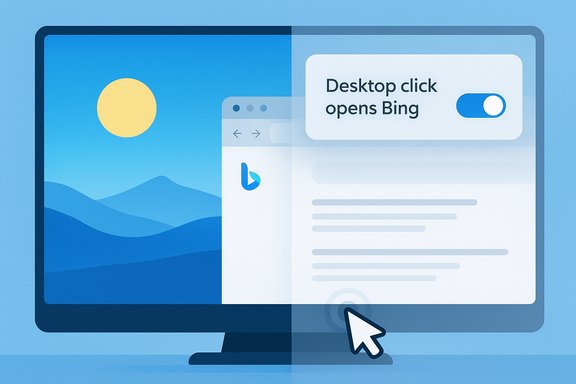
Microsoft quietly turned a passive wallpaper utility into a small but intrusive promotional engine: a recent update to the Bing Wallpaper app added a feature called “Desktop click opens Bing” and left it enabled by default — and some users are now reporting they can’t find the off switch. The result is a desktop that, once the app is installed, can open a Bing search in the default browser when the user clicks the desktop background — not every click, but often enough (reports and hands‑on testing indicate roughly a once‑per‑day trigger) to confuse or annoy people who expect the desktop to be inert. The setting to disable this behaviour exists in most builds of the app, but community reports and vendor support threads show that the toggle is missing or ineffective for a subset of users, creating a practical opt‑out problem that has already produced widespread complaints and a modest privacy/UX controversy.
Bing Wallpaper is an optional desktop app that brings Bing’s daily imagery to Windows desktops, rotating high‑quality photos sourced from editorial partners and photographers. The app has existed in various forms for years as a simple wallpaper rotator, and many users like it for the daily images alone. Recently, however, the app added interactive elements: a visual‑search hotspot over the image, recommendation/news widgets, and the “Desktop click opens Bing” toggle that turns the whole desktop into an occasional link to a visual search page for the image.
The interactive features are enabled by default in the version rolling out to many users. When enabled, clicking the desktop surface can open a browser tab that performs a Bing visual search for the object(s) shown in the wallpaper. The visual‑search hotspot — usually a small icon or semi‑transparent overlay at the top right — performs the same action in a predictable way; the desktop‑click behavior is the more surprising and intrusive change.
Multiple independent technical write‑ups, community threads, and vendor support forums reproduce the behaviour in hands‑on testing and report the same control labels in the app UI. Community troubleshooting notes and vendor support threads also document cases where the toggle either does not appear or does not reliably prevent the browser from opening, and several practical workarounds have been circulated by users.
There are broader privacy criticisms and reverse‑engineering claims about earlier builds of the app — for example, investigations that alleged installation of companion components, upsell prompts to set Bing as default, and background checks of cookies. Those desktop‑click mechanics and the visual‑search behaviour are well documented; the deeper claims about cookie decryption and covert browser changes were disputed by the vendor at the time and remain a contentious area. Where vendor denial and community analysis differ, the claim should be treated as contested until independent forensic confirmation is available.
From a design ethics perspective, this is a poor choice: promotional behaviour should be opt‑in, prominent, and easily reversible. Turning promotional mechanics on by default and relying on throttling to reduce annoyance creates a situation where many users will experience the behaviour without understanding why. Worse, inconsistent presentation of the off toggle transforms a design choice into a software reliability problem.
From a competition and regulatory lens, the incident feeds into broader anxieties about built‑in product placement. The app must be optional, and the ability to disable promotional mechanics reliably is critical to avoiding both user frustration and regulatory scrutiny.
Source: Windows Latest Microsoft added "click on desktop to open Bing” to the Bing Wallpaper app, then accidentally hid the option to turn it off on Windows 11
 Background / Overview
Bing Wallpaper is an optional desktop app that brings Bing’s daily imagery to Windows desktops, rotating high‑quality photos sourced from editorial partners and photographers. The app has existed in various forms for years as a simple wallpaper rotator, and many users like it for the daily images alone. Recently, however, the app added interactive elements: a visual‑search hotspot over the image, recommendation/news widgets, and the “Desktop click opens Bing” toggle that turns the whole desktop into an occasional link to a visual search page for the image.The interactive features are enabled by default in the version rolling out to many users. When enabled, clicking the desktop surface can open a browser tab that performs a Bing visual search for the object(s) shown in the wallpaper. The visual‑search hotspot — usually a small icon or semi‑transparent overlay at the top right — performs the same action in a predictable way; the desktop‑click behavior is the more surprising and intrusive change.
Multiple independent technical write‑ups, community threads, and vendor support forums reproduce the behaviour in hands‑on testing and report the same control labels in the app UI. Community troubleshooting notes and vendor support threads also document cases where the toggle either does not appear or does not reliably prevent the browser from opening, and several practical workarounds have been circulated by users.
What changed, in practical terms
The new desktop interaction model
- The app adds an interactive layer on top of the desktop image (a hotspot/visual search control).
- A new setting, labelled “Desktop click opens Bing”, is present in the Bing Wallpaper app settings and is enabled by default in the current rollout.
- When enabled, a click on the desktop background (outside of icons or open windows) triggers a browser tab that runs a Bing visual search for the subject in the wallpaper.
- The trigger is throttled — it does not open a new tab on every click. Observers report a cadence of roughly once per 24 hours or thereabouts; other community posts describe similarly infrequent triggers (the exact throttle policy is not documented publicly).
How it behaves in the wild
- The search opens in the default browser, so Chrome and Firefox users will see the Bing results page in their chosen browser. It is not limited to Edge.
- The effect is easy to reproduce for users who have the app installed and the setting enabled.
- Several users report not finding the toggle in their app settings or seeing the app still open a browser tab after disabling the feature — evidence of inconsistent rollout or a bug in how settings are presented/applied.
Why users are upset (and why the pushback matters)
At a glance the change looks small, but it touches several key concerns that make it significant:- User expectation: The desktop is a neutral workspace. Turning a casual desktop click into a promotional link violates the expectation that clicking the desktop will do nothing or select an empty area.
- Default choice matters: The feature is enabled by default, which means users who install the app will be opted in unless they consciously change settings. Defaults are powerful nudges; in this case the default nudges users toward Bing searches and additional site traffic.
- Partial opt‑out / bug reports: Some users cannot find the toggle or report that disabling it does not always stop the behaviour. A missing or ineffective control converts a user‑choice problem into a reliability and trust issue.
- Privacy and telemetry context: The Bing Wallpaper app has previously been criticized for aggressive upsell behaviours (prompting defaults, installing companion components) and for background interactions with browser state. Although the company has pushed back on some of the most extreme technical claims, the context amplifies user concern about adding interactive elements that can reach into other apps or browsers.
Technical anatomy: what the app actually does
Visual search hotspots
- A small widget or icon is attached to the wallpaper image (commonly in the top‑right).
- Hovering or clicking that hotspot reveals a translucent selection overlay over parts of the image; activating it launches a visual search page in the default browser.
Desktop‑wide clickable area
- Separately, the app can treat the entire desktop surface as a sparse interactive zone. When the desktop‑click toggle is enabled, a single click on the background can launch the same visual search flow.
- To prevent repeated annoyance, the app appears to rate‑limit the behaviour. Community reproductions suggest the limit is roughly once per day, but Microsoft has not publicly documented the throttle.
Settings and controls
- Typical settings in the Bing Wallpaper app include toggles for:
- Top‑right Visual Search (Hotspot Widget)
- Desktop click opens Bing
- Bottom‑right Recommendations / News
- Notifications for recommendations
- These toggles are available via the app’s system‑tray icon in most installs, but several users report the Desktop click opens Bing option is absent in some builds or on some platforms (including ARM builds, per some reports).
Verification and what is publicly known
The core functional claims — that the app will open a Bing search when clicking the desktop and that the app exposes an on/off setting for that behaviour — have been reproduced independently by multiple hands‑on reporters and by community test cases. The observation that the behaviour is throttled (approximately once per day in some tests) has been made by more than one independent tester, but the precise timer Microsoft uses is not documented and therefore cannot be treated as a firm technical guarantee. Likewise, reports that the toggle is missing for some users are consistent across multiple community threads and vendor support forums, indicating the issue is not isolated.There are broader privacy criticisms and reverse‑engineering claims about earlier builds of the app — for example, investigations that alleged installation of companion components, upsell prompts to set Bing as default, and background checks of cookies. Those desktop‑click mechanics and the visual‑search behaviour are well documented; the deeper claims about cookie decryption and covert browser changes were disputed by the vendor at the time and remain a contentious area. Where vendor denial and community analysis differ, the claim should be treated as contested until independent forensic confirmation is available.
Strengths and purpose (what Bing Wallpaper does well)
It’s not all negative. The Bing Wallpaper app still delivers several legitimate benefits worth acknowledging:- High‑quality imagery: The app surface sources striking photography and editorial images that many users enjoy. For users who want daily fresh wallpapers, it’s a low‑effort way to refresh their desktop.
- Integrated visual search: The visual search feature can be useful for learning more about a subject in an image (location, artist, animal, or landmark) when deliberately invoked.
- Convenience for casual users: For those who want a plug‑and‑play wallpaper rotation, the app reduces friction and manual curation.
- Optionality: The app is optional — it is not a built‑in mandatory component of Windows — and users can uninstall it if they prefer not to use it.
Risks and criticisms (user experience, privacy, and competition)
- Unexpected interruptions: Even if the browser opens only once a day, a sudden new tab in the middle of focused work can break concentration and productivity.
- Default opt‑in for promotion: Turning promotional behaviour on by default erodes trust. Good product design normally defaults to non‑intrusive settings and offers clear, discoverable opt‑outs.
- Settings inconsistency / rollout bugs: If the toggle is not visible or not functioning in some installs, users lack a reliable way to prevent the behaviour.
- Ecosystem friction: Microsoft’s history of integrating service promotion into system UIs raises antitrust sensitivities and competition concerns. When a desktop utility nudges traffic to Bing by default, it reinforces those worries.
- Privacy ambiguity: Earlier investigations that flagged aggressive background behaviours (upsell components, interactions with browsers) left a residue of distrust. Even where strong allegations were denied, lack of transparency fuels suspicion.
Practical guidance: how to check, disable, or remove the behaviour
If you have the Bing Wallpaper app installed and want to prevent desktop clicks from opening a Bing search, follow these steps. The sequences below reflect the controls exposed in the app and standard Windows settings.Quick check and in‑app disable (typical consumer)
- Look for the Bing Wallpaper icon in the system tray (notification area). If it isn’t visible, open Installed Apps to confirm the app is installed.
- Right‑click the Bing Wallpaper tray icon and choose Settings (or click the gear icon inside the app window).
- Toggle off:
- Top right — Visual Search / Hotspot Widget
- Desktop click opens Bing
- Bottom right — Recommendations / News
- Sign out and sign back in, or restart Explorer (log out/log in) to ensure the desktop shell refreshes.
If the toggle is missing or the behaviour persists
- Toggle the Visual Search setting on and then off again — some users report this resets the overlay state.
- Restart Windows Explorer: press Ctrl+Shift+Esc → find Windows Explorer → right‑click → Restart.
- If the app still opens the browser after those steps, uninstall and reinstall the app (see next section). Reinstallation has resolved the missing‑toggle symptom for some users.
Uninstall the app (guaranteed removal)
- Open Settings → Apps → Installed apps.
- Search for Bing Wallpaper and choose Uninstall.
- Restart the PC.
PowerShell / admin options (for power users and IT admins)
- For unmanaged environments, remove the installed package using standard application removal methods (Control Panel app uninstall or Settings → Apps).
- For large deployments, IT admins can script removal, but the exact command depends on how the app was installed (MSI vs Store/MSIX). Use inventory and test scripts before broad deployment. Example commands that apply to Store/MSIX packages in general:
- Get package list: Get-AppxPackage | Where-Object { $_.Name -like "Bing" }
- Remove package (user scope): Remove-AppxPackage -Package <PackageFullName>
- Note: the package name and scope can vary; test in a lab environment. Enterprise device management tools (Intune, SCCM) should be used for mass removal to ensure consistency.
Alternatives: keep the imagery, ditch the intrusion
If the attractive daily images are the only reason to keep the app, there are safe alternatives:- Windows Spotlight as desktop background: Windows includes a Spotlight option that refreshes images periodically without adding interactive desktop clicks. Configure via Settings → Personalization → Background → choose Spotlight for “Personalize your background.”
- Third‑party wallpaper managers: Community‑trusted apps provide daily imagery and more granular controls without promotional behaviour. Examples include well‑established wallpaper managers and tools that can fetch Bing images without running the vendor’s promotional components.
- Manual download: Save favourite images and rotate them manually if you prefer absolute control.
For IT administrators: mitigation and user communication
Enterprises should treat this as a low‑risk but user‑impacting nuisance that can still cause help‑desk calls or automated compliance flags. Recommended steps:- Inventory endpoints to find where Bing Wallpaper is installed.
- If the app is unwanted, use your standard software distribution or removal tools to uninstall it (Intune, SCCM, or scripted removal).
- If users value the imagery, offer Windows Spotlight or a vetted third‑party alternative as an official option.
- Communicate to end users explaining the behaviour, the settings to disable it, and the steps IT will take to remove or block the app where appropriate.
Analysis: design, ethics, and product trust
This episode is a brief but instructive case study in product design and trust. A useful consumer utility — beautiful rotating wallpapers — became a vector for steering users toward a specific web property by default. The interaction was not overtly malicious, but it violated a set of implicit desktop norms: the desktop is not an advertisement canvas, and system defaults should favor least‑intrusive behaviour.From a design ethics perspective, this is a poor choice: promotional behaviour should be opt‑in, prominent, and easily reversible. Turning promotional mechanics on by default and relying on throttling to reduce annoyance creates a situation where many users will experience the behaviour without understanding why. Worse, inconsistent presentation of the off toggle transforms a design choice into a software reliability problem.
From a competition and regulatory lens, the incident feeds into broader anxieties about built‑in product placement. The app must be optional, and the ability to disable promotional mechanics reliably is critical to avoiding both user frustration and regulatory scrutiny.
Final verdict and recommended user actions
The Bing Wallpaper app still offers value if all you care about is daily imagery. But the default activation of an interactive desktop click that drives traffic to Bing — combined with reports of the off toggle being absent or unreliable for some users — makes the app a poor fit for anyone who values predictability and control.- If you use the app and don’t like the desktop clicks: open the app settings and disable Desktop click opens Bing and Visual Search; reboot/refresh Explorer to be sure.
- If the toggle is missing or the app continues to open tabs: uninstall the app and switch to Windows Spotlight or a vetted third‑party wallpaper manager.
- For enterprises: detect and remove the app through management tooling, and communicate the change to users who request the daily imagery.
Source: Windows Latest Microsoft added "click on desktop to open Bing” to the Bing Wallpaper app, then accidentally hid the option to turn it off on Windows 11
