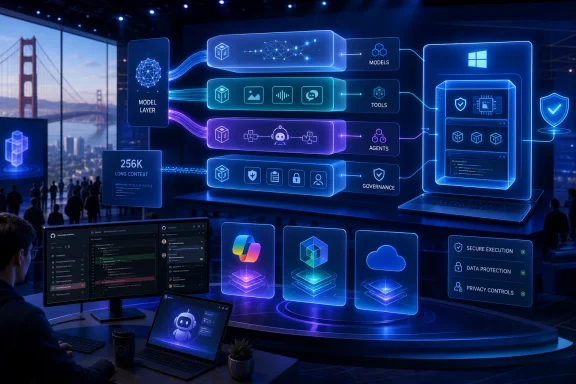
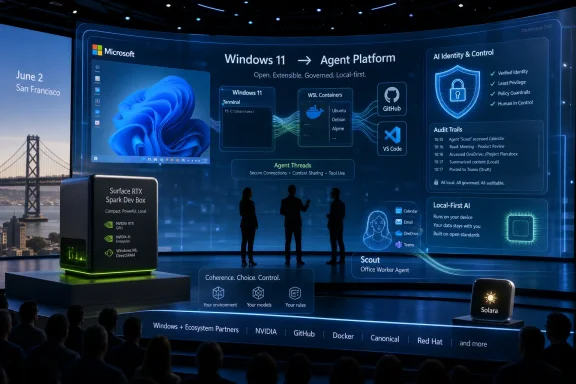
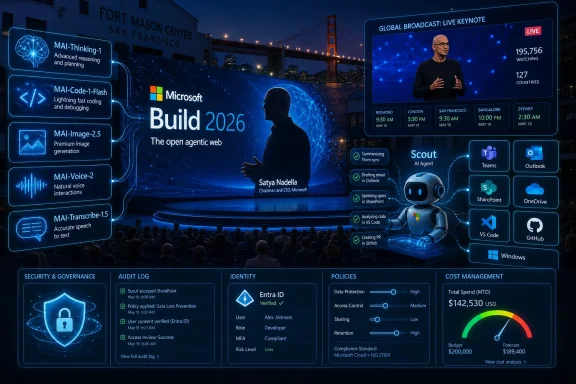
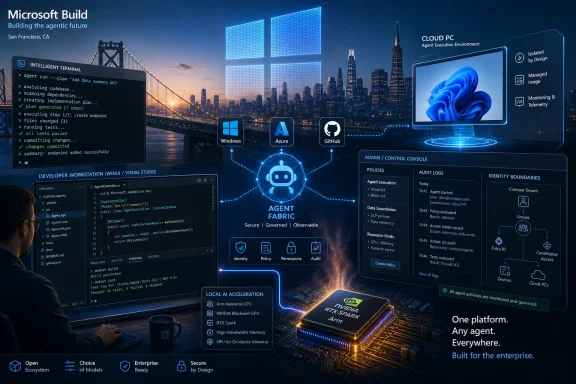
Microsoft Build 2026 is scheduled for June 2–3, 2026, at Fort Mason Center in San Francisco and online, with Satya Nadella opening the conference at 10 a.m. Pacific on June 2 before an audience Microsoft is explicitly narrowing around AI developers, technical leaders, and enterprise builders. That venue change is not cosmetic. Microsoft is moving its most important developer stage closer to the companies, investors, researchers, and infrastructure vendors now defining the AI stack. For Windows users and administrators, the message is blunt: the next phase of Windows will be shaped less by Start menu polish than by agents, local models, cloud PCs, Arm ports, Linux tooling, and developer workflows that treat the operating system as an execution environment for AI.

Tech conference stage with code/AI graphics and laptops showcasing Microsoft Windows 365, containers, and Linux.Microsoft Moves Build to the AI Industry’s Front Porch​

Build has always been Microsoft’s way of telling developers where the company wants them to place their bets. In the Windows 8 era, that meant Metro apps and touch-first interfaces. In the Azure boom, it meant cloud services, identity, containers, and enterprise integration. In 2026, the signal is harder to miss: Microsoft wants developers to build agents, ship AI-enhanced applications, and treat Windows as a platform where human users are no longer the only constituency that matters.
The move from Seattle to San Francisco matters because conferences are theater as much as logistics. Fort Mason Center is smaller than the Seattle Convention Center, and Microsoft is framing the event as a more focused gathering for AI developers, technical leaders, and enterprise developers. That does not sound like a consumer Windows relaunch. It sounds like a platform company inviting the people who will decide whether its AI runtime, developer tools, and cloud integrations become default infrastructure.
That makes this year’s Build more interesting than a typical Windows feature preview. Microsoft does not need to announce “Windows 12” for Build 2026 to matter. If the company spends two days showing developers how to build agents for Windows, how to supervise coding systems, how to move Linux-first AI software into a Windows workflow, and how to port x86 applications to Arm with AI assistance, it will have said plenty about the operating system’s direction without changing the version number.
The risk is that Microsoft’s developer ambition and user tolerance are no longer moving at the same speed. Developers may hear “new platform surface.” Sysadmins may hear “new attack surface.” Ordinary users may hear “more Copilot.” Build 2026 is shaping up as the place where Microsoft tries to convince the first group while not alarming the second and third too much.

The Windows User Is No Longer the Only User​

The most revealing phrase in the Build preview material is not “AI” but the idea of designing systems for both people and large language models. That is the conceptual jump Microsoft is trying to normalize. Software has historically been designed for humans, with APIs provided for other software. Agentic AI blurs that boundary by imagining systems that can inspect interfaces, take actions, call tools, read files, write code, and operate across applications with some degree of autonomy.
That is why the attention around OpenClaw-style agents is important, even if the specific implementation remains experimental and controversial. Desktop agents need a desktop. They need windows, permissions, files, application state, browser sessions, terminals, and identity context. A cloud chatbot can answer a question; a desktop agent can do something with the answer. That difference is precisely why Windows suddenly looks strategic again.
For years, Microsoft’s Windows story has often felt defensive. The company needed to keep the PC relevant while developers shifted attention toward phones, browsers, SaaS platforms, and cross-platform frameworks. AI agents give Microsoft a new argument: the PC is where a user’s work actually happens, and therefore the PC is where an agent can be most useful. Windows becomes not merely an operating system for launching apps, but a workbench where agents observe, automate, and coordinate tasks.
That promise also explains the discomfort. A useful agent must see enough to act; a safe agent must be constrained enough not to cause damage. Microsoft’s challenge is not simply to add agents to Windows. It is to create a permission, identity, logging, and management model that enterprises can tolerate and consumers can understand. If Build treats that as an implementation detail, it will miss the point.

Windows 365 Shows the Escape Hatch for Risky Automation​

One of the more telling ideas in the Build agenda is using Windows 365 cloud PCs to run AI agents instead of relying entirely on local machines. That is not just a performance story. It is a containment story. If agents are going to click, script, inspect, test, or orchestrate workflows, many organizations will prefer to run them in managed cloud desktops rather than on an employee’s primary PC.
This fits neatly into Microsoft’s enterprise instincts. Windows 365 already gives IT departments a controlled Windows environment with policy, identity, provisioning, and monitoring hooks. Put agents there, and Microsoft can pitch automation without asking every admin to trust a roaming AI assistant on unmanaged hardware. In that model, the agent becomes less like a personal helper and more like a managed worker running in a virtual cubicle.
The upside is obvious for regulated industries and large enterprises. An agent can process a workflow, test software, handle repetitive administrative tasks, or run developer tooling in an environment that can be reset, audited, and isolated. The downside is equally obvious: if the future of advanced Windows automation is safest in cloud PCs, Microsoft has another reason to pull Windows usage deeper into subscription infrastructure.
That is the quiet business story behind the technical one. Agentic Windows is not just about AI features on a laptop. It is about binding Windows, Microsoft 365, Azure, GitHub, identity, and endpoint management into a single automation fabric. The more powerful the agents become, the more valuable the management layer becomes.

AI Coding Is Microsoft’s Trojan Horse for Native Windows Apps​

For much of the last decade, native Windows development has been caught between nostalgia and neglect. Developers who wanted reach often chose the web. Developers who wanted mobile growth targeted iOS and Android. Developers who wanted cross-platform desktop apps often reached for Electron or other frameworks that made Windows just one target among many. Microsoft kept improving Windows UI frameworks, but it struggled to make native Windows feel like the obvious place for new application energy.
AI-assisted coding gives Microsoft a new pitch: native development can become less expensive, less specialized, and less risky if coding agents shoulder more of the boilerplate and porting work. A Build session focused on using AI agents to create native Windows apps with WinUI 3 is therefore more than a niche developer talk. It is a sign that Microsoft sees AI as a way to reopen a door that web-first development partially closed.
The argument is seductive. If a small team can use agentic tooling to generate UI scaffolding, wire up platform APIs, test accessibility, handle packaging, and produce modern Windows experiences faster than before, native Windows development starts to look less like a costly detour. Microsoft does not need every developer to abandon the web. It needs enough developers to rediscover the value of Windows-specific capabilities at a moment when AI PCs, NPUs, and local inference give the platform new differentiators.
But there is a trap here. AI can generate code faster than organizations can review it, secure it, and maintain it. A productivity boom that produces fragile, unreviewed native applications would not be a renaissance; it would be technical debt with a Copilot logo. Microsoft’s task at Build is to show not merely that AI can write Windows apps, but that the surrounding tooling can help developers understand, test, and govern what those agents produce.
That is why the phrase “agent supervision is the new senior engineering skill” lands harder than typical conference marketing. It suggests a real shift in software labor. The valuable developer is not merely the person who writes every line by hand, but the person who can direct, constrain, verify, and integrate machine-generated work. Microsoft is betting GitHub Copilot can become the control room for that shift.

Arm Windows Needs Developers More Than It Needs Benchmarks​

The Arm angle is just as important. Windows on Arm has improved dramatically, and Qualcomm’s Snapdragon X-class hardware changed the conversation around battery life and performance. But platform transitions do not succeed on benchmarks alone. They succeed when users stop worrying about whether their applications will run well.
Microsoft’s reported Build emphasis on using agentic AI to port x86 applications to Arm is a practical admission that compatibility layers are not the same as native support. Emulation can bridge a gap, but native Arm applications are the destination. If AI can lower the cost of identifying portability issues, modifying code, running tests, and producing Arm-native builds, Microsoft gains a lever it did not have during earlier Windows on Arm pushes.
That matters for Copilot+ PCs because the hardware story and software story are intertwined. Microsoft can promote NPUs, battery life, and local AI all day, but buyers still ask the old question: will my stuff work? For enterprises, the question becomes sharper: will our internal tools, security agents, drivers, line-of-business applications, and developer utilities behave predictably on Arm hardware?
AI-assisted porting is not a magic wand, especially for low-level code, drivers, old dependencies, or applications with obscure build systems. But it could change the economics of the middle. If the annoying 70 percent of porting work becomes cheaper, more developers may do the remaining 30 percent. That would be a meaningful shift for Windows hardware diversity.

Linux Has Become Part of the Windows AI Strategy​

The presence of Windows Terminal, WSL, and Azure Linux in the Build story says something Microsoft would once have struggled to admit: the modern Windows developer experience depends heavily on Linux. That is not a defeat. It is an adaptation. Developers building cloud-native software, containers, machine learning pipelines, and AI tools frequently start from Linux assumptions, and Microsoft has spent years making Windows hospitable to that reality.
WSL is now more than a compatibility layer for developers who prefer Bash. It is one of Microsoft’s bridges into AI development because so much local AI tooling, model experimentation, and open-source infrastructure arrives Linux-first. If Microsoft wants Windows to be a serious AI development machine, it cannot ask developers to wait for every project to become Windows-native. It has to make Linux-based workflows feel natural on Windows.
Azure Linux 4.0 deepens that story. Microsoft’s own Linux distribution is not aimed at turning Windows users into traditional desktop Linux users. It is about consistency between cloud, containers, and developer environments. When the same company controls Windows, WSL, Azure, GitHub, and a Linux distribution tuned for cloud-native and AI workloads, it can offer developers a more coherent path from laptop to production.
There is an irony here that longtime Windows watchers will appreciate. Microsoft spent decades treating Linux as a rival platform. Now Linux is part of the Windows value proposition. The modern Windows developer machine is powerful precisely because it can host Visual Studio Code, PowerShell, Windows Terminal, WSL, container tools, cloud SDKs, and Linux-native AI software in one environment.
For IT pros, this hybrid model is both useful and messy. It expands what a Windows workstation can do, but it also expands what must be patched, monitored, and governed. WSL instances, package managers, model files, local services, developer secrets, and GPU-enabled workloads are not imaginary risks. They are the operational cost of making Windows a first-class AI development platform.

The Security Problem Is Not a Side Quest​

Every agent demo has an implied security demo hiding behind it. If an agent can read a screen, parse a document, call a tool, edit a file, send a message, or execute code, then attackers will try to manipulate those capabilities. Prompt injection is not an abstract academic phrase when the prompt can lead to an action inside a real operating system.
That is why the OpenClaw influence is double-edged. Experimental agent systems are useful because they expose what is possible. They are alarming because they also expose how much trust the model, the tools, and the operating environment must share. A desktop agent that acts across applications can easily cross boundaries that traditional app permissions were never designed to express.
Microsoft has a long history of learning platform security lessons in public. Windows XP’s security reckoning led to major changes in Vista and beyond. Office macros, ActiveX, browser plugins, signed drivers, PowerShell abuse, and cloud identity attacks all forced Microsoft to rethink convenience as an attack vector. Agentic AI may become the next chapter in that same story.
The company’s best argument is that Microsoft, unlike a startup shipping a clever agent demo, can build the enterprise control plane around this technology. It can integrate agents with Entra ID, Intune, Defender, Purview, Windows 365, audit logs, conditional access, and policy management. But that argument only works if the controls arrive with the capability, not years later after the first wave of abuse.
For consumers, the problem is even harder. Enterprise admins can read documentation and configure policy. A home user sees a button, a consent dialog, or a Copilot pane. If Microsoft wants agents in mainstream Windows, it needs user experience language that explains what an agent can see, what it can change, and how to undo its actions. The old permissions model of “allow” or “deny” is too crude for software that may perform chains of actions across time.

Build Is Not Really About a New Windows Version​

The temptation around every Build is to ask whether Microsoft will unveil a new Windows release. That framing misses the more interesting story. Microsoft can change Windows substantially without changing the brand on the box. Windows 11 itself has become a rolling platform where features, inbox apps, AI integrations, developer tools, and cloud-connected services evolve on their own timelines.
That makes Build 2026 less likely to be a consumer OS spectacle and more likely to be a platform repositioning. The important announcements may be APIs, developer previews, Copilot integrations, GitHub tooling, Windows 365 scenarios, WSL updates, and AI runtime improvements. Those are less flashy than a new desktop shell, but they are how Microsoft actually changes what Windows is for.
This is also consistent with the company’s recent caution around shoving Copilot into every visible corner of Windows. Microsoft has already faced user fatigue over AI features that felt more promotional than essential. The smarter move is to make AI indispensable in workflows where it clearly saves time: coding, testing, porting, documentation, enterprise search, automation, and development environments.
That does not mean general users are unaffected. Developer platform shifts eventually surface in everyday software. If Microsoft succeeds, Windows users may see more native apps, more Arm-compatible applications, more local AI features, more agents embedded into productivity tools, and more cloud-backed automation. Build is where the foundation gets poured before the furniture arrives.

Xbox and Surface Are the Dogs That Probably Will Not Bark​

The PCMag Australia preview sensibly downplays Xbox and Surface expectations, and that restraint is important. Build is not E3, and it is not a Surface showcase. Microsoft can always surprise people, but the published direction of the conference points overwhelmingly toward AI development, cloud infrastructure, agents, Windows tooling, and enterprise workflows.
That does not make gaming irrelevant to the broader AI story. Game developers will use AI-assisted coding, asset workflows, testing automation, and cloud infrastructure like everyone else. But a lack of gaming sessions suggests Microsoft is not planning to make Xbox the center of this particular stage. That is notable given the company’s ongoing effort to redefine Xbox as a service, storefront, hardware family, and cross-device ecosystem rather than a single console identity.
Surface hardware is similarly unlikely to be the main event. Microsoft has already refreshed business-focused Surface machines, and consumer hardware timing appears better suited to separate announcements. Build attendees are not primarily there to admire magnesium chassis. They are there to see the tools and APIs Microsoft wants them to build against.
That distinction matters because it keeps the analytical focus where it belongs. Build 2026 is not about whether Microsoft can produce another attractive laptop. It is about whether Windows remains a compelling development and execution platform in an AI era increasingly shaped by cloud GPUs, browser apps, mobile ecosystems, and Linux-first tooling.

The Real Audience Is the IT Department That Has to Say Yes​

The most consequential Build audience may not be the developer excited to prototype an agent. It may be the IT leader who has to decide whether these capabilities can enter a managed environment. Microsoft’s consumer AI story often receives the loudest backlash, but the enterprise story is where adoption becomes durable.
Enterprise IT will ask practical questions. Can agents be disabled by policy? Can their actions be logged? Can administrators restrict which files, applications, tenants, plugins, and external services they can access? Can a company separate approved internal agents from random tools downloaded by enthusiastic employees? Can data loss prevention policies understand agent-mediated workflows?
These questions are not hostile to Microsoft’s vision. They are the conditions under which the vision becomes deployable. If Microsoft wants agents to become mainstream in Windows, it needs to make them boring enough for procurement, compliance, and security teams. That means management before magic.
Windows has an advantage here because it is already embedded in enterprise management systems. Microsoft does not have to invent the administrative relationship from scratch. But it also has a burden: Windows is where the sensitive work already is. A mistake on this platform has consequences beyond a failed demo.
The enterprise path also explains why some of the most important AI features may arrive first in controlled settings rather than consumer PCs. Windows 365, Microsoft 365 Copilot, GitHub Enterprise, Azure AI Foundry, Defender, and Intune provide Microsoft with safer deployment channels. Consumers may see the branding; enterprises may shape the architecture.

The Developer Productivity Boom Will Need a Hangover Plan​

Microsoft shares with the rest of Big Tech a belief that AI-assisted programming can create a productivity boom. The Build agenda reflects that conviction. Coding agents, app generation, porting assistance, and senior-engineer-style supervision are all part of a future in which software production accelerates.
The hard part is what happens after the acceleration. More code means more review. More generated code means more uncertainty about provenance, licensing, security, and maintainability. More automated porting means more test burden. More agents means more orchestration logic that someone must understand when it breaks at 2 a.m.
This is where Microsoft’s developer tooling could either justify the hype or expose it. GitHub Copilot cannot merely autocomplete functions if the company wants it to become an agentic engineering platform. It must help developers reason about changes, generate tests, explain architectural consequences, identify vulnerabilities, and integrate with issue trackers, CI pipelines, package registries, and deployment systems.
For Windows specifically, the productivity boom thesis has an interesting upside. The platform has decades of APIs, frameworks, legacy applications, enterprise dependencies, and compatibility baggage. AI tools may be unusually useful in precisely this environment because there is so much code to modernize, port, wrap, test, and document. The messiness of Windows could become a market for AI-assisted cleanup.
But Microsoft should resist overselling. AI will not automatically make mediocre apps good, nor will it make abandoned applications maintainable without human ownership. The best case is not that agents replace Windows developers. It is that they make Windows development less punishing and more economically attractive.

The San Francisco Build Is a Bet That Windows Can Become the Agent Platform​

The deepest argument of Build 2026 is that Windows can matter more in the AI era, not less. That is not guaranteed. A plausible alternative future has users interacting with AI mostly through browsers, phones, chat apps, SaaS tools, and cloud-hosted workspaces, with the local operating system fading further into the background. Microsoft is trying to prevent that outcome by making Windows a place where agents can act with context.
That strategy depends on three layers working together. The local PC must provide performance, privacy, device access, and a familiar workspace. The cloud must provide scale, management, model access, and persistent execution. The developer platform must make it realistic to build apps and agents that move across both. Build 2026 appears designed to tell that three-layer story.
The challenge is that users do not experience strategy layers. They experience interruptions, settings, battery drain, confusing prompts, broken apps, and features they did not ask for. Microsoft’s AI ambitions will be judged not only by what developers can build, but by how gracefully those capabilities appear in real Windows environments.
This is why the company’s recent willingness to pull back from unnecessary Copilot entry points matters. If Microsoft learned anything from the first wave of AI branding, it is that visibility is not the same as value. The next phase has to be less about putting Copilot buttons everywhere and more about making specific workflows meaningfully better.
Build 2026 is therefore a credibility test. Microsoft must show that its AI plans for Windows are not just a layer of chat over old software, but a coherent platform shift with security, management, developer economics, and user control built in. That is a much harder story to tell than a keynote demo, but it is the only story that will survive contact with administrators and power users.
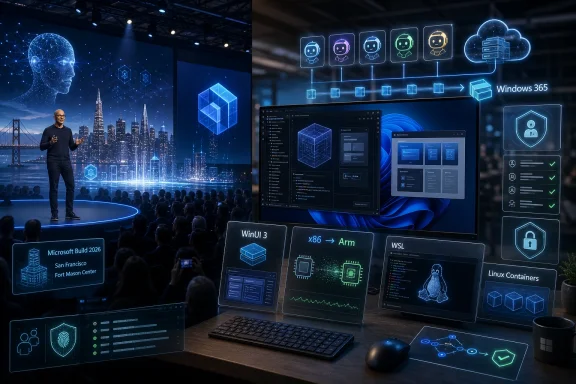
The Details Windows Watchers Should Not Miss in the Keynote Fog​

The most useful way to watch Build 2026 is not to count how many times Microsoft says “agent.” It is to look for the plumbing behind the word. A short keynote demo can make automation look inevitable. The session catalog, SDKs, policy controls, preview timelines, and developer commitments will reveal whether Microsoft is building a platform or staging a moment.
  • Microsoft is holding Build 2026 on June 2–3 in San Francisco and online, signaling a tighter, AI-centered developer event rather than a broad consumer Windows showcase.
  • The most important Windows story is likely to be agents, especially how they are built, supervised, isolated, and managed across local PCs and Windows 365 cloud PCs.
  • Native Windows development may get a new push if AI-assisted coding can make WinUI 3 apps and Arm ports cheaper to build and maintain.
  • WSL, Windows Terminal, and Azure Linux show that Microsoft now sees Linux compatibility as central to making Windows credible for AI development.
  • Enterprise adoption will depend less on impressive demos than on policy controls, auditability, identity integration, data protection, and clear boundaries around agent behavior.
  • A major consumer Windows announcement is possible but not the most likely center of gravity; Build’s real impact will be in the developer platform decisions that shape Windows over the next several years.
The story to watch after Build is not whether Microsoft can make AI appear inside Windows; it already can, and in many places already has. The real question is whether Microsoft can make AI feel native to Windows without making Windows feel captured by AI. If the company gets that balance right, Build 2026 may be remembered as the moment the PC became an agent platform; if it gets it wrong, it will be remembered as another keynote where the future arrived before the trust model did.

References​

  1. Primary source: PCMag Australia
    Published: Thu, 28 May 2026 12:00:00 GMT
  2. Related coverage: techradar.com
  3. Related coverage: pingcap.com
  4. Official source: build.microsoft.com
  5. Related coverage: nvidia.com
  6. Related coverage: ebisuda.net
 

Microsoft used Build 2026 in San Francisco on June 2 to unveil seven in-house Microsoft AI models, led by MAI-Thinking-1, a 35-billion-active-parameter reasoning model, alongside new image, voice, transcription and coding systems tied directly into Foundry, Copilot, Windows and developer tooling. The headline is not simply that Microsoft has another model family. It is that the company is trying to prove it can own more of the AI stack beneath Copilot, rather than merely package someone else’s frontier work behind familiar Microsoft interfaces. For Windows users and IT departments, that shift matters because the operating system, the productivity suite, the developer platform and the AI runtime are being pulled into the same strategic orbit.

Tech conference scene with a glowing AI pipeline diagram, secure governance, and connected tools on screens.Microsoft Turns Build Into a Declaration of AI Independence​

For the past few years, the easy shorthand for Microsoft’s AI strategy has been “OpenAI plus distribution.” That was never entirely fair — Microsoft Research, Azure AI, Phi models and GitHub Copilot all had their own engineering gravity — but it captured the market perception. Microsoft supplied the cloud, the enterprise channel and the product surfaces; OpenAI supplied much of the model glamour.
Build 2026 was designed to complicate that story. Mustafa Suleyman’s Microsoft AI group did not present MAI-Thinking-1 as an experimental lab toy or a curiosity off to the side of Copilot. It presented the model as a serious reasoning system, trained from scratch on commercially licensed data, without distillation from third-party models, and aimed at software engineering, long-context reasoning and enterprise deployment.
That last phrase — without distillation — is doing a lot of work. In AI, distillation can be a practical way to transfer behavior from a larger or more capable teacher model into a smaller system. It can also raise uncomfortable questions about dependence, provenance and whether a model’s apparent intelligence is partly borrowed from another vendor’s work. Microsoft’s claim is therefore both technical and political: MAI-Thinking-1 is meant to be evidence that Microsoft can climb the capability curve with its own data, training infrastructure and reinforcement-learning loops.
This is not Microsoft declaring divorce from OpenAI. The companies remain deeply entangled commercially and technically, and Microsoft’s customers will continue to expect access to multiple model families. But Build 2026 made the hierarchy less obvious. Microsoft wants to be seen not only as the company that distributes AI into Windows, Office, GitHub and Azure, but as one of the labs building the models those products depend on.

MAI-Thinking-1 Is a Mid-Sized Model With Big Strategic Weight​

The most important detail about MAI-Thinking-1 may be that Microsoft is not pitching it as the largest model in the world. The company describes it as a sparse mixture-of-experts model with 35 billion active parameters and roughly one trillion total parameters, paired with a 256,000-token context window. That places the emphasis less on brute-force spectacle and more on cost, context and deployability.
That is a very Microsoft framing. Frontier bragging rights matter, but Microsoft’s business is built on turning technology into repeatable infrastructure. A model that is somewhat smaller at inference time, cheaper to run and easier to integrate into enterprise workflows may be more valuable to Microsoft’s actual customers than a benchmark monster that only makes sense for premium, occasional use.
The company says MAI-Thinking-1 was designed for complex multi-step instructions, long-context reasoning and code generation. Those are not abstract categories for the WindowsForum crowd. They map directly to the work administrators and developers already try to offload to assistants: reading logs, comparing configuration files, explaining policy conflicts, rewriting scripts, summarizing large documents and debugging code across sprawling repositories.
The 256K context window is especially relevant. Long context does not magically make a model correct, but it changes what users can reasonably attempt. A model that can ingest hundreds of pages of documentation, source code, meeting notes or incident records begins to look less like a chatbot and more like a temporary analyst attached to a task.
Still, Microsoft’s claims should be read with the usual caution. Vendor-reported benchmarks and side-by-side preference tests are useful signals, not final judgment. Every AI lab has learned to present its models through the evaluation lens that makes them look strongest. The question for enterprises is not whether MAI-Thinking-1 can win a curated comparison, but whether it behaves predictably inside messy production environments where prompts are ambiguous, data is incomplete and mistakes become tickets.

The “Clean Data” Pitch Is Really a Procurement Pitch​

Microsoft’s emphasis on clean, commercially licensed data is not just an ethical flourish. It is a sales argument aimed at customers who have watched the generative AI industry spend years tripping over copyright, scraping, indemnity and provenance questions. For a CIO or general counsel, “our model performs well” is no longer enough. The next question is, “What exactly was it trained on, and who might sue us for using it?”
That explains why Microsoft is leaning so hard on provenance. If MAI-Thinking-1 and the broader MAI family can be presented as trained on enterprise-grade, licensed data, Microsoft gains a different kind of advantage from pure model capability. It can make the argument that its models are not only useful, but safer to procure, govern and defend.
This matters because the AI market is moving from experimentation to standardization. In 2023 and 2024, many organizations were still piloting tools, writing acceptable-use policies and trying to understand where Copilot might fit. By 2026, the question has shifted toward operational dependency. If AI agents are going to handle meeting prep, code changes, document workflows and security triage, the model layer becomes part of the enterprise risk surface.
Microsoft knows this territory. Its enterprise business has always been as much about compliance comfort as feature lists. Windows Server, Active Directory, Microsoft 365, Defender, Purview, Entra and Azure all sell a familiar promise: standardize on Microsoft, and the controls will be there when auditors arrive. The MAI model push is being woven into that same procurement story.
There is a tension here, though. “Clean” and “licensed” do not automatically mean “transparent,” and they certainly do not mean “error-free.” Customers still need documentation, model cards, logging, evaluation hooks and meaningful ways to test behavior against their own data. Microsoft’s advantage is that it can embed those pieces into Foundry and the broader cloud stack; its challenge is proving that the governance is more than a reassuring brand wrapper.

Image Models Move From Novelty to Office Plumbing​

MAI-Image-2.5 and MAI-Image-2.5 Flash are the quieter but potentially more visible part of the announcement. Microsoft says the new image models support both text-to-image and image-to-image workloads, with early positioning around strong Arena leaderboard performance and lower cost. More importantly, the models are already being tied into PowerPoint, OneDrive and Foundry.
That is where Microsoft’s AI strategy becomes unusually powerful. Most image-generation labs must persuade users to visit a separate tool, learn a new interface and export assets into their actual work. Microsoft can put generation and editing directly into the places where ordinary workers already create decks, proposals, mockups, reports and internal communications.
For PowerPoint users, this is the difference between “go make an AI image somewhere” and “turn this slide idea into a usable visual without leaving the document.” For OneDrive users, image-to-image workflows may eventually mean quick transformations, cleanup and variations on stored assets. For developers and product teams, Foundry availability turns the same model family into an API surface rather than a consumer feature.
The Flash variant points to the second half of the market: speed and price. In many enterprise workflows, the best model is not the one that produces the most artful image after a long wait. It is the model cheap enough to call repeatedly, fast enough to keep a user in flow and good enough to satisfy the task. Microsoft’s packaging suggests it understands that AI features become sticky when they feel like part of the application, not a special event.
There will be predictable friction. Enterprises will need controls around brand safety, confidential material, deepfake concerns and rights management for generated assets. Creative professionals will still care about provenance and style mimicry. But the direction is clear: AI image generation is becoming office plumbing, and Microsoft intends to own the pipes inside its productivity suite.

Scout Shows the Agent Strategy Microsoft Actually Wants​

The most interesting product idea at Build may not be a model at all. Microsoft Scout, described as a personal agent for work built on OpenClaw and Work IQ, points toward the company’s preferred future: not a chatbot waiting for prompts, but an agent that understands work context and acts across Microsoft 365 surfaces.
Microsoft says Scout can use tools people already live in, such as Teams and Outlook, and can proactively handle tasks like meeting preparation, scheduling conflicts and routine work. That sounds mundane compared with “superintelligence,” but mundane is where enterprise AI will either prove itself or burn trust. The inbox, the calendar, the meeting recap and the document trail are where knowledge work actually leaks time.
Scout also clarifies why Microsoft keeps talking about context layers. A work agent is only useful if it knows enough about the organization to avoid behaving like a tourist. It needs to understand people, meetings, documents, permissions, business data and the relationships among them. That is the role Microsoft is assigning to Work IQ, Fabric IQ, Foundry IQ and Web IQ: not just retrieval, but institutional context as a platform service.
For IT administrators, this is both promising and alarming. A context-aware agent could reduce low-value work and make Microsoft 365 feel less like a pile of applications and more like a coordinated work environment. The same agent could also become a new class of insider-risk surface if permissions, memory, delegation and logging are not handled with extreme care.
Microsoft’s answer is predictable: Entra, Defender, Purview and Agent 365 controls. The company wants to convince enterprises that agents can be managed like identities, endpoints and applications. That is the right direction, but it also means the old Windows admin instinct remains relevant. If an agent can read, write, summarize, schedule, send and invoke tools, it needs least privilege, auditability and revocation just as much as any human account.

Windows Is Being Recast as an Agent Runtime​

Build 2026 was not just an AI model show. It also advanced a more ambitious Windows story: the PC as a governed runtime for agents. Microsoft Execution Containers, now in preview, are meant to provide operating-system-enforced containment for agent workloads. OpenClaw on Windows uses those boundaries for multi-step workflows, while other secure runtimes can add policy management, inference routing and data protections.
This is the part of the announcement that should interest sysadmins even if they do not care which model wins which leaderboard. Agents are not ordinary apps. They take instructions, inspect data, call tools, write files and sometimes chain actions in ways that even their operators may not fully anticipate. Running that class of software on unmanaged local machines is a recipe for both security incidents and support headaches.
Microsoft appears to be trying to make Windows the place where local agent execution can happen without turning every endpoint into a free-for-all. The analogy to containers is intentional. Just as cloud-native applications needed isolation, packaging and policy, agentic applications need execution boundaries that administrators can understand and enforce.
There is a long road between preview technology and operational trust. Enterprises will need to know how these containers interact with existing Windows security models, endpoint detection, application control, data loss prevention and identity policies. Developers will want to know whether the sandbox is flexible enough for real workflows. Attackers will test the boundaries quickly, because agent runtimes are attractive targets.
Still, the strategic direction is important. Microsoft is not treating Windows as a passive client for cloud AI. It is positioning Windows as part of the AI control plane, especially for hybrid workflows where local data, local tools and cloud models must cooperate. That could become one of the more consequential Windows platform shifts since WSL made Linux tooling a first-class developer concern on Microsoft’s desktop OS.

GitHub Copilot Becomes a Desktop Workbench, Not Just an IDE Feature​

The new GitHub Copilot app, now in preview, shows how quickly the developer story is moving beyond autocomplete. Microsoft describes a native desktop experience where developers can start from an idea, issue or pull request, orchestrate multiple agent sessions and keep changes separated through git worktrees. That is a very different mental model from the original Copilot pitch.
The first wave of AI coding tools lived inside the editor. They completed lines, suggested functions and explained snippets. The next wave is moving up a level, toward agents that can inspect a repository, make changes, run tests, respond to failures and prepare a pull request. The developer becomes less of a typist and more of a reviewer, conductor and constraint-setter.
That shift is powerful, but it also changes where risk enters the software process. If an AI agent can alter multiple files, generate tests and propose a merge, code review becomes more important, not less. Organizations will need policy around when agent-generated changes require extra review, how provenance is recorded, and whether certain repositories or branches are off-limits.
MAI-Code-1 and MAI-Thinking-1 fit into this strategy as specialized engines. Microsoft is not merely adding “AI” to GitHub; it is trying to align model training, agent workflows, Windows execution and cloud deployment into a continuous software factory. From prototype to pull request to backend service, Microsoft wants the path to run through GitHub, VS Code, Foundry, Fabric and Azure.
For Windows developers, this could be a productivity dividend. A native Copilot app that handles parallel agent sessions may make AI-assisted development feel less bolted on. But it will also force teams to decide how much autonomy they are comfortable granting. The productivity gains will come fastest to organizations that already have strong tests, clean repositories and disciplined review processes. Messy codebases will not magically become safe because an agent can edit them faster.

The Copilot “Super App” Rumor Fits the Direction, Even If the Timing Was Wrong​

Ahead of Build, rumors pointed to a Copilot “Super” application that might consolidate multiple Copilot assistants into a single interface. The preview was not the centerpiece of the event in the way some expected. Instead, Microsoft showed a broader architecture: models, agents, context layers, governance systems and product-specific surfaces.
That may actually be more revealing. The temptation is to imagine Copilot’s future as one giant app, a single pane of glass for everything AI. Microsoft’s announcements suggest a more complicated reality. Copilot is becoming a brand, a platform layer, an application experience and a set of agents that may appear in different places depending on the task.
A unified interface could still arrive later, and it would make sense for consumers confused by the sprawl of Copilot buttons across Windows, Edge, Office, GitHub and the web. But enterprise users may care less about a single app than about whether the assistant in Outlook, the agent in Teams, the coding assistant in GitHub and the workflow agent in Copilot Studio share context and obey the same controls.
That is the real super-app problem. Not “where is the window?” but “does the system understand the user’s work without leaking data, duplicating effort or creating contradictory agent behaviors?” Scout, Work IQ and Agent 365 are Microsoft’s answer to that deeper integration challenge.
The danger is complexity. Microsoft has a long history of creating overlapping brands and admin surfaces that make sense internally before they make sense to customers. If Copilot becomes a maze of agents, IQ layers, Foundry services, connectors, licenses and previews, some organizations will wait for the dust to settle. The company’s advantage is integration; its recurring weakness is packaging that integration clearly.

The OpenAI Relationship Enters Its More Awkward Phase​

Every Microsoft AI announcement now has a shadow question: what does this mean for OpenAI? Build 2026 did not answer that question directly, but it made the awkwardness more visible. Microsoft still benefits from OpenAI’s frontier work, and OpenAI still benefits from Microsoft’s infrastructure and commercial reach. At the same time, Microsoft is building a parallel model stack under its own brand.
This is not unusual in platform history. Major platform companies prefer optionality. Apple designs chips while still working with suppliers. Google builds TPUs while offering cloud access to other accelerators. Amazon backs multiple model providers while developing its own. Microsoft would be negligent if it bet the future of Windows, Office, Azure and GitHub on permanent dependence on one outside lab.
The interesting part is how Microsoft frames independence without sounding disloyal. The company’s language around MAI-Thinking-1 emphasizes self-sufficiency, clean data and in-house training infrastructure, but it also continues to present Foundry as a multi-model platform. That lets Microsoft tell developers they can choose the best model while telling investors and enterprise buyers that Microsoft is not merely renting intelligence.
For customers, this competition may be beneficial. If Microsoft’s own models are cheaper, better integrated or easier to govern, they may become the default for many everyday Copilot and Foundry workloads. If OpenAI or Anthropic remains stronger for certain frontier tasks, Foundry can still route developers there. The practical future is likely hybrid, not monogamous.
But hybrid stacks create their own management challenges. Different models have different behaviors, context limits, safety profiles, logging semantics, pricing structures and data-handling rules. The more model choice Microsoft offers, the more customers will need evaluation discipline. “Use AI” is no longer a strategy; “use this class of model for this class of task under these controls” is.

Enterprise IT Gets More Power and a Larger Blast Radius​

Microsoft’s Build 2026 announcements are easy to admire from a distance because they fit together neatly: models, context, agents, governance, Windows containers, developer tools and cloud services. From an enterprise IT perspective, that neatness is precisely what raises the stakes. The more integrated the AI stack becomes, the more consequential misconfiguration becomes.
A personal work agent that can prepare meetings is useful. A personal work agent with excessive mailbox access, weak logging or unclear delegation is a problem. A coding agent that can open pull requests is useful. A coding agent that can modify production infrastructure code without guardrails is a problem. A local agent runtime is useful. A local agent runtime that becomes a new malware execution path is a problem.
Microsoft is clearly aware of this, which is why so much of the Build narrative wrapped AI in governance language. Agent 365, Entra integration, Defender visibility, Purview controls, sandboxed execution and policy-driven evaluation are not side dishes. They are prerequisites for enterprise adoption.
The challenge is that governance features often arrive as products, licenses and admin portals rather than simple operating principles. IT teams will need to map these new AI controls onto existing practices: identity lifecycle management, conditional access, endpoint hardening, data classification, retention, eDiscovery, incident response and software supply chain review. The organizations that treat AI agents as another form of privileged automation will fare better than those that treat them as smarter chat windows.
There is also a cultural issue. Microsoft’s agent story assumes workers will accept software that proactively acts on their behalf. Some will love it. Others will see it as surveillance, automation creep or another layer of interruption. Enterprises will need to decide not only what agents are allowed to do, but when users can override, inspect or refuse that assistance.

The Windows Enthusiast’s Version of the Story Is Not Just Copilot Everywhere​

For Windows enthusiasts, it is tempting to reduce all of this to a familiar complaint: Microsoft is putting Copilot everywhere again. There is truth in that frustration. Windows users have watched AI features appear unevenly across the OS, sometimes ahead of clear demand and sometimes behind region, hardware or account restrictions. Nobody wants another button that opens a web panel and calls it the future.
Build 2026’s more substantive Windows story is different. Microsoft is building the primitives for AI workloads to run on Windows with stronger isolation, local acceleration and developer-friendly tooling. Surface RTX Spark Dev Box, WSL with GPU passthrough, Windows agent containers and OpenClaw integration all point toward a PC that can participate in AI development and execution rather than merely consuming cloud responses.
That matters because AI inference is not going to live in one place. Some workloads belong in the cloud because they need large models, centralized data or elastic scale. Some belong on the device because they need low latency, privacy, offline access or local tool control. Microsoft’s job is to make Windows credible in that hybrid world.
The risk is that hardware stratification becomes another source of user confusion. Copilot+ PCs already introduced a world where some AI features depend on NPUs and newer silicon. Developer-class AI boxes push further up the stack. If Microsoft wants Windows to be an agent-native platform, it must communicate clearly which capabilities require cloud, which require local GPUs or NPUs, and which work on ordinary business PCs.
The opportunity is equally real. If Microsoft gets the platform pieces right, Windows could become a practical environment for building, testing and governing agentic systems before they move to enterprise scale. That is a better future than Windows as a thin shell around web AI.

The Build 2026 Signal Beneath the Product Names​

The concrete announcements matter, but the larger signal is architectural. Microsoft is trying to construct an AI stack that spans model creation, context retrieval, agent execution, user experience, security governance and hardware acceleration. That is a very different ambition from adding a chatbot to Office.
The model layer gives Microsoft independence and cost control. The context layer gives agents access to enterprise knowledge. The agent layer turns passive answers into actions. The Windows layer provides local execution and containment. The governance layer makes the whole thing saleable to risk-conscious organizations. The developer layer ensures that software teams build on Microsoft’s rails.
This is classic platform strategy. Microsoft does not need every layer to be best in isolation if the whole system is easier to adopt, govern and pay for than a collection of rival tools. That is how Microsoft has won enterprise markets before. It packages complexity into a standard operating environment and then makes the alternative look operationally expensive.
The counterargument is that AI does not behave like previous enterprise software categories. Models are probabilistic, agents are harder to reason about than deterministic workflows, and user trust can collapse after a few visible mistakes. Microsoft’s integration advantage will not save it if customers experience agents as unreliable interns with admin rights.
That is why Build 2026 should be read less as a victory lap than as a testable claim. Microsoft is claiming it can make AI native to work while keeping it governable. The next year will show whether that claim survives contact with enterprise reality.

The Practical Read for WindowsForum Readers​

The Build announcements are big enough to sound abstract, but they point to several concrete shifts that Windows users, developers and administrators should start tracking now. The important move is not any single model name. It is the consolidation of AI into the operating system, the productivity layer and the software delivery chain.
  • Microsoft’s MAI-Thinking-1 marks a serious attempt to reduce dependence on third-party frontier models for everyday enterprise reasoning, coding and long-context workloads.
  • MAI-Image-2.5 and its Flash variant are likely to matter most when they disappear into PowerPoint, OneDrive and other familiar creation tools rather than when they are judged as standalone image generators.
  • Scout and Work IQ show that Microsoft’s real agent strategy depends on organizational context, which makes identity, permissions and audit logs central to AI deployment.
  • Windows is being positioned as a local agent runtime through sandboxing, GPU-aware developer tooling and OpenClaw integration, not merely as a client for cloud-based Copilot.
  • IT teams should treat agents as privileged automation with probabilistic behavior, which means testing, least privilege and monitoring are not optional extras.
  • Developers should expect Copilot to keep moving from inline suggestion toward multi-step repository work, where review discipline and strong test suites become more valuable.
Microsoft Build 2026 made clear that the company no longer wants Copilot to be judged as a wrapper around someone else’s intelligence. It wants Microsoft AI models, Microsoft context layers, Microsoft agents, Microsoft governance and Windows itself to become one connected system for work. That future could make AI more useful and manageable than today’s scattered assistants, but it also concentrates more power inside Microsoft’s stack. The next phase will not be measured by keynote demos or leaderboard claims; it will be measured by whether enterprises can let these agents act without losing control.

References​

  1. Primary source: Dailyhunt
    Published: 2026-06-02T13:10:21.839687
  2. Related coverage: axios.com
  3. Related coverage: techradar.com
  4. Related coverage: tomsguide.com
  5. Official source: microsoft.ai
  6. Related coverage: chatforest.com
  1. Related coverage: techtimes.com
  2. Official source: blogs.microsoft.com
  3. Official source: news.microsoft.com
  4. Related coverage: techcrunch.com
  5. Related coverage: windowscentral.com
  6. Official source: build.microsoft.com
  7. Related coverage: que.es
  8. Related coverage: gizmodo.com
  9. Related coverage: forbes.com
  10. Related coverage: techxplore.com
  11. Related coverage: its.fsu.edu
 

Microsoft Build 2026 opened on June 2 in San Francisco with Satya Nadella and other Microsoft executives announcing a developer-heavy slate that included Surface RTX Spark Dev Box, Project Solara, Microsoft Scout, Windows developer upgrades, and Microsoft’s first in-house reasoning model, MAI-Thinking-1. The through-line was not merely “more AI,” but a clearer attempt to make Windows, Surface, Microsoft 365, and Microsoft’s own model stack behave like one agent platform. That matters because Microsoft is no longer presenting AI as a feature layered on top of existing products. It is trying to turn the PC, the cloud, and the workplace account into a single programmable environment.

Microsoft Windows 11 Agent Platform demo stage with secure AI identity controls and Nvidia Surface RTX hardware.Microsoft’s Build Message Was Simple: The Agent Era Needs an Operating System​

For the past two years, Microsoft has sold Copilot as an assistant. At Build 2026, the company’s pitch shifted toward something more ambitious and more complicated: a world where AI agents do not wait politely in a sidebar, but run across documents, calendars, devices, terminals, and local models.
That is why the most important Build announcements were not isolated product launches. Surface RTX Spark Dev Box, Project Solara, Scout, WSL improvements, Coreutils for Windows, and MAI-Thinking-1 all point in the same direction. Microsoft wants to own the place where agents are built, tested, governed, deployed, and eventually trusted.
This is also why Build 2026 felt more consequential for Windows users than a typical developer conference. The company is trying to answer a question that still hangs over every AI demo: where does the agent actually live? Microsoft’s answer is increasingly “everywhere,” but under Windows, Microsoft 365, Azure, GitHub, and Microsoft’s security model.
The risk is equally clear. If Microsoft gets this right, Windows becomes newly relevant as the workbench for local AI and enterprise agents. If it gets it wrong, users get yet another layer of background automation, identity sprawl, opaque model behavior, and half-integrated Copilot branding.

Surface RTX Spark Dev Box Turns Local AI Into a Windows Hardware Strategy​

The Surface RTX Spark Dev Box is the most concrete announcement because it is hardware, not aspiration. Microsoft describes it as a compact developer PC built around Nvidia’s RTX Spark silicon, with 128GB of unified memory and enough local AI compute to run large models on-device. It is expected to arrive in the United States later this year, though Microsoft has not yet disclosed final pricing or a full specification sheet.
The comparison point is obvious: Microsoft has been here before with developer hardware. Project Volterra, the Arm-powered Windows Dev Kit 2023, was intended to accelerate native Arm development. Qualcomm later canceled its Snapdragon X Elite developer kit, leaving a gap for developers who wanted modern Windows-on-Arm hardware without buying a consumer laptop.
The Surface RTX Spark Dev Box is aimed at a different problem. It is not merely a machine for recompiling apps. It is a local AI lab in Surface clothing, designed for developers who want to test models, fine-tune workflows, and run agent pipelines without sending every experiment to a cloud GPU.
That shift matters. For years, the economics of AI development have pushed serious experimentation into the cloud. Local machines could run small models, prototypes, or quantized demos, but the heavy work happened elsewhere. Microsoft and Nvidia are now trying to make the local Windows box relevant again, not as a replacement for Azure, but as the first mile of AI development.
The device also appears to carry a deliberately developer-focused Windows configuration: Windows 11 Pro, dark mode by default, a simplified taskbar, and no widgets. That sounds cosmetic, but it signals something longtime Windows developers have asked for: less consumer clutter on machines meant for work. Microsoft rarely admits this directly, but many developers do not want Windows to feel like a content surface when they are trying to build software.

The Dev Box Is Also an Admission That Cloud-Only AI Has Limits​

The case for local AI is not just cost. It is latency, privacy, iteration speed, and control. A developer testing an agent that reads local files, invokes tools, edits code, and runs commands needs a tight loop. Every extra cloud dependency adds delay, security review, billing uncertainty, and another place where data governance can get messy.
The Surface RTX Spark Dev Box lets Microsoft talk about local-first AI without abandoning its cloud business. That is an important distinction. Microsoft still wants Azure to be the destination for scaled inference, enterprise deployment, monitoring, and orchestration. But Build 2026 suggests the company knows developers need a credible local workstation story before they will trust agents in production.
There is also a Windows competitiveness angle. Apple has spent years turning unified memory and neural hardware into a developer narrative. Linux remains the natural habitat for much AI research and tooling. Microsoft’s answer is to blend Windows, WSL, Nvidia hardware, GitHub Copilot, and Visual Studio Code into a local AI development appliance.
That will not convince every developer. Some will see a closed, premium Surface box where they would rather have a configurable workstation with replaceable GPUs. Others will ask why Microsoft is still not more transparent about pricing, thermals, Linux support, repairability, and sustained performance. Those questions are fair, especially for a product aimed at serious developers rather than consumers dazzled by a keynote render.
Still, the Dev Box is strategically important because it makes Windows visible in a part of AI development where it has often been peripheral. Microsoft is not saying “use Windows because it can run your tools.” It is saying Windows should be where the agent stack is assembled.

Windows Gets More Unix-Like Because Developers Already Voted With Their Terminals​

The Windows developer announcements were less flashy than the hardware, but arguably more important for daily work. Microsoft is adding Coreutils to Windows 11, bringing native versions of familiar Unix-style command-line tools. It is also expanding the Windows Subsystem for Linux so developers can create, run, and interact with Linux containers more directly.
This is not a philosophical conversion. It is market acceptance. Developers have spent decades building habits around Unix-like shells, pipelines, text utilities, containers, and scripting conventions. Windows can either keep translating that world awkwardly or make it feel native enough that developers stop noticing the boundary.
Coreutils on Windows is a symbolic concession, but a useful one. The old Windows command-line divide has always been strange: PowerShell is powerful and object-oriented, but much of the open-source ecosystem assumes tools like grep, sed, awk, ls, cat, head, tail, and friends. Developers can install ports of these utilities today, but Microsoft shipping native equivalents changes the baseline.
WSL’s container improvements matter for the same reason. Modern development is containerized, and containers are overwhelmingly Linux-shaped. If Windows wants to be the workstation for cloud-native and AI-native development, it cannot treat Linux containers as a tolerated foreign substance. They have to be part of the platform.
The Intelligent Terminal announcement completes the picture. Microsoft is not just making the terminal more compatible; it wants the terminal to become context for an AI agent. That is both useful and dangerous. A terminal-aware assistant can explain errors, suggest commands, inspect project state, and automate repetitive tasks. It can also become a high-risk interface if permissions, command execution, and context sharing are not handled with extreme care.

The Terminal Is Becoming the New Copilot Surface​

The most interesting thing about an Intelligent Terminal is not that it can talk to a developer’s preferred AI agent. It is that Microsoft seems to understand where developers actually live. A sidebar assistant in an IDE is useful, but the terminal is where builds fail, containers break, permissions collide, packages rot, and production incidents begin.
Giving an AI agent terminal context makes it much more capable. It can see error output, working directories, Git branches, runtime versions, and command history. That is exactly the information a human teammate would ask for before helping debug a problem.
But it also raises a trust problem. The terminal is not a search box. It is an execution environment. A bad suggestion can delete files, expose secrets, push broken code, or run untrusted scripts. Microsoft will need to make the boundary between “suggest,” “stage,” and “execute” painfully clear.
This is where Windows has an opportunity. Because Microsoft controls the OS, identity layer, enterprise management stack, Defender, and developer tooling, it can theoretically build safer agent execution than a loose collection of shell plugins. The question is whether it will prioritize that boring infrastructure over the temptation to demo agents that simply do things.

Project Solara Is Microsoft’s Bet That Agents Need Their Own Device Class​

Project Solara may be the strangest Build 2026 announcement, and that makes it worth watching. Microsoft describes it as a platform for agent-driven experiences across devices, built in partnership with Qualcomm and MediaTek and tied to Microsoft Device Ecosystem Platform work. The demos included concept hardware such as a desktop hub and a digital badge.
The easy reaction is to dismiss this as another ambient-computing experiment. Tech companies love badges, hubs, pucks, displays, and companion devices when they are trying to invent the next interaction model. Most of them end up in drawers.
But Project Solara is interesting because Microsoft is not merely showing a gadget. It is sketching an operating environment for agents that may not look like conventional Windows apps. These agents may need persistent awareness, constrained interfaces, identity, permissions, device-to-device handoff, and enterprise manageability.
That is why the Android/AOSP foundation matters. Microsoft is not trying to put full Windows everywhere. It appears to be building a more specialized agent-device platform that can live beside PCs, Teams Rooms, phones, badges, and desk hardware. In enterprise terms, that is more plausible than asking every ambient device to run Windows.
The strategy also reflects a lesson from the smartphone era. Microsoft lost the primary mobile OS war, but it still owns a massive enterprise identity, productivity, endpoint management, and security footprint. Project Solara looks like an attempt to avoid losing the next device layer by making Microsoft’s agent platform portable before the market settles.

The Badge Demo Was a Warning as Much as a Vision​

A digital badge that hosts or mediates an AI agent is an obvious keynote object. It is personal, visible, mobile, and slightly futuristic. It is also a privacy-policy nightmare waiting to happen if handled carelessly.
An always-available work agent on a badge could help with meeting context, building access, identity, translation, note capture, and task handoff. It could also normalize workplace surveillance, accidental recording, proximity tracking, and a new category of “the AI heard you say” disputes. Microsoft’s enterprise customers will not adopt such devices purely because the demo is clever.
The more persuasive version of Project Solara is not the badge itself. It is the idea that agent devices need a governed substrate: enrollment, policy, permissions, logging, update controls, identity boundaries, and a clear way to disable or audit what the agent can do. That is where Microsoft has credibility.
If Solara becomes another vague “AI everywhere” branding exercise, it will fade. If it becomes the managed runtime for a new class of workplace companion devices, it could be one of Build 2026’s sleeper announcements.

Scout Moves Copilot From Reactive Assistant to Office Worker​

Microsoft Scout is the most culturally loaded announcement because it changes the metaphor. Copilot has largely been an assistant you summon. Scout is presented as an always-on personal agent for work, built on OpenClaw and integrated with Microsoft 365 services such as Outlook, OneDrive, and Teams.
That distinction matters. A reactive assistant waits for a prompt. An always-on agent watches for work, infers intent, and acts in the background. It can organize calendars, manage expense reports, draft emails, surface documents, and coordinate across workplace systems.
This is exactly the kind of automation Microsoft 365 customers have wanted and feared for years. Outlook, Teams, SharePoint, OneDrive, Planner, Loop, and the rest of the Microsoft work graph contain enormous amounts of context. An agent with proper access could be genuinely useful. An agent with sloppy access could become a compliance incident with a friendly name.
Microsoft is launching Scout first as a desktop preview for Frontier customers in the United States, which is the right level of caution. Frontier programs let Microsoft test ambitious features with organizations prepared for rough edges. But the broader ambition is obvious: Scout is part of a family of “Autopilot” agents, each with its own identity.
That phrase — its own identity — is more important than it sounds. If agents act in enterprise systems, they need to be accountable entities. Admins must know which agent accessed which file, sent which message, approved which workflow, or invoked which tool. Treating agents as identities rather than invisible features is the beginning of serious governance.

Always-On Agents Will Force IT to Rethink Permission Models​

The old permission model assumed a human user took an action. The new one must account for software acting on a user’s behalf, sometimes while the user is not directly looking. That is a massive operational change.
A useful Scout agent may need access to email, calendar, files, chats, contacts, expense systems, HR portals, CRM data, and project management tools. But few employees should grant an AI agent blanket access to everything they can see. Least privilege becomes harder when the agent’s job is to help across boundaries.
Enterprise IT will need controls that are more granular than “Copilot on” or “Copilot off.” They will need scoped permissions, audit trails, approval gates, data-loss prevention integration, retention policies, and clear separation between drafting, recommending, and executing. If Scout can generate an expense report, who approves it? If it drafts a sensitive email, who owns the wording? If it reschedules meetings, whose priorities does it optimize?
This is where Microsoft’s security and compliance stack becomes the real product. The agent itself may be impressive, but enterprises will buy trust, governance, and integration. Microsoft knows this, which is why Build’s agent story kept circling back to identity, tools, runtime, and security rather than just chat.

MAI-Thinking-1 Marks Microsoft’s Move Beyond the OpenAI Dependency Story​

Microsoft’s first internal reasoning model, MAI-Thinking-1, is a political announcement as much as a technical one. Microsoft says the model has 35 billion active parameters, a 128K context window, and is designed for complex multi-step instructions, long-context reasoning, and code generation. It was announced alongside a broader slate of Microsoft AI models.
For years, Microsoft’s AI narrative has been inseparable from OpenAI. That relationship gave Microsoft a huge lead in commercializing generative AI, but it also created a perception problem. Was Microsoft an AI platform company in its own right, or the world’s most successful OpenAI distributor?
MAI-Thinking-1 is part of the answer. Microsoft does not need to beat every frontier model on every benchmark for this to matter. A smaller, efficient, internally controlled reasoning model can be strategically valuable if it is cheaper to run, easier to integrate, tuned for Microsoft products, and governed under Microsoft’s own roadmap.
The 35-billion-active-parameter positioning is telling. Microsoft appears to be targeting the middle ground between tiny on-device models and enormous frontier systems. That is a practical place to compete. Many enterprise workflows do not need the most capable model in the world; they need predictable cost, latency, privacy posture, tool use, and reliability.
This is especially important for coding and agent workflows. A reasoning model that can follow multi-step instructions, handle long context, and generate code reliably can power developer tools, background agents, and automation pipelines. It may not dominate consumer chatbot leaderboards, but it could quietly become infrastructure.

Owning Models Gives Microsoft Leverage Across the Stack​

The model announcement also gives Microsoft bargaining power. Even with a close OpenAI partnership, no platform company wants its most strategic layer controlled entirely by another vendor. Internal models let Microsoft optimize for its own products and avoid being trapped by external model economics.
There is a customer-facing benefit too. Enterprises increasingly want model choice. Some workloads can use OpenAI models, others may require Microsoft-hosted or Microsoft-built models, and still others may use open-weight or local models. A credible Microsoft model family makes Azure AI and Microsoft 365 Copilot more flexible.
The danger is confusion. Microsoft already has Copilot, Azure AI Foundry, GitHub Copilot, Phi models, partner models, OpenAI models, and now new MAI models. Developers and admins need clarity about which model is used where, what data it sees, how it is billed, whether it can be swapped, and what guarantees apply.
That transparency will matter more than benchmark slides. If Microsoft wants enterprises to trust agents, it must make the model layer visible enough for governance without overwhelming customers with model taxonomy. Build 2026 gave Microsoft a stronger story. It now has to make that story administrable.

GitHub, Visual Studio Code, and Windows Are Being Pulled Into One Agent Loop​

One subtle but important theme at Build 2026 is the collapse of boundaries between coding tools, operating systems, and AI assistants. Surface RTX Spark Dev Box ships with tools such as Visual Studio Code and GitHub Copilot preinstalled. Windows is gaining Unix-style utilities and better Linux container workflows. The terminal is becoming agent-aware.
This is Microsoft’s developer flywheel. GitHub owns the repository and collaboration layer. VS Code owns a huge share of the editor layer. Windows wants to own the workstation layer. Azure owns the deployment and cloud runtime layer. Copilot and Microsoft’s model stack are the connective tissue.
For developers, this could be genuinely productive. A local model on a Dev Box could inspect a repo in VS Code, run commands in an intelligent terminal, test inside Linux containers through WSL, create a pull request through GitHub, and deploy to Azure. That is the kind of end-to-end workflow Microsoft has wanted for decades.
The problem is lock-in by convenience. None of these pieces individually forces a developer into Microsoft’s ecosystem. Together, they create a path of least resistance that may become hard to leave. If the best experience for agents is Windows plus VS Code plus GitHub plus Copilot plus Azure, competitors will need to fight the bundle, not just the feature.
That is not inherently bad. Integrated platforms can reduce friction. But developers should watch whether Microsoft keeps the seams open. Agent interoperability, model choice, standard protocols, exportable logs, and transparent permissions will determine whether this becomes a productive platform or a velvet cage.

Security Is the Argument Microsoft Cannot Afford to Treat as a Feature​

Every Build 2026 announcement involving agents has a security shadow. Local AI boxes can run sensitive models and data. Intelligent terminals can suggest or execute dangerous commands. Project Solara devices can sense and act in the physical workplace. Scout can operate across Microsoft 365. Reasoning models can plan multi-step actions.
This is not the same security problem as a chatbot hallucinating a wrong answer. Agentic systems combine language, tools, permissions, memory, and execution. They can fail in ways that look less like bad search results and more like bad employees with API access.
Microsoft’s advantage is that it already sells the controls enterprises use: Entra identity, Intune device management, Defender, Purview, Conditional Access, Microsoft 365 audit logs, and compliance tooling. If agent governance becomes a buying criterion, Microsoft is better positioned than companies that only offer a model endpoint or a clever app.
But Microsoft’s history also makes users wary. Windows has often accumulated background services, prompts, telemetry, and bundled experiences faster than it has explained them. Copilot’s rollout has sometimes felt like branding first and user control second. An always-on agent era will magnify that discomfort if Microsoft does not provide clear switches, logs, and boundaries.
For Windows enthusiasts, the test is simple. Can these tools be disabled, scoped, audited, and understood? If the answer is yes, Build 2026 may mark a serious platform upgrade. If the answer is no, “agent-first” could become another phrase for software that does things behind your back.

The Real Build 2026 Story Is Microsoft Re-Centering Windows​

It is tempting to frame Build 2026 as an AI event, but for this audience the deeper story is Windows. Microsoft spent years positioning Windows as one client among many in a cloud-first world. Now AI is giving the PC a new job.
The PC is no longer just where users consume cloud services. It can be a local inference node, a secure development environment, a model-testing bench, an agent execution surface, and the trusted device through which enterprise identity is mediated. That is a much stronger story for Windows than “here is another sidebar.”
Surface RTX Spark Dev Box is the hardware expression of that story. Coreutils and WSL improvements are the developer-experience expression. The Intelligent Terminal is the workflow expression. Scout and Project Solara are the agent-experience expression. MAI-Thinking-1 is the model-strategy expression.
The open question is whether Microsoft can make these pieces feel coherent in shipping products. Build keynotes reward breadth. Users reward reliability, performance, privacy, and control. Developers reward tools that work when the network is down, when the build is broken, and when the demo script is gone.
Windows has an opportunity here because it sits at the intersection of local compute and enterprise governance. That intersection is suddenly valuable again. Microsoft’s challenge is to avoid smothering it with upsells, branding churn, and half-finished AI surfaces.

The Build 2026 Announcements That Will Actually Matter After the Keynote​

The practical significance of Build 2026 will not be measured by how many times Microsoft said “agent.” It will be measured by whether developers and administrators can turn these announcements into durable workflows. The most important items are the ones that change where code runs, where agents live, and who controls their permissions.
  • Surface RTX Spark Dev Box gives Microsoft a serious local AI development story, but its success will depend on price, thermals, openness, and sustained performance.
  • Coreutils and improved WSL container support show Microsoft accepting that modern Windows development must coexist naturally with Linux workflows.
  • The Intelligent Terminal could become one of the most useful AI surfaces in Windows, provided Microsoft treats command execution as a security boundary rather than a demo trick.
  • Project Solara suggests Microsoft is preparing for agent-first devices that are not traditional PCs, with enterprise management as the likely differentiator.
  • Microsoft Scout is the clearest sign that Copilot is evolving from a summoned assistant into a background workplace actor.
  • MAI-Thinking-1 reduces the perception that Microsoft’s AI future depends entirely on OpenAI, even if the partnership remains strategically central.
The strongest version of Microsoft Build 2026 is not a future where every Windows feature gets an AI button. It is a future where Windows becomes the governed workbench for local models, enterprise agents, developer workflows, and cross-device automation. That future could make the PC more important, not less — but only if Microsoft remembers that an agent users cannot inspect, limit, or trust is not a co-worker. It is just another process running in the background.

References​

  1. Primary source: secnews.gr
    Published: 2026-06-03T09:10:28.125559
  2. Related coverage: windowscentral.com
  3. Official source: blogs.microsoft.com
  4. Related coverage: thetechportal.com
  5. Official source: news.microsoft.com
  6. Official source: blogs.windows.com
  1. Related coverage: axios.com
  2. Official source: commandline.microsoft.com
  3. Related coverage: arstechnica.com
  4. Related coverage: que.es
  5. Related coverage: unwire.hk
  6. Related coverage: inside.com.tw
  7. Related coverage: techradar.com
  8. Official source: microsoft.com
 

Microsoft Build 2026 opened on June 2 at Fort Mason Center in San Francisco, with Satya Nadella’s keynote streamed globally through Microsoft’s Build site and live blog, and the company used the event to push AI agents, in-house MAI models, developer tooling, and new infrastructure deeper into its platform. The preview headline was right about one thing: Build is no longer just a developer conference. It is Microsoft’s annual argument for who controls the next application layer. This year, that argument was less about Windows as an operating system and more about Microsoft as the place where agents are built, governed, billed, and deployed.

Nighttime tech keynote display for Microsoft Build 2026, featuring Satya Nadella and AI/Windows cloud dashboard graphics.Microsoft Turns Build Into an AI Platform Referendum​

Build used to be where Microsoft reassured developers that Windows, Visual Studio, Azure, and .NET still mattered. Build 2026 did something more ambitious and more revealing: it treated AI infrastructure as the new developer platform and asked everyone else to build inside Microsoft’s frame.
That shift matters because Microsoft is no longer merely distributing someone else’s intelligence through Copilot buttons. The company’s announcements around MAI-Thinking-1, MAI-Code-1-Flash, MAI-Image-2.5, MAI-Voice-2, and MAI-Transcribe-1.5 are a declaration that Microsoft wants its own model stack, its own tuning story, and its own economics for enterprise AI.
For Windows users and IT departments, the practical implication is straightforward. Copilot is becoming less like a sidebar and more like connective tissue across Teams, Outlook, SharePoint, OneDrive, VS Code, GitHub, PowerPoint, and eventually local Windows actions.
That does not mean every demo will survive first contact with procurement, compliance, latency, and user skepticism. But it does mean Microsoft’s center of gravity has moved from “AI features in products” to “products redesigned around AI agents.”

The Keynote Was Watchable Online, but the Real Audience Was Enterprise IT​

The public-facing mechanics were simple enough. Microsoft streamed keynotes and selected sessions online through the Build experience, while the full conference remained anchored in San Francisco for attendees, partners, developers, and press.
That hybrid model is now standard for Big Tech conferences, but Build’s split audience is unusually important. The keynote had to perform for developers watching live, executives looking for strategy, CIOs evaluating risk, and ordinary Microsoft 365 customers wondering why every app now seems to have a Copilot attached.
Satya Nadella’s role was to connect those audiences. He had to sell Microsoft as a company that can do frontier AI without making customers feel like test subjects, and he had to do it while Microsoft’s OpenAI relationship remains both a strategic advantage and a strategic dependency.
The result was a keynote shaped around ownership. Microsoft emphasized its own models, its own silicon, its own agent runtime, its own governance controls, and its own enterprise distribution channels. That is not accidental branding; it is the architecture of lock-in, dressed as productivity.

MAI-Thinking-1 Is Microsoft’s Bid to Be More Than OpenAI’s Enterprise Wrapper​

The most consequential announcement was MAI-Thinking-1, Microsoft AI’s first in-house reasoning model. Microsoft described it as a mid-sized 35-billion-active-parameter model designed for efficiency, long-context reasoning, multi-step instructions, and code generation.
That description is carefully chosen. Microsoft is not claiming that MAI-Thinking-1 is the biggest model in the world or that it ends the need for OpenAI, Anthropic, Google, or Meta models. It is claiming something more enterprise-friendly: acceptable frontier-adjacent performance, lower token cost, cleaner data provenance, and tighter integration into Microsoft’s own stack.
That is where the business story lives. Enterprise customers do not simply buy benchmark scores. They buy indemnity, governance, predictable bills, data controls, support contracts, and a vendor that can be blamed when things go wrong.
Microsoft’s insistence that MAI-Thinking-1 was built without distillation from third-party frontier models is also a legal and commercial signal. In a market where model training data, synthetic data, and derivative outputs are becoming compliance flashpoints, Microsoft wants to present MAI as the safer corporate alternative.
The company is still leaning on OpenAI where it makes sense. But Build 2026 showed Microsoft preparing for a world where it cannot afford to be perceived as merely the enterprise sales arm for another lab’s intelligence.

The New MAI Family Shows Where Microsoft Thinks AI Work Actually Happens​

The seven-model MAI push was not just a model-release parade. It mapped directly onto Microsoft’s existing product empire: coding, office work, meetings, documents, images, voice, transcription, and enterprise workflows.
MAI-Code-1-Flash is the clearest developer play. A smaller, efficient coding model tuned for GitHub Copilot and VS Code tells us Microsoft is chasing the cost curve as much as the capability curve. If every developer action becomes model-mediated, inference cost becomes a product feature.
MAI-Image-2.5 and its Flash variant point in a different direction. They are not just toys for generating pretty pictures. They are production tools for PowerPoint decks, marketing workflows, design mockups, visual editing, and document creation inside Microsoft 365.
MAI-Transcribe-1.5 and MAI-Voice-2 are even more enterprise-shaped. Meetings, contact centers, compliance reviews, training material, accessibility workflows, and multilingual communications all generate mountains of audio. If Microsoft can make transcription and speech generation cheaper, faster, and easier to govern, it has a ready-made market inside Teams, Dynamics, GitHub, and Copilot.
The strategy is obvious: Microsoft is placing specialized models where work already happens. That may prove more durable than a single all-purpose chatbot, because most users do not wake up wanting to “use AI.” They want the meeting summarized, the bug fixed, the deck cleaned up, the customer call logged, and the internal process completed before lunch.

Scout Turns the Agent Pitch From Demo Into Administrative Problem​

Microsoft Scout, the company’s new always-on work agent, is the announcement that should make sysadmins sit up straighter. Microsoft describes Scout as an Autopilot-style agent that can remain active in the background, operate with its own identity, understand work across apps and systems, and take action without being prompted every time.
That is both the dream and the nightmare of enterprise AI. A useful agent needs context, permissions, memory, workflow access, and the ability to do things. Those are exactly the properties that make it a governance challenge.
The promise is compelling. An agent that can monitor email, summarize project state, find files, prepare follow-ups, and coordinate routine work across Outlook, Teams, SharePoint, OneDrive, and local device actions could save real time. It could also create new classes of audit, privilege, and data-boundary problems.
Microsoft’s answer is predictably Microsoft-shaped: identity, tenant controls, security posture, Work IQ context, and enterprise-grade management. That is the right direction, but the history of enterprise software suggests the hard part will not be the demo. The hard part will be explaining to a security team exactly what an agent did, why it did it, what data it used, and who approved the action.
For WindowsForum readers, Scout is the announcement to track beyond the keynote glow. The future of Copilot on Windows will not be judged by whether it can answer a question. It will be judged by whether it can safely operate on behalf of a user without becoming a shadow admin, a data exfiltration path, or another noisy automation layer everyone learns to disable.

Developers Are Being Asked to Build for Intent, Not Just Input​

Build 2026’s deeper theme was that Microsoft wants developers to stop thinking only in terms of applications that wait for clicks and start designing systems that respond to intent. This is the “agentic” turn in its least buzzwordy form: software that plans, acts, checks, retries, and collaborates with other software.
That is a major change in how enterprise applications are designed. Traditional software exposes buttons, menus, APIs, and workflows. Agentic software exposes goals, permissions, tools, memory, and constraints.
Microsoft’s developer pitch is that it can provide the scaffolding for this shift. Azure AI Foundry, GitHub Copilot, VS Code, Microsoft 365, Windows, and enterprise identity become the rails on which agents run. Developers bring domain knowledge, data, workflows, and integration logic.
There is a real opportunity here. Many business processes are still held together by spreadsheets, email chains, copy-paste rituals, brittle scripts, and tribal knowledge. Agents could make some of that work less painful.
But there is also a danger of abstraction without accountability. When a user clicks a button, responsibility is relatively legible. When an agent interprets intent, chooses tools, consults private data, and completes a task asynchronously, responsibility becomes distributed across the model, the prompt, the toolchain, the developer, the admin, and the user.
That is why Build’s agent story cannot be evaluated only by demo quality. The real test is whether Microsoft gives organizations enough observability, policy control, rollback, and cost management to make agents boring enough for production.

Windows Is Still in the Room, but It Is No Longer the Main Character​

For a Windows audience, the notable thing about Build 2026 is how much Windows matters without always being the headline. Microsoft’s modern Windows strategy is not to make the OS the star of every AI announcement. It is to make Windows a capable endpoint in a larger AI fabric.
That means local models, NPUs, Copilot Runtime concepts, device-local actions, and AI PCs still matter. But they matter as part of a distributed computing story where tasks may move between client silicon, cloud models, Microsoft 365 data, Azure services, and GitHub tooling.
This is a more realistic vision than pretending every AI workload will run locally. It is also more complicated for users. The same “AI feature” may behave differently depending on hardware, tenant policy, subscription level, region, data classification, and whether the workload is routed to a local model, a Microsoft-hosted model, or a partner model.
The Windows enthusiast view of this will naturally focus on performance, privacy, battery life, and whether AI features are optional. The enterprise view will focus on management. Can these agents be disabled? Can local actions be audited? Can model routing be controlled? Can regulated data be kept out of inappropriate contexts?
Microsoft knows these questions are coming. Build 2026 did not eliminate them. It made them unavoidable.

The Quantum Cameo Was a Reminder That Microsoft Sells Horizons​

One of the more dramatic Build announcements was Majorana 2, Microsoft’s next-generation quantum chip. Microsoft positioned it as a step toward more reliable topological qubits and a commercially relevant quantum computer later this decade.
For a developer conference dominated by practical AI tooling, the quantum moment served a different purpose. It reminded the audience that Microsoft still wants to be seen as a deep infrastructure company, not just an application vendor with a Copilot habit.
The connection to AI was also deliberate. Microsoft framed advances in quantum development as benefiting from agentic AI, turning the keynote into a story about self-reinforcing technical progress: AI improves research, research improves hardware, hardware improves AI.
Skepticism is warranted. Quantum computing timelines have a long history of optimism, and most IT departments will not be planning around Majorana 2 in their 2026 budgets. But the announcement still matters as corporate positioning.
Microsoft wants customers to believe it owns the full stack from silicon to cloud to models to productivity apps. Whether every layer is best-in-class is almost beside the point. The sales pitch is integration, and Build 2026 was an integration show.

The OpenAI Shadow Has Not Disappeared​

Every Microsoft AI event now has an unspoken subplot: how much of this is Microsoft, and how much is OpenAI? Build 2026 did not end that question, but it did change the answer.
The new MAI models are Microsoft’s clearest attempt yet to show independent technical capacity. MAI-Thinking-1, MAI-Code-1-Flash, and the media models give Microsoft something it can tune, price, govern, and distribute on its own terms.
That does not make OpenAI irrelevant to Microsoft’s strategy. The partnership remains deeply embedded in Azure, Copilot, and the broader AI ecosystem. But Microsoft does not want customers, regulators, developers, or investors to view its AI future as externally rented.
This is especially important for enterprise buyers. A company evaluating AI adoption does not want uncertainty about model availability, licensing, pricing, or strategic control. Microsoft’s answer is to offer a portfolio: OpenAI where appropriate, MAI where Microsoft wants efficiency and control, and other models through Foundry where customer choice is useful.
The risk is complexity. Choice can become confusion. Developers and admins will need to understand which model is powering which feature, what data rules apply, how costs are calculated, and whether performance claims in a keynote translate to their workloads.

The Real Product Is Governance​

The most important Build 2026 announcements may not be the flashiest models. They may be the boring controls that decide whether enterprises actually deploy any of this.
AI agents need identity. They need permission boundaries. They need logs. They need policy enforcement. They need cost ceilings. They need ways to prove what happened after the fact. Without those things, they remain impressive demos and terrifying production systems.
Microsoft has an advantage here because it already owns so much of the enterprise control plane. Entra ID, Purview, Defender, Intune, Microsoft 365 admin controls, Azure governance, and GitHub enterprise tooling give Microsoft a distribution and management base that most AI-native companies cannot match.
That does not guarantee success. Microsoft’s enterprise stack is powerful, but it can also be labyrinthine. If agent governance becomes another maze of portals, SKUs, preview flags, audit logs, and partially overlapping admin centers, adoption will slow.
Still, the strategic logic is strong. The company that makes AI governable may matter more to businesses than the company that wins a benchmark by a few points. Build 2026 was Microsoft saying it intends to be that company.

The Build 2026 Signal Beneath the AI Noise​

The practical readout from Build 2026 is less about any single model and more about Microsoft’s direction of travel. The company is turning Copilot from a brand into a platform, and turning agents from a demo category into a managed enterprise resource.
  • Microsoft Build 2026 began on June 2 in San Francisco, with Satya Nadella’s keynote streamed online and selected sessions available remotely.
  • Microsoft announced a family of seven MAI models spanning reasoning, coding, image generation, transcription, and voice.
  • MAI-Thinking-1 is Microsoft’s first in-house reasoning model and is being positioned around efficiency, clean data lineage, and enterprise deployment.
  • Microsoft Scout is the most important agent announcement for IT admins because it implies persistent background action across work apps and local devices.
  • Windows remains central to Microsoft’s AI strategy, but increasingly as an endpoint in a cloud-and-agent platform rather than as the lone star of the show.
  • The biggest unresolved questions are governance, cost control, model transparency, user consent, and whether agentic workflows can be audited well enough for regulated environments.
Build 2026 will be remembered less as the year Microsoft talked about AI and more as the year it tried to make AI operational. The company’s bet is that users will not care which model runs behind the curtain if the work gets done, developers will build where the tools and customers are, and enterprises will choose the platform that makes agents manageable rather than magical. That is a plausible bet, but it raises the stakes for Windows, Microsoft 365, Azure, and GitHub alike: the next phase of AI will not be won by the loudest chatbot, but by the vendor that can make autonomous software useful, accountable, and ordinary.

References​

  1. Primary source: Dailyhunt
    Published: 2026-06-03T02:10:34.803206
  2. Related coverage: axios.com
  3. Related coverage: techradar.com
  4. Related coverage: tomsguide.com
  5. Related coverage: windowscentral.com
  6. Official source: news.microsoft.com
  1. Related coverage: techtimes.com
  2. Related coverage: ai-tldr.dev
  3. Official source: build.microsoft.com
  4. Official source: microsoft.ai
  5. Related coverage: inside.com.tw
  6. Related coverage: investing.com
  7. Related coverage: ecorpit.com
  8. Related coverage: notebookcheck.net
  9. Related coverage: omni.se
  10. Official source: pulse.microsoft.com
 

Back
Top