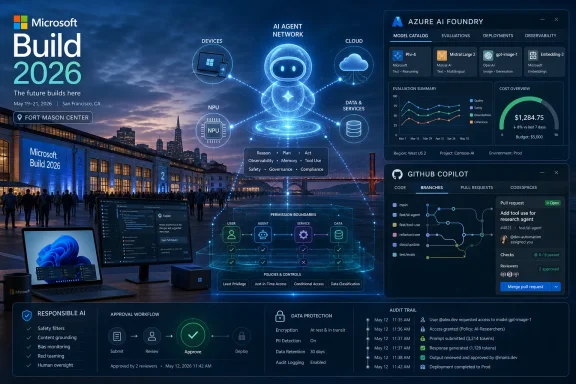
Microsoft Has Moved Build Closer to the AI Industry’s Center of Gravity
Build has always been a strange hybrid: part developer conference, part corporate state-of-the-union, part weather report for the Windows ecosystem. In the Windows 8 era, it was where Microsoft tried to rally developers around a new app model. In the Azure years, it became a cloud conference wearing a Windows badge. In the Copilot era, it has become Microsoft’s annual attempt to translate enormous AI investment into APIs, SDKs, and demos developers can ship.
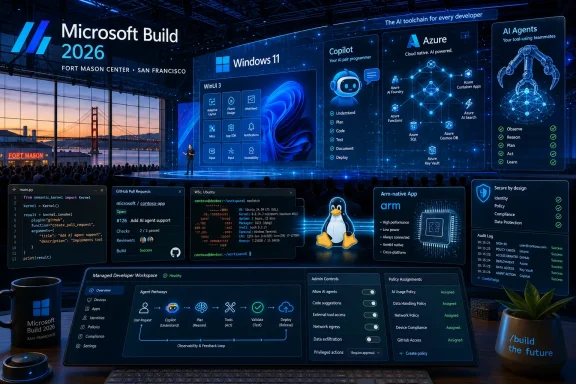
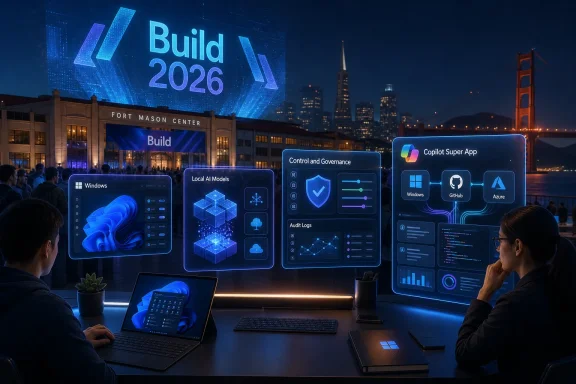
The 2026 edition’s move to San Francisco is not just a logistics detail. It places Build physically closer to the AI startup market, model labs, venture-backed tooling companies, and developer communities now shaping the assumptions Microsoft has to compete with. Seattle still represents Microsoft’s institutional home; San Francisco represents the audience it is trying hardest to keep from drifting toward Anthropic, OpenAI’s direct platforms, Google, Cursor, Replit, or whichever agentic coding tool is having a good week.
The venue and shorter two-day format also suggest a tighter show. Microsoft’s own event language emphasizes “real code, real systems, and real workflows,” which is a revealing phrase. The company knows developers have grown tired of AI keynotes where every demo ends just before the hard part: permissions, observability, cost control, data leakage, rollback, and support tickets.
That is the tension going into Build 2026. Microsoft does not merely need to show that AI agents can book travel, write boilerplate, or summarize a document. It needs to show that agentic systems can be governed, debugged, billed, deployed, and trusted by people whose jobs depend on software not behaving like a caffeinated intern with admin rights.
The Agent Is the New App, and Microsoft Wants to Own the Runtime
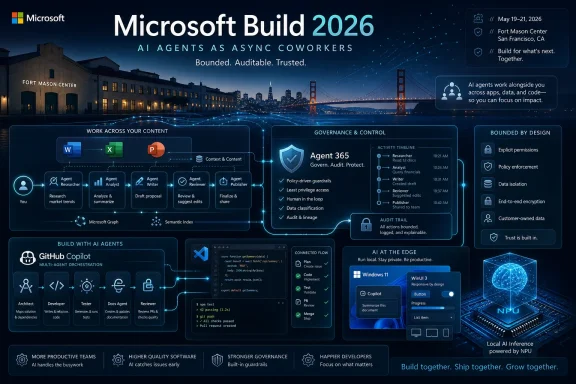
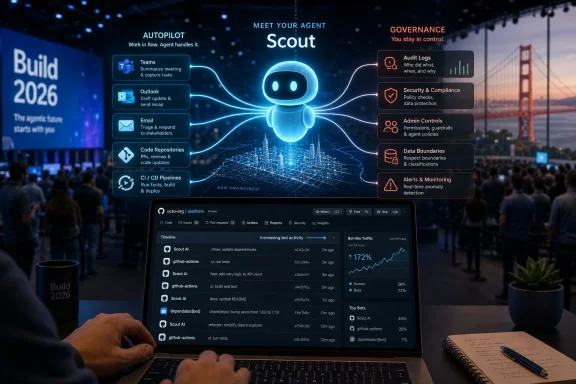
The phrase likely to dominate Build 2026 is agentic AI, a term that has already become overused enough to make sensible engineers suspicious. In its simplest form, it means AI systems that can take steps toward a goal rather than merely answer a prompt. Instead of asking a chatbot for instructions, a user might ask an agent to investigate an issue, modify a document, open a pull request, schedule a meeting, or coordinate with other agents.
That shift sounds subtle until you consider how much software is built around waiting for humans to click the next button. The old app model assumes the user drives every stage of the workflow. The agent model assumes software can plan, call tools, inspect results, recover from errors, and ask for approval only when needed. If Microsoft can make that reliable, it changes the center of gravity for Office, Windows, Azure, GitHub, Dynamics, and every enterprise workflow glued together with scripts and Teams messages.
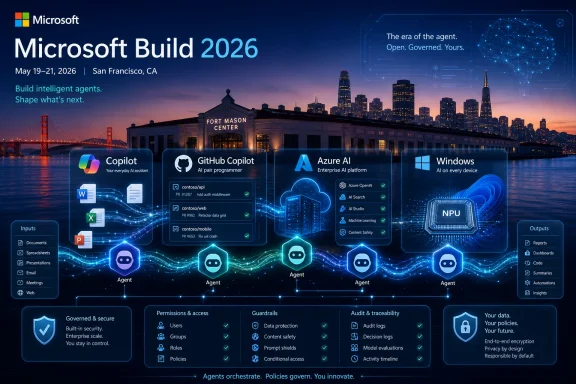
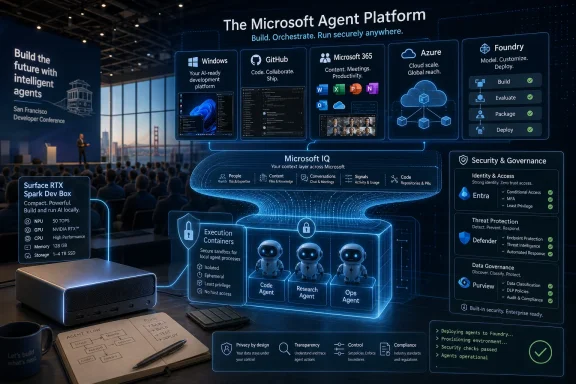
Microsoft’s advantage is not that it has the best single chatbot. Its advantage is distribution and identity. It owns the operating system used by enormous numbers of business PCs, the productivity suite where corporate work happens, the developer platform where code is written, the cloud platform where workloads run, and the directory service that decides who is allowed to do what. Agents become far more interesting when they can safely inherit those permissions without turning into a security disaster.
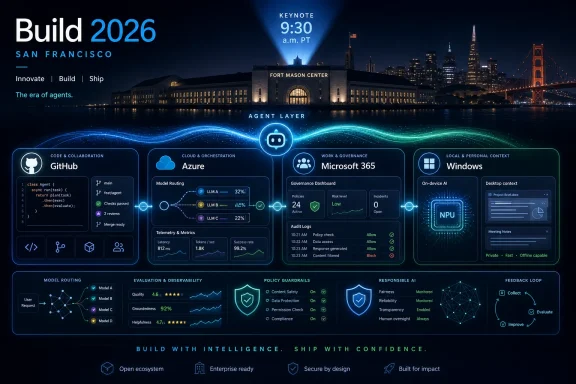
That is why Build 2026 is likely to spend so much time on orchestration, model routing, evaluation, and operational controls. A single impressive agent demo is not enough. The real platform story is about a stack where one agent can reason, another can retrieve company data, another can write code, another can test the result, and a policy layer can decide when the system must stop and ask a human.
The pitch is seductive. The risk is obvious. A bad chatbot gives you a wrong answer; a bad agent can change a file, email a customer, deploy a bug, or delete something important. Microsoft cannot talk about autonomy without talking about blast radius.
Azure AI Foundry Becomes the Factory Floor
Azure AI Foundry is expected to sit at the center of this year’s Build narrative because it gives Microsoft a place to gather the messy middle of AI development. Model catalogs, fine-tuning, evaluation, safety tooling, prompt management, deployment options, telemetry, and cost controls are not glamorous keynote material. They are, however, what separates a lab demo from a system an enterprise might actually run.
This is where Microsoft’s cloud strategy becomes more pragmatic than flashy. Developers do not want to bet everything on one model provider, one latency profile, or one cost curve. They want to route tasks among models, swap components when prices change, test whether a smaller model is good enough, and keep sensitive data out of places it should not go. Foundry gives Microsoft a way to argue that Azure is not just hosting the AI boom; it is organizing it.
Expect Microsoft to emphasize multi-model orchestration. That phrase may sound like marketing fog, but it points to a real architectural problem. Some tasks need frontier models with expensive reasoning. Others can be handled by smaller local or open-weight models. Some workloads need speed, others need accuracy, and still others need regulatory boundaries. An AI platform that treats every problem as a single prompt to a single model is already starting to look primitive.
For WindowsForum readers, the Azure Foundry story matters even if they never log into the Azure portal. The design patterns Microsoft promotes to developers usually become the assumptions baked into the software everyone else uses. If Microsoft teaches developers to build apps as networks of agents with policy controls and model routing, those patterns will eventually surface in business apps, consumer utilities, IT support tools, and Windows-integrated experiences.
The cost angle will be just as important. AI features have often arrived with vague business models and very real compute bills. If Build 2026 spends time on making AI cheaper to run, that is not charity. It is a recognition that developers cannot ship agentic features broadly if every successful workflow becomes a margin problem.
GitHub Copilot Has to Grow Beyond Fancy Autocomplete
GitHub Copilot is one of Microsoft’s clearest AI wins, but it is also under pressure. The product helped normalize AI-assisted coding, yet the market has moved quickly from inline suggestions to agentic development environments that can inspect a repository, modify multiple files, run tests, explain failures, and iterate. Copilot cannot remain merely a helpful ghost in the editor if rivals are selling something closer to a tireless junior developer.
Build 2026 is therefore likely to show Copilot moving deeper into the full development lifecycle. That means more than writing functions. It means planning changes, creating pull requests, fixing build failures, generating tests, managing issues, explaining legacy code, and connecting development work to production telemetry. The more Copilot can understand the whole loop from issue to deployment, the more valuable it becomes to teams rather than just individual developers.
The obvious integration points are Visual Studio, VS Code, GitHub, Azure DevOps, and Microsoft’s cloud observability stack. A developer might ask Copilot to investigate a regression, inspect recent commits, identify a likely culprit, propose a fix, run unit tests, and prepare a pull request. That is a far more compelling story than asking it to autocomplete a for-loop.
But Microsoft has to be careful with the framing. Developers are not uniformly asking for an autonomous machine that changes code while they look away. Many want a powerful assistant that accelerates tedious work while keeping human review at the center. The winning version of Copilot is not the one that pretends developers are obsolete; it is the one that makes developers less likely to waste half a day spelunking through build logs and brittle configuration files.
Security will matter here, too. An AI coding agent with repository access is not a toy. It can introduce vulnerabilities, leak secrets into prompts, misunderstand licensing constraints, or confidently generate code that passes superficial tests while failing under real conditions. If Microsoft wants Copilot to become more autonomous, it needs to make review, auditability, and policy enforcement first-class features rather than afterthoughts.
The Windows Story Is Smaller Than Windows 12, but More Important This Year
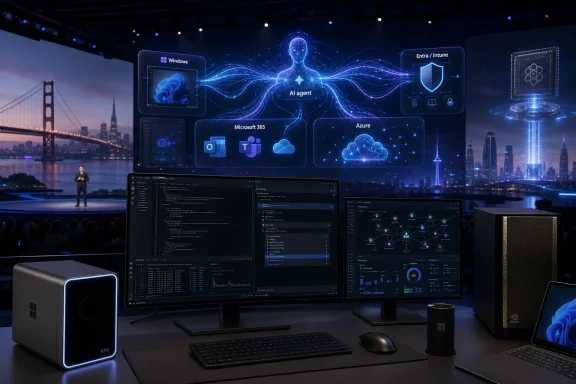
Anyone waiting for a grand Windows 12 reveal at Build 2026 is probably watching the wrong show. Microsoft may hint at future Windows directions, and pieces of the next operating system strategy may be visible in developer sessions, but Build is not shaping up as a consumer Windows launch event. The more meaningful Windows story is about turning the PC into a local AI execution environment.
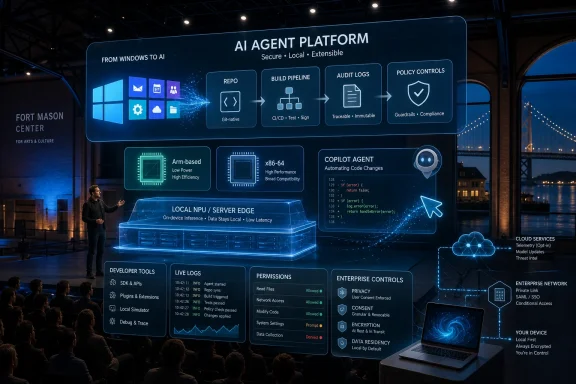
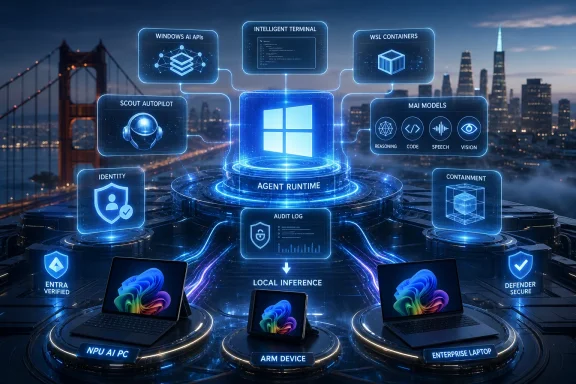
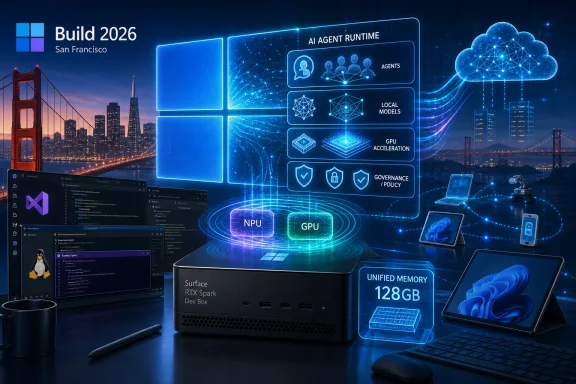
That is where Windows AI Foundry and local model support come in. Microsoft wants developers to build apps that can use the NPU, GPU, and CPU inside modern PCs rather than sending every task to the cloud. This matters for latency, privacy, offline use, and cost. It also gives Microsoft a stronger reason to keep pushing Copilot+ PCs and newer silicon with neural processing units.
The local AI pitch has matured because the industry has run into the limits of cloud-only enthusiasm. Sending every document, image, audio snippet, and workflow to a remote model creates privacy questions, bandwidth constraints, and recurring cost. Local inference is not a cure-all, but it gives developers a practical option for features such as summarization, classification, image processing, accessibility tools, personal search, and lightweight agents that should not require a round trip to a data center.
For Windows enthusiasts, this is arguably more interesting than another Start menu redesign. A Windows app ecosystem that can assume local AI acceleration could change what desktop software feels like over the next few years. File managers, note apps, photo tools, IDEs, security utilities, accessibility software, and line-of-business apps could all become more context-aware without constantly phoning home.
The challenge is fragmentation. Not every PC has an NPU. GPUs vary wildly. CPU-only inference remains useful but limited. Developers need abstractions that let them target a range of hardware without creating a support nightmare. If Build 2026 is serious about Windows AI, Microsoft will need to show not just demos, but developer pathways that work across the messy installed base of Windows machines.
Responsible AI Moves From Compliance Slide to Product Requirement
Responsible AI sessions can sound like the broccoli of developer conferences: everyone agrees they should be there, but many attendees are waiting for the flashier dessert. That would be a mistake this year. The more Microsoft pushes agents, the more safety, evaluation, and governance become core product architecture.
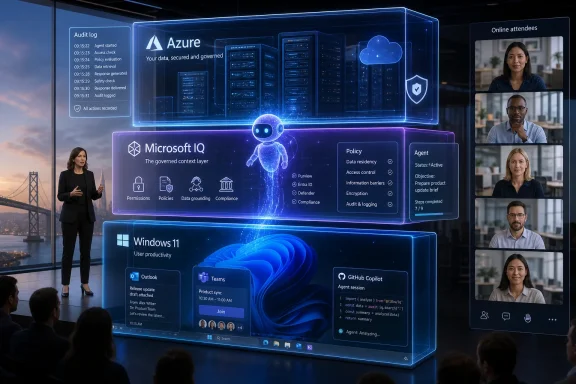
A chatbot can be fenced off as an advisory layer. An agent is different because it takes actions. Once a system can read mail, modify data, query business systems, write code, or invoke external tools, responsible AI stops being a philosophical topic and becomes an operational one. Who approved the action? What data did the model see? Why did it choose that tool? How do you reverse the result? What logs exist when legal or security teams come calling?
Enterprise customers will demand answers because they have already learned the hard way that software automation scales mistakes as efficiently as it scales productivity. The AI layer adds probabilistic behavior on top of already complex distributed systems. That makes observability and control more important, not less.
Microsoft is likely to frame responsible AI as a differentiator. Compared with smaller vendors, it can argue that its identity systems, compliance tooling, security products, and enterprise relationships give it a better foundation for trustworthy agents. That argument will land with some customers, especially those already standardized on Microsoft 365, Azure, Entra, Defender, and Purview.
Still, trust will not be won with policy language alone. Developers need test harnesses, red-team tools, eval frameworks, permission models, approval workflows, and logs that normal teams can understand. If Microsoft can make responsible AI feel like a set of usable engineering practices rather than a PDF, it will have a much stronger case.
The Model Context Protocol Is Quietly One of the Most Strategic Threads
One of the less consumer-friendly topics likely to surface at Build is the Model Context Protocol, or MCP. It is easy to overlook because protocol announcements rarely make splashy headlines. But if agents are going to become a real software layer, they need standard ways to discover tools, access context, and interact with systems beyond a single vendor’s sandbox.
This is where Microsoft’s platform instincts matter. The company has spent decades turning developer abstractions into ecosystems. Win32, .NET, Office add-ins, PowerShell, Azure Resource Manager, and Graph are all examples of Microsoft trying to define how other people’s software plugs into its world. MCP gives Microsoft a chance to participate in the next version of that contest for AI-native workflows.
If Microsoft embraces MCP broadly across GitHub, Azure AI Foundry, Copilot Studio, Semantic Kernel, Windows, and other developer tools, it can make its agent platform feel less closed while still keeping Azure and Microsoft 365 at the center. That is a familiar Microsoft move: support the standard, provide the best enterprise implementation, and make the path of least resistance run through Redmond’s stack.
For admins, this could become a governance problem hiding inside a developer convenience. Every new connector or tool exposed to an agent expands what that agent can potentially do. The same mechanism that lets an AI assistant query an internal ticketing system could also create a new attack surface if permissions, logging, and validation are sloppy.
That is why MCP and related agent-tooling announcements deserve more attention than they will probably get in mainstream coverage. The glamorous demo is an agent completing a task. The important question is what it was allowed to touch, how it authenticated, and whether an administrator can understand the chain of actions after the fact.
Microsoft’s Consumer Message Will Be Indirect but Unavoidable
Build is not a consumer show, but its announcements eventually wash into consumer products. The AI features in Windows, Edge, Office, Photos, Teams, and third-party apps do not appear out of nowhere. They begin as developer primitives, cloud services, SDKs, and platform decisions shown first to the people building software.
That is why ordinary Windows users should still care. If Build 2026 is heavy on local AI, future apps may become faster and more private. If it is heavy on agents, consumer services may start taking more initiative, for better or worse. If it is heavy on Copilot integration, the line between application, assistant, and automation layer will continue to blur.
The risk is that Microsoft’s AI strategy becomes more pervasive than persuasive. Users have already seen AI buttons appear in places where they did not ask for them. The next phase will be more consequential because agents will not merely sit in sidebars waiting for prompts. They will offer to act. That requires a higher standard of usefulness and consent.
Microsoft’s consumer challenge is therefore less about naming and more about restraint. People do not need another Copilot-branded surface that summarizes something poorly. They need features that save time without creating anxiety. They need local processing where privacy matters, clear controls where automation matters, and the ability to say no without being nagged into adoption.
The companies that win the next phase of AI software may not be the ones with the loudest demos. They may be the ones that make AI feel less like a feature being marketed at users and more like a capability quietly improving the work users already intended to do.
Windows 12 Is the Shadow Announcement Microsoft Probably Will Not Make
The absence of Windows 12 from the expected Build agenda is itself revealing. Microsoft does not need to announce a new Windows brand to reshape Windows. It can change the developer model, the hardware requirements, the AI runtime, the security posture, and the app ecosystem under the Windows 11 banner while reserving a future name change for when marketing conditions improve.
That does not mean Windows 12 is fiction. It means Build 2026 is unlikely to be the place where Microsoft spends its political capital on a version-number spectacle. The company has more immediate work to do: convincing developers that Windows is a credible AI platform and convincing customers that Copilot+ PCs are more than a sticker on premium laptops.
The Windows installed base also complicates any dramatic break. Microsoft has spent the Windows 11 era dealing with hardware requirements, upgrade friction, enterprise caution, and the long tail of Windows 10. A sudden Windows 12 announcement would risk distracting from the AI developer story unless Microsoft had a finished, coherent OS narrative ready to go.
More likely, Build will show ingredients. Better local inference. Improved Windows developer tooling. WinUI and app model updates. WSL improvements. AI integrations that make sense for developers rather than consumers. These are the things that could eventually form part of a future Windows release, but they do not require Microsoft to print a new box label.
For WindowsForum’s audience, that distinction matters. Version names are easy to argue about. Platform capabilities are what determine whether the next generation of Windows software is worth using.
Hardware Will Lurk Behind Every Software Demo
Microsoft may not announce major Surface hardware at Build, but hardware will be present in nearly every AI discussion. Local inference needs silicon. Copilot+ PC features need NPUs. Developer workflows need machines capable of running models, containers, IDEs, browsers, and emulators without collapsing into fan noise and thermal throttling.
That creates an awkward but important dynamic. Microsoft’s AI software ambitions depend partly on the PC replacement cycle. If developers build local AI features that only work well on newer machines, adoption will be uneven. If they target the lowest common denominator, the experiences may be too limited to impress anyone. The platform has to span premium AI PCs and older business fleets that will remain in service for years.
This is where Windows differs from Apple’s more controlled ecosystem. Microsoft has reach, variety, and enterprise depth, but it also has fragmentation. Qualcomm, Intel, AMD, NVIDIA, and OEM partners all matter. Driver quality matters. Power efficiency matters. Runtime abstraction matters. The Windows AI story is not just about models; it is about making heterogeneous hardware feel like a coherent platform.
Build is the right venue for that conversation because developers need to know what assumptions they can safely make. Can an app expect an NPU? Should it fall back to GPU? How does it choose a model? How does it explain degraded features on unsupported hardware? How does IT manage these capabilities across a fleet?
If Microsoft answers those questions well, AI PCs become more than a marketing category. If it does not, developers may simply keep sending work to the cloud and treat local AI as an optional bonus for demo machines.
The Enterprise Buyer Will Hear Productivity and Think Risk
Microsoft’s Build messaging will probably emphasize speed: faster development, faster deployment, faster workflows, faster decision-making. Enterprise IT will hear something more complicated. Speed is attractive, but only when it comes with control.
Agents that can act across systems create governance questions that many organizations are not ready to answer. A human employee’s actions are constrained by training, policy, interface design, access controls, and social context. An AI agent may operate across APIs at machine speed, using permissions delegated by a user who may not fully understand the implications. That does not make agents unusable, but it makes sloppy deployment dangerous.
The first wave of enterprise agent adoption will likely be narrow and heavily supervised. IT help desk triage, internal knowledge retrieval, code review assistance, report generation, data cleanup, and workflow drafting are easier to justify than fully autonomous customer-facing actions. Microsoft will want to show ambition, but customers will often start with containment.
This is why Microsoft’s security and management products matter to the Build story. Defender, Entra, Purview, Intune, Sentinel, and related tools may not be the stars of the keynote, but they form the trust infrastructure around AI adoption. If Microsoft can connect agents to identity, device posture, data classification, conditional access, audit logs, and incident response, it can make a stronger enterprise argument than AI-native startups that treat governance as a roadmap item.
The danger for Microsoft is overpromising. Enterprises have heard productivity miracles before. They will want evidence that agents reduce work rather than merely move it into prompt-writing, exception-handling, and post-hoc cleanup. Build demos will be polished; real deployments will be judged by support queues.
The Build 2026 Story Is Really About Control
The most concrete things to watch at Build 2026 are not the loudest slogans but the control surfaces Microsoft gives developers and administrators. Agentic AI is easy to describe and hard to operationalize. The difference between an impressive demo and a durable platform will be found in permissions, costs, logs, local execution, and developer experience.
- Microsoft Build 2026 is expected to center on AI agents, Azure AI Foundry, GitHub Copilot, Windows AI development, responsible AI, and the infrastructure needed to move AI systems from demos into production.
- A Windows 12 announcement is unlikely, but Windows sessions may reveal the platform components that shape future Windows releases.
- GitHub Copilot’s next challenge is to become a lifecycle assistant that can reason across issues, code, tests, pull requests, and production signals without undermining human review.
- Local AI on Windows and Copilot+ PCs will matter if Microsoft can make hardware acceleration usable across a fragmented PC ecosystem.
- Enterprise adoption will depend less on magical agent demos than on identity, auditability, permission boundaries, cost controls, and rollback paths.
- The most important announcements may be the least flashy ones: protocols, SDKs, model routing, evaluation tools, and management features that make agentic software safe enough to deploy.
Microsoft enters Build 2026 with the advantage of owning much of the terrain where work already happens, but that advantage now comes with a higher burden of proof. The company has spent years putting Copilot labels across its empire; this event is a chance to show whether those labels are becoming a coherent platform or just a branding layer over uneven AI experiments. If Microsoft gets the developer plumbing right, the most important Build 2026 announcements may not feel dramatic on June 3, but they will shape the Windows PCs, business apps, coding tools, and cloud services users encounter long after the keynote lights go down.