

Microsoft used Build 2026 in San Francisco to reposition Windows 11 around native apps, Windows on Arm, local AI development, and agent-driven hardware, while announcing developer tools and devices meant to make that strategy practical. The pitch was not merely that Windows will get more AI features. It was that Windows needs developers to treat the PC as the best place to build, run, test, and eventually trust those features. That makes Build 2026 less a conventional developer conference than a referendum on whether Microsoft can turn Windows 11 from an operating system people tolerate into a platform people once again build for first.
For years, Windows users have had a strange complaint about Microsoft’s own operating system: too much of it does not feel like Windows. Web views, inconsistent controls, duplicated settings panels, laggy inbox apps, and half-finished design migrations have all trained users to expect friction from a platform that once defined desktop polish by sheer ubiquity. Build 2026 was Microsoft’s attempt to say, without quite admitting the wound, that it knows this has become a problem.
The renewed emphasis on native Windows apps matters because it attacks one of Windows 11’s quietest failures. Windows has never lacked software, but it has lacked a coherent modern app story that developers believed in. Win32 never went away, UWP never fully arrived, Electron became the pragmatic default, and WinUI 3 spent years feeling more like a promise than a gravity well.
Microsoft’s current argument is that developers should build Windows apps that are not merely compatible with Windows, but shaped by it. That means using WinUI 3, Windows App SDK plumbing, local AI APIs, Arm64 support, and tooling that understands Windows conventions instead of treating the OS as a browser host with a Start menu attached. If Microsoft can make that easier, native apps stop being a nostalgic demand from power users and become a performance, battery life, and AI-readiness decision.
This is also where Windows K2, the internal initiative reportedly aimed at sharpening Windows 11’s foundations and PC experience, becomes more than branding. OEM enthusiasm is useful, but OEMs can only ship the hardware. The reason a new laptop feels premium six months later is the software stack: drivers, apps, shell responsiveness, background behavior, battery discipline, and the absence of the thousand little paper cuts that make users blame the PC rather than the app.
That is the problem Microsoft is trying to reverse. The company is not simply asking developers to add AI features to Windows apps. It is trying to make Windows the workstation where those AI features are created, debugged, accelerated, and distributed. That is a much bigger play.
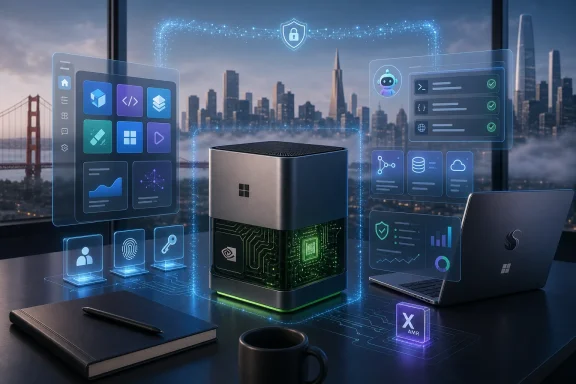
The Surface RTX Spark Dev Box is the clearest symbol of this strategy. A compact Surface-branded developer machine with NVIDIA RTX Spark silicon, up to one petaflop of AI compute, 128GB of unified memory, WSL2 with native GPU passthrough, CUDA support, and Microsoft developer tools preinstalled is not a consumer PC announcement in disguise. It is Microsoft telling developers that Windows wants to be a local AI lab.
That is a notable reversal of the cloud-only mood that dominated much of the last decade. Azure remains central to Microsoft’s economics, but local inference is now too important to leave as an afterthought. Latency, privacy, cost control, offline operation, and data locality all make the PC newly relevant. If developers can run large models locally, test agent workflows locally, and then deploy across cloud and edge targets, Windows regains strategic importance.
The catch is that developer gravity cannot be declared from a keynote. It has to be earned through tools that work, documentation that stays current, SDKs that do not churn destructively, and hardware that is available at prices actual teams can justify. Microsoft has won this kind of platform battle before, but it has also squandered trust by changing app models midstream. Build 2026 sounded unusually coherent; the next year will show whether coherence survives contact with shipping software.
Build 2026 put Windows on Arm back into the developer conversation in a more practical way. Microsoft’s message was not just that Arm PCs are thinner, cooler, or longer-lasting. It was that developers should actively port x86 apps, treat Arm64 as a first-class Windows target, and understand that the next wave of Windows hardware will not be defined solely by Intel-compatible assumptions.
That matters because Windows on Arm is no longer only about Qualcomm laptops. NVIDIA’s RTX Spark platform complicates the picture by bringing Arm CPU cores, RTX graphics, unified memory, CUDA, and local AI ambitions into the Windows developer story. In that context, Arm support is not a niche compatibility chore; it becomes part of the architecture for high-performance, AI-heavy Windows systems.
For ordinary Windows 11 users, this could eventually mean less waiting, less heat, better battery life, and apps that do not feel like they are crossing a translation layer just to open a settings dialog. For IT departments, it means the Windows hardware fleet may become more heterogeneous. x86 will remain enormous, but the old assumption that serious Windows software only needs to be excellent on x86 is starting to look dated.
Microsoft’s challenge is to make Arm support boring. The moment users have to ask whether their VPN client, line-of-business app, printer utility, or security agent works properly on a new Windows on Arm machine, the platform loses momentum. Build 2026’s developer sessions are a step toward preventing that, but the real test will happen in procurement departments and help desks, not conference rooms.
The specifications are clearly aimed at developers working with models too large or too sensitive to casually send to a cloud endpoint for every iteration. Up to 128GB of unified memory gives the machine room for large local models. The claimed ability to run models up to roughly 120 billion parameters locally, depending on precision and workload, is exactly the kind of threshold that turns “AI PC” from a marketing sticker into a real development target.
The inclusion of WSL2 with GPU passthrough and CUDA support is just as important as the raw compute. Microsoft knows AI developers live in Linux-heavy toolchains, Python environments, container workflows, and NVIDIA ecosystems. A Windows AI development box that pretends otherwise would be dead on arrival. The more interesting move is that Microsoft is not trying to replace those workflows; it is trying to host them well.
That is a pragmatic concession and a strategic one. Windows does not need to become the spiritual home of every AI researcher to matter. It needs to become the place where commercial developers, enterprise teams, app makers, and device builders can combine familiar Windows app surfaces with modern AI pipelines. If WSL, CUDA, Visual Studio Code, GitHub Copilot, and Windows APIs converge cleanly, the Dev Box becomes less a niche machine and more a statement of platform intent.
Still, the Dev Box also exposes the gap between developer demos and mainstream PCs. Most Windows users will not own anything like this machine. Even high-end laptops will face thermal, memory, and battery constraints that a plugged-in desktop box can avoid. Microsoft’s bet is that developers will build on powerful local systems first, then scale experiences down across Copilot+ PCs, Arm devices, cloud back ends, and future agent hardware.
That model is simple in theory: apps should be able to call local AI capabilities the way they call graphics, storage, networking, or sensors. The operating system should manage the common pieces. Developers should not have to bundle giant runtimes unnecessarily, guess which accelerator is present, or write separate code paths for every silicon vendor. Users should get faster, more private, and more responsive experiences because useful work happens on the device.
This is where Microsoft’s Windows AI APIs and Microsoft Foundry on Windows become central. The goal is to make local models less bespoke and more platform-native. If a note app can summarize locally, a photo app can edit locally, a coding tool can reason over files locally, or an enterprise app can classify sensitive documents without shipping them off-device, the PC becomes a trust boundary again.
That trust boundary is not just philosophical. Enterprises care where data goes, how it is logged, what models touch it, and whether an audit trail exists. Consumers may not phrase it in governance terms, but they understand the difference between a feature that works instantly on their laptop and one that depends on a distant service with unclear retention policies. Local AI does not solve every privacy issue, but it changes the default posture.
The harder part is restraint. If every app adds an agent, every context menu gains “AI actions,” and every background process starts indexing user data for vaguely helpful reasons, Windows will become noisier rather than smarter. Microsoft’s platform work will succeed only if local AI feels controlled, inspectable, and genuinely useful. Otherwise the next generation of PC bloat will simply be more fluent.
That distinction matters. The last wave of dedicated AI hardware has been bruising. Devices such as the Humane AI Pin and Rabbit R1 showed that “AI in a gadget” is not enough to overcome poor utility, awkward interaction models, or the fact that smartphones already exist. Consumers do not need another object to charge unless it does something meaningfully better than the phone in their pocket.
Microsoft appears to understand that the opportunity may be less about a single magical consumer gadget and more about a platform for device makers. Badges, desk devices, enterprise terminals, ambient displays, field-service tools, and specialized industrial endpoints all have different constraints from laptops. They may need voice, camera, secure identity, lightweight management, and cloud-connected agents without the baggage of a general-purpose desktop OS.
Choosing an Android-derived base rather than Windows is revealing. Microsoft has no incentive to force Windows into every form factor if doing so makes the device worse. The company already learned, painfully, that Windows branding does not automatically make a mobile or embedded product viable. Solara suggests a more mature approach: use Microsoft’s identity, cloud, management, and AI layers where they fit, even if the underlying OS is not Windows.
For Windows 11 users, Solara does not replace the PC. It reframes it. The PC becomes the powerful, general-purpose, developer-friendly node in a wider agent ecosystem. If Microsoft is right, future users may move between a Windows workstation, an AI badge, a desk device, and cloud agents without thinking in terms of apps and windows. If Microsoft is wrong, Solara will join a long list of ambient-computing concepts that sounded inevitable until people tried living with them.
An agent is not just a chatbot with permissions. In a Windows context, an agent may need to understand files, app state, user intent, enterprise policy, network availability, identity boundaries, and security prompts. It may need to operate across old Win32 software, modern packaged apps, browser sessions, cloud services, and local models. The more useful it becomes, the more dangerous its mistakes become.
This is where Windows has both an advantage and a liability. The advantage is depth. Windows PCs are where real work happens, with decades of software and workflows that matter to businesses and power users. An agent that can safely operate in that environment could be transformative.
The liability is that Windows is messy because the real world is messy. Permissions, legacy applications, admin rights, shell extensions, drivers, local files, synced folders, remote desktops, and security tools all create edge cases. A cloud demo can hide those. A Windows agent cannot.
Microsoft’s best move is to make agents boringly governed before making them magical. Users and admins need to see what an agent can access, what it did, what it attempted, what failed, and how to revoke its authority. In consumer Windows, that means transparency and undo. In enterprise Windows, it means policy, logging, identity integration, and compliance. Without those, “agentic Windows” becomes another phrase IT departments translate as “new attack surface.”
Now Microsoft has a chance to align the stack more tightly. Qualcomm, Intel, AMD, and NVIDIA all have reasons to push AI PCs, accelerated local workloads, and differentiated silicon. OEMs have reasons to sell new form factors and higher-margin machines. Microsoft has reasons to make Windows feel essential again before users conclude that most of their work belongs in a browser or on a Mac.
But developers remain the hinge. Hardware launches can create excitement, but app ecosystems create habits. If the best Windows apps are still web wrappers, if Arm support remains inconsistent, if WinUI development remains frustrating, and if local AI APIs do not translate into everyday software improvements, Windows 11’s Build 2026 momentum will dissipate.
This is why Microsoft’s native app push is more consequential than it may appear. A cleaner Settings app, faster inbox tools, and better first-party experiences are not cosmetic. They are signals to developers that Microsoft itself is willing to live on the platform it promotes. The company cannot credibly ask others to embrace native Windows development while shipping sluggish web shells for core experiences.
The broader industry also remembers Microsoft’s abandoned bridges and frameworks. Silverlight, UWP’s curtailed ambitions, Windows Phone, and various app-store strategies left developers cautious. Build 2026’s message may be stronger, but trust is cumulative. Microsoft needs several release cycles of boring follow-through before “build native for Windows” stops sounding like a gamble.
The first question is inventory. IT needs to know which devices have which accelerators, which models are installed, which runtimes are shared, which apps invoke local AI, and what data those apps process. Traditional software inventory is already imperfect; AI components make it more dynamic. A model can be an application dependency, a security-sensitive artifact, and a performance bottleneck at the same time.
The second question is data control. If local AI features touch corporate documents, source code, emails, recordings, or customer information, admins need policy hooks. They need to determine whether processing stays on-device, whether outputs are logged, whether prompts are retained, and whether cloud fallback is allowed. “Local-first” is useful only if it is enforceable.
The third question is identity. Agents acting on behalf of users must not become a shortcut around access controls. If an agent can read what the user can read and click what the user can click, then compromised or poorly designed agents become high-value targets. The Windows security model will need to treat agent actions as first-class events, not invisible automation.
The fourth question is lifecycle. Models age, vulnerabilities emerge, runtimes update, and hardware capabilities vary. Enterprises will not accept a new class of unmanaged AI components scattered across endpoints. Microsoft has the management infrastructure to address this through Intune, Defender, Entra, Windows Update, and developer policy controls, but the integration has to be explicit and usable.
That is the quiet enterprise story behind Build 2026. Microsoft is not just competing to impress developers. It is trying to make AI-capable Windows endpoints governable enough that organizations will deploy them at scale. If it succeeds, Windows 11 becomes the managed edge of enterprise AI. If it fails, admins will restrict the most interesting features before users ever see them.
Build 2026 gives Windows 11 a more coherent path. Native apps can address performance and polish. Arm64 investment can improve battery life and hardware variety. Local AI APIs can make the PC useful in ways the browser alone cannot match. Developer-focused devices can seed the software ecosystem. Agent platforms can prepare Microsoft for new device categories without forcing Windows into places it does not belong.
That does not mean the strategy is guaranteed. Microsoft is still asking users and developers to accept a lot of change at once. AI features must prove their worth. Native app tooling must become pleasant rather than merely possible. Arm machines must be compatible enough that buyers stop treating them as risky. New agent devices must avoid becoming expensive curiosities.
The good news is that the pieces now reinforce one another. A better native app story helps Arm PCs. Better Arm and NVIDIA platforms help local AI development. Better local AI makes Windows APIs more valuable. Better developer tools make it more likely that users see the benefits outside Microsoft’s own apps. That is the kind of platform flywheel Windows has lacked for years.
The danger is fragmentation. If Windows becomes a loose collection of Copilot+ features, native app pushes, Arm migrations, NVIDIA developer boxes, Android-based agent devices, and cloud agents with inconsistent policy, users will feel complexity rather than progress. Microsoft’s job is to make the ecosystem feel like one Windows strategy, not six parallel experiments.
 Microsoft Is Trying to Make Windows Feel Native Again
For years, Windows users have had a strange complaint about Microsoft’s own operating system: too much of it does not feel like Windows. Web views, inconsistent controls, duplicated settings panels, laggy inbox apps, and half-finished design migrations have all trained users to expect friction from a platform that once defined desktop polish by sheer ubiquity. Build 2026 was Microsoft’s attempt to say, without quite admitting the wound, that it knows this has become a problem.The renewed emphasis on native Windows apps matters because it attacks one of Windows 11’s quietest failures. Windows has never lacked software, but it has lacked a coherent modern app story that developers believed in. Win32 never went away, UWP never fully arrived, Electron became the pragmatic default, and WinUI 3 spent years feeling more like a promise than a gravity well.
Microsoft’s current argument is that developers should build Windows apps that are not merely compatible with Windows, but shaped by it. That means using WinUI 3, Windows App SDK plumbing, local AI APIs, Arm64 support, and tooling that understands Windows conventions instead of treating the OS as a browser host with a Start menu attached. If Microsoft can make that easier, native apps stop being a nostalgic demand from power users and become a performance, battery life, and AI-readiness decision.
This is also where Windows K2, the internal initiative reportedly aimed at sharpening Windows 11’s foundations and PC experience, becomes more than branding. OEM enthusiasm is useful, but OEMs can only ship the hardware. The reason a new laptop feels premium six months later is the software stack: drivers, apps, shell responsiveness, background behavior, battery discipline, and the absence of the thousand little paper cuts that make users blame the PC rather than the app.
The Real Build Story Was Not AI Hype, but Developer Gravity
Build is always where Microsoft tries to move the developer herd. The difference in 2026 is that the herd has more exits than ever. A serious developer can live in macOS, target Linux containers, deploy to the cloud, build cross-platform front ends, and reach Windows users through a browser or Electron wrapper without ever caring deeply about Windows APIs.That is the problem Microsoft is trying to reverse. The company is not simply asking developers to add AI features to Windows apps. It is trying to make Windows the workstation where those AI features are created, debugged, accelerated, and distributed. That is a much bigger play.
The Surface RTX Spark Dev Box is the clearest symbol of this strategy. A compact Surface-branded developer machine with NVIDIA RTX Spark silicon, up to one petaflop of AI compute, 128GB of unified memory, WSL2 with native GPU passthrough, CUDA support, and Microsoft developer tools preinstalled is not a consumer PC announcement in disguise. It is Microsoft telling developers that Windows wants to be a local AI lab.
That is a notable reversal of the cloud-only mood that dominated much of the last decade. Azure remains central to Microsoft’s economics, but local inference is now too important to leave as an afterthought. Latency, privacy, cost control, offline operation, and data locality all make the PC newly relevant. If developers can run large models locally, test agent workflows locally, and then deploy across cloud and edge targets, Windows regains strategic importance.
The catch is that developer gravity cannot be declared from a keynote. It has to be earned through tools that work, documentation that stays current, SDKs that do not churn destructively, and hardware that is available at prices actual teams can justify. Microsoft has won this kind of platform battle before, but it has also squandered trust by changing app models midstream. Build 2026 sounded unusually coherent; the next year will show whether coherence survives contact with shipping software.
Windows on Arm Finally Gets a Job Beyond Being Efficient
Windows on Arm has spent much of its life as a future-looking platform that users were asked to believe in before the app ecosystem justified the faith. Qualcomm’s Snapdragon X generation improved the hardware case, but silicon alone does not fix the central problem. A fast Arm laptop still feels compromised if the apps people need run poorly, lack native builds, or behave unpredictably under emulation.Build 2026 put Windows on Arm back into the developer conversation in a more practical way. Microsoft’s message was not just that Arm PCs are thinner, cooler, or longer-lasting. It was that developers should actively port x86 apps, treat Arm64 as a first-class Windows target, and understand that the next wave of Windows hardware will not be defined solely by Intel-compatible assumptions.
That matters because Windows on Arm is no longer only about Qualcomm laptops. NVIDIA’s RTX Spark platform complicates the picture by bringing Arm CPU cores, RTX graphics, unified memory, CUDA, and local AI ambitions into the Windows developer story. In that context, Arm support is not a niche compatibility chore; it becomes part of the architecture for high-performance, AI-heavy Windows systems.
For ordinary Windows 11 users, this could eventually mean less waiting, less heat, better battery life, and apps that do not feel like they are crossing a translation layer just to open a settings dialog. For IT departments, it means the Windows hardware fleet may become more heterogeneous. x86 will remain enormous, but the old assumption that serious Windows software only needs to be excellent on x86 is starting to look dated.
Microsoft’s challenge is to make Arm support boring. The moment users have to ask whether their VPN client, line-of-business app, printer utility, or security agent works properly on a new Windows on Arm machine, the platform loses momentum. Build 2026’s developer sessions are a step toward preventing that, but the real test will happen in procurement departments and help desks, not conference rooms.
The Surface RTX Spark Dev Box Is a Workstation Wearing a Mini-PC Costume
The Surface RTX Spark Dev Box is important because it makes Microsoft’s AI strategy physical. Software platforms can feel abstract; a box on a developer’s desk changes the psychology. It says there is now a canonical Windows machine for building local AI applications, just as earlier eras had canonical workstations for graphics, databases, mobile development, or game engines.The specifications are clearly aimed at developers working with models too large or too sensitive to casually send to a cloud endpoint for every iteration. Up to 128GB of unified memory gives the machine room for large local models. The claimed ability to run models up to roughly 120 billion parameters locally, depending on precision and workload, is exactly the kind of threshold that turns “AI PC” from a marketing sticker into a real development target.
The inclusion of WSL2 with GPU passthrough and CUDA support is just as important as the raw compute. Microsoft knows AI developers live in Linux-heavy toolchains, Python environments, container workflows, and NVIDIA ecosystems. A Windows AI development box that pretends otherwise would be dead on arrival. The more interesting move is that Microsoft is not trying to replace those workflows; it is trying to host them well.
That is a pragmatic concession and a strategic one. Windows does not need to become the spiritual home of every AI researcher to matter. It needs to become the place where commercial developers, enterprise teams, app makers, and device builders can combine familiar Windows app surfaces with modern AI pipelines. If WSL, CUDA, Visual Studio Code, GitHub Copilot, and Windows APIs converge cleanly, the Dev Box becomes less a niche machine and more a statement of platform intent.
Still, the Dev Box also exposes the gap between developer demos and mainstream PCs. Most Windows users will not own anything like this machine. Even high-end laptops will face thermal, memory, and battery constraints that a plugged-in desktop box can avoid. Microsoft’s bet is that developers will build on powerful local systems first, then scale experiences down across Copilot+ PCs, Arm devices, cloud back ends, and future agent hardware.
Local AI Gives the PC a New Reason to Matter
The PC industry needed local AI to be more than a spec-sheet race. NPUs have been sold aggressively, but the average user has had little reason to care how many TOPS their laptop can claim if the visible result is a few background effects and a Copilot button. Build 2026 tried to push the conversation away from isolated features and toward a broader runtime model.That model is simple in theory: apps should be able to call local AI capabilities the way they call graphics, storage, networking, or sensors. The operating system should manage the common pieces. Developers should not have to bundle giant runtimes unnecessarily, guess which accelerator is present, or write separate code paths for every silicon vendor. Users should get faster, more private, and more responsive experiences because useful work happens on the device.
This is where Microsoft’s Windows AI APIs and Microsoft Foundry on Windows become central. The goal is to make local models less bespoke and more platform-native. If a note app can summarize locally, a photo app can edit locally, a coding tool can reason over files locally, or an enterprise app can classify sensitive documents without shipping them off-device, the PC becomes a trust boundary again.
That trust boundary is not just philosophical. Enterprises care where data goes, how it is logged, what models touch it, and whether an audit trail exists. Consumers may not phrase it in governance terms, but they understand the difference between a feature that works instantly on their laptop and one that depends on a distant service with unclear retention policies. Local AI does not solve every privacy issue, but it changes the default posture.
The harder part is restraint. If every app adds an agent, every context menu gains “AI actions,” and every background process starts indexing user data for vaguely helpful reasons, Windows will become noisier rather than smarter. Microsoft’s platform work will succeed only if local AI feels controlled, inspectable, and genuinely useful. Otherwise the next generation of PC bloat will simply be more fluent.
Project Solara Shows Microsoft Looking Past Windows Without Letting Go of It
Project Solara is the strangest Build 2026 announcement because it is both adjacent to Windows and deliberately not Windows. Microsoft described a lightweight, secure operating system built on AOSP, paired with an Agent Shell and a device ecosystem platform designed for hardware that runs agents rather than traditional apps. That is not a new Windows edition. It is Microsoft preparing for a world where some computers do not behave like PCs at all.That distinction matters. The last wave of dedicated AI hardware has been bruising. Devices such as the Humane AI Pin and Rabbit R1 showed that “AI in a gadget” is not enough to overcome poor utility, awkward interaction models, or the fact that smartphones already exist. Consumers do not need another object to charge unless it does something meaningfully better than the phone in their pocket.
Microsoft appears to understand that the opportunity may be less about a single magical consumer gadget and more about a platform for device makers. Badges, desk devices, enterprise terminals, ambient displays, field-service tools, and specialized industrial endpoints all have different constraints from laptops. They may need voice, camera, secure identity, lightweight management, and cloud-connected agents without the baggage of a general-purpose desktop OS.
Choosing an Android-derived base rather than Windows is revealing. Microsoft has no incentive to force Windows into every form factor if doing so makes the device worse. The company already learned, painfully, that Windows branding does not automatically make a mobile or embedded product viable. Solara suggests a more mature approach: use Microsoft’s identity, cloud, management, and AI layers where they fit, even if the underlying OS is not Windows.
For Windows 11 users, Solara does not replace the PC. It reframes it. The PC becomes the powerful, general-purpose, developer-friendly node in a wider agent ecosystem. If Microsoft is right, future users may move between a Windows workstation, an AI badge, a desk device, and cloud agents without thinking in terms of apps and windows. If Microsoft is wrong, Solara will join a long list of ambient-computing concepts that sounded inevitable until people tried living with them.
The Agentic Future Needs More Than a Better Demo
Microsoft’s agent language at Build 2026 is ambitious, but ambition is cheap in AI season. The company wants agents that can understand context, call tools, work across apps, and adapt interfaces to devices and interaction modes. That is the right long-term direction, but it is also where the risk of overpromising is highest.An agent is not just a chatbot with permissions. In a Windows context, an agent may need to understand files, app state, user intent, enterprise policy, network availability, identity boundaries, and security prompts. It may need to operate across old Win32 software, modern packaged apps, browser sessions, cloud services, and local models. The more useful it becomes, the more dangerous its mistakes become.
This is where Windows has both an advantage and a liability. The advantage is depth. Windows PCs are where real work happens, with decades of software and workflows that matter to businesses and power users. An agent that can safely operate in that environment could be transformative.
The liability is that Windows is messy because the real world is messy. Permissions, legacy applications, admin rights, shell extensions, drivers, local files, synced folders, remote desktops, and security tools all create edge cases. A cloud demo can hide those. A Windows agent cannot.
Microsoft’s best move is to make agents boringly governed before making them magical. Users and admins need to see what an agent can access, what it did, what it attempted, what failed, and how to revoke its authority. In consumer Windows, that means transparency and undo. In enterprise Windows, it means policy, logging, identity integration, and compliance. Without those, “agentic Windows” becomes another phrase IT departments translate as “new attack surface.”
OEM Enthusiasm Is Useful, but Developers Decide the Outcome
The reported excitement from OEMs around Windows K2 and the broader Windows push is significant because PC makers have often seemed more enthusiastic about industrial design than about Windows itself. For years, the best Windows laptops had to sell around the operating system’s inconsistencies. Premium hardware did not always guarantee a premium software experience.Now Microsoft has a chance to align the stack more tightly. Qualcomm, Intel, AMD, and NVIDIA all have reasons to push AI PCs, accelerated local workloads, and differentiated silicon. OEMs have reasons to sell new form factors and higher-margin machines. Microsoft has reasons to make Windows feel essential again before users conclude that most of their work belongs in a browser or on a Mac.
But developers remain the hinge. Hardware launches can create excitement, but app ecosystems create habits. If the best Windows apps are still web wrappers, if Arm support remains inconsistent, if WinUI development remains frustrating, and if local AI APIs do not translate into everyday software improvements, Windows 11’s Build 2026 momentum will dissipate.
This is why Microsoft’s native app push is more consequential than it may appear. A cleaner Settings app, faster inbox tools, and better first-party experiences are not cosmetic. They are signals to developers that Microsoft itself is willing to live on the platform it promotes. The company cannot credibly ask others to embrace native Windows development while shipping sluggish web shells for core experiences.
The broader industry also remembers Microsoft’s abandoned bridges and frameworks. Silverlight, UWP’s curtailed ambitions, Windows Phone, and various app-store strategies left developers cautious. Build 2026’s message may be stronger, but trust is cumulative. Microsoft needs several release cycles of boring follow-through before “build native for Windows” stops sounding like a gamble.
Security and Manageability Will Decide Whether IT Lets This In
For sysadmins, Build 2026’s announcements are exciting in the same way a new datacenter wing is exciting: full of possibility, full of future tickets. Local models, AI agents, Arm hardware, GPU passthrough, developer workstations, and agent-first devices all introduce management questions that cannot be solved by keynote confidence.The first question is inventory. IT needs to know which devices have which accelerators, which models are installed, which runtimes are shared, which apps invoke local AI, and what data those apps process. Traditional software inventory is already imperfect; AI components make it more dynamic. A model can be an application dependency, a security-sensitive artifact, and a performance bottleneck at the same time.
The second question is data control. If local AI features touch corporate documents, source code, emails, recordings, or customer information, admins need policy hooks. They need to determine whether processing stays on-device, whether outputs are logged, whether prompts are retained, and whether cloud fallback is allowed. “Local-first” is useful only if it is enforceable.
The third question is identity. Agents acting on behalf of users must not become a shortcut around access controls. If an agent can read what the user can read and click what the user can click, then compromised or poorly designed agents become high-value targets. The Windows security model will need to treat agent actions as first-class events, not invisible automation.
The fourth question is lifecycle. Models age, vulnerabilities emerge, runtimes update, and hardware capabilities vary. Enterprises will not accept a new class of unmanaged AI components scattered across endpoints. Microsoft has the management infrastructure to address this through Intune, Defender, Entra, Windows Update, and developer policy controls, but the integration has to be explicit and usable.
That is the quiet enterprise story behind Build 2026. Microsoft is not just competing to impress developers. It is trying to make AI-capable Windows endpoints governable enough that organizations will deploy them at scale. If it succeeds, Windows 11 becomes the managed edge of enterprise AI. If it fails, admins will restrict the most interesting features before users ever see them.
Windows 11 Gets a Path Out of Its Own Malaise
Windows 11 has often felt like an operating system waiting for its reason to exist. Its visual redesign was real but uneven. Its hardware requirements were controversial. Its AI additions arrived before many users understood their purpose. Its best argument was sometimes simply that Windows 10 would not last forever.Build 2026 gives Windows 11 a more coherent path. Native apps can address performance and polish. Arm64 investment can improve battery life and hardware variety. Local AI APIs can make the PC useful in ways the browser alone cannot match. Developer-focused devices can seed the software ecosystem. Agent platforms can prepare Microsoft for new device categories without forcing Windows into places it does not belong.
That does not mean the strategy is guaranteed. Microsoft is still asking users and developers to accept a lot of change at once. AI features must prove their worth. Native app tooling must become pleasant rather than merely possible. Arm machines must be compatible enough that buyers stop treating them as risky. New agent devices must avoid becoming expensive curiosities.
The good news is that the pieces now reinforce one another. A better native app story helps Arm PCs. Better Arm and NVIDIA platforms help local AI development. Better local AI makes Windows APIs more valuable. Better developer tools make it more likely that users see the benefits outside Microsoft’s own apps. That is the kind of platform flywheel Windows has lacked for years.
The danger is fragmentation. If Windows becomes a loose collection of Copilot+ features, native app pushes, Arm migrations, NVIDIA developer boxes, Android-based agent devices, and cloud agents with inconsistent policy, users will feel complexity rather than progress. Microsoft’s job is to make the ecosystem feel like one Windows strategy, not six parallel experiments.
The Build 2026 Bet Comes Down to Follow-Through
The practical lesson from Build 2026 is that Microsoft is trying to move Windows 11 from a maintenance platform to an AI-era development platform. The announcements are less interesting as isolated product news than as a map of where Microsoft thinks personal computing is going.- Windows 11’s native app push is a direct response to years of sluggish web-wrapper experiences and inconsistent first-party software.
- Windows on Arm is becoming a strategic target for developers, not just a battery-life story for thin laptops.
- The Surface RTX Spark Dev Box turns local AI development on Windows into a concrete hardware proposition.
- Project Solara shows Microsoft preparing for agent-first devices without pretending every future computer must run Windows.
- Enterprise adoption will depend on whether Microsoft makes agents, local models, and AI runtimes manageable, auditable, and secure.
- The renewed OEM excitement around Windows will matter only if developers ship better apps that users can actually feel.
References
- Primary source: Windows Central
Published: Mon, 08 Jun 2026 13:13:07 GMT
6 biggest Microsoft Build announcements: How they'll reshape Windows 11 and set up the next generation of AI devices | Windows Central
Microsoft just spent a week laying out the future of your desktop and laid the groundwork for AI devices.www.windowscentral.com - Related coverage: tomshardware.com
Microsoft debuts Surface RTX Spark Dev Box — Nvidia-powered mini-PC helps devs get ready for an agentic Windows | Tom's Hardware
It will have Visual Studio Code and GitHub Copilot preinstalled.www.tomshardware.com - Related coverage: tomsguide.com
Biggest Microsoft Build 2026 announcements — agentic AI, RTX Spark Dev Box, GitHub Copilot app, new MAI models, and more | Tom's Guide
All the big news from Microsoft's AI-focused eventwww.tomsguide.com - Related coverage: techradar.com
Is this 'the next computer'? Microsoft’s Project Solara looks to break AI out of the PC and into the real world | TechRadar
Project Solara wants to power “the next computer”www.techradar.com - Official source: blogs.windows.com
Building the next generation of devices for developers: Surface RTX Spark Dev Box
Software developers are some of the most ambitious makers we serve. They push devices harder, ask more of their tools and expect their environment to help define the pace of modern software creation. Development today means longer runninblogs.windows.com - Official source: developer.microsoft.com
Windows AI | Microsoft Developer
A unified, reliable and secure platform supporting the AI developer lifecycle from model selection, fine-tuning, optimizing and deployment across CPU, GPU, NPU and cloud.developer.microsoft.com
- Official source: microsoft.com
Surface RTX Spark Dev Box: The new dev box | Microsoft Surface
Discover the new Surface RTX Spark Dev Box built for developers. Small enough to sit on your desktop. Powerful enough to create the future. Right out of the box.www.microsoft.com - Official source: news.microsoft.com
Microsoft Build 2026
 news.microsoft.com
- Related coverage: thetechportal.com
Microsoft introduces Surface RTX Spark Dev Box, GitHub Copilot app, Project Solara, and new AI models at Build 2026 - The Tech Portal
Microsoft unveiled a series of major AI-focused announcements at its Build 2026 developer conference, including the new Surface thetechportal.com
- Official source: blogs.microsoft.com
Microsoft Build 2026: Be yourself at work - The Official Microsoft Blog
Platforms shift when developers build. We explore, choose tools, dream, create. This platform shift comes with more information than ever, ready at your fingertips. This shift, it’s about building fast AND THEN: it’s about building, operating, optimizing and observing. Securing your...blogs.microsoft.com - Related coverage: netmag.tw
微軟 Build 2026 發表本地 AI 開發機 免雲端跑大型模型
微軟於Build 2026發表Surface RTX Spark Dev Box、Project Solara與Scout,並推出七款自研MAI模型,主打本地執行AI、代理人裝置並降低對OpenAI的依賴。netmag.tw - Official source: learn.microsoft.com
AI-assisted Windows development - Windows apps | Microsoft Learn
Build Windows apps faster using AI agents, GitHub Copilot, Claude Code, and the Windows AI development toolkit — free tools that work in VS Code.learn.microsoft.com - Related coverage: axios.com
Microsoft debuts Nvidia-powered Microsoft Surface Ultra laptop
Microsoft is trying again to redefine the PC for the AI era.www.axios.com
