

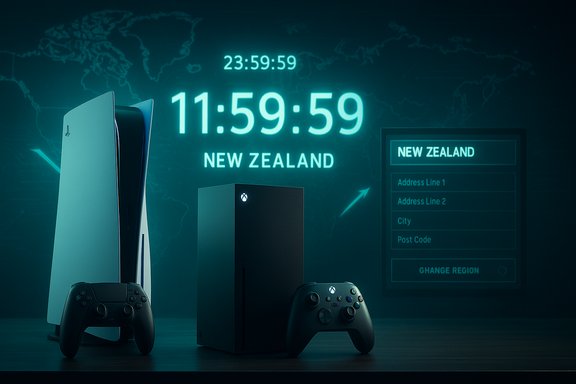
Call of Duty: Black Ops 7’s “New Zealand trick” — changing your console or account region to New Zealand so local midnight unlocks become available earlier in North America — is a practical shortcut being shared across gaming communities, but it carries technical caveats, platform quirks, and account risks that every player should understand before attempting it.
Call of Duty launches are typically rolled out by local time zones, which is why players in Aotearoa New Zealand can access titles at their local midnight long before North American clocks hit the same hour. That staggered regional rollout is the underlying reason the so‑called New Zealand trick appears to work: by moving your console or account metadata into the New Zealand time zone or location, some storefronts and entitlement checks treat you as being in a region that's already passed its local unlock time. Platform rollout behavior and store unlock rules vary by vendor, so results are inconsistent and sometimes temporary. Regional unlocks and preload windows are commonly managed per‑region by publishers and platform stores, and localized launch timing has been documented in the publisher’s rollout notes and press coverage.
This guide summarizes the common steps people are using on PlayStation, Xbox, and Windows, explains why the trick works sometimes and fails other times, and analyzes the security, Terms of Service (ToS), and practical risks that accompany the shortcut. Where possible, key technical claims have been validated against independent reports and platform rollout guidance. The most load‑bearing technical facts (regional unlock behavior and firm PC anti‑cheat/firmware requirements) are corroborated by publisher and press reporting.
The New Zealand trick is a short, sometimes effective way to join friends who are already playing in other time zones, but it’s not a guaranteed path, and it carries trade‑offs that deserve consideration before you act.
Source: Beebom How to Play Call of Duty Black Ops 7 Using New Zealand Trick
 Background
Call of Duty launches are typically rolled out by local time zones, which is why players in Aotearoa New Zealand can access titles at their local midnight long before North American clocks hit the same hour. That staggered regional rollout is the underlying reason the so‑called New Zealand trick appears to work: by moving your console or account metadata into the New Zealand time zone or location, some storefronts and entitlement checks treat you as being in a region that's already passed its local unlock time. Platform rollout behavior and store unlock rules vary by vendor, so results are inconsistent and sometimes temporary. Regional unlocks and preload windows are commonly managed per‑region by publishers and platform stores, and localized launch timing has been documented in the publisher’s rollout notes and press coverage.This guide summarizes the common steps people are using on PlayStation, Xbox, and Windows, explains why the trick works sometimes and fails other times, and analyzes the security, Terms of Service (ToS), and practical risks that accompany the shortcut. Where possible, key technical claims have been validated against independent reports and platform rollout guidance. The most load‑bearing technical facts (regional unlock behavior and firm PC anti‑cheat/firmware requirements) are corroborated by publisher and press reporting.
Overview of the “New Zealand trick” (what people are doing and why)
- The trick exploits the fact that New Zealand Standard Time (NZST/NZDT) is ahead of North American time zones, so a midnight release in NZDT occurs earlier for players west of that zone.
- On consoles, people typically change their console's time zone and sometimes their account address/location settings to New Zealand.
- On Xbox, changing the console system location to New Zealand and rebooting is the common approach; on PlayStation, editing the Activision/Call of Duty account address to a New Zealand one and adjusting the console’s time zone to Wellington (UTC+12) is the usually suggested method.
- On Windows PC, community reports indicate the method works only when using the Xbox app / Game Pass client in some cases; purchases through Battle.net or Steam are generally tied to the store’s region rules and do not reliably unlock by local time manipulation. This difference is part platform behavior and part how entitlements are evaluated by store and publisher back ends. Community troubleshooting and rollout notes emphasize that platform entitlement logic varies between storefronts and can block these tricks in some cases.
How the trick is commonly executed (step‑by‑step)
The steps below are distilled from community reports and practical guides circulating around launch. These are procedural descriptions, not endorsements. Attempting them may have side effects — see the risks section for details.PlayStation (PS4 / PS5 — commonly reported method)
- Sign in to the official Call of Duty / Activision account website.
- Under Basic Info or Account Details, change the address to a New Zealand address (a valid NZ town/city is typically used in guides).
- Save changes and ensure the Activision account shows the new address.
- On the PS4/PS5, go to Settings → Date and Time.
- Set the time zone to Wellington (UTC+12:00) or otherwise select a New Zealand time zone.
- Restart the console and open the Call of Duty tile / store page; the game may appear playable if the publisher/store honored the regional unlock.
Xbox (Series X/S / One — commonly reported method)
- On the console, open Settings → System → Language & Location.
- Change Location to New Zealand.
- Reboot the console to make the change take effect.
- Log in to your Activision account on the Call of Duty site and update the Address to a New Zealand address under Basic Info, then Save.
- Relaunch the console and attempt to open the game or the store entry; if successful, play ceases to be blocked.
PC (Windows) — Xbox app / Game Pass path
- If you purchased through Steam or Battle.net, changing Windows region/time settings usually will not unlock the game early because those storefronts bind access to their own regional policies and entitlements.
- If you’re running the Xbox app and accessing Black Ops 7 via Game Pass or the Xbox client, community workarounds used by players include:
- Close the Xbox app completely.
- Change your Activision account address to a New Zealand address via the Call of Duty site.
- Open Windows Settings → Region and change the Country or region to New Zealand.
- Restart the PC and sign back into the Xbox app.
- The game may become playable if the Xbox client resolves entitlements using the OS region metadata or Cross‑platform checks that accept this region change.
What actually determines whether this will work (technical factors)
- Store rollout policy: Some storefronts unlock by local midnight, others use a coordinated global time or region mapping. Publisher and platform notes confirm that unlock timing varies by platform and region.
- Account entitlements and address metadata: Activision/Call of Duty account addresses can be used in some entitlement checks; changing the “Basic Info” address is a commonly suggested step.
- Console/System region/time: Platform clients sometimes consult system locale/time or location settings when resolving local midnight unlocks.
- Platform‑level constraints: Game Pass day‑one access and platform entitlements are enforced differently on Xbox, PlayStation, Steam, Battle.net, and native Windows clients — which is why some steps succeed on one platform but fail on another. Day‑one Game Pass availability also complicates entitlement rollouts.
- PC anti‑cheat and firmware checks: On Windows, Black Ops 7 introduced a stricter anti‑cheat posture that in some cases requires TPM 2.0 and UEFI Secure Boot to be enabled — this is a separate, high‑impact barrier that prevents or complicates PC play irrespective of region tricks. If a machine doesn’t meet these firmware checks, the game can fail to launch even if the account is entitled. Verify Secure Boot and TPM status before assuming a locale trick will help.
Cross‑checked, independently verifiable claims
- Regional and platform unlock timing varies and publishers commonly use local midnight rollouts or per‑region unlock times. Several prelaunch and publisher notes reflect this practice and recommend checking store pages and publisher schedules for the exact local unlock moment.
- Black Ops 7’s PC build at launch enforces strict anti‑cheat and firmware requirements (TPM 2.0 + Secure Boot) as part of RICOCHET and related systems, which raises the tech floor for Windows players and may block many Windows machines from playing at beta/launch unless the firmware settings are updated. This has been widely reported and is material to PC players.
- Game Pass day‑one placement means Xbox/PC Game Pass entitlements can change the way a title is unlocked for subscribers and may make the Xbox app path behave differently than Steam/Battle.net stores; day‑one Game Pass releases can force distinct entitlement workflows per platform.
Risks, side effects, and Terms of Service considerations
- Account and Store Mismatches: Changing an Activision account address to a country that doesn’t match your platform account region (PSN/Xbox Live/Steam/Battle.net) can create mismatched entitlement or payment issues. Store purchases, DLC, and season passes tied to an original region may not transfer or may be blocked. Be ready for complications if you change regions temporarily.
- Payment and Currency Problems: Purchasing items while your account is set to a different region can trigger payment failures, currency conversion issues, or fraud flags from the store. Don’t attempt purchases while testing a region trick unless you fully understand the store’s region and payment policies.
- Trophies/Achievements and Content Entitlements: Some users report that regional changes can affect how trophies/achievements are tracked or how promotional items are delivered. Results vary by platform.
- Anti‑Fraud, ToS, and Enforcement: Using region tricks to access content early can violate platform or publisher Terms of Service in some situations. Enforcement is rare for a simple timezone or location change, but policies vary — especially around using VPNs to spoof country of residence or account metadata that conflicts with payment or identity checks. Changing system or account metadata is not the same as using a VPN, but both are actions that may trigger support scrutiny if something goes wrong.
- Account Lock and Recovery Complexity: If you later need to restore the account or contact support for refunds or entitlement issues, having changed address/region settings can complicate verification and support flows.
- Stability and Anti‑Cheat: On PC, firmware or anti‑cheat enforcement can make attempting tricks futile — you may get past a region check but still be blocked by RICOCHET or firmware attestation requirements. Verify TPM and Secure Boot and have the patience to troubleshoot driver/firmware prompts.
Troubleshooting common problems and safer alternatives
- If the game still reports “no access” after following region/time steps:
- Fully restart the console/PC client and sign out/sign in to force a license refresh. Some entitlement caches only update after a full restart. Community troubleshooting guides list this as the first step.
- On PC, confirm the store client you’re using enforces its own region (Steam/Battle.net often do) — those clients may ignore OS region changes.
- Try joining a friend already in the game; joining an active session can sometimes bypass a strict entitlement check and put you into a playable lobby. This is a commonly reported community workaround.
- If you changed an Activision account address, wait a short period for backend propagation (sometimes 15–30 minutes) and then try again. Some systems lag when reconciling cross‑platform metadata.
- Safer alternatives:
- Preload the game and set a timer for your local official unlock time so you’re ready the moment the publisher permits access — this eliminates region change risks and keeps your account state unchanged. Publisher preload windows and exact regional unlock schedules are published and should be consulted.
- If you have a friend in another region already playing, coordinate to join their session rather than changing account metadata.
- Use the platform store or official publisher guidance: sometimes publishers provide explicit early access for pre‑orders or Game Pass subscribers. If you’re a Game Pass subscriber, verify day‑one access rules in advance; Game Pass entitlements produce unique behavior compared with single‑purchase storefront accesses.
Step‑by‑step safety checklist before attempting the trick
- Backup any relevant account information: note your current Activision/PlayStation/Xbox/Steam/Battle.net region and address settings so you can revert them.
- Stop any planned purchases while testing the trick to avoid currency and payment mismatches.
- Verify platform-specific anti‑cheat and firmware requirements (especially on PC). If your machine lacks TPM 2.0 or Secure Boot, expect a separate blocker.
- Make only one change at a time (e.g., change console location first; if that fails, change Activision address next). This reduces complexity if you need to revert.
- Keep a short window for testing and revert changes immediately after the attempt to minimize long‑term account mismatch risk.
- If the trick fails, follow official troubleshooting steps: license refresh, client restart, and contacting platform support if entitlements still seem incorrect. Community reports show many entitlement issues are resolvable via official support or cache refreshes.
Why publishers and platform operators complicate (or prevent) tricks like this
Publishers and stores have good reasons to tie access tightly to regions and entitlements: regional licensing, varying release schedules, pre‑order and promotional entitlements, and anti‑fraud measures all rely on accurate region metadata. Further, modern anti‑cheat systems and DRM can depend on a coherent regional and store‑side entitlement model to prevent unauthorized access or tampering. That means any user workaround that manipulates local metadata is fighting against a multi‑layered entitlement system — sometimes it works because the store checks only local time; other times it fails because the store verifies server‑side account entitlements that cannot be trivially changed.Final analysis and recommendation
The New Zealand trick is a practical, community‑driven workaround that exploits regional midnight unlocks. For many players, it has worked in the past and may work again on launch day — particularly on consoles where local time or location settings affect the store/client’s unlock logic. However, it is not a universally reliable method, and it comes with tangible downsides:- It can create store and entitlement mismatches that are time‑consuming to undo.
- It may interact badly with purchases, DLC, and subscription entitlements.
- For PC players, firmware‑level anti‑cheat checks (TPM 2.0 + Secure Boot) present a separate barrier that no region trick will circumvent.
- Publisher and platform behavior can change with little notice; a trick that works in one release cycle may be patched or rendered ineffective in the next.
The New Zealand trick is a short, sometimes effective way to join friends who are already playing in other time zones, but it’s not a guaranteed path, and it carries trade‑offs that deserve consideration before you act.
Source: Beebom How to Play Call of Duty Black Ops 7 Using New Zealand Trick
