• Thread Author
Midcontinent Independent System Operator (MISO) has announced a strategic collaboration with Microsoft to build a cloud‑native, AI‑enabled unified data platform intended to accelerate transmission planning, improve real‑time situational awareness, and help the Midwest grid absorb surging electrification and hyperscale data‑center demand.

Futuristic command center displaying a blue holographic US map and AI forecasting dashboards.Background / Overview​

MISO operates markets and coordinates transmission across a large and diverse footprint that spans roughly 15 U.S. states and a portion of Canada, serving tens of millions of end‑users. That footprint faces a complex transition: retiring thermal capacity, rapid growth in variable renewables, increasing distributed energy resource (DER) penetration, and concentrated new loads such as hyperscaler data centers. These structural trends are pressuring planning cycles, interconnection backlogs, and real‑time congestion management.
The announced collaboration pairs MISO’s operational domain datasets and market/control‑room experience with Microsoft Azure infrastructure, Microsoft Foundry model lifecycle tooling, and first‑party analytics and Copilot‑style assistive interfaces. Public summaries of the agreement emphasize three core objectives: create a single authoritative data platform, operationalize machine learning for forecasting and diagnostics, and deliver operator‑facing decision support to shrink decision cycles from days or weeks down toward minutes. Reuters and sector reporting framed the deal similarly at announcement.
This is not a brand‑new relationship. Microsoft has previously worked with grid operators and utilities to modernize data estates and deploy managed AI and security services. The MISO engagement represents a deeper, production‑oriented phase focused on operational decision support rather than purely analytical pilots.

What the collaboration promises: concrete technical scope​

The publicly stated technical scope is pragmatic and modular. Rather than promising to replace entire control systems, the partnership describes a layered approach that keeps mission‑critical control loops intact while shifting heavy analytics, model training and scenario sweeps to the cloud. Key, visible elements include:
  • Unified data platform on Azure to ingest telemetry, market data, GIS/topology, asset registers and external situational feeds so analytics operate from a single authoritative dataset.
  • Microsoft Foundry for model cataloging, observability, routing and model lifecycle management — intended to host forecasting, congestion prediction and simulation models.
  • AI‑driven forecasting for short‑term load, renewable production and congestion prediction to improve day‑ahead and real‑time planning.
  • Operator decision support and Copilot‑style workflows — dashboards, assistive prompts and auditable recommendations designed to speed situational awareness and enable consistent human‑in‑the‑loop decisions.
  • Cloud‑scale scenario analysis to run thousands of transmission planning scenarios in parallel for interconnection studies and probabilistic resource adequacy analysis.
These building blocks map to readily recognizable utility use cases: weather‑aware outage risk forecasting, congestion prediction and pre‑emptive mitigation, accelerated interconnection and transmission studies, and improved data hygiene via automated model reconciliation. The approach mirrors patterns adopted by other vendors and operators moving from pilots to embedded production AI.

Why this matters: strategic drivers and context​

Three interlocking pressures make this collaboration material for MISO members and market participants:
  • Rising, concentrated demand. Hyperscale data centers and broader electrification create new, often inflexible loads that can be locally large and time‑sensitive, increasing the need for granular forecasting and transmission planning. Utilities and system operators are under commercial pressure to ensure capacity and reliability while avoiding costly congestion.
  • Operational complexity from renewables and DERs. Variable generation and two‑way flows increase the complexity of planning studies and real‑time contingency management. Faster, probabilistic tools are necessary to maintain resilience and accelerate resource additions.
  • Scale benefits of cloud + AI. Cloud compute makes it economically feasible to run orders‑of‑magnitude more planning scenarios and to host model‑ops tooling (catalog, observability, retrain orchestration) that utilities typically lack in house. That combination promises reduced cycle times for interconnection and more proactive congestion management.
Taken together, those drivers explain why a regional grid operator like MISO would move beyond pilotproofs and pursue a deep partnership with a hyperscaler that can supply managed AI tooling and global software engineering practices.

Strengths: what the collaboration gets right​

The collaboration aligns well with industry best practices for operationalizing AI in regulated, safety‑critical systems. Notable strengths include:
  • Domain + platform pairing. MISO brings operational data and workflows; Microsoft provides scalable infrastructure, model‑ops and enterprise analytics. This reduces the common mismatch where cloud vendors lack domain data and utilities lack scale engineering.
  • Model lifecycle and governance primitives. Microsoft Foundry and Azure offer model cataloguing, observability and routing — essential primitives for auditable AI in regulated environments. These tools enable lineage, drift detection and controlled retraining cadence if used correctly.
  • Scale for planning and scenario analysis. Cloud compute allows thousands of parallel scenario runs, making probabilistic planning economically tractable and shortening traditionally slow interconnection studies. This can materially reduce project lead times.
  • Operator productivity gains. Well‑designed Copilot workflows can reduce cognitive load in control rooms, surface prioritized hypotheses quickly, and create auditable decision trails that standardize responses across the footprint. When paired with human‑in‑the‑loop controls, these can speed incident handling.
These are credible strengths when the technical work and governance discipline match the scale of the stated ambitions.

Risks, caveats and technical realities​

The potential upsides are substantial, but the program amplifies several practical and governance risks that have shown up in other utility‑cloud engagements.
  • Data quality is the gating factor. AI systems are only as good as their inputs. Mismatches in GIS, stale asset registers, intermittent telemetry and incomplete crew/location feeds will degrade model accuracy and can produce misleading recommendations. Investments in data hygiene are prerequisite.
  • Operational risk and the need for human oversight. AI suggestions must remain auditable and reversible. Without deterministic guardrails and explicit human approval flows, agentic or automated workflows create safety and economic exposure — especially where actions could affect switching, dispatch or market settlements. The industry standard is to maintain human‑in‑the‑loop constraints for any automation with operational impact.
  • Cybersecurity and expanded attack surface. Integrating OT telemetry and control‑adjacent systems into cloud pipelines broadens the threat model. Azure provides strong primitives (Defender for IoT, Sentinel, Azure Arc), but secure configuration, identity governance and SOC integration remain implementation responsibilities — not turnkey guarantees. Contractual incident playbooks and cross‑organization red‑team exercises are indispensable.
  • Vendor lock‑in and portability concerns. Deep integration with an Azure‑centric stack (Foundry, Copilot, Power BI) can create operational dependency. Contract teams should insist on exportability, documented APIs and executable migration plans so models and data can be migrated or dual‑run if necessary.
  • Opaque recurring costs. Continuous inference, retraining, data egress and storage can produce meaningful recurring charges. Utilities must negotiate transparent pricing models, caps on inference costs, and performance‑linked SLAs to avoid uncontrolled OPEX surprises.
  • Regulatory and market oversight. Any operational changes that influence market outcomes or reliability will attract regulator attention. The collaboration must remain transparent with regulators, publish measurable KPIs, and be prepared for compliance scrutiny.
These caveats are not insurmountable, but they require deliberate contractual, engineering and governance measures during pilot and scale phases.

Practical recommendations and gating criteria (implementation checklist)​

If MISO’s collaboration is to move from strategic announcement to measurable operational improvement, stakeholders should insist on a disciplined program with concrete gates:
  • Run scoped pilots that operate in advisory mode for at least six months before enabling any automation that can directly change grid state. Measure performance against baseline operational metrics and field‑verified outcomes.
  • Publish independent, auditable KPIs for accuracy and reliability: mean absolute error for short‑term forecasts, ETR accuracy vs actual restorations, reductions in interconnection cycle times, and congestion forecast precision.
  • Require model governance artifacts: model cards, lineage records, retrain cadence, and incident logs that show model behavior under stress.
  • Contract for cybersecurity assurance: joint red‑team exercises, SOC integration SLAs, and documented cross‑organization incident response playbooks.
  • Negotiate transparent commercial terms with caps on inference and egress charges, and build performance‑linked payments or SLAs tied to measurable outcomes.
  • Protect portability: require exportable models, retraining scripts, connectors and raw data extracts on an agreed cadence to reduce future vendor bargaining asymmetry.
These gating criteria convert vendor enthusiasm into enforceable, verifiable commitments.

Implementation challenges: data, latency and hybrid architecture​

The technical translation of the plan faces several non‑trivial engineering problems:
  • End‑to‑end ingestion latency. For operator assistance to be valuable in real time, telemetry, model inference and UI updates must meet p95 latency requirements that are often much stricter than batch planning workloads. The hybrid design must preserve deterministic control‑plane functions on‑premises while exposing timely analytics.
  • Digital twin fidelity. Automated model tuning and scenario analysis depend on accurate GIS, protection settings and load models. Discrepancies between the digital twin and physical network are common in brownfield utilities and require coordinated field audits to resolve. Automated reconciliation reduces detection time but not necessarily remediation cost.
  • Model‑ops and retraining cadence. Production models for load and renewable forecasting require systematic retraining, drift detection and rollback mechanisms. Foundry‑style tooling helps, but organizational processes and SRE‑style ownership are the ultimate determinants of uptime and reliability.
  • Control‑loop boundaries. Determining which decisions remain local (latency‑critical switching) and which can safely be moved to cloud‑assisted advisory workflows is a nuanced engineering and regulatory decision that must be explicitly documented.
Addressing these issues will be the bulk of the engineering effort during pilot and early production phases.

Measurable success criteria: how to judge progress​

For regulators, members and procurement teams, measurable activation metrics are essential. Useful KPIs include:
  • Absolute and relative forecast accuracy for short‑term load and renewable output (MAE, RMSE).
  • Mean ETR error and confidence band calibration compared with actual restoration times.
  • Reduction in manual interconnection or planning cycle times (days/weeks → days/hours).
  • SOC response time improvements and validated red‑team test results for OT/cloud attack scenarios.
  • Transparent three‑year TCO reporting that includes storage, inference, egress and managed service fees.
Publishing these metrics periodically will enable objective assessment of whether the cloud‑AI platform is generating tangible benefits.

Broader industry context: this is part of a larger pattern​

MISO’s move fits a broader industry shift: utilities, vendors and hyperscalers are converging around hybrid cloud, managed AI tooling, and operator assistance as the next wave of grid modernization. Similar patterns appear in product announcements from major grid software vendors that pair ADMS/DERMS and GIS with Azure or other hyperscaler services to offer ETR, Grid AI Assistants and network model tuning. Those vendors emphasize modular, hybrid deployments to let utilities modernize incrementally rather than rip‑and‑replace legacy systems. This trend reinforces that the MISO–Microsoft collaboration is not an isolated experiment but part of an industry‑level operational transition.

What to watch next​

The next 6–18 months will be decisive. Key signals to monitor:
  • Pilot results and published KPIs. Look for independent or third‑party audited pilot metrics on forecast accuracy, ETR precision and cycle‑time reductions.
  • Regulatory filings or stakeholder sessions. Any operational changes that affect market settlement or reliability will provoke regulator questions; transparency here is critical.
  • Commercial terms and cost disclosures. Will Microsoft disclose pricing caps, inference cost protections or portability guarantees in member contracts? The commercial model matters as much as the technology.
  • Cybersecurity attestations. Joint red‑team reports, SOC playbook integrations and penetration test summaries will indicate maturity of the OT/cloud posture.
Those milestones will determine whether this collaboration becomes a repeatable modernization template or a high‑profile experiment.

Conclusion​

The MISO–Microsoft collaboration is a consequential, pragmatic step toward operationalizing cloud‑scale AI across a complex regional grid. The combination of a unified data foundation, model lifecycle tooling and operator‑centric assistive interfaces addresses real operational pain points: forecasting, congestion prediction, and long, costly planning cycles. When executed with disciplined pilots, strong data governance, auditable model controls and hardened cybersecurity, the program can materially shorten planning horizons and improve operational resilience.
At the same time, the path from announcement to operational benefit is non‑trivial. Data fidelity, human‑in‑the‑loop governance, transparent commercial terms, portability guarantees and SOC‑level security must be proven in the field. Stakeholders should demand measurable KPIs, independent audits and contractual protections before scaling agentic automation into control‑room workflows. Those safeguards will determine whether the promise of faster, AI‑driven grid operations becomes a durable template for the next decade of grid modernization.

Source: Seeking Alpha https://seekingalpha.com/news/45370...s-up-with-microsoft-to-modernize-grid-system/

 

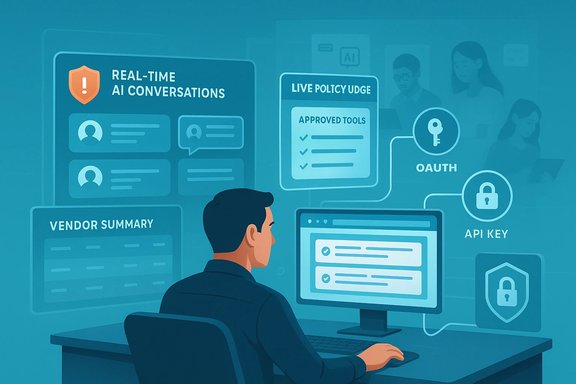
Nudge Security’s latest platform expansion brings real‑time governance to the point where employees actually interact with AI—scanning chatbot conversations, enforcing browser‑level policy nudges, mapping OAuth and API grants, and automating playbooks that revoke risky access or log Acceptable Use Policy acknowledgements, all intended to give security teams a practical way to manage the sprawling, shadowy landscape of AI across modern SaaS environments.

A person sits at a desk, monitoring real-time AI conversations and secure API tools on a digital dashboard.Background​

Since 2023, organizations have seen an explosion of generative AI and AI‑enabled features embedded inside everyday SaaS tools. That rapid adoption created a second, quieter risk vector: people. Employees routinely experiment with new AI services, upload business data into chatbots, grant OAuth permissions, or wire API keys into third‑party tools without IT’s knowledge. The result is a diffuse, fast‑moving attack surface that traditional security tooling—focused on networks, endpoints, or single SaaS apps—struggles to capture.
Nudge Security’s updated platform is positioned precisely at that intersection: the “Workforce Edge” where humans make the micro‑decisions that determine whether an AI integration stays safe or becomes a persistent data leak. The company has extended its SaaS discovery and observability suite with six headline capabilities designed to spot sensitive data exposure in AI interactions and intervene in the moment. These enhancements are documented in company announcements and have been reported across multiple independent industry outlets; the product claims and numbers below are corroborated by both vendor materials and coverage in trade press. Some usage statistics remain self‑reported by the vendor and should be treated as indicative rather than independently audited.

What’s new: the six core capabilities​

Nudge Security’s release groups the new features into six functional areas. Each is engineered to address one of the common failure modes that appear when employees adopt AI rapidly across an enterprise.
  • AI conversation monitoring
    The platform now inspects employee interactions with public and private chatbots, including popular LLM frontends and commercial copilots. It scans text and file uploads for sensitive categories—secrets, credentials, personally identifiable information (PII), financial and health data—and surfaces incidents to security and compliance teams.
  • Browser‑based policy enforcement
    A lightweight browser extension delivers contextual “nudges” and guardrails as users sign up for or interact with AI tools. Nudges present acceptable‑use policy prompts and alternative approved services in real time, aiming to stop risky behavior before it happens.
  • AI usage analytics and dashboards
    Teams gain visibility into adoption trends: Daily Active Users (DAU) by department, per‑user activity, and which AI products are in use (both sanctioned and unsanctioned). The analytics view is intended to support incident response, compliance reporting, and governance planning.
  • Risky integration discovery
    Automated discovery surfaces OAuth grants, API keys, and other integrations that provide AI vendors or processors ongoing access to corporate systems and data. The system flags permissions that expose sensitive data downstream.
  • Vendor data‑training policy summaries
    Condensed, standardized summaries explain how vendors use, retain, and potentially train models on customer‑provided data—presented to simplify vendor risk assessment for non‑technical teams.
  • Automated governance playbooks
    Playbooks orchestrate routine governance tasks: collect AUP acknowledgements, revoke dangerous OAuth grants, deprovision accounts, and document remediation steps for audits.
Each capability is designed to plug into the existing SaaS and identity infrastructure of an organization and to be operated by security, compliance, or application owners rather than requiring substantial developer resources.

How it works (technical breakdown)​

Discovery and telemetry collection​

Nudge Security’s product approach layers multiple discovery vectors to build a full inventory of SaaS and AI assets:
  • Passive discovery from email receipts and telemetry to surface app signups.
  • Browser extension telemetry to capture real‑time interactions with AI frontends, uploads, and authentication events.
  • API and integration scanning to identify OAuth consent grants, service accounts, and API keys.
The combination gives the vendor a near‑real‑time map of who uses what, how often, and which third‑party services have persistent access to corporate data.

Conversation scanning and classification​

Conversation monitoring uses an on‑device or edge telemetry pipeline (via the browser extension) to capture prompt and upload context. Content classification then applies regexes and contextual detectors to identify:
  • Secrets and credentials (API keys, JWTs, private tokens)
  • PII (names, national identifiers, financial account numbers)
  • Health and financial data categories that trigger higher compliance risk
Detections are surfaced with context—user, timestamp, target AI tool, and whether the tool is sanctioned—so teams can prioritize investigation.
Caveat: the approach requires visibility into browser activity or proxied traffic. End‑to‑end encrypted channels, native desktop agents, or mobile apps may bypass this telemetry unless the organization deploys compatible controls.

Browser nudges and policy enforcement​

The browser extension delivers policy messaging at the time of action: signups, file uploads, or prompt composition. Enforcement choices include coaching (informational popups), soft‑blocking (prevent upload until acknowledgement), and redirection (suggesting approved alternatives). Because the guidance runs client‑side, it focuses on behavior change rather than heavy‑handed blocking, which suits organizations that want to enable AI use while reducing accidental exposure.

OAuth and integration analysis​

Automated scanning evaluates scopes and persistence of OAuth grants and API keys. The platform identifies grants that give third‑party processors the ability to read, write, or export data—and surfaces the downstream risk where AI vendors become subprocessors in a SaaS supply chain. It can then trigger playbooks that revoke or rotate tokens, subject to policy and business approvals.

Real‑world use case: what the product enables​

Nudge Security publicly cites early adopters that use the platform to accelerate secure AI rollout. Typical outcomes reported by customers include:
  • Faster discovery of shadow AI tools across teams and geographies.
  • Reduced time to identify instances where employees accidentally exposed secrets or PII to a public LLM.
  • Automated cleanup of stale OAuth grants that left continuous data paths open.
  • Centralized vendor training‑policy summaries that speed vendor risk assessment meetings.
One enterprise example describes using the dashboards to measure Daily Active Users for specific AI tools by department, then coupling automated nudges to steer data‑sensitive teams toward a sanctioned provider with stricter data‑handling guarantees.

Market context: where this fits in the AI security landscape​

The update positions Nudge Security in a crowded but nascent market of AI governance and security vendors. Key differentiators the vendor emphasizes are:
  • A focus on the wider SaaS ecosystem (not just the “pure play” AI products) and on AI features embedded inside common productivity suites.
  • Real‑time workforce engagement through browser nudges, rather than purely backend blocking.
  • Automated playbooks that integrate policy enforcement with identity and provisioning systems.
This combination targets organizations that want to enable AI productively without relinquishing control over sensitive data paths created by everyday employees. Competing approaches in this space range from network/proxy‑based DLP (data loss prevention) and CASB (cloud access security broker) technologies to newer, AI‑specific governance platforms that offer model‑level access controls, redaction, or inline prompt sanitization.

Strengths: practical wins for security and compliance teams​

  • Workforce‑centric governance: By intervening at the moment of decision, the platform addresses the human root cause of many AI exposures. Real‑time coaching can be more effective than after‑the‑fact audits.
  • Broad discovery across SaaS and AI: Combining email discovery, browser telemetry, and integration scanning allows the tool to surface a wide range of shadow AI assets quickly, which is essential for initial posture assessment.
  • Automated remediation workflows: Playbooks reduce manual toil for routine governance tasks—particularly useful for midsize teams handling growing AI inventories.
  • Actionable vendor summaries: Standardized, condensed vendor training‑policy summaries can speed procurement and legal reviews by highlighting model‑training and retention behaviors in plain terms.
  • Rapid time‑to‑value: The vendor advertises inventory generation within hours of activation, enabling short pilots that produce immediate visibility.

Risks, limitations and areas that need scrutiny​

  • Self‑reported statistics should be treated cautiously. Usage figures (for example, total unique AI tools discovered, average tools per organization, and average OAuth grants per employee) come from the vendor’s telemetry and customer base. These are meaningful directional signals but are not independently audited measurements. Organizations should validate the vendor’s claims against their own telemetry during a trial.
  • Coverage gaps across platforms. Browser extension‑based monitoring is powerful where employees use web UIs, but desktop apps, mobile clients, local LLMs, or entirely offline usage patterns may remain invisible unless additional agents are deployed.
  • Privacy implications of conversation monitoring. Capturing prompts and file uploads—even for data‑loss prevention—invokes privacy and regulatory concerns. Enterprises must assess whether conversation capture, even when classified or redacted, conflicts with employee privacy policies, union agreements, or local data protection laws. Careful configuration, pseudonymization, and minimization are necessary.
  • False positives and context loss. Automated detectors may flag benign content (e.g., masked test credentials or reference examples) as sensitive. Overzealous nudging can disrupt workflows and prompt users to find workarounds, increasing shadow IT.
  • Vendor dependency and trust. The platform relies on accurate vendor policy summaries. If summaries are outdated or incomplete, downstream risk assessments may be misleading. Organizations should treat summaries as decision aids rather than sole proof of vendor behavior.
  • Legal and contractual complexity. Revoking OAuth grants or programmatically deprovisioning accounts can have business fallout—broken integrations, lost productivity, or third‑party contract disputes—so playbooks should be governed with appropriate human oversight and escalation paths.

Practical implementation advice for IT and security teams​

1. Pilot with a focused scope​

Start with a single department that is known to be heavy on AI experimentation—product, marketing, or data science. Run discovery and analytics for 30 days to understand the types of tools in use, OAuth patterns, and typical user behaviors.

2. Map policies to risk profiles​

Define acceptable‑use policies that reflect real business needs. Use the product to classify AI tools into Approved, Conditional, and Blocked buckets. Link automated nudges to the Conditional bucket to coach users rather than bluntly blocking workflows.

3. Configure sensitive data detectors conservatively​

Tune detection rules to minimize false positives. Establish a triage process where initial incidents are reviewed manually to refine heuristics before enabling automated revocation playbooks.

4. Align with privacy and HR​

Before enabling conversation capture at scale, consult legal and HR to define retention windows, access controls for recorded prompts, and employee notice/consent mechanisms. Ensure that monitoring complies with jurisdictional privacy laws.

5. Integrate with identity and ticketing systems​

Connect automated playbooks to identity providers and ITSM (IT Service Management) tools. That integration allows revocation workflows to include approvals, audit trails, and rollback options.

6. Measure and iterate​

Track key metrics: number of risky OAuth grants revoked, incidents detected per DAU, user acceptance rates of AUP acknowledgements, and time to remediation. Use these to report ROI and adjust policies.

Regulatory and compliance considerations​

AI governance intersects with a growing set of regulatory expectations—from data protection regimes to sectoral rules on health and financial data. Two points deserve emphasis:
  • Vendor data‑training policies matter. Understanding whether a vendor uses customer data to fine‑tune models affects compliance posture (for example, with data‑processing agreements and cross‑border transfer rules). Automated summaries can accelerate vendor assessment, but they do not replace legal review of contracts and subprocessors.
  • Auditability and evidence for regulators. Automated playbooks and centralized logs produce the kind of traceable actions auditors expect: who acknowledged an AUP, when an OAuth grant was revoked, and how an incident was remediated. A governance platform should be configured to retain an auditable trail aligned with compliance retention requirements.

Competitive and strategic landscape​

The AI governance market is evolving rapidly. Vendors emphasize different combinations of detection (DLP‑style), real‑time enforcement (browser/agent), model protections (redaction/sanitization), and supply‑chain visibility. Nudge Security’s angle—combining SaaS discovery with workforce engagement—targets organizations that need cross‑SaaS visibility without sacrificing user productivity. That said, procurement teams should evaluate:
  • Depth of integration with identity providers and endpoint management.
  • Coverage of non‑web AI use cases (desktop clients, APIs, mobile).
  • Scalability of conversation classification and the mental model for triage.
  • Transparency around how vendor summaries are produced and updated.
Enterprises may adopt a layered approach: combine the new platform with existing DLP, CASB, and identity protection tools to cover different parts of the problem.

Final assessment: who should evaluate this now​

  • Security and compliance leaders in midmarket and enterprise organizations facing rapid AI adoption will find these capabilities compelling. The combination of discovery, real‑time coaching, and automated remediation addresses gaps that legacy tools miss.
  • Teams in regulated industries (healthcare, financial services, government) will appreciate the vendor’s emphasis on auditable controls and vendor training transparency—but must carefully validate conversation monitoring against compliance and privacy constraints.
  • Organizations already invested in a centralized CASB or DLP should treat this platform as complementary—not necessarily as a drop‑in replacement—because each technology covers different telemetry and enforcement models.

Conclusion​

Nudge Security’s expanded platform supplies a practical set of tools for the most immediate challenge in enterprise AI adoption: people. By surfacing hidden AI assets, detecting risky data shared in conversations, and nudging users at the time of decision, the product aims to convert employee experimentation from an unmanaged risk into governed, auditable behavior. The addition of OAuth and integration discovery plus automated playbooks addresses a critical blind spot—persistent access paths that can quietly funnel corporate data to third‑party models.
However, the solution is not a panacea. Its real‑world effectiveness depends on coverage breadth (web and non‑web clients), the precision of detection rules, and careful alignment with privacy, legal, and business processes. Vendor usage metrics and discovery counts are useful directional signals but remain vendor‑sourced; organizations should validate outcomes in pilot deployments and maintain human oversight for automated remediation.
For security teams that need to enable AI while keeping a manageable audit trail and enforceable policy, the new capabilities represent a meaningful step forward. The pragmatic, workforce‑first approach acknowledges a simple truth: most AI exposure stems from everyday human decisions. Turning those moments into governed, observable events—rather than banning AI outright—will be a pragmatic path to balancing innovation and protection in the modern SaaS environment.

Source: IT Brief Asia https://itbrief.asia/story/nudge-security-adds-new-tools-to-govern-ai-in-saas/
 

Microsoft Defender (formerly “Windows Defender”) remains the default, built‑in antivirus and endpoint suite in Windows 10 and Windows 11 — and while turning it off is straightforward in the short term, modern Windows builds, tamper protections, and enterprise management have made permanent disables brittle, risky, and often unnecessary. This feature examines all supported and unsupported ways people try to disable Defender, what actually happens under the hood, practical step‑by‑step instructions for temporary and administrative disables, and a clear risk checklist so readers can choose safer alternatives where appropriate.

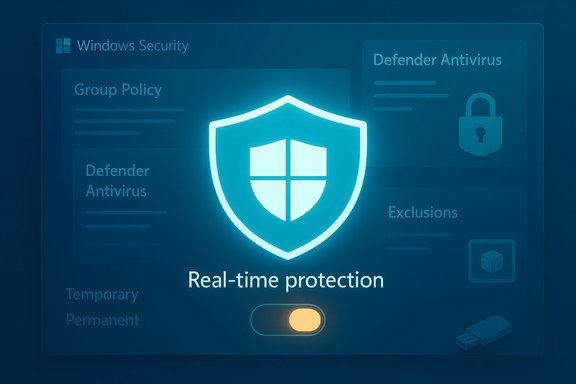
Windows Security interface with a glowing shield and a real-time protection toggle.Background / Overview​

Microsoft Defender has evolved from a basic anti‑spyware tool into a tightly integrated Windows Security suite that includes real‑time antivirus, cloud‑delivered intelligence, firewall controls, ransomware protections (Controlled Folder Access), and tamper protection. For most home and small‑business users, Defender provides a robust baseline with continuous updates and deep OS integration. In response, Microsoft has changed how and when Defender can be disabled — many old “registry hacks” are now legacy, and the platform may ignore them on modern builds or managed devices. Key modern realities to keep top of mind:
  • Real‑time protection can be toggled off temporarily from Windows Security; Windows typically re‑enables it automatically after a while or on reboot.
  • Group Policy is the supported method for persistent disables in managed environments (Windows 11 Pro/Enterprise), but Tamper Protection and MDM/Defender for Endpoint enrollment can block or ignore local changes.
  • The historical registry key DisableAntiSpyware is now legacy and in many modern scenarios is either removed or ignored; Microsoft documents the removal and scope of that change. Attempting to rely on it is brittle.

What “turning off Defender” actually means​

There’s a crucial distinction between temporary and permanent disables:
  • Temporary (UI toggle)
  • Turning off Real‑time protection in Windows Security stops on‑access scanning briefly; Windows will usually re‑enable it automatically. This is the safe, reversible approach for installers, tests, or troubleshooting.
  • Persistent (Group Policy / Registry / MDM)
  • Group Policy (Pro/Enterprise): The Local Group Policy Editor contains Turn off Microsoft Defender Antivirus under Computer Configuration → Administrative Templates → Windows Components → Microsoft Defender Antivirus. This is a supported, persistent method on machines where GPO is authoritative.
  • Registry (Home/legacy): Historically used keys such as HKLM\SOFTWARE\Policies\Microsoft\Windows Defender\DisableAntiSpyware = 1. Microsoft now treats these keys as legacy; on current platform versions and many managed scenarios they are ignored. Relying on them for a permanent disable is increasingly ineffective and potentially unsafe.
  • Replacing Defender with a third‑party AV
  • Installing a reputable third‑party AV is the supported route to replace Defender — a properly registered AV will cause Defender to step aside and hand over real‑time duties to the new engine. This avoids registry gymnastics and preserves a secure posture.

How to temporarily disable Microsoft Defender (safe, reversible)​

If the goal is to install software, run a one‑off test, or perform short maintenance, use the built‑in UI. This is the least risky and most supported approach.
  • Open Windows Security (Start → type Windows Security → Open).
  • Select Virus & threat protection.
  • Under Virus & threat protection settings, click Manage settings.
  • Toggle Real‑time protection to Off. Confirm the UAC prompt if one appears.
  • Complete the task (install, test, etc., then return and toggle Real‑time protection back to On.
Notes and cautions:
  • Windows will often re‑enable real‑time protection automatically after a short time or on restart. Do not depend on this behavior for long operations.
  • If the Real‑time protection toggle is grayed out, Tamper Protection may be preventing changes. Disable Tamper Protection only temporarily if you control the device and understand the risk (Settings → Privacy & security → Windows Security → Virus & threat protection → Manage settings → Tamper Protection).

How to permanently disable Defender (enterprise / advanced scenarios) — and why you should rarely do this​

Permanently disabling Defender should only be done with a clear purpose: replacing it with a reputable, enterprise‑grade AV, migrating a fleet, or running in a tightly controlled server environment where alternative protections are in place. The supported administrative route is Group Policy or MDM.
Group Policy (Windows 11 Pro / Enterprise)
  • Press Win + R, type gpedit.msc, press Enter.
  • Navigate to: Computer Configuration → Administrative Templates → Windows Components → Microsoft Defender Antivirus.
  • Double‑click Turn off Microsoft Defender Antivirus, set it to Enabled, apply, and reboot.
Important caveats:
  • Tamper Protection or central MDM policies may block local changes; on devices enrolled in Defender for Endpoint or managed via Intune, local GPO edits can be ignored. Test in a controlled device first.
Registry method (Windows Home / legacy)
  • Historically: set HKLM\SOFTWARE\Policies\Microsoft\Windows Defender\DisableAntiSpyware (DWORD) = 1 and reboot.
  • Modern reality: Microsoft removed or deprecated this behavior on newer Defender platform versions, and devices onboarded to Defender for Endpoint ignore this key. Tamper Protection also blocks registry edits in most consumer devices. Treat this approach as fragile and version‑dependent. Do not rely on it for long‑term management.
Always validate after making changes:
  • Run Get‑MpComputerStatus in an elevated PowerShell to inspect AMServiceEnabled, AntivirusEnabled, RealTimeProtectionEnabled, PassiveMode, and AMProductVersion if you’re troubleshooting programmatically. Community guides and admin scripts often recommend these checks as part of a recovery plan.

Why many “permanent” disables fail or are dangerous today​

Microsoft intentionally hardened Defender to prevent malicious actors from flipping endpoint protections off. Three trends matter:
  • Tamper Protection: enabled by default for consumer devices and enforced for many enterprise enrollments; prevents unauthorized registry or service changes.
  • Platform changes: Microsoft removed legacy registry disable keys for modern Defender builds and Defender for Endpoint‑onboarded clients; registry hacks that worked years ago are unreliable now.
  • Threat actor abuse of legitimate drivers and APIs: attackers increasingly exploit legitimate, vulnerable drivers (BYOVD attacks) or undocumented APIs to force Defender into a passive state or otherwise disable protections. These real incidents make leaving Defender off or brittle changes a recipe for compromise. Recent research and incident reports document campaigns that abused vendor drivers to manipulate Defender state.
The bottom line: if you make Defender easier to disable on your machines (especially via unsupported tools or driver tricks), you may be amplifying an attacker’s preferred vector.

Safer alternatives (recommended for most users)​

If Defender is blocking an installer or producing a false positive, choose a targeted, low‑risk fix rather than a full disable.
  • Add a specific exclusion (Windows Security → Virus & threat protection → Manage settings → Add or remove exclusions). Exclusions are precise and reversible.
  • Use a sandbox or disposable virtual machine (Windows Sandbox or Hyper‑V) to run untrusted installers without touching the host’s protection. This preserves the host’s security posture.
  • Install a reputable third‑party antivirus: a proper AV will register with Windows Security and automatically suppress Defender’s real‑time engine, providing a supported replacement without registry hacks.
  • Disconnect the device from the internet while performing the risky operation, re‑scan after re‑connection, and re‑enable protections immediately.

Practical, step‑by‑step checklists and recovery tips​

Before you touch Defender settings, follow this safety checklist to minimize irreversible damage:
  • Create a System Restore point and/or full backup. System Restore can revert many settings quickly.
  • Create or verify recovery media (Windows recovery USB). If a registry or policy change breaks Windows Security or prevents services from starting, recovery media can save time.
  • If disabling temporarily, disable Tamper Protection only briefly and re‑enable it as soon as the task completes. Document the reason and steps you took to restore the default state.
  • If you must perform registry edits, export the affected keys first (File → Export in regedit) and document exact values to restore. Treat registry edits as a last resort.
  • After any change, verify Defender status: open an elevated PowerShell and run Get‑MpComputerStatus (or check Windows Security dashboard) and inspect the key fields. If real‑time protection is unexpectedly off or services won’t start, re‑enable protections and consider in‑place repair or rolling back the registry/GPO change.

Advanced: programmatic and troubleshooting guidance for admins​

For administrators and power users who must diagnose Defender on multiple devices, these are the commonly used commands and their purposes:
  • Check status (PowerShell, elevated): Get‑MpComputerStatus | Select‑Object AMServiceEnabled,AntivirusEnabled,RealTimeProtectionEnabled,PassiveMode,AMProductVersion. Use this to confirm whether Defender is active or in passive mode.
  • Restart Defender services: sc.exe config WinDefend start= auto & sc.exe start WinDefend; sc.exe config WdNisSvc start= demand & sc.exe start WdNisSvc. These commands can help recover Defender when services were disabled incorrectly. Use caution and only on controlled systems. Community troubleshooting guides often recommend starting with service checks and SFC/DISM when platform components appear missing.
  • Repair commands: sfc /scannow and DISM /online /Cleanup-Image /RestoreHealth can recover missing or corrupted Defender platform files if a feature toggle or repair is needed.
Caveat: On managed or Defender for Endpoint devices, some of these commands will be ineffective if enterprise policies set passive or disabled states centrally. Always coordinate with endpoint management teams.

Real‑world abuses and why the platform hardened itself​

Security researchers and real incidents have shown how attackers can weaponize methods to silence Defender:
  • Tools like “Defendnot” (research/PoC) attempted to trick Windows Security Center into believing a valid third‑party AV was present, causing Defender to disable itself; such projects highlight weaknesses and are now treated as high‑risk. Microsoft and vendors treat these artifacts as potential Trojans.
  • Ransomware campaigns have abused legitimate vendor drivers to gain kernel privileges and then change registry or service states to disable endpoint protections. This class of attack (BYOVD: Bring Your Own Vulnerable Driver) is an active concern and one reason Microsoft has moved away from legacy disable keys.
These realities explain why the operating system now protects anti‑malware settings more aggressively and why local, unsupported “disabler” scripts are discouraged.

Practical recommendations — a short, actionable checklist​

  • For most users: do not permanently disable Defender. Use the temporary UI toggle or exclusions for short tasks.
  • For administrators replacing Defender: deploy a vetted third‑party AV via enterprise tools or use Group Policy/MDM to apply a controlled change, and validate Windows Security’s product registration across your fleet.
  • If you must edit the registry: export keys first, create a restore point, and document the exact changes to reverse them. Expect updates or platform behavior to re‑enable or ignore those edits in the future.
  • Always re‑enable Tamper Protection once the maintenance window closes. Leaving Tamper Protection off increases the risk of stealthy, persistent attacks.

Final analysis: strengths, trade‑offs, and risks​

Microsoft Defender’s strengths are clear: OS‑level integration, automatic cloud intelligence, controlled re‑enable behavior, and administrative controls for managed environments. For most users, this combination reduces the need for third‑party tools while offering robust, low‑maintenance protection.
However, there are legitimate use cases where temporarily disabling real‑time protection is necessary (installers, development builds, compatibility testing). In those cases, the UI toggle or exclusions solve the problem with minimal exposure. Persistent disables or registry hacks are the riskiest route — they’re brittle across platform updates and are actively targeted by attackers seeking to remove defensive layers.
The updated platform behavior — removing legacy keys and enabling tamper protections — shifts responsibility back to administrators and vendors to deploy managed, auditable policies rather than relying on ad‑hoc local tweaks. If a permanent change is required, do it through official administrative channels (GPO/MDM) and ensure a reputable replacement product is installed and verified.

Conclusion​

Turning off Microsoft Defender is possible in several ways, but the how matters more today than ever. The safest options are temporary, UI‑driven toggles or installing a reputable third‑party AV that properly registers with Windows Security. Enterprise admins have supported routes via Group Policy and MDM. Registry hacks and third‑party “disabler” tools are fragile, often ignored by modern Defender builds, and can leave systems dangerously exposed — plus they mirror techniques attackers use. Follow a conservative approach: back up, use targeted exclusions, prefer replacement AVs or policy channels for persistent changes, and restore Tamper Protection immediately after maintenance. The system is designed to keep endpoint protections active for the broadest set of users. When exceptions are necessary, apply them deliberately, document the change, and prioritize recovery and verification as part of the workflow.

Source: Leaders.com.tn FCKeditor - Resources Browser
 

Algolia’s new pact with Microsoft aims to push real‑time, retailer‑approved product data directly into the emerging frontlines of AI commerce — Copilot, Bing Shopping, and Microsoft Edge — promising fresher product visibility, improved discoverability, and a way for merchants to extend their merchandising influence beyond their own sites.

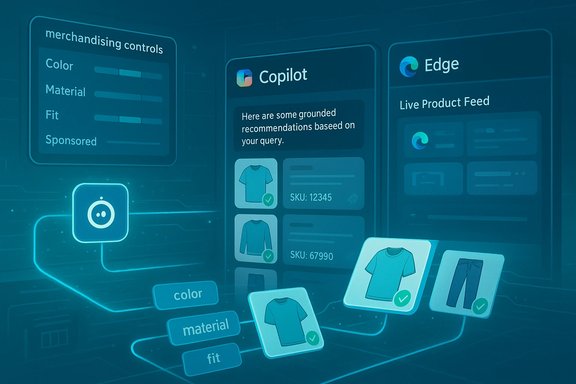
Futuristic dashboard showing merchandising controls, Copilot recommendations, and a live product feed.Background / Overview​

The retail landscape is shifting from property‑centric discovery (searching on a retailer’s website or a marketplace) to agentic and conversational surfaces where purchase intent often originates off‑site. Microsoft has been explicit about this trend, introducing agentic commerce tools — including Brand Agents, Copilot Checkout, and a catalog enrichment template — that let agents recommend and even complete purchases inside Copilot while preserving merchant control over fulfillment and settlement. Microsoft’s retail play is framed as an operating model for “agentic commerce,” where agents act on behalf of shoppers but rely on canonical, auditable catalog records to avoid hallucinations and disputes. Algolia’s announcement positions the company as the feed and retrieval layer that can supply real‑time enriched attributes — stock levels, pricing, and richer product metadata — directly into Microsoft’s discovery surfaces. The stated idea: rather than letting crawlers or stale feeds dictate what shoppers see in AI conversations, retailers can stream fresher, retailer‑approved data to influence how Copilot and Bing present products. Algolia has been explicit about its retail ambitions on the NRF stage and in recent marketing, including in‑booth demos and panel sessions with Microsoft at NRF 2026. This is not a purely technical integration; it’s a market bet. If AI assistants become a primary product‑discovery surface, merchants will need reliable, low‑latency product feeds and the ability to control how catalogs are surfaced, priced, and promoted. Algolia is selling precisely that capability: a retrieval layer optimized for both keyword and vector search that can enforce rules, provide attribute enrichment, and supply the provenance agents need to point shoppers to authoritative SKUs. Algolia’s own metrics — the company reports powering roughly 1.75 trillion searches per year for over 18,000 businesses — underline why platforms and retailers might trust it as a supply layer for AI discovery. Those numbers are consistent across Algolia’s public materials and recent press coverage.

What the integration actually does​

The data plane: real‑time enriched attributes​

At its core the collaboration links Algolia’s product feed and attribute enrichment capabilities to Microsoft’s shopping surfaces, enabling:
  • Near‑real‑time inventory availability and pricing signals rather than periodic feed refreshes.
  • Attribute enrichment (colors, materials, fits, use‑cases) and normalized SKUs to reduce mismatch and hallucination risks when an agent references a product.
  • Grounded provenance: agents can point to canonical SKU records when answering shopper questions or completing delegated checkout flows.
Algolia’s product pages and recent releases emphasize automated attribute enrichment, merchandising controls, and a data hygiene approach intended for environments where freshness and accuracy matter — like Copilot’s in‑chat recommendations. Microsoft’s catalog enrichment templates echo the same technical needs: extract attributes from images and vendor data, normalize them, and write them back to PIMs/ERPs as needed. The two systems are technically complementary: Algolia supplies retrieval and enrichment at scale; Microsoft supplies the agent runtime and conversational surface.

The UX plane: how products appear in Copilot and Edge​

On the surface level, the integration aims to change three things about how shoppers encounter products:
  • Coverage — more retailers appear accurately in comparison cards and agent responses because Algolia’s feeds supply canonical product metadata to Microsoft’s indexing and ingestion pipelines.
  • Accuracy — up‑to‑date prices and inventory reduce the chance that an AI assistant recommends an out‑of‑stock or stale offer.
  • Merchandising influence — merchants can tag and prioritize SKUs with merchandising rules, which may translate into better positioning inside Copilot recommendations and Bing Shopping cards.
Microsoft’s public statements about Copilot Shopping and Copilot Checkout emphasize canonical product feeds and delegated tokenized checkout flows (where the payment provider executes settlement), which aligns with Algolia’s ability to provide a canonical, auditable record for each SKU. This architecture reduces hallucination risk and helps ensure that a conversational recommendation maps to a real, purchasable item.

The commercial plane: retail media and measurement​

Beyond discovery, the integration is meant to enable retail media to extend into agentic surfaces. Algolia and Microsoft describe scenarios where retailers can apply merchandising strategies (promotions, prioritized placements, sponsored attributes) and then measure performance when those products are recommended within Copilot or Bing Shopping. Over time that should create new attribution channels and reporting surfaces for retail media teams — but it will depend on how transparent placement and sponsorship are inside agent responses and what measurement hooks Microsoft provides. Algolia and Microsoft have signaled intentions to pursue richer reporting, but merchant governance, sampling windows, and privacy constraints will shape how much insight brands actually get.

Why retailers care — practical benefits​

Retailers that prioritize catalog hygiene and speed will see immediate operational benefits from fresher upstream data feeding downstream AI agents:
  • Reduced friction and fewer disappointed shoppers. Real‑time inventory prevents agents from recommending out‑of‑stock SKUs — a clear conversion and trust win.
  • Extended discoverability. If AI assistants consult retailer‑supplied catalogs rather than general crawled data, smaller merchants that maintain accurate Microsoft Merchant Center feeds could compete more effectively in comparison cards.
  • Merchandising parity off‑site. Merchants can extend category promotions and dynamic pricing strategies into conversational channels previously outside their control.
  • Operational telemetry. Agent‑level metrics — how often a product is suggested, conversion rates from assistant sessions, return rates following agent recommendations — can feed merchandising and assortment decisions.
These benefits aren’t just theoretical. Algolia’s own customer stories (Shoe Carnival, Frasers Group, Five Below in other contexts) show measurable conversion and search‑quality improvements when retailers optimize discovery on their owned properties; the pitch here is to capture similar gains on external, agentic channels. Algolia’s partnership materials and customer case studies describe conversion uplifts and reduced zero‑result queries after deploying NeuralSearch and merchandising tooling.

What this means for retail media — a step change or incremental?​

This collaboration signals a potential inflection for retail media:
  • Historically, retail media has been a site‑centric play: ads and sponsored placements appear on retailer pages or marketplaces. Agentic surfaces change the geometry: placement is no longer a page position; it’s a conversational prominence and a suggested product slot inside an assistant’s response.
  • If Microsoft exposes structured hooks (sponsored attributes, priority weighting, or labeled recommendations), advertisers can buy prominence inside agent responses. That opens new inventory but also requires rigorous auditing and disclosure standards so shoppers can distinguish organic recommendations from paid placements.
  • Measurement will be the gating factor. Brands will only buy agentic placements at scale if they can reliably measure lift and attribution. The partnership’s stated roadmap includes richer reporting; however, the efficacy of agentic retail media will depend on how transparently Microsoft surfaces placement rules and how Algolia’s data maps to Microsoft’s measurement endpoints.

Early pilots, claims, and verification​

Algolia named several pilot customers — Frasers Group, JTV, Little Sleepies, Shoe Carnival and Shoe Station — as early users exploring how real‑time attribute alignment nets discoverability gains. Algolia’s case materials and customer pages corroborate Shoe Carnival and Frasers Group as active Algolia customers that have used Algolia’s search and merchandising stack to improve site conversions and reduce zero measures. Algolia’s NRF program also highlights joint sessions with Frasers Group and Microsoft, indicating real commercial engagement at the event level. Microsoft’s own materials list early merchant and payments partners for Copilot Checkout (PayPal, Stripe, Shopify) and confirm a U.S.‑first staged rollout. Independent reporting from industry outlets also confirms that Microsoft has been demonstrating these capabilities at NRF 2026 and rolling out price comparison, price‑history, and in‑chat checkout features in Edge and Copilot. Those sources reinforce the core architectural claim: merchant feeds, tokenized delegated checkout, and agent templates are central to Microsoft’s approach. Caveat: vendor‑reported conversion uplifts and percentage gains should be treated as pilot data, not industry averages. Microsoft and partners have published promising early figures, but those come from limited pilots and require independent validation at scale. The design of pilots — SKU selection, traffic routing, and sample windows — materially influences reported lift. Merchants assessing the program should demand access to raw telemetry and verification windows before treating vendor claims as benchmarks.

The accuracy question: are shoppers already using AI to shop?​

The industry narrative often starts with a consumer adoption statistic; the numbers vary significantly by study and methodology. Adobe, which observes trillions of site visits across retail, reported that around 38% of surveyed U.S. consumers had used generative AI for shopping tasks in a recent consumer survey, and Adobe’s analytics recorded multi‑hundred‑percent increases in generative AI‑driven traffic during holiday peaks. Other surveys show broader adoption claims — a Riskified survey reported up to 73% of global respondents using AI in some part of their shopping process — but those figures reflect different geographies, methodologies, and definitions of “using AI” (from price comparison bots to following ChatGPT product ideas). Statista and YouGov reports show more conservative usage numbers in the 15–25% active usage band depending on age cohorts and question framing. In short, adoption is rising fast, but any single percentage figure is sensitive to sample design and the precise question asked. Treat the more dramatic adoption claims as directional rather than definitive.

Technical and operational risks — what IT teams should prepare for​

The promise of fresher feeds and agentic placements comes with non‑trivial implementation and governance obligations:
  • Feed correctness and schema compliance. Microsoft requires canonical product feeds, domain verification, and metadata hygiene for Merchant Center coverage. Faulty or inconsistent feeds can produce placement rejection or incorrect agent responses. Merchants should audit product feeds against Microsoft’s required attributes and Algolia’s enrichment rules before enabling syndication.
  • Latency and throughput. AI agents and edge assistants can generate sudden bursts of discovery traffic. Systems must be sized for peaks and implement idempotent ingestion and robust rate‑limit strategies to avoid stale inventory illusions.
  • Delegated checkout and liability. Copilot’s delegated checkout model uses tokenized sessions with payment providers, preserving the merchant as the merchant‑of‑record. Merchants must clarify dispute handling, chargeback liability, and fraud detection responsibilities with partners (PayPal, Stripe, Shopify). Contractual clarity is essential.
  • Measurement and attribution. Agentic exposures require new attribution models. Merchants must instrument tagging and analytics to separate AI‑originated sessions and trace downstream conversions and returns to agent recommendations.
  • Policy and disclosure. If agent recommendations include sponsored placements, clear labeling and consumer disclosure will be required by regulators and expected by shoppers. Merchants and Microsoft must collaboratively define transparency standards for sponsorship inside conversational responses.
  • Privacy and enterprise controls. Copilot’s proactive features and page‑context access are opt‑in, but enterprise tenants may need to restrict browsing context sharing by policy. Retailers integrating brand agents must reconcile personalization consent with data‑protection obligations.

Operational checklist for retailers considering the Algolia–Microsoft path​

  • Inventory and feed audit: validate GTIN/SKU, pricing, inventory, shipping and returns metadata against Merchant Center requirements.
  • Enrichment test: run a sample of high‑volume SKUs through Algolia’s enrichment pipeline and evaluate attribute quality and consistency.
  • Pilot SKU selection: choose low‑risk SKUs (stable inventory, simple returns) for initial Copilot exposure.
  • Payment & liability review: negotiate terms with PSP partners and clarify chargeback/fraud responsibilities for delegated checkout.
  • Measurement plan: implement UTM tagging, event instrumentation, and A/B test frameworks focused on agent‑originated traffic.
  • Governance posture: codify opt‑in rules, disclosure language, and audit trails for automated catalog edits.
  • Customer support alignment: train CS teams to handle purchases that originate inside Copilot and maintain scripts for refund and dispute workflows.
This sequence helps merchants pilot safely while collecting the telemetry required to justify broader deployments.

Market implications and competitive landscape​

  • Platforms vs. marketplaces. Microsoft cannot instantaneously displace marketplaces like Amazon, which own fulfillment and first‑party commerce primitives. But Microsoft’s advantage is distribution across Windows and Edge and the ability to insert itself into consumer workflows where discovery occurs. If Copilot becomes the default research assistant, Microsoft gains influence in the research and comparison phases even if Amazon retains the transaction in many categories.
  • SMBs and long tail retailers. Smaller merchants with accurate feeds and participation in cashback or Merchant Center programs can surf visibility waves when agents surface alternative sellers — a potential distribution win if they have competitive pricing and stock. The catch is operational readiness: many small sellers lack real‑time inventory syncing and risk disappointing shoppers if offers surface incorrectly.
  • Retail media evolution. Ad formats will migrate from page placements to agentic placements, demanding new bidding primitives and disclosure frameworks. Companies that can instrument and measure agent‑driven conversions will monetize these placements more effectively.

Strengths, weaknesses, and a final verdict​

Strengths​

  • Technical fit. Algolia’s retrieval, attribute enrichment, and merchandising tooling map well to Microsoft’s need for canonical, auditable feeds to ground agent answers. Public Algolia materials and customer stories (Shoe Carnival, Frasers Group) demonstrate operational competence at scale.
  • Strategic timing. Microsoft’s agentic commerce push follows sharp growth in AI‑sourced retail traffic during holiday seasons, creating a practical window for change. Early partner sign‑ups and staged U.S. rollouts show the platform is beyond pure concept.
  • Operational upside. Real‑time feeds reduce stale offers, improve shopper trust, and let merchants extend merchandising strategies into conversation fronts.

Weaknesses and risks​

  • Vendor metrics need scrutiny. Conversion uplifts and adoption rates cited by vendors are promising but come from pilots with variable methodologies; independent verification is necessary before large‑scale budgeting decisions.
  • Complex governance. Merchant default enrollments (e.g., Shopify opt‑outs), chargeback responsibilities, and disclosure norms introduce legal and operational complexity that must be resolved at scale.
  • Fragmented consumer adoption signals. Surveys and analytics show rapidly rising interest in AI shopping tools, but adoption percentages vary widely between studies; treat headline figures as directional rather than definitive.
Final judgment: the Algolia–Microsoft collaboration is a pragmatic and technically sensible step toward making conversational AI shopping more reliable and shoppable. For merchants willing to invest in feed quality, inventory sync, and measurement capabilities, the integration offers a meaningful opportunity to extend reach and influence into agentic channels. However, the immediate returns depend on disciplined pilots, contractual clarity around delegated checkout, and an insistence on independent measurement rather than vendor narrative. Early adopters who treat this as a new channel — instrumented, governed, and cautiously scaled — stand to benefit most.

Conclusion​

The Algolia–Microsoft tie‑up reframes product data as strategic infrastructure for the AI era: accurate, real‑time attributes are the currency agents use to recommend and convert. The partnership addresses a real technical gap — stale crawled feeds — and binds together retrieval, enrichment, and conversational delivery in a way that’s operationally compelling.
But the road from demo to durable channel will be paved with governance decisions: who controls product presentation, how sponsored placements are disclosed, how measurement is shared, and how delegated checkout liabilities are allocated. Retailers that proceed with careful pilots, strong feed hygiene, and tight telemetry will be best positioned to turn agentic discovery into measurable revenue — while those that rush without controls risk exposure to disappointed customers and contested transactions.
For Windows and Edge‑centric infrastructure teams, the immediate to‑dos are concrete: ensure your product feed schemas are impeccable, instrument agent‑originated telemetry, secure your payment and dispute processes for delegated checkouts, and prepare merchandising teams to think beyond the page. Algolia and Microsoft supply the plumbing; merchants must supply the governance and the data discipline to make these new surfaces reliably shoppable.
Source: The AI Journal Algolia Collaborates with Microsoft to Drive Real-Time Product Data to Shopping Experiences | The AI Journal
 

CData’s Connect AI is now plugged into Microsoft Copilot Studio and Microsoft Agent 365, exposing a managed Model Context Protocol (MCP) surface that promises real‑time, semantically aware access to hundreds of enterprise systems — a move that can materially shorten the path from Copilot prototypes to production agents while shifting serious operational and security responsibilities onto IT and procurement teams.

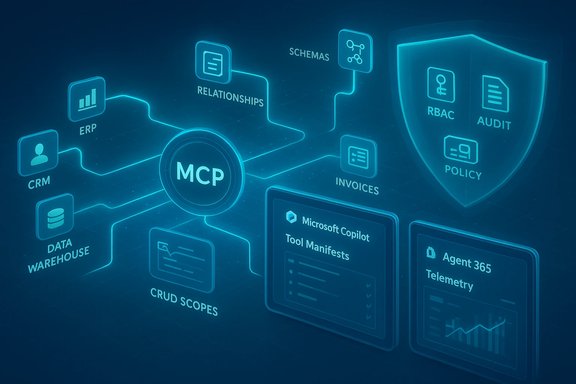
Neon blue schematic with MCP at center linking ERP, CRM, data warehouse, schemas, invoices and a policy shield.Background / Overview​

Enterprises attempting to deploy agentic AI have repeatedly encountered three hard problems: fragmented connectivity to dozens or hundreds of SaaS and legacy systems, lack of semantic context so a model understands what a table or field actually represents, and governance — the ability to control, audit, and constrain what agents can read and do. CData’s Connect AI claims to address those three gaps by presenting a managed MCP server that aggregates prebuilt connectors, exposes semantic models of source systems, and integrates with Microsoft’s Agent 365 governance surfaces. The announcement — which appears in CData’s press materials and product documentation — centers on three headline capabilities:
  • Universal MCP connectivity: a single MCP endpoint exposing connectivity to 300–350+ enterprise sources (the exact number varies by page).
  • Semantic modeling: schema, entity relationships, and business metadata surfaced as first‑class artifacts for agents to reason about rather than raw JSON rows.
  • Enterprise governance: identity‑first security with RBAC passthrough, CRUD scoping, and audit logging tied into Microsoft’s Agent 365 control plane.
Microsoft’s Copilot Studio and Agent 365 explicitly support MCP as a tool registration mechanism; registering an MCP server makes its tool manifests and endpoints discoverable to agents and visible to tenant governance/telemetry surfaces. That is the practical integration point CData is using to make Connect AI appear as a first‑class tool inside Copilot agent workspaces.

What the Model Context Protocol (MCP) Is and Why It Matters​

MCP in one paragraph​

The Model Context Protocol (MCP) is an open, manifest‑driven protocol created to standardize how LLMs and agent frameworks discover and call external tools, datasets, and actions. It defines a client‑server contract (tool manifests, input/output schemas, structured calls) over JSON‑RPC/HTTP/SSE so an agent can enumerate available tools, inspect schemas, invoke actions, and receive structured results — enabling deterministic tool use rather than brittle prompt engineering. Anthropic introduced MCP in late 2024 and the specification quickly became widely adopted across vendors and platforms.

Why MCP changes the integration game​

Before MCP, each agent-to-system integration often required bespoke adapters, brittle prompt tricks, or large RAG indexes. MCP changes the calculus:
  • It makes tools discoverable and self‑documenting to agents.
  • It enables structured I/O, reducing hallucination risk by returning typed, semantic results.
  • It centralizes enforcement and observability when used with management planes like Agent 365.
This is why a managed MCP provider with broad connector coverage becomes attractive: one registered MCP tool can expose dozens or hundreds of enterprise systems without the agent author writing adapters for each one.

What CData Connect AI Actually Does Inside Copilot Studio and Agent 365​

Technical anatomy — how the pieces fit​

CData’s description and Microsoft documentation show a consistent architectural pattern:
  • A Connect AI MCP server advertises a library of tools (each representing entities or operations from an upstream system).
  • Copilot Studio (or Agent 365 clients) registers that MCP server so agents can discover available tools and schemas.
  • When an agent needs data or to perform a write, it issues structured MCP calls (QueryData, ExecuteProcedure, etc.. Connect AI executes optimized queries or API calls against the source, performs server‑side pushdown and aggregation, and returns compact, semantically labeled results to the agent.

Key product capabilities CData advertises​

  • Connector breadth: claims of 300–350+ connectors covering major SaaS, data warehouses, ERP systems and on‑prem sources. These connectors handle pagination, API versions, and common edge cases.
  • Semantic interface: connectors expose schemas, relationships (foreign keys, joins), and metadata so agents reason with entities (orders, invoices, tickets) rather than raw rows.
  • Query pushdown and optimization: heavy retrieval and transformation happen server‑side to reduce token payloads and latency for the LLM.
  • Identity and governance: support for OAuth/SSO flows, RBAC passthrough, CRUD scoping, and audit trails that map actions to tenant identities. Integration with Agent 365 enables centralized policy and tracing.
  • Mixed data support: structured records plus file artifacts, including the ability to read, edit and track revisions for unstructured items without building separate RAG pipelines.

Independent Verification and Variability in Claims​

When assessing vendor claims, independent verification matters. The following points summarize what can be corroborated and where caution is warranted:
  • CData’s announcement and press release confirm a formal Microsoft integration and describe Connect AI as available for Copilot Studio and Agent 365. These vendor claims are publicly documented.
  • Microsoft’s documentation lists a CData connector for Copilot/Agent tooling, describing the product as enabling read/write access to 350+ data sources through a hosted MCP server; Microsoft surfaces the connector in its Copilot/Studio marketplace documentation. This independent listing is a meaningful corroboration of availability and integration.
  • The exact connector count varies across vendor pages and announcements (CData has used figures ranging from “300+” to “350+” in different materials). This discrepancy should be treated as a vendor marketing inconsistency until a definitive, audited connector list is provided. Enterprises should verify the presence and supported API versions for each critical source before relying on advertised counts.
  • MCP’s origin and ecosystem momentum are well documented in public coverage and technical writeups; Anthropic’s role and the protocol’s publication in late 2024 are independently verifiable.

Strengths — Why This Integration Matters for Enterprise Copilot Deployments​

  • Faster path from pilot to production. Prebuilt connectors and a managed MCP surface reduce bespoke engineering. For teams building agents in Copilot Studio, Connect AI can compress months of integration work into configuration and validation.
  • Improved multi‑system reasoning. By surfacing semantic schemas and relationships, agents can perform multi‑source joins and apply business rules coherently, which reduces hallucinations and brittle prompt workarounds. This is a genuine productivity win for cross‑system workflows (e.g., order → invoice → shipment → support ticket).
  • Governance that aligns with Microsoft’s control plane. When registered in Agent 365, external MCP servers are subject to tenant policy, tracing, and access control surfaces. That makes it practical to bring third‑party tools under IT oversight instead of leaving integrations as shadow projects.
  • Operational simplification for connectors. Outsourcing maintenance of API changes, pagination quirks, and version drift to a specialized vendor reduces internal operational load — assuming the vendor meets SLAs and transparency requirements.

Risks and Limitations — What IT, Security, and Legal Teams Must Consider​

1. Egress and data exposure risk​

A managed MCP server becomes an egress point for sensitive data. Even with RBAC passthrough, the provider — and any subcontractors — could see metadata or payloads unless contractual and technical controls (e.g., tenant‑side encryption, VPC/private endpoints, in‑place connectors) are in place. Treat third‑party MCP servers as high‑risk egress surfaces and require clear contractual protections and auditability.

2. Enforcement semantics and identity fidelity​

“Passthrough RBAC” is useful in theory, but the enforcement semantics must be validated: does the MCP server always execute calls as the authenticated tenant identity, or are there service‑account paths that broaden access? How are token refreshes, consent scopes, and delegated access logged and presented in Agent 365 telemetry? These are operational details that require end‑to‑end testing.

3. Prompt injection and untrusted data​

MCP exposes structured artifacts into an LLM’s context. If a source contains user‑controlled text, that text can still include adversarial or misleading content. Systems must include input sanitization, schema strictness, and defensive agent design to mitigate prompt injection risks inherent in agent ecosystems. Industry analyses and protocol reviews have flagged such concerns.

4. Vendor lock‑in and semantic drift​

Relying on a proprietary semantic mapping layer can accelerate development but also creates a dependency: if the vendor’s model of a system changes, or if connector maintenance lags behind API changes, agents can break. Enterprises should require clear SLAs, change‑notification processes, and exportable manifests for recovery plans.

5. Latency, scale, and cost​

Server‑side pushdown reduces token costs for LLMs but adds network hops and operational load. For high‑volume, low‑latency workflows, benchmark tests are essential. In addition, managed MCP services introduce usage pricing that must be modeled against token and compute costs for the LLMs themselves.

A Practical Validation and Deployment Checklist​

Enterprises should treat CData Connect AI (or any managed MCP provider) as a high‑impact platform that requires rigorous validation before broad rollout. Suggested sequential steps:
  • Inventory & classify target data sources.
  • Rank sources by sensitivity, compliance impact, and frequency of access.
  • Confirm connector coverage and API versions.
  • Request a definitive, dated connector list and supported API/version matrix for each critical system.
  • Run a constrained POC.
  • Select 2–3 representative agents and register Connect AI in a test Agent 365 tenant.
  • Validate identity passthrough semantics, CRUD scoping, and audit logs.
  • Threat model MCP traffic.
  • Evaluate egress, encryption-in‑flight and at‑rest, data retention, and who can access logs.
  • Measure performance and cost.
  • Benchmark latency, token usage (before/after pushdown), and cost modeling across projected workloads.
  • Operationalize AgentOps.
  • Define rollout gates, approval workflows in Agent 365, incident response pathways, and regression tests for connector updates.
  • Contractual guardrails.
  • Require exportable manifests, clear SLAs, breach notification, and data residency options where needed.
  • Continuous monitoring.
  • Integrate MCP call telemetry into existing SIEM and data‑loss prevention tooling; schedule periodic connector audits.

How to Think About Governance with Agent 365​

Microsoft’s Agent 365 acts as the control plane: it can register MCP servers, assign admin policy, and trace tool invocations. For enterprises, the useful division of responsibilities is:
  • Microsoft/Agent 365: discovery, policy assignment, telemetry, consent surfaces.
  • MCP provider (CData): connector implementation, schema modeling, query optimization, optional hosted runtime.
  • Tenant IT: identity mapping, approval flows, sensitive‑data classification, and enforcement of data handling policies.
Agent 365’s registry and telemetry make it possible to see which MCP server and which tool an agent invoked at runtime — a critical capability for audits and investigations — but that visibility only works when the external MCP provider emits clean, correlated telemetry and the tenant’s policy mapping is enforced. Validate that trace IDs, request IDs, and user/agent mapping are present and useful in your monitoring stack before production rollout.

Real‑World Use Cases Where the Integration Shines​

  • Finance reconciliation and variance explanations: Agents that join ERP transactions, bank statements and BI data to create explainable variance narratives inside Excel or Outlook – using semantic mappings to keep numeric and date semantics intact.
  • Customer service automation: Agents that pull CRM tickets, order status from ERP, and contract data to draft compliant responses or trigger fulfillment workflows.
  • Cross‑system approvals: Agents that aggregate purchase orders, inventory status, and legal hold markers to recommend approvals with human signoff recorded in an audit trail.
  • Embedded ISV agents: Software vendors embedding agents in their products who want immediate connectivity to customer on‑prem and cloud systems without building one‑off adapters.

Practical Recommendations (short list)​

  • Treat the MCP server as a critical egress surface: require contractual controls, encryption, and independent audits.
  • Insist on exportable tool manifests: so the tenant can recover or rebuild agent logic if the vendor relationship changes.
  • Validate identity enforcement end‑to‑end: test multiple auth flows, delegated permissions, revoked tokens, and so on.
  • Start with read‑only pilots: validate semantics and observability before enabling writebacks or automated actions.
  • Implement AgentOps: a small, focused team to manage agent lifecycle, connector updates, telemetry, and user approval workflows.

Conclusion​

CData’s Connect AI integration with Microsoft Copilot Studio and Agent 365 is an important step in the maturation of enterprise agent infrastructure. By exposing a managed MCP layer with broad connector coverage and semantic modeling, the offering addresses the three recurring barriers to production agents — connectivity, context, and control — and can dramatically accelerate agent deployment timelines. That said, the move also concentrates operational, security, and contractual risk in a new set of places: managed MCP servers become high‑value egress surfaces, semantic layers become critical dependencies, and enforcement semantics must be verified in practice. Organizations that treat this as an enabling architecture rather than a turnkey cure — performing rigorous pilots, demanding traceability and SLAs, and instituting holistic AgentOps and identity governance — will capture the benefits while containing the attendant risks. For Windows‑centric enterprises and Copilot pilots, the practical advice is clear: run short, representative POCs that validate identity, telemetry, performance, and semantics; require exportable manifests and contractual guardrails; and build a small but permanent AgentOps capability to shepherd agents from lab to live operations. When those boxes are checked, Connect AI’s MCP integration can be a genuine accelerant for making Copilot agents useful, auditable, and safe at enterprise scale.

Source: ERP Today What CData Connect AI Does for Microsoft Copilot Studio and Microsoft Agent 365
 

Back
Top