Choosing an operating system in 2026 means weighing not just raw performance but the ecosystem, long‑term support, software access, and how much control you want over your machine. Windows, macOS, Linux, and ChromeOS all answer those questions differently: Windows remains the all‑rounder with the broadest hardware and game support, macOS doubles down on creative workflows and Apple integration, Linux offers unmatched control and transparency for developers and privacy‑minded users, and ChromeOS is the easiest, lowest‑maintenance choice for cloud‑first workflows and education. Recent platform shifts — notably Windows 10’s end of support and steady Linux gains in gaming telemetry — make today’s decision both more urgent and more personal than it would have been a few years ago.
The desktop OS landscape changed materially after October 2025, when Microsoft ended mainstream support for Windows 10. That milestone forced a lot of households and organizations to choose: upgrade to Windows 11, pay for limited Extended Security Updates (ESU), or consider alternatives. Microsoft’s guidance is clear — upgrade if your hardware meets requirements, enroll in consumer ESU if you need time, or migrate to another supported platform. This end‑of‑support date has been a pivot point for many decisions in 2025–2026.
At the same time, game‑centric telemetry shows Windows still dominates PC gaming, but Linux has been growing steadily as Valve’s SteamOS and Proton compatibility improve. That growth is meaningful for long‑term choices because it narrows one of Windows’ largest historical advantages: games. macOS continues investing in Apple Intelligence and new UI paradigms, while ChromeOS and ChromeOS Flex occupy a practical niche for clouds, classrooms, and lightweight hardware.
The rest of this feature breaks down each platform’s strengths and trade‑offs, highlights where real technical differences matter in 2026, and ends with a practical decision matrix for different user types.
For enterprise and productivity users, Windows integrates deeply with Microsoft 365, Active Directory, and a huge catalogue of line‑of‑business applications. The flexibility to run legacy Windows applications, powerful virtualization (Hyper‑V), and the Windows Subsystem for Linux (WSL) — which narrows the developer gap by running Linux tooling on Windows — make Windows attractive to mixed workloads. Forum and community testing also show WSL2 approaches native Linux performance for many tasks, though workloads differ.
Whether you value performance, control, simplicity, or creative polish, each major OS in 2026 makes a compelling case for a specific kind of user. The smart move is to match your OS to your work and life habits — then test before you commit.
Source: Tech Times Windows vs macOS vs Linux vs ChromeOS: Which Operating System Is Best for You in 2026?
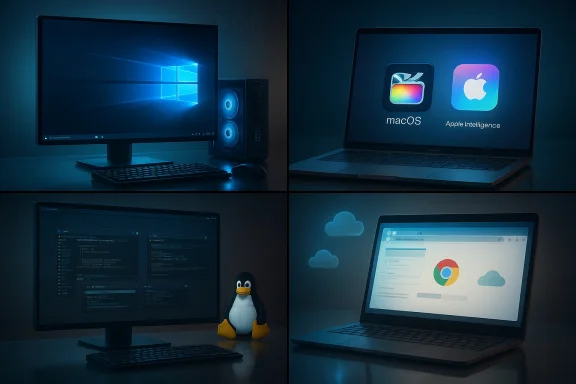 Background / Overview
The desktop OS landscape changed materially after October 2025, when Microsoft ended mainstream support for Windows 10. That milestone forced a lot of households and organizations to choose: upgrade to Windows 11, pay for limited Extended Security Updates (ESU), or consider alternatives. Microsoft’s guidance is clear — upgrade if your hardware meets requirements, enroll in consumer ESU if you need time, or migrate to another supported platform. This end‑of‑support date has been a pivot point for many decisions in 2025–2026.At the same time, game‑centric telemetry shows Windows still dominates PC gaming, but Linux has been growing steadily as Valve’s SteamOS and Proton compatibility improve. That growth is meaningful for long‑term choices because it narrows one of Windows’ largest historical advantages: games. macOS continues investing in Apple Intelligence and new UI paradigms, while ChromeOS and ChromeOS Flex occupy a practical niche for clouds, classrooms, and lightweight hardware.
The rest of this feature breaks down each platform’s strengths and trade‑offs, highlights where real technical differences matter in 2026, and ends with a practical decision matrix for different user types.
Windows in 2026: The Versatile Default
Why Windows still wins for many users
Windows remains the platform with the broadest hardware compatibility and the largest native software and gaming ecosystems. For PC gamers, the combination of DirectX, a vast Steam catalog, native GPU driver support, and subscription services (like Xbox Game Pass for PC) makes Windows the path of least friction for high‑performance gaming rigs and custom desktop setups. Valve’s Steam survey still shows Windows commanding the vast majority of active gaming systems — though Linux growth is notable and worth watching.For enterprise and productivity users, Windows integrates deeply with Microsoft 365, Active Directory, and a huge catalogue of line‑of‑business applications. The flexibility to run legacy Windows applications, powerful virtualization (Hyper‑V), and the Windows Subsystem for Linux (WSL) — which narrows the developer gap by running Linux tooling on Windows — make Windows attractive to mixed workloads. Forum and community testing also show WSL2 approaches native Linux performance for many tasks, though workloads differ.
Strengths
- Widest software and game compatibility — native installers, DRM/anti‑cheat, and DirectX.
- Huge hardware choice — from <$300 laptops to multi‑GPU workstations.
- Enterprise tooling — group policy, Intune, AD/Entra integration.
- Developer flexibility — WSL2, containers, and mainstream support for popular IDEs.
Weaknesses and risks
- Upgrade friction and hardware gating — Windows 11’s hardware requirements have left some older but functional PCs in a bind, forcing choices between ESU fees, OS migration, or hardware replacement.
- Telemetry and recommended service nudges — users who prefer minimal vendor tie‑ins may find the Microsoft service ecosystem intrusive unless they reconfigure defaults.
- Maintenance burden — Windows can be secure and fast, but it often requires periodic attention: updates, driver care, and anti‑malware management.
Who should choose Windows
If you prioritize gaming performance, need the widest native app support (professional suites, CAD, specialized enterprise apps), or want maximum hardware choice, Windows is still the pragmatic pick in 2026. Follow a few best practices: keep drivers up to date, use a reputable backup solution, and lean on Microsoft’s lifecycle guidance when planning hardware refreshes.macOS in 2026: Polished, Integrated, and Creative‑First
The macOS position: smooth experience, fewer surprises
Apple continued its cadence of major macOS releases in the years before 2026. macOS Sequoia introduced deeper continuity features and Apple Intelligence integration; macOS Tahoe later pushed Apple’s design and introduced gaming‑centric improvements like MetalFX and other toolkit updates — a sign Apple is incrementally supporting higher‑performance local workloads on Apple Silicon. This evolution strengthens macOS for creators who value color accuracy, rendering reliability, and a tightly integrated hardware/software stack.Strengths
- Tight hardware/software integration — predictable performance and excellent battery life on Apple Silicon.
- Creative software ecosystem — Final Cut Pro, Logic Pro, and Apple’s imaging and audio pipelines remain first‑class.
- Lower maintenance surface — Apple manages drivers and platform updates centrally, reducing driver hell.
- Privacy and security design — Apple’s approach to privacy and on‑device intelligence remains a differentiator.
Weaknesses and risks
- Cost and limited hardware choice — Macs are premium priced, and options like GPU / RAM upgrades are limited on many models.
- Less native gaming depth — despite improvements (Metal, Game Porting Toolkit), the Windows game library and compatibility with many AAA titles remain superior. Apple’s move into gaming is incremental and focused on quality rather than parity.
- Ecosystem lock‑in — users who want tight integration across mobile and desktop benefit most; those who don’t use iPhone/iPad may find the premium less compelling.
Who should choose macOS
Choose macOS if your work centers on photography, video editing, music production, or you rely heavily on Apple’s ecosystem. macOS now offers improved performance for creative apps and a steadily improving game story on Apple Silicon, but it’s still a specialty rather than a universal answer.Linux in 2026: Control, Privacy, and Growing Practicality
Why Linux is no longer "just for servers"
Linux desktop distributions have matured into compelling alternatives for many users. Distributions such as Ubuntu, Fedora, Pop!_OS, and newcomer migration‑focused releases now target returning Windows users and fresh installs alike. Linux’s open‑source nature offers control, lower total cost (many distros are free), and privacy advantages — you can audit services, disable telemetry, and tweak every layer of the stack. The Steam ecosystem’s telemetry confirms Linux gaming share is rising, driven by SteamOS and Proton improvements.Strengths
- Customization and minimalism — build only what you need from the ground up.
- Great development environment — native support for containers, cloud tooling, and server code.
- Lower cost and longer life for older hardware — many distros run well on legacy machines.
- Improving gaming compatibility — Proton and SteamOS make many Windows games playable without a Windows install.
Weaknesses and risks
- App compatibility — some mainstream commercial apps (native Microsoft Office desktop packages, certain Adobe features, some anti‑cheat protected multiplayer games) still require workarounds, virtualization, or dual‑boot setups.
- Learning curve for newcomers — while distributions have simplified first‑run setups, troubleshooting kernel or driver quirks still requires technical literacy.
- Hardware vendor support variability — vendors are better than before, but specialized hardware drivers can lag.
Who should choose Linux
If you’re a developer, sysadmin, privacy‑conscious user, or someone who enjoys tuning and ownership of their environment — and you’re comfortable with occasional command‑line troubleshooting — Linux is compelling. For users migrating off Windows 10 due to EOL, Linux distributions like Zorin and Ubuntu offer migration paths that can keep older hardware useful longer.ChromeOS in 2026: Simplicity and Cloud‑First Efficiency
ChromeOS vs ChromeOS Flex: know the difference
ChromeOS remains a browser‑centered, low‑maintenance OS ideal for education and casual use. ChromeOS Flex — Google's tool to repurpose older PCs — extends that value but with important limitations: it generally does not include Android app support or the same verified boot and firmware integration that certified Chromebooks enjoy. On many legacy machines, Linux app support may be inconsistent. ChromeOS is excellent if you live in web apps, Google Workspace, or need a secure, easy‑to‑manage fleet for schools or small businesses.Strengths
- Fast boot, low maintenance — updates handled centrally; minimal malware surface.
- Ideal for education and secondary devices — affordable Chromebooks remain easy for admins to manage.
- Good for cloud workflows — excellent web app and Google Drive integration.
Weaknesses and risks
- Limited native software depth — heavy video editing, 3D work, and many specialized pro apps are not first‑class.
- ChromeOS Flex limitations — no guaranteed Android app support and variable Linux container availability on older devices; not a drop‑in replacement for full ChromeOS on every device.
Who should choose ChromeOS
Students, families, and organizations that prioritize manageability, battery life, and low‑cost fleet operations will find ChromeOS and Chromebooks compelling. ChromeOS Flex can breathe new life into old Windows 10 PCs, but evaluate which features you need before repurposing: Android apps and certain hardware integrations may be unavailable.Cross‑Platform Ecosystem Considerations
Software availability and workflows
Your day‑to‑day apps should be the single biggest deciding factor. If you depend on a Windows‑only app (e.g., certain CAD packages, specialized enterprise software), Windows or virtualization is often the only practical route. If your workflow is cloud‑centric (Google Workspace, Office for Web), ChromeOS and Chromebooks can be cheaper and lower maintenance. Creatives reliant on Final Cut Pro or Logic will lean macOS; developers and cloud engineers often pick Linux for native tooling. These are not abstract trade‑offs — they affect hiring, file formats, plugin compatibility, and collaboration.Security and long‑term support
End‑of‑life dates, vendor update policies, and ESU programs matter. Windows 10’s end in October 2025 forced many decisions; Microsoft and other vendors now offer paid bridges (ESU) for a limited time, but these are intentionally temporary—designed to buy migration time, not to be a permanent solution. That reality affects corporate procurement cycles and household upgrade budgets.Cloud, AI, and the future
All four platforms are rapidly integrating AI features, but the nature of that integration differs. Apple focuses on on‑device Apple Intelligence with strong privacy marketing; Microsoft bundles AI into Windows and cloud partners with a broad device strategy; Google focuses AI into cloud services and assistant features; Linux benefits from open tooling where you can choose models and deployment. Evaluate where your sensitive data lives and what level of on‑device vs cloud processing you’re comfortable with.Which OS Is Best for You in 2026? Practical Decision Matrix
Below are pragmatic recommendations, grouped by common user goals.Gamers
- Choose Windows if you want the broadest native game library, compatibility with anti‑cheat systems, and the best driver support for high‑end GPUs.
- Consider Linux (SteamOS/Proton) if you primarily play single‑player or Proton‑compatible games and want a lighter, more controllable system; test your titles on Proton before committing.
Creative professionals (video, audio, photography)
- Choose macOS for the tightest creative toolchain, color accuracy, and apps optimized for Apple Silicon.
- If you prefer Windows‑only creative suites (some Adobe workflows), choose Windows and invest in quality displays and fast NVMe storage.
Developers and power users
- Choose Linux for server parity, native tooling, and container workflows.
- Choose Windows if you require Visual Studio, certain Windows‑only SDKs, or want a hybrid environment (use WSL2 to run Linux tooling on Windows).
Students, casual users, families
- Choose ChromeOS for ease of use, low maintenance, and good battery life.
- Choose ChromeOS Flex if you want to repurpose an older PC — verify Android/Linux support on your specific model first.
Enterprise and fleet management
- Windows remains the enterprise default for legacy apps and management tooling.
- ChromeOS is often cost‑effective for scale in educational deployments and some knowledge‑worker fleets thanks to simple provisioning.
Migration Checklist — How to Move Without Regret
- Back up everything: user data, browser bookmarks, and application settings. Use both a local and a cloud backup.
- Inventory required apps: test critical apps in their web versions, on Proton (for Linux), or in virtualization. Confirm license transfers (Office, Adobe, etc.).
- If switching from Windows 10, verify upgrade eligibility to Windows 11 (PC Health Check) and evaluate ESU windows only if you need time.
- Trial drive the new OS: run a live Linux USB, test ChromeOS Flex on a spare machine, or borrow a Mac for a few days to check compatibility.
- Consider dual‑boot or virtualization during transition: VMs (or WSL on Windows) let you keep a familiar environment while you migrate.
- Plan a rollback: retain a system image until you’re satisfied.
Notable Strengths — and Risks — Summarized
- Windows
- Strengths: game library, hardware choice, enterprise tools.
- Risks: upgrade gating, maintenance overhead, privacy concerns unless configured.
- macOS
- Strengths: creative toolchain, Apple Silicon performance, low‑maintenance integration.
- Risks: higher upfront cost, less native gaming depth, ecosystem lock‑in.
- Linux
- Strengths: control, cost, excellent server/dev tooling, growing gaming viability.
- Risks: occasional app compatibility gaps, steeper troubleshooting curve.
- ChromeOS / ChromeOS Flex
- Strengths: simplicity, rapid boot, low TCO for fleets.
- Risks: Flex lacks full Chromebook features on many PCs (no Play Store, variable Linux support); not suited for heavy local compute tasks.
Final Verdict: No Universal Winner — But a Clear Process
There is no single "best" operating system in 2026. The right OS is the one that aligns with your software needs, hardware realities, budget, and how much time you want to spend maintaining the machine. Use a short, practical decision process:- List your non‑negotiable apps and workflows.
- Test those apps in the target OS (trial, VM, or live USB).
- Factor in support and lifecycle risk (EOL dates, ESU costs).
- Choose the platform that minimizes friction, not the one with the best marketing.
Whether you value performance, control, simplicity, or creative polish, each major OS in 2026 makes a compelling case for a specific kind of user. The smart move is to match your OS to your work and life habits — then test before you commit.
Source: Tech Times Windows vs macOS vs Linux vs ChromeOS: Which Operating System Is Best for You in 2026?