

Bandai Namco has published the PC hardware targets for Code Vein II, and the numbers make one thing clear: this sequel expects modern Windows systems and mid‑to‑high‑end components to hit the studio’s stated framerate targets. The retail launch is scheduled for January 30, 2026, and the published PC table targets 1080p/30 on Low for the minimum tier and 1080p/60 on High for the recommended tier—both of which require Windows 11 and 16 GB of system RAM.
Code Vein II is the direct follow-up to the 2019 action‑RPG and keeps the series’ partner‑based combat and deep build customization while adding new weapons, time‑travel story beats, and quality‑of‑life engine advances. The sequel debuted in press around mid‑2025 and was later listed on storefronts and publisher pages with explicit PC system guidance ahead of the January 2026 release. Bandai Namco’s PC requirements are concise and conservative in number: a single minimum and recommended column that both list Windows 11, 16 GB RAM, and a 70 GB install footprint. The GPU and CPU selections place the minimum at solidly modern midrange hardware, while the recommended column points at higher‑tier silicon for stable 60 FPS play at 1080p. These are the numbers players should plan around if they want the experience the developer tested for.
For most PC players who upgraded during the RTX 20/30 era, the minimum column will be attainable with some tuning; for those targeting the full 1080p/60 High preset experience, the recommended CPU/GPU pairings are a realistic and familiar target. If native 1440p or 4K is the goal, plan on hardware above the recommended tier or rely on vendor upscalers and frame‑generation tools where supported.
Prepare early: confirm Windows 11 compatibility, test storage and memory headroom, and update drivers sensibly. Those steps will minimize launch‑day friction and let players focus on Code Vein II’s combat and story rather than chasing performance tweaks.
Conclusion: Code Vein II’s PC requirements are explicit and achievable for many players who invested in modern hardware, but the Windows 11 mandate and the 16 GB memory floor mean a nontrivial segment of the installed base will need to plan upgrades. With launch set for January 30, 2026, now is the time to verify system compatibility, update firmware and drivers, and free SSD space so the day‑one experience matches the developer’s intended performance targets.
Source: The Game Haus What Are The Code Vein 2 PC Requirements? - The Game Haus
 Background / Overview
Code Vein II is the direct follow-up to the 2019 action‑RPG and keeps the series’ partner‑based combat and deep build customization while adding new weapons, time‑travel story beats, and quality‑of‑life engine advances. The sequel debuted in press around mid‑2025 and was later listed on storefronts and publisher pages with explicit PC system guidance ahead of the January 2026 release. Bandai Namco’s PC requirements are concise and conservative in number: a single minimum and recommended column that both list Windows 11, 16 GB RAM, and a 70 GB install footprint. The GPU and CPU selections place the minimum at solidly modern midrange hardware, while the recommended column points at higher‑tier silicon for stable 60 FPS play at 1080p. These are the numbers players should plan around if they want the experience the developer tested for. Official PC system requirements — what they say
Below is a distilled presentation of the developer‑published PC tiers as reproduced in major coverage and the Steam product listing.- Minimum (Playable — 1080p / ~30 FPS on Low)
- OS: Windows 11.
- CPU: Intel Core i5‑9600K or AMD Ryzen 5 3600.
- Memory: 16 GB RAM.
- Graphics: NVIDIA GeForce GTX 1660 Super, AMD Radeon RX 5700, or Intel Arc B570.
- DirectX: Version 12.
- Storage: 70 GB available space.
- Estimated performance note: 1080p/30 FPS on Low.
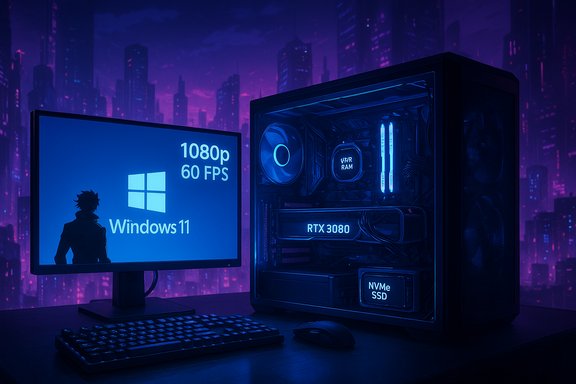
- Recommended (Comfortable — 1080p / ~60 FPS on High)
- OS: Windows 11.
- CPU: Intel Core i7‑12700KF or AMD Ryzen 7 7800X3D.
- Memory: 16 GB RAM.
- Graphics: NVIDIA GeForce RTX 3080 or AMD Radeon RX 6800.
- DirectX: Version 12.
- Storage: 70 GB available space (SSD recommended).
- Estimated performance note: 1080p/60 FPS on High (SSD recommended).
What the numbers actually mean for players
The headline takeaways are straightforward but important:- Windows 11 as the baseline: Requiring Windows 11 raises the platform bar and signals the developer is targeting modern OS features—likely for API, driver, and storage consistency. Players on Windows 10 or older installs will need to upgrade to avoid compatibility issues on launch day.
- 16 GB RAM minimum across the board: Unlike many titles that still list 8–12 GB at minimum, Code Vein II lists 16 GB even for the minimum tier, which reflects larger working sets for assets and scene complexity in modern engines. Expect that background apps and capture software will nudge this requirement upward in real usage.
- Moderate install size but modern storage preference: A 70 GB headline install is not huge for a 2026 AAA title, but the recommendation to use an SSD for the recommended tier implies that streaming/asset throughput benefits from low‑latency storage. NVMe is not explicitly required, but an SSD will reduce stutter and load times.
- GPU class definitions: The minimum GPUs (GTX 1660 Super / RX 5700 / Arc B570) represent competent 2019–2020 generation midrange cards. These will deliver playable experiences at low presets and 1080p/30. The recommended RTX 3080 / RX 6800 sit in the high‑end bracket for stable 60 FPS on high presets and suggest that native 1440p or higher‑fidelity play will need even stronger cards or upscaling.
Strengths in the requirements (and why that matters)
- Clear frametime targets: The developer has tied framerate targets to presets—1080p/30 on Low for minimum and 1080p/60 on High for recommended—which is helpful to plan expectations and evaluate whether an upgrade is necessary. That clarity benefits both consumers and press when benchmarking.
- Reasonable storage footprint: At 70 GB, the install size is modest compared with several contemporaries that exceed 100 GB. That reduces the friction for players with limited drive space and speeds preloads and installs for those on SSDs.
- Midrange minimum keeps the door open: The minimum hardware list places the entry point in commonly owned hardware classes from the last few generations rather than in exotic, top‑tier silicon—meaning many players who upgraded in the 2019–2022 window will still have a shot at playable performance.
Risks and friction points players should consider
- Windows 11 requirement increases migration friction. Many users with older motherboards or custom Windows installs may not have an easy path to Windows 11 without enabling TPM/UEFI Secure Boot or replacing the system board. That can be a hard stop for some players. Treat the OS requirement as a practical gating factor, not just an advisory.
- 16 GB as a “minimum” is a new baseline. Players who habitually run browsers, Discord, overlays, and recording tools will find the headroom tight. If you stream or capture, plan for 32 GB to avoid paging and stutter in peak moments.
- Steam/stores can show partial or evolving entries. During pre‑purchase and advanced access windows the Steam page may not fully populate the system table, and last‑minute changes to storage, driver recommendations, or anti‑cheat hooks can appear in the days before release. Expect small edits and follow official publisher channels if exact bytes matter.
- GPU recommendations already imply headroom for higher fidelity. If native 1440p or 4K without upscaling is the goal, plan for hardware notably above the recommended column. The RTX 3080 / RX 6800 recommendation is a practical target for high‑preset 1080p/60 but will not guarantee native 4K at high detail.
Practical upgrade and optimization advice
If you want to avoid last‑minute panic before launch, follow this prioritized checklist.- Confirm Windows 11 compatibility and enable required firmware features if needed:
- Check TPM and Secure Boot status in Windows tools and firmware.
- Update motherboard BIOS if the board vendor published Windows 11 compatibility updates.
- Validate RAM and storage:
- Upgrade to 16 GB system RAM at minimum; get 32 GB if you multitask, stream, or capture.
- Install the game on an SSD. Prefer NVMe if you have one; it’s recommended for recommended‑tier play.
- Tune GPU expectations:
- If your card is older than GTX 1660 Super / RX 5700, expect to lower resolution and presets.
- For stable 60 FPS on High at 1080p, aim for RTX 3080 / RX 6800 class or better, or rely on upscaling.
- Prepare drivers and capture tools:
- Update GPU drivers close to launch but verify day‑one driver notes to avoid regressions.
- If you record or stream, test capture encoders (hardware vs software) ahead of release.
- Measure baseline performance:
- Run a synthetic benchmark or a similar modern action RPG on your system to approximate where Code Vein II will sit. Use those numbers to decide whether a GPU, CPU, or storage upgrade gives the best FPS payoff.
- Free drive space and leave overhead:
- Keep at least 20–30% free space on your game SSD during preloads and patching windows to avoid install failures and allow for temporary unpacking.
How to interpret the CPU and GPU pairings
Bandai Namco’s CPU list reflects two clear performance targets: a solid midrange 6‑core for the minimum and an aggressively threaded 12‑core/16‑thread plus 3D V‑cache option for the recommended tier.- Minimum CPUs: Intel Core i5‑9600K / AMD Ryzen 5 3600 are still capable at 1080p/30 when paired with a midrange GPU. These chips are CPU bottleneck risks in CPU‑heavy scenes, so ensure your cooling and power delivery are stable.
- Recommended CPUs: i7‑12700KF and Ryzen 7 7800X3D are targeted at high‑preset 60 FPS play and reflect the value of extra cores and cache for modern engines. The presence of the 7800X3D in particular signals code paths that benefit from large L3 cache (e.g., heavy texture and entity streaming).
Benchmarks, expectations, and what to test on day‑one
Given the stated framerate targets, here are realistic expectations:- Minimum tier rigs will generally reach playable 1080p/30 on Low, but scene complexity (crowds, particle effects, boss fights) will produce framerate dips. Lower view distance and shadow/FX fidelity first to regain consistency.
- Recommended rigs should deliver 1080p/60 on High in typical combat scenarios, but highly scripted or large‑scale sequences may still produce CPU/GPU spikes. If your target is higher refresh (120+ Hz), expect to rely on upscaling/frame‑generation or stronger GPU hardware.
- If you capture or stream, measure the CPU and GPU headroom when running your encoder. Hardware encoders (NVENC/AMF) are the lowest overhead; CPU x264 high‑quality presets will demand significant headroom on top of the game’s requirements.
Edge cases and verification caveats
- Storefront metadata can change in the final days before release; Steam’s table historically shows placeholders early in pre‑purchase windows and is updated later. Use publisher announcements as the final arbiter and expect small edits. If any feature (anti‑cheat, DRM, or OS requirement) appears severe, check the official Bandai Namco support pages and launch notes.
- The 70 GB storage figure is the headline install size but does not necessarily account for day‑one patches, DLC, or expanded cache files. Allow additional free space during preloads and first‑run patching.
- Some press outlets may paraphrase the requirements slightly differently; cross‑referencing at least two reputable reports alongside the store page is the best way to confirm numbers that materially affect purchase or upgrade decisions. The numbers summarized here are consistent across multiple outlets.
Quick compatibility checklist (ready-to-copy)
- Ensure Windows 11 is installed and activated on your gaming machine.
- Confirm at least 16 GB system RAM; 32 GB is preferred for streaming/recording.
- Free up a minimum of 70 GB on an SSD for the install; leave extra headroom for patches.
- Update GPU drivers just before launch and verify driver notes for regressions.
- If your GPU is older than GTX 1660 Super / RX 5700, consider an upgrade or plan to use lowered settings and upscaling where supported.
Final analysis and recommendation
Bandai Namco’s published PC requirements for Code Vein II show a pragmatic approach: the studio expects modern Windows setups and meaningful system memory, but it does not force an ultra‑high storage tax. The Windows 11 and 16 GB RAM baselines are the two most consequential decisions here—Windows 11 for platform parity and modern API/driver stabilization, and 16 GB RAM as the new floor for smooth play.For most PC players who upgraded during the RTX 20/30 era, the minimum column will be attainable with some tuning; for those targeting the full 1080p/60 High preset experience, the recommended CPU/GPU pairings are a realistic and familiar target. If native 1440p or 4K is the goal, plan on hardware above the recommended tier or rely on vendor upscalers and frame‑generation tools where supported.
Prepare early: confirm Windows 11 compatibility, test storage and memory headroom, and update drivers sensibly. Those steps will minimize launch‑day friction and let players focus on Code Vein II’s combat and story rather than chasing performance tweaks.
Conclusion: Code Vein II’s PC requirements are explicit and achievable for many players who invested in modern hardware, but the Windows 11 mandate and the 16 GB memory floor mean a nontrivial segment of the installed base will need to plan upgrades. With launch set for January 30, 2026, now is the time to verify system compatibility, update firmware and drivers, and free SSD space so the day‑one experience matches the developer’s intended performance targets.
Source: The Game Haus What Are The Code Vein 2 PC Requirements? - The Game Haus
