

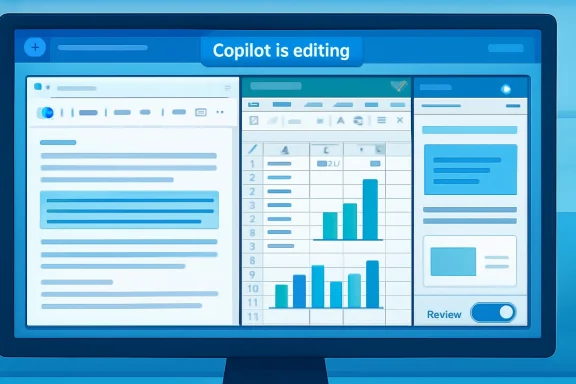
Microsoft has moved Copilot’s most consequential Office upgrade out of preview and into everyday use, making agentic capabilities generally available across Word, Excel, and PowerPoint. The shift turns Copilot from a chat-style helper into an action-taking productivity layer that can edit documents, build spreadsheets, reshape presentations, and execute multi-step work inside the apps where Microsoft 365 users already spend their time. For Windows users, enterprises, and Microsoft 365 subscribers, this is less a cosmetic AI update than a major change in how Office work gets created, reviewed, and governed.
Microsoft introduced Copilot for Microsoft 365 during the first generative AI boom as a way to connect large language models with Microsoft Graph, Office documents, Teams meetings, Outlook mail, and enterprise data. The early pitch was ambitious, but the initial experience often felt like an intelligent sidebar: useful for drafting, summarizing, and suggesting, yet still dependent on the user to copy, paste, reformat, and verify every meaningful change.
That limitation reflected the state of AI models at the time. Foundation models could produce persuasive text, but they were not consistently reliable at controlling complex applications with menus, objects, formatting rules, formulas, citations, tables, animations, templates, and enterprise compliance boundaries. In Word, a weak output could be merely awkward; in Excel, the same weakness could become a financial error.
The new agentic Copilot experience represents Microsoft’s answer to that gap. Instead of responding with instructions that a user must manually execute, Copilot can now take high-level instructions and perform app-native actions directly inside the file. Microsoft says the experience is now generally available and enabled by default for eligible Microsoft 365 Copilot, Microsoft 365 Premium, Personal, and Family users.
The timing matters. Microsoft has spent the past year recasting Copilot as the operating layer for work, not simply an AI chatbot bolted onto Windows or Office. By moving these capabilities into general availability across Word, Excel, and PowerPoint, the company is signaling that AI-assisted document production is ready to become a default workflow rather than an experimental feature for early adopters.
In practical terms, this means a Word user can ask Copilot to restructure a report, refine the tone, align sections, and improve readability without manually moving paragraphs around. In Excel, Copilot can explore data, generate formulas, organize tables, and create visuals in the workbook rather than merely describing what a user might do. In PowerPoint, it can build or revise slides, incorporate talking points, and shape material into a presentation narrative.
The difference is especially visible in multi-step tasks:
That matters for professionals who rarely need a blank-page essay but often need a rough draft turned into a usable artifact. A project update may need to become an executive summary, a legal memo may need clearer section flow, and a technical document may need tone adjustments for a non-technical audience. The agentic model is designed for that middle layer of work.
For Word, the strongest scenarios include:
Microsoft says Copilot can explore data, create and modify formulas, organize tables, generate visuals, and explain analysis within the workbook. That is a significant upgrade from a simple formula helper, because it positions Copilot as a guided analyst for users who understand their business question but may not know the exact Excel technique required.
This is why transparency will be crucial. An agent that changes a workbook must make its reasoning inspectable enough for finance, operations, and compliance teams to validate the result. Microsoft’s stated focus on previewing changes and explaining modifications is not a nice-to-have feature; it is the difference between a demo and a dependable business tool.
For Excel users, the best early use cases are likely to be controlled rather than mission-critical:
The value is not simply slide generation. Many AI presentation tools can produce generic decks. Microsoft’s advantage is proximity to the source material: Word documents, Excel data, Teams context, company templates, and existing presentation structures. If Copilot can use that context effectively, it can produce decks that feel closer to the user’s actual work.
The strongest PowerPoint scenarios include:
This is where Microsoft has an advantage over standalone AI tools. Word, Excel, PowerPoint, Outlook, Teams, SharePoint, OneDrive, and Microsoft Graph collectively form a map of enterprise work. If governed correctly, that map can help Copilot produce more relevant results than a disconnected chatbot that sees only pasted text.
For IT administrators, the lesson is straightforward:
Microsoft says early usage signals show higher engagement, retention, and satisfaction across the three apps, with particularly strong increases in Excel. Those numbers suggest that users respond more positively when Copilot can actually do the work rather than merely explain the work. The data also supports Microsoft’s larger bet that agentic interaction will become a mainstream productivity pattern.
Enterprise adoption is more complicated. Businesses must consider licensing, compliance, training, records management, and support. They also need to decide which workflows are safe for agentic AI and which require stricter human control.
A typical enterprise rollout should include:
The Office file formats remain deeply embedded in business, education, government, and personal productivity. Word documents, Excel workbooks, and PowerPoint decks are not just files; they are institutional habits. By making Copilot agentic inside those artifacts, Microsoft is defending the center of workplace productivity rather than trying to pull users into a separate AI workspace.
For rivals, the pressure points are clear:
Microsoft has been pushing the idea of AI PCs, Copilot+ PCs, neural processing units, and deeper Windows integration. Yet much of the real-world value of AI will not come from flashy system features. It will come from reducing the time users spend formatting documents, repairing spreadsheets, assembling decks, and searching through work context.
For WindowsForum readers, the key takeaway is that the AI PC story is not just about hardware. It is about whether Windows applications become more capable because AI can operate within them. If Copilot can reliably manipulate Office artifacts, users may feel the benefit more directly than they would from a benchmark showing NPU performance.
This could reshape upgrade conversations:
The next phase of Copilot therefore depends on transparency. A good agent should show what it plans to do, what it changed, and why the change was made. In a collaborative file, it should also make those changes understandable to other users who may review the document later.
Organizations should treat this as a new digital literacy requirement. The question is not whether employees can use Copilot; many will figure that out quickly. The harder question is whether they can supervise it well.
Practical review habits include:
The next competitive phase will depend on reliability, not novelty. Users have already seen AI draft text and generate slides. What they need now is confidence that an AI assistant can make controlled, explainable, reversible changes in important files.
Key areas to watch include:
Source: FoneArena.com Microsoft rolls out Copilot agentic capabilities in Word, Excel, and PowerPoint
 Background
Microsoft introduced Copilot for Microsoft 365 during the first generative AI boom as a way to connect large language models with Microsoft Graph, Office documents, Teams meetings, Outlook mail, and enterprise data. The early pitch was ambitious, but the initial experience often felt like an intelligent sidebar: useful for drafting, summarizing, and suggesting, yet still dependent on the user to copy, paste, reformat, and verify every meaningful change.That limitation reflected the state of AI models at the time. Foundation models could produce persuasive text, but they were not consistently reliable at controlling complex applications with menus, objects, formatting rules, formulas, citations, tables, animations, templates, and enterprise compliance boundaries. In Word, a weak output could be merely awkward; in Excel, the same weakness could become a financial error.
The new agentic Copilot experience represents Microsoft’s answer to that gap. Instead of responding with instructions that a user must manually execute, Copilot can now take high-level instructions and perform app-native actions directly inside the file. Microsoft says the experience is now generally available and enabled by default for eligible Microsoft 365 Copilot, Microsoft 365 Premium, Personal, and Family users.
The timing matters. Microsoft has spent the past year recasting Copilot as the operating layer for work, not simply an AI chatbot bolted onto Windows or Office. By moving these capabilities into general availability across Word, Excel, and PowerPoint, the company is signaling that AI-assisted document production is ready to become a default workflow rather than an experimental feature for early adopters.
From Assistant to Agent
The most important change is behavioral. Copilot is no longer limited to advice; it can now perform sequences of edits, transformations, and formatting changes within the document, workbook, or presentation. That moves the product closer to an agent model, where the user states an outcome and the software performs intermediate steps.In practical terms, this means a Word user can ask Copilot to restructure a report, refine the tone, align sections, and improve readability without manually moving paragraphs around. In Excel, Copilot can explore data, generate formulas, organize tables, and create visuals in the workbook rather than merely describing what a user might do. In PowerPoint, it can build or revise slides, incorporate talking points, and shape material into a presentation narrative.
Why the distinction matters
Traditional Office automation has always required either user skill or predefined macros. Agentic AI changes that equation by letting a user express intent in natural language while the application performs the operational work. That does not remove the need for judgment, but it reduces the friction between knowing what needs to happen and making the file reflect it.The difference is especially visible in multi-step tasks:
- Rewriting a document while preserving structure and citations
- Building a spreadsheet analysis from raw data and natural-language goals
- Creating a presentation that follows a company template
- Transforming tables into visuals without switching tools
- Updating slides with newer business data and revised talking points
Word Becomes a Document Operator
Word is the most natural home for Copilot because text generation has always been the strongest generative AI use case. But the new experience is not just about creating first drafts. Copilot in Word can now help restructure content, rewrite sections, adjust tone, and preserve more of the document’s intent and formatting while making changes.That matters for professionals who rarely need a blank-page essay but often need a rough draft turned into a usable artifact. A project update may need to become an executive summary, a legal memo may need clearer section flow, and a technical document may need tone adjustments for a non-technical audience. The agentic model is designed for that middle layer of work.
Beyond first drafts
The earlier Copilot value proposition leaned heavily on “draft this for me.” The newer one is closer to “help me finish this.” That is an important distinction because most knowledge workers do not spend their day generating clean content from nothing; they refine, reconcile, and adapt messy material into something acceptable.For Word, the strongest scenarios include:
- Turning notes into structured reports
- Rewriting dense paragraphs for clarity and tone
- Reordering sections around a clearer argument
- Maintaining citations and document-specific elements
- Creating cleaner summaries from long-form material
Excel Gets the Hardest Assignment
Excel is the most technically demanding of the three apps because spreadsheet work is unforgiving. Copilot in Excel must deal with formulas, tables, pivot tables, charts, data cleaning, and analytical reasoning, all while avoiding mistakes that can cascade through a workbook. If Word errors are embarrassing, Excel errors can be expensive.Microsoft says Copilot can explore data, create and modify formulas, organize tables, generate visuals, and explain analysis within the workbook. That is a significant upgrade from a simple formula helper, because it positions Copilot as a guided analyst for users who understand their business question but may not know the exact Excel technique required.
The spreadsheet trust problem
Excel’s challenge is not whether AI can generate plausible formulas. It often can. The challenge is whether users can trust the output when the workbook contains hidden assumptions, inconsistent data ranges, old formulas, merged cells, or business-specific definitions that are obvious to a department but invisible to a model.This is why transparency will be crucial. An agent that changes a workbook must make its reasoning inspectable enough for finance, operations, and compliance teams to validate the result. Microsoft’s stated focus on previewing changes and explaining modifications is not a nice-to-have feature; it is the difference between a demo and a dependable business tool.
For Excel users, the best early use cases are likely to be controlled rather than mission-critical:
- Cleaning and organizing data before analysis
- Creating exploratory charts from selected ranges
- Explaining formulas in existing workbooks
- Suggesting pivot tables for summary analysis
- Drafting formulas that users can validate before relying on them
PowerPoint Moves Toward Narrative Automation
PowerPoint has always been the place where workplace information becomes a story. The new Copilot in PowerPoint aims to automate more of that process by creating presentations, updating existing decks, aligning with templates, and turning source material into a structured narrative. That is a meaningful shift for anyone who has spent late nights converting strategy notes into polished slides.The value is not simply slide generation. Many AI presentation tools can produce generic decks. Microsoft’s advantage is proximity to the source material: Word documents, Excel data, Teams context, company templates, and existing presentation structures. If Copilot can use that context effectively, it can produce decks that feel closer to the user’s actual work.
Templates, tone, and the corporate deck
PowerPoint automation succeeds or fails on details. A technically correct slide that violates a corporate template, buries the key message, or uses the wrong level of detail still creates cleanup work. Agentic Copilot must therefore handle not only content creation but also style, hierarchy, pacing, and audience awareness.The strongest PowerPoint scenarios include:
- Creating a first deck from a Word brief or meeting notes
- Refreshing slides with updated talking points
- Applying company templates more consistently
- Turning Excel visuals into presentation-ready charts
- Restructuring slide flow around a clearer executive narrative
Work IQ and the Context Advantage
Microsoft’s broader Copilot strategy depends on context, and the company describes Work IQ as part of the intelligence layer that helps Copilot understand user intent from work signals. In plain English, Copilot becomes more useful when it knows the document, the surrounding files, the user’s role, the organization’s patterns, and the likely purpose of the task. That is the difference between generic AI output and work-aware assistance.This is where Microsoft has an advantage over standalone AI tools. Word, Excel, PowerPoint, Outlook, Teams, SharePoint, OneDrive, and Microsoft Graph collectively form a map of enterprise work. If governed correctly, that map can help Copilot produce more relevant results than a disconnected chatbot that sees only pasted text.
Context is power and liability
The same context that makes Copilot useful also makes it sensitive. Enterprises must ensure that permissions, sensitivity labels, retention rules, and data loss prevention policies are configured correctly before users ask an AI agent to reason across work content. Copilot can only be as safe as the information architecture it operates within.For IT administrators, the lesson is straightforward:
- Permission hygiene becomes more important as AI search improves
- Overshared SharePoint sites can create unexpected exposure
- Sensitivity labels need consistent enforcement and testing
- Audit logs become essential for investigating AI-assisted actions
- User training must include verification, not just prompting
Default Availability Changes the Adoption Curve
One of the most consequential details is that the updated experience is now the default for eligible users. Defaults shape behavior. A feature hidden behind a preview toggle attracts enthusiasts; a default experience reaches ordinary users who may not have deliberately chosen to experiment with AI.Microsoft says early usage signals show higher engagement, retention, and satisfaction across the three apps, with particularly strong increases in Excel. Those numbers suggest that users respond more positively when Copilot can actually do the work rather than merely explain the work. The data also supports Microsoft’s larger bet that agentic interaction will become a mainstream productivity pattern.
Consumer and enterprise paths diverge
For consumer Microsoft 365 Personal and Family users, this may feel like Office becoming smarter overnight. A student, household budget keeper, freelancer, or community organizer can get more assistance inside familiar apps without learning a separate AI platform. That could make the subscription feel more valuable, especially as Microsoft continues to attach AI features to paid plans.Enterprise adoption is more complicated. Businesses must consider licensing, compliance, training, records management, and support. They also need to decide which workflows are safe for agentic AI and which require stricter human control.
A typical enterprise rollout should include:
- Identify low-risk workflows such as internal drafts, meeting summaries, and exploratory analysis.
- Pilot with trained users who can evaluate output quality and report failure patterns.
- Review permissions and labels before broad deployment across sensitive repositories.
- Create validation rules for financial, legal, HR, and regulated content.
- Measure productivity and error rates rather than relying only on satisfaction scores.
Competitive Pressure on Google and AI Startups
Microsoft’s move intensifies competition in productivity software. Google Workspace has been integrating Gemini across Docs, Sheets, Slides, Gmail, and Meet, while startups continue to offer AI-native writing, spreadsheet, and presentation tools. But Microsoft’s installed base gives it a formidable distribution advantage.The Office file formats remain deeply embedded in business, education, government, and personal productivity. Word documents, Excel workbooks, and PowerPoint decks are not just files; they are institutional habits. By making Copilot agentic inside those artifacts, Microsoft is defending the center of workplace productivity rather than trying to pull users into a separate AI workspace.
The platform battle
The competitive question is whether users will prefer AI-native apps that rethink work from scratch or AI-enhanced incumbents that improve familiar tools. Microsoft is betting that most people want the second option. They may appreciate innovation, but they do not want to rebuild templates, workflows, approval chains, and file compatibility around a new product category.For rivals, the pressure points are clear:
- Google must prove Gemini can act reliably across Workspace files
- AI startups must offer unique workflows that Office cannot easily copy
- Presentation tools must compete with PowerPoint’s enterprise templates
- Spreadsheet challengers must solve trust and auditability
- Collaboration platforms must integrate AI without fragmenting work
The New Role of the Windows PC
Although this announcement centers on Microsoft 365 apps, it also matters for Windows. Windows PCs remain the primary environment where many users perform serious Office work, especially in business settings with multiple monitors, local files, peripherals, and desktop apps. Agentic Copilot inside Office strengthens the argument that the PC remains central to AI productivity.Microsoft has been pushing the idea of AI PCs, Copilot+ PCs, neural processing units, and deeper Windows integration. Yet much of the real-world value of AI will not come from flashy system features. It will come from reducing the time users spend formatting documents, repairing spreadsheets, assembling decks, and searching through work context.
Local experience versus cloud intelligence
Copilot in Office is still heavily tied to cloud services and Microsoft 365 identity. However, the user experience lands on the desktop, in the file, at the moment work is being done. That hybrid pattern is likely to define the next phase of Windows productivity: local interaction, cloud reasoning, enterprise data grounding, and app-native execution.For WindowsForum readers, the key takeaway is that the AI PC story is not just about hardware. It is about whether Windows applications become more capable because AI can operate within them. If Copilot can reliably manipulate Office artifacts, users may feel the benefit more directly than they would from a benchmark showing NPU performance.
This could reshape upgrade conversations:
- Businesses may justify newer PCs around AI-enabled productivity workflows
- Consumers may evaluate Microsoft 365 subscriptions based on practical Copilot value
- IT teams may prioritize identity and policy readiness over raw device specifications
- Developers may build add-ins and agents that assume AI-assisted Office workflows
- Training teams may teach review skills as much as software navigation
Governance, Transparency, and Human Control
Microsoft says the updated experience is designed to keep users in control by allowing them to review changes, keep selected outputs, and maintain control over structure, style, and formatting. That promise is central to whether agentic Office succeeds. Users do not want an AI system that silently rewrites a contract clause, changes a spreadsheet assumption, or simplifies a presentation beyond usefulness.The next phase of Copilot therefore depends on transparency. A good agent should show what it plans to do, what it changed, and why the change was made. In a collaborative file, it should also make those changes understandable to other users who may review the document later.
Review is the new prompt skill
Prompting has received enormous attention, but review may become the more important skill. As Copilot moves from suggestion to action, users must learn how to inspect AI work efficiently. That means comparing versions, checking formulas, validating citations, reviewing assumptions, and watching for subtle tone shifts.Organizations should treat this as a new digital literacy requirement. The question is not whether employees can use Copilot; many will figure that out quickly. The harder question is whether they can supervise it well.
Practical review habits include:
- Use version history before accepting major changes
- Ask Copilot to explain modifications in plain language
- Validate formulas manually for important calculations
- Check citations and references in formal documents
- Keep human approval gates for regulated or external materials
Strengths and Opportunities
The upgrade gives Microsoft a stronger productivity story because it connects AI with the actual files people use every day. Agentic Office has the potential to make everyday work faster, reduce repetitive formatting, and help less technical users access capabilities that previously required advanced Office expertise.- Deeper app integration makes Copilot more useful than a detached chatbot.
- Word gains stronger editing workflows for reports, memos, proposals, and summaries.
- Excel becomes more approachable for users who struggle with formulas and analysis.
- PowerPoint can reduce deck-building time by turning source material into structured narratives.
- Work IQ and Microsoft Graph context can make outputs more relevant to real business tasks.
- Default availability should accelerate adoption among users who rarely enable previews.
- Cross-app consistency gives Microsoft a clearer platform story across Microsoft 365.
Risks and Concerns
The same features that make Copilot more powerful also create new operational and governance risks. AI that edits files directly must be held to a higher standard than AI that merely suggests text in a chat window.- Incorrect spreadsheet formulas could create financial or operational errors.
- Overconfident rewrites may alter meaning in legal, HR, or compliance documents.
- Permission misconfigurations can make Copilot surface information users technically can access but should not broadly reuse.
- Generic presentations may become more common if users accept AI structure without adding judgment.
- Training gaps could lead users to trust outputs without adequate review.
- Licensing complexity may frustrate organizations with mixed Microsoft 365 entitlements.
- Transparency limitations could slow adoption in regulated industries that require auditability.
Looking Ahead
Microsoft says it will continue expanding the range of native actions Copilot can perform, especially in complex workflows such as financial spreadsheets and legal documents. That is the right target but also the highest-risk territory. The more valuable the workflow, the more damaging a subtle error can be.The next competitive phase will depend on reliability, not novelty. Users have already seen AI draft text and generate slides. What they need now is confidence that an AI assistant can make controlled, explainable, reversible changes in important files.
Key areas to watch include:
- Better change previews that clearly show before-and-after differences
- Stronger explanations of formulas, edits, and design choices
- More granular admin controls for enterprise deployment
- Improved model selection based on task type and risk level
- Unified Copilot workflows across Word, Excel, PowerPoint, Outlook, Teams, and the Microsoft 365 app
Source: FoneArena.com Microsoft rolls out Copilot agentic capabilities in Word, Excel, and PowerPoint
