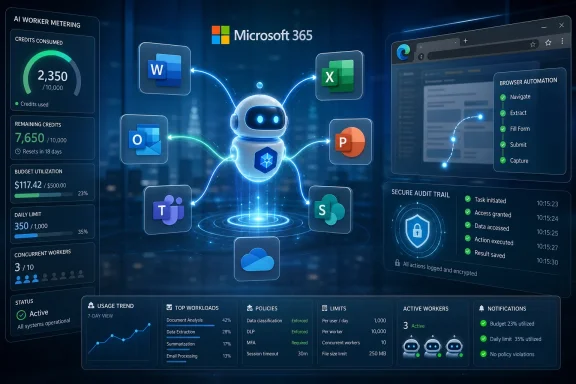
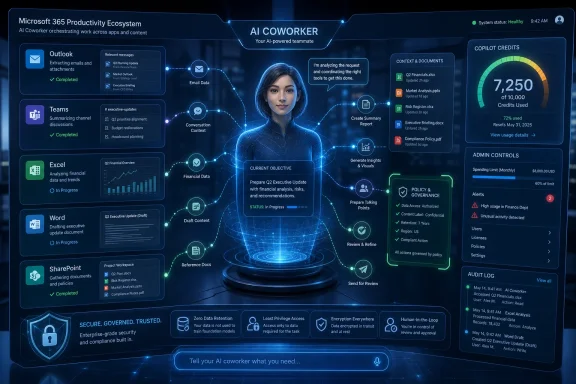
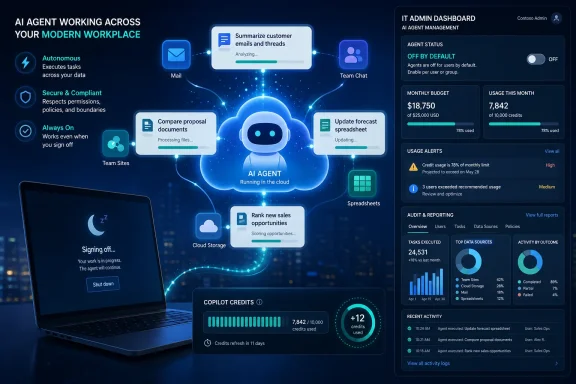
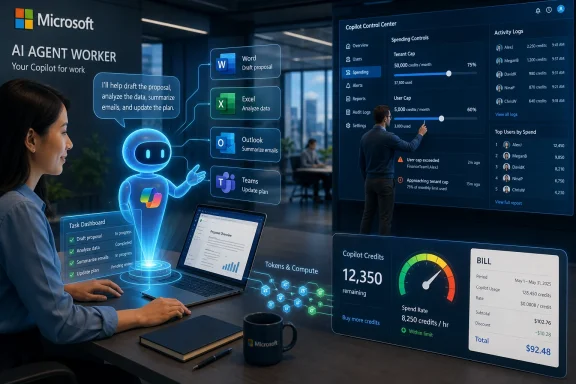
Microsoft made Copilot Cowork generally available worldwide on June 16, 2026, for Microsoft 365 Copilot customers, turning a three-month Frontier preview of its long-running, multi-tool agent into a paid usage-based service governed through Copilot Credits and Microsoft 365 admin controls for enterprise tenants. The announcement is less about another chat window than about Microsoft’s attempt to normalize AI systems that keep working after the user has stopped typing. That shift carries obvious productivity appeal, but it also moves Copilot deeper into the budget, compliance, and operational machinery that IT departments actually manage.
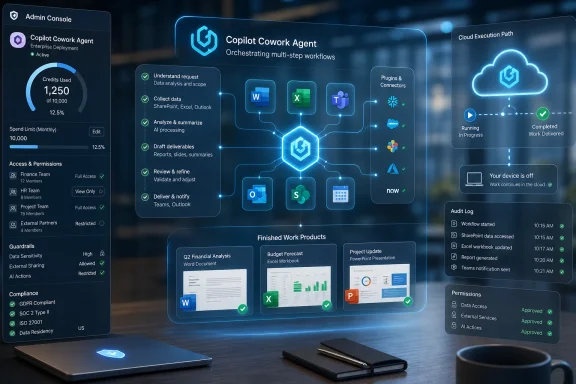
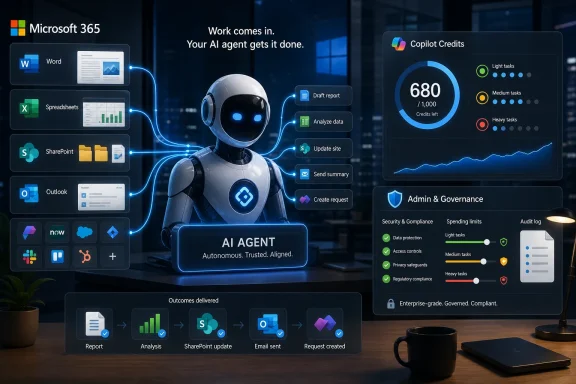
Copilot Cowork is Microsoft’s clearest statement yet that the company sees the next stage of workplace AI as delegated work, not assisted drafting. The product is pitched as an agentic system that can execute complex, long-running, multi-tool tasks and return a completed result rather than a suggestion, summary, or first pass.
That distinction matters. A chatbot that drafts an email is easy to understand, easy to ignore, and relatively easy to cost-control. An agent that compares thousands of files, edits operational spreadsheets, generates dependency diagrams, or ranks stalled sales opportunities is closer to a junior analyst with system access than a better autocomplete box.
Microsoft’s examples are carefully chosen. They are not whimsical consumer demos or synthetic “plan my vacation” tasks. They are enterprise chores: version comparison, workflow mapping, pipeline triage, and structured review work that normally lives in the gray zone between business process, spreadsheet archaeology, and human institutional memory.
That is where Microsoft wants Copilot to become sticky. If Cowork can reliably turn messy organizational context into finished work, the value proposition moves from “save a few minutes in Word” to “remove a week of internal coordination from a business process.” That is also where the risk profile changes.
Those are strong adoption claims, but the general availability announcement is where the product becomes operationally real. Preview usage is often experimental, champion-driven, and insulated from the full discipline of procurement. GA means billing starts, controls matter, and administrators need to decide who is allowed to set an autonomous agent loose inside the Microsoft 365 boundary.
Microsoft seems to understand that tension. Cowork is off by default, and admins must enable it for the tenant and decide who gets access. The company is not treating this like a harmless feature toggle buried in an app ribbon; it is positioning Cowork as an AI workload that needs governance before usage ramps.
That is the right posture, though it also reveals the underlying challenge. The more useful Cowork becomes, the less it behaves like a conventional productivity feature. It consumes compute, retrieves context, calls tools, and runs over time. That makes it feel less like software licensing and more like cloud infrastructure hiding inside an office suite.
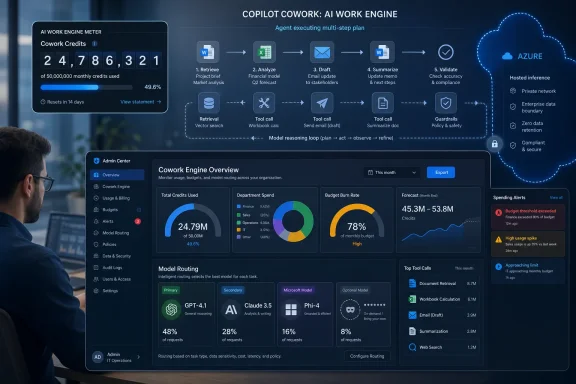
Microsoft says each task’s price is calculated from four inputs: model use, context retrieval, tool calls, and runtime. In other words, the cost of a Cowork job depends not merely on the user’s prompt, but on how much reasoning, searching, integration, and execution the system performs behind the scenes.
That is a rational model for Microsoft. Long-running AI agents are expensive to operate, and a flat per-seat price would either undercharge power users or overcharge everyone else. But from the customer side, it introduces a budgeting problem that Office buyers are not used to having.
The traditional Microsoft 365 bargain is predictable: assign licenses, negotiate an enterprise agreement, and absorb usage variance as part of the subscription. Cowork breaks that mental model. The user still has a seat, but the meaningful cost is driven by what the user asks the agent to do and how much infrastructure the answer consumes.
Microsoft is trying to soften that shift by describing light, medium, and heavy task patterns and by offering a spreadsheet estimator. That is useful, but it does not eliminate the basic uncertainty. The first few months of real Cowork deployment are likely to look less like license management and more like cloud cost management, with finance and IT trying to determine which AI tasks are genuinely worth their compute bill.
Admins can set tenant, group, and user spending limits, create scoped billing policies, configure usage alerts, and review reporting by tenant, group, user, and feature. Users can request more credits from inside Cowork when they hit a limit. Microsoft is also offering pay-as-you-go pricing and a pre-purchase option for organizations willing to commit to usage volume in exchange for a discount.
This is not glamorous, but it is exactly the kind of plumbing that determines whether agentic AI remains a demo or becomes a line item. Without hard caps and reporting, Cowork would be a procurement nightmare. With them, it becomes something IT can pilot, throttle, expand, and defend.
The $0.01-per-Copilot-Credit PayGo rate also gives customers a simple anchor, but the simplicity ends there. A “credit” is an abstraction over several moving parts, and the number consumed by a task depends on the task’s behavior. That means users may need to learn a new form of AI literacy: not just how to prompt well, but how to ask for work in ways that do not accidentally trigger expensive, sprawling execution.
Microsoft says user-level task pricing in credits is coming soon after GA. That should not be a nice-to-have. If the company wants employees to treat AI execution like a scarce business resource, users need cost feedback at the moment they make choices, not after the monthly dashboard reveals surprises.
That is a striking model lineup for a Microsoft 365 product. Microsoft has spent years aligning itself closely with OpenAI, but Cowork’s GA story is explicitly multi-model. The company is not selling model loyalty; it is selling orchestration, context, governance, and billing.
That may be the more durable enterprise position. Most customers do not want to make a theological commitment to one frontier model. They want the system to choose the right model for the job, keep data inside approved boundaries, and produce auditable results at a price that does not make the CFO flinch.
Cowork 1 is therefore important even before it ships. A cheaper, task-specialized model would let Microsoft reserve expensive frontier models for work that actually needs them. If Microsoft can route routine enterprise agent tasks to a lower-cost model without degrading quality, it gains margin and customers gain predictability.
The harder part is trust. Microsoft says Cowork 1 is designed for enterprise-grade use and lower-cost everyday tasks. Customers will want evidence that “lower cost” does not mean brittle reasoning, weaker context handling, or quiet failure modes that only surface after the agent has already modified a workflow artifact.
For WindowsForum readers who live in the admin center, this is the part that separates Cowork from the shadow-AI tools employees already use. The question is not whether workers will try to automate tedious knowledge work. They already are. The question is whether that work happens inside a governed tenant or through whatever external AI service someone discovered last week.
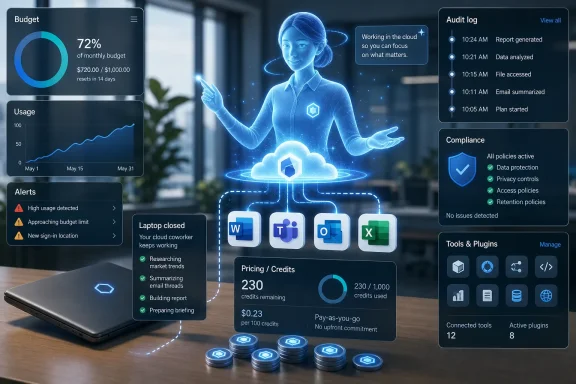
Cowork’s cloud-hosted design also changes the endpoint story. Microsoft says files are not stored locally and tasks keep running when a laptop is off. That is useful for long jobs, but it also reinforces that the action is happening in Microsoft’s service layer, not on the user’s PC.
The Edge browser capability complicates the picture in an interesting way. In Frontier, Cowork can browse through a local Edge browser while following enterprise policies already in place for users. That gives the agent a route into web workflows that may not have clean APIs, but it also means admins need to think carefully about allowlists, blocklists, conditional access, and audit trails for browser-mediated automation.
Security teams will care less about whether Cowork can click around a website and more about whether they can reconstruct what happened afterward. If an agent retrieves data, changes a record, generates a file, or acts through a browser session, the audit story must be boringly complete. Anything less will slow adoption in regulated environments.
This is not merely an app ecosystem checkbox. Plugins are how Cowork moves from Microsoft 365 assistant to cross-system operator. The more systems it can touch, the more plausible it becomes as a coordinator of actual business processes rather than a clever layer over SharePoint and Outlook.
That raises the stakes for permission design. An agent that can summarize files is one thing. An agent that can traverse CRM, BI, legal research, market data, collaboration tools, and business applications needs a much tighter model for scopes, approvals, and accountability.
The Microsoft advantage is obvious. The company already owns identity, productivity, collaboration, device management, security tooling, and a large portion of the enterprise data estate. If Cowork becomes the agent that sits across those systems, Microsoft can turn the sprawl of Microsoft 365 into a moat rather than a complaint.
The risk is also obvious. Every connector expands the blast radius of a bad prompt, a misunderstood instruction, or a permission configuration that looked reasonable when applied to humans but becomes dangerous when exercised at machine speed.
The local Edge browsing capability is the clearest connection. If Cowork can perform web tasks through a user’s browser context, then Windows endpoint configuration becomes part of the AI governance stack. Browser hardening, enterprise site lists, DLP policy, and conditional access are no longer just controls for human browsing; they become constraints on agent behavior.
That should feel familiar to sysadmins who have watched every productivity tool eventually become an endpoint management issue. The endpoint may not host the agent’s full runtime, but it still mediates credentials, browser sessions, local policy, and user experience. Cloud-hosted automation does not make the PC irrelevant; it changes which parts of the PC matter.
For Windows shops, the near-term work is likely mundane: decide who gets Cowork, review Edge and Microsoft 365 policies, create spending caps, and watch audit logs. The long-term work is more cultural. Organizations need to decide which tasks are appropriate to delegate and which still require human control, signoff, or independent review.
The comparison depends on prompt selection, connector behavior, usage assumptions, model routing, and how each system accounts for context and tool usage. Microsoft acknowledges that actual costs and savings may vary depending on usage, configuration, timing, and other factors. That caveat is doing real work.
The broader point is not that one benchmark settles the market. It is that Microsoft wants cost to be part of the competitive frame, not just capability. That is sensible because agentic AI will be judged less by a single impressive answer and more by repeatable economics across thousands of tasks.
Enterprise customers should test Cowork against their own workflows, not Microsoft’s examples. A system that is cheaper on file comparison may not be cheaper on CRM cleanup, regulated research, code-adjacent analysis, or browser-heavy work. The only benchmark that matters is the one tied to a real business process with known labor cost, known risk, and measurable output quality.
That burden is not a reason to dismiss the product. It is the price of making agentic AI real in an enterprise environment. The fantasy version of AI automation says employees will simply delegate drudgery and reclaim their week. The operational version says IT must build guardrails before that delegation becomes safe at scale.
Microsoft’s decision to make Cowork off by default is therefore both prudent and revealing. The company knows this is not a feature that should simply appear for every licensed user overnight. The agent is powerful enough to need a deployment plan.
Expect early adoption to cluster in teams with painful, repeatable, information-heavy work and a manager willing to defend the experiment. Finance operations, sales operations, legal workflows, engineering program management, and internal knowledge management are obvious candidates. Broad horizontal rollout will come later, if the cost and audit story holds up.
That is a harder product to ship than a clever demo. Accuracy must hold across messy files and stale SharePoint folders. Security must respect permissions that were not designed with autonomous agents in mind. Compliance systems must capture AI-generated artifacts without creating new blind spots. Billing must be predictable enough that successful adoption does not become a budget incident.
If Cowork succeeds, it will be because Microsoft makes all of that feel ordinary. The winning agent will not necessarily be the one that produces the flashiest single answer. It will be the one that finance can budget, legal can discover, security can audit, and employees can use without needing to understand the whole stack underneath.
That is why Cowork’s GA moment is important. It is Microsoft’s attempt to make agentic AI administratively boring. In enterprise software, boring is often the point at which a technology becomes dangerous to ignore.
 Microsoft Moves Copilot From Advice to Execution
Copilot Cowork is Microsoft’s clearest statement yet that the company sees the next stage of workplace AI as delegated work, not assisted drafting. The product is pitched as an agentic system that can execute complex, long-running, multi-tool tasks and return a completed result rather than a suggestion, summary, or first pass.That distinction matters. A chatbot that drafts an email is easy to understand, easy to ignore, and relatively easy to cost-control. An agent that compares thousands of files, edits operational spreadsheets, generates dependency diagrams, or ranks stalled sales opportunities is closer to a junior analyst with system access than a better autocomplete box.
Microsoft’s examples are carefully chosen. They are not whimsical consumer demos or synthetic “plan my vacation” tasks. They are enterprise chores: version comparison, workflow mapping, pipeline triage, and structured review work that normally lives in the gray zone between business process, spreadsheet archaeology, and human institutional memory.
That is where Microsoft wants Copilot to become sticky. If Cowork can reliably turn messy organizational context into finished work, the value proposition moves from “save a few minutes in Word” to “remove a week of internal coordination from a business process.” That is also where the risk profile changes.
Frontier Was the Audition; Billing Is the Real Launch
Microsoft says Cowork spent three months in its Frontier preview program and that more than half of the Fortune 500 used it during that period, along with named customers including Accenture, Avanade, Capital Group, Koch, Ooredoo Qatar, and Zurich Insurance. The company also says Cowork became the fastest-growing feature in Frontier’s history and ranked among the highest-satisfaction Copilot or agent experiences it has shipped.Those are strong adoption claims, but the general availability announcement is where the product becomes operationally real. Preview usage is often experimental, champion-driven, and insulated from the full discipline of procurement. GA means billing starts, controls matter, and administrators need to decide who is allowed to set an autonomous agent loose inside the Microsoft 365 boundary.
Microsoft seems to understand that tension. Cowork is off by default, and admins must enable it for the tenant and decide who gets access. The company is not treating this like a harmless feature toggle buried in an app ribbon; it is positioning Cowork as an AI workload that needs governance before usage ramps.
That is the right posture, though it also reveals the underlying challenge. The more useful Cowork becomes, the less it behaves like a conventional productivity feature. It consumes compute, retrieves context, calls tools, and runs over time. That makes it feel less like software licensing and more like cloud infrastructure hiding inside an office suite.
The Credit Meter Comes for Office Work
The most consequential part of the announcement may be the pricing model. Copilot Cowork requires a Microsoft 365 Copilot user subscription license, but that license only gets the user to the door. Actual Cowork usage is billed separately on a metered basis through Copilot Credits.Microsoft says each task’s price is calculated from four inputs: model use, context retrieval, tool calls, and runtime. In other words, the cost of a Cowork job depends not merely on the user’s prompt, but on how much reasoning, searching, integration, and execution the system performs behind the scenes.
That is a rational model for Microsoft. Long-running AI agents are expensive to operate, and a flat per-seat price would either undercharge power users or overcharge everyone else. But from the customer side, it introduces a budgeting problem that Office buyers are not used to having.
The traditional Microsoft 365 bargain is predictable: assign licenses, negotiate an enterprise agreement, and absorb usage variance as part of the subscription. Cowork breaks that mental model. The user still has a seat, but the meaningful cost is driven by what the user asks the agent to do and how much infrastructure the answer consumes.
Microsoft is trying to soften that shift by describing light, medium, and heavy task patterns and by offering a spreadsheet estimator. That is useful, but it does not eliminate the basic uncertainty. The first few months of real Cowork deployment are likely to look less like license management and more like cloud cost management, with finance and IT trying to determine which AI tasks are genuinely worth their compute bill.
Microsoft’s Cost Controls Are a Defensive Feature
It is easy to read the new cost management tools as an administrative convenience. They are more than that. They are the feature that makes Cowork deployable in risk-averse organizations.Admins can set tenant, group, and user spending limits, create scoped billing policies, configure usage alerts, and review reporting by tenant, group, user, and feature. Users can request more credits from inside Cowork when they hit a limit. Microsoft is also offering pay-as-you-go pricing and a pre-purchase option for organizations willing to commit to usage volume in exchange for a discount.
This is not glamorous, but it is exactly the kind of plumbing that determines whether agentic AI remains a demo or becomes a line item. Without hard caps and reporting, Cowork would be a procurement nightmare. With them, it becomes something IT can pilot, throttle, expand, and defend.
The $0.01-per-Copilot-Credit PayGo rate also gives customers a simple anchor, but the simplicity ends there. A “credit” is an abstraction over several moving parts, and the number consumed by a task depends on the task’s behavior. That means users may need to learn a new form of AI literacy: not just how to prompt well, but how to ask for work in ways that do not accidentally trigger expensive, sprawling execution.
Microsoft says user-level task pricing in credits is coming soon after GA. That should not be a nice-to-have. If the company wants employees to treat AI execution like a scarce business resource, users need cost feedback at the moment they make choices, not after the monthly dashboard reveals surprises.
The Anthropic Detail Is the Quiet Platform Story
At GA, Cowork runs on Anthropic models, including Opus 4.8 and Sonnet 4.6, while Frontier customers can use GPT 5.5. Microsoft also says its own Cowork 1 model is coming in the following weeks as a secure, fine-tuned model designed to handle everyday Copilot tasks at lower cost.That is a striking model lineup for a Microsoft 365 product. Microsoft has spent years aligning itself closely with OpenAI, but Cowork’s GA story is explicitly multi-model. The company is not selling model loyalty; it is selling orchestration, context, governance, and billing.
That may be the more durable enterprise position. Most customers do not want to make a theological commitment to one frontier model. They want the system to choose the right model for the job, keep data inside approved boundaries, and produce auditable results at a price that does not make the CFO flinch.
Cowork 1 is therefore important even before it ships. A cheaper, task-specialized model would let Microsoft reserve expensive frontier models for work that actually needs them. If Microsoft can route routine enterprise agent tasks to a lower-cost model without degrading quality, it gains margin and customers gain predictability.
The harder part is trust. Microsoft says Cowork 1 is designed for enterprise-grade use and lower-cost everyday tasks. Customers will want evidence that “lower cost” does not mean brittle reasoning, weaker context handling, or quiet failure modes that only surface after the agent has already modified a workflow artifact.
The Microsoft 365 Trust Boundary Becomes a Sales Argument
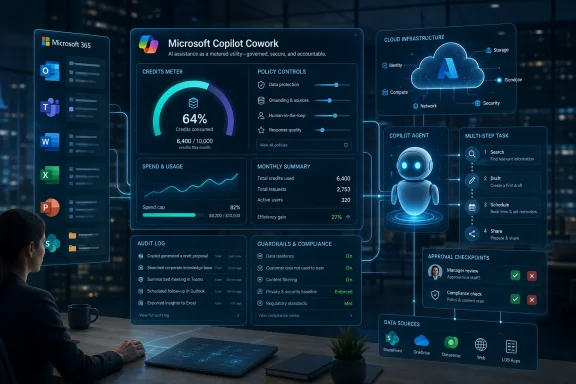
Microsoft’s security pitch is familiar but powerful: Cowork operates within the Microsoft 365 trust boundary, inherits organizational controls, and grounds work in business context through Work IQ. Prompts, responses, and generated artifacts flow through existing Microsoft 365 governance systems, with audit logging, eDiscovery, Communication Compliance, and Data Security Posture Management available at GA.For WindowsForum readers who live in the admin center, this is the part that separates Cowork from the shadow-AI tools employees already use. The question is not whether workers will try to automate tedious knowledge work. They already are. The question is whether that work happens inside a governed tenant or through whatever external AI service someone discovered last week.
Cowork’s cloud-hosted design also changes the endpoint story. Microsoft says files are not stored locally and tasks keep running when a laptop is off. That is useful for long jobs, but it also reinforces that the action is happening in Microsoft’s service layer, not on the user’s PC.
The Edge browser capability complicates the picture in an interesting way. In Frontier, Cowork can browse through a local Edge browser while following enterprise policies already in place for users. That gives the agent a route into web workflows that may not have clean APIs, but it also means admins need to think carefully about allowlists, blocklists, conditional access, and audit trails for browser-mediated automation.
Security teams will care less about whether Cowork can click around a website and more about whether they can reconstruct what happened afterward. If an agent retrieves data, changes a record, generates a file, or acts through a browser session, the audit story must be boringly complete. Anything less will slow adoption in regulated environments.
Plugins Turn Cowork Into a Business Process Layer
The plugin list tells us where Microsoft thinks Cowork is headed. At GA, partner plugins include Enosix, Harvey, LSEG, Miro, monday.com, Moody’s, Morningstar, S&P Global Energy, and TeamsMaestro. Adobe, Atlassian, Box, Canva, CB Insights, Databricks, MoneyForward, and Templafy are listed as coming soon, while Fabric and Dynamics 365 apps are also part of the broader GA story.This is not merely an app ecosystem checkbox. Plugins are how Cowork moves from Microsoft 365 assistant to cross-system operator. The more systems it can touch, the more plausible it becomes as a coordinator of actual business processes rather than a clever layer over SharePoint and Outlook.
That raises the stakes for permission design. An agent that can summarize files is one thing. An agent that can traverse CRM, BI, legal research, market data, collaboration tools, and business applications needs a much tighter model for scopes, approvals, and accountability.
The Microsoft advantage is obvious. The company already owns identity, productivity, collaboration, device management, security tooling, and a large portion of the enterprise data estate. If Cowork becomes the agent that sits across those systems, Microsoft can turn the sprawl of Microsoft 365 into a moat rather than a complaint.
The risk is also obvious. Every connector expands the blast radius of a bad prompt, a misunderstood instruction, or a permission configuration that looked reasonable when applied to humans but becomes dangerous when exercised at machine speed.
Windows Is Not the Product, but It Is Still in the Loop
Cowork is a Microsoft 365 service, not a Windows feature. Still, it matters to Windows administrators because the practical deployment surface runs through the same estate they already manage: Edge policies, identity controls, endpoint posture, browser behavior, and user training.The local Edge browsing capability is the clearest connection. If Cowork can perform web tasks through a user’s browser context, then Windows endpoint configuration becomes part of the AI governance stack. Browser hardening, enterprise site lists, DLP policy, and conditional access are no longer just controls for human browsing; they become constraints on agent behavior.
That should feel familiar to sysadmins who have watched every productivity tool eventually become an endpoint management issue. The endpoint may not host the agent’s full runtime, but it still mediates credentials, browser sessions, local policy, and user experience. Cloud-hosted automation does not make the PC irrelevant; it changes which parts of the PC matter.
For Windows shops, the near-term work is likely mundane: decide who gets Cowork, review Edge and Microsoft 365 policies, create spending caps, and watch audit logs. The long-term work is more cultural. Organizations need to decide which tasks are appropriate to delegate and which still require human control, signoff, or independent review.
Microsoft’s Comparison With Claude Needs Careful Reading
Microsoft says internal testing found Copilot Cowork was, on average, 30 to 40 percent cheaper per prompt than Claude Cowork with its Microsoft 365 connector, using Opus 4.8 across 125 test runs and 12 light, medium, and heavy work data prompts. That is a useful claim, but it is also a vendor-produced benchmark with plenty of caveats.The comparison depends on prompt selection, connector behavior, usage assumptions, model routing, and how each system accounts for context and tool usage. Microsoft acknowledges that actual costs and savings may vary depending on usage, configuration, timing, and other factors. That caveat is doing real work.
The broader point is not that one benchmark settles the market. It is that Microsoft wants cost to be part of the competitive frame, not just capability. That is sensible because agentic AI will be judged less by a single impressive answer and more by repeatable economics across thousands of tasks.
Enterprise customers should test Cowork against their own workflows, not Microsoft’s examples. A system that is cheaper on file comparison may not be cheaper on CRM cleanup, regulated research, code-adjacent analysis, or browser-heavy work. The only benchmark that matters is the one tied to a real business process with known labor cost, known risk, and measurable output quality.
The Administrative Burden Is the Adoption Tax
The more powerful Cowork becomes, the more it demands from administrators. Someone must define access policies, budget limits, alert thresholds, billing methods, data governance posture, plugin availability, and escalation paths when users need more credits. Someone also has to decide whether the outputs are trusted enough to feed downstream processes.That burden is not a reason to dismiss the product. It is the price of making agentic AI real in an enterprise environment. The fantasy version of AI automation says employees will simply delegate drudgery and reclaim their week. The operational version says IT must build guardrails before that delegation becomes safe at scale.
Microsoft’s decision to make Cowork off by default is therefore both prudent and revealing. The company knows this is not a feature that should simply appear for every licensed user overnight. The agent is powerful enough to need a deployment plan.
Expect early adoption to cluster in teams with painful, repeatable, information-heavy work and a manager willing to defend the experiment. Finance operations, sales operations, legal workflows, engineering program management, and internal knowledge management are obvious candidates. Broad horizontal rollout will come later, if the cost and audit story holds up.
The Real Product Is Confidence
Microsoft’s announcement repeatedly emphasizes accuracy, security, compliance, model choice, and lower cost. Those are not separate talking points. Together, they describe the actual product Microsoft is trying to sell: confidence that an AI agent can be allowed to do work inside an enterprise tenant.That is a harder product to ship than a clever demo. Accuracy must hold across messy files and stale SharePoint folders. Security must respect permissions that were not designed with autonomous agents in mind. Compliance systems must capture AI-generated artifacts without creating new blind spots. Billing must be predictable enough that successful adoption does not become a budget incident.
If Cowork succeeds, it will be because Microsoft makes all of that feel ordinary. The winning agent will not necessarily be the one that produces the flashiest single answer. It will be the one that finance can budget, legal can discover, security can audit, and employees can use without needing to understand the whole stack underneath.
That is why Cowork’s GA moment is important. It is Microsoft’s attempt to make agentic AI administratively boring. In enterprise software, boring is often the point at which a technology becomes dangerous to ignore.
The Metered Agent Era Arrives With Guardrails Attached
The practical read for Microsoft 365 customers is that Cowork deserves attention, but not a casual tenant-wide flip of the switch. It is a new class of workload inside the productivity suite, and it should be evaluated with the same seriousness as any service that can consume budget, retrieve sensitive context, and act across tools.- Copilot Cowork is generally available worldwide for Microsoft 365 Copilot customers as of June 16, 2026.
- Cowork requires a Microsoft 365 Copilot user subscription license, but its actual usage is billed separately through Copilot Credits.
- Microsoft says Cowork is off by default, with administrators responsible for enabling access and setting spending policies.
- The product’s cost depends on model use, context retrieval, tool calls, and runtime, which makes real-world pilots essential before broad deployment.
- Security and compliance controls at GA include audit logging, eDiscovery, Communication Compliance, Data Security Posture Management, and sensitivity-label handling.
- The strongest early use cases are likely to be repeatable, high-friction knowledge workflows where saved labor and improved consistency can be measured.
References
- Primary source: Microsoft
Published: Tue, 16 Jun 2026 15:00:00 GMT
Copilot Cowork is now generally available | Microsoft 365 Blog
Copilot Cowork is now generally available worldwide, bringing secure, AI-powered automation for complex enterprise tasks in Microsoft 365.www.microsoft.com