

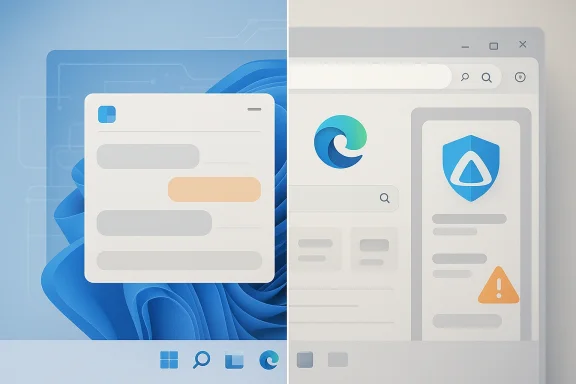
Microsoft’s new standalone Copilot app for Windows 11 is less of a clean break from the browser than many users probably expected, and the backlash says as much about trust as it does about code. Early poking around suggests the app leans heavily on Edge machinery under the hood, while Microsoft’s own recent Copilot updates have already been moving the product closer to web-linked, sidepane-based behavior. That makes the current controversy feel less like a one-off oddity and more like the latest phase in Microsoft’s long-running effort to make Copilot a service layer rather than a traditional desktop app.
Microsoft has spent the last two years reshaping Copilot’s identity across Windows, Edge, and the broader Microsoft ecosystem. In late 2024, the company told Windows Insiders that Copilot for Windows had become native, replacing the prior progressive web app and adding a quick-view experience in the system tray. That was presented as a step toward a more integrated Windows companion, not a browser wrapper.
By early 2025, Copilot on Windows had expanded again, with Microsoft adding Vision and file search in Insider builds, along with app-window sharing and broader access to local content. Microsoft framed those changes as part of a more capable Windows assistant, and the company explicitly said those features were being delivered through the Microsoft Store.
Then, in March 2026, Microsoft introduced another Copilot app update for Insiders that changed how links open inside the app, moving content into a sidepane instead of launching a separate browser window. Microsoft said the goal was to preserve conversational context, improve continuity, and bring more web content directly into the Copilot experience. That’s an important clue: the app is already being designed to behave more like a managed browser surface than a classic native utility.
The latest reports now push that logic further. According to the coverage and the user experimentation around it, the new standalone app can be made to reveal a strong connection to msedge.exe, and Microsoft’s broader Copilot positioning already treats Edge as a core place where Copilot lives. The result is a product that looks like a Windows app, behaves like a browser-powered service, and is marketed as an AI assistant. Those are not necessarily contradictory goals, but they are very different mental models for users.
That tension matters because Windows users still expect a desktop app to feel local, efficient, and transparent. If the app is effectively a browser shell in a branded wrapper, then Microsoft is asking users to accept more packaging complexity in exchange for faster iteration and better feature parity with the web. In isolation, that’s a rational engineering tradeoff. In public, it looks like a branding problem.
The 2024 Insider update was especially revealing because Microsoft called the Copilot app native after replacing the older PWA version. That was a strong message at the time, and it gave many users the impression that Copilot was being rebuilt as a more traditional Windows citizen. The current controversy lands awkwardly against that earlier promise.
Microsoft then layered on features that are only really useful if Copilot has access to more of the user’s environment. File search, Vision, window sharing, and web-link sidepanes all point in the same direction: Copilot is becoming a context engine, not just a chat box. That makes a browser-based runtime easier to justify, but it also makes the app feel heavier and more opaque.
That is why the current complaints are landing so hard. Users are not just reacting to code reuse. They are reacting to a gap between how the app was described and how it appears to be built. When those diverge, trust erodes quickly.
That makes the Windows Copilot app controversy easier to understand. If Copilot’s real brain lives in web services and browser-hosted experiences, then shipping browser infrastructure inside the app becomes a way to control versioning, reduce dependency problems, and make Windows and web behavior line up more closely. That is efficient from Microsoft’s side, even if it looks inelegant to power users.
Microsoft has also been consistent about opening up more of Copilot’s workflows inside the app itself. The March 2026 update added sidepane browsing and conversation-aware web context, which effectively makes the app a managed environment for browsing and AI at the same time. That is a huge clue about direction: Microsoft is not trying to keep Copilot separate from the browser stack. It is trying to fuse them.
But there’s a cost: once the browser engine becomes the hidden plumbing for everything, Windows starts to feel like a delivery vehicle for Microsoft services rather than a platform with its own identity. That’s a subtle but important shift, and it helps explain why enthusiasts are reacting so strongly. They are not merely nitpicking. They are seeing the OS they bought slowly become a host for the same web stack they already use elsewhere.
The reports and community analysis around the app say the new packaging is heavier than the earlier native WinUI build, and that the app’s browser-like behavior can inflate both memory usage and perceived footprint. That aligns with a broader pattern in modern app design: shipping web logic inside a desktop shell often improves iteration speed while sacrificing efficiency.
Microsoft may argue that the payoff is smoother behavior and fewer compatibility headaches. There is some truth to that. A bundled runtime can reduce dependency mismatch and make a fast-moving AI app more predictable across a wide range of PCs. But users do not experience those engineering wins directly. They experience battery drain, startup behavior, multitasking friction, and Task Manager numbers.
That instinct gets stronger on lower-memory laptops, older systems, and business PCs where background load matters. Even if the app launches faster, a persistent RAM footprint can make the experience feel less elegant over time. Fast is good. Fast and heavy is much harder to sell.
That is especially true because Copilot has already changed form so many times. Microsoft has moved it through PWA-style packaging, native app claims, deeper web integration, and now a more browser-like delivery model. Every transition may have made sense in isolation, but together they create a product identity problem. Users no longer know which version of Copilot they are supposed to believe in.
There is also an emotional component. Windows enthusiasts generally accept that modern software uses web components. What they reject is presentation without candor. If an app looks native but behaves like a browser host, the disappointment is not merely technical. It is reputational.
And because Copilot is one of Microsoft’s flagship AI products, the stakes are higher than they would be for an ordinary utility. Users are judging not only the app but the credibility of Microsoft’s AI narrative. If the company cannot make its marquee assistant feel clean and coherent, that does not inspire confidence in the rest of the stack.
For enthusiasts, though, architecture matters because it predicts behavior. A browser-heavy app suggests more storage use, more resource duplication, and a product that may feel less like part of Windows than part of Microsoft’s cloud layer. That gap is exactly where trust gets lost.
Enterprises see the story differently again. IT admins care about rollout control, consistency, supportability, and whether one app quietly duplicates another platform component they already manage. Microsoft has already published guidance showing that the broader Microsoft 365 Copilot app can be preinstalled and that organizations may need to manage or uninstall conflicting Copilot entry points. That tells you the company knows the deployment story is messy.
That is why Microsoft’s packaging decisions around Copilot are now relevant to endpoint management as much as to UI design. A consumer annoyance can become an enterprise deployment headache very quickly when the same software is pushed to thousands of devices.
There’s also the distribution advantage. Microsoft can put Copilot in the Microsoft Store, tie it to Windows 11, integrate it with Edge, and keep expanding the same assistant across the places users already spend time. That’s a platform strategy, not just an app strategy. In the long run, platform gravity can beat polish.
If the app becomes better at context retention, page awareness, and work continuity, users may forgive the extra heft. Microsoft has been adding exactly those kinds of features, including sidepane browsing and conversation-linked web content. That suggests the company believes the assistant’s value will increasingly come from being embedded in the web, not separated from it.
If that is the plan, then the criticism will only fade if Microsoft makes the experience feel materially better than the previous native build. Users will accept heavier software when the payoff is obvious and sustained. They rarely accept it when the gain is mostly theoretical.
That contradiction is why the Copilot debate has become symbolic. Windows users want to believe the platform is being modernized in a way that feels deliberate and respectful. A browser-heavy assistant that looks native but behaves like a web shell does not automatically break that promise, but it does make the promise harder to believe.
Microsoft is also trying to make Copilot the face of a larger ecosystem that includes Windows, Edge, and Microsoft 365. That means any suspicion of bloat or deception reflects not just on one app but on the entire AI platform strategy. If the assistant feels bloated, the ecosystem feels bloated. If the app feels half-native, the platform feels half-finished.
Copilot is the clearest test of that thesis. It is the app Microsoft most wants people to associate with the future of Windows. If the future feels like Edge with better branding, the company will have a harder time convincing users that Windows itself is evolving in a meaningful way.
The biggest opportunity is that a browser-backed Copilot can evolve faster than a deeply native rebuild. If Microsoft uses that speed to keep improving real workflows rather than just adding novelty features, the app could still become indispensable. For many users, usefulness will eventually matter more than purity.
There is also a trust risk. Microsoft has already shifted Copilot’s technical identity several times, and repeated pivots make it harder for users to know what the app truly is. That uncertainty is a problem when the company is trying to make Copilot the centerpiece of its consumer AI message.
The next few updates will matter more than the first wave of jokes. Users will be watching for changes in memory use, package size, installation behavior, and whether Microsoft continues to fold more web-linked behavior into the app. Enterprise admins will be watching the deployment story, and enthusiasts will keep looking for signs that the company still believes in lean Windows software.
What to watch next:
Source: TechIssuesToday.com Microsoft’s new Copilot app may not be what Windows 11 users expected
 Overview
Microsoft has spent the last two years reshaping Copilot’s identity across Windows, Edge, and the broader Microsoft ecosystem. In late 2024, the company told Windows Insiders that Copilot for Windows had become native, replacing the prior progressive web app and adding a quick-view experience in the system tray. That was presented as a step toward a more integrated Windows companion, not a browser wrapper.By early 2025, Copilot on Windows had expanded again, with Microsoft adding Vision and file search in Insider builds, along with app-window sharing and broader access to local content. Microsoft framed those changes as part of a more capable Windows assistant, and the company explicitly said those features were being delivered through the Microsoft Store.
Then, in March 2026, Microsoft introduced another Copilot app update for Insiders that changed how links open inside the app, moving content into a sidepane instead of launching a separate browser window. Microsoft said the goal was to preserve conversational context, improve continuity, and bring more web content directly into the Copilot experience. That’s an important clue: the app is already being designed to behave more like a managed browser surface than a classic native utility.
The latest reports now push that logic further. According to the coverage and the user experimentation around it, the new standalone app can be made to reveal a strong connection to msedge.exe, and Microsoft’s broader Copilot positioning already treats Edge as a core place where Copilot lives. The result is a product that looks like a Windows app, behaves like a browser-powered service, and is marketed as an AI assistant. Those are not necessarily contradictory goals, but they are very different mental models for users.
That tension matters because Windows users still expect a desktop app to feel local, efficient, and transparent. If the app is effectively a browser shell in a branded wrapper, then Microsoft is asking users to accept more packaging complexity in exchange for faster iteration and better feature parity with the web. In isolation, that’s a rational engineering tradeoff. In public, it looks like a branding problem.
What Microsoft Has Been Doing With Copilot
Microsoft has not been subtle about making Copilot central to its AI story. The company positions Copilot across Windows and Edge as a help layer that follows users from the desktop to the browser, with Microsoft describing it as something built into the places people already work. The official framing is continuity: one assistant, multiple surfaces, less friction.The 2024 Insider update was especially revealing because Microsoft called the Copilot app native after replacing the older PWA version. That was a strong message at the time, and it gave many users the impression that Copilot was being rebuilt as a more traditional Windows citizen. The current controversy lands awkwardly against that earlier promise.
Microsoft then layered on features that are only really useful if Copilot has access to more of the user’s environment. File search, Vision, window sharing, and web-link sidepanes all point in the same direction: Copilot is becoming a context engine, not just a chat box. That makes a browser-based runtime easier to justify, but it also makes the app feel heavier and more opaque.
Why the “native” label matters
“Native” is more than a technical adjective in Windows land. It implies polish, lower overhead, and a cleaner relationship with the operating system. Once Microsoft tells people an app is native, anything browser-like beneath the surface feels like a step backward, even if the user experience looks better on top.That is why the current complaints are landing so hard. Users are not just reacting to code reuse. They are reacting to a gap between how the app was described and how it appears to be built. When those diverge, trust erodes quickly.
- Microsoft has repeatedly repositioned Copilot across Windows and Edge.
- The app’s recent direction favors web parity and faster rollout.
- Users remember the earlier promise of a native Copilot experience.
- Any browser-like reveal now feels like a reversal, not an implementation detail.
Why Edge Keeps Showing Up
Microsoft Edge is now much more than a browser in Microsoft’s product strategy. The company openly frames Edge as a secure AI browser with Copilot built in, and it has launched Copilot Mode as an experimental AI browsing layer. In other words, Microsoft increasingly treats the browser as a platform for AI delivery.That makes the Windows Copilot app controversy easier to understand. If Copilot’s real brain lives in web services and browser-hosted experiences, then shipping browser infrastructure inside the app becomes a way to control versioning, reduce dependency problems, and make Windows and web behavior line up more closely. That is efficient from Microsoft’s side, even if it looks inelegant to power users.
Microsoft has also been consistent about opening up more of Copilot’s workflows inside the app itself. The March 2026 update added sidepane browsing and conversation-aware web context, which effectively makes the app a managed environment for browsing and AI at the same time. That is a huge clue about direction: Microsoft is not trying to keep Copilot separate from the browser stack. It is trying to fuse them.
The strategic logic
The strategic argument is straightforward. A browser-backed Copilot can be updated faster, kept in sync with the web version, and made to behave similarly across Windows, macOS, and other platforms. It also reduces the chance that Microsoft will have to maintain multiple divergent app experiences.But there’s a cost: once the browser engine becomes the hidden plumbing for everything, Windows starts to feel like a delivery vehicle for Microsoft services rather than a platform with its own identity. That’s a subtle but important shift, and it helps explain why enthusiasts are reacting so strongly. They are not merely nitpicking. They are seeing the OS they bought slowly become a host for the same web stack they already use elsewhere.
- Edge gives Microsoft tighter control over rendering and updates.
- Web-based Copilot features can ship faster than native rewrites.
- Browser coupling makes Windows and web experiences more consistent.
- The downside is a stronger perception of bloat and duplication.
The Performance Tradeoff
The biggest practical complaint is not philosophical; it is about resources. A browser-heavy app is much easier to justify when it feels indispensable, but a chatbot wrapper that consumes more RAM than expected invites immediate skepticism. For Windows users, that matters because memory pressure is one of the most legible forms of bloat.The reports and community analysis around the app say the new packaging is heavier than the earlier native WinUI build, and that the app’s browser-like behavior can inflate both memory usage and perceived footprint. That aligns with a broader pattern in modern app design: shipping web logic inside a desktop shell often improves iteration speed while sacrificing efficiency.
Microsoft may argue that the payoff is smoother behavior and fewer compatibility headaches. There is some truth to that. A bundled runtime can reduce dependency mismatch and make a fast-moving AI app more predictable across a wide range of PCs. But users do not experience those engineering wins directly. They experience battery drain, startup behavior, multitasking friction, and Task Manager numbers.
Why this feels worse on Windows
Windows users are unusually sensitive to packaging overhead because the platform has spent decades promising broad compatibility without forcing them to accept unnecessary resource costs. If a Copilot app feels like it’s hiding a browser inside a shell, that trips a very old Windows instinct: why is this so big?That instinct gets stronger on lower-memory laptops, older systems, and business PCs where background load matters. Even if the app launches faster, a persistent RAM footprint can make the experience feel less elegant over time. Fast is good. Fast and heavy is much harder to sell.
- Faster launch does not erase higher idle memory use.
- Web apps can feel smooth while still being resource-hungry.
- Thin-and-light laptops are the most likely to expose the tradeoff.
- Copilot competes for memory with browsers, Teams, and Outlook.
Why Users Feel Misled
A lot of the anger is about expectation management. If Microsoft says Copilot is becoming more native and more integrated, users will reasonably assume the company is moving toward a leaner Windows-first implementation. When the reverse appears to be happening, the result feels less like a technical evolution and more like a bait-and-switch.That is especially true because Copilot has already changed form so many times. Microsoft has moved it through PWA-style packaging, native app claims, deeper web integration, and now a more browser-like delivery model. Every transition may have made sense in isolation, but together they create a product identity problem. Users no longer know which version of Copilot they are supposed to believe in.
There is also an emotional component. Windows enthusiasts generally accept that modern software uses web components. What they reject is presentation without candor. If an app looks native but behaves like a browser host, the disappointment is not merely technical. It is reputational.
The psychology of “browser in disguise”
People tolerate complexity when it is obvious. They tolerate a browser tab, a PWA, or an obvious web wrapper because the deal is clear. What they resent is a desktop app that seems to be telling a different story than the one its internals tell. That ambiguity is what makes the Copilot backlash more potent than a normal performance gripe.And because Copilot is one of Microsoft’s flagship AI products, the stakes are higher than they would be for an ordinary utility. Users are judging not only the app but the credibility of Microsoft’s AI narrative. If the company cannot make its marquee assistant feel clean and coherent, that does not inspire confidence in the rest of the stack.
- Users do not mind web tech; they mind hidden web tech.
- Every packaging pivot makes Copilot harder to pin down.
- A flagship AI product needs stronger credibility than a niche utility.
- The criticism is as much about messaging as engineering.
Consumer Impact vs. Enterprise Impact
For consumers, the new Copilot app is mostly a question of convenience and perception. If the app is easy to open, fast enough, and useful in everyday conversations, many users will never care whether it bundles Edge components underneath. The average person wants answers, summaries, and smart shortcuts, not a lecture on runtime architecture.For enthusiasts, though, architecture matters because it predicts behavior. A browser-heavy app suggests more storage use, more resource duplication, and a product that may feel less like part of Windows than part of Microsoft’s cloud layer. That gap is exactly where trust gets lost.
Enterprises see the story differently again. IT admins care about rollout control, consistency, supportability, and whether one app quietly duplicates another platform component they already manage. Microsoft has already published guidance showing that the broader Microsoft 365 Copilot app can be preinstalled and that organizations may need to manage or uninstall conflicting Copilot entry points. That tells you the company knows the deployment story is messy.
What enterprises care about most
An enterprise does not mainly care whether Copilot is cool. It cares whether Copilot is predictable. If the app is really an Edge-backed delivery vehicle in disguise, then the questions become practical: how much space does it consume, can it be standardized, how does it behave under policy, and what happens when Microsoft changes the packaging again? Those are not edge cases. They are the operating model.That is why Microsoft’s packaging decisions around Copilot are now relevant to endpoint management as much as to UI design. A consumer annoyance can become an enterprise deployment headache very quickly when the same software is pushed to thousands of devices.
- Consumers want convenience and speed.
- Enthusiasts want transparency and efficiency.
- Enterprises want predictability and policy control.
- Microsoft has to satisfy all three, and that is the hard part.
Why Microsoft Still Has a Strong Case
It would be unfair to dismiss the new Copilot app as pure laziness. Microsoft has some legitimate reasons to prefer a web-backed architecture, especially for a product changing this quickly. Shared code paths mean feature parity can improve faster, and the company can keep Windows, Edge, and the web aligned without maintaining three very different stacks.There’s also the distribution advantage. Microsoft can put Copilot in the Microsoft Store, tie it to Windows 11, integrate it with Edge, and keep expanding the same assistant across the places users already spend time. That’s a platform strategy, not just an app strategy. In the long run, platform gravity can beat polish.
If the app becomes better at context retention, page awareness, and work continuity, users may forgive the extra heft. Microsoft has been adding exactly those kinds of features, including sidepane browsing and conversation-linked web content. That suggests the company believes the assistant’s value will increasingly come from being embedded in the web, not separated from it.
The best-case interpretation
The most generous reading is that Microsoft is trying to simplify a complicated product family. Copilot is no longer just a chat window. It is a web-aware assistant with screen context, file search, browser hooks, and cross-app workflows. A browser-first implementation may simply be the most stable way to unify all that.If that is the plan, then the criticism will only fade if Microsoft makes the experience feel materially better than the previous native build. Users will accept heavier software when the payoff is obvious and sustained. They rarely accept it when the gain is mostly theoretical.
- Faster cross-surface feature parity.
- Better alignment with Edge and web Copilot.
- Easier maintenance for a fast-moving product.
- More consistent behavior across devices.
- Stronger foundation for context-aware AI features.
The Broader Windows Message
This story is about more than Copilot. It is about where Microsoft believes the future of Windows actually lives. The company has been talking up quality, reliability, and fewer intrusive surfaces in Windows, while also deepening the web-based scaffolding that powers many of its AI experiences. Those goals can coexist, but they can also look contradictory when viewed through a user’s Task Manager.That contradiction is why the Copilot debate has become symbolic. Windows users want to believe the platform is being modernized in a way that feels deliberate and respectful. A browser-heavy assistant that looks native but behaves like a web shell does not automatically break that promise, but it does make the promise harder to believe.
Microsoft is also trying to make Copilot the face of a larger ecosystem that includes Windows, Edge, and Microsoft 365. That means any suspicion of bloat or deception reflects not just on one app but on the entire AI platform strategy. If the assistant feels bloated, the ecosystem feels bloated. If the app feels half-native, the platform feels half-finished.
The platform identity problem
A classic desktop platform earns trust by making the underlying machinery largely invisible to the user. Microsoft is now doing the opposite in some places: exposing more of the browser layer, more of the service layer, and more of the update machinery while still asking users to think of the result as a unified Windows experience. That can work, but only if the product feels cohesive enough to justify the abstraction.Copilot is the clearest test of that thesis. It is the app Microsoft most wants people to associate with the future of Windows. If the future feels like Edge with better branding, the company will have a harder time convincing users that Windows itself is evolving in a meaningful way.
- Windows trust depends on perceived coherence.
- Copilot is now a symbol of Microsoft’s AI direction.
- Web infrastructure can help, but it can also dilute identity.
- The more Copilot matters, the more its packaging matters.
Strengths and Opportunities
Microsoft still has real upside here, even if the current rollout is causing eye rolls. The company controls the distribution, the browser stack, the app store, and the AI service layer. That gives it a rare chance to make Copilot feel ubiquitous in a way rivals cannot easily match.The biggest opportunity is that a browser-backed Copilot can evolve faster than a deeply native rebuild. If Microsoft uses that speed to keep improving real workflows rather than just adding novelty features, the app could still become indispensable. For many users, usefulness will eventually matter more than purity.
- Faster feature rollout across Windows and web.
- Better consistency with Copilot in Edge.
- Stronger page and context awareness.
- Easier maintenance across multiple device classes.
- More room for rapid experimentation.
- Potentially better alignment with Microsoft 365 workflows.
- Stronger distribution through Microsoft’s own surfaces.
Risks and Concerns
The risk is that Microsoft is asking users to pay a visibility tax for a design choice that should have been invisible. If the app really is browser-powered, then it needs to justify itself with a much better experience than the leaner native version that came before it. Otherwise, the product feels bigger without feeling better.There is also a trust risk. Microsoft has already shifted Copilot’s technical identity several times, and repeated pivots make it harder for users to know what the app truly is. That uncertainty is a problem when the company is trying to make Copilot the centerpiece of its consumer AI message.
- Higher memory use may hurt lower-end PCs.
- Users may feel the app is disguising a browser.
- Repeated replatforming weakens credibility.
- Enterprise admins may face extra deployment complexity.
- The app may be seen as more bloat than breakthrough.
- Microsoft could blur the line between browser and OS too far.
- The branding could outrun the engineering reality.
Looking Ahead
The key question now is whether Microsoft treats this as the final shape of Copilot for Windows or just another transition. If the company keeps tightening performance, improves transparency, and makes the AI experience feel genuinely more useful, the current backlash may fade into a footnote. If not, the criticism will harden into a broader story about Microsoft shipping browser-first compromise while talking about native progress.The next few updates will matter more than the first wave of jokes. Users will be watching for changes in memory use, package size, installation behavior, and whether Microsoft continues to fold more web-linked behavior into the app. Enterprise admins will be watching the deployment story, and enthusiasts will keep looking for signs that the company still believes in lean Windows software.
What to watch next:
- Whether Microsoft acknowledges the packaging concerns publicly.
- Whether Copilot’s memory footprint gets reduced in later builds.
- Whether the app becomes even more tightly tied to Edge and web panes.
- Whether Microsoft clarifies the relationship between the Windows app and the browser experience.
- Whether enterprise deployment guidance changes as the app evolves.
Source: TechIssuesToday.com Microsoft’s new Copilot app may not be what Windows 11 users expected
Last edited:
