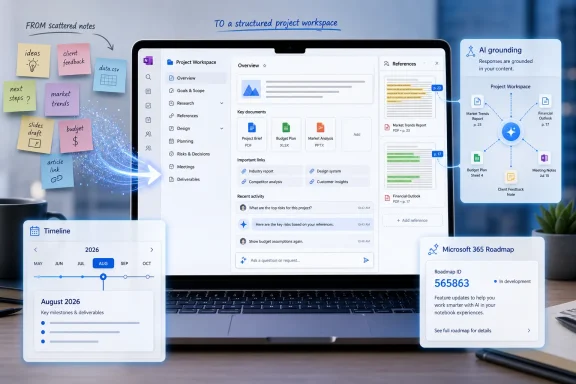
Microsoft is rolling out a redesigned Copilot Notebooks experience in the Microsoft 365 Copilot app on the web, starting with preview in June 2026 and general availability in July 2026 for Worldwide standard multi-tenant customers under Microsoft 365 Roadmap ID 562662. The change sounds modest, almost cosmetic, until you notice what Microsoft is really doing: turning chat from a disposable prompt box into a persistent workspace. In practical terms, Copilot is being asked to remember the project, not merely answer the moment. That is a bigger architectural bet than another sidebar button or ribbon shortcut.
As described in Microsoft’s roadmap entry and related Microsoft Support material for Copilot Notebooks in OneNote, the new design lets users gather chats, generated outputs, and references into a continuing notebook-like context. Microsoft’s pitch is that Copilot can then ground future answers in the material already accumulated there, rather than forcing the user to rebuild context at the start of every session. The company is also drawing a line between the lighter Notebooks experience inside the Microsoft 365 Copilot app and the richer, more workspace-forward implementation in OneNote.
The most common failure mode of workplace AI is not that it cannot write a passable paragraph or summarize a meeting. It is that the tool forgets the job the moment the interaction ends. Workers compensate by pasting the same background again, attaching the same files again, and explaining the same constraints again until the assistant feels less like a colleague and more like a very fast intern with short-term memory loss.
Copilot Notebooks is Microsoft’s answer to that problem. A Notebook is not just a folder and not quite a document. It is a container for intent: the chats, files, references, drafts, and generated artifacts that define a project over time.
That distinction matters because enterprise work is rarely a single prompt. A sales proposal, migration plan, legal review, budget model, incident report, or product launch brief may involve dozens of small exchanges across days or weeks. If the AI cannot carry that continuity, the productivity gain collapses into prompt administration.
Microsoft has been inching toward this model for some time. Copilot Pages made generated work shareable and editable. OneNote Copilot Notebooks gave users a more deliberate, notebook-shaped place to gather project material. The new Microsoft 365 Copilot app design now pulls that idea closer to the daily Copilot entry point, where many users already start their AI interactions.
This is also why the feature lands on the web first. The browser version of the Microsoft 365 Copilot app is the easiest place for Microsoft to normalize a cross-app workflow without waiting for every desktop client to behave identically. For administrators, that also means the rollout is likely to appear as another cloud-side Microsoft 365 behavior change rather than a clean, old-fashioned client upgrade.
The roadmap details are narrow but important. The feature is marked as rolling out, with preview availability in June 2026 and general availability in July 2026. It applies to the Microsoft 365 app on the web, across General Availability, Preview, and Targeted Release rings, in Worldwide standard multi-tenant cloud environments.
That is Microsoft’s standard language, but IT departments should read it carefully. “Rolling out” rarely means “everyone sees it at the same time.” It means tenants, users, and regions may observe the feature appearing unevenly, especially where licensing, app availability, policy controls, and staged deployment rings intersect.
In the Microsoft 365 Copilot app, the new design is meant to help users organize related chats, outputs, and references. That means the Notebook becomes a persistent place where the AI can look back at what has already been discussed and created. The user no longer needs to treat every Copilot conversation as a cold start.
For anyone who has used AI tools heavily, that is the crucial shift. The first prompt is often the least valuable part of a project. The real value emerges after the assistant has absorbed tone, constraints, source material, goals, exceptions, and user preferences.
The redesigned interface is therefore not just a navigation update. It is a claim that context should have a visible shape. If Microsoft can make users understand what belongs in a Notebook, and what Copilot is using from it, the feature could make AI work feel less transient and more auditable.
OneNote is the natural place for notebooks because it already has sections, pages, canvas-like note taking, and a long history as a research and project binder. Microsoft Support describes Copilot Notebooks in OneNote as a way to gather project-related materials such as Copilot chats, Microsoft 365 files, OneNote pages, links, and other references in one focused place. That is a more expansive model than a lightweight Copilot app container.
The Microsoft 365 Copilot app, by contrast, is where speed matters. A user may not want to build a formal OneNote structure just to keep a thread alive. They may only need a persistent context bucket for a customer account, quarterly plan, migration project, or hiring cycle.
The risk is confusion. If both the Copilot app and OneNote have Notebooks, users will ask which one is authoritative, which one is better, and whether content created in one place behaves the same in the other. Microsoft’s answer appears to be “use the lightweight one when you want quick continuity, use OneNote when the workspace itself is the work.” That may be true, but it will need very clear product affordances to avoid becoming another Microsoft 365 naming maze.
Microsoft’s broader Copilot security model is built around Microsoft Graph permissions and tenant data boundaries, but usability changes can still create new operational risks. If users begin collecting customer documents, HR notes, legal drafts, pricing models, and meeting summaries inside Notebooks, administrators will want to know how those containers are stored, searched, retained, deleted, audited, and exposed across apps.
The OneNote support material notes that Copilot Notebooks require eligible licensing and depend on SharePoint or OneDrive service plans for notebook creation in work contexts. That detail is not incidental. It suggests that Notebooks are not just ephemeral AI-side memory; they are tied into Microsoft 365 storage and identity plumbing.
That is good news for governance compared with a consumer-grade chatbot memory feature. But it also means Notebooks should be treated as real business records when the content warrants it. The more useful they become, the less plausible it is to pretend they are merely chat transcripts.
For administrators, the challenge is that this kind of feature changes behavior before it changes policy. Users will invent workflows faster than IT can document them. A team might create Notebooks for customer accounts, internal investigations, vendor negotiations, product launches, or regulated research without thinking about classification or retention.
That does not make the feature bad. It means deployment guidance should focus on examples, boundaries, and cleanup. If a Notebook is for short-lived brainstorming, say so. If it contains regulated or confidential material, treat it like any other sensitive Microsoft 365 workspace.
There is also a training issue hiding in plain sight. Users need to understand that grounding improves relevance but does not guarantee correctness. A Copilot answer grounded in a Notebook can still misread, omit, overgeneralize, or fabricate connective tissue. Better context reduces one category of failure; it does not abolish verification.
That is a strategic change. The first wave of enterprise generative AI was obsessed with access: put a chat box everywhere, connect it to organizational data, and let users ask questions. The next wave is about continuity: keep the work alive, let the assistant build on prior context, and make outputs reusable.
Notebooks are one expression of that shift. Agents are another. Copilot Pages is another. They all point toward the same destination: Microsoft wants AI to become part of the structure of work, not merely a tool invoked from the edge of a document.
The competitive logic is clear. If the durable record of AI-assisted work lives inside Microsoft 365, then the value of Copilot is not only the model behind it. The value is the combination of identity, permissions, files, meetings, chats, notes, and generated artifacts already living in Microsoft’s cloud.
That memory layer will only be trusted if users can reason about it. They need to know what Copilot is using, what it is ignoring, what is stale, and what can be removed. If the Notebook becomes a black box, it will inherit the same trust problems that have dogged AI assistants from the beginning.
This is where OneNote’s heritage may help. People understand notebooks as collections with visible contents. They know that adding a page changes the notebook and removing a page changes the source material. Microsoft should preserve that mental model aggressively rather than turning Notebooks into a magical AI bucket with unclear boundaries.
The most important interface design question may not be how pretty the new Notebook looks. It is whether the user can inspect the context. Persistent AI is only useful when persistence is legible.
Admins should expect the usual staggered reality. Some tenants may see the redesigned Notebooks experience before others. Some users may notice it in the Microsoft 365 Copilot app while colleagues do not. Preview and Targeted Release rings may complicate help desk answers if training material assumes one interface and users see another.
There is also a licensing angle. Microsoft’s support pages for Copilot Notebooks describe availability for Microsoft 365 Copilot and Copilot Chat licensed users, with additional availability in consumer Microsoft 365 plans. In commercial environments, tenant configuration and service plan availability will matter more than a user’s vague belief that “we have Copilot.”
The practical advice is boring but necessary: test the feature with real workflows before promoting it broadly. A Notebook used for a marketing launch is different from a Notebook used for legal review or security incident response. The same interface can carry very different governance weight depending on what users put inside it.
That payoff could be substantial. A Notebook that remembers the customer’s constraints, the project’s open questions, the documents already reviewed, and the previous draft’s weaknesses can make Copilot feel less like a search box and more like a project assistant. That is the version of AI productivity Microsoft has been promising since Copilot’s launch.
But the experience must be fast. If users have to over-curate, over-tag, or over-explain every Notebook, they will retreat to ordinary chat. The magic trick is to make context accumulation feel like a natural byproduct of work rather than another information-management chore.
Microsoft’s decision to keep a lighter version in the Copilot app and a fuller version in OneNote suggests it understands this tension. The question is whether the boundary remains clear as both products evolve.
The near-term implications are concrete:
As described in Microsoft’s roadmap entry and related Microsoft Support material for Copilot Notebooks in OneNote, the new design lets users gather chats, generated outputs, and references into a continuing notebook-like context. Microsoft’s pitch is that Copilot can then ground future answers in the material already accumulated there, rather than forcing the user to rebuild context at the start of every session. The company is also drawing a line between the lighter Notebooks experience inside the Microsoft 365 Copilot app and the richer, more workspace-forward implementation in OneNote.
 Microsoft Is Trying to Fix the Amnesia Problem
The most common failure mode of workplace AI is not that it cannot write a passable paragraph or summarize a meeting. It is that the tool forgets the job the moment the interaction ends. Workers compensate by pasting the same background again, attaching the same files again, and explaining the same constraints again until the assistant feels less like a colleague and more like a very fast intern with short-term memory loss.Copilot Notebooks is Microsoft’s answer to that problem. A Notebook is not just a folder and not quite a document. It is a container for intent: the chats, files, references, drafts, and generated artifacts that define a project over time.
That distinction matters because enterprise work is rarely a single prompt. A sales proposal, migration plan, legal review, budget model, incident report, or product launch brief may involve dozens of small exchanges across days or weeks. If the AI cannot carry that continuity, the productivity gain collapses into prompt administration.
Microsoft has been inching toward this model for some time. Copilot Pages made generated work shareable and editable. OneNote Copilot Notebooks gave users a more deliberate, notebook-shaped place to gather project material. The new Microsoft 365 Copilot app design now pulls that idea closer to the daily Copilot entry point, where many users already start their AI interactions.
The Microsoft 365 Copilot App Becomes the Front Door
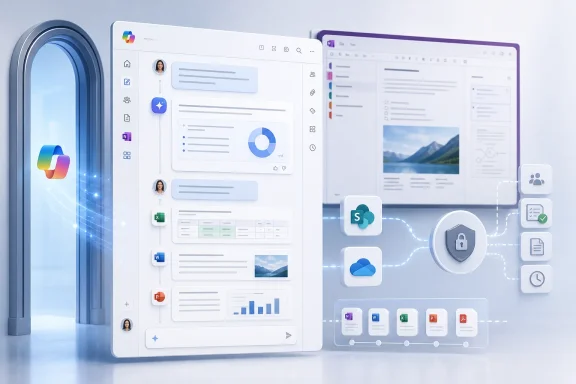
The Microsoft 365 Copilot app has become one of Microsoft’s most important surfaces because it sits above the traditional Office apps. It is where chat, search, files, agents, Pages, and now Notebooks converge. That makes the redesigned Notebooks experience less about OneNote and more about the app Microsoft wants users to treat as the command center for work.This is also why the feature lands on the web first. The browser version of the Microsoft 365 Copilot app is the easiest place for Microsoft to normalize a cross-app workflow without waiting for every desktop client to behave identically. For administrators, that also means the rollout is likely to appear as another cloud-side Microsoft 365 behavior change rather than a clean, old-fashioned client upgrade.
The roadmap details are narrow but important. The feature is marked as rolling out, with preview availability in June 2026 and general availability in July 2026. It applies to the Microsoft 365 app on the web, across General Availability, Preview, and Targeted Release rings, in Worldwide standard multi-tenant cloud environments.
That is Microsoft’s standard language, but IT departments should read it carefully. “Rolling out” rarely means “everyone sees it at the same time.” It means tenants, users, and regions may observe the feature appearing unevenly, especially where licensing, app availability, policy controls, and staged deployment rings intersect.
A Notebook Is Context With a User Interface
The word notebook is doing a lot of work here. Microsoft could have called this a project, workspace, memory set, collection, or context pack. Calling it a Notebook borrows from decades of user familiarity, especially around OneNote, while softening the fact that the real product is accumulated AI context.In the Microsoft 365 Copilot app, the new design is meant to help users organize related chats, outputs, and references. That means the Notebook becomes a persistent place where the AI can look back at what has already been discussed and created. The user no longer needs to treat every Copilot conversation as a cold start.
For anyone who has used AI tools heavily, that is the crucial shift. The first prompt is often the least valuable part of a project. The real value emerges after the assistant has absorbed tone, constraints, source material, goals, exceptions, and user preferences.
The redesigned interface is therefore not just a navigation update. It is a claim that context should have a visible shape. If Microsoft can make users understand what belongs in a Notebook, and what Copilot is using from it, the feature could make AI work feel less transient and more auditable.
OneNote Still Owns the Heavier Workspace
Microsoft is careful to say that the Microsoft 365 Copilot app version is the quicker, lighter Notebooks experience, while the fuller workspace-forward version remains in OneNote. That split is sensible, but it also exposes a familiar Microsoft problem: the company often has multiple plausible homes for the same behavior.OneNote is the natural place for notebooks because it already has sections, pages, canvas-like note taking, and a long history as a research and project binder. Microsoft Support describes Copilot Notebooks in OneNote as a way to gather project-related materials such as Copilot chats, Microsoft 365 files, OneNote pages, links, and other references in one focused place. That is a more expansive model than a lightweight Copilot app container.
The Microsoft 365 Copilot app, by contrast, is where speed matters. A user may not want to build a formal OneNote structure just to keep a thread alive. They may only need a persistent context bucket for a customer account, quarterly plan, migration project, or hiring cycle.
The risk is confusion. If both the Copilot app and OneNote have Notebooks, users will ask which one is authoritative, which one is better, and whether content created in one place behaves the same in the other. Microsoft’s answer appears to be “use the lightweight one when you want quick continuity, use OneNote when the workspace itself is the work.” That may be true, but it will need very clear product affordances to avoid becoming another Microsoft 365 naming maze.
Persistent AI Workspaces Raise the Stakes for Governance
For enterprise IT, persistent context is both the feature and the hazard. A chat that vanishes into history is annoying, but a Notebook that accumulates sensitive files, decisions, and generated artifacts becomes a governance object. It has a lifecycle, permissions surface, retention question, and discovery implication.Microsoft’s broader Copilot security model is built around Microsoft Graph permissions and tenant data boundaries, but usability changes can still create new operational risks. If users begin collecting customer documents, HR notes, legal drafts, pricing models, and meeting summaries inside Notebooks, administrators will want to know how those containers are stored, searched, retained, deleted, audited, and exposed across apps.
The OneNote support material notes that Copilot Notebooks require eligible licensing and depend on SharePoint or OneDrive service plans for notebook creation in work contexts. That detail is not incidental. It suggests that Notebooks are not just ephemeral AI-side memory; they are tied into Microsoft 365 storage and identity plumbing.
That is good news for governance compared with a consumer-grade chatbot memory feature. But it also means Notebooks should be treated as real business records when the content warrants it. The more useful they become, the less plausible it is to pretend they are merely chat transcripts.
The User Benefit Is Obvious; the Admin Burden Is Subtle
For users, the appeal is straightforward. A Notebook can keep a project’s working memory together. Instead of asking Copilot to “remember the strategy from last week,” the user can continue inside a container that already has the relevant chats, drafts, and references.For administrators, the challenge is that this kind of feature changes behavior before it changes policy. Users will invent workflows faster than IT can document them. A team might create Notebooks for customer accounts, internal investigations, vendor negotiations, product launches, or regulated research without thinking about classification or retention.
That does not make the feature bad. It means deployment guidance should focus on examples, boundaries, and cleanup. If a Notebook is for short-lived brainstorming, say so. If it contains regulated or confidential material, treat it like any other sensitive Microsoft 365 workspace.
There is also a training issue hiding in plain sight. Users need to understand that grounding improves relevance but does not guarantee correctness. A Copilot answer grounded in a Notebook can still misread, omit, overgeneralize, or fabricate connective tissue. Better context reduces one category of failure; it does not abolish verification.
Microsoft’s AI Strategy Is Moving From Prompting to Place
The redesigned Notebooks experience fits a broader Microsoft 365 pattern. Microsoft is no longer just sprinkling Copilot buttons into Word, Excel, PowerPoint, Outlook, Teams, and OneNote. It is trying to create places where AI-assisted work can persist.That is a strategic change. The first wave of enterprise generative AI was obsessed with access: put a chat box everywhere, connect it to organizational data, and let users ask questions. The next wave is about continuity: keep the work alive, let the assistant build on prior context, and make outputs reusable.
Notebooks are one expression of that shift. Agents are another. Copilot Pages is another. They all point toward the same destination: Microsoft wants AI to become part of the structure of work, not merely a tool invoked from the edge of a document.
The competitive logic is clear. If the durable record of AI-assisted work lives inside Microsoft 365, then the value of Copilot is not only the model behind it. The value is the combination of identity, permissions, files, meetings, chats, notes, and generated artifacts already living in Microsoft’s cloud.
The Name Is Friendly, but the Product Is a Memory Layer
Microsoft’s marketing language makes Notebooks sound almost cozy. The user gathers related material, Copilot helps synthesize it, and the work continues. Underneath that simple story is a memory layer for the enterprise productivity suite.That memory layer will only be trusted if users can reason about it. They need to know what Copilot is using, what it is ignoring, what is stale, and what can be removed. If the Notebook becomes a black box, it will inherit the same trust problems that have dogged AI assistants from the beginning.
This is where OneNote’s heritage may help. People understand notebooks as collections with visible contents. They know that adding a page changes the notebook and removing a page changes the source material. Microsoft should preserve that mental model aggressively rather than turning Notebooks into a magical AI bucket with unclear boundaries.
The most important interface design question may not be how pretty the new Notebook looks. It is whether the user can inspect the context. Persistent AI is only useful when persistence is legible.
WindowsForum Readers Should Watch the Rollout, Not Just the Feature
The feature is web-based, but Windows shops should still care. Microsoft 365 Copilot increasingly defines the daily productivity experience for Windows users, even when the feature itself is delivered through the browser. The old distinction between “Windows feature” and “cloud app feature” matters less when Edge, Microsoft 365, Entra ID, OneDrive, SharePoint, Teams, and Office are all part of the same workday.Admins should expect the usual staggered reality. Some tenants may see the redesigned Notebooks experience before others. Some users may notice it in the Microsoft 365 Copilot app while colleagues do not. Preview and Targeted Release rings may complicate help desk answers if training material assumes one interface and users see another.
There is also a licensing angle. Microsoft’s support pages for Copilot Notebooks describe availability for Microsoft 365 Copilot and Copilot Chat licensed users, with additional availability in consumer Microsoft 365 plans. In commercial environments, tenant configuration and service plan availability will matter more than a user’s vague belief that “we have Copilot.”
The practical advice is boring but necessary: test the feature with real workflows before promoting it broadly. A Notebook used for a marketing launch is different from a Notebook used for legal review or security incident response. The same interface can carry very different governance weight depending on what users put inside it.
The Real Test Is Whether Notebooks Survive Daily Work
Many Microsoft 365 features look elegant in a demo and then disappear into the clutter of enterprise life. Notebooks will avoid that fate only if they reduce friction immediately. Users will not maintain a context workspace out of discipline; they will do it only if the payoff is obvious.That payoff could be substantial. A Notebook that remembers the customer’s constraints, the project’s open questions, the documents already reviewed, and the previous draft’s weaknesses can make Copilot feel less like a search box and more like a project assistant. That is the version of AI productivity Microsoft has been promising since Copilot’s launch.
But the experience must be fast. If users have to over-curate, over-tag, or over-explain every Notebook, they will retreat to ordinary chat. The magic trick is to make context accumulation feel like a natural byproduct of work rather than another information-management chore.
Microsoft’s decision to keep a lighter version in the Copilot app and a fuller version in OneNote suggests it understands this tension. The question is whether the boundary remains clear as both products evolve.
The Notebook Era Will Reward Tenants That Set Rules Early
The redesigned Copilot Notebooks experience is not a crisis for IT departments, but it is a signal. Microsoft is making AI memory more concrete, more user-facing, and more integrated into the places where work happens. That means organizations should treat it as part of their information architecture, not as a novelty UI update.The near-term implications are concrete:
- The redesigned Copilot Notebooks experience is rolling out for the Microsoft 365 Copilot app on the web, with preview listed for June 2026 and general availability listed for July 2026.
- A Notebook can collect related chats, generated outputs, and references so Copilot can use that accumulated context in later interactions.
- The Microsoft 365 Copilot app version is positioned as the quicker, lighter experience, while OneNote remains the richer workspace for more structured notebook-based work.
- Administrators should evaluate how Notebooks interact with licensing, SharePoint or OneDrive storage expectations, user permissions, retention practices, and sensitivity policies.
- Users should be trained that grounded answers are often more relevant, but still require review when the output affects decisions, customers, compliance, money, or security.
- Help desks should prepare for a staggered rollout in which availability may vary by tenant, release ring, license, and user experience.
References
- Primary source: Microsoft 365 Roadmap
Published: 2026-07-06T23:00:50.6928566Z
Microsoft 365 Roadmap | Microsoft 365
The Microsoft 365 Roadmap lists updates that are currently planned for applicable subscribers. Check here for more information on the status of new features and updates.www.microsoft.com
- Official source: support.microsoft.com
What are Microsoft 365 Copilot Notebooks in OneNote? | Microsoft Support
Copilot Notebooks syncs your chats, docs, and decks in OneNote. Ask questions, get summaries, and stay focused with AI-powered notes.support.microsoft.com - Official source: learn.microsoft.com
What is the Microsoft 365 Copilot app for IT admins? | Microsoft Learn
Enterprise and company IT admins can use the Microsoft 365 Copilot app to help users be more productive at work or school. The app is available as a website and an app that can be installed on Windows, Android, and iOS devices. Learn more about the app's benefits and compare the features...learn.microsoft.com - Official source: techcommunity.microsoft.com
- Related coverage: blog-en.topedia.com
Copilot Notebooks in Microsoft 365 Copilot Web and OneNote | Topedia Blog
Microsoft is rolling out Copilot Notebooks to users with a Microsoft 365 Copilot license, available on the new Copilot start page and within OneNote.blog-en.topedia.com - Related coverage: kbworks.eu
Copilot Notebooks: The Smart New Way to Organize Work
Copilot Notebooks now organize your chats, files, and AI output in one persistent workspace synced with OneNote. Who needs a license, plus Paul's take.kbworks.eu
- Related coverage: message.cengizyilmaz.net
MC1405506 - Microsoft OneNote: Multimodal recording in Copilot Notebooks on Windows | Microsoft 365 Message Center Archive
Microsoft is introducing multimodal capture in OneNote Copilot Notebooks on Windows, allowing users to record audio, images, and notes together. Microsoft 365 Copilot then...message.cengizyilmaz.net - Related coverage: m365admin.handsontek.net
Notebooks in Microsoft 365 Copilot: Organize work across conversations - M365 Admin
Microsoft 365 Copilot app introduces Notebooks to organize chats, content, and references in a persistent workspace synced with OneNote. Rolling out mid-June to late July 2026 for licensed users, it requires no admin action. Notebooks complement existing OneNote features and follow current...m365admin.handsontek.net - Related coverage: techradar.com
Microsoft makes Copilot Cowork open to everyone, and wants to help you tackle even the trickiest work tasks | TechRadar
Copilot Cowork gets an upgrade as it opens to all userswww.techradar.com - Related coverage: windowscentral.com
New Copilot keyboard shortcuts are coming to Microsoft 365 | Windows Central
A new floating icon and Alt + C shortcut are replacing old entry points in Microsoft 365 apps.www.windowscentral.com - Related coverage: tomshardware.com
Microsoft will force install the Copilot AI app for users with desktop versions of 365 apps like Word and Excel — coming October, with no way to opt out for personal users | Tom's Hardware
More bloatware added to Windows, courtesy of Microsoft 365.www.tomshardware.com - Official source: cdn-dynmedia-1.microsoft.com
- Official source: download.microsoft.com
- Related coverage: cincodias.elpais.com