

Microsoft’s Copilot now promises to do something deceptively simple: set a reminder for you from your PC and make your phone buzz when the time comes. But early hands‑on testing suggests the feature is not yet living up to that promise — and that gap between claim and delivery matters more than a missed notification. )
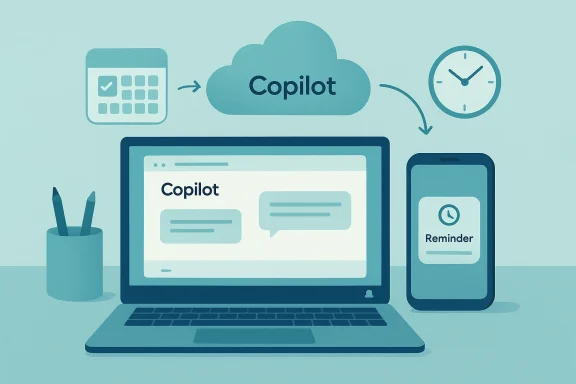
Microsoft has quietly rolled out a Reminders capability inside Copilot that lets users create one‑time or recurring alerts using natural language from multiple Copilot surfaces. The core idea is straightforward: tell Copilot to “remind me in 10 minutes to check the oven” or “every Monday remind me to prepare the deck,” and a push notification will arrive on the user’s mobile device at the scheduled time. Early reporting and vendor statements make three consistent claims about the rollout: the alerts are currently delivered to mobile devices (Andhe feature supports dynamic/recurring content, and Microsoft appears to be enforcing usage quotas for free versus Microsoft 365 accounts.
These are useful, expected capabilities — they put Copilot back into the role that digital assistants like Cortana once played: a simple bridge between planning on your PC and getting nudged on you system alarm or a calendar event that uses built‑in OS notifications, Copilot’s reminders ride on cross‑service push delivery, which introduces more failure points than the old local alarm did. Early independent tests show those failure points are already being hit in the wild.
Why this matters: reminders are a minimal expectation for digital assistants. Missing one non‑critical alert is inconvenient; missing a reminder you relied on for a time‑sensitive task erodes confidence and reduces the chance users will depend on the assistant again. The PCWorld test demonstrates that Copilot’s Reminders are not yet a drop‑in replacement for native alarms or calendar notifications — and that users should not rely on them for critical tasks until delivery proves reliable.
At the same time, web usage metrics paint a broader adoption challenge for Copilot on the web. SimilarWeb’s tracker, cited by several news outlets, shows Copilot holding roughly a 1–1.2% share of web visits among AI chat sites — a metric that measures public web traffic and not native or embedded usage inside Windows or Microsoft 365. That distinction matters: low web share does not automatically equal low overall usage inside Microsoft’s ecosystem, but it does suggest Copilot’s consumer web footprint s is relevant because feature adoption — and the patience users have for growing pains — is influenced by how broadly a product is used outside of closed or embedded contexts.
A pragmatic testing checklist:
Separately, public web usage metrics show Copilot’s web presence is small (around 1% of visits in SimilarWeb’s tracker), which matters for perception and external feedback loops. That number does not capture embedded or enterprise usage inside Windows or Office, so it is a partial metric — but it does mean Microsoft must cultivate trust inside its installed base, not just the open web, if Copilot is to become a broadly used assistant.
However, until Microsoft proves consistent delivery and provides desk Copilot Reminders as your primary alerting mechanism for critical events (medication, boarding calls, legal deadlines, etc.). The PCWorld test is a p of the consequences when reliability expectations aren’t met: users stop trusting the tool.
Source: PCWorld Microsoft Copilot claims it can set reminders. My phone never buzzed
 Background / Overview
Microsoft has quietly rolled out a Reminders capability inside Copilot that lets users create one‑time or recurring alerts using natural language from multiple Copilot surfaces. The core idea is straightforward: tell Copilot to “remind me in 10 minutes to check the oven” or “every Monday remind me to prepare the deck,” and a push notification will arrive on the user’s mobile device at the scheduled time. Early reporting and vendor statements make three consistent claims about the rollout: the alerts are currently delivered to mobile devices (Andhe feature supports dynamic/recurring content, and Microsoft appears to be enforcing usage quotas for free versus Microsoft 365 accounts. These are useful, expected capabilities — they put Copilot back into the role that digital assistants like Cortana once played: a simple bridge between planning on your PC and getting nudged on you system alarm or a calendar event that uses built‑in OS notifications, Copilot’s reminders ride on cross‑service push delivery, which introduces more failure points than the old local alarm did. Early independent tests show those failure points are already being hit in the wild.
What the feature pr described
Copilot Reminders, as described in vendor comments and early reviews, includes these headline capabilities:- Natural‑language creation: create remiy from Copilot on web, Windows 11 (when enabled), or the Copilot mobile app.
- One‑time and recurring scheduling: support for relative times (“in 10 minutes”) and fixed date/time entries, plus rily, weekly, custom).
- Dynamic content: recurring reminders can generate fresh content each time (for example, “teach me a new Portuguese word every day”), which turns reminders into micro‑lessons or varied nudglivery: at launch, notifications arrive on Android and iOS devices that have the Copilot app installed and notifications enabled; desktop notification parity is limited or absent in many builds.
- Tiered quotas: early reports put free accounts at a modest limit (commonly cited as around five active reminders) and Microsoft 365 subscribers at a higher cap (around 20), although Microsoft’s formal documentation may not have fully reflected those limits at the time of reporting.
The PCWorld test: when “I’ll remind you” didn’t translate to a buzz
One succinct, practical test sums up the problem: a PCWorld reviewer asked Copilot to set a reminder and, when the scheduled time arrived, the reviewer’s phone didn’t buzz — nor did the PC show a corresponding notification. Repeated attempts failed, and Copilot’s conversational troubleshooting returned a list of possible reasonsmea culpa. That real‑world failed delivery is precisely the kind of outcome that undermines trust in a reminders feature.Why this matters: reminders are a minimal expectation for digital assistants. Missing one non‑critical alert is inconvenient; missing a reminder you relied on for a time‑sensitive task erodes confidence and reduces the chance users will depend on the assistant again. The PCWorld test demonstrates that Copilot’s Reminders are not yet a drop‑in replacement for native alarms or calendar notifications — and that users should not rely on them for critical tasks until delivery proves reliable.
Diagnosing the failure: realistic causes ands
When a Copilot reminder doesn’t appear, the root cause typically falls into one of several technical buckets. These are not hypothetical: they are grounded in how push notifications and cross‑service scheduling actually work today.- Notification permissions and device settings
If the Copilot mobile app does not have push permissions, or if lock‑screen previews or Focus/re enabled, the notification may be suppressed or hidden. This is fundamental mobile OS behavior, not a Copilot bug per se — but it is a failure mode users must test before trusting reminders. - Push service reliability and queuing
Copilot’s reminders rely on Apple and Google push infrastructures (APNs and FCM) for delivery. If a device is offline, in battery‑saver mode, or the d, notifications may be delayed or dropped. Robust systems queue and retry, but early rollouts sometimes lack robust retry/receipt behavior, producing missed alerts. - Cross‑device sync latency and server‑side storage
Because reminders must be stored server‑side to trigger later, transient server errors, race conditions, or replication lags can prevent a scheduled job from running or from findidevice at delivery time. Microsoft’s gradual rollout suggests they are tuning that server side while watching for scale issues. - Desktop parity and UI surface gaps
Currently Copilot’s reminders are mobile‑first. Users who set reminders on a PC might reasonably expect desktop notification parity — but early deployments do not guarantee Windows 11 Action Center or Outlook calendar nder. That inconsistency creates the perception the feature “didn’t work” even when a server‑side event may have fired. - Edge cases: time zones, DST, and travel
If a reminder is scheduled in one time zone and the user travels, or if daylight‑saving changes occur between scheduling and delivery, misinterpretan make the alert fire at an unexpected time or fail altogether. These are classic, avoidable bugs if handled correctly — but they’re common causes of early rollout issues.
Cross‑checking the claims: what independent reporting shows
Multiple outlets have reported the rollout and described the same core behaviors (mobile‑first delivery, reminders created from Copilot surfaces, quotas). Windows Latest and Windows Central both quote Microsoft’s guidance that the Copilot app must be installed on the phone and that notifications must be enabled to receive reminders; they also describe the reported quota model and dynamic content feature. Business‑facing outlets repeated those details as well, reinforcing that the rollout is real but limited.At the same time, web usage metrics paint a broader adoption challenge for Copilot on the web. SimilarWeb’s tracker, cited by several news outlets, shows Copilot holding roughly a 1–1.2% share of web visits among AI chat sites — a metric that measures public web traffic and not native or embedded usage inside Windows or Microsoft 365. That distinction matters: low web share does not automatically equal low overall usage inside Microsoft’s ecosystem, but it does suggest Copilot’s consumer web footprint s is relevant because feature adoption — and the patience users have for growing pains — is influenced by how broadly a product is used outside of closed or embedded contexts.
Strengths: what Copilot Reminders gets right today
There is real value in what Microsoft is building, even at this early stage.- Low friction, natural‑language creation
Being able to set a reminder conversationally from your PC wis legitimately convenient. For quick one‑offs — “remind me in 30 minutes to call” — the friction reduction can save time and context switching. - Dynamic and recurring content potential
Recurring reminders that change content each time (e.g., daily vocabulary, rotating t new use case that traditional calendar tools don’t address well. For learning and micro‑habits, this is a neat innovation. - Integration leash for Microsoft ecosystem
When Copilot eventually ties reminders into Outlook Calendar, Microsoft To Do, and Windows notifications, it will create a smooth continuity loop for Microsoft 365 users. The current ep toward that integration. - Monetization and product‑management levers
A tiered quota model gives Microsoft a straightforward way to encourage upgrades without locking out casual users. That’s a predictable strategy; the product question is whether ough for common workflows.
Risks and weaknesses: when the convenience becomes a liability
But the weaknesses are not minor.- Missed or delayed alerts break trust
A reminder that doesn’t fire once is forgivable; repeated missed reminders make the assistant useless for scheduling. The PCWorld test is an early example of how a sin stop adoption. - Mobile‑only delivery reduces cross‑device continuity
If you primarily work on a PC and rely on desktop notifications, Copilot’s mobile‑first model creates a surprising gap. Users who expect a consistent multi‑device experience will be disappointsclosure questions about stored reminders
Because scheduled reminders are stored server‑side, organizations and privacy‑sensitive users must understand retention, eDiscovery, and access policies. The feature touches Microsoft’s Copilot “memory” constructs and raises legitimate compliance questions for enterprise tenants. - Security of notification content on lock screens
Push notifications can leak sensitive content on lock screens; users should avoid putting credentials or proprietary information in Copilot reminders until lock‑screen preview behavior and MDM controls are clear. - Lower web footprint may limit rapid feedback loops
With a small public web footprint, Microsoft may receive less external feedback about consumer scenarios than competitors, slowing iteration on usab if the product team prioritizes enterprise or embedded flows. The SimilarWeb data underscores how much of Copilot’s activity may be hidden in non‑web surfaces. ([windowsforum.cum.com/threads/why-copilots-web-share-seems-small-yet-microsoft-wins-in-enterprise.396582/post-953184?utm_sourcactical advice for users and IT teams (test, verify, and back up)
A pragmatic testing checklist:
- Install the Copilot mobile app on every device you want to receive reminnotification permissions and lock‑screen preview settings. Turn on a test reminder for a short interval (e.g., five minutes) and confirm it arrives in normal mode.
- Test with Focus / Do Not Disturb enabled and with the phone offline to observe behavior and retry logic.
- For critical events, duplicate the event in Outlook Calendar, Microsoft To Do, or a native alarm as a fail‑safe.
- If you manage devices in an enterprise, evaluate MDM/Intune policies and decide whether to allow Copilot notifications on corpostaff to avoid embedding sensitive content in push notifications.
What Microsoft should fix next (priority roadmapCopilot Reminders to be a mainstream productivity tool rather than an experimental novelty, prioritize these improvements:
- Desktop parity and Action Center integration
Deliver reminders as native Windows notificatioc them to Outlook Calendar and Microsoft To Do so users see the same alert on phone and PC. - Robust queueing and delivery receipts
Implement server‑side retry logic and explicit delivery receipts so a reminder was delivered, queued, or failed. That reduces uncertainty and supports troubleshooting. - Clear, documented quotas and retention policy
Publish exact limits (free vs paid), storage location, and enterprise controls for eDiscovery and audit. Ambiguity about quotas undermines trust. - Granular privacy controls and lock‑screen safeguards
Allow users and admins to disable lock‑screen content for reminders or to create “sensitive” flags that force delivery via secure channels only. - Time zone, DST, and travel correctness testing
Harden timezone handling and show the scheduled timezone explicitly when confirming reminders. Edge case failures here are highly visible and damaging.
Competitive context: parity, differentiation, and the adoption problem
Copilot’s Reminders catch Microsoft up to a base expectation set by ChatGPT Tasks and Gemini Scheduled Actions, both of which have explored scheduled, recurring prompts and notifications. Where Copilot can differentiate is by leveraging Microsoft 365 integration to surface reminders inside Outlook, Teams, and Windows — but that potential is unfulfilled until desktop parity and calendar syncing are robust.Separately, public web usage metrics show Copilot’s web presence is small (around 1% of visits in SimilarWeb’s tracker), which matters for perception and external feedback loops. That number does not capture embedded or enterprise usage inside Windows or Office, so it is a partial metric — but it does mean Microsoft must cultivate trust inside its installed base, not just the open web, if Copilot is to become a broadly used assistant.
Verdict — when to use Copilot Reminders and when not to
Copilot Reminders is a sensib of conversation‑driven computing: it lowers friction for casual reminders and adds creative uses such as dynamic recurring content. For low‑risk, personal nudges anlready offers useful convenience.However, until Microsoft proves consistent delivery and provides desk Copilot Reminders as your primary alerting mechanism for critical events (medication, boarding calls, legal deadlines, etc.). The PCWorld test is a p of the consequences when reliability expectations aren’t met: users stop trusting the tool.
Bottom line for readers and IT planners
- Try the feature, but test it thoroubefore entrusting mission‑critical notifications to it.
- Use redundancy: pair Copilot reminders with native alarms or calendar events when stakes are high.
- Administrators should review tenant‑level controls, MDM policies, and privacy settings before enabling reminders broadly for corporate accounts.
- Watch for Microsoft updates: a gradual rollout is typical for cross‑device push features, and subsequent releases should address desktop parity, delivery receipts, and quotas.
Source: PCWorld Microsoft Copilot claims it can set reminders. My phone never buzzed
