

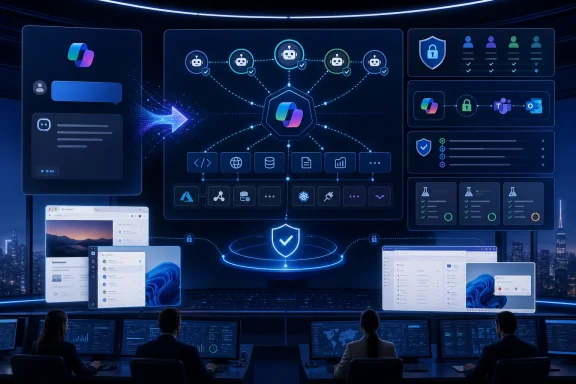
Microsoft Copilot Studio’s recent updates, culminating in Microsoft’s May 2026 wave of Copilot and Power Platform changes, recast the product from a low-code chatbot designer into a governed enterprise agent platform for building, orchestrating, testing, and operating AI agents across Microsoft 365, business applications, web interfaces, and desktop workflows. That is not a cosmetic repositioning. It changes what IT teams are expected to build, what developers must describe, and what administrators must now control. The old Copilot Studio story was “make a bot”; the new one is “manage a workforce of software actors.”
For years, the enterprise chatbot had a familiar shape. A user typed a question, the bot matched the phrase to a topic, and a carefully authored dialog tree guided the conversation toward an answer, a form, or a handoff. It was low-code, approachable, and brittle in all the ways enterprise software usually becomes brittle: too many topics, too many exceptions, and too much dependence on users phrasing things the way the builder expected.
Copilot Studio’s newer direction is a break from that model. The center of gravity has moved from topic routing to generative orchestration, where a large language model interprets the user’s intent, examines the agent’s available knowledge, tools, topics, and connected agents, then decides how to proceed. In that world, the author no longer scripts every turn so much as defines the agent’s operating environment.
That makes the product more powerful, but also less forgiving. A classic topic tree failed visibly: the bot did not match the trigger phrase, or it sent the user down the wrong branch. A generatively orchestrated agent can fail more subtly, by choosing the wrong tool, over-trusting a source, skipping a constraint, or producing a plan that looks plausible until it touches a real business system.
This is the essential tension in the new Copilot Studio. Microsoft is giving makers a much larger automation surface while trying to convince administrators that the platform can still be governed. The pitch is no longer that anyone can build a chatbot. It is that organizations can let many people build agents without letting the agent estate become a compliance accident.
In classic Copilot Studio projects, the conversation designer spent much of the workday taming topic sprawl. Every new user phrase, exception, escalation path, or business variant threatened to become another topic. The more successful the bot became, the more its authoring surface filled with overlapping rules and fragile routing logic.
Generative orchestration attacks that problem directly. Instead of requiring a topic for every path, the agent can infer intent and select from available capabilities at runtime. That can make agents more resilient to messy user input, multi-part requests, and the kind of conversational ambiguity that breaks rigid bot flows.
But this is not magic. It simply moves the locus of control. If the agent is choosing among tools dynamically, then tool names, descriptions, input requirements, authentication assumptions, and failure behavior become production-critical artifacts. A badly described connector is no longer just confusing documentation; it is a bad instruction given to the planner.
For developers, this means Copilot Studio is becoming a metadata-driven runtime. The “prompt” matters, but so does everything around the prompt: the action schema, the grounding source, the topic description, the connector policy, the Entra identity, and the environment boundary. The people who treat agent building as casual prompt tinkering will eventually run into the people who have to explain why the agent touched the wrong system.
The platform now supports agent flows and workflow-oriented patterns where agents can call tools, run automation, retrieve knowledge, interact with systems, and return structured results. That turns the chatbot from an endpoint into an orchestrator. The conversation becomes just one interface to a broader automation graph.
This matters because enterprise automation rarely lives in one pristine API. A company may have Microsoft 365, Salesforce, ServiceNow, SAP, a few internal web apps, a warehouse system built in 2009, and a spreadsheet that somehow remains business-critical despite everyone agreeing it should not exist. The value of an agent platform is not whether it can answer “What is our PTO policy?” It is whether it can move work across that mess without becoming another uncontrolled integration layer.
Microsoft’s answer is to make Copilot Studio more deeply connected to the Power Platform and Microsoft 365 substrate. Agents can be grounded in enterprise data, published into Microsoft 365 experiences, and extended with connectors and flows. The familiar Microsoft strategy is visible: make the tool more useful by making it the place where all the other Microsoft-administered assets meet.
The risk is equally familiar. Platforms that promise to simplify work often become new places where work accumulates. Copilot Studio will not eliminate the need for integration design; it will make integration design available to more people, at higher speed, with AI making some decisions that used to be encoded manually.
The appeal is obvious. Many enterprise processes still run through line-of-business applications that were never designed for modern automation. Some have APIs that are incomplete. Some have no API at all. Some technically have an API, but nobody in the department has budget, access, or patience to use it.
Computer-using agents are Microsoft’s way of expanding the addressable automation surface. Instead of asking whether an application has a connector, the organization can ask whether the agent can safely operate the interface. That is a meaningful shift, especially for Windows environments where decades of business process have been encoded into desktop applications, browser portals, and internal admin consoles.
It is also where the governance burden becomes much heavier. A connector can be scoped, permissioned, logged, and tested against a defined API contract. A UI automation agent is operating in a less deterministic world. Buttons move, dialogs change, visual states matter, and the agent may need to infer whether it is looking at the right screen before it acts.
Microsoft has added security and observability language around these capabilities, including audit logging and session-style review concepts. That is necessary, not decorative. If an agent can operate a desktop application, IT needs to know not only what system it accessed, but what it saw, what it clicked, what credential context it used, and whether a human can reconstruct the session after the fact.
The old RPA world already taught this lesson. Automation that begins as a productivity miracle can become an invisible dependency chain. When it breaks, nobody remembers who wrote it; when it succeeds, nobody remembers to monitor it. Copilot Studio’s computer use ambitions will need to avoid recreating that mess with better demos and worse explainability.
Architecturally, this makes sense. Enterprises are not monoliths. The HR team has different data, vocabulary, approval paths, and risk tolerance than the security operations center. A specialized agent can be scoped more tightly, evaluated more meaningfully, and owned by the team that understands the process.
The parent-child model also reflects how real work moves through organizations. A manager does not personally complete every task; they delegate. An effective agent system should be able to do the same, handing a benefits question to an HR agent, a license issue to an IT agent, and a billing exception to a finance agent.
But delegation introduces new classes of failure. If the parent agent misunderstands the user, it may send the task to the wrong child. If two agents have overlapping capabilities, orchestration can become ambiguous. If identity and authorization are not consistently applied across the chain, the organization may not know whether an action was performed by the user, the parent agent, or a downstream agent acting under a delegated context.
This is where Microsoft’s agent identity work becomes more than plumbing. The industry cannot build credible agent systems if every agent is just an invisible extension of a user session or a shared service account. Agents need identities, permissions, ownership, lifecycle state, and audit trails. Otherwise, “multi-agent” becomes a polite way of saying “many things can now act, and we are not quite sure who is responsible.”
That matters because internal software adoption is often a distribution problem masquerading as a training problem. A useful bot hidden on an intranet page can fail simply because nobody remembers it exists. An agent surfaced in the flow of work has a much better chance of becoming part of daily behavior.
Microsoft is also making it easier to extend agents created in Microsoft 365 Copilot inside Copilot Studio. That suggests a two-tier authoring path. Business users may begin with lightweight agents in Microsoft 365, while more complex or governed scenarios graduate into Copilot Studio for richer tools, evaluation, deployment, and administration.
This is classic Microsoft platform escalation. Start with convenience, then pull serious work into the admin-controlled environment. It is the same pattern that made SharePoint, Teams, Power Apps, and Power Automate so pervasive: let users solve small problems, then give IT just enough control to tolerate the explosion.
The challenge will be lifecycle management. If every department can create agents and some of those agents can later be extended, published, connected to flows, or embedded in Microsoft 365 experiences, organizations need a clean answer to basic questions. Who owns this agent? What data does it touch? What business process depends on it? What happens when its maker changes jobs?
Without that inventory, Copilot Studio risks repeating the shadow IT cycle in AI form. With it, Microsoft has a credible path to making agents feel less like experiments and more like manageable enterprise assets.
That is because the higher-value scenarios are also the higher-risk ones. A policy Q&A bot can be wrong and annoying. An agent that files a ticket, updates a record, sends an email, triggers a workflow, or operates a desktop app can be wrong and consequential. Once an agent can act, every control plane question becomes sharper.
Microsoft is pushing Copilot Studio toward environment-level administration, analytics delegation, auditability, usage forecasting, role-based access, connector controls, and alignment with broader Power Platform data loss prevention policies. These are not glamorous features, but they are the difference between a proof of concept and something a regulated enterprise can permit.
The most mature organizations will treat agents as software assets. That means development environments, test environments, production environments, versioning, ownership, access reviews, evaluation gates, and retirement processes. It also means accepting that “low-code” does not mean “low-accountability.”
This is where some business users may feel the platform harden under their feet. The early Copilot Studio promise was empowerment: build a bot without waiting for central IT. The enterprise Copilot Studio promise is managed empowerment: build an agent, but inside a framework that knows who you are, what you are allowed to connect, and how your agent behaves in production.
That tradeoff is healthy, but it will not always be popular. The more useful agents become, the more they will look like applications. And the more they look like applications, the more they will inherit application governance, whether makers like it or not.
Traditional software testing is hard enough, but agent testing adds probabilistic behavior. The same user goal can be expressed in dozens of ways. The agent may select different tools depending on context. A response may be factually accurate but operationally unhelpful. A workflow may complete successfully while violating a policy preference that was never encoded clearly.
That is why test sets matter. CSV-based tests and multi-turn evaluation are not just convenience features for makers. They are the beginning of regression testing for agent behavior. If an organization cannot test whether a change has made an agent worse, it cannot responsibly iterate.
Runtime tracing is equally important. When an agent produces a bad answer or takes an unexpected action, administrators need to inspect the chain of reasoning in operational terms. What knowledge did it retrieve? What tool did it select? What input did it pass? What guardrail intervened? Where did the plan diverge from the intended path?
This will become one of the defining differences between toy agents and production agents. A toy agent is judged by whether it impresses a room. A production agent is judged by whether its failures can be detected, explained, reproduced, and reduced over time.
Microsoft is not alone in moving this way, but Copilot Studio has a particular advantage because many enterprises already live inside Microsoft’s identity, compliance, collaboration, and business app ecosystem. If the platform can connect evaluation data to the people and processes that operate Windows and Microsoft 365 estates, it becomes more than an authoring canvas. It becomes part of the operational fabric.
Voice also raises the stakes for enterprise customer service and internal support scenarios. If a voice agent can front a help desk, appointment line, benefits center, or field support workflow, then Copilot Studio is competing not only with bot builders but with contact center automation, IVR systems, and workflow platforms.
This is where Microsoft’s “agent platform” framing becomes more believable. A business does not want one bot for Teams, another for web chat, another for voice, and another for workflow execution. It wants a controlled set of agents that can operate across channels while respecting the same knowledge, policies, and tools.
Still, voice will expose weaknesses that text can hide. Long pauses feel worse. Wrong answers feel more personal. Escalation paths need to be immediate and obvious. The agent’s confidence has to be tuned not merely for correctness, but for human patience.
For IT teams, voice also complicates monitoring. Conversation transcripts, recordings, consent, regional rules, and retention policies all become part of the implementation discussion. Copilot Studio’s expansion into voice is therefore not just a UX improvement. It is a signal that Microsoft expects agents to move closer to front-line business operations.
That is why Microsoft’s governance push matters. The company appears to understand that agent sprawl is coming if it is not already here. The answer is not to prevent agent creation outright, because that would undercut the entire business case. The answer is to make the sprawl visible, searchable, policy-bound, and measurable.
This will be uncomfortable for organizations that still treat AI as a pilot program. Copilot Studio’s feature set is moving faster than many governance committees. By the time an enterprise finishes debating acceptable use language, a department may already have an agent connected to SharePoint, Teams, a service desk, and a Power Automate flow.
The right response is not panic, but architecture. Organizations need patterns for what kinds of agents are allowed, which data sources they can use, how they are evaluated, when human approval is required, and when an agent’s permissions must be narrowed. They also need a naming and ownership discipline boring enough to survive personnel changes.
In that sense, Copilot Studio is becoming a test of enterprise AI maturity. The immature organization asks, “Can we build an agent?” The mature organization asks, “Can we operate hundreds of them without losing control?”
Copilot Studio’s newer capabilities push into execution. Agents are expected to choose tools, trigger flows, coordinate with other agents, use files, analyze data, interact with applications, and increasingly act in response to events rather than only direct user prompts. That is the line between assistant and operator.
This line is where Microsoft wants to plant its flag. If Microsoft 365 Copilot is the user-facing assistant, Copilot Studio is becoming one of the places where organizations define what that assistant can actually do. The agent becomes a packaged business capability, not merely a chat surface.
For Windows administrators and developers, this changes the workload. The job is no longer just to deploy apps, secure endpoints, and manage identities. It is to decide how AI agents can safely use those identities, touch those apps, and operate across those endpoints. That will require collaboration between teams that do not always share tools or vocabulary: endpoint admins, Power Platform admins, security architects, compliance officers, business analysts, and developers.
The cultural shift may be harder than the technical one. Business teams will want faster automation. Security teams will want narrower permissions. Developers will want clearer contracts. Administrators will want inventory and supportability. Copilot Studio sits directly in the middle of those tensions.
That does not mean every organization should rush to automate its most sensitive processes with agentic workflows. Quite the opposite. The smarter move is to start with scoped, observable use cases where the agent’s tools are clear, the data sources are trusted, and the cost of failure is manageable. The goal should be to build operational muscle before delegating critical work.
A few concrete takeaways stand out:
 Microsoft Is Quietly Retiring the Chatbot Mental Model
For years, the enterprise chatbot had a familiar shape. A user typed a question, the bot matched the phrase to a topic, and a carefully authored dialog tree guided the conversation toward an answer, a form, or a handoff. It was low-code, approachable, and brittle in all the ways enterprise software usually becomes brittle: too many topics, too many exceptions, and too much dependence on users phrasing things the way the builder expected.Copilot Studio’s newer direction is a break from that model. The center of gravity has moved from topic routing to generative orchestration, where a large language model interprets the user’s intent, examines the agent’s available knowledge, tools, topics, and connected agents, then decides how to proceed. In that world, the author no longer scripts every turn so much as defines the agent’s operating environment.
That makes the product more powerful, but also less forgiving. A classic topic tree failed visibly: the bot did not match the trigger phrase, or it sent the user down the wrong branch. A generatively orchestrated agent can fail more subtly, by choosing the wrong tool, over-trusting a source, skipping a constraint, or producing a plan that looks plausible until it touches a real business system.
This is the essential tension in the new Copilot Studio. Microsoft is giving makers a much larger automation surface while trying to convince administrators that the platform can still be governed. The pitch is no longer that anyone can build a chatbot. It is that organizations can let many people build agents without letting the agent estate become a compliance accident.
Generative Orchestration Moves the Work From Branches to Contracts
The most important practical change is that agent design now depends less on hand-authored conversation logic and more on the quality of the instructions, tool descriptions, schemas, and data boundaries supplied to the agent. That is a very different authoring discipline. It looks less like designing a phone tree and more like writing a set of contracts for a semi-autonomous system.In classic Copilot Studio projects, the conversation designer spent much of the workday taming topic sprawl. Every new user phrase, exception, escalation path, or business variant threatened to become another topic. The more successful the bot became, the more its authoring surface filled with overlapping rules and fragile routing logic.
Generative orchestration attacks that problem directly. Instead of requiring a topic for every path, the agent can infer intent and select from available capabilities at runtime. That can make agents more resilient to messy user input, multi-part requests, and the kind of conversational ambiguity that breaks rigid bot flows.
But this is not magic. It simply moves the locus of control. If the agent is choosing among tools dynamically, then tool names, descriptions, input requirements, authentication assumptions, and failure behavior become production-critical artifacts. A badly described connector is no longer just confusing documentation; it is a bad instruction given to the planner.
For developers, this means Copilot Studio is becoming a metadata-driven runtime. The “prompt” matters, but so does everything around the prompt: the action schema, the grounding source, the topic description, the connector policy, the Entra identity, and the environment boundary. The people who treat agent building as casual prompt tinkering will eventually run into the people who have to explain why the agent touched the wrong system.
The New Agent Builder Has More in Common With Middleware Than With a Help Desk Bot
Microsoft’s newer Copilot Studio language is full of words that used to belong to workflow engines and integration platforms: tools, flows, connectors, actions, evaluation, tracing, governance, identities, and environments. That vocabulary shift is revealing. Copilot Studio is being pulled into the same architectural space as Power Automate, Dataverse, Teams apps, Microsoft 365 Copilot extensions, and enterprise integration glue.The platform now supports agent flows and workflow-oriented patterns where agents can call tools, run automation, retrieve knowledge, interact with systems, and return structured results. That turns the chatbot from an endpoint into an orchestrator. The conversation becomes just one interface to a broader automation graph.
This matters because enterprise automation rarely lives in one pristine API. A company may have Microsoft 365, Salesforce, ServiceNow, SAP, a few internal web apps, a warehouse system built in 2009, and a spreadsheet that somehow remains business-critical despite everyone agreeing it should not exist. The value of an agent platform is not whether it can answer “What is our PTO policy?” It is whether it can move work across that mess without becoming another uncontrolled integration layer.
Microsoft’s answer is to make Copilot Studio more deeply connected to the Power Platform and Microsoft 365 substrate. Agents can be grounded in enterprise data, published into Microsoft 365 experiences, and extended with connectors and flows. The familiar Microsoft strategy is visible: make the tool more useful by making it the place where all the other Microsoft-administered assets meet.
The risk is equally familiar. Platforms that promise to simplify work often become new places where work accumulates. Copilot Studio will not eliminate the need for integration design; it will make integration design available to more people, at higher speed, with AI making some decisions that used to be encoded manually.
Computer Use Is the Most Windows-Relevant Part of the Story
For WindowsForum readers, the most interesting Copilot Studio development is not another Teams integration or analytics dashboard. It is Microsoft’s push toward computer use automation, where agents can interact with web and desktop applications even when a clean API is unavailable. That turns Copilot Studio from a chat-and-connectors platform into something closer to a supervised robotic process automation layer with an LLM brain.The appeal is obvious. Many enterprise processes still run through line-of-business applications that were never designed for modern automation. Some have APIs that are incomplete. Some have no API at all. Some technically have an API, but nobody in the department has budget, access, or patience to use it.
Computer-using agents are Microsoft’s way of expanding the addressable automation surface. Instead of asking whether an application has a connector, the organization can ask whether the agent can safely operate the interface. That is a meaningful shift, especially for Windows environments where decades of business process have been encoded into desktop applications, browser portals, and internal admin consoles.
It is also where the governance burden becomes much heavier. A connector can be scoped, permissioned, logged, and tested against a defined API contract. A UI automation agent is operating in a less deterministic world. Buttons move, dialogs change, visual states matter, and the agent may need to infer whether it is looking at the right screen before it acts.
Microsoft has added security and observability language around these capabilities, including audit logging and session-style review concepts. That is necessary, not decorative. If an agent can operate a desktop application, IT needs to know not only what system it accessed, but what it saw, what it clicked, what credential context it used, and whether a human can reconstruct the session after the fact.
The old RPA world already taught this lesson. Automation that begins as a productivity miracle can become an invisible dependency chain. When it breaks, nobody remembers who wrote it; when it succeeds, nobody remembers to monitor it. Copilot Studio’s computer use ambitions will need to avoid recreating that mess with better demos and worse explainability.
Multi-Agent Systems Make the Architecture Cleaner and the Failure Modes Stranger
Another major shift is Microsoft’s movement from standalone agents toward multi-agent systems. Copilot Studio now supports patterns where one agent can connect to or delegate work to another, including via agent-to-agent communication. In theory, this lets organizations build specialized agents for HR, finance, IT, sales operations, compliance, and customer service, then coordinate them through a parent agent rather than creating one sprawling super-bot.Architecturally, this makes sense. Enterprises are not monoliths. The HR team has different data, vocabulary, approval paths, and risk tolerance than the security operations center. A specialized agent can be scoped more tightly, evaluated more meaningfully, and owned by the team that understands the process.
The parent-child model also reflects how real work moves through organizations. A manager does not personally complete every task; they delegate. An effective agent system should be able to do the same, handing a benefits question to an HR agent, a license issue to an IT agent, and a billing exception to a finance agent.
But delegation introduces new classes of failure. If the parent agent misunderstands the user, it may send the task to the wrong child. If two agents have overlapping capabilities, orchestration can become ambiguous. If identity and authorization are not consistently applied across the chain, the organization may not know whether an action was performed by the user, the parent agent, or a downstream agent acting under a delegated context.
This is where Microsoft’s agent identity work becomes more than plumbing. The industry cannot build credible agent systems if every agent is just an invisible extension of a user session or a shared service account. Agents need identities, permissions, ownership, lifecycle state, and audit trails. Otherwise, “multi-agent” becomes a polite way of saying “many things can now act, and we are not quite sure who is responsible.”
Microsoft 365 Integration Turns Copilot Studio Into an Internal Distribution Channel
Copilot Studio’s deeper integration with Microsoft 365 Copilot is strategically important because it changes how agents reach users. The old model required users to know where the bot lived. The newer model puts agents closer to where employees already work: Teams, Outlook, Microsoft 365 Copilot, and the broader Microsoft 365 app environment.That matters because internal software adoption is often a distribution problem masquerading as a training problem. A useful bot hidden on an intranet page can fail simply because nobody remembers it exists. An agent surfaced in the flow of work has a much better chance of becoming part of daily behavior.
Microsoft is also making it easier to extend agents created in Microsoft 365 Copilot inside Copilot Studio. That suggests a two-tier authoring path. Business users may begin with lightweight agents in Microsoft 365, while more complex or governed scenarios graduate into Copilot Studio for richer tools, evaluation, deployment, and administration.
This is classic Microsoft platform escalation. Start with convenience, then pull serious work into the admin-controlled environment. It is the same pattern that made SharePoint, Teams, Power Apps, and Power Automate so pervasive: let users solve small problems, then give IT just enough control to tolerate the explosion.
The challenge will be lifecycle management. If every department can create agents and some of those agents can later be extended, published, connected to flows, or embedded in Microsoft 365 experiences, organizations need a clean answer to basic questions. Who owns this agent? What data does it touch? What business process depends on it? What happens when its maker changes jobs?
Without that inventory, Copilot Studio risks repeating the shadow IT cycle in AI form. With it, Microsoft has a credible path to making agents feel less like experiments and more like manageable enterprise assets.
Governance Is No Longer the Boring Part
In the first wave of generative AI tools, governance often appeared at the end of the presentation, after the impressive demo and before the licensing slide. Copilot Studio’s current trajectory flips that ordering. Governance is becoming the product’s central enterprise argument.That is because the higher-value scenarios are also the higher-risk ones. A policy Q&A bot can be wrong and annoying. An agent that files a ticket, updates a record, sends an email, triggers a workflow, or operates a desktop app can be wrong and consequential. Once an agent can act, every control plane question becomes sharper.
Microsoft is pushing Copilot Studio toward environment-level administration, analytics delegation, auditability, usage forecasting, role-based access, connector controls, and alignment with broader Power Platform data loss prevention policies. These are not glamorous features, but they are the difference between a proof of concept and something a regulated enterprise can permit.
The most mature organizations will treat agents as software assets. That means development environments, test environments, production environments, versioning, ownership, access reviews, evaluation gates, and retirement processes. It also means accepting that “low-code” does not mean “low-accountability.”
This is where some business users may feel the platform harden under their feet. The early Copilot Studio promise was empowerment: build a bot without waiting for central IT. The enterprise Copilot Studio promise is managed empowerment: build an agent, but inside a framework that knows who you are, what you are allowed to connect, and how your agent behaves in production.
That tradeoff is healthy, but it will not always be popular. The more useful agents become, the more they will look like applications. And the more they look like applications, the more they will inherit application governance, whether makers like it or not.
Evaluation and Observability Are Microsoft’s Admission That Demos Are Not Enough
The newer Copilot Studio feature set places much more emphasis on evaluation, analytics, activity maps, test sets, runtime tracing, feedback, response quality, sentiment analysis, and multi-turn conversation assessment. That is Microsoft acknowledging a basic enterprise truth: you cannot manage an agent by watching a launch demo and hoping the rest goes well.Traditional software testing is hard enough, but agent testing adds probabilistic behavior. The same user goal can be expressed in dozens of ways. The agent may select different tools depending on context. A response may be factually accurate but operationally unhelpful. A workflow may complete successfully while violating a policy preference that was never encoded clearly.
That is why test sets matter. CSV-based tests and multi-turn evaluation are not just convenience features for makers. They are the beginning of regression testing for agent behavior. If an organization cannot test whether a change has made an agent worse, it cannot responsibly iterate.
Runtime tracing is equally important. When an agent produces a bad answer or takes an unexpected action, administrators need to inspect the chain of reasoning in operational terms. What knowledge did it retrieve? What tool did it select? What input did it pass? What guardrail intervened? Where did the plan diverge from the intended path?
This will become one of the defining differences between toy agents and production agents. A toy agent is judged by whether it impresses a room. A production agent is judged by whether its failures can be detected, explained, reproduced, and reduced over time.
Microsoft is not alone in moving this way, but Copilot Studio has a particular advantage because many enterprises already live inside Microsoft’s identity, compliance, collaboration, and business app ecosystem. If the platform can connect evaluation data to the people and processes that operate Windows and Microsoft 365 estates, it becomes more than an authoring canvas. It becomes part of the operational fabric.
Voice and Real-Time Channels Push Agents Beyond the Text Box
Copilot Studio’s newer direction also includes more attention to voice and real-time interaction. That may sound like a channel feature, but it changes expectations. A text-based agent can ask a clarifying question, present options, and tolerate some latency. A voice agent is judged by conversational timing, interruption handling, confidence, and how gracefully it recovers when the user changes direction.Voice also raises the stakes for enterprise customer service and internal support scenarios. If a voice agent can front a help desk, appointment line, benefits center, or field support workflow, then Copilot Studio is competing not only with bot builders but with contact center automation, IVR systems, and workflow platforms.
This is where Microsoft’s “agent platform” framing becomes more believable. A business does not want one bot for Teams, another for web chat, another for voice, and another for workflow execution. It wants a controlled set of agents that can operate across channels while respecting the same knowledge, policies, and tools.
Still, voice will expose weaknesses that text can hide. Long pauses feel worse. Wrong answers feel more personal. Escalation paths need to be immediate and obvious. The agent’s confidence has to be tuned not merely for correctness, but for human patience.
For IT teams, voice also complicates monitoring. Conversation transcripts, recordings, consent, regional rules, and retention policies all become part of the implementation discussion. Copilot Studio’s expansion into voice is therefore not just a UX improvement. It is a signal that Microsoft expects agents to move closer to front-line business operations.
The Platform Is Growing Up Into Its Own Admin Problem
The most plausible future for Copilot Studio is not that every employee becomes an agent developer. It is that every sizable Microsoft 365 tenant accumulates agents the way it accumulated SharePoint sites, Teams workspaces, Power Automate flows, and Excel files with business logic. Some will be excellent. Some will be redundant. Some will be abandoned. A few will become critical before anyone officially notices.That is why Microsoft’s governance push matters. The company appears to understand that agent sprawl is coming if it is not already here. The answer is not to prevent agent creation outright, because that would undercut the entire business case. The answer is to make the sprawl visible, searchable, policy-bound, and measurable.
This will be uncomfortable for organizations that still treat AI as a pilot program. Copilot Studio’s feature set is moving faster than many governance committees. By the time an enterprise finishes debating acceptable use language, a department may already have an agent connected to SharePoint, Teams, a service desk, and a Power Automate flow.
The right response is not panic, but architecture. Organizations need patterns for what kinds of agents are allowed, which data sources they can use, how they are evaluated, when human approval is required, and when an agent’s permissions must be narrowed. They also need a naming and ownership discipline boring enough to survive personnel changes.
In that sense, Copilot Studio is becoming a test of enterprise AI maturity. The immature organization asks, “Can we build an agent?” The mature organization asks, “Can we operate hundreds of them without losing control?”
The Real Shift Is From Knowledge Retrieval to Work Execution
The first enterprise generative AI wave was dominated by retrieval. Ask a question, summarize a document, search a knowledge base, draft an email. Those use cases are useful, but they mostly keep the AI in the realm of advice. The human still does the work.Copilot Studio’s newer capabilities push into execution. Agents are expected to choose tools, trigger flows, coordinate with other agents, use files, analyze data, interact with applications, and increasingly act in response to events rather than only direct user prompts. That is the line between assistant and operator.
This line is where Microsoft wants to plant its flag. If Microsoft 365 Copilot is the user-facing assistant, Copilot Studio is becoming one of the places where organizations define what that assistant can actually do. The agent becomes a packaged business capability, not merely a chat surface.
For Windows administrators and developers, this changes the workload. The job is no longer just to deploy apps, secure endpoints, and manage identities. It is to decide how AI agents can safely use those identities, touch those apps, and operate across those endpoints. That will require collaboration between teams that do not always share tools or vocabulary: endpoint admins, Power Platform admins, security architects, compliance officers, business analysts, and developers.
The cultural shift may be harder than the technical one. Business teams will want faster automation. Security teams will want narrower permissions. Developers will want clearer contracts. Administrators will want inventory and supportability. Copilot Studio sits directly in the middle of those tensions.
The Copilot Studio Upgrade That IT Cannot Treat as a Feature Drop
The current Copilot Studio moment is best understood as a platform transition, not a normal product update. The individual features matter, but the combined direction matters more. Microsoft is assembling the pieces required for agents to become persistent, governed actors inside enterprise workflows.That does not mean every organization should rush to automate its most sensitive processes with agentic workflows. Quite the opposite. The smarter move is to start with scoped, observable use cases where the agent’s tools are clear, the data sources are trusted, and the cost of failure is manageable. The goal should be to build operational muscle before delegating critical work.
A few concrete takeaways stand out:
- Copilot Studio agents are moving from scripted dialog flows toward generative orchestration, which makes tool descriptions, schemas, grounding sources, and policies central to agent quality.
- Computer use automation expands Copilot Studio into Windows and legacy application scenarios where APIs are missing, but it demands stronger auditing and review.
- Multi-agent orchestration encourages specialized agents instead of monolithic bots, while introducing new identity, delegation, and troubleshooting challenges.
- Microsoft 365 integration makes Copilot Studio agents easier to distribute into daily work, which increases both adoption potential and sprawl risk.
- Evaluation, tracing, analytics, and test sets are becoming mandatory production practices rather than optional polish.
- Governance is now part of the core product story because agents that act on business systems cannot be managed like experimental chatbots.
References
- Primary source: redmondmag.com
Published: 2026-05-28T17:50:13.050830
What's New in Microsoft Copilot Studio -- Redmondmag.com
Microsoft Copilot Studio is moving beyond low-code chatbot building with new orchestration, workflow, governance and multi-agent capabilities aimed at helping enterprises build and manage production-grade AI agents.redmondmag.com - Official source: microsoft.com
2026 release wave 1 plans for Microsoft Dynamics 365, Microsoft Power Platform, and Copilot Studio offerings - Microsoft Dynamics 365 Blog
Discover what’s new in Microsoft Dynamics 365, Power Platform, and Copilot Studio in the 2026 release wave 1—AI agents, automation, and more. www.microsoft.com
- Official source: learn.microsoft.com
What's new in Copilot Studio - Microsoft Copilot Studio | Microsoft Learn
Find information about new Microsoft Copilot Studio features and features releasing in the next few months.learn.microsoft.com - Related coverage: adtmag.com
Microsoft Expands Copilot Studio with Agent Automation and Voice Features -- ADTmag
New updates add computer-using agents, workflow enhancements and real-time voice capabilities for enterprise AI automation.adtmag.com - Official source: blogs.microsoft.com
Introducing the First Frontier Suite built on Intelligence + Trust - The Official Microsoft Blog
Today Microsoft is announcing: Wave 3 of Microsoft 365 Copilot Expanded model diversity with Claude and next-gen OpenAI models available today General availability of Agent 365 on May 1 for $15 per user General availability of the new Microsoft 365 E7: The Frontier Suite on May 1 for $99 per...blogs.microsoft.com - Related coverage: ebisuda.net
Copilot Studioがエンタープライズ基盤へ進化——マルチエージェント orchestration が正式GA、Fabric・M365 SDK・A2Aプロトコル対応 | ebisuda.net
Copilot StudioのマルチエージェントオーケストレーションがGAに。複数AIエージェントが企業全体で協調動作する本格的な基盤が整った。www.ebisuda.net
- Related coverage: techradar.com
Microsoft 365 confirms new premium tier focused on AI and productivity | TechRadar
Microsoft adds new E7 plan to cope with AI usagewww.techradar.com - Related coverage: windowscentral.com
Microsoft Copilot Wave 3 adds AI agents and E7 Frontier Suite | Windows Central
Microsoft Copilot is rolling out more agentic AI control and model support in a new subscription tier for Microsoft 365.www.windowscentral.com - Official source: cdn-dynmedia-1.microsoft.com
- Official source: adoption.microsoft.com
