

Microsoft has quietly moved Copilot beyond conversation and into execution: Copilot Tasks is a new, cloud‑driven capability that accepts plain‑English goals, builds multi‑step plans, spins up its own browser and compute environment, and runs workflows in the background — returning progress updates and asking for explicit consent before any consequential actions.
Microsoft’s Copilot program has steadily evolved from a chat‑centric assistant into a platform for agentic automation over the last two years. Early steps included in‑app Copilot experiences in Word, Excel and Outlook, agent templates in Copilot Studio, and browser‑driven “Actions” that could interact with web pages on behalf of users. Copilot Tasks builds on that lineage by giving the agent a dedicated execution environment — a cloud PC and contained browser — designed to safely coordinate multi‑service, multi‑step work on a user’s behalf.
Microsoft introduced Copilot Tasks as a limited research preview with a public waitlist, positioning it as a tool for automating recurring routines (like email triage and booking viewings), document generation workflows, and service or logistics tasks (like price monitoring or subscription management). The company emphasizes human‑in‑the‑loop checks for sensitive activities — payments, outgoing messages, or anything that could have real‑world consequences — while letting routine, non‑sensitive steps run unattended.
Copilot Tasks is not a speculative idea anymore; it’s a concrete product direction that turns natural‑language goals into scheduled, repeatable work. That shift — from “tell me” to “do for me” — will reshape desktop productivity, cloud governance, and the responsibilities of IT teams. The prize is real: reclaimed time and streamlined workflows. The price of admission, however, is rigorous governance, precise entitlements, and a careful approach to rollout.
Source: Windows Report https://windowsreport.com/microsoft...to-turn-ai-into-an-autonomous-digital-worker/
 Background
Microsoft’s Copilot program has steadily evolved from a chat‑centric assistant into a platform for agentic automation over the last two years. Early steps included in‑app Copilot experiences in Word, Excel and Outlook, agent templates in Copilot Studio, and browser‑driven “Actions” that could interact with web pages on behalf of users. Copilot Tasks builds on that lineage by giving the agent a dedicated execution environment — a cloud PC and contained browser — designed to safely coordinate multi‑service, multi‑step work on a user’s behalf.Microsoft introduced Copilot Tasks as a limited research preview with a public waitlist, positioning it as a tool for automating recurring routines (like email triage and booking viewings), document generation workflows, and service or logistics tasks (like price monitoring or subscription management). The company emphasizes human‑in‑the‑loop checks for sensitive activities — payments, outgoing messages, or anything that could have real‑world consequences — while letting routine, non‑sensitive steps run unattended.
What Copilot Tasks is and how it works
The user story: from goal to background execution
The UX Microsoft describes is deliberately simple. Users tell Copilot a goal in natural language — for example, “monitor new apartment listings in Seattle every Friday and book viewings that match my calendar” — and Copilot Tasks:- Proposes a step‑by‑step plan to reach that goal.
- Requests user approval or edits to the plan.
- Executes the approved plan in a contained cloud environment, using an isolated browser to interact with sites and services.
- Reports status, results, and any prompts requiring explicit consent.
Architecture: a cloud PC + controlled browser
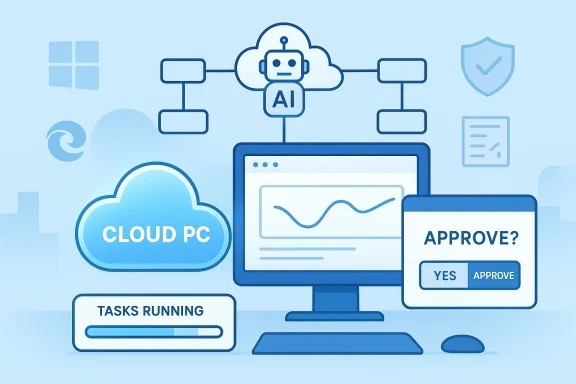
A core architectural detail distinguishes Copilot Tasks from simple automation macros: it runs on Microsoft‑hosted cloud compute that includes a browser instance dedicated to the task. This means the agent carries out interactions away from the user’s local device, freeing the PC and avoiding the need for complex local automation setups. The cloud browser both enables broader web compatibility and acts as a control boundary for auditing and governance.Modes and autonomy levels
Reports indicate Copilot Tasks supports varying degrees of autonomy and role‑based modes (for example, Auto, Researcher, or Analyst) to let the user or admin choose how much initiative the agent takes. Sensitive actions are gated behind explicit permission prompts, and the system surfaces progress updates so users can pause, cancel, or refine ongoing work. These safeguards are central to Microsoft’s design to retain trust while enabling autonomy.Features and early use cases
Copilot Tasks bundles several practical capabilities that target the kinds of busywork that consume time but add little strategic value.- Recurring & scheduled workflows: daily email summaries with drafted replies, routine data pulls and reports, and periodic price or listing monitoring.
- One‑off orchestration: compile inbox content into a presentation, transform syllabi into study plans with practice tests, or compare quotes from contractors.
- Service orchestration: book appointments, reserve rides aligned with flight schedules, and monitor rebooking opportunities when prices drop — with approval gates for purchases.
- Document generation: stitch together emails, attachments, and calendar items into polished artifacts (slide decks, agendas, briefings) and surface them for review.
Why the cloud browser matters (technical and operational considerations)
Running the agent inside a Microsoft‑controlled cloud browser and compute instance changes both the capabilities and the risks.- Compatibility and reach: a cloud browser emulates real user interaction across a wide variety of websites, reducing the need for site‑specific APIs or bespoke connectors. This enables Copilot Tasks to operate on services that don’t expose automation hooks.
- Isolation and auditability: executing actions server‑side creates a clear containment boundary, allowing Microsoft to log interactions, provide progress reporting, and implement permission checks before risky actions. This also simplifies rollback or mitigation of undesired interactions.
- Scale and cost: spinning up cloud compute incurs infrastructure cost and latency tradeoffs. Microsoft will need to manage resource provisioning and pricing decisions for sustained, large‑scale background automation. At the announcement stage, pricing and enterprise licensing were not published. Organizations should treat the preview as exploratory rather than a production‑ready billing model.
Security, privacy and governance — what IT teams must know
Copilot Tasks opens significant new attack and compliance surfaces even as it promises efficiency gains. Early public reporting and Microsoft’s own messaging highlight several built‑in controls, but the onus will be on IT and security teams to evaluate and enforce policies.Built‑in controls Microsoft calls out
- Human‑in‑the‑loop for consequential actions: spending money, sending messages, or changing account state requires explicit approval.
- Containment via cloud PC: operations occur in an isolated compute environment that Microsoft controls for the duration of the task, allowing richer telemetry and potentially easier incident investigation.
- Permissioned connectors and entitlements: existing Copilot governance constructs (the Copilot Control System, connectors model and Entra identity management) will likely be extended to grant or restrict agent access to data and systems.
Enterprise risks to plan for
- Data exfiltration and over‑privileging: agents that interact with web portals and account systems can access sensitive content. Over‑broad entitlements or default‑on access could create pathways for leakage if not tightly limited.
- Supply‑chain and impersonation attacks: an agent navigating third‑party sites must handle deceptive UX patterns; malicious or spoofed pages could trick the agent into unsafe actions. Robust detection and manual approval gates for unfamiliar sites are essential.
- Auditability and non‑repudiation: organizations will demand detailed logs, replayable session captures, and cryptographic attestations that show what the agent did and why. Microsoft’s cloud execution model helps, but IT must validate those auditing features meet internal and regulatory requirements.
- Legal and compliance constraints: automated actions that touch regulated data or cross geographies need clear policy constraints. Expect legal teams to require configurability for data residency, retention, and deletion controls.
Practical governance checklist for IT
- Define a least‑privilege entitlement model for agent connectors and test all default access levels.
- Require explicit approval flows for actions that spend money, send external messages, or change account states.
- Validate logging, replay and forensic exports for every task run.
- Segment agent usage by business unit and apply data residency controls where required.
- Run red‑team scenarios to assess how agents behave on adversarial or malformed web pages.
Comparison with competing approaches
Copilot Tasks is not the first autonomous agent effort, but its design choices are distinctive.- OpenAI and other startups have demonstrated browser‑controlling agents (OpenAI’s Operator/Agent experiments and third‑party agent platforms) that run in cloud environments to complete user workflows. Microsoft’s differentiator is the integration with its Copilot ecosystem (Windows, Edge, Microsoft 365) and the emphasis on enterprise governance hooks.
- Google’s agent roadmap (Gemini agents and automation experiments) similarly targets proactive task completion, but Microsoft’s cloud browser + Copilot Studio agent authoring plus broad enterprise connectors aim to position copilot as both a consumer and business automation substrate.
Early adopter considerations and recommended pilot plan
If your organization is evaluating Copilot Tasks, treat the preview as a controlled experiment and follow a phased, risk‑aware path.- Pilot with low‑risk automation: choose tasks that interact with public, non‑sensitive systems (e.g., price monitoring, calendar coordination, public procurement portals) and validate behavior.
- Validate logs and replay: insist on full session logs and replay capability to trace actions step‑by‑step.
- Define approval gates: require manual consent for payments, message sends, or account changes.
- Involve legal and privacy early: map the data flows created by agent runs and sign off on retention policies.
- Test incident response: simulate a misbehaving task, then practice pause, revoke, and rollback procedures.
Limitations, unknowns and unverifiable claims
At the time of the announcement, several operational details remain unclear or were not publicly disclosed by Microsoft:- Pricing and licensing: Microsoft has not published GA pricing, subscription tiers, or how background compute will be billed for large volumes of agent runs. Organizations should assume eventual monetization and model costs before scaling.
- Enterprise SSO and connector specifics: the full list of supported enterprise connectors, SSO options, and per‑connector entitlements were not fully enumerated at preview. IT teams should await formal documentation.
- Regional data residency and compliance controls: while Microsoft has existing compliance frameworks, it has not detailed how Copilot Tasks will surface controls for specific regulations or how session data is retained across regions. Treat this as an open question until Microsoft publishes a compliance whitepaper or support matrix.
Strategic implications for IT and knowledge workers
Copilot Tasks is a structural change in how digital work is done. For IT leaders and knowledge‑work managers, the arrival of autonomous, scheduled agents suggests three strategic moves:- Refocus human effort upward: automate repetitive, rule‑based tasks and redirect human time to judgment, relationship work, and creative problem solving. Early pilots should aim to free measurable hours from clerical tasks.
- Treat agents as digital employees: inventory, manage, and measure agent activity the way you do contractor or vendor work. That includes budgeting for compute, access governance, and operational SLAs.
- Build an agent governance program: create policies that cover agent creation, auditing, approval, and retirement; integrate agent monitoring into SIEM and ITSM workflows.
Final assessment — strengths, risks, and where this fits
Copilot Tasks is an important step: it operationalizes the promise of AI agents by combining natural language goals, multi‑step planning, and a controlled cloud execution environment. The strengths are clear:- Practical productivity gains for busywork and scheduling.
- Integration leverage across Windows and Microsoft 365 for contextual automations.
- Safer execution model than local macros, thanks to cloud containment and human approval gates.
- Unclear commercial model and potential compute costs.
- Data governance, compliance, and auditing gaps that must be closed before critical systems are entrusted to agents.
- Attack surface introduced by autonomous interaction with web services and third‑party portals.
How to engage with the preview today
Microsoft opened Copilot Tasks as a limited research preview with a public waitlist. Organizations and users interested in early access should join the waitlist, prepare pilot scenarios that keep sensitive actions out of scope, and bundle relevant stakeholders — security, legal, and operations — into the evaluation plan. Expect Microsoft to expand availability in waves while it refines governance, logging, and partner integrations.Copilot Tasks is not a speculative idea anymore; it’s a concrete product direction that turns natural‑language goals into scheduled, repeatable work. That shift — from “tell me” to “do for me” — will reshape desktop productivity, cloud governance, and the responsibilities of IT teams. The prize is real: reclaimed time and streamlined workflows. The price of admission, however, is rigorous governance, precise entitlements, and a careful approach to rollout.
Source: Windows Report https://windowsreport.com/microsoft...to-turn-ai-into-an-autonomous-digital-worker/
