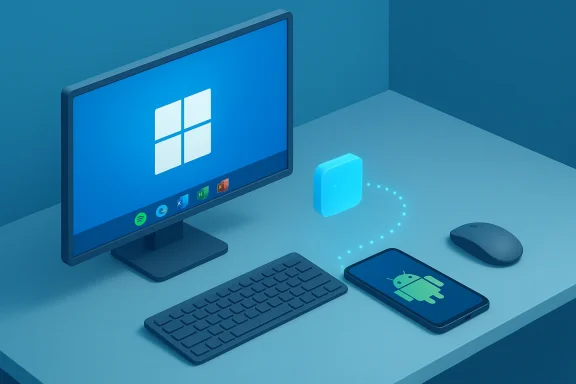
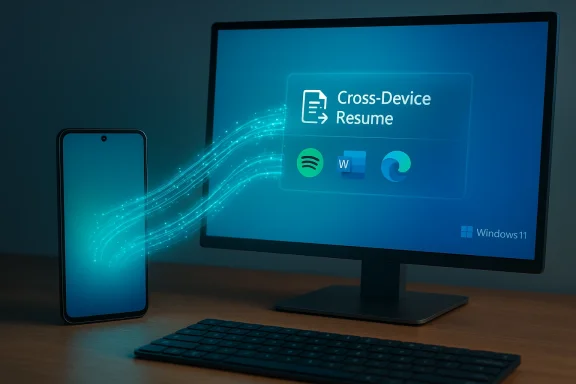
Microsoft’s quietly launched Cross‑Device Resume — the Windows 11 feature that lets you “pick up where you left off” between phone and PC — has taken a meaningful step out of niche experiment status and into a wider, more practical rollout that finally looks like it could matter to everyday users.
Cross‑Device Resume first surfaced as a OneDrive‑centric convenience: open a Word, Excel, PowerPoint or PDF on your phone, unlock your Windows 11 PC within a short window, and the OS would offer a one‑click resume notification to open the same file on the desktop. That initial implementation — introduced in Microsoft’s May 28, 2025 non‑security update (KB5058499) — was useful but narrow, because it depended on cloud‑backed OneDrive documents and a tight timing window.
In recent Insider builds and the Release Preview channelary 27, 2026, Microsoft expanded the scope: Cross‑Device Resume now supports true app handoff for certain Android apps and OEM ecosystems, mapping a phone activity to its best desktop handler (native app or browser) instead of relying solely on OneDrive cloud saves. That change is central to why this story matters now.
It’s worth noting that the preview partner list has been fluid during testing: Microsoft adjusted which OEMs were referenced during the Insider phase, underscoring that this is a staged, partner‑gated rollout rather than an immediate global switch. Treat the OEM list as representative of early partners and not a complete shipping list.
That caveat matters: this feature will feel transformative only when it is broadly available and consistently reliable across apps and OEMs. Microsoft’s architecture choices — AppContext metadata, native app preference, and WNS integration path — give it the technical foundation to scale. The company’s immediate work should be on expanding partner support, improving developer tooling, and clarifying enterprise controls so that the feature does not remain the “underused” novelty it started as.
If you want to try it now, check your Windows Insider channel or Release Preview updates, pair your phone with Link to Windows, and test simple scenarios like Spotify playback or a browser page. If you’re an app developer or OEM, this is a moment to evaluate the Continuity SDK or the WNS route — enabling resume could be a straightforward way to make your mobile experience feel native on the PC.
Cross‑device handoff is a small thing that, when done right, adds up to a smoother day. Microsoft has closed the technical gaps; now the hard work is social — getting apps, OEMs, and users to rely on it.
Source: XDA Windows 11's most underused feature is getting a boost soon
 Background
Cross‑Device Resume first surfaced as a OneDrive‑centric convenience: open a Word, Excel, PowerPoint or PDF on your phone, unlock your Windows 11 PC within a short window, and the OS would offer a one‑click resume notification to open the same file on the desktop. That initial implementation — introduced in Microsoft’s May 28, 2025 non‑security update (KB5058499) — was useful but narrow, because it depended on cloud‑backed OneDrive documents and a tight timing window. In recent Insider builds and the Release Preview channelary 27, 2026, Microsoft expanded the scope: Cross‑Device Resume now supports true app handoff for certain Android apps and OEM ecosystems, mapping a phone activity to its best desktop handler (native app or browser) instead of relying solely on OneDrive cloud saves. That change is central to why this story matters now.
What changed: from cloud‑only resume to native app handoff
The headline updates
- Windows 11 Builds 26100.7701 and 26200.7701 were released to the Release Preview channel with Cross‑Device Resume expansions. These builds are the last stop before broad rollout, which means the feature is in final testing and will reach mainstream users soon.
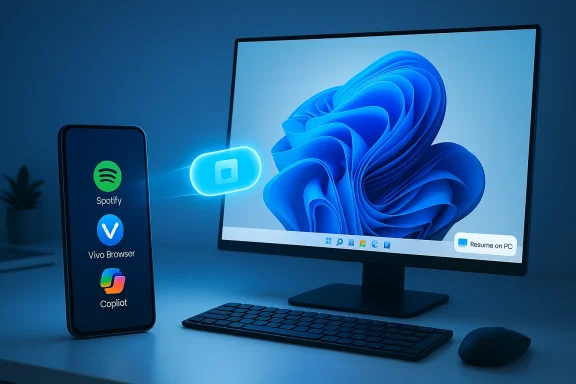
- Resume is no longer limited to OneDrive files. Microsoft documented that activities from Android apps — like Spotify playback, browsing sessions from vivo Browser, and Microsoft 365 Copilot files opened on select OEM phones — can now be surfaced on the PC and opened in the matching desktop app or in the browser if the native app is not installed.
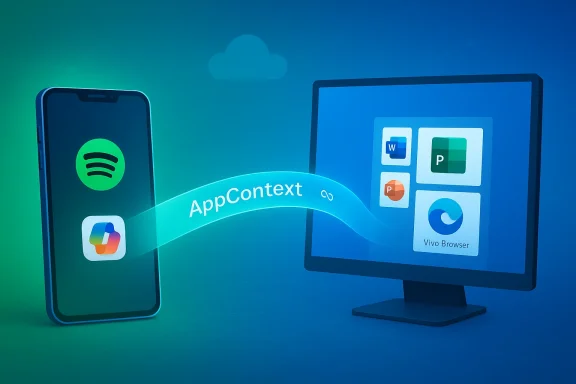
- Microsoft also introduced developer and integration pathways that reduce friction: the system maps a compact metadata payload (an AppContext) to a desktop handler, preferring native apps and falling back to web links. This design avoids streaming a phone UI to the PC, reducing bandwidth and complexity.
Why that matters
Up to now, Cross‑Device Resume often felt like a feature you should use but didn’t — largely because app support was sparse and the UX was framed around cloud file continuation. By enabling apps themselves (or their backend notifications) to trigger a resume affordance on the PC, Microsoft turns resume into a genuine cross‑device continuity mechanism similar in spirit to Apple’s Handoff — but implemented for Android↔Windows workflows. Early demos and reporting (including a now‑edited Build session) showed how a Spotify session or a browser tab could present a “Resume on PC” cue and open the corresponding desktop target instantly.How Cross‑Device Resume works (technical breakdown)
AppContext: the lightweight handshake
At the core of resume is AppContext — a compact metadata descriptor sent from the phone to the paired Windows 11 PC via Link to Windows / Phone Link services. AppContext typically contains:- A context identifier and a short lifetime to prevent stale resume prompts.
- A deep link or public web link pointing to the content or state.
- A short title and preview bytes used for UI affordances.
Integration routes for developers
Microsoft allows two primary ways for an app to trigger resume:- Native Continuity SDK integration (a Limited Access Feature) that directly publishes AppContext payloads.
- A lower‑friction route leveraging Windows Push Notification Service (WNS) or server‑side notifications for apps that already use cloud notifications, allowing many apps to enable resume without a heavy client SDK integration. This opens the door for quicker third‑party adoption.
The role of Link to Windows / Phone Link
The phone remains the authoritative runtime in many cases. Link to Windows (Android companion) acts as the conduit for AppContext messages, while a Windows component (the Cross Device Experience Host) surfaces the resume affordance and performs handler resolution. The pairing and authentication t account alignment, Link to Windows installation, and internet connectivity) remain prerequisites. Microsoft’s support documentation explains the required configuration and how users can disable resume per‑app or globally.OEMs, apps, and the rollout landscape
OEM and app partners called out so far
Microsoft’s Release Preview notes and Insider reporting list specific OEMs and apps in the preview scope: Honor, Oppo, Samsung, Vivo, and Xiaomi were named as partner ecosystems whose phones can surface Copilot online files to a paired PC; vivo Browser specifically is called out for browser tab handoff. Spotify continues to be an early app example for audio resume.It’s worth noting that the preview partner list has been fluid during testing: Microsoft adjusted which OEMs were referenced during the Insider phase, underscoring that this is a staged, partner‑gated rollout rather than an immediate global switch. Treat the OEM list as representative of early partners and not a complete shipping list.
Why partner OEMs matter
OEMs often ship customized Android builds and app stores; they can integrate the Continuity SDK directly into system apps (like browser or native file viewers) and test resume payloads with Microsoft more easily. That partnership model accelerates real‑world reliability and helps prevent a fragmented experience where only a handful of apps work. But it also means availability will be uneven at first, with some phones and regions seeing features sooner.Practical examples and everyday scenarios
- Resume Spotify playback started on your phone: click the badge on the Spotify icon on the Windows taskbar; Spotify desktop opens and continues playback from the same spot. Perfect for switching from commuting to working without hunting for the same podcast timestamp.
- Continue a browsing session: if you opened an article in vivo Browser on your phone, a Resume affordance can open that same page in your PC’s default browser. That turns casual reading on the go into a quick desktop follow‑up.
- Open a Copilot file from your phone: an online Word, Excel, or PowerPoint file surfaced via a Copilot mobile app on supported OEM phones can be opened on the desktop, launching the native Office app if installed or falling back to the browser for quick edits. This brings cloud‑first mobile editing into a seamless PC workflow.
Security, privacy, and manageability — what to watch for
Cross‑device continuity is great for productivity, but it raises practical questions users and IT admins should understand.- Data scope and lifetime: AppContext entries are intentionally short‑lived; the resume affordance times out quickly, limiting stale or leaked resume prompts. Still, organizations should consider whether a device‑to‑PC activity indicator meets their data governance rules.
- ount alignment: For OneDrive‑based resume, Microsoft requires the same Microsoft account on phone and PC; organizational accounts were not supported in earlier OneDrive implementations. IT admins need to confirm how this maps to enterprise policies and whether their users can or should enable it.
- Surface area for attack: Because resume uses deep links and AppContext metadata, proper validation is critical. Microsoft’s design preference for opening content in native desktop apps or a browser — rather than streaming a phone UI — reduces attack vectors, but developers and OEMs must sanitize deep links and avoid exposing sensitive content via easily guessed URLs.
- Manageability for admins: Resume can be toggled off globally or per app via Settings > Apps > Resume. Enterprises should include resume in endpoint configuration baselines if they want to control or restrict cross‑device handoffs. Microsoft has acknowledged this management surface in both product documentation and IT blogs.
Adoption hurdles and lingering limitations
- Gating and staged rollout: Microsoft is deploying the expanded resume feature as a gradual rollout, with server‑side gating and OEM‑partner onboarding. That means even Windows Insiders may not see the feature immediately. Expect availability to roll out by account, device pairing, and region.
- App and OEM support: Although Microsoft provided lower‑friction infeature still depends on developer interest and OEM cooperation. If apps and phone makers don’t prioritize Continuity SDK or WNS integration, resume will stay limited in reach.
- Fragmented UX across ecosystems: Unlike Apple’s tightly integrated iOS/macOS ecosystem, the Android+Windows model must accommodate many OEM variants. Early experiences will therefore vary, and users should expect a period of uneven behavior.
- The “phone as authority” tradeoff: App states are often authored on the phone relies on metadata rather than reproducing the exact in‑app runtime. For complex app states, resume may not always rehydrate perfectly — especially for apps that store content locally on the phone and not in the cloud. Microsoft explicitly notes offline phone‑stored files aren’t currently supported for some Copilot flows.
How to try it today (practical checklist)
If you want to test Cross‑Device Resume on an eligible Windows 11 PC and Android phone, follow these steps:- Ensure your PC is on a supported Windows 11 build (Insider Dev/Beta or Release Preview for the new expands; builds noted in Microsoft’s January 27, 2026 announcement include 26100.7701 and 26200.7701).
- Install Link to Windows on your Android phone and pair it to your PC via Phone Link.
- Sign into the same Microsoft account on both devices for OneDrive‑based resume. For app handoffs, make sure the relevant app is installed and signed in on both devices (Spotify, vivo Browser, Copilot mobile app on supported OEM phones, etc.).
- Enable Resume in Settings > Apps > Resume on your PC, and verify per‑app toggles if you want to limit which apps can surface resume prompts.
Strengths, risks, and where Microsoft should focus next
Strengths
- Native‑first design: Preferring native desktop handlers keeps the PC experience fast and familiar, and avoids heavy UI streaming. That’s a practical win for performance and security.
- Lower friction for developers: The WNS-based integration path reduces the engineering barrier for apps to participate, improving the odds of rapid third‑party adoption.
- OEM partnerships: Working directly with OEMs accelerates reliable experiences for system apps (browser, preinstalled Copilot integrations), allowing use cases like browser tab handoffs to come online sooner.
Risks and open questions
- Fragmented availability: A partner‑gated rollout means the feature may feel spotty for many users initially, which harms discoverability and adoption. Microsoft needs a clear, public roadmap for broadening support beyond early OEMs.
- Privacy and enterprise control: Enterprises will want granular control and clear documentation about how resume interacts with corporate accounts, mobile device management, and data residency concerns. Microsoft’s current guidance covers basics, but more IT‑oriented controls and telemetry will improve adoption for managed fleets.
- Real‑world handoff fidelity: Not every app maps cleanly from phone to PC. Expect edge cases where a resume action opens a document or URL but doesn’t fully restore the in‑app editing state or playback position. Microsoft and developers should prioritize consistency tests to raise the baseline UX.
Final verdict: practical continuity — when it will be useful and when it won’t
Cross‑Device Resume is no longer a niche OneDrive novelty; with the January 2026 Release Preview expansion, it is an actual continuity layer that can move browsing, music, and cloud documents from Android phones to Windows PCs with a single click. For commuters, hybrid workers, and users who bounce between phone and PC, that can be a real productivity boost — if your phone, apps, and PC are in the supported set.That caveat matters: this feature will feel transformative only when it is broadly available and consistently reliable across apps and OEMs. Microsoft’s architecture choices — AppContext metadata, native app preference, and WNS integration path — give it the technical foundation to scale. The company’s immediate work should be on expanding partner support, improving developer tooling, and clarifying enterprise controls so that the feature does not remain the “underused” novelty it started as.
If you want to try it now, check your Windows Insider channel or Release Preview updates, pair your phone with Link to Windows, and test simple scenarios like Spotify playback or a browser page. If you’re an app developer or OEM, this is a moment to evaluate the Continuity SDK or the WNS route — enabling resume could be a straightforward way to make your mobile experience feel native on the PC.
Cross‑device handoff is a small thing that, when done right, adds up to a smoother day. Microsoft has closed the technical gaps; now the hard work is social — getting apps, OEMs, and users to rely on it.
Source: XDA Windows 11's most underused feature is getting a boost soon