

Counter‑Strike 2’s system requirements look simple on paper, but the practical question every competitive player asks in 2026 is not “Will it launch?” — it’s “Will it stay smooth when the round gets messy?” This feature unpacks what Valve lists as the minimums, translates those numbers into real‑world targets for stable play on 1080p/144 Hz rigs, and gives a prioritized upgrade and tuning roadmap so your FPS don’t crater in the moments that matter.
Valve publishes a short, factual minimum on the CS2 Steam page: Windows 10, a 4‑thread CPU roughly equivalent to an Intel Core i5‑750, 8 GB of RAM, a DirectX 11 GPU with 1 GB VRAM and Shader Model 5.0 support, and about 85 GB of free disk space. Those figures are the baseline to get the game running; they are not guarantees of a competitive experience. The Steam store lists those minimums precisely for Windows and provides a separate SteamOS / Linux minimum that calls out AMD GCN+ or NVIDIA Kepler+ GPUs and recommends support for the Vulkan extension VK_EXT_graphics_pipeline_library.
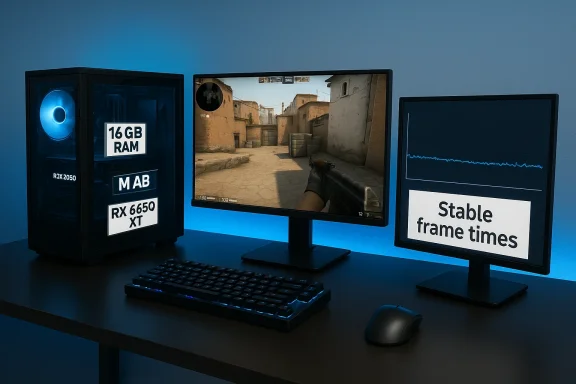
Valve’s published minimums are the anchor — but experienced players and performance testers quickly learned that CS2’s real requirement is low variance in frame time, not just a high average FPS. Practical “recommended” targets used by builders and hardware guides center on modern 6‑core+ CPUs, 16 GB of RAM, and midrange GPUs with 6 GB+ VRAM — a setup that buys headroom so frames don’t collapse during big utility exchanges or smoke pops.
Practical notes for Linux/SteamOS players:
Caution: running CS2 via compatibility layers, VM, or translation layers will typically yield worse latency and less predictable frame timing than a native Windows PC. For competitive play, a native Windows machine remains the recommended path.
Treat Valve’s minima as the door, not the destination. Aim for headroom, not high averages: stable frame times, consistent responsiveness, and predictable input latency are what win clutches and keep your rank climbing. For most players, the best return on investment is simple: upgrade RAM to 16 GB, stabilize CPU performance, keep graphics drivers current, and use an SSD. Those moves transform “it launches” into “it stays smooth when the round gets messy.”
Source: Pley.gg CS2 system requirements in 2026 - Pley
 Background / Overview
Valve publishes a short, factual minimum on the CS2 Steam page: Windows 10, a 4‑thread CPU roughly equivalent to an Intel Core i5‑750, 8 GB of RAM, a DirectX 11 GPU with 1 GB VRAM and Shader Model 5.0 support, and about 85 GB of free disk space. Those figures are the baseline to get the game running; they are not guarantees of a competitive experience. The Steam store lists those minimums precisely for Windows and provides a separate SteamOS / Linux minimum that calls out AMD GCN+ or NVIDIA Kepler+ GPUs and recommends support for the Vulkan extension VK_EXT_graphics_pipeline_library.Valve’s published minimums are the anchor — but experienced players and performance testers quickly learned that CS2’s real requirement is low variance in frame time, not just a high average FPS. Practical “recommended” targets used by builders and hardware guides center on modern 6‑core+ CPUs, 16 GB of RAM, and midrange GPUs with 6 GB+ VRAM — a setup that buys headroom so frames don’t collapse during big utility exchanges or smoke pops.
Why minimums are a poor proxy for competitive play
Minimum specs answer a binary question: will the game start? They do not answer the one that matters for ranked matches: will the game remain responsive when the server, physics, and visuals are all busy?- Minimum hardware often runs the menu, warmup, and empty maps fine. The trouble begins in actual matches where numerous effects, large player counts, and physics interactions demand consistent CPU core availability and low frame variance.
- Average FPS is deceptive. A system can post a good average while suffering frequent, transient dips that wreck aim in a 1v1 or a clutch scenario. Competitive players prize stable frame times and predictable input latency over headline FPS numbers.
- In CS2, certain in‑engine events (dynamic smoke, particle explosions, large grenade clumps) create short, intense CPU/GPU bursts. If your hardware lacks single‑thread responsiveness or sufficient RAM to avoid OS paging, those bursts show up as stutter or micro‑pauses.
The official small-print: what Valve actually lists
Valve’s Steam product page for Counter‑Strike 2 lists the following minimums (Windows and SteamOS/Linux):- Windows minimum (official):
- OS: Windows 10 (64‑bit)
- CPU: 4 hardware CPU threads — Intel Core i5‑750 or higher
- RAM: 8 GB
- Graphics: 1 GB+ VRAM, DirectX 11 compatible, Shader Model 5.0
- DirectX: Version 11
- Storage: 85 GB available space
- SteamOS / Linux minimum (official):
- OS: Ubuntu 20.04 / SteamOS
- CPU: 4 hardware CPU threads — Intel Core i5‑750 or higher
- RAM: 8 GB
- Graphics: AMD GCN+ or NVIDIA Kepler+ with up‑to‑date Vulkan drivers; support for VK_EXT_graphics_pipeline_library highly recommended
- Storage: 85 GB available space
Practical recommended specs for smooth competitive 1080p (what to actually aim for)
If you want stable 120–144 Hz performance with minimal dips, target the following practical specs. These are not Valve’s official “recommended” numbers (Valve provides only minimums); they are the consensus, evidence‑backed targets used by pro players, testers, and hardware sites to deliver consistent, low‑variance gameplay.- OS: Windows 10/11 (64‑bit) — Windows is still the native platform for best driver tooling and tuning.
- CPU: Modern 6‑core CPU or better; prioritize strong single‑thread / high IPC performance (e.g., contemporary Ryzen 5/7 or Intel Core i5/i7 12th gen and newer).
- RAM: 16 GB system memory as the practical sweet spot.
- GPU: Midrange GPU with 6 GB+ VRAM class for 1080p stability (e.g., RTX 3060 / RX 6600 XT class or better).
- Storage: SSD recommended for faster load times and reduced asset streaming hiccups.
- Graphics API: DirectX 11 on Windows; Vulkan driver quality matters on Linux/SteamOS.
Recommended rigs, by player intent
- Casual 1080p/60:
- CPU: Modern dual‑ or quad‑core (e.g., low‑end Ryzen or Intel U/quad chips)
- RAM: 8–16 GB
- GPU: GTX 1650 / RX 6500 class
- Storage: SSD preferred
- Competitive 1080p/144 (stable, consistent):
- CPU: 6‑core modern (strong single‑thread)
- RAM: 16 GB
- GPU: RTX 3060 / RX 6600 XT or better (6 GB+)
- Storage: NVMe SSD
- Pro / tournament (240 Hz+/streaming):
- CPU: High single‑thread/high core CPU (top‑bin chips or recent 8‑core 16‑thread designs)
- RAM: 32 GB if multitasking/streaming
- GPU: RTX 4070 / RX 7900 class or higher
- Storage: Fast NVMe, plenty of headroom
Linux and SteamOS: the driver story that matters
Valve’s Linux/SteamOS minimum highlights a hard truth: on Linux, the graphics driver stack is often the decisive factor. The Steam listing calls for AMD GCN+ or NVIDIA Kepler+ GPUs with current Vulkan drivers and recommends the Vulkan extension VK_EXT_graphics_pipeline_library. That recommendation is not academic — a missing or flaky extension can cause higher CPU overheads, shader compile stalls, or feature fallbacks that worsen frame times.Practical notes for Linux/SteamOS players:
- Update your Vulkan drivers. On Linux, driver vendors release important Vulkan fixes frequently; keeping the driver stack fresh is often more important than upgrading GPU hardware by a single generation.
- Check extension support. VK_EXT_graphics_pipeline_library support is explicitly recommended by Valve; if your driver lacks it, you may see higher shader‑compile or pipeline overhead.
- Expect more tuning. If you’re right at minimums on Linux, you’ll likely spend more time tuning than on Windows. That’s normal — and not a reflection on CS2 itself, but on the maturity of drivers and Proton translation layers.
macOS: short answer and practical options
Valve discontinued native support for macOS when CS2 launched. The company explained that the macOS player base represented a very small fraction of active players and that the engine changes (including the move to Vulkan/Source 2 tech) and deprecation of older APIs made macOS support impractical. Valve’s communications and multiple reporting outlets confirm there is no official CS2 for macOS and that legacy CS:GO support was maintained only briefly as a frozen build. If you use a Mac and want to play CS2, your options are streaming, virtualization, or a Windows/BootCamp machine (where available).Caution: running CS2 via compatibility layers, VM, or translation layers will typically yield worse latency and less predictable frame timing than a native Windows PC. For competitive play, a native Windows machine remains the recommended path.
Settings and tuning that matter more than raw specs
Many players obsess over “maxing” settings; in competitive CS2, the goal is predictable, low‑variance frame times. Here are the settings and system tweaks that give the best real‑world benefit:- Resolution and refresh strategy:
- Play at native resolution if it keeps input latency low. Many competitive players prefer 1920×1080 because it balances visual clarity with frame output.
- Use your monitor’s native refresh rate and set Windows/GPU control panel to prioritize performance where available.
- Graphics quality tradeoffs:
- Lower or disable shadows and complex particle effects first — they often cost more FPS for less practical benefit in visibility.
- Effects and postprocessing produce the worst spikes during grenade combos; turning them down reduces stutter risk.
- Background apps:
- Close overlays and heavy background processes (browsers with many tabs, Discord streaming, recording software) to reduce CPU contention.
- Drivers:
- Keep GPU drivers current and verify Vulkan/DirectX support for the build you run. On Windows, driver updates frequently include microcode/driver fixes that reduce stutter; on Linux, Vulkan driver updates are even more critical.
- Hardware priorities:
- CPU first if you experience frame drops during crowded utility moments.
- RAM second: moving from 8 GB to 16 GB is often the cheapest and highest‑impact upgrade for day‑to‑day smoothness.
- GPU third if you are clearly GPU bound at your target resolution and refresh rate.
- SSD fourth — especially if you still run an HDD. SSDs reduce loading pauses and asset streaming stalls.
Upgrade priorities and a budget ladder
If you’re building or upgrading, spend money where it reduces variance most. Here’s a prioritized ladder that balances cost and practical gains:- RAM: Move from 8 GB to 16 GB first if you still use 8 GB. This often eliminates paging and reduces background‑app impact.
- CPU: Upgrade the CPU next if you notice dips during crowded rounds. Prioritize higher IPC and single‑thread performance or CPUs with good low‑latency cores.
- SSD: Swap an HDD for an SSD to remove streaming and load stalls; NVMe is preferable if within budget.
- GPU: Buy a GPU that matches your refresh target; for 144 Hz 1080p, the midrange 6 GB class is a sensible minimum.
- Monitor / Input: As a final step, invest in a reliable 144 Hz+ panel and a low‑latency mouse — hardware outside the PC can still cause perceived latency.
Troubleshooting quick wins (if you meet minimums but feel rough)
Before buying hardware, apply these quick fixes — they often solve the common stuttering and dips players report:- Update GPU drivers and reboot. Fresh drivers can include important fixes for game‑specific issues.
- Close overlays (Discord, Steam, Xbox/GeForce Experience overlays) and streaming/recording apps.
- Lower resolution or use a performance‑friendly resolution setting.
- Lower shadows, particle details, and environmental effects which cause frame spikes.
- If lowering graphics does not improve things, check Task Manager for CPU saturation and high background thread usage — you may be CPU bound.
- On Linux, confirm your Vulkan driver is current and that the critical extensions Valve recommends are enabled; the Vulkan stack is frequently the limiting factor on non‑Windows systems.
The open problems and risks to be aware of
CS2’s engine improvements brought visual fidelity and networking changes, but they also introduced performance variance that persists across hardware generations. A few risks and unresolved areas to keep in mind:- Pro‑level variance: some high‑profile players and testers have highlighted frame stability concerns in heavy scenarios, and while Valve continues to optimize, these issues can persist in competitive stress tests. Treat pro‑level complaints as important signals but not as universal truths — the performance hit varies by system and settings. Flagged as anecdotal: expect evolving fixes from Valve and GPU vendors.
- Linux driver fragmentation: driver maturity and Vulkan extension support differ between vendors and distros; you may need extra tinkering on Linux compared with Windows.
- macOS support: there is no official CS2 client for macOS; players on Macs must rely on cloud/streaming or Windows on Apple hardware, with attendant latency and complexity tradeoffs. Valve’s decision was deliberate and driven by small macOS player percentages and the move away from legacy APIs.
Quick reference: exact numbers to check on your PC right now
If you want to check in under a minute on Windows:- Open Task Manager → Performance tab: verify CPU, Memory, GPU, and Disk specs.
- Run dxdiag to confirm DirectX version.
- Confirm you have ~85 GB free for installation.
- If you play on Linux/SteamOS, check your Vulkan version and extension list (vulkaninfo) and verify VK_EXT_graphics_pipeline_library if present.
Conclusion
Counter‑Strike 2’s system requirements are deliberately modest on paper: Windows 10, 4 CPU threads, 8 GB RAM, and a DirectX 11 GPU with ~1 GB VRAM will start the game. In practice, competitive play demands more: prioritize a modern 6‑core CPU with strong single‑thread performance, 16 GB of RAM, and a midrange GPU with 6 GB+ VRAM for consistent 1080p/144 Hz play. On Linux/SteamOS, don’t overlook the Vulkan driver stack and VK_EXT_graphics_pipeline_library support — those driver details often matter more than appearing on a component list.Treat Valve’s minima as the door, not the destination. Aim for headroom, not high averages: stable frame times, consistent responsiveness, and predictable input latency are what win clutches and keep your rank climbing. For most players, the best return on investment is simple: upgrade RAM to 16 GB, stabilize CPU performance, keep graphics drivers current, and use an SSD. Those moves transform “it launches” into “it stays smooth when the round gets messy.”
Source: Pley.gg CS2 system requirements in 2026 - Pley
