

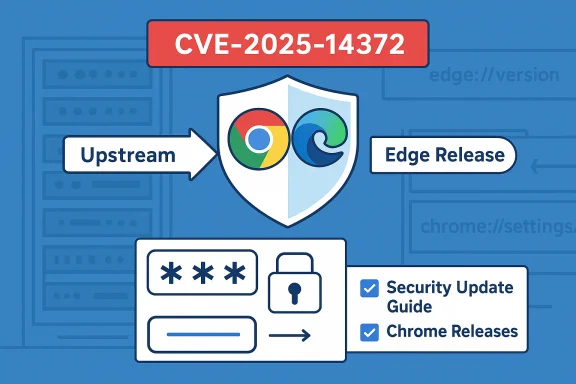
Chromium’s recently assigned CVE‑2025‑14372 — a use‑after‑free vulnerability in the Password Manager component — has been surfaced in Microsoft’s Security Update Guide because Microsoft Edge (the Chromium‑based build) consumes Chromium OSS; the entry in the guide is Microsoft’s downstream signal that a shipped Edge build has ingested the upstream Chromium fix and that Edge is therefore no longer vulnerable.
Background / Overview
Chromium is an upstream, open‑source browser engine that provides Blink, V8, Mojo and other core subsystems used by Google Chrome and a wide range of downstream browsers and runtimes (including Microsoft Edge, Brave, Opera and many Electron‑based apps). When a security fix is committed upstream in Chromium (or when Google ships a Chrome stable release containing the fix), downstream vendors must ingest those changes, test them, build vendor‑specific packages and ship updated binaries. Microsoft records this downstream ingestion status in the Microsoft Security Update Guide (SUG) so enterprises and administrators can definitively know whether their Edge builds include the upstream remediation. That operational chain — upstream discovery → Chromium/Chrome patch → downstream ingestion → vendor release — is why a Chromium CVE appears in Microsoft’s catalog even though the bug was originally assigned by Chromium/Chrome.This distinction matters: a Chrome update closing the CVE does not instantly immunize all Chromium consumers. Edge remains vulnerable until Microsoft ingests and ships the updated component. The Security Update Guide entry is the authoritative downstream statement that tells you whether the Edge build installed in your environment is fixed.
What CVE‑2025‑14372 is (technical summary)
- Vulnerability type: Use‑after‑free (memory corruption class).
- Component: Password Manager implementation in Chromium.
- Risk: A UAF in a password manager area can, depending on the call paths and sandboxing, lead to browser instability, information disclosure or — in chained attacks — privilege escalation or code execution. The exact exploitability depends on renderer/IPC reachability and sandbox boundaries.
- Upstream disclosure and fix: The Chromium/Chrome release notes list CVE‑2025‑14372 among the security fixes for the relevant Chrome/Chromium stable release. The upstream release note identifies the CVE and credits the reporter.
Why Microsoft lists a Chromium CVE in the Security Update Guide
Microsoft’s Security Update Guide serves as the downstream vendor record for vulnerabilities that affect Microsoft‑shipped products. When Chromium assigns a CVE, Microsoft lists that CVE in the SUG to:- Tell enterprise customers that the CVE exists upstream in Chromium.
- Record which Edge build contains the ingestion of the Chromium fix (the downstream remediation boundary).
- Provide a single, authoritative place for administrators to verify whether Edge is still vulnerable, for compliance and remediation tracking.
How to see your browser version — step‑by‑step (consumer and admin)
The quickest way to confirm whether your browser is fixed is to find the full version string shown by the browser itself, then compare it against the patched build listed by the upstream (Chrome Releases) and downstream (Microsoft SUG / Edge release notes). Use these steps.For individual users (Microsoft Edge)
- Open Microsoft Edge.
- Click the three‑dot menu (Settings and more) in the upper‑right.
- Choose Help and feedback → About Microsoft Edge.
Or type edge://settings/help in the address bar and press Enter.
The page shows the full Edge version and checks for updates. - For the underlying Chromium revision and build details, type edge://version in the address bar. That page lists the full product/Chromium version string and executable path.
For individual users (Google Chrome)
- Open Chrome.
- Menu → Help → About Google Chrome or chrome://settings/help.
For the underlying Chromium build, use chrome://version. These pages show the full build string and will trigger an update check.
Quick verification checklist (user)
- Get your browser’s version string (edge://settings/help or edge://version).
- Check the Microsoft Security Update Guide entry for the CVE (or Edge release notes) to find which Edge build Microsoft records as fixed.
- If your Edge version is equal to or newer than the fixed build, your Edge install is not vulnerable per Microsoft’s downstream statement.
How to collect version information at scale (enterprise)
When you manage dozens, hundreds or thousands of endpoints, manual checks are impractical. Use these methods to inventory Edge/Chromium versions across your fleet.- Registry (per‑user):
- The Edge client records a version string under the BLBeacon key:
HKCU\SOFTWARE\Microsoft\Edge\BLBeacon → value name: version. - PowerShell example to read the current user value:
Get‑ItemPropertyValue -Path 'HKCU:\SOFTWARE\Microsoft\Edge\BLBeacon' -Name 'version'
This returns the same version string users see in About.
- The Edge client records a version string under the BLBeacon key:
- Executable file version (machine level):
- Read msedge.exe file version:
(Get‑Item 'C:\Program Files (x86)\Microsoft\Edge\Application\msedge.exe').VersionInfo.FileVersion
This is useful for system‑level inventories and when the process runs under different accounts.
- Read msedge.exe file version:
- Remote inventory:
- Query endpoints via Intune, SCCM (ConfigMgr), JAMF, or your management stack and gather the BLBeacon registry value or msedge.exe file version into a central CSV/database.
- Compare the reported versions to the fixed build recorded in the Security Update Guide / Edge release notes and produce remediation reports.
- For Linux/macOS:
- Use distribution packaging tools or the msedge binary metadata to extract file version strings. Edge provides the same internal pages (edge://version) on desktop platforms.
Mapping Chromium builds to Edge builds (what to watch for)
Because Edge has its own versioning and ingestion cadence, a Chromium/Chrome build number is not always a simple 1:1 mapping to an Edge version. The authoritative downstream signal is Microsoft’s Security Update Guide entry and the Edge release notes that indicate which Edge build contains the ingestion. The process is:- Identify the upstream Chrome/Chromium release that contains the fix (Chrome Releases posts and Chromium security notes are the upstream canonical source).
- Check Microsoft’s SUG entry for the CVE and the corresponding Edge release notes to find the Edge build Microsoft lists as fixed.
- Compare your local Edge version string to the SUG / release note remediation boundary. If your installed version is equal to or newer, you are downstream‑fixed for Edge.
What to do if you find a vulnerable version
- Update Microsoft Edge immediately using the built‑in updater (About page) or your managed software distribution. A restart may be required to complete the upgrade.
- For managed environments, push the updated Edge package via your MDM/Patch management system and verify version roll‑forward across endpoints.
- Inventory and contact vendors for any applications that embed Chromium (Electron apps, kiosk software, other bundled browsers) — those runtimes are vulnerable until the application vendor ships a build that incorporates the patched Chromium runtime.
- If you cannot patch immediately, implement compensating controls:
- Restrict web access for high‑risk user groups.
- Apply web filtering / proxy controls to block known risky domains.
- Disable untrusted third‑party extensions.
- Increase monitoring for renderer crashes and anomalous child process behavior in EDR telemetry.
Detection, hunting and monitoring guidance
Treat memory‑corruption CVEs reachable from web content as high priority. Suggested detection and hunt items:- Watch EDR/endpoint telemetry for:
- Sudden increases in browser renderer crashes or forced restarts.
- Abnormal child process creation patterns (renderer or utility processes spawning unexpected processes).
- Unusual JIT activity or unexpected modules loaded into the browser process.
- SIEM and proxy logs:
- Scan for spikes in connections to newly registered domains, or to known exploit kit infrastructure.
- Correlate browser crashes with recent web activity for the same user.
- Preserve evidence:
- If you suspect exploitation, capture memory images and browser process dumps for forensic analysis before reboots or remediation steps that discard volatile evidence.
Risk analysis — technical strengths and potential weaknesses
Strengths (what the ecosystem does right)
- The Chromium project and Google’s Chrome Releases process are responsive and publish coordinated security fixes; Chromium’s security teams and bounty programs encourage responsible disclosure. The upstream fix and release notes are publicly available as the canonical upstream record.
- Microsoft’s Security Update Guide gives downstream consumers an authoritative, auditable record of which Edge builds include ingested Chromium fixes — a practical asset for enterprise patch management and compliance.
- Edge uses platform mechanisms (sandbox, process isolation) and platform‑specific hardening (MiraclePtr / raw_ptr, etc. to reduce exploitation success and increases the cost of exploitation chains. Chromium’s ongoing memory‑safety investments help reduce UAF surface over time.
Weaknesses and potential risks
- Ingestion lag: there is an unavoidable window between an upstream Chromium fix and downstream vendor ingestion. During that window, other Chromium consumers could remain unpatched if they don’t track or adopt quickly. Attackers may probe for that window if they can detect unpatched downstream builds.
- Embedded runtimes: applications that bundle a Chromium runtime (Electron apps, kiosk UIs, custom appliances) often lag behind browser update cycles and can remain vulnerable long after desktop browsers are patched. Inventorying and coordinating with those vendors is operationally costly.
- Exploit details: vendors sometimes withhold technical exploit details while fixes propagate, making early detection of in‑the‑wild exploitation harder for defenders who lack vendor telemetry. When exploit proof‑of‑concepts leak, risk escalates quickly. Be cautious — if a vendor states “exploit in the wild” for a given CVE, treat remediation as urgent.
Practical examples — commands and checks you can run now
- Manually check Edge (user):
- Open Edge → Menu → Help and feedback → About Microsoft Edge (or enter edge://settings/help).
- Confirm the version string; if an update is available, Edge will download it and ask for restart.
- Get Edge version from PowerShell (local, current user):
- (Get‑ItemProperty -Path 'HKCU:\SOFTWARE\Microsoft\Edge\BLBeacon' -Name 'version').version
This prints the same version visible in the About pane.
- (Get‑ItemProperty -Path 'HKCU:\SOFTWARE\Microsoft\Edge\BLBeacon' -Name 'version').version
- Get msedge.exe file version (machine level):
- (Get‑Item 'C:\Program Files (x86)\Microsoft\Edge\Application\msedge.exe').VersionInfo.FileVersion
- Check the chromium baseline inside the browser:
- Open edge://version — look at the “Chromium” or “JavaScript engine” line to see the Chromium revision the Edge build is based on.
- Mapping verification (administrators):
- Pull your inventory of edge versions via your management tooling (Intune, SCCM).
- Compare versions against the fixed build published in the Microsoft Security Update Guide for CVE‑2025‑14372.
- Remediate systems with versions older than the fixed build.
Operational checklist (copy/paste for IT teams)
- Identify the fixed Chromium/Chrome build for CVE‑2025‑14372 (chromium/Chrome upstream release notes).
- Open Microsoft’s Security Update Guide entry for CVE‑2025‑14372 and record the Edge build Microsoft lists as fixed.
- Run inventory to collect BLBeacon registry values and msedge.exe file versions across endpoints.
- Target patching waves for high‑risk machines (internet‑facing, admins, developers).
- For embedded Chromium runtimes (Electron, WebView2, kiosk devices), contact vendors and request a timeline for ingestion/patching.
- Tune EDR for renderer crashes and anomalous child process creation; watch network telemetry for suspicious domains.
- For compliance, produce a report listing endpoints with versions older than the fixed build and track remediation status.
Final evaluation and recommendations
CVE‑2025‑14372 is a reminder that shared open‑source components create shared responsibilities. Chromium’s cadence of rapid fixes benefits the whole ecosystem, but downstream ingestion and vendor packaging are where enterprise security succeeds or fails operationally.What to do right now:
- If you run Microsoft Edge, check edge://settings/help or edge://version and compare your build string to Microsoft’s Security Update Guide / Edge release notes; update immediately if you’re on an older build.
- If you manage endpoints, script an inventory query for the BLBeacon registry value and msedge.exe file version and compare against the fixed build recorded in SUG — automate the comparison and escalate remediation for high‑risk groups.
- Inventory embedded Chromium runtimes (Electron apps, kiosk systems, custom UIs) and coordinate with vendors for patched builds — these are common blind spots.
- Treat any web‑reachable memory‑safety bug as high priority: patch, monitor, harden, and maintain evidence preservation procedures in case a live investigation is needed.
Source: MSRC Security Update Guide - Microsoft Security Response Center
