

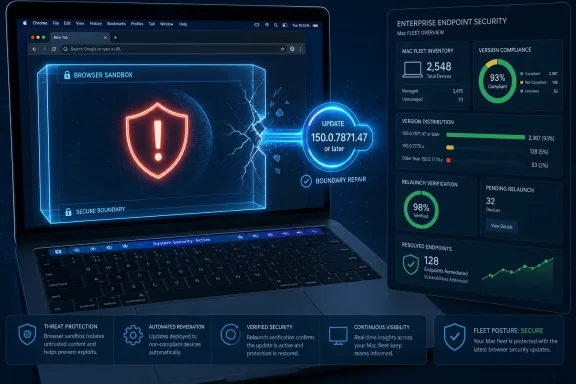
Google fixed CVE-2026-13792 in Chrome for Mac, addressing a High-severity use-after-free flaw in the Touchbar component. According to the Chrome-issued CVE record and the National Vulnerability Database, a remote attacker could use a crafted HTML page to potentially escape the browser sandbox on Macs running Chrome versions below 150.0.7871.47. The practical WindowsForum lesson is straightforward: organizations must include minority Mac fleets in browser-version compliance reporting rather than assuming their primary Windows controls cover every endpoint.
On managed Macs, identify Google Chrome versions below 150.0.7871.47, deploy 150.0.7871.47 or later, require a relaunch, then verify the running version.
The cutoff is the supplied affected-version boundary, not necessarily the newest Chrome build available when an administrator performs the work. If Google offers a newer supported stable release, deploy that release rather than deliberately stopping at 150.0.7871.47.
CVE-2026-13792 is categorized as a use-after-free vulnerability in the Touchbar component of Google Chrome on Mac. The vendor-issued description says Chrome versions before 150.0.7871.47 could allow a remote attacker to potentially perform a sandbox escape through a crafted HTML page.
That wording distinguishes this issue from an ordinary browser crash or a display problem. A sandbox escape concerns the security boundary intended to keep hostile web content confined within a restricted browser process and separated from more privileged parts of the system.
Google classifies the vulnerability as High severity. Separately, CISA-ADP contributed a CVSS 3.1 score of 9.6, which falls within the Critical range of that scoring system. These labels are not necessarily contradictory. Google’s Chromium severity classification and a contributed CVSS base score are different methods of describing risk.
The CVSS vector models a network-reachable attack with low attack complexity, no privileges required, user interaction required, changed scope, and high potential effects on confidentiality, integrity, and availability. In practical terms, the modeled scenario begins with a user encountering crafted web content, not with an attacker already holding an account or administrative rights on the Mac.
The public description does not disclose the detailed trigger sequence. Chromium issue 496012368 is permission-restricted, so administrators cannot use the supplied record to determine which Touch Bar state, browser action, object lifetime, or user gesture is required.
It would therefore be unsupported to claim that every Mac with particular hardware is equally exploitable. It would also be unsafe to assume that disabling a visible control or avoiding a suspected feature removes the vulnerable path.
The reliable operational boundary is the browser version: Google Chrome on Mac below 150.0.7871.47 is within the supplied affected range. Remediation should be based on that version boundary rather than an improvised hardware exclusion.
Administrators should prioritize the update without representing the record as evidence of an active campaign. The supplied assessment says exploitation is not known and automation is not expected, while also describing potentially severe consequences if a successful attack occurs.
Once memory is freed, the allocator may make the same region available for another object or data. If another part of the program continues to treat that location as the original object, it may read invalid contents, write through a stale reference, or make decisions using data that no longer has the expected structure.
The result can range from a conventional application crash to more serious security consequences. Exploitability depends on the affected code, memory layout, timing, available mitigations, and how much influence an attacker has over the reused memory. The presence of a use-after-free classification alone does not prove that reliable exploitation is available.
For CVE-2026-13792, however, the vendor description specifically identifies a potential sandbox escape through a crafted HTML page. That states a consequence beyond denial of service while appropriately avoiding a claim that exploitation is guaranteed.
A browser sandbox is designed to restrict processes that handle untrusted web content. A sandbox escape can undermine that defensive layer by crossing from a constrained context into another security authority. The public record does not identify the precise process transition, final privileges, or complete exploit chain involved in this vulnerability.
The changed-scope component in CISA-ADP’s CVSS vector reflects that modeled boundary crossing. It helps explain the high calculated score even though user interaction is required and no exploitation is identified in the supplied SSVC assessment.
“User interaction” should not be interpreted as informed approval of an attack. It may involve opening or navigating to crafted content. At the same time, the public record does not provide enough detail to reduce the interaction requirement to one specific action beyond exposure to a crafted HTML page.
The version notation can be misread because it names 150.0.7871.47 while applying a less-than condition. The practical interpretation is that 150.0.7871.47 is the supplied cutoff: earlier builds are affected, while that version and later versions are outside the listed affected range.
The threshold should not be mistaken for a recommendation to install an older build when a newer supported stable version exists. The target is 150.0.7871.47 or later, with the current approved stable version generally preferable.
The CVE record identifies Google Chrome as the affected product and Mac as the affected platform. It does not identify Windows Chrome as affected by this Touchbar flaw, so administrators should not extend the supplied platform configuration into a cross-platform claim.
That narrow scope does not make the issue irrelevant to Windows-focused organizations. Businesses commonly manage a dominant Windows estate alongside a smaller Mac fleet using different inventory, software-management, or security systems. A browser vulnerability confined to Mac can expose whether those systems produce equivalent compliance evidence.
If a security team can immediately report the Chrome versions running on Windows but cannot answer the same question for managed Macs, the operational problem is incomplete fleet visibility. CVE-2026-13792 provides a specific reason to close that reporting gap.
The record also should not be generalized automatically to every Chromium-based browser. The supplied facts identify Google Chrome and a Chrome version threshold. Other products may package, modify, disable, or release shared components differently, and their own vendor information should determine affected status and remediation.
The defensible detection rule is consequently narrow:
Administrators should therefore avoid inventing technical details from the issue number or the component name. The supplied sources do not document a vulnerability-specific feature flag, command-line option, configuration profile, network signature, Touch Bar setting, or other workaround.
That information gap does not prevent remediation. The vendor has provided an affected-version cutoff, and moving Chrome outside that range remains the clearest available corrective action.
Security teams may still apply temporary exposure-reduction measures when immediate updating is impossible, but they should describe those measures accurately. Restricting web access, isolating an affected workflow, moving a task to another supported browser, or temporarily removing Chrome may reduce exposure if implemented and verified. None of those actions should be represented as a vendor-confirmed fix for this CVE.
Likewise, removing Chrome counts only if removal is confirmed. A planned uninstallation, an unapproved application-removal ticket, or an inactive-looking browser icon does not establish that the executable is absent.
Macs may be managed through a different product, owned by another team, or covered by separate application policies. Those organizational divisions should not create a blind spot in vulnerability response.
A complete compliance report should answer five questions for every managed Mac:
Organizations should define which inventory source is authoritative. Possible sources include endpoint-management inventory, software-discovery data, endpoint detection and response telemetry, or a managed-browser reporting platform. The article’s supplied facts do not establish that one product or collection method is universally superior.
Whichever source is selected, administrators should document what the version field actually represents. A software record, a package deployment result, a file version, a browser-reported version, and an observed running process may not be equivalent measurements.
The practical verification standard should therefore combine version comparison with relaunch evidence. A device is not closed merely because an update job was sent successfully. Closure requires evidence that the endpoint is now reporting Chrome 150.0.7871.47 or later and that any required relaunch occurred.
Stale devices require their own status. A Mac that has not checked in cannot be counted as compliant simply because no vulnerable version is currently visible. Its version is unknown until the device reports again or another approved method confirms its state.
Exceptions also need explicit ownership. If an affected Mac cannot be updated, the record should identify the business or technical owner, the reason for the hold, any temporary restrictions, the next review date, and a firm remediation deadline.
That staged enrichment can produce temporary differences among tools depending on when they import or refresh vulnerability data. A scanner could, for example, initially receive the core version information before later receiving the contributed score or configuration details. This is a possibility inherent in evolving records, not evidence that any named scanner behaved in a particular way.
The relevant provenance is concise:
None of the enrichment changes the operational rule. Chrome on Mac below 150.0.7871.47 remains within the supplied affected range, and 150.0.7871.47 or later remains the remediation threshold.
Administrators do not need to delay remediation while waiting for additional metadata. Vulnerability-management records can continue to evolve after the actionable version boundary is known.
An enterprise query should include, at minimum:
Devices reporting an earlier version are affected. Devices reporting 150.0.7871.47 or later are outside the supplied affected range. Devices with no reliable version, an ambiguous product identity, or a stale check-in remain unresolved.
Local checking is useful for help-desk validation, user instructions, and spot checks. On the Mac, open Chrome and use:
Chrome menu (⋮) > Help > About Google Chrome
Confirm that the displayed version is 150.0.7871.47 or later. If Chrome prompts for a relaunch, relaunch it and return to the same page to confirm the version after the browser reopens.
Local validation should complement rather than replace centralized evidence. An administrator needs fleet-level reporting that identifies all unresolved devices, not merely confirmation from a sample of users.
Restart or relaunch evidence should be defined by the organization’s available tools. It might be a browser-reported post-update version, a new process start time paired with the updated binary, a management check-in after relaunch, or another documented signal. The chosen signal must demonstrate more than successful delivery of an update command.
Reports should separate at least four states:
CVE-2026-13792 has a narrow product and platform scope, but the remediation standard should be rigorous. Update Google Chrome on managed Macs to 150.0.7871.47 or later, require a relaunch, verify the displayed or centrally observed running version, and keep unresolved endpoints visible until an owner closes them.
The forward-looking lesson is not that aging hardware integrations are inherently neglected. It is that minority platforms cannot be allowed to disappear from browser compliance reporting. The next platform-specific browser flaw may affect a different component, device class, or operating system, but the administrative requirement will remain the same: complete inventory, correct version comparison, verified activation of the update, current check-in data, and accountable exceptions.
On managed Macs, identify Google Chrome versions below 150.0.7871.47, deploy 150.0.7871.47 or later, require a relaunch, then verify the running version.
The cutoff is the supplied affected-version boundary, not necessarily the newest Chrome build available when an administrator performs the work. If Google offers a newer supported stable release, deploy that release rather than deliberately stopping at 150.0.7871.47.
 Chrome’s Touch Bar Integration Became a Sandbox Boundary
CVE-2026-13792 is categorized as a use-after-free vulnerability in the Touchbar component of Google Chrome on Mac. The vendor-issued description says Chrome versions before 150.0.7871.47 could allow a remote attacker to potentially perform a sandbox escape through a crafted HTML page.That wording distinguishes this issue from an ordinary browser crash or a display problem. A sandbox escape concerns the security boundary intended to keep hostile web content confined within a restricted browser process and separated from more privileged parts of the system.
Google classifies the vulnerability as High severity. Separately, CISA-ADP contributed a CVSS 3.1 score of 9.6, which falls within the Critical range of that scoring system. These labels are not necessarily contradictory. Google’s Chromium severity classification and a contributed CVSS base score are different methods of describing risk.
The CVSS vector models a network-reachable attack with low attack complexity, no privileges required, user interaction required, changed scope, and high potential effects on confidentiality, integrity, and availability. In practical terms, the modeled scenario begins with a user encountering crafted web content, not with an attacker already holding an account or administrative rights on the Mac.
The public description does not disclose the detailed trigger sequence. Chromium issue 496012368 is permission-restricted, so administrators cannot use the supplied record to determine which Touch Bar state, browser action, object lifetime, or user gesture is required.
It would therefore be unsupported to claim that every Mac with particular hardware is equally exploitable. It would also be unsafe to assume that disabling a visible control or avoiding a suspected feature removes the vulnerable path.
The reliable operational boundary is the browser version: Google Chrome on Mac below 150.0.7871.47 is within the supplied affected range. Remediation should be based on that version boundary rather than an improvised hardware exclusion.
What the 9.6 Means—and Does Not Mean
This synthesis is more useful than treating a single score as the entire story. Chrome’s High classification, CISA-ADP’s contributed 9.6 score, NVD’s lack of a native CVSS assessment, and the narrow Chrome-on-Mac scope can all be true at the same time.What it means: CISA-ADP’s CVSS 3.1 vector models a remotely reachable, low-complexity vulnerability that requires user interaction, crosses a security boundary, and could have high confidentiality, integrity, and availability impact if exploitation succeeds.
What it does not mean: The score does not establish that exploitation is occurring, that public exploit code exists, that the attack is reliable on every affected system, or that exploitation can be performed at scale.
Provenance: NVD does not yet provide its own CVSS assessment in the supplied record. The displayed 9.6 score is contributed by CISA-ADP. CISA’s SSVC data lists exploitation as “none,” automatable as “no,” and technical impact as “total.”
Operational result: The provenance and exploitation context should prevent exaggerated breach claims, but they do not change the remediation: update affected Chrome installations and verify the running version.
Administrators should prioritize the update without representing the record as evidence of an active campaign. The supplied assessment says exploitation is not known and automation is not expected, while also describing potentially severe consequences if a successful attack occurs.
Use After Free Means Chrome Lost Track of Object Ownership
The weakness is categorized as CWE-416, Use After Free. This class of memory-safety error occurs when software continues to reference an object or memory region after the program has released it.Once memory is freed, the allocator may make the same region available for another object or data. If another part of the program continues to treat that location as the original object, it may read invalid contents, write through a stale reference, or make decisions using data that no longer has the expected structure.
The result can range from a conventional application crash to more serious security consequences. Exploitability depends on the affected code, memory layout, timing, available mitigations, and how much influence an attacker has over the reused memory. The presence of a use-after-free classification alone does not prove that reliable exploitation is available.
For CVE-2026-13792, however, the vendor description specifically identifies a potential sandbox escape through a crafted HTML page. That states a consequence beyond denial of service while appropriately avoiding a claim that exploitation is guaranteed.
A browser sandbox is designed to restrict processes that handle untrusted web content. A sandbox escape can undermine that defensive layer by crossing from a constrained context into another security authority. The public record does not identify the precise process transition, final privileges, or complete exploit chain involved in this vulnerability.
The changed-scope component in CISA-ADP’s CVSS vector reflects that modeled boundary crossing. It helps explain the high calculated score even though user interaction is required and no exploitation is identified in the supplied SSVC assessment.
“User interaction” should not be interpreted as informed approval of an attack. It may involve opening or navigating to crafted content. At the same time, the public record does not provide enough detail to reduce the interaction requirement to one specific action beyond exposure to a crafted HTML page.
The Version Boundary Is Clear Even If the Exploit Path Is Not
NIST’s initial configuration analysis associates the flaw with Google Chrome running on macOS and identifies versions below 150.0.7871.47 as affected.The version notation can be misread because it names 150.0.7871.47 while applying a less-than condition. The practical interpretation is that 150.0.7871.47 is the supplied cutoff: earlier builds are affected, while that version and later versions are outside the listed affected range.
| Chrome on Mac state | Version range | CVE-2026-13792 status | Required response |
|---|---|---|---|
| Vulnerable | Earlier than 150.0.7871.47 | Within the supplied affected range | Update, relaunch, and verify |
| Remediated threshold | 150.0.7871.47 or later | Outside the supplied affected range | Confirm the running version |
| Unknown or stale | Version unavailable or device has not checked in | Compliance cannot be established | Investigate and assign an owner |
| Exception | Earlier version retained for a documented reason | Still affected | Apply compensating controls and set a deadline |
The CVE record identifies Google Chrome as the affected product and Mac as the affected platform. It does not identify Windows Chrome as affected by this Touchbar flaw, so administrators should not extend the supplied platform configuration into a cross-platform claim.
That narrow scope does not make the issue irrelevant to Windows-focused organizations. Businesses commonly manage a dominant Windows estate alongside a smaller Mac fleet using different inventory, software-management, or security systems. A browser vulnerability confined to Mac can expose whether those systems produce equivalent compliance evidence.
If a security team can immediately report the Chrome versions running on Windows but cannot answer the same question for managed Macs, the operational problem is incomplete fleet visibility. CVE-2026-13792 provides a specific reason to close that reporting gap.
The record also should not be generalized automatically to every Chromium-based browser. The supplied facts identify Google Chrome and a Chrome version threshold. Other products may package, modify, disable, or release shared components differently, and their own vendor information should determine affected status and remediation.
The defensible detection rule is consequently narrow:
- Product: Google Chrome.
- Platform: Mac.
- Affected versions: below 150.0.7871.47.
- Remediated versions: 150.0.7871.47 or later.
- Verification target: the browser version actually reported after relaunch.
The Restricted Chromium Issue Leaves Technical Questions Open
The vendor information connects CVE-2026-13792 with Chromium issue 496012368, but that issue is permission-restricted. The supplied evidence supports only that access is restricted; it does not establish which specific materials are present behind that restriction or why access is limited.Administrators should therefore avoid inventing technical details from the issue number or the component name. The supplied sources do not document a vulnerability-specific feature flag, command-line option, configuration profile, network signature, Touch Bar setting, or other workaround.
That information gap does not prevent remediation. The vendor has provided an affected-version cutoff, and moving Chrome outside that range remains the clearest available corrective action.
Security teams may still apply temporary exposure-reduction measures when immediate updating is impossible, but they should describe those measures accurately. Restricting web access, isolating an affected workflow, moving a task to another supported browser, or temporarily removing Chrome may reduce exposure if implemented and verified. None of those actions should be represented as a vendor-confirmed fix for this CVE.
Likewise, removing Chrome counts only if removal is confirmed. A planned uninstallation, an unapproved application-removal ticket, or an inactive-looking browser icon does not establish that the executable is absent.
Minority Mac Fleets Must Appear in Browser Compliance Reporting
The strongest broader lesson from CVE-2026-13792 is operational rather than speculative: every managed platform must appear in browser-version compliance reporting.Macs may be managed through a different product, owned by another team, or covered by separate application policies. Those organizational divisions should not create a blind spot in vulnerability response.
A complete compliance report should answer five questions for every managed Mac:
- What inventory source supplied the Chrome version?
- Is the reported version below, equal to, or above 150.0.7871.47?
- Is there evidence that Chrome relaunched after the update?
- When did the device or browser last check in?
- If the device is not compliant, who owns the exception and what is the deadline?
Organizations should define which inventory source is authoritative. Possible sources include endpoint-management inventory, software-discovery data, endpoint detection and response telemetry, or a managed-browser reporting platform. The article’s supplied facts do not establish that one product or collection method is universally superior.
Whichever source is selected, administrators should document what the version field actually represents. A software record, a package deployment result, a file version, a browser-reported version, and an observed running process may not be equivalent measurements.
The practical verification standard should therefore combine version comparison with relaunch evidence. A device is not closed merely because an update job was sent successfully. Closure requires evidence that the endpoint is now reporting Chrome 150.0.7871.47 or later and that any required relaunch occurred.
Stale devices require their own status. A Mac that has not checked in cannot be counted as compliant simply because no vulnerable version is currently visible. Its version is unknown until the device reports again or another approved method confirms its state.
Exceptions also need explicit ownership. If an affected Mac cannot be updated, the record should identify the business or technical owner, the reason for the hold, any temporary restrictions, the next review date, and a firm remediation deadline.
The Public Record Was Enriched in Stages
The public record did not appear with every field completed at once. Chrome supplied the core vulnerability description, affected product information, references, and weakness classification. CISA-ADP later contributed the CVSS 3.1 vector and SSVC information, while NIST added configuration analysis connecting the affected Chrome version range with macOS.That staged enrichment can produce temporary differences among tools depending on when they import or refresh vulnerability data. A scanner could, for example, initially receive the core version information before later receiving the contributed score or configuration details. This is a possibility inherent in evolving records, not evidence that any named scanner behaved in a particular way.
The relevant provenance is concise:
- Chrome is the source of the vulnerability record and High-severity classification.
- CISA-ADP contributed the 9.6 CVSS 3.1 score.
- NVD has no native CVSS assessment in the supplied data.
- CISA’s SSVC information says exploitation is “none.”
- The same SSVC information says automatable is “no.”
- Technical impact is listed as “total.”
- NIST’s configuration analysis places the affected Chrome range on macOS.
None of the enrichment changes the operational rule. Chrome on Mac below 150.0.7871.47 remains within the supplied affected range, and 150.0.7871.47 or later remains the remediation threshold.
Condensed record timeline
| Record stage | Information added or clarified | Administrative significance |
|---|---|---|
| Vendor record | Chrome description, High classification, affected-version cutoff, CWE-416, and references | Establishes the product, platform context, flaw class, and remediation boundary |
| CISA-ADP enrichment | CVSS 3.1 score of 9.6 and SSVC data | Adds severity provenance and exploitation context |
| NIST analysis | Chrome-on-macOS configuration for versions below the cutoff | Supports platform-specific inventory matching |
| Current supplied state | No native NVD CVSS assessment | Requires dashboards to attribute the 9.6 score to CISA-ADP |
Patch Verification Matters More Than Exploit Speculation
The most productive response is to locate vulnerable Chrome installations, update them, require a relaunch, and collect evidence that the running version is outside the affected range.An enterprise query should include, at minimum:
- Device identifier and hostname.
- Operating-system platform and version.
- Chrome product name and version.
- Inventory or telemetry source.
- Time of the last successful check-in.
- Update deployment status.
- Browser relaunch or process-restart evidence.
- Most recent post-relaunch version observation.
- Assigned user, device owner, or business unit.
- Exception owner and remediation deadline, if applicable.
150.0.7871.47.Devices reporting an earlier version are affected. Devices reporting 150.0.7871.47 or later are outside the supplied affected range. Devices with no reliable version, an ambiguous product identity, or a stale check-in remain unresolved.
Local checking is useful for help-desk validation, user instructions, and spot checks. On the Mac, open Chrome and use:
Chrome menu (⋮) > Help > About Google Chrome
Confirm that the displayed version is 150.0.7871.47 or later. If Chrome prompts for a relaunch, relaunch it and return to the same page to confirm the version after the browser reopens.
Local validation should complement rather than replace centralized evidence. An administrator needs fleet-level reporting that identifies all unresolved devices, not merely confirmation from a sample of users.
Restart or relaunch evidence should be defined by the organization’s available tools. It might be a browser-reported post-update version, a new process start time paired with the updated binary, a management check-in after relaunch, or another documented signal. The chosen signal must demonstrate more than successful delivery of an update command.
Reports should separate at least four states:
- Compliant: Chrome 150.0.7871.47 or later is confirmed after relaunch.
- Affected: Chrome below 150.0.7871.47 is confirmed.
- Pending verification: An update was deployed, but post-relaunch version evidence is missing.
- Unknown or exception: The endpoint is stale, unmanaged, unreachable, or held under an approved exception.
Action Checklist for Administrators
1. Establish scope
- Inventory Google Chrome across all managed Macs, including devices outside the organization’s primary Windows-management workflow.
- Use a named, documented inventory source for each result.
- Confirm that records identify Google Chrome rather than another Chromium-based browser.
- Include remote, intermittently connected, and recently reassigned devices.
- Identify Macs that have not checked in within the organization’s approved reporting window.
2. Compare versions
- Flag every Google Chrome version earlier than 150.0.7871.47 as affected.
- Treat 150.0.7871.47 as the supplied affected-version cutoff, not necessarily the latest available build.
- Deploy 150.0.7871.47 or later; use a newer approved stable build when available.
- Do not apply Chrome’s version number to other Chromium-based products.
- Mark missing, malformed, or stale version records as unknown rather than compliant.
3. Deploy the update
- Send the approved Chrome update to every affected managed Mac.
- Record the deployment time, target device, update result, and management source.
- Define a completion deadline appropriate to the organization’s vulnerability-response policy.
- Escalate devices that remain offline, reject the update, or repeatedly fail deployment.
- Avoid relying on unsupported Touch Bar configuration changes as substitutes for updating.
4. Require relaunch
- Notify affected users that Chrome must be relaunched to complete verification.
- Give users a clear relaunch deadline.
- Preserve only the grace period required by organizational policy and operational needs.
- Escalate systems that continue to report an affected version after the relaunch deadline.
- Record the evidence used to conclude that relaunch occurred.
5. Verify locally when needed
- Open Google Chrome on the Mac.
- Select Chrome menu (⋮) > Help > About Google Chrome.
- Confirm that the displayed version is 150.0.7871.47 or later.
- Relaunch Chrome if prompted.
- Return to About Google Chrome after relaunch and confirm the displayed version again.
- Capture the result in the appropriate ticket or endpoint record when local verification is part of the organization’s procedure.
6. Verify centrally
For every remediated endpoint, retain:- The authoritative inventory source.
- The observed Chrome version.
- The result of the comparison with 150.0.7871.47.
- Evidence of browser restart or relaunch.
- The time of the last successful device or browser check-in.
- The timestamp of the post-relaunch version observation.
- The responsible user, device owner, or support group.
7. Control exceptions
Every exception should contain:- The affected device and user or business owner.
- The detected Chrome version.
- The reason an update cannot be completed.
- The inventory source and last check-in.
- The compensating controls, if any.
- The named exception owner.
- A review date.
- A firm remediation deadline.
8. Report closure accurately
- Report the total number of managed Macs evaluated.
- Report the number confirmed below 150.0.7871.47.
- Report the number verified at 150.0.7871.47 or later.
- Report the number awaiting relaunch or post-update verification.
- Report stale or unreachable devices separately.
- Report approved exceptions with owners and deadlines.
- Recheck unresolved devices until each is compliant, removed, or covered by a current approved exception.
What Security Leaders Should Ask
Security and IT leaders do not need a detailed exploit demonstration to supervise this response. They need clear answers to a short set of operational questions:- Can the organization identify every managed Mac with Google Chrome installed?
- Which source provides the version data?
- How recently did each endpoint check in?
- How many installations are below 150.0.7871.47?
- How many received an update but still lack relaunch evidence?
- How many are verified at 150.0.7871.47 or later?
- Who owns each exception?
- When does each exception expire?
- Are Windows and Mac browser compliance reported through equivalent controls?
CVE-2026-13792 has a narrow product and platform scope, but the remediation standard should be rigorous. Update Google Chrome on managed Macs to 150.0.7871.47 or later, require a relaunch, verify the displayed or centrally observed running version, and keep unresolved endpoints visible until an owner closes them.
The forward-looking lesson is not that aging hardware integrations are inherently neglected. It is that minority platforms cannot be allowed to disappear from browser compliance reporting. The next platform-specific browser flaw may affect a different component, device class, or operating system, but the administrative requirement will remain the same: complete inventory, correct version comparison, verified activation of the update, current check-in data, and accountable exceptions.
References
- Primary source: NVD / Chromium
Published: 2026-07-11T15:39:30-07:00
NVD - CVE-2026-13792
 nvd.nist.gov
- Security advisory: MSRC
Published: 2026-07-11T15:39:30-07:00
Original feed URL
Security Update Guide - Microsoft Security Response Center
 msrc.microsoft.com
- Related coverage: security.snyk.io
Use After Free in chromium | CVE-2026-13792 | Snyk
Use After Free in chromium | CVE-2026-13792security.snyk.io - Related coverage: cvefeed.io
CVE-2026-13792 - Google Chrome Touchbar Use-After-Free Sandbox Escape
Use after free in Touchbar in Google Chrome on Mac prior to 150.0.7871.47 allowed a remote attacker to potentially perform a sandbox escape via a crafted HTML page. (Chromium security severity: High)cvefeed.io
