

Google Chrome for Windows versions before 150.0.7871.47 are affected by CVE-2026-14119, a Bluetooth type-confusion flaw disclosed on June 30, 2026, that can let a nearby attacker using a malicious peripheral read potentially sensitive memory from a Chrome process. The bug is not a remote-code-execution blockbuster, and Google rates it Low in Chromium’s own severity language. But the National Vulnerability Database entry, CISA’s ADP scoring, and Google’s Chrome Releases advisory point to something more interesting than the label suggests: the browser’s attack surface now extends into the messy, physical, radio-range world of peripherals. For Windows users and administrators, this is a reminder that “just update Chrome” is still true — but it is no longer a complete security strategy.
CVE-2026-14119 is easy to underestimate because it does not arrive with the usual panic vocabulary. There is no public claim of active exploitation. There is no Chrome zero-day banner. There is no sandbox escape, no arbitrary code execution, and no emergency patch advisory telling every help desk to drop everything.
The description published through the CVE and NVD ecosystem is still specific enough to matter. It says a type confusion issue in Chrome’s Bluetooth implementation on Windows, before version 150.0.7871.47, allowed an attacker on the local network segment to obtain potentially sensitive information from process memory via a malicious peripheral. Google’s own Chromium security severity is Low, while CISA’s ADP enrichment gives it a CVSS 3.1 base score of 6.5, or Medium, with adjacent-network attack vector, low attack complexity, no privileges required, no user interaction, and high confidentiality impact.
That split is the story. Chrome’s internal severity model is judging the bug in the context of exploitability, browser architecture, and probable impact. The CVSS score is judging a narrower proposition: if the attack works, what security property breaks? In this case the property is confidentiality, and the answer is potentially sensitive memory.
As first documented in Google’s Chrome Releases blog for the June 30 Stable Channel update, the fix landed in Chrome 150.0.7871.46/.47 for Windows and macOS, with Linux receiving 150.0.7871.46. NVD then added its analysis on July 1, associating the vulnerable Chrome range with Windows and the vendor advisory. That chronology matters because organizations that ingest CVE feeds may see the vulnerability after the browser update has already begun rolling out, leaving security teams to decide whether this is a dashboard cleanup item or an urgent client-risk conversation.
The right answer is somewhere in between. CVE-2026-14119 is not a reason to rewrite your incident response plan. It is a reason to stop treating local hardware interfaces as peripheral in the ordinary sense of the word.
Bluetooth sits in a strange middle ground. It is local in range, but not necessarily local in trust. Airports, conference halls, offices, classrooms, hospitals, cafés, and shared workspaces are full of devices broadcasting, pairing, probing, and presenting themselves as keyboards, headphones, beacons, watches, access badges, speakers, medical gadgets, and industrial curiosities. A malicious peripheral does not have to look like a weapon; it has to look like something a system or user might plausibly encounter.
CVE-2026-14119, as described, does not require user interaction in CISA’s CVSS vector. That is a significant detail, even if it should not be overread into a claim of easy exploitation. It suggests the risk model is not “a user must click a bad website and approve a weird prompt,” but “an attacker positioned close enough to the target environment may be able to trigger the vulnerable path through a malicious Bluetooth peripheral.”
For Windows administrators, that pushes the bug into the same conceptual bucket as Wi-Fi, USB, printer discovery, and local service exposure. These are not internet-facing threats, but they are not imaginary either. They are the kinds of pathways that become relevant in targeted environments, executive travel, shared conference networks, sensitive labs, and offices where bring-your-own-device policies have quietly become bring-your-own-radio policies.
The practical impact is still bounded. The published description talks about information disclosure from process memory, not control of the machine. Chrome’s process model is designed to compartmentalize damage. Windows has its own Bluetooth stack, device permissions, driver boundaries, and hardware policy controls. But security failures are rarely judged by the first bug alone. Memory disclosure can become a primitive: a way to expose tokens, object layouts, addresses, cached data, or other details that make a second bug easier to exploit.
That is why the Low label should inform triage, not end it.
In Chrome, the words “type confusion” have a long history because browser engines are massive state machines juggling web content, graphics, media, IPC, permissions, hardware acceleration, and device APIs. The detail here is that the affected component is Bluetooth rather than, say, JavaScript execution, WebRTC, GPU, or DOM parsing. That makes the bug narrower, but it also makes it a useful reminder of how much Chrome has become an operating environment rather than a document viewer.
The modern browser talks to cameras, microphones, USB devices, Bluetooth devices, serial ports, graphics processors, payment systems, passkeys, sensors, and identity providers. Each interface is valuable because users want the web to behave like a native platform. Each interface is dangerous because it turns the browser into a broker between untrusted content, user intent, hardware, and the operating system.
Chrome’s Web Bluetooth feature has always carried that tension. The feature exists to let web applications communicate with nearby Bluetooth Low Energy devices under a permission model. That can be useful for configuration tools, health devices, development boards, point-of-sale gadgets, and specialized workplace applications. It also means Chrome must parse, represent, and enforce rules around a class of devices that is historically inconsistent, vendor-specific, and frequently designed with far less scrutiny than browser code.
CVE-2026-14119 does not prove Web Bluetooth is fundamentally unsafe. It does show why browsers are increasingly judged not only by their rendering engine security, but by the quality of the glue code that connects web abstractions to the physical world. A bug in that glue may not let an attacker own the machine, but it can still leak information across a boundary the user reasonably assumed was controlled.
That does not mean someone is wrong. It means vulnerability scoring is a compression algorithm for risk, and compression loses detail. A browser vendor’s internal severity system can account for exploit chain requirements, mitigations, process isolation, feature exposure, and whether the bug is realistically reachable. CVSS is intentionally more generic, which is useful for broad comparison but less satisfying for product-specific nuance.
Here, the most important CVSS attributes are not the final number. The adjacent attack vector says the attacker must be close in network or local communication terms. Low attack complexity says the underlying condition is not presumed to require unusual circumstances. No privileges and no user interaction make the scenario more concerning than a bug that requires an already-compromised account or a deliberate user approval step. High confidentiality impact explains why the score rises despite no integrity or availability impact.
CISA’s SSVC enrichment is also sobering in a quieter way. It lists exploitation as none, automatable as no, and technical impact as partial. That is the language of measured triage, not alarm. It tells defenders that there is no known exploitation and no easy mass worm path, while still acknowledging that a real security property can be violated.
This is where IT teams often make a mistake. They treat “not exploited” as “not relevant,” and “not automatable” as “not worth fixing fast.” But Chrome updates are comparatively cheap, especially in managed environments that already use enterprise policies, update controls, or endpoint management. When the remediation is a routine browser update, the threshold for action should be lower than the threshold for panic.
Bluetooth behavior depends on a stack of layers: the browser’s feature code, Chromium abstractions, the operating system’s Bluetooth APIs, device drivers, adapter firmware, permission prompts, and the peripheral’s own behavior. A bug may live in Chrome’s logic while being reachable only through a particular OS integration path. Windows is not uniquely bad because it is named here; it is simply the platform where this vulnerability’s conditions matter.
For WindowsForum readers, that is the relevant angle. Chrome is not just an application sitting above Windows. It is one of the most privileged daily applications in the Windows experience because it mediates identity, email, business apps, password managers, cloud dashboards, developer consoles, admin panels, bank sessions, and collaboration tools. Even a memory disclosure issue inside Chrome can have outsized value if the wrong data is exposed at the wrong time.
The Windows-specific framing also intersects with enterprise hardware reality. Many organizations standardize on Windows laptops with Bluetooth enabled by default because users expect wireless mice, keyboards, headsets, earbuds, phones, and conference room accessories to work. Turning Bluetooth off globally may be technically possible but operationally unpopular. That makes patching the browser and tightening pairing behavior more realistic than pretending the radio can be banished.
Administrators should also remember that Chromium-based browsers share code but do not always ship fixes on the same day or under the same version number. Microsoft Edge, Brave, Vivaldi, Opera, and other Chromium derivatives depend on how quickly each vendor integrates and releases upstream Chromium patches. CVE-2026-14119 is documented as a Chrome-on-Windows vulnerability, but the operational instinct should be broader: verify every Chromium-family browser in the fleet, not only the one with the Google logo.
That does not mean declaring every Chromium browser vulnerable without vendor confirmation. It means building inventory and update checks around the engine family. In 2026, browser monoculture is not only a market-share concern; it is a patch-management concern.
Large Chrome security releases have become their own kind of background noise. Users see the colored update badge, relaunch the browser if they are cooperative, and move on. Administrators see hundreds of CVEs, dozens of severities, and a familiar conclusion: push the update, validate the version, wait for stragglers, repeat next week.
That cadence is both impressive and exhausting. Chrome’s security pipeline is one of the most active in consumer and enterprise software. Google’s bug bounty programs, internal fuzzing, sandboxing, exploit mitigations, and rapid release mechanisms catch and ship fixes at a scale many vendors would envy. But the same scale creates a perception problem: when every Chrome release fixes a mountain of bugs, any individual CVE can disappear in the pile.
CVE-2026-14119 deserves attention precisely because it is not the scariest item in that pile. The dramatic Chrome bugs are usually memory corruption in V8, GPU, WebRTC, or IPC paths that can be shaped into remote execution or sandbox escape chains. A Bluetooth information disclosure bug is smaller, weirder, and easier to ignore. Yet it points to the increasingly broad perimeter of the browser.
The release also followed a June in which Chrome security remained unusually active. Reporting from outlets such as TechRadar and BleepingComputer earlier in the month covered an actively exploited Chrome zero-day, CVE-2026-11645, fixed in the Chrome 149 line. That earlier emergency reinforced the old lesson: browser patch latency is attacker opportunity. CVE-2026-14119 reinforces the newer lesson: the browser’s exposed surface includes device-adjacent features that many asset inventories barely model.
Put differently, Chrome 150 is not just another version number. It is a snapshot of the browser as platform: web engine, device broker, identity terminal, media stack, GPU client, sync endpoint, and enterprise control surface. CVE-2026-14119 is a small crack in one corner of that platform, but it is still part of the platform.
Browsers complicate that hierarchy. The browser process is where ordinary users live their authenticated lives. It is where sessions, cookies, tokens, password-manager interactions, SSO redirects, document previews, internal dashboards, chat apps, and admin portals pass through memory. Modern browser architecture tries hard to isolate sites, processes, and privileges, but “process memory” is never a phrase defenders should wave away.
The CVE description is careful: “potentially sensitive information.” That is not proof that an attacker can reliably read passwords, cookies, or corporate secrets. It is a statement that memory exposure exists and may include data worth having. Responsible analysis should not inflate that into a guaranteed credential leak.
Still, attackers do not need guarantees to value leaks. Memory disclosure can reveal heap layout, pointers, fragments of user data, tokens, configuration state, or other material that helps turn a second vulnerability from theoretical into practical. In exploit development, an info leak is often not the payload; it is the map.
For targeted attackers, the physical requirement may not be a dealbreaker. A malicious peripheral near a high-value laptop at a conference, a hotel lobby, a corporate reception area, or a shared office is a different threat model from mass exploitation. It is lower scale but potentially higher precision. That is exactly the kind of risk that generic severity labels tend to flatten.
For ordinary home users, the realistic risk is much lower. Updating Chrome is the sensible answer. Avoiding unknown Bluetooth peripherals is also sensible, but no one should conclude that a neighbor can effortlessly vacuum secrets out of every unpatched browser. The point is not fear; it is proportion.
For CVE-2026-14119, NVD’s initial analysis added a configuration combining Google Chrome versions up to but excluding 150.0.7871.47 with Microsoft Windows. That is useful because the vulnerability is platform-specific. A Linux Chrome installation should not be flagged for the Windows-specific Bluetooth issue merely because it shares a major version family. Conversely, a Windows machine running an older Chrome build should not escape attention because the CVE was initially sparse.
This is not academic. Security teams increasingly live inside vulnerability data pipelines. CVE descriptions come from a CNA, enrichment may come from NVD, scoring may come from CISA ADP or vendor data, exploit status may come from threat-intelligence feeds, and asset matching may come from CPEs, software bills of materials, EDR telemetry, or patch-management tools. Each layer can lag or disagree.
The result is that a small Chrome Bluetooth bug can become a test of data quality. Does the organization know which Windows endpoints have Chrome below 150.0.7871.47? Does it know which endpoints have Bluetooth enabled? Does it know whether alternate Chromium browsers are present? Does it know whether update policies allow Chrome to relaunch, or merely download updates that sit pending behind long-running browser sessions?
The CPE question is also a reminder that vulnerability management is not the same as patch management. Patch management asks whether the fix is installed. Vulnerability management asks whether the system was exposed, whether the exposure mattered, whether compensating controls exist, and whether similar products inherit the same condition. For this CVE, the answer begins with Chrome version, but it does not end there.
Chrome’s auto-update model works well for unmanaged consumers and reasonably well for managed enterprises that allow it to work. But corporate reality introduces friction. Users keep browsers open for weeks. VDI images lag. Kiosks and shared workstations drift. Offline machines miss update windows. Privileged workstations are locked down in ways that accidentally slow browser patching. Testing rings, change freezes, and compatibility concerns turn “available now” into “eventually.”
Hardware drift adds another layer. Bluetooth may be enabled because it was the default image setting. Pairing may be loosely controlled because no one wanted to break headsets. Device-class restrictions may exist on paper but not in enforcement. Conference-room accessories may be trusted because they are familiar. Developers and engineers may use specialized BLE devices that security teams do not inventory.
None of that means Bluetooth should be ripped out of every Windows build. It means local radios deserve the same policy seriousness as USB storage, Wi-Fi auto-join, and printer discovery. If an organization handles sensitive work, it should know where Bluetooth is permitted, why it is permitted, and how exceptions are reviewed.
CVE-2026-14119 provides a useful tabletop scenario because it is not catastrophic. Ask the endpoint team how quickly Chrome 150.0.7871.47 reaches 95 percent of Windows systems. Ask whether the remaining 5 percent are known and explainable. Ask whether Bluetooth is enabled on executive laptops, admin workstations, and sensitive research systems. Ask whether browser update compliance is measured by installed version or by “update downloaded, relaunch pending.”
Those questions will produce more value than arguing whether Low or Medium is the correct label.
That shift is partly the web’s success. Users expect web apps to configure hardware, join video meetings, sign in with passkeys, scan documents, process payments, manage devices, and behave like native software. Developers expect browser APIs that make those use cases possible. Vendors compete on capability, not merely on rendering standards.
Security teams are left to manage the consequences. Every new browser capability creates a new permission boundary. Every permission boundary becomes an implementation challenge. Every implementation challenge becomes a possible CVE. Chrome’s security record is strong, but no engineering organization can make a platform this large bug-free.
CVE-2026-14119 is therefore not a freak occurrence. It is a representative incident from the era of ambient interfaces. The browser is touching more things, so more things can touch the browser. Bluetooth is just one example; USB, HID, serial, NFC-like workflows, local network access, and device identity features all create similar questions.
The answer cannot be to freeze the web in 2010. Device APIs enable legitimate and sometimes essential workflows. The answer is to make permission boundaries visible, configurable, auditable, and revocable. Users need prompts they can understand. Administrators need policies that do not require registry archaeology. Security tools need enough context to distinguish a managed medical device from a mystery gadget impersonating one.
Microsoft and Google both have roles here. Microsoft owns the Windows device and policy substrate. Google owns Chrome’s browser-side implementation and enterprise controls. Enterprises own the discipline of not treating defaults as strategy.
Users should also be cautious with unfamiliar Bluetooth devices. That advice sounds obvious, but Bluetooth familiarity has made people casual. Do not pair random peripherals. Do not accept unexpected device prompts. Remove old devices you no longer use. If you are traveling or working in a sensitive environment, turn Bluetooth off when it is not needed.
For administrators, the advice is more structural. Confirm Chrome version compliance across Windows endpoints, not just update policy configuration. Pay attention to machines that remain below 150.0.7871.47 after the normal rollout period. Investigate whether long browser uptime, relaunch deferral, frozen images, or policy misconfiguration is the reason.
It is also worth checking Chrome enterprise policies around Web Bluetooth, especially in environments that do not need browser-mediated Bluetooth access. Chrome has policy controls that can restrict or define default behavior for features, and many organizations are more permissive than they realize because no one reviewed the device API surface after the initial browser deployment.
Finally, do not forget the rest of the Chromium ecosystem. If Edge, Brave, Vivaldi, Opera, or embedded Chromium runtimes are present, verify vendor-specific updates rather than assuming Google Chrome’s version number tells the whole story. The lesson is not that every Chromium product has this exact exposure; the lesson is that shared engine lineage demands shared vigilance.
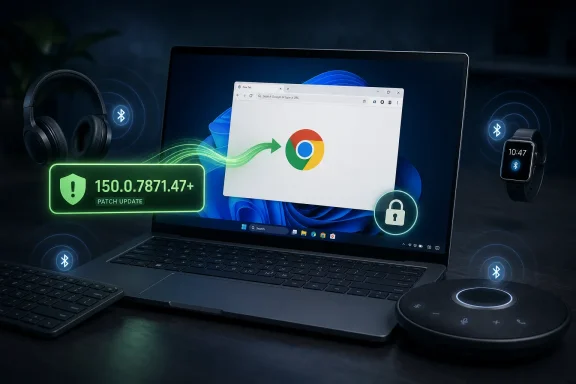 A Low-Severity Chrome Bug Walks Into the Bluetooth Stack
CVE-2026-14119 is easy to underestimate because it does not arrive with the usual panic vocabulary. There is no public claim of active exploitation. There is no Chrome zero-day banner. There is no sandbox escape, no arbitrary code execution, and no emergency patch advisory telling every help desk to drop everything.The description published through the CVE and NVD ecosystem is still specific enough to matter. It says a type confusion issue in Chrome’s Bluetooth implementation on Windows, before version 150.0.7871.47, allowed an attacker on the local network segment to obtain potentially sensitive information from process memory via a malicious peripheral. Google’s own Chromium security severity is Low, while CISA’s ADP enrichment gives it a CVSS 3.1 base score of 6.5, or Medium, with adjacent-network attack vector, low attack complexity, no privileges required, no user interaction, and high confidentiality impact.
That split is the story. Chrome’s internal severity model is judging the bug in the context of exploitability, browser architecture, and probable impact. The CVSS score is judging a narrower proposition: if the attack works, what security property breaks? In this case the property is confidentiality, and the answer is potentially sensitive memory.
As first documented in Google’s Chrome Releases blog for the June 30 Stable Channel update, the fix landed in Chrome 150.0.7871.46/.47 for Windows and macOS, with Linux receiving 150.0.7871.46. NVD then added its analysis on July 1, associating the vulnerable Chrome range with Windows and the vendor advisory. That chronology matters because organizations that ingest CVE feeds may see the vulnerability after the browser update has already begun rolling out, leaving security teams to decide whether this is a dashboard cleanup item or an urgent client-risk conversation.
The right answer is somewhere in between. CVE-2026-14119 is not a reason to rewrite your incident response plan. It is a reason to stop treating local hardware interfaces as peripheral in the ordinary sense of the word.
The Attack Is Local, But the Boundary Is Not Comforting
The phrase “local network segment” can make a vulnerability sound less serious than it is. In enterprise security language, adjacent-network flaws are often implicitly discounted because they are not internet-reachable. That is rational, but it can become lazy when the vulnerable component is a browser installed on almost every endpoint and the attack path involves hardware discovery.Bluetooth sits in a strange middle ground. It is local in range, but not necessarily local in trust. Airports, conference halls, offices, classrooms, hospitals, cafés, and shared workspaces are full of devices broadcasting, pairing, probing, and presenting themselves as keyboards, headphones, beacons, watches, access badges, speakers, medical gadgets, and industrial curiosities. A malicious peripheral does not have to look like a weapon; it has to look like something a system or user might plausibly encounter.
CVE-2026-14119, as described, does not require user interaction in CISA’s CVSS vector. That is a significant detail, even if it should not be overread into a claim of easy exploitation. It suggests the risk model is not “a user must click a bad website and approve a weird prompt,” but “an attacker positioned close enough to the target environment may be able to trigger the vulnerable path through a malicious Bluetooth peripheral.”
For Windows administrators, that pushes the bug into the same conceptual bucket as Wi-Fi, USB, printer discovery, and local service exposure. These are not internet-facing threats, but they are not imaginary either. They are the kinds of pathways that become relevant in targeted environments, executive travel, shared conference networks, sensitive labs, and offices where bring-your-own-device policies have quietly become bring-your-own-radio policies.
The practical impact is still bounded. The published description talks about information disclosure from process memory, not control of the machine. Chrome’s process model is designed to compartmentalize damage. Windows has its own Bluetooth stack, device permissions, driver boundaries, and hardware policy controls. But security failures are rarely judged by the first bug alone. Memory disclosure can become a primitive: a way to expose tokens, object layouts, addresses, cached data, or other details that make a second bug easier to exploit.
That is why the Low label should inform triage, not end it.
Type Confusion Is Boring Until It Is the First Domino
Type confusion bugs are not glamorous in vulnerability writeups, but they are a staple of modern exploitation. At a high level, they happen when software treats a resource as one kind of object when it is actually another. In memory-unsafe or mixed-safety systems, that mismatch can produce reads or writes in places the program did not intend.In Chrome, the words “type confusion” have a long history because browser engines are massive state machines juggling web content, graphics, media, IPC, permissions, hardware acceleration, and device APIs. The detail here is that the affected component is Bluetooth rather than, say, JavaScript execution, WebRTC, GPU, or DOM parsing. That makes the bug narrower, but it also makes it a useful reminder of how much Chrome has become an operating environment rather than a document viewer.
The modern browser talks to cameras, microphones, USB devices, Bluetooth devices, serial ports, graphics processors, payment systems, passkeys, sensors, and identity providers. Each interface is valuable because users want the web to behave like a native platform. Each interface is dangerous because it turns the browser into a broker between untrusted content, user intent, hardware, and the operating system.
Chrome’s Web Bluetooth feature has always carried that tension. The feature exists to let web applications communicate with nearby Bluetooth Low Energy devices under a permission model. That can be useful for configuration tools, health devices, development boards, point-of-sale gadgets, and specialized workplace applications. It also means Chrome must parse, represent, and enforce rules around a class of devices that is historically inconsistent, vendor-specific, and frequently designed with far less scrutiny than browser code.
CVE-2026-14119 does not prove Web Bluetooth is fundamentally unsafe. It does show why browsers are increasingly judged not only by their rendering engine security, but by the quality of the glue code that connects web abstractions to the physical world. A bug in that glue may not let an attacker own the machine, but it can still leak information across a boundary the user reasonably assumed was controlled.
The Score Disagreement Says More About Triage Than Danger
One reason this CVE is awkward for defenders is that its labels do not line up neatly. Google calls the Chromium security severity Low. CISA’s ADP vector scores it 6.5 Medium under CVSS 3.1. NVD, at the time reflected in the submitted data, had not yet provided its own NIST CVSS score, while its change history shows CPE configuration added for Google Chrome on Windows before 150.0.7871.47.That does not mean someone is wrong. It means vulnerability scoring is a compression algorithm for risk, and compression loses detail. A browser vendor’s internal severity system can account for exploit chain requirements, mitigations, process isolation, feature exposure, and whether the bug is realistically reachable. CVSS is intentionally more generic, which is useful for broad comparison but less satisfying for product-specific nuance.
Here, the most important CVSS attributes are not the final number. The adjacent attack vector says the attacker must be close in network or local communication terms. Low attack complexity says the underlying condition is not presumed to require unusual circumstances. No privileges and no user interaction make the scenario more concerning than a bug that requires an already-compromised account or a deliberate user approval step. High confidentiality impact explains why the score rises despite no integrity or availability impact.
CISA’s SSVC enrichment is also sobering in a quieter way. It lists exploitation as none, automatable as no, and technical impact as partial. That is the language of measured triage, not alarm. It tells defenders that there is no known exploitation and no easy mass worm path, while still acknowledging that a real security property can be violated.
This is where IT teams often make a mistake. They treat “not exploited” as “not relevant,” and “not automatable” as “not worth fixing fast.” But Chrome updates are comparatively cheap, especially in managed environments that already use enterprise policies, update controls, or endpoint management. When the remediation is a routine browser update, the threshold for action should be lower than the threshold for panic.
Windows Is the Named Platform for a Reason
The CVE description is explicit: Google Chrome on Windows before 150.0.7871.47. NVD’s CPE configuration also ties the affected application to Microsoft Windows. That platform specificity deserves attention because Chrome is cross-platform, but its hardware integrations are not uniform across operating systems.Bluetooth behavior depends on a stack of layers: the browser’s feature code, Chromium abstractions, the operating system’s Bluetooth APIs, device drivers, adapter firmware, permission prompts, and the peripheral’s own behavior. A bug may live in Chrome’s logic while being reachable only through a particular OS integration path. Windows is not uniquely bad because it is named here; it is simply the platform where this vulnerability’s conditions matter.
For WindowsForum readers, that is the relevant angle. Chrome is not just an application sitting above Windows. It is one of the most privileged daily applications in the Windows experience because it mediates identity, email, business apps, password managers, cloud dashboards, developer consoles, admin panels, bank sessions, and collaboration tools. Even a memory disclosure issue inside Chrome can have outsized value if the wrong data is exposed at the wrong time.
The Windows-specific framing also intersects with enterprise hardware reality. Many organizations standardize on Windows laptops with Bluetooth enabled by default because users expect wireless mice, keyboards, headsets, earbuds, phones, and conference room accessories to work. Turning Bluetooth off globally may be technically possible but operationally unpopular. That makes patching the browser and tightening pairing behavior more realistic than pretending the radio can be banished.
Administrators should also remember that Chromium-based browsers share code but do not always ship fixes on the same day or under the same version number. Microsoft Edge, Brave, Vivaldi, Opera, and other Chromium derivatives depend on how quickly each vendor integrates and releases upstream Chromium patches. CVE-2026-14119 is documented as a Chrome-on-Windows vulnerability, but the operational instinct should be broader: verify every Chromium-family browser in the fleet, not only the one with the Google logo.
That does not mean declaring every Chromium browser vulnerable without vendor confirmation. It means building inventory and update checks around the engine family. In 2026, browser monoculture is not only a market-share concern; it is a patch-management concern.
The June 30 Chrome Release Was Bigger Than This One CVE
CVE-2026-14119 arrived inside a large Chrome 150 Stable Channel update, not as a standalone emergency fix. Google’s release notes for June 30 moved desktop Stable to the 150.0.7871 line and included a very large number of security fixes. Malwarebytes described the release as another “whopper” update, while Günter Born’s Windows-focused coverage also noted the unusually large patch count.Large Chrome security releases have become their own kind of background noise. Users see the colored update badge, relaunch the browser if they are cooperative, and move on. Administrators see hundreds of CVEs, dozens of severities, and a familiar conclusion: push the update, validate the version, wait for stragglers, repeat next week.
That cadence is both impressive and exhausting. Chrome’s security pipeline is one of the most active in consumer and enterprise software. Google’s bug bounty programs, internal fuzzing, sandboxing, exploit mitigations, and rapid release mechanisms catch and ship fixes at a scale many vendors would envy. But the same scale creates a perception problem: when every Chrome release fixes a mountain of bugs, any individual CVE can disappear in the pile.
CVE-2026-14119 deserves attention precisely because it is not the scariest item in that pile. The dramatic Chrome bugs are usually memory corruption in V8, GPU, WebRTC, or IPC paths that can be shaped into remote execution or sandbox escape chains. A Bluetooth information disclosure bug is smaller, weirder, and easier to ignore. Yet it points to the increasingly broad perimeter of the browser.
The release also followed a June in which Chrome security remained unusually active. Reporting from outlets such as TechRadar and BleepingComputer earlier in the month covered an actively exploited Chrome zero-day, CVE-2026-11645, fixed in the Chrome 149 line. That earlier emergency reinforced the old lesson: browser patch latency is attacker opportunity. CVE-2026-14119 reinforces the newer lesson: the browser’s exposed surface includes device-adjacent features that many asset inventories barely model.
Put differently, Chrome 150 is not just another version number. It is a snapshot of the browser as platform: web engine, device broker, identity terminal, media stack, GPU client, sync endpoint, and enterprise control surface. CVE-2026-14119 is a small crack in one corner of that platform, but it is still part of the platform.
Information Disclosure Is Not Harmless in a Browser
There is a persistent habit in vulnerability triage to rank information disclosure below almost everything else. That instinct is understandable. A bug that leaks data is not the same as a bug that runs code. A confidentiality-only issue is not the same as full compromise. The security industry has trained itself to reserve its loudest sirens for RCE, privilege escalation, auth bypass, and sandbox escape.Browsers complicate that hierarchy. The browser process is where ordinary users live their authenticated lives. It is where sessions, cookies, tokens, password-manager interactions, SSO redirects, document previews, internal dashboards, chat apps, and admin portals pass through memory. Modern browser architecture tries hard to isolate sites, processes, and privileges, but “process memory” is never a phrase defenders should wave away.
The CVE description is careful: “potentially sensitive information.” That is not proof that an attacker can reliably read passwords, cookies, or corporate secrets. It is a statement that memory exposure exists and may include data worth having. Responsible analysis should not inflate that into a guaranteed credential leak.
Still, attackers do not need guarantees to value leaks. Memory disclosure can reveal heap layout, pointers, fragments of user data, tokens, configuration state, or other material that helps turn a second vulnerability from theoretical into practical. In exploit development, an info leak is often not the payload; it is the map.
For targeted attackers, the physical requirement may not be a dealbreaker. A malicious peripheral near a high-value laptop at a conference, a hotel lobby, a corporate reception area, or a shared office is a different threat model from mass exploitation. It is lower scale but potentially higher precision. That is exactly the kind of risk that generic severity labels tend to flatten.
For ordinary home users, the realistic risk is much lower. Updating Chrome is the sensible answer. Avoiding unknown Bluetooth peripherals is also sensible, but no one should conclude that a neighbor can effortlessly vacuum secrets out of every unpatched browser. The point is not fear; it is proportion.
NVD’s CPE Trail Is a Feature, Not Just Metadata
The user-submitted NVD change history asks, “Are we missing a CPE here?” That line, familiar to anyone who has spent time with NVD entries, is more than a database footnote. CPEs are how many vulnerability-management systems map a CVE to a product in an environment. If the CPE is missing, late, overly broad, or overly narrow, scanners and dashboards can mislead the people who depend on them.For CVE-2026-14119, NVD’s initial analysis added a configuration combining Google Chrome versions up to but excluding 150.0.7871.47 with Microsoft Windows. That is useful because the vulnerability is platform-specific. A Linux Chrome installation should not be flagged for the Windows-specific Bluetooth issue merely because it shares a major version family. Conversely, a Windows machine running an older Chrome build should not escape attention because the CVE was initially sparse.
This is not academic. Security teams increasingly live inside vulnerability data pipelines. CVE descriptions come from a CNA, enrichment may come from NVD, scoring may come from CISA ADP or vendor data, exploit status may come from threat-intelligence feeds, and asset matching may come from CPEs, software bills of materials, EDR telemetry, or patch-management tools. Each layer can lag or disagree.
The result is that a small Chrome Bluetooth bug can become a test of data quality. Does the organization know which Windows endpoints have Chrome below 150.0.7871.47? Does it know which endpoints have Bluetooth enabled? Does it know whether alternate Chromium browsers are present? Does it know whether update policies allow Chrome to relaunch, or merely download updates that sit pending behind long-running browser sessions?
The CPE question is also a reminder that vulnerability management is not the same as patch management. Patch management asks whether the fix is installed. Vulnerability management asks whether the system was exposed, whether the exposure mattered, whether compensating controls exist, and whether similar products inherit the same condition. For this CVE, the answer begins with Chrome version, but it does not end there.
The Real Enterprise Risk Is Patch Latency Plus Hardware Drift
Most organizations will not build a special project around CVE-2026-14119. They should not need to. A healthy endpoint program should absorb this into the regular Chrome update cycle, confirm version compliance, and move on. The problem is that many environments do not have a healthy browser update cycle.Chrome’s auto-update model works well for unmanaged consumers and reasonably well for managed enterprises that allow it to work. But corporate reality introduces friction. Users keep browsers open for weeks. VDI images lag. Kiosks and shared workstations drift. Offline machines miss update windows. Privileged workstations are locked down in ways that accidentally slow browser patching. Testing rings, change freezes, and compatibility concerns turn “available now” into “eventually.”
Hardware drift adds another layer. Bluetooth may be enabled because it was the default image setting. Pairing may be loosely controlled because no one wanted to break headsets. Device-class restrictions may exist on paper but not in enforcement. Conference-room accessories may be trusted because they are familiar. Developers and engineers may use specialized BLE devices that security teams do not inventory.
None of that means Bluetooth should be ripped out of every Windows build. It means local radios deserve the same policy seriousness as USB storage, Wi-Fi auto-join, and printer discovery. If an organization handles sensitive work, it should know where Bluetooth is permitted, why it is permitted, and how exceptions are reviewed.
CVE-2026-14119 provides a useful tabletop scenario because it is not catastrophic. Ask the endpoint team how quickly Chrome 150.0.7871.47 reaches 95 percent of Windows systems. Ask whether the remaining 5 percent are known and explainable. Ask whether Bluetooth is enabled on executive laptops, admin workstations, and sensitive research systems. Ask whether browser update compliance is measured by installed version or by “update downloaded, relaunch pending.”
Those questions will produce more value than arguing whether Low or Medium is the correct label.
Browser Security Has Moved Closer to the Desk
The old browser threat model was emotionally simple: a malicious website attacks a rendering engine. That model still matters. But it is no longer enough. The browser now participates in a chain of trust that starts with physical devices, passes through operating-system APIs, and ends in cloud identities and business workflows.That shift is partly the web’s success. Users expect web apps to configure hardware, join video meetings, sign in with passkeys, scan documents, process payments, manage devices, and behave like native software. Developers expect browser APIs that make those use cases possible. Vendors compete on capability, not merely on rendering standards.
Security teams are left to manage the consequences. Every new browser capability creates a new permission boundary. Every permission boundary becomes an implementation challenge. Every implementation challenge becomes a possible CVE. Chrome’s security record is strong, but no engineering organization can make a platform this large bug-free.
CVE-2026-14119 is therefore not a freak occurrence. It is a representative incident from the era of ambient interfaces. The browser is touching more things, so more things can touch the browser. Bluetooth is just one example; USB, HID, serial, NFC-like workflows, local network access, and device identity features all create similar questions.
The answer cannot be to freeze the web in 2010. Device APIs enable legitimate and sometimes essential workflows. The answer is to make permission boundaries visible, configurable, auditable, and revocable. Users need prompts they can understand. Administrators need policies that do not require registry archaeology. Security tools need enough context to distinguish a managed medical device from a mystery gadget impersonating one.
Microsoft and Google both have roles here. Microsoft owns the Windows device and policy substrate. Google owns Chrome’s browser-side implementation and enterprise controls. Enterprises own the discipline of not treating defaults as strategy.
What Windows Users Should Actually Do
For individual Windows users, the action is simple: make sure Chrome is at least 150.0.7871.47. The fastest path is Chrome’s About page, which triggers an update check and prompts for a relaunch if one is pending. The relaunch matters; a downloaded browser update is not protection if the old process is still running.Users should also be cautious with unfamiliar Bluetooth devices. That advice sounds obvious, but Bluetooth familiarity has made people casual. Do not pair random peripherals. Do not accept unexpected device prompts. Remove old devices you no longer use. If you are traveling or working in a sensitive environment, turn Bluetooth off when it is not needed.
For administrators, the advice is more structural. Confirm Chrome version compliance across Windows endpoints, not just update policy configuration. Pay attention to machines that remain below 150.0.7871.47 after the normal rollout period. Investigate whether long browser uptime, relaunch deferral, frozen images, or policy misconfiguration is the reason.
It is also worth checking Chrome enterprise policies around Web Bluetooth, especially in environments that do not need browser-mediated Bluetooth access. Chrome has policy controls that can restrict or define default behavior for features, and many organizations are more permissive than they realize because no one reviewed the device API surface after the initial browser deployment.
Finally, do not forget the rest of the Chromium ecosystem. If Edge, Brave, Vivaldi, Opera, or embedded Chromium runtimes are present, verify vendor-specific updates rather than assuming Google Chrome’s version number tells the whole story. The lesson is not that every Chromium product has this exact exposure; the lesson is that shared engine lineage demands shared vigilance.
The Chrome 150 Bluetooth Bug Leaves a Short but Useful Checklist
CVE-2026-14119 is not the biggest Chrome security story of the summer, which is exactly why it is useful. It is small enough to handle routinely and specific enough to expose whether the routine actually works. If the organization cannot answer basic questions about Chrome versions, Bluetooth posture, and relaunch compliance, the next browser bug will not be easier.- Chrome for Windows should be updated to 150.0.7871.47 or later to address CVE-2026-14119.
- The vulnerability is an information-disclosure flaw, not a public remote-code-execution emergency, but memory disclosure can still matter in browser threat models.
- The attack scenario requires local or adjacent proximity through a malicious peripheral, which lowers mass-exploitation risk but does not eliminate targeted risk.
- Google’s Low severity and CISA’s Medium CVSS score are not contradictory; they reflect different scoring systems and different levels of product-specific context.
- Enterprises should verify update completion after relaunch, review Bluetooth and Web Bluetooth policy exposure, and check other Chromium-based browsers separately.
References
- Primary source: NVD / Chromium
Published: 2026-07-03T07:00:48-07:00
NVD - CVE-2026-14119
 nvd.nist.gov
- Security advisory: MSRC
Published: 2026-07-03T07:00:48-07:00
Original feed URL
Security Update Guide - Microsoft Security Response Center
 msrc.microsoft.com
- Related coverage: cvefeed.io
CVE-2026-14119 - Google Chrome Bluetooth Type Confusion Information Disclosure
Type Confusion in Bluetooth in Google Chrome on Windows prior to 150.0.7871.47 allowed an attacker on the local network segment to obtain potentially sensitive information from process memory via a malicious peripheral. (Chromium security severity: Low)cvefeed.io - Related coverage: labs.cloudsecurityalliance.org
NVD Enrichment Triage: Enterprise Vulnerability Programs Must Adapt
PDF documentlabs.cloudsecurityalliance.org
- Official source: nvlpubs.nist.gov
Technical Specification for the Security Content Automation Protocol (SCAP): SCAP Version 1.4
The Security Content Automation Protocol (SCAP) is a suite of specifications that standardize the format and nomenclature by which software flaw and security configuration information is communicated, both to machines and humans. This publication, along with its annex (NIST Special Publication...nvlpubs.nist.gov
