

Google Chrome before version 150.0.7871.47 contains CVE-2026-14135, a low-severity Chromium Network flaw disclosed June 30, 2026, that could let a remote attacker with an already-compromised renderer process spoof browser UI through a crafted HTML page. That wording sounds almost reassuring, because it is not a clean one-click takeover and it depends on an earlier foothold. But for Windows users and administrators, the bug is a reminder that modern browser security is not one wall; it is a set of compartments, and attackers win when one weak compartment helps them cross into the next.
The vulnerability appeared in Google’s Stable Channel update for desktop at the end of June, with the National Vulnerability Database later enriching the record with CVSS scoring, affected-version data, and a Chrome CPE entry. The Chrome security team rates the issue “Low,” while NVD scored it as a medium 5.4 under CVSS 3.1 and CISA’s enrichment came in lower at 4.3. That gap is the story: CVE-2026-14135 is not dramatic by itself, but it sits in exactly the layer where user trust, browser isolation, and enterprise policy meet.
CVE-2026-14135 is described as insufficient validation of untrusted input in Chrome’s Network component. In practical terms, Google says the flaw could enable UI spoofing if an attacker had already compromised the renderer process and then served a crafted HTML page. The phrase “had compromised the renderer process” is doing a lot of work.
Chrome’s renderer is the part of the browser that handles web content. It is intentionally isolated from more privileged browser components because the open web is hostile by design. A renderer compromise is therefore already a serious event, but Chrome’s sandboxing model is supposed to limit what happens next.
That is why this CVE is not a classic remote-code-execution headline. It is a post-compromise assist: a flaw that may help an attacker turn a renderer foothold into deception against the user. The attack does not appear to offer direct system takeover, and the CISA SSVC entry reportedly marked exploitation as “none,” automatable as “no,” and technical impact as “partial.”
Still, UI spoofing has always been underestimated because it feels less technical than memory corruption. A browser UI is a security boundary in human form. If a page can convincingly fake origin indicators, permission prompts, navigation states, or trusted browser surfaces, the attacker may not need more code execution immediately; they may be able to persuade the user to supply the next step.
But Windows patching reality does not run on severity labels alone. Administrators do not patch individual Chrome CVEs in isolation; they patch Stable Channel releases. Chrome 150.0.7871.47 was not merely the CVE-2026-14135 fix release. According to Google’s release notes and follow-on security reporting by Malwarebytes, the late-June Chrome 150 update bundled hundreds of security fixes across the browser.
That makes CVE-2026-14135 more interesting as a signal than as a standalone emergency. It shows up in the part of Chrome that brokers network behavior and trust cues, and it depends on another compromised boundary. In a chained exploit world, those details matter.
The browser exploit chains that defenders worry about rarely consist of one perfect bug. They often look like a collection of “not enough by itself” weaknesses: a renderer bug, an information leak, a UI deception primitive, a sandbox escape, a policy bypass, or a user-consent trick. A low-severity bug can become useful when paired with a high-severity neighbor.
That distinction may seem academic, but it reflects a real ambiguity in UI spoofing. If spoofed UI leads a user to disclose information, approve a permission, or trust the wrong origin, is that confidentiality impact intrinsic to the bug or merely a downstream consequence? Scoring systems struggle with that boundary.
Security teams should resist the temptation to treat one number as authoritative and the other as wrong. CVSS is a model, not an oracle. Chrome’s own severity rating is tuned to Chromium’s internal bug taxonomy, CISA’s SSVC framing is tuned to operational prioritization, and NVD’s CVSS entry is tuned to broad vulnerability cataloging.
For enterprise IT, the useful answer is more mundane: vulnerable Chrome versions are those before 150.0.7871.47, and the fix is to update. The scoring debate is less important than knowing whether managed endpoints have actually restarted the browser and completed the update cycle.
So the short answer is: no, based on the NVD change record, the Chrome CPE appears to have been added. The confusing part is that CVE pages can display loading states, enrichment notes, and change-history fragments that do not always read like a clean advisory. NVD also warns that this CVE was modified after enrichment, meaning some enrichment data may need amendment.
That warning should not be ignored, but it should be interpreted correctly. It does not mean the vulnerability is fake, nor does it mean there is no affected product. It means the record changed after NVD’s enrichment pipeline ran, and downstream tools that ingest NVD data may briefly disagree about weakness mappings, affected products, or scores.
This matters for vulnerability managers because CPE data is the glue between a CVE and inventory. If the CPE is delayed, wrong, or revised, scanners may miss affected software or produce duplicate findings. In this case, the vendor advisory and the NVD change history both point to Chrome before 150.0.7871.47 as the exposure window.
Chrome’s sandbox is designed precisely because renderer compromise is expected to happen occasionally. The renderer is where untrusted web content lives, and untrusted web content includes JavaScript, media, documents, fonts, graphics, and an endless supply of parser edge cases. The security model assumes that the renderer is dangerous and tries to keep that danger contained.
A UI spoofing issue after renderer compromise does not necessarily escape the sandbox. But it can blur the line between what the browser is saying and what the web page is saying. That is a valuable capability if the attacker’s next step depends on convincing a user to interact with a prompt, trust a fake page state, or overlook a warning.
This is especially relevant on Windows, where Chrome is frequently the front door to corporate identity. Single sign-on prompts, passkeys, device-bound sessions, OAuth flows, admin portals, remote management consoles, and SaaS dashboards all live in the browser. A bug that helps lie to the user about browser state deserves attention even when the exploit chain starts elsewhere.
Modern browsers have spent decades teaching users that certain visual cues carry authority. The address bar, permission bubbles, lock indicators, download warnings, extension surfaces, and account prompts are all part of the security interface. If attackers can imitate, obscure, or manipulate those cues, they are attacking the security model.
The industry has learned this lesson repeatedly. Phishing kits do not need kernel exploits to steal credentials. Fake OAuth consent screens do not need local admin privileges to grant access. Malicious pages that imitate update prompts or browser warnings can still produce real compromise when a user is rushed, tired, or working through routine tasks.
CVE-2026-14135 sits in that tradition, but with a more technical prerequisite. It is not merely “a page can draw a fake dialog.” It is that, under the described conditions, insufficient validation in a browser component could let a compromised renderer perform UI spoofing. That is a subtler and more concerning category than ordinary web fakery.
In that environment, a low-severity UI spoofing CVE can disappear into the pile. That is understandable for consumers but dangerous for administrators who rely on summarized risk feeds. A release containing hundreds of fixes is not a single risk event; it is a bundle of many small corrections, some of which may become important only when chained.
Chrome’s update model is designed to make that complexity less painful. Most users should receive updates automatically. The browser downloads the update, stages it, and applies it after restart. The weak point is not distribution; it is completion.
For Windows fleets, that means the relevant question is not whether Google shipped 150.0.7871.47. It is whether endpoints actually moved to that version or later, whether users relaunched stale browser sessions, and whether Chromium-based alternatives in the environment received their corresponding fixes.
But the practical lesson for WindowsForum readers is obvious: Chrome is not the only Chromium browser in the Windows ecosystem. Microsoft Edge, Brave, Vivaldi, Opera, Arc, and embedded Chromium runtimes all depend on upstream Chromium code to varying degrees. A vulnerability in a Chromium component can become relevant beyond Chrome, even if the CVE naming and advisory process begins with Google’s browser.
Microsoft Edge usually tracks Chromium closely, but administrators should verify Edge independently rather than assuming Chrome’s version number maps cleanly to Edge’s. The same applies to third-party browsers and Electron-based applications. Version equivalence is not always obvious, and release notes may lag.
This is where asset inventory still beats vibes. If your organization only checks for “Google Chrome installed,” you may miss browser engines embedded in collaboration tools, SaaS desktop wrappers, developer utilities, and line-of-business apps. Chromium has become infrastructure, and infrastructure vulnerabilities do not stay politely inside one product name.
For administrators, the advice is less about clicking Update and more about measuring drift. Managed Chrome environments should confirm policy enforcement, update channels, restart behavior, and version reporting through endpoint management tools. The machines most likely to lag are often the ones that matter most: kiosks, jump boxes, shared workstations, lab systems, and VDI images.
The same discipline should apply to golden images and application packaging. A base Windows image with an outdated browser can silently reintroduce exposure every time a machine is provisioned. Browser patching should be part of image maintenance, not merely an afterthought handled after first boot.
There is also a user-education angle, but it should not be reduced to “don’t click bad things.” Users should understand that browser restarts matter. Many organizations have trained users to avoid rebooting because rebooting interrupts work; browser security now depends on undoing some of that cultural damage.
That churn is normal, but it creates operational friction. Security tools ingest these records at different intervals. Some prioritize NVD, some use vendor advisories, some consume CISA enrichment, and some layer in commercial intelligence. For a day or two, two dashboards can disagree while both are technically reflecting the data they have.
The correct response is not to distrust vulnerability feeds. It is to understand their latency and authority. Vendor release notes are usually the first stop for patch availability, NVD is useful for standardized metadata, and CISA’s SSVC framing helps operational teams decide urgency. None of them alone tells the entire story.
For CVE-2026-14135, the best reading is conservative but not panicked. The bug is real, the affected Chrome versions are clear enough, exploitation is not known from the available enrichment, and the patch is already in the Chrome 150 Stable Channel. The work is verification, not drama.
Consider the user who sees what appears to be a familiar permission prompt. Or the administrator who believes they are still on an internal management page. Or the employee who is guided through a fake re-authentication flow while an attacker already has a renderer foothold. None of these scenarios is proven for CVE-2026-14135 specifically, but they illustrate why the class matters.
The right mitigation strategy is layered. Keep Chrome current, enforce phishing-resistant authentication where possible, reduce standing privilege in browser-accessible admin portals, and monitor for suspicious session behavior. A browser bug should not be enough to turn one deceived click into full account compromise.
That is the uncomfortable truth behind many “low” browser flaws. They often become dangerous only because surrounding systems trust the browser session too much. If a spoofed page can convince a user to approve something irreversible, the weakest link may not be Chrome at all.
The vulnerability appeared in Google’s Stable Channel update for desktop at the end of June, with the National Vulnerability Database later enriching the record with CVSS scoring, affected-version data, and a Chrome CPE entry. The Chrome security team rates the issue “Low,” while NVD scored it as a medium 5.4 under CVSS 3.1 and CISA’s enrichment came in lower at 4.3. That gap is the story: CVE-2026-14135 is not dramatic by itself, but it sits in exactly the layer where user trust, browser isolation, and enterprise policy meet.
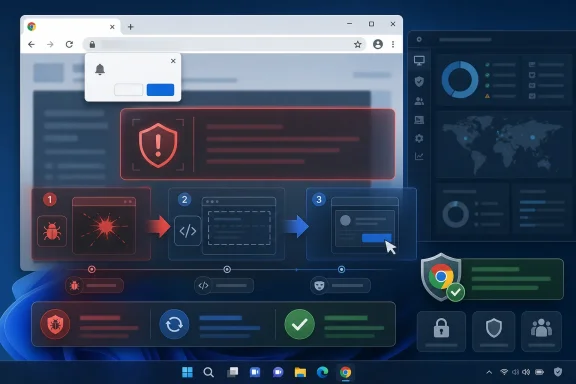 The Bug Is Small Because the Prerequisite Is Big
CVE-2026-14135 is described as insufficient validation of untrusted input in Chrome’s Network component. In practical terms, Google says the flaw could enable UI spoofing if an attacker had already compromised the renderer process and then served a crafted HTML page. The phrase “had compromised the renderer process” is doing a lot of work.Chrome’s renderer is the part of the browser that handles web content. It is intentionally isolated from more privileged browser components because the open web is hostile by design. A renderer compromise is therefore already a serious event, but Chrome’s sandboxing model is supposed to limit what happens next.
That is why this CVE is not a classic remote-code-execution headline. It is a post-compromise assist: a flaw that may help an attacker turn a renderer foothold into deception against the user. The attack does not appear to offer direct system takeover, and the CISA SSVC entry reportedly marked exploitation as “none,” automatable as “no,” and technical impact as “partial.”
Still, UI spoofing has always been underestimated because it feels less technical than memory corruption. A browser UI is a security boundary in human form. If a page can convincingly fake origin indicators, permission prompts, navigation states, or trusted browser surfaces, the attacker may not need more code execution immediately; they may be able to persuade the user to supply the next step.
Chrome’s “Low” Severity Does Not Mean “Ignore It”
Google’s Chromium security severity rating of Low is understandable. The bug requires user interaction, a crafted page, and — most importantly — a renderer process already under attacker control. That is a meaningful chain of prerequisites, not a trivial drive-by exploit as described.But Windows patching reality does not run on severity labels alone. Administrators do not patch individual Chrome CVEs in isolation; they patch Stable Channel releases. Chrome 150.0.7871.47 was not merely the CVE-2026-14135 fix release. According to Google’s release notes and follow-on security reporting by Malwarebytes, the late-June Chrome 150 update bundled hundreds of security fixes across the browser.
That makes CVE-2026-14135 more interesting as a signal than as a standalone emergency. It shows up in the part of Chrome that brokers network behavior and trust cues, and it depends on another compromised boundary. In a chained exploit world, those details matter.
The browser exploit chains that defenders worry about rarely consist of one perfect bug. They often look like a collection of “not enough by itself” weaknesses: a renderer bug, an information leak, a UI deception primitive, a sandbox escape, a policy bypass, or a user-consent trick. A low-severity bug can become useful when paired with a high-severity neighbor.
The CVSS Split Tells You How Different Audiences See Risk
NVD gave CVE-2026-14135 a CVSS 3.1 score of 5.4, while CISA’s ADP enrichment listed 4.3. The difference appears to hinge on confidentiality impact. NVD’s vector includes low confidentiality and integrity impact, while CISA’s vector records no confidentiality impact and low integrity impact.That distinction may seem academic, but it reflects a real ambiguity in UI spoofing. If spoofed UI leads a user to disclose information, approve a permission, or trust the wrong origin, is that confidentiality impact intrinsic to the bug or merely a downstream consequence? Scoring systems struggle with that boundary.
Security teams should resist the temptation to treat one number as authoritative and the other as wrong. CVSS is a model, not an oracle. Chrome’s own severity rating is tuned to Chromium’s internal bug taxonomy, CISA’s SSVC framing is tuned to operational prioritization, and NVD’s CVSS entry is tuned to broad vulnerability cataloging.
For enterprise IT, the useful answer is more mundane: vulnerable Chrome versions are those before 150.0.7871.47, and the fix is to update. The scoring debate is less important than knowing whether managed endpoints have actually restarted the browser and completed the update cycle.
The CPE Confusion Is a Metadata Problem, Not a Patch Problem
The user-facing NVD page includes the familiar “Are we missing a CPE here?” prompt near affected software configurations. That can make it look as though the record is incomplete. In the change history, however, NIST’s initial analysis added a CPE configuration for Google Chrome versions up to, but excluding, 150.0.7871.47.So the short answer is: no, based on the NVD change record, the Chrome CPE appears to have been added. The confusing part is that CVE pages can display loading states, enrichment notes, and change-history fragments that do not always read like a clean advisory. NVD also warns that this CVE was modified after enrichment, meaning some enrichment data may need amendment.
That warning should not be ignored, but it should be interpreted correctly. It does not mean the vulnerability is fake, nor does it mean there is no affected product. It means the record changed after NVD’s enrichment pipeline ran, and downstream tools that ingest NVD data may briefly disagree about weakness mappings, affected products, or scores.
This matters for vulnerability managers because CPE data is the glue between a CVE and inventory. If the CPE is delayed, wrong, or revised, scanners may miss affected software or produce duplicate findings. In this case, the vendor advisory and the NVD change history both point to Chrome before 150.0.7871.47 as the exposure window.
“Renderer Already Compromised” Is Not a Comfort Blanket
The prerequisite renderer compromise may sound like a dealbreaker for attackers. It is not. Browser exploit chains routinely assume that the first vulnerability gives code execution or strong control in the renderer, and the rest of the chain turns that foothold into something more useful.Chrome’s sandbox is designed precisely because renderer compromise is expected to happen occasionally. The renderer is where untrusted web content lives, and untrusted web content includes JavaScript, media, documents, fonts, graphics, and an endless supply of parser edge cases. The security model assumes that the renderer is dangerous and tries to keep that danger contained.
A UI spoofing issue after renderer compromise does not necessarily escape the sandbox. But it can blur the line between what the browser is saying and what the web page is saying. That is a valuable capability if the attacker’s next step depends on convincing a user to interact with a prompt, trust a fake page state, or overlook a warning.
This is especially relevant on Windows, where Chrome is frequently the front door to corporate identity. Single sign-on prompts, passkeys, device-bound sessions, OAuth flows, admin portals, remote management consoles, and SaaS dashboards all live in the browser. A bug that helps lie to the user about browser state deserves attention even when the exploit chain starts elsewhere.
UI Spoofing Is a Security Boundary With Bad Public Relations
Memory corruption gets the headlines because it sounds like hacking. UI spoofing sounds like trickery, and trickery is often treated as a user-training problem. That is a mistake.Modern browsers have spent decades teaching users that certain visual cues carry authority. The address bar, permission bubbles, lock indicators, download warnings, extension surfaces, and account prompts are all part of the security interface. If attackers can imitate, obscure, or manipulate those cues, they are attacking the security model.
The industry has learned this lesson repeatedly. Phishing kits do not need kernel exploits to steal credentials. Fake OAuth consent screens do not need local admin privileges to grant access. Malicious pages that imitate update prompts or browser warnings can still produce real compromise when a user is rushed, tired, or working through routine tasks.
CVE-2026-14135 sits in that tradition, but with a more technical prerequisite. It is not merely “a page can draw a fake dialog.” It is that, under the described conditions, insufficient validation in a browser component could let a compromised renderer perform UI spoofing. That is a subtler and more concerning category than ordinary web fakery.
The June Chrome Train Makes Individual CVEs Harder to Read
The timing of this CVE also matters. Chrome’s June 2026 security cadence was noisy. Earlier in the month, Google patched an actively exploited Chrome zero-day, CVE-2026-11645, in the Chrome 149 line. Then the Chrome 150 Stable Channel release arrived with an unusually large number of security fixes, according to Google’s release notes and security coverage from Malwarebytes.In that environment, a low-severity UI spoofing CVE can disappear into the pile. That is understandable for consumers but dangerous for administrators who rely on summarized risk feeds. A release containing hundreds of fixes is not a single risk event; it is a bundle of many small corrections, some of which may become important only when chained.
Chrome’s update model is designed to make that complexity less painful. Most users should receive updates automatically. The browser downloads the update, stages it, and applies it after restart. The weak point is not distribution; it is completion.
For Windows fleets, that means the relevant question is not whether Google shipped 150.0.7871.47. It is whether endpoints actually moved to that version or later, whether users relaunched stale browser sessions, and whether Chromium-based alternatives in the environment received their corresponding fixes.
Edge, Brave, Vivaldi, and the Chromium Shadow
The CVE record names Google Chrome, and the available NVD configuration points to Chrome. That does not automatically mean every Chromium-based browser was affected in the same way or fixed on the same day. Chromium derivatives vary in how quickly they merge upstream patches and how their own UI layers interact with Chromium internals.But the practical lesson for WindowsForum readers is obvious: Chrome is not the only Chromium browser in the Windows ecosystem. Microsoft Edge, Brave, Vivaldi, Opera, Arc, and embedded Chromium runtimes all depend on upstream Chromium code to varying degrees. A vulnerability in a Chromium component can become relevant beyond Chrome, even if the CVE naming and advisory process begins with Google’s browser.
Microsoft Edge usually tracks Chromium closely, but administrators should verify Edge independently rather than assuming Chrome’s version number maps cleanly to Edge’s. The same applies to third-party browsers and Electron-based applications. Version equivalence is not always obvious, and release notes may lag.
This is where asset inventory still beats vibes. If your organization only checks for “Google Chrome installed,” you may miss browser engines embedded in collaboration tools, SaaS desktop wrappers, developer utilities, and line-of-business apps. Chromium has become infrastructure, and infrastructure vulnerabilities do not stay politely inside one product name.
The Right Patch Advice Is Boring, Which Is Why It Works
For home users, the fix path is straightforward: update Chrome to 150.0.7871.47 or later on Windows and macOS, and ensure the browser has restarted. Chrome’s About page remains the simplest verification path because it both checks for updates and shows the active version. If the browser says an update is pending relaunch, the update is not fully applied.For administrators, the advice is less about clicking Update and more about measuring drift. Managed Chrome environments should confirm policy enforcement, update channels, restart behavior, and version reporting through endpoint management tools. The machines most likely to lag are often the ones that matter most: kiosks, jump boxes, shared workstations, lab systems, and VDI images.
The same discipline should apply to golden images and application packaging. A base Windows image with an outdated browser can silently reintroduce exposure every time a machine is provisioned. Browser patching should be part of image maintenance, not merely an afterthought handled after first boot.
There is also a user-education angle, but it should not be reduced to “don’t click bad things.” Users should understand that browser restarts matter. Many organizations have trained users to avoid rebooting because rebooting interrupts work; browser security now depends on undoing some of that cultural damage.
Vulnerability Feeds Are Now Part of the Attack Surface for Defenders
The change history for CVE-2026-14135 is a useful case study in how vulnerability intelligence is assembled. Chrome issued the CVE and references. NVD received it on June 30, then added scoring, affected CPE configuration, reference tags, and weakness classification on July 1. CISA’s ADP enrichment added its own CVSS vector, CWE information, and SSVC data, then later removed a CWE entry.That churn is normal, but it creates operational friction. Security tools ingest these records at different intervals. Some prioritize NVD, some use vendor advisories, some consume CISA enrichment, and some layer in commercial intelligence. For a day or two, two dashboards can disagree while both are technically reflecting the data they have.
The correct response is not to distrust vulnerability feeds. It is to understand their latency and authority. Vendor release notes are usually the first stop for patch availability, NVD is useful for standardized metadata, and CISA’s SSVC framing helps operational teams decide urgency. None of them alone tells the entire story.
For CVE-2026-14135, the best reading is conservative but not panicked. The bug is real, the affected Chrome versions are clear enough, exploitation is not known from the available enrichment, and the patch is already in the Chrome 150 Stable Channel. The work is verification, not drama.
Enterprise Risk Lives in the Gaps Between Browser and Identity
The interesting part of UI spoofing in 2026 is not the browser chrome itself; it is what the browser now mediates. Windows admins increasingly manage environments where identity, device trust, conditional access, and SaaS privilege all pass through browser sessions. A spoofed UI is not just a fake visual; it can be an attack on the decision point where a human grants trust.Consider the user who sees what appears to be a familiar permission prompt. Or the administrator who believes they are still on an internal management page. Or the employee who is guided through a fake re-authentication flow while an attacker already has a renderer foothold. None of these scenarios is proven for CVE-2026-14135 specifically, but they illustrate why the class matters.
The right mitigation strategy is layered. Keep Chrome current, enforce phishing-resistant authentication where possible, reduce standing privilege in browser-accessible admin portals, and monitor for suspicious session behavior. A browser bug should not be enough to turn one deceived click into full account compromise.
That is the uncomfortable truth behind many “low” browser flaws. They often become dangerous only because surrounding systems trust the browser session too much. If a spoofed page can convince a user to approve something irreversible, the weakest link may not be Chrome at all.
The Patch Is Easy; Proving It Landed Is the Job
The concrete response to CVE-2026-14135 is not complicated, but it is easy to perform incompletely.- Chrome installations older than 150.0.7871.47 should be treated as vulnerable to CVE-2026-14135 and updated.
- The vulnerability requires a compromised renderer process, so it is best understood as a chainable weakness rather than a standalone browser takeover.
- Google rated the Chromium issue Low, while NVD and CISA scored it as Medium under CVSS 3.1 with different impact assumptions.
- The NVD change history indicates that a Google Chrome CPE for versions before 150.0.7871.47 was added, even if the page presentation makes that easy to miss.
- Windows administrators should verify actual browser restart and version compliance across managed endpoints, images, VDI pools, and Chromium-based alternatives.
- The absence of known exploitation in CISA’s enrichment should lower panic, not patch priority.
References
- Primary source: NVD / Chromium
Published: 2026-07-03T07:00:04-07:00
NVD - CVE-2026-14135
 nvd.nist.gov
- Security advisory: MSRC
Published: 2026-07-03T07:00:04-07:00
Original feed URL
Security Update Guide - Microsoft Security Response Center
 msrc.microsoft.com
- Related coverage: cvefeed.io
CVE-2026-14135 - Google Chrome UI Spoofing Vulnerability
Insufficient validation of untrusted input in Network in Google Chrome prior to 150.0.7871.47 allowed a remote attacker who had compromised the renderer process to perform UI spoofing via a crafted HTML page. (Chromium security severity: Low)cvefeed.io