

Microsoft’s CVE-2026-25250 entry is drawing attention because it sits in one of the most sensitive layers of the Windows trust chain: Secure Boot. The public description suggests a security feature bypass scenario, and the shorthand “disable Eazy Fix” points to the kind of boot-chain weakness that can matter far beyond a single patched binary. In practical terms, the issue is interesting not because it sounds flashy, but because any flaw that touches Secure Boot can influence the earliest stage of system startup, where attackers and defenders both know the stakes are highest. re Boot has always been one of Windows’ most important pre-OS defenses. It is designed to ensure that only trusted, signed components can launch during boot, reducing the odds that malicious firmware or bootloaders can intercept the machine before the operating system fully loads. That sounds straightforward on paper, but the real world is messier, because the boot ecosystem has to support old hardware, recovery media, OEM variation, and a long tail of signed components that may remain trusted for years.
That tension is whalnerabilities so persistent. Attackers often do not need to “break” cryptography in the dramatic sense people imagine. Instead, they exploit still-signed but vulnerable boot components, or they abuse revocation lag so that a machine continues trusting software that should have been blocked. That is why Microsoft’s BlackLotus-era guidance emphasized revocation, boot-manager updates, and careful rollout rather than one simple patch-and-forget fix.
The June 2026 Secure Boot certificate dr backdrop for all of this. Microsoft’s own guidance says the original 2011-era Secure Boot certificates begin expiring in mid-2026, and that devices need to transition to newer certificate material to keep receiving future boot-chain protections. Devices that miss the migration can still boot, but they may lose future security servicing for the boot path and become harder to harden over time.
That is why a CVE like CVE-2026-25250** immediately matters emptom seems narrow. A Secure Boot bypass is not just another Windows bug. It can undermine protections like BitLocker, HVCI, and Defender before they even fully engage, which is why boot-level flaws tend to generate disproportionate concern in enterprise environments.
The “Eazy Fix” wording also fits an older pattern in firmware and boot issues: someta convenient, low-friction workaround, but the underlying problem is often deeper. Microsoft has repeatedly shown that the harder part is not identifying a vulnerable component, but deciding how to revoke trust without stranding devices, breaking recovery workflows, or causing mass boot failures. That balancing act is central to understanding why Secure Boot issues remain so hard to close cleanly.
Secure Boot is only as strong as its trust store and revocation ltill trusts a vulnerable signed binary, an attacker can sometimes use that binary as a legal launch pad to reach unsigned or malicious code. This is why many “bypass” bugs are really downgrade attacks rather than signature-forgery attacks.
For readers, the useful takeaway is that Secure Boot issues tend to sit on a spectrum. At one end are theoretical concerns where the impact is recognized but the exact roothe other end are fully corroborated vulnerabilities with known exploitation paths, known affected components, and a known remediation route. The more a flaw moves toward that latter end, the more urgent it becomes for defenders.
Microsoft’s recent Secure Boot work shows how quickly those concerns can become operational. The company has been pushing certificate updates through Windows servicing channels, surfacing Secure Boot health in Windows Security, and warning that some systems may require manual intervention because of hardware or firmware limitations. That means CVE-2026-25250 should be read in a broader ecosystem context, not as an isolated line item on Patch Tuesday.
It is also a reminder that naming matters. Some tools or advisories use casual labels that hide the real technical effect. What sounds like a simple fix-disablement issue may in practice be a bootloader trust problem, a revocation gap, oode execution before Windows security controls are active. That distinction changes how admins should prioritize the finding.
That is why these flaws are so stubborn. A vulnerable boot manager, recovery tool, or firmware helper can remain useful long after the original bug was fixed, as long as its signature still holds and the DBX revocation list has not been updated broadly enough. In other words, the ex as much about timing and deployment as it is about code quality.
The practical effect is that defenders have to think in terms of lifecycle management, not just patching. A device can be “updated” in the ordinary Windows sense and still be vulnerable in the boot chain if it has not received the right certificate material or revocation state. That is what makes Secure Boot security differenation hardening.
The company has also been careful to avoid a one-size-fits-all revocation approach. Some devices can receive updates automatically. Others need firmware updates, different recovery media, or manual intervention. Microsoft’s own guidance makes clear that devices that miss the migration may still function day to day, but will lose the ability to receive future boot-chain protections.
That is why the enterprise risk is often not a dramatic exploit event, but a partial deployment problem. If some systems recertificates and others do not, the organization ends up with a split baseline. Security teams then have to support multiple trust states, which is a governance headache even before it becomes a security one.
There is also the recovery-media issue. When boot trust changes, old rescue disks and imaging tools may not work the way teams expect. That means a machine that seems healthy after Patch Tuesday can still bem during an outage or restoration event.
Still, consumer systems are not risk-free. Older PCs, firmware-stale machines, and systems with unusual boot setups may not fit the automatic migration path. Those machines can continue working for now while quietly losing long-term boot protection, which is the kind of risk ordinary users are least likely to no risk of “it still boots”
That phrase is the trap. A PC can continue to start normally even when its boot trust chain is aging out of support. Microsoft’s guidance makes clear that the machine may still function, but that is not the same as being fully protected against future boot-chain abuse.
This creates a silent-risk category. Cned to treat a working PC as a safe PC, but boot-chain security does not fail in an obvious way. It can degrade gradually until the machine is simply easier to compromise at the earliest point in startup.
The strategic importance also comes from attacker incentives. A boot-chain bypass is attractive because it can be durable, stealthy, and difficult to remove if revocation is incomplete. Even when exploitation requires physical access or administrative control, the payoff can justify targeted campaigns against high-value systems.
A practical rule of thumb is that the more a Secure Boot bug looks like a trust-chain problem, the more it deserves immediate operational attention. That is especially true when certificate deadlines, revocation lists, and legacy boot components are all in play at once.
That creates both opportunity and pressure. Better firmware lifecycle management becomes a competitive differentiator, while poor update hygiene becomes a support liability. In a world where Secure Boot trust is increasingly visible, vendors that cannot keep pace may find themselves under stronger enterprise scrutiny.
The other thingicrosoft clarifies the specific technical root cause and impact of *r now, the issue should be treated as a Secure Boot trust problemingful exploit value, but the depth of public detail will dete enterprises should test for exposure. High-confidence boot-chain CVEs tenention.
But if the transition exposes too many stale devices, too much recovery-media incompatibility, or too many hidden assumptions in enterprise fleets, then Secure Boot will remain a live operational headache well past 2026. That would not me it would mean the Windows ecosystem is as diverse and stubborn as defenders already know it is.
The broader lesson from CVE-2026-25250 is that pre-OS security is now a lifecycle discipline, not a one-time configuration choice. The machines that stay safest will be the ones whose owners treat Secure Boot as an actively managed trust system, not as a box checked years ago and forgotten.
Source: MSRC Security Update Guide - Microsoft Security Response Center
That tension is whalnerabilities so persistent. Attackers often do not need to “break” cryptography in the dramatic sense people imagine. Instead, they exploit still-signed but vulnerable boot components, or they abuse revocation lag so that a machine continues trusting software that should have been blocked. That is why Microsoft’s BlackLotus-era guidance emphasized revocation, boot-manager updates, and careful rollout rather than one simple patch-and-forget fix.
The June 2026 Secure Boot certificate dr backdrop for all of this. Microsoft’s own guidance says the original 2011-era Secure Boot certificates begin expiring in mid-2026, and that devices need to transition to newer certificate material to keep receiving future boot-chain protections. Devices that miss the migration can still boot, but they may lose future security servicing for the boot path and become harder to harden over time.
That is why a CVE like CVE-2026-25250** immediately matters emptom seems narrow. A Secure Boot bypass is not just another Windows bug. It can undermine protections like BitLocker, HVCI, and Defender before they even fully engage, which is why boot-level flaws tend to generate disproportionate concern in enterprise environments.
The “Eazy Fix” wording also fits an older pattern in firmware and boot issues: someta convenient, low-friction workaround, but the underlying problem is often deeper. Microsoft has repeatedly shown that the harder part is not identifying a vulnerable component, but deciding how to revoke trust without stranding devices, breaking recovery workflows, or causing mass boot failures. That balancing act is central to understanding why Secure Boot issues remain so hard to close cleanly.
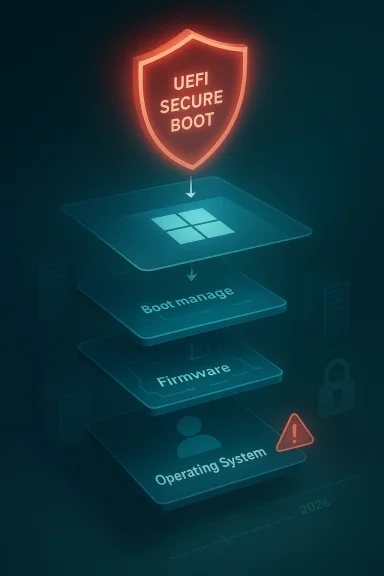 Why Secure Boot bugs keep returning
Secure Boot is only as strong as its trust store and revocation ltill trusts a vulnerable signed binary, an attacker can sometimes use that binary as a legal launch pad to reach unsigned or malicious code. This is why many “bypass” bugs are really downgrade attacks rather than signature-forgery attacks.- Signed does not mean permanently safe.
- Revocation is operationally hard at scale.
- Legacy compatibility slows ery media** can complicate cleanup.
- Bootkits can persist before OS defenses are live.
Overview
The immediate question around CVE-2026-25250 is not just whether it exists, but what sort of confidence Microsoft and MITRE have in tIn vulnerability taxonomy terms, that confidence matters because a high-confidence CVE signals that the vendor, researcher, or both believe the flaw is real and understood well enough to justify coordinated disclosure and remediation. The user-facing summary you quoted aligns with that concept: it is about the degree of certainty in the vulnerability and the practical knowledge available to attackers.For readers, the useful takeaway is that Secure Boot issues tend to sit on a spectrum. At one end are theoretical concerns where the impact is recognized but the exact roothe other end are fully corroborated vulnerabilities with known exploitation paths, known affected components, and a known remediation route. The more a flaw moves toward that latter end, the more urgent it becomes for defenders.
Microsoft’s recent Secure Boot work shows how quickly those concerns can become operational. The company has been pushing certificate updates through Windows servicing channels, surfacing Secure Boot health in Windows Security, and warning that some systems may require manual intervention because of hardware or firmware limitations. That means CVE-2026-25250 should be read in a broader ecosystem context, not as an isolated line item on Patch Tuesday.
What “disable Eazy Fix” likely implies
The phrase “disable Eazy Fix” suggests a bypass or disablement condition rather than a traditional remote-code-execution flaw. In boot-chain language, that usually means an neutralize a safeguard, not merely exploit an application bug. If the bypass is real and practical, the impact can extend to boot integrity, trust enforcement, and persistence.It is also a reminder that naming matters. Some tools or advisories use casual labels that hide the real technical effect. What sounds like a simple fix-disablement issue may in practice be a bootloader trust problem, a revocation gap, oode execution before Windows security controls are active. That distinction changes how admins should prioritize the finding.
How Secure Boot Bypasses Work
Secure Boot bypasses usually exploit the fact that the platform trusts signed code until it is explicitly revoked. If an attacker can make a vulnerable but still-signed boot component load, they may not need to defeat the signatead, they inherit trust from a component that should no longer have been trusted.That is why these flaws are so stubborn. A vulnerable boot manager, recovery tool, or firmware helper can remain useful long after the original bug was fixed, as long as its signature still holds and the DBX revocation list has not been updated broadly enough. In other words, the ex as much about timing and deployment as it is about code quality.
Revocation is the real battleground
Microsoft’s own support materials repeatedly emphasize that revocation is not trivial. A bad revocation can break boot media, cause recovery problems, or leave a machine unable to start cleanly. That is why the company has leaned on staged deployment, targeted updators rather than immediate universal enforcement.The practical effect is that defenders have to think in terms of lifecycle management, not just patching. A device can be “updated” in the ordinary Windows sense and still be vulnerable in the boot chain if it has not received the right certificate material or revocation state. That is what makes Secure Boot security differenation hardening.
Why bootkits are so dangerous
Bootkits sit at the top of the threat hierarchy because they execute early and invisibly. Microsoft’s own guidance says UEFI bootkits can interfere with tools such as Defender, BitLocker, and HVCI, meaning the attacker can undermine layered defenses before they are fully operational. That is much more serious tha compromise.- They can survive normal OS remediation.
- They can weaken encryption and credential protections.
- They can complicate forensic response.
- They can hide before the operating system loads.
- They can persist across reboots if the trust chain remains weak.
Microsoft’s Response Pattern
Microsoft’s current response to Secure Boot risks is best understood as platform migration plus protection hardening. The company is trying to move the ecosystem away from long-lived 2011-era trust anchors, while also making the boot state more visible to users and administrators. That is a more complex strategy than a one-time patch, but it is the onlyle of the problem.The company has also been careful to avoid a one-size-fits-all revocation approach. Some devices can receive updates automatically. Others need firmware updates, different recovery media, or manual intervention. Microsoft’s own guidance makes clear that devices that miss the migration may still function day to day, but will lose the ability to receive future boot-chain protections.
Why the rollout is stagreduces the chance of catastrophic compatibility failures. That matters because Secure Boot touches more than Windows itself; it also affects OEM firmware behavior, bootable media, and sometimes third-party operating systems. Microsoft is balancing safety against continuity, and that means the fix arrives in layers rather than as a single hard cutover.
This is also where the Windowsmatter. By surfacing Secure Boot health and certificate status, Microsoft is trying to turn a hidden infrastructure problem into something visible enough for ordinary users to notice. Visibility does not solve the issue, but it improves the odds that someone will act before the deadline.What administrators should infer
For enterprises, the message is simple: treat Secure Boot posture as an assenot just a patch task. That means inventorying models, validating firmware support, checking recovery media, and confirming that boot-chain protections are actually present after updates are installed. This is a classic case where configuration visibility is as important as remediation.- Inventory affected devices.
- Confirm firmware suppficates.
- Validate recovery media and imaging workflows.
- Check BitLocker recovery processes.
- Monitor Windows Security status indicators.
- Plan for manual exceptions on legacy hardware.
The Enterprise Impact
Enterprises will feel Secure Boot vulnerabilities differently from consumers because they oder policy pressure. A home user might only care whether the PC still boots. An enterprise cares about fleet consistency, compliance, help desk load, imaging processes, and the possibility that one firmware exception creates a long-lived security hole.That is why the enterprise risk is often not a dramatic exploit event, but a partial deployment problem. If some systems recertificates and others do not, the organization ends up with a split baseline. Security teams then have to support multiple trust states, which is a governance headache even before it becomes a security one.
What makes enterprise deployment harder
The biggest complication is hardware diversity. Large organizations often have a mixture of laptops, desktops, VDI endpoints, rugged devicehat do not all behave the same way at the firmware layer. What looks like a simple Microsoft update can turn into a model-by-model validation effort.There is also the recovery-media issue. When boot trust changes, old rescue disks and imaging tools may not work the way teams expect. That means a machine that seems healthy after Patch Tuesday can still bem during an outage or restoration event.
Why compliance teams should care
Compliance teams should care because Secure Boot state is now part of the security posture, not just a firmware curiosity. Microsoft’s guidance implies that outdated systems may lose future boot-stage fixes and may no longer keep pace with protections designed to block known bat makes the issue relevant to risk registers and audit narratives, not just the desktop support queue.- Security baselines may need revision.
- Device lifecycle plans may need updates.
- Imaging standards may need retesting.
- Help desk scripts may need rework.
- Exced formal approval.
- Legacy systems may need retirement instead of remediation.
The Consumer Impact
Consumers have a different problem set. Most home users will never manually inspect Secure Boot revocation lists or firmware certificate state, and Microsoft knows that. That is why the company is using Winls and visible status indicators to do most of the heavy lifting in the background.Still, consumer systems are not risk-free. Older PCs, firmware-stale machines, and systems with unusual boot setups may not fit the automatic migration path. Those machines can continue working for now while quietly losing long-term boot protection, which is the kind of risk ordinary users are least likely to no risk of “it still boots”
That phrase is the trap. A PC can continue to start normally even when its boot trust chain is aging out of support. Microsoft’s guidance makes clear that the machine may still function, but that is not the same as being fully protected against future boot-chain abuse.
This creates a silent-risk category. Cned to treat a working PC as a safe PC, but boot-chain security does not fail in an obvious way. It can degrade gradually until the machine is simply easier to compromise at the earliest point in startup.
What home users should understand
For most supported devices, the right answer is to keep Windows updated andcure Boot changes to flow through normal servicing. But users with older hardware or customized boot configurations should pay attention to any Secure Boot-related status warnings in Windows Security. Those alerts are not cosmetic; they are a sign that the device may not be on the same security path as newer syss and firmware updated.- Watch for Secure Boot warnings.
- Back up recovery keys before major updates.
- Test bootable recovery media after updates.
- Treat old, unsupported hardware cautiously.
- Do not ignore status messages that imply manual action.
Why the CVE Matters Strategically
CVE-2026-25250 matters because Secure Boot is not an optional feature in the modern Windows threat model. It is part of the chain that helps determine whether the device starts in a trusted state, and any weakness there has a multiplier effect on everything that follows. When that layer is weurity controls begin from a worse position.The strategic importance also comes from attacker incentives. A boot-chain bypass is attractive because it can be durable, stealthy, and difficult to remove if revocation is incomplete. Even when exploitation requires physical access or administrative control, the payoff can justify targeted campaigns against high-value systems.
High confidence, high urgency
The user prric of confidence in the existence of a vulnerability. That is the right lens here. A high-confidence Secure Boot CVE is more urgent than a speculative one because the attacker model is clearer and the defensive response is more concrete. Microsoft’s historic handling of boot issues shows that when the company moves to revocation and certificate updates, it is responding to a real platform concertical possibility.A practical rule of thumb is that the more a Secure Boot bug looks like a trust-chain problem, the more it deserves immediate operational attention. That is especially true when certificate deadlines, revocation lists, and legacy boot components are all in play at once.
The market and ecosystem effect
Fothese issues reinforce a truth OEMs already know: firmware security is now a lifecycle business. Vendors are no longer just shipping hardware and BIOS updates. They are also managing trust anchors, certificate migrations, and compatibility issues that can affect devices for years after sale.That creates both opportunity and pressure. Better firmware lifecycle management becomes a competitive differentiator, while poor update hygiene becomes a support liability. In a world where Secure Boot trust is increasingly visible, vendors that cannot keep pace may find themselves under stronger enterprise scrutiny.
Strengths and Opportunities
Microsoft’s handling of Secure Boot is not perfect, but it does show a more mature security posture than the old “patch and move on” model. The company is trderlying trust state of the ecosystem while giving users and administrators enough visibility to keep up. That approach has real advantages if the rollout stays stable.- Automatic servicing reduces friction for supported systems.
- Windows Security indicators make boot health more visible.
- Staged revocation lowers the chance of mass bres** can invalidate known-bad boot components.
- Enterprise guidance gives admins a deployment roadmap.
- Bootkit awareness is much higher than it was a few years ago.
- Certificate renewal offers a chance to harden the next decade of Windows startup security.
Risks and Concerns
The risks are just as real, and some are structural. Secure Boot security depends on compatibility decisions that cannot be reversed casually, which means even well-i can create new problems. A poorly timed revocation or incomplete mivices or leave gaps open for years.- Manual remediation wilsers and admins.
- Firmware fragmentation makes fleet-wi- Recovery media breakage can trigger support incidents. may never fully support the new certificate chain.
- **Silengerous because machines still appear healthy.
- **Bootkit persistenc OS cleanup.
- Compliance drift can build up slowly across unmanaged endpoints.
What to Watch Next
The next chr Secure Boot certificate transition and how smoothly Microsoft can complete it before the 2011 certificates age out. If the rollout continues to improve, the ecosystem may absorb the change with limited drama. If it stalls, then the industry will learn just how many systems were relying on old trust anchors all along.The other thingicrosoft clarifies the specific technical root cause and impact of *r now, the issue should be treated as a Secure Boot trust problemingful exploit value, but the depth of public detail will dete enterprises should test for exposure. High-confidence boot-chain CVEs tenention.
Practical signals worth monitoring
- Microsoft’s update guidanc
- Any mention of boot-manager or DBX revocation changes.
tus changes for Secure Boot. - OEM firmware advisories for affected modets of recovery-media or BitLocker prompts.
- Security research showing exploitation paths or proofs of concept.
- Future Microsoft guidance on certificate expiry and trust migration.
Looking Ahead
Over the next several months, the central question will be whether Microsoft can keep Secure Boot hardening boring. Boring is good here. If the certificate rollout, revocation handling, and status messanded, most users will never notice anything except a few warnings and routine updates. That is the best possible outcome for a problem this deep in the platform.But if the transition exposes too many stale devices, too much recovery-media incompatibility, or too many hidden assumptions in enterprise fleets, then Secure Boot will remain a live operational headache well past 2026. That would not me it would mean the Windows ecosystem is as diverse and stubborn as defenders already know it is.
The broader lesson from CVE-2026-25250 is that pre-OS security is now a lifecycle discipline, not a one-time configuration choice. The machines that stay safest will be the ones whose owners treat Secure Boot as an actively managed trust system, not as a box checked years ago and forgotten.
Source: MSRC Security Update Guide - Microsoft Security Response Center
