

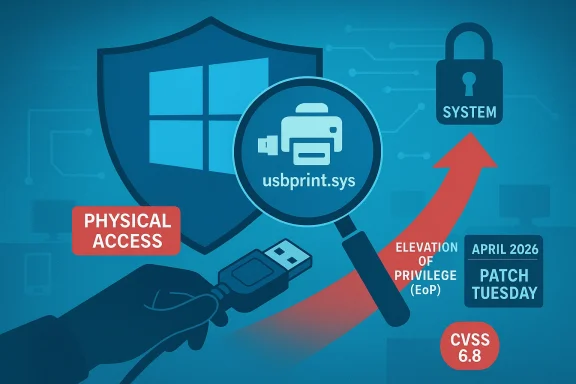
Microsoft’s April 2026 security update includes CVE-2026-32223, a Windows USB Printing Stack (usbprint.sys) Elevation of Privilege Vulnerability that Microsoft classifies as an important local security issue. Public tracking pages published on April 14, 2026 describe the flaw as affecting the USB print driver stack and rate it CVSS 6.8, with a physical attack vector and no privileges required once an attacker can interact with the machine at the device level.
The Windows printing stack has long been one of Microsoft’s more exposed subsystems because it sits at the intersection of kernel-mode code, device interfaces, and enterprise manageability. That makes printer-related flaws especially sensitive: they are often reachable through common office hardware, but they can also become a route to privilege escalation, persistence, or system compromise when something goes wrong. Over the years, Microsoft has repeatedly hardened print-related components after vulnerabilities in spooler and driver paths showed how quickly a “routine” peripheral can turn into a security boundary problem.
The USB print path is particularly interesting because it is narrower than the broader spooler surface, yet it still lives close to the kernel. The
That physical-access requirement matters, but it should not be dismissed. In enterprise environments, physical access can be easier to obtain than many defenders assume, especially in shared spaces, kiosk deployments, lab benches, reception desks, retail environments, and locked-but-not-hardened server rooms. A vulnerability that demands proximity can still be highly relevant if it can elevate an attacker from a low-privilege foothold to SYSTEM-level access, because once the escalation happens, the rest of the compromise becomes much easier.
Microsoft has not, at least in the public summaries surfaced today, provided a deep technical root-cause analysis for the issue. What is visible from the available tracking data is enough to establish the vulnerability class, the affected component, and the urgency of patching, but not enough to reconstruct the exact bug pattern from first principles. In security terms, that leaves defenders with credible existence but limited exploit detail, which is still enough to justify prompt remediation.
The timing also places this bug in the broader April 2026 Patch Tuesday cadence, where Microsoft reportedly addressed a large set of flaws across Windows components. BleepingComputer’s round-up identifies CVE-2026-32223 among the month’s fixes for Windows USB Print Driver, and classifies it as an important issue in the release set. That positioning is consistent with Microsoft treating print-stack bugs as operationally meaningful even when they are not yet known to be actively exploited.
This is an important distinction. Some vulnerabilities are announced with a full public proof of concept, detailed root cause, and repeatable exploitation steps. Others, like this one appears to be, arrive with enough vendor validation to warrant urgent patching, but not enough detail to hand would-be attackers a roadmap. That typically lowers immediate public exploitability, but it does not lower the need to patch.
The fact that Microsoft shipped a fix in the regular Patch Tuesday cycle also implies that the company considered the issue actionable rather than theoretical. Microsoft’s security response processes exist precisely to close that gap between discovery and defensive deployment, and print-related kernel bugs are exactly the sort of flaw that can justify urgent servicing.
The practical takeaway is that this should not be read as a niche printer glitch. It is a boundary-crossing bug in a component that interacts with hardware, and those bugs often have an outsized impact on endpoint integrity. That is why Microsoft’s labeling matters even without a public exploit write-up.
For consumer users, the risk is narrower but still meaningful. The average home PC is less likely to face a targeted USB printer attack, yet many people still share hardware, use multifunction printers, or leave USB ports exposed in physically accessible places. The likelihood may be lower than on a corporate workstation, but the consequences of a successful escalation are still severe.
For enterprises, the risk profile is broader because device trust is usually embedded in workflow. Print queues, docking stations, shared desks, and help desk benches are all examples of environments where USB devices are plugged in with little scrutiny. A vulnerability like this forces defenders to think beyond user education and toward device control, port policy, and endpoint hardening.
The public summaries do not indicate a remote network worm path, and that is an important constraint. This is not the kind of flaw that can usually be sprayed across the internet. Instead, it is the sort of vulnerability that rewards patient adversaries who can get close enough to the target to present a malicious device or otherwise influence the local printing path.
The
What makes this release notable is that Microsoft appears to be patching a driver path tied specifically to USB printing rather than only the more famous spooler infrastructure. That suggests continued investment in the less visible layers of Windows hardening, where abuse may be rarer but the blast radius can still be large. That is a positive sign, even if it arrives because a bug was found in the first place.
Device control tools and BIOS/UEFI hardening become especially relevant here. If an attacker needs to present a physical USB device to trigger the flaw, then port policies, lockable enclosures, and administrative restrictions can materially reduce exposure. That is a good example of layered defense: patch first, but don’t stop there.
Enterprises should also consider the printer lifecycle itself. A fleet of older printers, USB hubs, docking stations, and unmanaged peripherals can create weird compatibility behaviors that defenders sometimes ignore until an incident happens. The more varied the hardware estate, the more important it is to test security updates against real workflows before deployment.
Recommended focus areas include:
There is also a broader lesson about hardware trust. Many users believe that if a device looks like a printer, keyboard, or charger, it is safe. Attackers exploit that assumption. A print-stack vulnerability therefore reinforces a bigger security principle: physical devices are inputs too, and Windows must validate them as carefully as it validates network traffic.
Consumers do not usually need elaborate mitigation plans, but they do need to install updates promptly and avoid connecting unfamiliar peripherals. In a world of cheap USB hardware and repurposed device shells, caution at the port is as important as caution in the browser.
The fact that Microsoft has not, in the public summaries available today, disclosed a root-cause write-up means defenders should avoid overfitting their assumptions. It may be a memory corruption issue, an input validation flaw, or a device-state confusion bug; the public record does not yet pin it down. Caution is warranted when any vulnerability is both real and only partially described.
That uncertainty cuts both ways. It may slow attackers who need details, but it also makes defenders dependent on Microsoft’s patch rather than their own ability to reason around the flaw. In those cases, patch deployment becomes the single most reliable control.
That is why the most mature response combines patching, least privilege, and device trust reduction. Security teams should not wait for a second bulletin or a public exploit proof before acting. When a kernel-mode driver in a common peripheral pathway is called out by Microsoft, the safest assumption is that the platform has already drawn a line for you.
Longer term, expect this disclosure to reinforce the broader industry trend toward reducing blind trust in peripherals. The lesson from USB, print, and other device classes is increasingly the same: everything that enters the system is an input channel, not just the network. Enterprises that internalize that lesson will be better prepared for the next driver flaw, whether it lands in printing, audio, imaging, or another “ordinary” Windows subsystem.
What to watch next:
Source: MSRC Security Update Guide - Microsoft Security Response Center
 Background
The Windows printing stack has long been one of Microsoft’s more exposed subsystems because it sits at the intersection of kernel-mode code, device interfaces, and enterprise manageability. That makes printer-related flaws especially sensitive: they are often reachable through common office hardware, but they can also become a route to privilege escalation, persistence, or system compromise when something goes wrong. Over the years, Microsoft has repeatedly hardened print-related components after vulnerabilities in spooler and driver paths showed how quickly a “routine” peripheral can turn into a security boundary problem.The USB print path is particularly interesting because it is narrower than the broader spooler surface, yet it still lives close to the kernel. The
usbprint.sys driver is part of the Windows USB Printing Stack, which bridges a physical device and the operating system’s print infrastructure. In practical terms, that means an attacker with physical access to a device may be able to use a malicious or tampered USB printing device to trigger flawed code paths that were never meant to be exposed to untrusted input.That physical-access requirement matters, but it should not be dismissed. In enterprise environments, physical access can be easier to obtain than many defenders assume, especially in shared spaces, kiosk deployments, lab benches, reception desks, retail environments, and locked-but-not-hardened server rooms. A vulnerability that demands proximity can still be highly relevant if it can elevate an attacker from a low-privilege foothold to SYSTEM-level access, because once the escalation happens, the rest of the compromise becomes much easier.
Microsoft has not, at least in the public summaries surfaced today, provided a deep technical root-cause analysis for the issue. What is visible from the available tracking data is enough to establish the vulnerability class, the affected component, and the urgency of patching, but not enough to reconstruct the exact bug pattern from first principles. In security terms, that leaves defenders with credible existence but limited exploit detail, which is still enough to justify prompt remediation.
The timing also places this bug in the broader April 2026 Patch Tuesday cadence, where Microsoft reportedly addressed a large set of flaws across Windows components. BleepingComputer’s round-up identifies CVE-2026-32223 among the month’s fixes for Windows USB Print Driver, and classifies it as an important issue in the release set. That positioning is consistent with Microsoft treating print-stack bugs as operationally meaningful even when they are not yet known to be actively exploited.
What Microsoft is saying
The public-facing material currently available is lean, but it still tells a coherent story. Microsoft’s update-guide entry names the vulnerability, ties it to the Windows USB Printing Stack, and assigns it an elevation-of-privilege label. The public summary pages also indicate a physical attack vector, which strongly suggests the attack likely requires direct device access, malicious hardware interaction, or a similar local-adjacency condition.Confidence and disclosure level
The user-provided metric in the MSRC description emphasizes that this category measures confidence in the vulnerability’s existence and the credibility of the technical details. That is a useful lens here, because the public evidence is stronger on the fact that a bug exists than on the exact exploit primitive. In other words, defenders can be confident the issue is real, while attackers may still need significant reverse engineering or device-level experimentation to weaponize it reliably.This is an important distinction. Some vulnerabilities are announced with a full public proof of concept, detailed root cause, and repeatable exploitation steps. Others, like this one appears to be, arrive with enough vendor validation to warrant urgent patching, but not enough detail to hand would-be attackers a roadmap. That typically lowers immediate public exploitability, but it does not lower the need to patch.
The fact that Microsoft shipped a fix in the regular Patch Tuesday cycle also implies that the company considered the issue actionable rather than theoretical. Microsoft’s security response processes exist precisely to close that gap between discovery and defensive deployment, and print-related kernel bugs are exactly the sort of flaw that can justify urgent servicing.
Why the classification matters
Elevation-of-privilege bugs in drivers are especially dangerous because they often let an attacker transform one limited context into a much stronger one. If the attacker begins with physical access, they may not need credentials, phishing, or a browser exploit to make progress. Once local code execution or a malformed device interaction can cross into kernel territory, the security posture of the machine changes dramatically.The practical takeaway is that this should not be read as a niche printer glitch. It is a boundary-crossing bug in a component that interacts with hardware, and those bugs often have an outsized impact on endpoint integrity. That is why Microsoft’s labeling matters even without a public exploit write-up.
Attack surface and likely abuse patterns
The most obvious abuse scenario is malicious USB hardware or a device that impersonates a printer-related peripheral. In many organizations, USB peripherals are trusted far more than they should be, especially when they resemble commodity office equipment. A hostile device that can trigger a kernel bug in the print stack changes the conversation from “can the attacker plug something in?” to “what happens after they do?”Physical access is a real barrier, but not a perfect one
Physical attack vectors are often misunderstood as low risk because they require someone to be near the target. But proximity is not the same as rarity. A contractor, temporary employee, visitor, maintenance worker, conference attendee, or rogue insider may all satisfy that prerequisite, and those are exactly the kinds of scenarios security teams must plan for.For consumer users, the risk is narrower but still meaningful. The average home PC is less likely to face a targeted USB printer attack, yet many people still share hardware, use multifunction printers, or leave USB ports exposed in physically accessible places. The likelihood may be lower than on a corporate workstation, but the consequences of a successful escalation are still severe.
For enterprises, the risk profile is broader because device trust is usually embedded in workflow. Print queues, docking stations, shared desks, and help desk benches are all examples of environments where USB devices are plugged in with little scrutiny. A vulnerability like this forces defenders to think beyond user education and toward device control, port policy, and endpoint hardening.
What an attacker would likely want
If exploited successfully, the bug could provide escalation to SYSTEM, which is the prize attackers want on Windows endpoints. Once at that level, they can disable defenses, implant persistence, dump credentials, tamper with security tools, or pivot deeper into a network. Even if the bug itself is local, the strategic payoff can be enormous.The public summaries do not indicate a remote network worm path, and that is an important constraint. This is not the kind of flaw that can usually be sprayed across the internet. Instead, it is the sort of vulnerability that rewards patient adversaries who can get close enough to the target to present a malicious device or otherwise influence the local printing path.
How this compares with prior print-security issues
Windows printing vulnerabilities have a long history of forcing Microsoft to balance compatibility against hardening. The famous spooler-related incidents taught the industry that printer code cannot be treated as a benign utility layer; it is a privileged attack surface with enormous reach. The USB print stack is a smaller target than the full print subsystem, but the same logic applies: anything that parses device-originated data in privileged code deserves careful scrutiny.Printer bugs are often “small surface, big consequences”
One reason printer flaws recur is that print workflows are deceptively complex. They involve drivers, queues, notifications, spool files, rendering, and device-specific behavior, all of which can vary across Windows versions and hardware generations. That variability creates fertile ground for memory corruption, state confusion, and trust-boundary mistakes.The
usbprint.sys component likely sits closer to device communication than many end users realize. Even if the bug is only reachable in a narrow context, that context can still matter when the affected code is in the kernel or has elevated privileges. Security teams should therefore treat printer-adjacent drivers as part of the core attack surface, not as peripheral afterthoughts.What makes this release notable is that Microsoft appears to be patching a driver path tied specifically to USB printing rather than only the more famous spooler infrastructure. That suggests continued investment in the less visible layers of Windows hardening, where abuse may be rarer but the blast radius can still be large. That is a positive sign, even if it arrives because a bug was found in the first place.
Historical lesson for defenders
The lesson from prior print issues is not simply “disable printing.” It is to assume that print and device stacks are privileged code paths, and to control them accordingly. Patch management, USB policy, least privilege, and endpoint monitoring all matter more when a flaw like this lands in the same functional neighborhood as previous high-impact Windows driver bugs.Enterprise exposure
Enterprises are the most likely audience to care about this issue because they operate at scale and often manage heterogeneous device access. If a malicious actor can get a foothold in a physical location, then a print-driver escalation can be one of the fastest routes from limited access to full endpoint control. That is especially true on machines that handle sensitive documents, administrative tasks, or identity workflows.Where the risk concentrates
The most exposed systems are likely to be shared or semi-public endpoints. Reception computers, HR workstations, engineering lab machines, conference-room PCs, and point-of-service terminals are all plausible targets because they are physically reachable and often less tightly controlled than executive laptops. Security teams should assume that any Windows machine with exposed USB ports is potentially part of the attack surface.Device control tools and BIOS/UEFI hardening become especially relevant here. If an attacker needs to present a physical USB device to trigger the flaw, then port policies, lockable enclosures, and administrative restrictions can materially reduce exposure. That is a good example of layered defense: patch first, but don’t stop there.
Enterprises should also consider the printer lifecycle itself. A fleet of older printers, USB hubs, docking stations, and unmanaged peripherals can create weird compatibility behaviors that defenders sometimes ignore until an incident happens. The more varied the hardware estate, the more important it is to test security updates against real workflows before deployment.
Operational priorities
Security teams should rank the response by exposure, not by organizational title. Systems that are physically accessible, highly privileged, or used in sensitive operational environments deserve earlier attention. The fact that this is a local physical-vector EoP does not make it “low urgency” when the endpoint sits in the wrong place or the wrong role.Recommended focus areas include:
- Patch all supported Windows systems as soon as possible.
- Restrict physical USB access on sensitive machines.
- Review device control and port-locking policies.
- Prioritize shared workstations and kiosk-like systems.
- Validate whether printer peripherals are approved and inventoried.
- Monitor for unusual device insertion activity and post-patch instability.
Consumer impact
For home users, the story is simpler but not irrelevant. Most consumers will never encounter a deliberate physical USB printer exploit, but many still use shared spaces, home offices, and public-facing work environments where unauthorized device access is possible. A vulnerability that requires physical proximity is still a threat if the user habitually leaves a machine unattended or accessible.Why ordinary users should still care
The consumer impact is less about mass exploitation and more about opportunistic compromise. If a malicious person can reach the machine, then an EoP in a print driver can turn a brief touch into a complete system takeover. That is especially concerning for home users who keep passwords saved in browsers, use the same PC for banking and work, or lack robust endpoint protection.There is also a broader lesson about hardware trust. Many users believe that if a device looks like a printer, keyboard, or charger, it is safe. Attackers exploit that assumption. A print-stack vulnerability therefore reinforces a bigger security principle: physical devices are inputs too, and Windows must validate them as carefully as it validates network traffic.
Consumers do not usually need elaborate mitigation plans, but they do need to install updates promptly and avoid connecting unfamiliar peripherals. In a world of cheap USB hardware and repurposed device shells, caution at the port is as important as caution in the browser.
Practical consumer takeaways
- Keep Windows fully updated.
- Use a BIOS/UEFI password where appropriate.
- Disable unused USB ports if the hardware supports it.
- Avoid plugging in unfamiliar printers or USB devices.
- Treat unattended public or semi-public machines as exposed assets.
Technical interpretation
The public scoring and description suggest that the issue is both serious and well enough understood to patch, but not necessarily so well documented that exploitation is trivial. The CVSS 6.8 rating and physical vector imply a local attack with significant impact and limited reach. That combination often produces a vulnerability that is dangerous in targeted hands even if it is not broadly automatable.What the scoring implies
A physical attack vector means the attacker must interact with the system in person or through direct local access to a port or device pathway. The absence of privileges and user interaction in the public scoring is notable, because it means the attacker may not need an existing login or a user click once they have the right physical foothold. That is a classic recipe for post-compromise escalation.The fact that Microsoft has not, in the public summaries available today, disclosed a root-cause write-up means defenders should avoid overfitting their assumptions. It may be a memory corruption issue, an input validation flaw, or a device-state confusion bug; the public record does not yet pin it down. Caution is warranted when any vulnerability is both real and only partially described.
That uncertainty cuts both ways. It may slow attackers who need details, but it also makes defenders dependent on Microsoft’s patch rather than their own ability to reason around the flaw. In those cases, patch deployment becomes the single most reliable control.
Why kernel-adjacent bugs are stubborn
Driver bugs are notoriously difficult to eliminate completely because they sit at the seam between hardware variation and software expectations. Windows must support a huge range of printers, chips, docks, and emulated peripherals, which creates a compatibility burden that inevitably widens the testing matrix. Security improvements are therefore often incremental rather than absolute.That is why the most mature response combines patching, least privilege, and device trust reduction. Security teams should not wait for a second bulletin or a public exploit proof before acting. When a kernel-mode driver in a common peripheral pathway is called out by Microsoft, the safest assumption is that the platform has already drawn a line for you.
Strengths and Opportunities
This disclosure is a reminder that Microsoft continues to surface and fix lower-level Windows trust-boundary issues before they become broader public incidents. That is good news for defenders, because it gives them a concrete patch target and a clear severity signal even in the absence of a flashy exploit narrative. The opportunity now is to use the event to tighten device governance, not just to install a single update.- Clear vendor acknowledgement gives defenders confidence that the bug is real.
- Physical-vector classification helps security teams scope exposure realistically.
- Patch availability means remediation is immediately actionable.
- Driver-level hardening can reduce future printer-stack risk.
- Enterprise USB policy can provide a second layer of protection.
- Shared-workstation hygiene can be improved alongside this patch cycle.
- Security awareness around physical devices can be refreshed without alarmism.
Strategic upside for defenders
The biggest opportunity is to treat this as a forcing function for endpoint policy review. Organizations often only revisit USB and peripheral restrictions after a visible incident, but a Microsoft-patched driver flaw is a cheaper trigger than an actual compromise. In that sense, the vulnerability can pay a security dividend if it drives more disciplined device control.Risks and Concerns
The chief concern is that physical-access vulnerabilities are often underestimated until they are used in a targeted attack. Because the exposure is local rather than internet-wide, many organizations may delay patching or ignore the issue on low-priority endpoints, which creates exactly the kind of uneven defense attackers like. Another concern is that the public details are thin enough to leave room for surprise if researchers later publish exploit-enabling analysis.- Underestimation of physical attacks can lead to slow remediation.
- Thin technical disclosure may still be enough for skilled attackers.
- Shared devices often have the weakest physical controls.
- USB trust assumptions remain weak in many organizations.
- Printer peripherals are frequently inventoried poorly.
- Patch lag on specialized endpoints can outlast the initial disclosure window.
- Operational disruption may discourage some admins from updating promptly.
The hidden risk: “niche” does not mean harmless
One of the most common mistakes in vulnerability management is equating narrow reach with low consequence. A targeted flaw on a few exposed machines can still be catastrophic if those machines sit on a sensitive network segment or hold credentials. That is especially true for Windows endpoints that bridge physical operations and administrative access.Looking Ahead
The immediate future should be about patch uptake, not speculation. Security teams will want to confirm that the April 2026 update is installed everywhere applicable and that any side effects in printing workflows are understood. If Microsoft later publishes deeper technical detail, it may reveal whether the issue resembles a memory safety bug, a logic error, or a trust-boundary failure in device parsing.Longer term, expect this disclosure to reinforce the broader industry trend toward reducing blind trust in peripherals. The lesson from USB, print, and other device classes is increasingly the same: everything that enters the system is an input channel, not just the network. Enterprises that internalize that lesson will be better prepared for the next driver flaw, whether it lands in printing, audio, imaging, or another “ordinary” Windows subsystem.
What to watch next:
- Microsoft’s follow-up guidance, if any, on affected Windows builds.
- Independent analysis that clarifies the exact bug class.
- Reports of exploitation attempts in the wild.
- Enterprise advisories about USB port controls and device policy.
- Any compatibility notes for print-heavy environments after patching.
Source: MSRC Security Update Guide - Microsoft Security Response Center
Last edited:
