

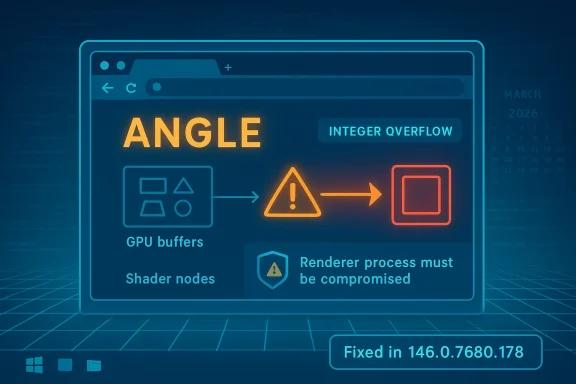
The March 2026 Chrome security cycle has produced another reminder that browser graphics code remains a prime target, and CVE-2026-5277 sits squarely in that category. Microsoft’s Security Update Guide records the issue as an integer overflow in ANGLE affecting Google Chrome on Windows prior to 146.0.7680.178, with the potential for a remote attacker who had already compromised the renderer process to trigger an out-of-bounds memory write through a crafted HTML page. Chrome’s own release notes for March 2026 show a steady cadence of high-impact fixes in the same generation of the browser, underscoring how aggressively the Chromium team has been hardening the stable channel this month. gleblog.com]
ANGLE is not a decorative component hidden far from the action. It is the translation layer that helps Chromium-based browsers map graphics APIs onto the platform’s native drivers and rendering paths, which means it sits in a sensitive position between web content and the GPU stack. When a bug in that layer becomes an integer overflow, the likely result is not merely a crash but a memory-safety defect that can cross into more dangerous territory if the attacker can steer execution far enough. That sounding graphics bug can matter to the entire browser ecosystem.
The key detail in this case is the exploit precondition. The advisory says the attacker must have already compromised the renderer process, which narrows the direct exploit path but does not make the issue trivial. In browser architecture, renderer compromise is often exactly the step an attacker wants before chaining into a stronger sandbox escape or a deeper compromise of the browser process, the user session, or adjacent data. In other words, this is not a “break in from the outside withis a post-compromise escalation opportunity.
That distinction matters operationally. Security teams often triage browser issues by asking whether the flaw is reachable from a single page load, whether user interaction is needed, and whether the issue supports a clean exploit chain. A crafted HTML page is still concerning because it means the payload can be delivered over ordinary web traffic, but the requirement to first compromise the renderer process makes the practical exploitation storye label alone suggests.
Microsoft’s update guide is valuable here because it translates a Chromium-origin issue into a downstream operational signal for Windows administrators. For many enterprises, Microsoft Edge and other Chromium-based builds inherit the same upstream engine components, so the presence of the CVE in a Microsoft advisory is often a cue to verify browser build numbers across fleets, not just to read Google’s release notes. That is one reason the Windows ecosystem pays close attention to Chrome CVEs even when the browser in questiof.
From a patch-management standpoint, that pace is a double-edged sword. On the one hand, it shows the vendor is actively shipping fixes and shrinking exposure windows. On the other, it means enterprises can accumulate multiple browser versions in circulation if update policies are too slow, too fragmented, or too dependent on deferred maintenance windows.
This matters because browser fleets often lag more than teams expect. Users may auto-update on one machine but not another, VDI images may remain frozen for compatibility, and endpoint security tools may report browser versions inconsistently if they inventory only the browser shell rather than the actual engine build. That gap is where vulnerable versions persist.
For enterprise defenders, this is a critical workflow point. Many organizations are more likely to consult Microsoft’s update ecosystem than Google’s release blog, especially when they manage Windows endpoints centrally. When Microsoft mirrors Chromium security data, it gives administrators a familiar place to verify patch status, align browser versions with broader OS management, and cross-check exposure in Defender-oriented workflows.
This is also a reminder that browser vulnerability management is increasingly platform-centric rather than browser-centric. The enterprise is not simply choosing between “Chrome or Edge”; it is managing a shared engine, different channel policies, and different distribution cadences on top of the same underlying code base. That makes downstream advisories a practical necessity, not a courtesy.
The value of an out-of-bounds write is that it can create a controllable memory corruption condition, which is exactly the sort of bug attackers prize in modern browsers. Even if exploit reliability is difficult, the prize is large enough to justify investment, especially when the target is a widely deployed browser on Windows. That is why vendors treat these issues as urgent even before all the exploit details are publicly known.
For enterprises, the problem is more layered. Browser updates may be controlled by policy, staged slowly through rings, delayed by line-of-business application testing, or blocked by VDI image management. That means a vulnerability like CVE-2026-5277 can remain live in pockets of the organization long after the vendor has shipped a fix.
It will also be worth watching how quickly enterprise software catalogs, vulnerability scanners, and patch orchestration tools catch up to the fixed build number. In practice, the hardest part of a browser CVE is often not the fix itself but proving that every endpoint actually received it. That is especially true in mixed Chrome/Edge environments.
The broader story here is familiar but still important: Chromium’s graphics stack remains a high-value battleground, and ANGLE is one of the places where small arithmetic mistakes can become large security problems. As Chrome and Chromium continue to ship rapid-fire fixes, the real test for defenders is not whether the bug is public but whether their fleets can keep pace with the release train.
Source: NVD / Chromium Security Update Guide - Microsoft Security Response Center
 Overview
ANGLE is not a decorative component hidden far from the action. It is the translation layer that helps Chromium-based browsers map graphics APIs onto the platform’s native drivers and rendering paths, which means it sits in a sensitive position between web content and the GPU stack. When a bug in that layer becomes an integer overflow, the likely result is not merely a crash but a memory-safety defect that can cross into more dangerous territory if the attacker can steer execution far enough. That sounding graphics bug can matter to the entire browser ecosystem.The key detail in this case is the exploit precondition. The advisory says the attacker must have already compromised the renderer process, which narrows the direct exploit path but does not make the issue trivial. In browser architecture, renderer compromise is often exactly the step an attacker wants before chaining into a stronger sandbox escape or a deeper compromise of the browser process, the user session, or adjacent data. In other words, this is not a “break in from the outside withis a post-compromise escalation opportunity.
That distinction matters operationally. Security teams often triage browser issues by asking whether the flaw is reachable from a single page load, whether user interaction is needed, and whether the issue supports a clean exploit chain. A crafted HTML page is still concerning because it means the payload can be delivered over ordinary web traffic, but the requirement to first compromise the renderer process makes the practical exploitation storye label alone suggests.
Microsoft’s update guide is valuable here because it translates a Chromium-origin issue into a downstream operational signal for Windows administrators. For many enterprises, Microsoft Edge and other Chromium-based builds inherit the same upstream engine components, so the presence of the CVE in a Microsoft advisory is often a cue to verify browser build numbers across fleets, not just to read Google’s release notes. That is one reason the Windows ecosystem pays close attention to Chrome CVEs even when the browser in questiof.
What the Vulnerability Means
At a technical level, integer overflow bugs in graphics code are often dangerous because size calculations feed directly into buffer allocation and write logic. If a computed length wraps or truncates unexpectedly, later code may believe it has more memory than it really does, opening the door to an out-of-bounds memory write. In browser security, that kind of primitive can become a stepping stone toward code execution or reliable sandbox escape if an attacker can shape the surrounding conditionerity label is listed as High, which is consistent with the class of bug and the potential impact described in the advisory. The NVD record, however, still reflects the limits of its enrichment pipeline and has not assigned its own finalized assessment yet, so the most actionable severity guidance comes from the vendor disclosure itself. This is a good example of why administrators should not wait for every external database to finish scoring before they begin patching.Why ANGLE buimportant
ANGLE sits close to the boundary between the browser and the GPU stack. That makes it a juicy target because it processes highly structured but attacker-influenced inputs at high speed, often under the pressure of cross-platform compatibility layers. A single arithmetic mistake in that environment can create a memory corruption primitive that is hard to reason about and even harder to safely contain.- Graphics translation layers are repeatedly targeted because they mediate complex data flows.
- Memory corruption in rendering code often yields better exploitability than a simple crash.
- Cross-platform abstraction can make identical bugs appear across Windows, Linux, and macOS builds.
- Browser sandboxing helps, but it does not eliminate the value of renderer compromise.
Why the renderer-process conditiory explicitly says the attacker must have compromised the renderer process first. That means CVE-2026-5277 is best understood as a follow-on escalation bug, not the initial foothold. In practice, that still leaves plenty of room for exploitation if an attacker can pair it with a separate renderer bug, a malicious extension, a drive-by chain, or a compromised content delivery path.
That is also why defenders should not down-rank the issue not a one-click remote code execution flaw. In modern browser security, chained vulnerabilities are normal, and the defensive burden is to close the high-value links before they can be combined. A renderer-to-browser escape is often the difference between a contained incident and a full compromise.Google’s Release Cadence
Chrome 146 has already been through multiple March 2026 security updates, including earlier stable-channel releases that fixed several serious issues in quick succession. Google’s public release notes show a pattern of updating the desktop stable channel on March 10, March 12, March 13, and March 18, with the line moving from 146.0.7680.71/72 through 146.0.7680.80 and then up to 146.0.7680.153/154. That cadence suggests a fast-moving maintenance cycle, likely reflecting both routine hardening and the need to close security windows quickly.From a patch-management standpoint, that pace is a double-edged sword. On the one hand, it shows the vendor is actively shipping fixes and shrinking exposure windows. On the other, it means enterprises can accumulate multiple browser versions in circulation if update policies are too slow, too fragmented, or too dependent on deferred maintenance windows.
What the patch level tells us
The vulnerable threshold for CVE-2026-5277 is prior to 146.0.7680.178, which is newer than the March 18 release line seen in the public Chrome notes. That strongly implies this CVE was addressed in a later stable update beyond the mid-March release set and that administrators running older 146 builds should not assume they are already protecfe rule is simple: if your Chrome-based build is below the stated fixed version, it needs attention.This matters because browser fleets often lag more than teams expect. Users may auto-update on one machine but not another, VDI images may remain frozen for compatibility, and endpoint security tools may report browser versions inconsistently if they inventory only the browser shell rather than the actual engine build. That gap is where vulnerable versions persist.
- Auto-update is not a guarantee of fleet-wide compliance.
- Version drift between channels can mask exposure.
- VDI and virtual desktops often retain outdated browser images longer than physical endpoints.
- Managed enterprise policies can slow rollout if change control is conservative.
Microsoft’s Role in Tracking Chromium CVEs
Microsoft’s Security Update Guide is not just about first-party Windows vulnerabilities. It also acts as a downstream tracking system for Chromium-based components that ship inside Microsoft Edge and, in some cases, other Microsoft products that embed Chromium technology. ThCVE page for CVE-2026-5277 useful even though Google is the originating vendor.For enterprise defenders, this is a critical workflow point. Many organizations are more likely to consult Microsoft’s update ecosystem than Google’s release blog, especially when they manage Windows endpoints centrally. When Microsoft mirrors Chromium security data, it gives administrators a familiar place to verify patch status, align browser versions with broader OS management, and cross-check exposure in Defender-oriented workflows.
Why downstream visibility matters
Chromium vulnerabilities do not stay inside Chrome for long. Because Edge and other browsers are built on the same upstream engine, a flaw in Chrome often becomes a compatibility and patching issue across the Windcrosoft’s guidance helps map that upstream bug to downstream build numbers and update timing, which is exactly what security operations centers need during a busy patch cycle.This is also a reminder that browser vulnerability management is increasingly platform-centric rather than browser-centric. The enterprise is not simply choosing between “Chrome or Edge”; it is managing a shared engine, different channel policies, and different distribution cadences on top of the same underlying code base. That makes downstream advisories a practical necessity, not a courtesy.
What administrators should infer
The safest inference is that any fleet running Chromium-derived browsers on Windows should treat this as a standard high-priority browser patch. If the organization allows Chrome, Edge, or another Chromium-based browser, the deployment team should verify which build is installed, which channel it uses, and whether auto-update is actually functioning. In this case, the important operational number is the fixed version, not the CVE label alone.- Confirm the installed browser build number on managed endpoints.
- Check whether group policies are delaying browser rollouts.
- Verify offline or kiosk systems that may not receive updates normally.
- Ensure vulnerability scanners are reading the current browser version correctly.
How Attackers Would Think About It
A threat actor looking at CVE-2026-5277 would likely view it as a chainable post-exploitation primitive rather than a standalone initial access tool. The requirement to compromise the renderer process first raises the bar, but the existence of a crafted HTML page as the delivery vehicle still matters because web content ransport mechanism for hostile logic. In the real world, that can mean exploit kits, malicious advertising, compromised sites, or multi-stage web attacks.The value of an out-of-bounds write is that it can create a controllable memory corruption condition, which is exactly the sort of bug attackers prize in modern browsers. Even if exploit reliability is difficult, the prize is large enough to justify investment, especially when the target is a widely deployed browser on Windows. That is why vendors treat these issues as urgent even before all the exploit details are publicly known.
Potential chaining scenarios
The most realistic concern is not a single CVE in isolation but a combination of flaws or malicious preconditions. A renderer compromise could come from another browser bug, a compromised extension, a web service attack, or a user interaction path that the attacker can influence. Once inside that sandboxed process boundary, a memory corruption bug in ANGLE becomes far more attractive.- Initial foothold via another Chromium bug or malicious content.
- Renderer compromise as the prerequisite state described by the advisory.
- Memory corruption trigger in ANGLE through crafted HTML.
- Potential escalation toward sandbox escape or broader browser compromise.
Why the crafted HTML detail matters
The use of HTML as the trigger indicates the attack surface is part of normal browsing, not an obscure developer-only path. That broadens the universe of potential exposure, because any environment that opens untrusted pages or renders user-generated content could theoretically be in scope. It also reinforces the need for safe browsing controls, content filtering, and strong endpoint hardening alongside patching.Enterprise vs Consumer Impact
For consumers, the guidance is straightforward: update Chrome or any Chromium-based brr above the fixed version as soon as the update becomes available. Most home users depend on automatic updating, which is usually enough if the browser is allowed to restart and apply patches. The main consumer risk is delay, not complexity.For enterprises, the problem is more layered. Browser updates may be controlled by policy, staged slowly through rings, delayed by line-of-business application testing, or blocked by VDI image management. That means a vulnerability like CVE-2026-5277 can remain live in pockets of the organization long after the vendor has shipped a fix.
Consumer priorities
Consumers should care less about the mechanics of ANGLE and more about whether the browser is current. If the installed version is older than 146.0.7680.178, the safest assumption is that the device should be updated. Browser re-launches matter here, because many updates are downloaded silently but not fully activated until the process restarts.Enterprise priorities
Enterprises need a broader control plane. That means inventory, update orchestration, and confirmation that all channels — Chrome, Edge, and any embedded Chromium views — have reached the fixed build. It also means checking whether security tools, application whitelisting, or update deferrals are preventing timely rollout.- Treat Chromium browser updates as endpoint security events, not routine UI maintenance.
- Include Edge and other Chromium-based products in the same rollout plan.
- Validate VDI master images and shared workstation builds.
- Monitor browser versions after patch windows close.
Strengths and Opportunities
The good news is that this vulnerability appears to have a clean vendor acknowledgment, a clear affected-version boundary, and a direct remediation path. That makes it easier for defenders to act decisively rather than wait for ambiguity to clear. It also shows that Chrome’s release process and Microsoft’s downstream tracking both give administrators enough information to move fast.- Clear fixed version: 146.0.7680.178 is the actionable target.
- Defined impact: the bug is described in specific memory-corruption terms.
- Known trigger model: crafted HTML gives defenders a concrete threat context.
- Downstream visibility: Microsoft documents it for Windows fleets.
- Fast response window: Chrome’s March patch cadence shows active maintenance.
- Operational clarity: version checks can confirm exposure quickly.
- Policy leverage: enterprises can roll this into existing browser update controls.
Risks n concern is that the attacker model is not as narrow as it first sounds. If an adversary can compromise the renderer process through another bug or a malicious payload chain, CVE-2026-5277 may provide the exact memory-write primitive needed to deepen the intrusion. That makes it a potentially valuable link in a longer attack sequence.
Another concern is patch lag. Chromium-based browsers update frequently, but the reality of enterprise change control means some systems will always trail the public stable channel. Those lagging systems are the ones most likely to remain exploitable after a vendor patch has already been published.- Renderer compromise can turn a “conditional” bug into a serious escalation path.
- Patch lag creates a durable exposure window in large environments.
- Multiple browser channels can leave version drift across endpoints.
- Virtual desktops may carry stale browser images longer than expected.
- Update failures can be hidden by inventory gaps or stale telemetry.
- User restart delays can leave machines technically patched but practically exposed.
- Chained exploitation remains possible if another Chromium flaw is present.
What to Watch Next
The next question is whether Google and Microsoft issue follow-on guidance that clarifies exploitability, affected subcomponents, or telemetry relevant to active abuse. If the issue is ever connected to in-the-wild exploitation, patch urgency will rise again and incident-response teams will need to review exposure more aggressively. For now, the prudent assumption is that the flaw is serious even without public exploit reports.It will also be worth watching how quickly enterprise software catalogs, vulnerability scanners, and patch orchestration tools catch up to the fixed build number. In practice, the hardest part of a browser CVE is often not the fix itself but proving that every endpoint actually received it. That is especially true in mixed Chrome/Edge environments.
Items to monitor
- Whether Google publishes additional technical detail in later Chrome notes.
- Whether Microsoft’s advisory changes to reflect downstream Edge build status.
- Whether security vendors begin flagging exploit-chain scenarios involving ANGLE.
- Whether enterprise patch tools surface version compliance quickly.
- Whether any related Chromium graphics bugs appear in the same release train.
The broader story here is familiar but still important: Chromium’s graphics stack remains a high-value battleground, and ANGLE is one of the places where small arithmetic mistakes can become large security problems. As Chrome and Chromium continue to ship rapid-fire fixes, the real test for defenders is not whether the bug is public but whether their fleets can keep pace with the release train.
Source: NVD / Chromium Security Update Guide - Microsoft Security Response Center
