

Microsoft has patched CVE-2026-54996, an elevation-of-privilege vulnerability in the Windows USB Print Driver, through the cumulative security updates released on July 14, 2026. Administrators should treat the flaw as a local privilege-escalation risk and deploy the appropriate Windows update rather than attempting to mitigate it by merely disconnecting printers.
The vulnerability was documented in Microsoft’s Security Update Guide as part of the July 2026 Patch Tuesday release. Microsoft identifies the affected component as the Windows USB Print Driver—the operating-system driver commonly associated with
Successful exploitation could allow an attacker who already has access to a vulnerable Windows system to obtain higher privileges. That makes CVE-2026-54996 particularly relevant to shared workstations, kiosks, virtual desktop environments, print servers and other systems where users or applications operate without administrative rights.
CVE-2026-54996 is an elevation of privilege vulnerability, not a remote-code-execution flaw that can necessarily be triggered against an exposed PC from anywhere on the internet. The immediate threat is an attacker who has already gained some ability to execute code or interact with the affected machine and then uses the vulnerable driver to cross a security boundary.
That distinction changes the attack path, but it does not make the issue harmless. Malware frequently enters through a document, browser exploit, stolen account or unpatched application while initially running with the victim’s limited permissions. A reliable local privilege-escalation vulnerability can provide the second step needed to disable defenses, access protected data, create privileged accounts or establish persistence.
Microsoft’s advisory should be considered the authoritative source for the vulnerability’s status. The report-confidence metric included in the Security Update Guide describes how firmly the vendor can corroborate a vulnerability and its technical details. Microsoft’s publication of a security update confirms that the company has identified and corrected an underlying defect, even when it withholds the precise trigger conditions or proof-of-concept material that would make exploitation easier.
The public title does not establish that an attacker must physically plug in a malicious printer, nor does it prove that every exploit requires a USB device to remain connected. The vulnerable component’s name identifies where Microsoft corrected the weakness, but the exact route to the vulnerable code must come from Microsoft’s exploitability information or subsequent technical research. Administrators should therefore avoid building narrow mitigations around assumptions about physical access.
July’s packages include KB5099414, which advances Windows 11 version 23H2 to OS Build 22631.7376. Windows 11 version 26H1 receives KB5101649 and moves to OS Build 28000.2525, while Windows Server 2022 receives KB5099540 and advances to OS Build 20348.5386. Other supported Windows editions have their own corresponding July 14 packages in Microsoft’s update catalog and servicing channels.
Because these releases are cumulative, installing the correct July 2026 security update—or a later cumulative update that supersedes it—provides the relevant operating-system fix. Organizations using Windows Server Update Services, Microsoft Configuration Manager, Windows Autopatch or Intune should verify installation by KB number and resulting build rather than relying solely on a successful deployment status.
Administrators should prioritize systems where untrusted or lightly trusted users can run applications, including:
That is a reason to test the July updates quickly, not a reason to leave the vulnerability unresolved indefinitely. A representative pilot group should exercise actual print jobs, device reconnection, spooler restarts and application-specific output rather than stopping after Windows reports that the printer is installed.
Microsoft is also in the middle of a broader transition away from legacy third-party printer drivers. Its published servicing plan increasingly favors the inbox Microsoft IPP Class Driver and Mopria-compatible printing, with the printer-driver ranking order changing on July 1, 2026 to prefer the Windows IPP inbox class driver. That policy shift is separate from CVE-2026-54996, but it makes an accurate printer and driver inventory increasingly important.
Organizations should record whether each critical device uses
Rolling back the entire cumulative update should be a last resort because doing so removes other July security fixes along with the USB printing correction. Where a business-critical device fails, isolate the affected machines, restrict user access and work with the printer vendor while maintaining the update on the rest of the estate.
Security teams should also monitor for unexpected interaction with print-related components from ordinary user processes. Unusual driver operations, repeated Print Spooler failures or a low-privilege process rapidly gaining administrative or SYSTEM-level execution warrant investigation, although those events alone do not prove exploitation of CVE-2026-54996.
Removing an unused printer queue may reduce unnecessary exposure and administrative clutter, but it is not a substitute for updating Windows. Disabling the Print Spooler can provide useful defense-in-depth on servers that never print, yet Microsoft’s advisory identifies the USB Print Driver as the affected component, so administrators should not assume that PrintNightmare-era spooler mitigations fully address this separate vulnerability.
The actionable deadline is the July 2026 patch cycle: identify supported Windows builds, deploy their July 14 cumulative updates, validate specialized USB printing and investigate systems that cannot be patched. Until Microsoft or independent researchers publish deeper technical details, the safest conclusion is also the simplest one—the cumulative Windows update is the dependable fix for CVE-2026-54996.
The vulnerability was documented in Microsoft’s Security Update Guide as part of the July 2026 Patch Tuesday release. Microsoft identifies the affected component as the Windows USB Print Driver—the operating-system driver commonly associated with
Usbprint.sys and locally connected USB printers—rather than a printer manufacturer’s standalone software package.Successful exploitation could allow an attacker who already has access to a vulnerable Windows system to obtain higher privileges. That makes CVE-2026-54996 particularly relevant to shared workstations, kiosks, virtual desktop environments, print servers and other systems where users or applications operate without administrative rights.
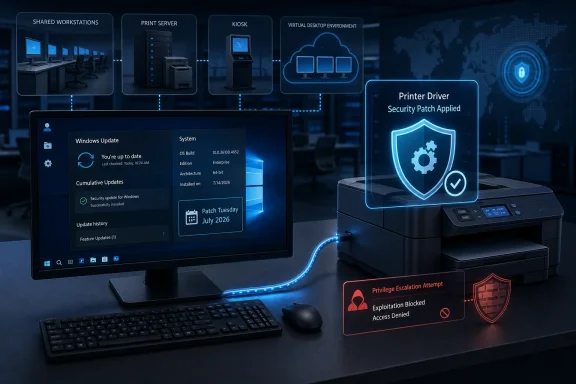 The Attack Starts Inside Windows
CVE-2026-54996 is an elevation of privilege vulnerability, not a remote-code-execution flaw that can necessarily be triggered against an exposed PC from anywhere on the internet. The immediate threat is an attacker who has already gained some ability to execute code or interact with the affected machine and then uses the vulnerable driver to cross a security boundary.That distinction changes the attack path, but it does not make the issue harmless. Malware frequently enters through a document, browser exploit, stolen account or unpatched application while initially running with the victim’s limited permissions. A reliable local privilege-escalation vulnerability can provide the second step needed to disable defenses, access protected data, create privileged accounts or establish persistence.
Microsoft’s advisory should be considered the authoritative source for the vulnerability’s status. The report-confidence metric included in the Security Update Guide describes how firmly the vendor can corroborate a vulnerability and its technical details. Microsoft’s publication of a security update confirms that the company has identified and corrected an underlying defect, even when it withholds the precise trigger conditions or proof-of-concept material that would make exploitation easier.
The public title does not establish that an attacker must physically plug in a malicious printer, nor does it prove that every exploit requires a USB device to remain connected. The vulnerable component’s name identifies where Microsoft corrected the weakness, but the exact route to the vulnerable code must come from Microsoft’s exploitability information or subsequent technical research. Administrators should therefore avoid building narrow mitigations around assumptions about physical access.
July’s Cumulative Updates Carry the Fix
Microsoft distributes Windows component fixes through operating-system cumulative updates. There is no separate USB Print Driver installer that administrators should expect to deploy for CVE-2026-54996.July’s packages include KB5099414, which advances Windows 11 version 23H2 to OS Build 22631.7376. Windows 11 version 26H1 receives KB5101649 and moves to OS Build 28000.2525, while Windows Server 2022 receives KB5099540 and advances to OS Build 20348.5386. Other supported Windows editions have their own corresponding July 14 packages in Microsoft’s update catalog and servicing channels.
Because these releases are cumulative, installing the correct July 2026 security update—or a later cumulative update that supersedes it—provides the relevant operating-system fix. Organizations using Windows Server Update Services, Microsoft Configuration Manager, Windows Autopatch or Intune should verify installation by KB number and resulting build rather than relying solely on a successful deployment status.
Administrators should prioritize systems where untrusted or lightly trusted users can run applications, including:
- Shared PCs and laboratory workstations should receive the update promptly because multiple users may interact with the same local driver stack.
- Remote Desktop Session Host and virtual desktop systems should be reviewed even if they have no printer physically connected, particularly where printer redirection is enabled.
- Print-management servers and line-of-business systems that use USB-connected receipt, label or industrial printers should be patched after focused compatibility testing.
- Kiosks and point-of-sale terminals should not be considered low risk simply because their user interface is restricted.
Printing Compatibility Still Deserves a Test Ring
The practical challenge for enterprise IT is that printer changes can disrupt hardware whose vendor drivers have not been meaningfully updated in years. Receipt printers, label printers, medical devices and industrial systems frequently depend on older application workflows, custom port monitors or tightly controlled driver packages.That is a reason to test the July updates quickly, not a reason to leave the vulnerability unresolved indefinitely. A representative pilot group should exercise actual print jobs, device reconnection, spooler restarts and application-specific output rather than stopping after Windows reports that the printer is installed.
Microsoft is also in the middle of a broader transition away from legacy third-party printer drivers. Its published servicing plan increasingly favors the inbox Microsoft IPP Class Driver and Mopria-compatible printing, with the printer-driver ranking order changing on July 1, 2026 to prefer the Windows IPP inbox class driver. That policy shift is separate from CVE-2026-54996, but it makes an accurate printer and driver inventory increasingly important.
Organizations should record whether each critical device uses
Usbprint.sys, the Microsoft IPP Class Driver, a vendor V3 or V4 driver, or additional vendor services. If the July update exposes a compatibility problem, that distinction will help determine whether the failure sits in Windows, the vendor package, the application or the printer’s firmware.Rolling back the entire cumulative update should be a last resort because doing so removes other July security fixes along with the USB printing correction. Where a business-critical device fails, isolate the affected machines, restrict user access and work with the printer vendor while maintaining the update on the rest of the estate.
Verification Matters More Than the Printer Icon
A printer appearing under Settings does not demonstrate that the security fix is installed. Administrators should confirm the operating-system build withwinver, PowerShell, Configuration Manager inventory or their endpoint-management platform, then compare it with the July 14 release applicable to that Windows version.Security teams should also monitor for unexpected interaction with print-related components from ordinary user processes. Unusual driver operations, repeated Print Spooler failures or a low-privilege process rapidly gaining administrative or SYSTEM-level execution warrant investigation, although those events alone do not prove exploitation of CVE-2026-54996.
Removing an unused printer queue may reduce unnecessary exposure and administrative clutter, but it is not a substitute for updating Windows. Disabling the Print Spooler can provide useful defense-in-depth on servers that never print, yet Microsoft’s advisory identifies the USB Print Driver as the affected component, so administrators should not assume that PrintNightmare-era spooler mitigations fully address this separate vulnerability.
The actionable deadline is the July 2026 patch cycle: identify supported Windows builds, deploy their July 14 cumulative updates, validate specialized USB printing and investigate systems that cannot be patched. Until Microsoft or independent researchers publish deeper technical details, the safest conclusion is also the simplest one—the cumulative Windows update is the dependable fix for CVE-2026-54996.
References
- Primary source: MSRC
Published: 2026-07-14T07:00:00-07:00
Security Update Guide - Microsoft Security Response Center
 msrc.microsoft.com
- Official source: learn.microsoft.com
Microsoft USB Printer Driver (Usbprint.sys) - Windows drivers | Microsoft Learn
Usbprint.sys is the Microsoft-provided device driver for USB printers. Usbprint.sys works with Usbmon.dll to provide end-to-end connectivity between USB printers and high-level printer drivers.learn.microsoft.com - Related coverage: securitydocs.business.xerox.com
Xerox Security Bulletin XRX25-009 (May 12, 2025)
April 2025 Security Patch Update Bulletin (FFPS v24)securitydocs.business.xerox.com
