

Microsoft published CVE-2026-54991 on July 14, 2026, identifying an elevation-of-privilege flaw in the Windows USB Print Driver and distributing the fix through this month’s Windows security updates. Systems that use locally attached USB printers should receive particular attention, but the practical response is straightforward: install the July 2026 cumulative update applicable to each supported Windows release.
The Microsoft Security Response Center advisory was published at 7:00 a.m. Pacific time as part of the July Patch Tuesday release. Microsoft classifies the affected component as the Windows USB Print Driver, the inbox driver infrastructure Windows uses when it detects and configures compatible printers connected over USB.
The public description supplied with the advisory is notably thin. It identifies the security impact but does not explain the vulnerable code path, the privileges required to initiate an attack, or whether exploitation depends on connecting a crafted USB device, processing a malicious print job, or interacting with an already installed printer.
That absence of detail limits what defenders should infer from the name alone. CVE-2026-54991 is an elevation-of-privilege vulnerability, not a declaration that any USB printer can compromise a Windows PC simply by being plugged in.
An elevation-of-privilege vulnerability allows an attacker operating at one security level to obtain permissions that Windows did not intend to grant. In the most serious local cases, code running as a standard user can cross into an administrator or SYSTEM context, gaining the ability to alter protected files, disable security controls, access other users’ data, or establish persistence.
Such vulnerabilities are often used after an attacker has gained an initial foothold through phishing, stolen credentials, a browser flaw, or another application. The privilege-escalation bug then turns constrained access into control of the machine.
That distinction matters for risk assessment. CVE-2026-54991 is not described as a remote-code-execution vulnerability, and Microsoft’s title does not establish that it can be attacked directly across a network. It nevertheless belongs in normal security-update deployment because privilege escalation is a critical link in many multi-stage intrusions.
The USB Print Driver also sits close to hardware-facing and operating-system services. Microsoft’s Windows driver documentation explains that connecting a USB printer causes the USB stack to enumerate the device and select compatible printer-driver support, including the inbox
Potentially exposed systems include office workstations with desktop printers, point-of-sale terminals, shipping stations, warehouse label systems, reception computers, medical workstations, and industrial PCs. These environments frequently combine local USB peripherals with long replacement cycles and tightly controlled application stacks, making them easy to overlook during routine patching.
Confidence can rise as a report moves through several stages. An undesirable security effect may first be observed without a known root cause; later research may narrow the problem to a component; and the vendor may ultimately confirm the vulnerability and issue a correction.
In this case, Microsoft’s publication of a named CVE under the Windows USB Print Driver and its inclusion in a scheduled security release provide vendor acknowledgement that a vulnerability was addressed. However, the explanatory text provided does not state the metric’s assigned value, so it would be inaccurate to claim that CVE-2026-54991 received a specific “confirmed,” “reasonable,” or “unknown” rating without further advisory data.
Confidence also does not answer the questions administrators most need for prioritization. It does not, by itself, reveal whether exploit code is public, whether attacks have been detected, how difficult exploitation is, or what privileges an attacker gains.
The most useful operational fields remain Microsoft’s exploitation assessment, affected-product table, CVSS vector, severity classification, and update mapping. Where those details are not available in an inventory or vulnerability-management feed, administrators should avoid filling the gaps with assumptions based solely on the component name.
For example, Microsoft’s July release for Windows 11 version 23H2 is KB5099414, bringing the operating system to build 22631.7376. Other supported Windows client and server releases have their own cumulative packages, so administrators should use Windows Update, Windows Update for Business, Microsoft Intune, Windows Server Update Services, Configuration Manager, or the Microsoft Update Catalog to deploy the package corresponding to the installed release.
IT teams should verify installation through update-compliance reporting rather than assuming that a successful scan means every machine has restarted into the corrected build. Printer-heavy endpoints are commonly assigned to operational users who postpone restarts, while kiosks and label stations may sit outside ordinary laptop deployment rings.
A focused deployment check should cover several points:
Microsoft has been moving Windows toward modern inbox printing based on the Internet Printing Protocol and away from broad reliance on third-party printer drivers. Its published servicing plan calls for Windows to prefer the Microsoft IPP inbox class driver, including supported IPP-over-USB configurations, as the company gradually reduces the role of legacy vendor packages.
That transition does not make the current vulnerability irrelevant. Enterprises will continue operating USB-connected printers and specialized hardware for years, and an inbox Windows component can remain reachable even when administrators have removed unnecessary third-party driver packages.
For now, CVE-2026-54991 is a patching story rather than a call to disable every printer. Apply the July 2026 Windows security update, validate printing on operationally sensitive endpoints, and watch for Microsoft to publish additional technical or exploitation details that could justify moving USB-printer systems ahead of the normal deployment schedule.
The Microsoft Security Response Center advisory was published at 7:00 a.m. Pacific time as part of the July Patch Tuesday release. Microsoft classifies the affected component as the Windows USB Print Driver, the inbox driver infrastructure Windows uses when it detects and configures compatible printers connected over USB.
The public description supplied with the advisory is notably thin. It identifies the security impact but does not explain the vulnerable code path, the privileges required to initiate an attack, or whether exploitation depends on connecting a crafted USB device, processing a malicious print job, or interacting with an already installed printer.
That absence of detail limits what defenders should infer from the name alone. CVE-2026-54991 is an elevation-of-privilege vulnerability, not a declaration that any USB printer can compromise a Windows PC simply by being plugged in.
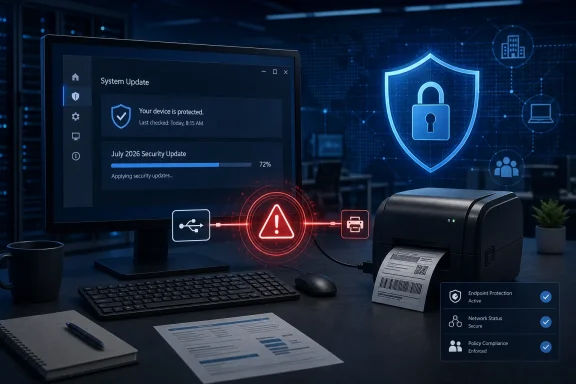 Local Access Does Not Make the Bug Harmless
An elevation-of-privilege vulnerability allows an attacker operating at one security level to obtain permissions that Windows did not intend to grant. In the most serious local cases, code running as a standard user can cross into an administrator or SYSTEM context, gaining the ability to alter protected files, disable security controls, access other users’ data, or establish persistence.Such vulnerabilities are often used after an attacker has gained an initial foothold through phishing, stolen credentials, a browser flaw, or another application. The privilege-escalation bug then turns constrained access into control of the machine.
That distinction matters for risk assessment. CVE-2026-54991 is not described as a remote-code-execution vulnerability, and Microsoft’s title does not establish that it can be attacked directly across a network. It nevertheless belongs in normal security-update deployment because privilege escalation is a critical link in many multi-stage intrusions.
The USB Print Driver also sits close to hardware-facing and operating-system services. Microsoft’s Windows driver documentation explains that connecting a USB printer causes the USB stack to enumerate the device and select compatible printer-driver support, including the inbox
usbprint.inf configuration and usbprint.sys driver where applicable. A defect in this area can therefore matter even on PCs that do not use a traditional shared print server.Potentially exposed systems include office workstations with desktop printers, point-of-sale terminals, shipping stations, warehouse label systems, reception computers, medical workstations, and industrial PCs. These environments frequently combine local USB peripherals with long replacement cycles and tightly controlled application stacks, making them easy to overlook during routine patching.
The Confidence Metric Is Not a Severity Score
The text accompanying the submission describes a vulnerability-confidence metric: a measure of how certain the industry is that the vulnerability exists and how credible the available technical details are. It should not be read as the CVSS base score or as a direct measure of business risk.Confidence can rise as a report moves through several stages. An undesirable security effect may first be observed without a known root cause; later research may narrow the problem to a component; and the vendor may ultimately confirm the vulnerability and issue a correction.
In this case, Microsoft’s publication of a named CVE under the Windows USB Print Driver and its inclusion in a scheduled security release provide vendor acknowledgement that a vulnerability was addressed. However, the explanatory text provided does not state the metric’s assigned value, so it would be inaccurate to claim that CVE-2026-54991 received a specific “confirmed,” “reasonable,” or “unknown” rating without further advisory data.
Confidence also does not answer the questions administrators most need for prioritization. It does not, by itself, reveal whether exploit code is public, whether attacks have been detected, how difficult exploitation is, or what privileges an attacker gains.
The most useful operational fields remain Microsoft’s exploitation assessment, affected-product table, CVSS vector, severity classification, and update mapping. Where those details are not available in an inventory or vulnerability-management feed, administrators should avoid filling the gaps with assumptions based solely on the component name.
Patch the Operating System, Not the Printer Package
CVE-2026-54991 is a Windows component vulnerability. The primary remediation is therefore the relevant Microsoft security update, not an arbitrary firmware update or driver download from the printer manufacturer.For example, Microsoft’s July release for Windows 11 version 23H2 is KB5099414, bringing the operating system to build 22631.7376. Other supported Windows client and server releases have their own cumulative packages, so administrators should use Windows Update, Windows Update for Business, Microsoft Intune, Windows Server Update Services, Configuration Manager, or the Microsoft Update Catalog to deploy the package corresponding to the installed release.
IT teams should verify installation through update-compliance reporting rather than assuming that a successful scan means every machine has restarted into the corrected build. Printer-heavy endpoints are commonly assigned to operational users who postpone restarts, while kiosks and label stations may sit outside ordinary laptop deployment rings.
A focused deployment check should cover several points:
- Confirm that the July 14, 2026 Windows cumulative security update is installed and that any required restart has completed.
- Identify endpoints with locally attached USB printers, label printers, receipt printers, multifunction devices, or specialized print hardware.
- Test business-critical printing after the update, especially where an application depends on an older vendor-supplied driver.
- Investigate machines that cannot accept the cumulative update instead of treating driver replacement as a substitute for the Windows fix.
- Monitor Microsoft’s Security Update Guide for revisions to the affected-product list, exploitation assessment, or mitigation guidance.
Printing’s Long Security Tail Remains
Windows printing remains sensitive territory because it combines drivers, privileged services, device discovery, decades of compatibility requirements, and third-party software. The PrintNightmare disclosures of 2021 involved different vulnerabilities and attack paths, so CVE-2026-54991 should not be presented as another PrintNightmare without technical evidence. The history does, however, explain why defenders treat flaws in the Windows printing stack seriously.Microsoft has been moving Windows toward modern inbox printing based on the Internet Printing Protocol and away from broad reliance on third-party printer drivers. Its published servicing plan calls for Windows to prefer the Microsoft IPP inbox class driver, including supported IPP-over-USB configurations, as the company gradually reduces the role of legacy vendor packages.
That transition does not make the current vulnerability irrelevant. Enterprises will continue operating USB-connected printers and specialized hardware for years, and an inbox Windows component can remain reachable even when administrators have removed unnecessary third-party driver packages.
For now, CVE-2026-54991 is a patching story rather than a call to disable every printer. Apply the July 2026 Windows security update, validate printing on operationally sensitive endpoints, and watch for Microsoft to publish additional technical or exploitation details that could justify moving USB-printer systems ahead of the normal deployment schedule.
References
- Primary source: MSRC
Published: 2026-07-14T07:00:00-07:00
Security Update Guide - Microsoft Security Response Center
 msrc.microsoft.com
- Official source: learn.microsoft.com
Printer Connected to a USB Port - Windows drivers | Microsoft Learn
Printer Connected to a USB Portlearn.microsoft.com - Related coverage: security.business.xerox.com
Xerox Security Bulletin XRX26-011 (May 27, 2026)
February 20256Security Patch Update Bulletin (FFPS v24)security.business.xerox.com
