

Microsoft’s July 14, 2026 security updates fix CVE-2026-57087, a high-severity remote code execution vulnerability in Windows Media Foundation that affects supported Windows client and server releases, including Windows 11, Windows 10 under Extended Security Updates, Windows Server 2016, Windows Server 2019, Windows Server 2022, and Windows Server 2025.
Microsoft rates the flaw 8.8 out of 10 under CVSS 3.1. The company’s advisory describes a heap-based buffer overflow in Windows Media Foundation that could allow an unauthorized attacker to execute code over a network. NIST’s National Vulnerability Database lists the weakness as CWE-122, heap-based buffer overflow, and records Microsoft as the source of the vulnerability data.
The practical instruction is straightforward: deploy the July cumulative updates promptly, then verify that endpoints have reached the corrected build. This is not a vulnerability that calls for a registry workaround or a feature removal; the available remediation is Microsoft’s security update.
CVE-2026-57087 has a network attack vector, low attack complexity, and requires no privileges on the victim machine. But its CVSS vector also specifies user interaction. That matters: Microsoft is not describing an unauthenticated, no-click attack against every PC or server that merely exposes a port to the internet.
Instead, the available technical detail indicates an attacker must persuade a target to interact with attacker-controlled media or content that reaches the vulnerable Media Foundation code path. Precisely how that interaction occurs has not been publicly detailed by Microsoft. It could involve a file, a stream, or an application workflow that handles media content; administrators should avoid assuming a particular delivery method until the vendor publishes more.
That distinction should shape triage, not reduce urgency. Media handling is woven into more Windows applications and business workflows than its name suggests. Video meetings, browsers, collaboration clients, digital-signage systems, preview functions, media-management tools, custom line-of-business applications, and applications built on Windows media APIs can all create opportunities for untrusted content to reach a workstation.
CISA’s SSVC data, as reflected in the NVD record on July 15, says exploitation is “none” and the issue is not automatable. In plain terms, there is no public indication that the flaw is being exploited in the wild or that it can be reliably mass-exploited without a user-driven step. That is reassuring only in the narrow sense that this is not currently a declared zero-day emergency. It should still be treated as a high-priority monthly patch because successful exploitation carries full confidentiality, integrity, and availability impact.
There is one documentation wrinkle worth watching. Microsoft’s affected-products data identifies Windows 11 version 25H2 with a remediation threshold expressed using the 26100.8875 baseline, while the related KB5101650 release notes list Windows 11 25H2 as build 26200.8875. Administrators should use the actual servicing release note and installed build for their Windows 11 release branch, rather than attempting to interpret the lower threshold literally.
A regular Windows 10 22H2 system that reached end of support on October 14, 2025 will not simply receive the fix through the normal monthly channel unless it is covered by the appropriate ESU program. That makes inventory accuracy central to remediation: a device can appear to be running Windows 10 22H2, yet be outside the update entitlement required to receive KB5099539.
For businesses, that is an immediate audit item. Identify Windows 10 endpoints that are still operationally necessary, confirm their ESU or LTSC status, and make sure their servicing policies have not excluded the July security update. For consumers and small organizations, a machine that cannot receive current cumulative updates is now a migration problem, not merely a delayed-patching problem.
That issue is separate from CVE-2026-57087, but it is relevant to deployment planning in older or specialized estates. Most modern Windows applications will never touch the legacy TDI model. Organizations with industrial control interfaces, long-lived network agents, proprietary communications software, or older security products should nevertheless test the July update in representative rings before broad deployment.
Windows Server 2022 also carries a separate known issue for a limited set of BitLocker-managed devices with an unrecommended PCR7 Group Policy configuration. Those machines may require a one-time BitLocker recovery-key entry after the first restart. Microsoft recommends auditing the affected policy setting and PCR7 binding state before deployment where that configuration is in use.
Neither caveat changes the need to patch CVE-2026-57087. They are reasons to plan the rollout carefully, retain recovery-key access, and keep a tested rollback process—not reasons to leave media-processing endpoints indefinitely exposed.
The evidence available on July 15 points to a serious, patchable vulnerability rather than an active campaign. The next meaningful change will be whether Microsoft publishes additional exploitability detail or whether researchers identify the precise media workflow that triggers the buffer overflow. Until then, the defensible position is simple: move Windows devices to the July 14 cumulative-update builds, confirm the restart, and treat unpatched Windows 10 systems outside ESU as the highest-risk exception queue.
Microsoft rates the flaw 8.8 out of 10 under CVSS 3.1. The company’s advisory describes a heap-based buffer overflow in Windows Media Foundation that could allow an unauthorized attacker to execute code over a network. NIST’s National Vulnerability Database lists the weakness as CWE-122, heap-based buffer overflow, and records Microsoft as the source of the vulnerability data.
The practical instruction is straightforward: deploy the July cumulative updates promptly, then verify that endpoints have reached the corrected build. This is not a vulnerability that calls for a registry workaround or a feature removal; the available remediation is Microsoft’s security update.
 “Remote” Does Not Mean a Wormable Windows Bug
CVE-2026-57087 has a network attack vector, low attack complexity, and requires no privileges on the victim machine. But its CVSS vector also specifies user interaction. That matters: Microsoft is not describing an unauthenticated, no-click attack against every PC or server that merely exposes a port to the internet.Instead, the available technical detail indicates an attacker must persuade a target to interact with attacker-controlled media or content that reaches the vulnerable Media Foundation code path. Precisely how that interaction occurs has not been publicly detailed by Microsoft. It could involve a file, a stream, or an application workflow that handles media content; administrators should avoid assuming a particular delivery method until the vendor publishes more.
That distinction should shape triage, not reduce urgency. Media handling is woven into more Windows applications and business workflows than its name suggests. Video meetings, browsers, collaboration clients, digital-signage systems, preview functions, media-management tools, custom line-of-business applications, and applications built on Windows media APIs can all create opportunities for untrusted content to reach a workstation.
CISA’s SSVC data, as reflected in the NVD record on July 15, says exploitation is “none” and the issue is not automatable. In plain terms, there is no public indication that the flaw is being exploited in the wild or that it can be reliably mass-exploited without a user-driven step. That is reassuring only in the narrow sense that this is not currently a declared zero-day emergency. It should still be treated as a high-priority monthly patch because successful exploitation carries full confidentiality, integrity, and availability impact.
The Corrected Builds Provide the Fastest Verification Path
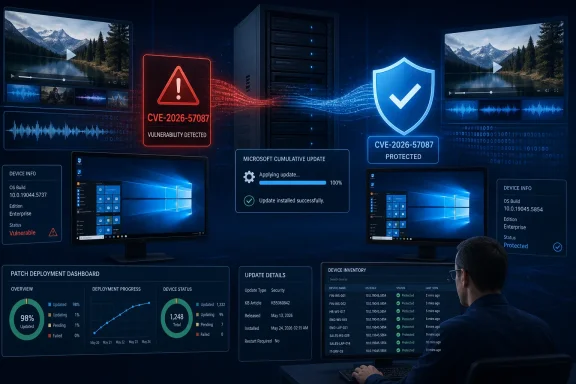
Microsoft’s affected-product data gives administrators concrete build thresholds for validating remediation. Systems at or above these July 14 builds are no longer affected by CVE-2026-57087:- Windows 10 version 1607 and Windows Server 2016 are remediated at OS build 14393.9339 through KB5099535.
- Windows 10 version 1809 and Windows Server 2019 are remediated at OS build 17763.9020 through KB5099538.
- Windows 10 version 21H2 and version 22H2 are remediated at OS builds 19044.7548 and 19045.7548 through KB5099539.
- Windows 11 version 24H2 is remediated at OS build 26100.8875 through KB5101650.
- Windows 11 version 25H2 is included in KB5101650, which brings the release to OS build 26200.8875.
- Windows Server 2022 is remediated at OS build 20348.5386 through KB5099540.
- Windows 11 version 26H1 is remediated at OS build 28000.2525.
- Windows Server 2025 and its Server Core installation are listed as remediated by Microsoft’s July security servicing.
winver provides a quick sanity check. In managed fleets, use the build number reported by Microsoft Intune, Configuration Manager, Remote Monitoring and Management tooling, or PowerShell inventory rather than relying on an update deployment’s success state alone.There is one documentation wrinkle worth watching. Microsoft’s affected-products data identifies Windows 11 version 25H2 with a remediation threshold expressed using the 26100.8875 baseline, while the related KB5101650 release notes list Windows 11 25H2 as build 26200.8875. Administrators should use the actual servicing release note and installed build for their Windows 11 release branch, rather than attempting to interpret the lower threshold literally.
Windows 10 Estates Need a Licensing Check Alongside the Patch Check
CVE-2026-57087 again exposes the difference between a technically supported Windows version and a broadly supported consumer release. Microsoft’s July release notes identify Windows 10 version 22H2 patches for systems enrolled in Extended Security Updates, as well as Windows 10 Enterprise LTSC and IoT Enterprise LTSC releases that remain in their respective support windows.A regular Windows 10 22H2 system that reached end of support on October 14, 2025 will not simply receive the fix through the normal monthly channel unless it is covered by the appropriate ESU program. That makes inventory accuracy central to remediation: a device can appear to be running Windows 10 22H2, yet be outside the update entitlement required to receive KB5099539.
For businesses, that is an immediate audit item. Identify Windows 10 endpoints that are still operationally necessary, confirm their ESU or LTSC status, and make sure their servicing policies have not excluded the July security update. For consumers and small organizations, a machine that cannot receive current cumulative updates is now a migration problem, not merely a delayed-patching problem.
Patch Testing Has One Relevant July Caveat
Microsoft’s July cumulative updates bundle this Media Foundation fix with the month’s wider changes. The company’s release notes flag a networking hardening change affecting applications that use sockets over unregistered third-party TDI transports. Those applications may stop functioning after installing security updates released on or after July 14.That issue is separate from CVE-2026-57087, but it is relevant to deployment planning in older or specialized estates. Most modern Windows applications will never touch the legacy TDI model. Organizations with industrial control interfaces, long-lived network agents, proprietary communications software, or older security products should nevertheless test the July update in representative rings before broad deployment.
Windows Server 2022 also carries a separate known issue for a limited set of BitLocker-managed devices with an unrecommended PCR7 Group Policy configuration. Those machines may require a one-time BitLocker recovery-key entry after the first restart. Microsoft recommends auditing the affected policy setting and PCR7 binding state before deployment where that configuration is in use.
Neither caveat changes the need to patch CVE-2026-57087. They are reasons to plan the rollout carefully, retain recovery-key access, and keep a tested rollback process—not reasons to leave media-processing endpoints indefinitely exposed.
The evidence available on July 15 points to a serious, patchable vulnerability rather than an active campaign. The next meaningful change will be whether Microsoft publishes additional exploitability detail or whether researchers identify the precise media workflow that triggers the buffer overflow. Until then, the defensible position is simple: move Windows devices to the July 14 cumulative-update builds, confirm the restart, and treat unpatched Windows 10 systems outside ESU as the highest-risk exception queue.
References
- Primary source: MSRC
Published: 2026-07-14T07:00:00-07:00
Security Update Guide - Microsoft Security Response Center
 msrc.microsoft.com
- Official source: support.microsoft.com
July 14, 2026-KB5101010 Cumulative Update for .NET Framework 3.5 and 4.8 for Windows Server 2022 | Microsoft Support
July 14, 2026-KB5101010 Cumulative Update for .NET Framework 3.5 and 4.8 for Windows Server 2022support.microsoft.com - Related coverage: windowscentral.com
Microsoft issues emergency SharePoint patches for ToolShell | Windows Central
Microsoft has issued emergency patches for two zero-day vulnerabilities.www.windowscentral.com
