

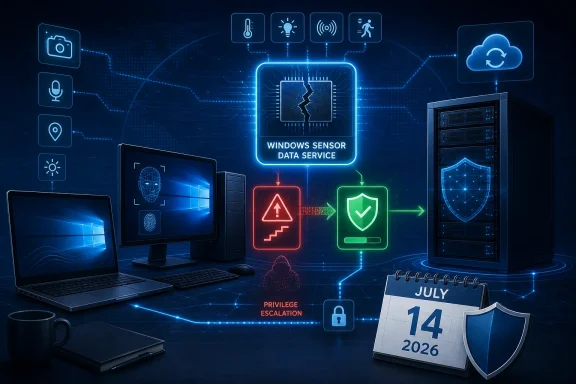
Microsoft’s Security Response Center published the advisory on July 14. The National Vulnerability Database, reflecting Microsoft’s CVE submission, rates the issue 7.0 High under CVSS 3.1 and describes an attack that is local, requires low privileges, needs no user interaction, and can compromise confidentiality, integrity, and availability. The catch is attack complexity: Microsoft rates it High, meaning exploitation is not expected to be a trivial, reliable one-click privilege-escalation route.
That does not make it a low-priority patch. Local elevation bugs are frequently the second stage of an intrusion: an attacker lands with a standard user account, code execution in a restricted context, or access through another application flaw, then uses a vulnerable Windows component to take administrative control.
The vulnerable component is broader than its name suggests
Sensor Data Service, listed as SensorDataService, delivers data from device sensors. Microsoft’s Windows IoT documentation identifies sensordataservice.exe as part of the related package and says it supports data acquisition from various sensors, including functionality used by Windows Hello.
That makes this less of a niche issue than a service name may initially imply. Sensor-driven features are most visible on modern laptops, tablets, hybrid devices, kiosks, and specialized hardware, but Microsoft’s affected-product list also includes mainstream desktop Windows and multiple server generations.
The defect is classified as CWE-416, or use after free. In broad terms, that means software continues to use memory after it has been released. These flaws can be difficult to exploit reliably because the attacker must influence memory allocation and timing, which aligns with Microsoft’s High attack-complexity assessment. But when a reliable method is found in a privileged service context, the potential payoff is substantial.
Microsoft’s advisory does not publicly disclose technical exploit details, a proof of concept, workarounds, or evidence of active exploitation. CISA’s SSVC metadata currently records exploitation as “none,” says the flaw is not automatable, and assigns “total” technical impact if successfully exploited. Those fields should be read as prioritization inputs, not as a reason to defer routine patching.
July builds mark the remediation line
The security fix is included in July 2026 cumulative updates. Administrators can use the following build thresholds as a quick validation guide:
| Product | Patched build |
|---|---|
| Windows 10 version 1607 / Windows Server 2016 | 14393.9339 |
| Windows 10 version 1809 / Windows Server 2019 | 17763.9020 |
| Windows 10 version 21H2 | 19044.7548 |
| Windows 10 version 22H2 | 19045.7548 |
| Windows 11 version 24H2 | 26100.8875 |
| Windows 11 version 25H2 | 26200.8875 |
| Windows 11 version 26H1 | 28000.2525 |
| Windows Server 2022 | 20348.5386 |
| Windows Server 2025 | 26100.33158 |
For Windows 11 24H2 and 25H2, Microsoft’s July 14 package is KB5101650. Windows 11 26H1 receives KB5101649. Windows 10 21H2 and 22H2 receive KB5099539, Windows Server 2019 and Windows 10 Enterprise LTSC 2019 receive KB5099538, and Windows Server 2016 receives KB5099535. Windows Server 2022 is covered by KB5099540.
The build numbers matter more than a KB number alone in mixed estates. An organization may have different servicing channels, language packages, or update deployment rings, while the final installed OS build provides a direct check that the cumulative update landed.
Windows 10 deserves special attention. General support for Windows 10 version 22H2 ended on October 14, 2025, but organizations enrolled in Extended Security Updates, along with LTSC and IoT deployments where applicable, continue receiving security servicing. A device that remains on an unpatched, non-ESU consumer or business Windows 10 installation is not merely exposed to this CVE; it is outside the normal monthly patch path entirely.
Why “local” still means urgent in enterprise environments
CVE-2026-58619 is not remotely reachable by itself. It does not turn a malicious web request into an administrator shell, and an attacker must already be authorized on the target system with low-level access. There is also no user-interaction requirement, which is meaningful once an attacker has that foothold: no victim needs to approve a UAC prompt, open a document, or click through a warning to trigger the escalation attempt.
Microsoft’s CVSS vector also indicates an unchanged security scope. In practical terms, the advisory describes a privilege boundary failure on the same machine rather than a direct escape into a distinct security authority. Still, the impact rating across confidentiality, integrity, and availability is High. A successful elevation from a constrained account to administrator is often enough to disable security tooling, install persistent services, access protected local data, or harvest credentials for movement elsewhere.
For IT teams, this places the flaw behind higher-priority actively exploited and remotely reachable vulnerabilities, but ahead of the usual “wait for next month” backlog. It belongs in the standard accelerated patch ring, particularly for shared workstations, developer endpoints, virtual desktop environments, kiosks, and devices that routinely host multiple user sessions.
Do not disable services as a broad mitigation
Microsoft has not published a workaround for CVE-2026-58619. Its Windows IoT service guidance says Sensor Data Service is manually started and can be disabled in fixed-purpose configurations, but that advice is about device optimization, not emergency remediation.
Disabling SensorDataService across a general Windows fleet may break sensor-dependent behavior and Windows Hello-related scenarios. It also does not substitute for the security update, especially because the affected product list spans systems where the service’s dependencies and operational role can vary. Treat service disablement only as a tightly tested, temporary option for specialized IoT or kiosk images where the organization has confirmed the functionality is unused.
Administrators should instead confirm update compliance, reboot systems where required, and investigate any endpoints that cannot take July’s cumulative update because of servicing-stack, disk-space, application-compatibility, or support-lifecycle problems. Microsoft’s July release notes list no known issues for several of the relevant update packages, but normal pilot-ring validation remains appropriate.
The immediate milestone is simple: systems at or above the July 14 build thresholds are remediated for this flaw. Systems below them should be treated as needing the current cumulative update—not a service toggle, a registry change, or a future feature release.
References
- CVE-2026-58619 Windows Sensor Data Service Elevation of Privilege Vulnerability MSRC · 2026-07-14T07:00:00-07:00
- learn.microsoft.com learn.microsoft.com