

Microsoft’s July 14, 2026 security updates fix CVE-2026-58635, a command-injection vulnerability in Windows Narrator’s braille support that could let a locally authenticated attacker elevate privileges. The flaw affects supported Windows 10, Windows 11, Windows Server 2019, Windows Server 2022, and Windows Server 2025 installations, making the monthly cumulative update the practical remedy.
Detailed in the Microsoft Security Response Center’s Security Update Guide, CVE-2026-58635 carries an Important rating and a CVSS 3.1 base score of 7.8. Microsoft says the vulnerability has not been publicly disclosed or exploited in attacks, and it assesses exploitation as “less likely.”
That lowers the immediate alarm level, but not the potential impact. A successful exploit could compromise confidentiality, integrity, and availability with the privileges gained on the affected machine.
Microsoft describes CVE-2026-58635 as improper neutralization of special elements used in a command, categorized as CWE-77 command injection. In practical terms, Narrator’s braille-related code does not safely handle some data before using it in a command-processing context.
An attacker who can influence that input may be able to make Windows execute unintended commands. Because the vulnerable operation crosses a privilege boundary, the attacker could advance from an ordinary authorized account to a more powerful security context.
The CVSS vector is
This is not a vulnerability that an unauthenticated attacker can ordinarily exploit directly across the internet. The adversary first needs local access or another way to execute code under an account on the target, but that condition is common in multi-stage intrusions.
Malware, a malicious insider, or an attacker who has compromised a standard domain account could use a local elevation flaw to escape restrictions imposed on that account. The result may be the ability to install persistent services, alter security settings, access protected information, or interfere with endpoint defenses.
The accessibility connection should not encourage administrators to dismiss the issue on systems where Narrator or a braille display is not routinely used. Windows component vulnerabilities can remain reachable through installed binaries, services, configuration interfaces, or crafted local inputs even when the associated feature is not part of a user’s normal workflow. Microsoft has not documented disabling Narrator or braille functionality as a supported workaround for CVE-2026-58635.
The machine-readable record currently presents an unusual threshold for Windows 11 25H2: it starts the affected range at build 26200 but expresses the upper boundary using build 26100.8875. That appears internally inconsistent, so deployment teams should treat the applicable July cumulative update as authoritative and watch the Security Update Guide for a metadata correction.
Windows 10 entries also require support-context awareness. Some listed versions are available only under specific servicing channels or extended support arrangements, so an update-management console may not offer the same package to every nominally matching installation. A device that no longer receives security servicing cannot be considered protected merely because Microsoft published a fixed build for an eligible channel.
For Server Core, the inclusion of Windows Server 2019 and Windows Server 2025 is notable. Removing the graphical shell reduces attack surface, but it does not automatically remove every shared Windows component or accessibility-related code path. Server administrators should therefore verify the installed operating-system build instead of assuming the Core installation option is unaffected.
It does not mean exploitation has been confirmed in the wild. Microsoft’s exploitability table says CVE-2026-58635 was not publicly disclosed and was not known to be exploited when the advisory was published on July 14, 2026.
Microsoft also rates exploitation as less likely for the latest software release. This assessment reflects factors such as the attack path and the practicality of building a reliable exploit; it is not a promise that exploitation will never occur.
The distinction matters because local privilege-escalation vulnerabilities are often most valuable as part of an exploit chain. An attacker may begin with phishing, a browser flaw, a compromised remote-management credential, or code execution in a constrained application, then use an EoP bug to obtain administrative or SYSTEM-level control.
Public technical material can also emerge after Patch Tuesday. Once cumulative updates are available, researchers and attackers can compare patched and unpatched binaries to identify the changed code—a process known as patch diffing. Microsoft’s initial “less likely” assessment should guide prioritization, but it should not become a reason to leave vulnerable endpoints unpatched indefinitely.
CVE-2026-58635 demonstrates why accessibility components belong inside the same threat model as print services, device drivers, shell integrations, and management utilities. Code does not need to be used by every employee to become relevant to an attacker. It only needs to be present and reachable under the right conditions.
Organizations should also avoid mitigating the flaw by broadly disabling accessibility tools without evidence that doing so blocks exploitation. Such a change could prevent employees from using essential assistive technology while leaving the vulnerable code installed. Microsoft lists the security update—not a feature-disablement procedure—as the remediation.
The better defensive response is to install the cumulative update and maintain controls that make local elevation harder to use. Those controls include restricting interactive logon to servers, reducing local administrator membership, monitoring suspicious child processes and command shells, and investigating unexpected changes to services, scheduled tasks, security products, or privileged groups.
Security teams should inventory the affected Windows releases, identify systems below the fixed builds, and investigate installation failures. Particular attention should go to shared workstations, virtual desktop infrastructure, jump hosts, kiosks, and servers where unprivileged users or application identities can obtain an interactive session.
Endpoint detection systems should also be reviewed for attempts to launch command interpreters or privileged child processes from unusual Windows accessibility components. Microsoft has not published an exploit procedure, so such monitoring is behavioral rather than a CVE-specific signature, but it can still expose abuse elsewhere in the intrusion chain.
CVE-2026-58635 is not an internet-facing emergency and was not a zero-day at publication. It is, however, a confirmed command-injection route to local privilege escalation across a broad set of Windows releases. The concrete finish line is straightforward: install the July 14, 2026 security update and verify that every eligible client and server has moved beyond its vulnerable build.
Detailed in the Microsoft Security Response Center’s Security Update Guide, CVE-2026-58635 carries an Important rating and a CVSS 3.1 base score of 7.8. Microsoft says the vulnerability has not been publicly disclosed or exploited in attacks, and it assesses exploitation as “less likely.”
That lowers the immediate alarm level, but not the potential impact. A successful exploit could compromise confidentiality, integrity, and availability with the privileges gained on the affected machine.
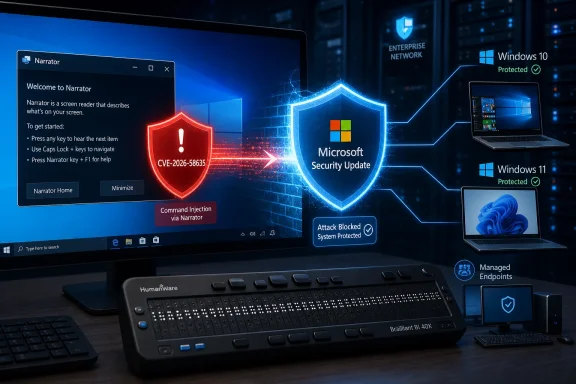 Command Injection Turns Accessibility Code Into a Privilege Boundary
Microsoft describes CVE-2026-58635 as improper neutralization of special elements used in a command, categorized as CWE-77 command injection. In practical terms, Narrator’s braille-related code does not safely handle some data before using it in a command-processing context.An attacker who can influence that input may be able to make Windows execute unintended commands. Because the vulnerable operation crosses a privilege boundary, the attacker could advance from an ordinary authorized account to a more powerful security context.
The CVSS vector is
CVSS:3.1/AV:L/AC:L/PR:L/UI:N/S:U/C:H/I:H/A:H. It describes a local attack requiring low privileges, low complexity, and no interaction from another user once the attacker is in position to trigger the flaw.This is not a vulnerability that an unauthenticated attacker can ordinarily exploit directly across the internet. The adversary first needs local access or another way to execute code under an account on the target, but that condition is common in multi-stage intrusions.
Malware, a malicious insider, or an attacker who has compromised a standard domain account could use a local elevation flaw to escape restrictions imposed on that account. The result may be the ability to install persistent services, alter security settings, access protected information, or interfere with endpoint defenses.
The accessibility connection should not encourage administrators to dismiss the issue on systems where Narrator or a braille display is not routinely used. Windows component vulnerabilities can remain reachable through installed binaries, services, configuration interfaces, or crafted local inputs even when the associated feature is not part of a user’s normal workflow. Microsoft has not documented disabling Narrator or braille functionality as a supported workaround for CVE-2026-58635.
The Patch Reaches From Windows 10 to Server 2025
Microsoft’s affected-product data spans client and server editions, including Server Core installations. The corrected build thresholds recorded with the CVE are:- Windows 10 version 1809 and Windows Server 2019 are addressed at build 17763.9020.
- Windows 10 version 21H2 is addressed at build 19044.7548.
- Windows 10 version 22H2 is addressed at build 19045.7548.
- Windows 11 version 24H2 is addressed at build 26100.8875.
- Windows 11 version 26H1 is addressed at build 28000.2525.
- Windows Server 2022 is addressed at build 20348.5386.
- Windows Server 2025 is addressed at build 26100.33158.
The machine-readable record currently presents an unusual threshold for Windows 11 25H2: it starts the affected range at build 26200 but expresses the upper boundary using build 26100.8875. That appears internally inconsistent, so deployment teams should treat the applicable July cumulative update as authoritative and watch the Security Update Guide for a metadata correction.
Windows 10 entries also require support-context awareness. Some listed versions are available only under specific servicing channels or extended support arrangements, so an update-management console may not offer the same package to every nominally matching installation. A device that no longer receives security servicing cannot be considered protected merely because Microsoft published a fixed build for an eligible channel.
For Server Core, the inclusion of Windows Server 2019 and Windows Server 2025 is notable. Removing the graphical shell reduces attack surface, but it does not automatically remove every shared Windows component or accessibility-related code path. Server administrators should therefore verify the installed operating-system build instead of assuming the Core installation option is unaffected.
“Confirmed” Describes Evidence, Not Active Exploitation
The report-confidence information accompanying the advisory marks the vulnerability as confirmed. That means Microsoft, as the product vendor and assigning authority, accepts that the flaw exists and has sufficient technical evidence to issue a security correction.It does not mean exploitation has been confirmed in the wild. Microsoft’s exploitability table says CVE-2026-58635 was not publicly disclosed and was not known to be exploited when the advisory was published on July 14, 2026.
Microsoft also rates exploitation as less likely for the latest software release. This assessment reflects factors such as the attack path and the practicality of building a reliable exploit; it is not a promise that exploitation will never occur.
The distinction matters because local privilege-escalation vulnerabilities are often most valuable as part of an exploit chain. An attacker may begin with phishing, a browser flaw, a compromised remote-management credential, or code execution in a constrained application, then use an EoP bug to obtain administrative or SYSTEM-level control.
Public technical material can also emerge after Patch Tuesday. Once cumulative updates are available, researchers and attackers can compare patched and unpatched binaries to identify the changed code—a process known as patch diffing. Microsoft’s initial “less likely” assessment should guide prioritization, but it should not become a reason to leave vulnerable endpoints unpatched indefinitely.
Accessibility Features Need the Same Security Scrutiny
Narrator is a built-in Windows screen reader, while its braille support connects Windows accessibility output to compatible braille displays. These features are critical for users who rely on them, but from a security-engineering perspective they also process device data, user-controlled settings, text, and command-like parameters.CVE-2026-58635 demonstrates why accessibility components belong inside the same threat model as print services, device drivers, shell integrations, and management utilities. Code does not need to be used by every employee to become relevant to an attacker. It only needs to be present and reachable under the right conditions.
Organizations should also avoid mitigating the flaw by broadly disabling accessibility tools without evidence that doing so blocks exploitation. Such a change could prevent employees from using essential assistive technology while leaving the vulnerable code installed. Microsoft lists the security update—not a feature-disablement procedure—as the remediation.
The better defensive response is to install the cumulative update and maintain controls that make local elevation harder to use. Those controls include restricting interactive logon to servers, reducing local administrator membership, monitoring suspicious child processes and command shells, and investigating unexpected changes to services, scheduled tasks, security products, or privileged groups.
Build Verification Is the Last Step, Not Update Approval
For managed environments, deploy the July 2026 cumulative updates through the normal test and rollout rings, then confirm that devices reached the corrected build. An update marked approved in WSUS or Microsoft Configuration Manager does not prove that it installed successfully, survived a restart, or remained installed after servicing remediation.Security teams should inventory the affected Windows releases, identify systems below the fixed builds, and investigate installation failures. Particular attention should go to shared workstations, virtual desktop infrastructure, jump hosts, kiosks, and servers where unprivileged users or application identities can obtain an interactive session.
Endpoint detection systems should also be reviewed for attempts to launch command interpreters or privileged child processes from unusual Windows accessibility components. Microsoft has not published an exploit procedure, so such monitoring is behavioral rather than a CVE-specific signature, but it can still expose abuse elsewhere in the intrusion chain.
CVE-2026-58635 is not an internet-facing emergency and was not a zero-day at publication. It is, however, a confirmed command-injection route to local privilege escalation across a broad set of Windows releases. The concrete finish line is straightforward: install the July 14, 2026 security update and verify that every eligible client and server has moved beyond its vulnerable build.
References
- Primary source: MSRC
Published: 2026-07-14T07:00:00-07:00
Security Update Guide - Microsoft Security Response Center
 msrc.microsoft.com
- Related coverage: aha.org
