

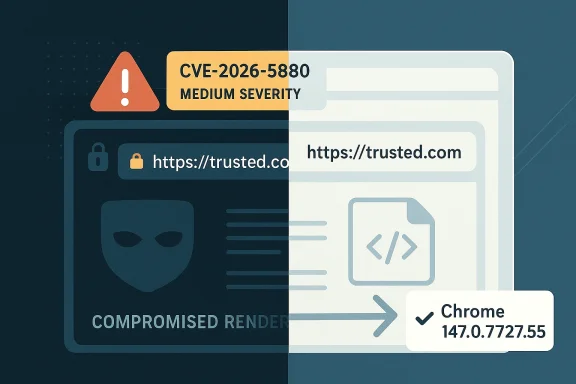
Google’s latest Chromium security disclosure, CVE-2026-5880, is a reminder that browser hardening is never just about fixing memory corruption. This flaw, assigned Chromium security severity: Medium, lets an attacker who has already compromised the renderer process spoof the contents of Chrome’s Omnibox—the URL bar—through a crafted HTML page, potentially tricking users into trusting a page that is not what it claims to be. The issue is fixed in Google Chrome 147.0.7727.55, and Microsoft has now surfaced the same vulnerability in its security guidance, underscoring how Chromium fixes ripple across the wider browser ecosystem. Even when the exploit chain begins with an already-compromised renderer, the security impact can still be very real: browser UI spoofing is one of the oldest and most effective ways to mislead users at the exact moment they are making trust decisions.
Chromium’s security model is built around a hard truth: the renderer is not the browser. The renderer process handles web content, which means it must be treated as potentially hostile, even when it is executing code from a page that appears benign. The privileged browser process, by contrast, is supposed to keep control over security-sensitive decisions such as navigation, origin checks, and the trusted user interface. Chromium’s own threat-model documentation makes this separation explicit, warning that compromised renderers should not be able to influence security-sensitive UI such as the Omnibox or permission dialogs. (chromium.googlesource.com)
That distinction matters because spoofing the URL bar is not a cosmetic problem. The Omnibox is the user’s primary trust anchor in a browser: it tells people where they are, whether a site is secure, and whether a spoofed page is impersonating a bank, sign-in portal, or enterprise web app. When a browser bug lets web content affect that interface, the result is not just a visual oddity. It becomes a trust boundary failure, and trust boundary failures are exactly the kind of flaws attackers love because they can be chained into phishing, credential theft, and session hijacking. Chromium’s internal defenses are designed to stop renderers from faking that state, but CVE-2026-5880 shows that the protection was insufficient in this case. (chromium.googlesource.com)
The newly published CVE also fits a familiar pattern in Chromium’s vulnerability history. Google has dealt with multiple “incorrect security UI” and “inappropriate implementation” issues over the years, many of them involving attempts to spoof the Omnibox or associated chrome elements. Those bugs tend to be lower in raw severity than memory-safety vulnerabilities, but they can still be highly effective in real attacks because they attack the human decision layer. In practice, user deception is often the shortest path to compromise, especially when the attacker only needs the victim to believe they are on a legitimate origin long enough to reveal credentials or approve a sensitive action. (chromium.googlesource.com)
The timeline also matters. NVD shows CVE-2026-5880 was received and published on April 8, 2026, and the Microsoft Security Response Center now lists the issue in its vulnerability guide as well. That kind of cross-vendor surfacing is a good indicator that the fix is not just academic; it is meant to be consumed by enterprise vulnerability management teams, patch orchestration tools, and browser administrators who need a clean signal about which version closes the hole. In a Chromium world, one browser patch often becomes a downstream dependency for an entire ecosystem of products built on the same engine.
That nuance is important because it explains why Chromium rated the issue as Medium rather than High or Critical. The exploitability is constrained by the need to control a renderer, but the impact is still meaningful because the browser’s visual security cues are supposed to be trustworthy even under pressure. Once those cues become forgeable, an attacker can plausibly present a fake secure origin, fake identity indicator, or fake navigational state. In a modern phishing chain, that can be enough to convince a user to continue interacting with an otherwise suspicious page. (chromium.googlesource.com)
The broader lesson is that browser UI is part of the security perimeter. If the browser cannot keep its own interface honest, then the entire trust model begins to wobble. That is why this family of bugs keeps returning: attackers do not need to break cryptography if they can simply counterfeit the browser’s answer to the user’s question, “Where am I, and should I trust this page?” (chromium.googlesource.com)
Because Chrome and other Chromium-based browsers share a common engine, the fix does not stay inside Google Chrome alone. Enterprise administrators who rely on Microsoft Edge, for example, will see the vulnerability reflected through Microsoft’s update ecosystem, even if the browser patch arrives on a slightly different cadence. Microsoft’s own guidance reminds customers that Chromium-based Edge security information is tracked through the Security Update Guide and other Edge-specific channels, not always on the same schedule as Patch Tuesday releases.
The presence of the issue in Microsoft’s update ecosystem is also a useful signal for software asset managers. It tells you that Chrome is not the only browser to watch; any Chromium-derived product can inherit the same trust-boundary correction. That makes coordinated remediation more important than one-off browser updates on a single team’s schedule.
There is also a psychological reason these bugs stay relevant. Users are conditioned to look at the address bar, the lock state, and the origin text when deciding whether to proceed. That makes the Omnibox a prime target for deception, especially in attacks that begin with a malicious link, phishing page, or compromised advertising delivery chain. If an attacker can preserve the illusion long enough, the victim may never realize that the page was fraudulent until it is too late. That is why UI spoofing remains a serious browser-security class, even when it is not the loudest vulnerability on the page. (chromium.googlesource.com)
The historical pattern suggests that trust cues are only as good as the enforcement behind them. If the browser allows web content to alter or fake those cues, then the browser has failed at the very thing it uses to separate itself from the page content it renders. That is a difficult problem to eliminate completely, but each fix tightens the boundary a little more. (chromium.googlesource.com)
That defense-in-depth model is exactly why bugs like CVE-2026-5880 are interesting. They do not necessarily mean the architecture failed wholesale; rather, they mean one enforcement path was incomplete or bypassable. Browser security is built from many small checks, and attackers only need one weak seam. Once a page can bend that seam, the rest of the attack becomes a matter of presentation and persuasion. (chromium.googlesource.com)
That detail matters for engineering teams because it suggests the vulnerability class is not about rendering alone; it is about policy enforcement. Policy enforcement bugs are harder to notice than crashes, because the browser often keeps running normally while quietly misrepresenting reality to the user. That makes them especially dangerous in phishing and social-engineering scenarios. (chromium.googlesource.com)
Enterprise security teams should also think in terms of blast radius. A renderer compromise may originate from a malicious ad, a compromised third-party site, or a targeted watering-hole attack. If the endpoint browser then displays a trusted-looking origin, users may proceed with MFA enrollment, password entry, or document downloads that they would otherwise reject. The UI spoof does not need to be perfect; it only needs to be believable for a few seconds. (chromium.googlesource.com)
The enterprise lesson is straightforward: browser patching is identity protection, not just application maintenance. Teams that monitor only operating-system CVEs can miss the real risk surface when a browser vulnerability affects user trust and authentication behavior.
This is especially relevant because the modern web already conditions users to make rapid trust decisions. People move fast, open many tabs, and often do not scrutinize every origin string. Attackers know that the browser chrome is the fastest way to short-circuit hesitation, and UI spoof bugs hand them a powerful prop. The attack is part technical, part theatrical. (chromium.googlesource.com)
For consumers, then, CVE-2026-5880 is less about panicked behavior and more about hygiene. Keeping Chrome and other Chromium-based browsers updated remains one of the most effective ways to avoid being caught in a trust-manipulation attack.
That history helps explain why this vulnerability is not being treated as an isolated oddity. It is part of a broader security class that browser vendors have been slowly tightening for years. Each issue forces Chromium to revisit where the browser process must remain authoritative, what the renderer is allowed to claim, and which UI states must be derived from trusted browser-side data only. (chromium.googlesource.com)
In that sense, CVE-2026-5880 is best understood as a force multiplier. It does not necessarily deliver the initial breach, but it can make the breach far more convincing and therefore more profitable. (chromium.googlesource.com)
For vendors, the long-term answer is likely to be more browser-side validation, stronger process boundaries, and fewer opportunities for renderers to assert UI state that the browser cannot independently verify. For defenders, the answer is simpler: move fast on browser updates, treat spoofing bugs as identity-risk issues, and avoid assuming that “medium” means “minor.” In browser security, a believable lie in the address bar can be more damaging than a crash in the engine.
Source: NVD / Chromium Security Update Guide - Microsoft Security Response Center
 Background
Chromium’s security model is built around a hard truth: the renderer is not the browser. The renderer process handles web content, which means it must be treated as potentially hostile, even when it is executing code from a page that appears benign. The privileged browser process, by contrast, is supposed to keep control over security-sensitive decisions such as navigation, origin checks, and the trusted user interface. Chromium’s own threat-model documentation makes this separation explicit, warning that compromised renderers should not be able to influence security-sensitive UI such as the Omnibox or permission dialogs. (chromium.googlesource.com)That distinction matters because spoofing the URL bar is not a cosmetic problem. The Omnibox is the user’s primary trust anchor in a browser: it tells people where they are, whether a site is secure, and whether a spoofed page is impersonating a bank, sign-in portal, or enterprise web app. When a browser bug lets web content affect that interface, the result is not just a visual oddity. It becomes a trust boundary failure, and trust boundary failures are exactly the kind of flaws attackers love because they can be chained into phishing, credential theft, and session hijacking. Chromium’s internal defenses are designed to stop renderers from faking that state, but CVE-2026-5880 shows that the protection was insufficient in this case. (chromium.googlesource.com)
The newly published CVE also fits a familiar pattern in Chromium’s vulnerability history. Google has dealt with multiple “incorrect security UI” and “inappropriate implementation” issues over the years, many of them involving attempts to spoof the Omnibox or associated chrome elements. Those bugs tend to be lower in raw severity than memory-safety vulnerabilities, but they can still be highly effective in real attacks because they attack the human decision layer. In practice, user deception is often the shortest path to compromise, especially when the attacker only needs the victim to believe they are on a legitimate origin long enough to reveal credentials or approve a sensitive action. (chromium.googlesource.com)
The timeline also matters. NVD shows CVE-2026-5880 was received and published on April 8, 2026, and the Microsoft Security Response Center now lists the issue in its vulnerability guide as well. That kind of cross-vendor surfacing is a good indicator that the fix is not just academic; it is meant to be consumed by enterprise vulnerability management teams, patch orchestration tools, and browser administrators who need a clean signal about which version closes the hole. In a Chromium world, one browser patch often becomes a downstream dependency for an entire ecosystem of products built on the same engine.
What CVE-2026-5880 Actually Is
At its core, CVE-2026-5880 is an insufficient policy enforcement issue in browser UI. According to the advisory text, a remote attacker who had already compromised the renderer process could spoof the contents of the Omnibox by loading a crafted HTML page. The key phrase here is “renderer process”: this is not a vanilla drive-by from a random website. It implies the attacker had already crossed an important barrier, then used the UI flaw as a post-exploitation step to manipulate what the user sees.That nuance is important because it explains why Chromium rated the issue as Medium rather than High or Critical. The exploitability is constrained by the need to control a renderer, but the impact is still meaningful because the browser’s visual security cues are supposed to be trustworthy even under pressure. Once those cues become forgeable, an attacker can plausibly present a fake secure origin, fake identity indicator, or fake navigational state. In a modern phishing chain, that can be enough to convince a user to continue interacting with an otherwise suspicious page. (chromium.googlesource.com)
Why the Omnibox Matters
The Omnibox is not just a text field. It is the browser’s visible shorthand for origin, transport security, and navigation state. If its contents can be spoofed, the attacker can make a dangerous site appear to be a known-good destination, even if the actual page content tells a different story in code. That disconnect is precisely why security UI bugs are treated as trust-breach bugs rather than mere presentation bugs. (chromium.googlesource.com)How This Fits the Threat Model
Chromium’s threat model says compromised renderers should not be able to influence or spoof security-sensitive UI elements, including the Omnibox, the secure/not secure indicator, and content-setting icons. The browser process is supposed to verify claims such as origin and commit authority using trustworthy browser-side knowledge. CVE-2026-5880 signals that the enforcement layer did not fully prevent the spoof in this specific path. (chromium.googlesource.com)The broader lesson is that browser UI is part of the security perimeter. If the browser cannot keep its own interface honest, then the entire trust model begins to wobble. That is why this family of bugs keeps returning: attackers do not need to break cryptography if they can simply counterfeit the browser’s answer to the user’s question, “Where am I, and should I trust this page?” (chromium.googlesource.com)
The Fix and the Release Cadence
The published remediation point for CVE-2026-5880 is Chrome 147.0.7727.55 and later. Google’s Chrome release notes routinely hold back details until enough users are on the fixed build, which is standard practice for reducing exploitability during rollout. The important operational takeaway is simple: versions earlier than 147.0.7727.55 are in the vulnerable window, and the fix belongs to the 147 stable line.Because Chrome and other Chromium-based browsers share a common engine, the fix does not stay inside Google Chrome alone. Enterprise administrators who rely on Microsoft Edge, for example, will see the vulnerability reflected through Microsoft’s update ecosystem, even if the browser patch arrives on a slightly different cadence. Microsoft’s own guidance reminds customers that Chromium-based Edge security information is tracked through the Security Update Guide and other Edge-specific channels, not always on the same schedule as Patch Tuesday releases.
Why Patch Timing Matters
Browser teams often delay full disclosure of detailed bug mechanics until most users are protected. That is not secrecy for its own sake; it is a containment strategy. In a case like this, the attacker already needs a compromised renderer, but once a practical spoofing technique is known publicly, it can become the final stage in a broader exploit chain. Keeping users updated first is the difference between a patch and a widening attack window.What Administrators Should Infer
If you manage Chromium-based browsers in an enterprise setting, this is the kind of fix that belongs in the “high-priority but not emergency” lane. It is not a kernel zero-day, but it does affect the authenticity of the user interface. That means patching should be prompt, browser inventories should be checked for version drift, and remote-managed endpoints should not be left several release trains behind.The presence of the issue in Microsoft’s update ecosystem is also a useful signal for software asset managers. It tells you that Chrome is not the only browser to watch; any Chromium-derived product can inherit the same trust-boundary correction. That makes coordinated remediation more important than one-off browser updates on a single team’s schedule.
Why “Incorrect Security UI” Bugs Keep Coming Back
Security UI flaws persist because they sit at the seam between the renderer, the browser process, and the human eye. Chromium’s architecture does a good job isolating web content, but web pages are endlessly creative at exploiting presentation layers, especially when they can influence what the user thinks the browser itself is saying. CVE-2026-5880 is part of a long line of bugs where the exploit does not need to break the page—it only needs to make the page look trusted. (chromium.googlesource.com)There is also a psychological reason these bugs stay relevant. Users are conditioned to look at the address bar, the lock state, and the origin text when deciding whether to proceed. That makes the Omnibox a prime target for deception, especially in attacks that begin with a malicious link, phishing page, or compromised advertising delivery chain. If an attacker can preserve the illusion long enough, the victim may never realize that the page was fraudulent until it is too late. That is why UI spoofing remains a serious browser-security class, even when it is not the loudest vulnerability on the page. (chromium.googlesource.com)
The Renderer-Compromise Assumption
The CVE wording is revealing because it assumes the renderer is already compromised. That means the bug is not a first foothold but a privilege extension or trust manipulation layer. In modern exploitation, that is common: an attacker gains code execution or script control in a content process, then uses another bug to confuse the browser into revealing more trust than it should.The Human Factor
A fake URL bar is effective because it hijacks the one browser element users rarely question. Most people know to distrust obvious pop-ups and strange downloads, but fewer are trained to validate the origin string every single time. Attackers understand that difference, which is why browser-security UI bugs continue to receive real-world attention from both researchers and criminal operators. (chromium.googlesource.com)The historical pattern suggests that trust cues are only as good as the enforcement behind them. If the browser allows web content to alter or fake those cues, then the browser has failed at the very thing it uses to separate itself from the page content it renders. That is a difficult problem to eliminate completely, but each fix tightens the boundary a little more. (chromium.googlesource.com)
Chromium’s Defense-in-Depth Model
Chromium’s security documentation is unusually candid about how much work is required to stop compromised renderers from influencing sensitive browser behavior. It describes browser-side origin checks, process isolation, trustworthy origin locks, and validation of navigation claims as core protections. Those protections are meant to ensure that a renderer cannot falsely claim authority over an origin or manipulate UI elements like the Omnibox. (chromium.googlesource.com)That defense-in-depth model is exactly why bugs like CVE-2026-5880 are interesting. They do not necessarily mean the architecture failed wholesale; rather, they mean one enforcement path was incomplete or bypassable. Browser security is built from many small checks, and attackers only need one weak seam. Once a page can bend that seam, the rest of the attack becomes a matter of presentation and persuasion. (chromium.googlesource.com)
Browser Process vs. Renderer Process
The browser process is supposed to be the source of truth for origin, navigation, and UI state. The renderer process is allowed to display and interact with content, but it should not be able to assert facts about identity or trust that the browser cannot independently verify. That separation is the entire reason Chromium can keep security-critical chrome outside the page’s control. (chromium.googlesource.com)Origin Locks and Trustworthy Knowledge
Chromium’s documentation highlights mechanisms such asCanAccessDataForOrigin, GetLastCommittedOrigin(), and CanCommitOriginAndUrl as part of the protection strategy. Those browser-side checks are there because renderer-supplied data is inherently suspect once compromise is on the table. CVE-2026-5880 suggests that the enforcement around browser UI did not fully block a spoofing path in this build. (chromium.googlesource.com)That detail matters for engineering teams because it suggests the vulnerability class is not about rendering alone; it is about policy enforcement. Policy enforcement bugs are harder to notice than crashes, because the browser often keeps running normally while quietly misrepresenting reality to the user. That makes them especially dangerous in phishing and social-engineering scenarios. (chromium.googlesource.com)
Enterprise Impact: More Than a Consumer Browser Bug
For consumers, CVE-2026-5880 is a warning to update quickly and be more skeptical of browser UI when visiting unfamiliar or high-risk sites. For enterprises, the implications are broader. A spoofed Omnibox can be used to impersonate internal portals, SSO pages, procurement systems, bank login sites, or remote-access gateways that employees already trust. In organizations that rely on browser-based workflows, the URL bar is often the last checkpoint before credentials are entered. (chromium.googlesource.com)Enterprise security teams should also think in terms of blast radius. A renderer compromise may originate from a malicious ad, a compromised third-party site, or a targeted watering-hole attack. If the endpoint browser then displays a trusted-looking origin, users may proceed with MFA enrollment, password entry, or document downloads that they would otherwise reject. The UI spoof does not need to be perfect; it only needs to be believable for a few seconds. (chromium.googlesource.com)
MDM and Fleet Management Considerations
Managed browser fleets should be checked for version compliance, especially on remote and bring-your-own-device endpoints that may not receive updates as predictably as office-managed desktops. Browser auto-update is helpful, but security teams should not assume it is sufficient when a fix lands in a clearly published version boundary such as 147.0.7727.55. The practical goal is to close the vulnerable window before an attacker can exploit it at scale.Authentication and Identity Risk
Spoofing the Omnibox is particularly concerning in environments that rely on web-based identity providers. If the browser UI says the user is on a legitimate sign-in portal when they are not, the attacker can harvest passwords, tokens, or session approvals. That is why browser security bugs often become identity problems almost immediately in enterprise incident reports. (chromium.googlesource.com)The enterprise lesson is straightforward: browser patching is identity protection, not just application maintenance. Teams that monitor only operating-system CVEs can miss the real risk surface when a browser vulnerability affects user trust and authentication behavior.
Consumer Impact: Phishing Gets a Stronger Costume
For everyday users, the biggest danger is not technical exploitation in the abstract. It is the chance that a malicious page, once it has the right foothold, can masquerade as something familiar enough to win confidence. A spoofed URL bar can make a fake login screen feel less fake, a scam support page look more official, or a malicious download prompt seem tied to a trusted domain. (chromium.googlesource.com)This is especially relevant because the modern web already conditions users to make rapid trust decisions. People move fast, open many tabs, and often do not scrutinize every origin string. Attackers know that the browser chrome is the fastest way to short-circuit hesitation, and UI spoof bugs hand them a powerful prop. The attack is part technical, part theatrical. (chromium.googlesource.com)
What Users Should Look For
Even though browser vendors do a lot of the heavy lifting, users can still reduce risk by being cautious with unexpected login prompts, unusual URL behavior, and pages that seem to blur the line between browser chrome and page content. If a site claims to be a major service but something about the address bar or page transitions feels off, the safest move is to stop and re-enter the site manually. (chromium.googlesource.com)Why Updates Still Matter Most
The simplest consumer defense remains the most important one: update the browser promptly. When a fix lands in a stable build, it usually closes the issue for everyone who actually installs it. Delayed updates are where spoofing bugs become dangerous, because the longer the vulnerable version lingers, the more time attackers have to figure out how to chain it into convincing fraud.For consumers, then, CVE-2026-5880 is less about panicked behavior and more about hygiene. Keeping Chrome and other Chromium-based browsers updated remains one of the most effective ways to avoid being caught in a trust-manipulation attack.
How This Compares With Earlier Chromium Spoofing Bugs
Browser UI spoofing is not new. Chromium has repeatedly had issues where crafted pages could influence the perception of the Omnibox or related browser chrome. In prior cases, the vendor language often used phrases like “inappropriate implementation” or “incorrect security UI,” and the result was similar: a page could trick users into trusting an origin, lock state, or permission indicator that did not actually reflect reality.That history helps explain why this vulnerability is not being treated as an isolated oddity. It is part of a broader security class that browser vendors have been slowly tightening for years. Each issue forces Chromium to revisit where the browser process must remain authoritative, what the renderer is allowed to claim, and which UI states must be derived from trusted browser-side data only. (chromium.googlesource.com)
Pattern Recognition Matters
Security researchers tend to see recurring families of bugs because once a product exposes a weak trust boundary, attackers probe it again from slightly different angles. An issue in Picture-in-Picture one year may become a navigation issue or a permissions prompt issue the next. The exact component changes, but the underlying exploit goal—to impersonate trust—stays the same.Why Medium Can Still Be Serious
Severity labels are useful, but they are not the whole story. A medium-severity browser UI bug can be extremely valuable in the hands of an attacker who already has a foothold, because it converts code execution or renderer compromise into user deception. That is why defenders should not discount “medium” simply because it is not “critical.”In that sense, CVE-2026-5880 is best understood as a force multiplier. It does not necessarily deliver the initial breach, but it can make the breach far more convincing and therefore more profitable. (chromium.googlesource.com)
Strengths and Opportunities
The good news is that this is a fixable class of problem, and Chromium’s architecture already contains many of the defenses needed to reduce its impact. The disclosure also gives defenders a clean version target, which makes fleet remediation more straightforward than vague behavioral advisories. Browser security teams can use the event to tighten policy, re-check update compliance, and refresh user awareness around deceptive UI patterns.- Clear remediation target in Chrome 147.0.7727.55 and later.
- Well-understood threat model that already identifies security UI as a protected surface. (chromium.googlesource.com)
- Cross-vendor visibility through Microsoft’s vulnerability guidance improves enterprise awareness.
- Opportunity to harden browser policy enforcement in future Chromium releases. (chromium.googlesource.com)
- A useful training moment for users and administrators about URL-bar trust. (chromium.googlesource.com)
- Potential for fleet-wide automation because the fix is tied to a specific browser version.
Risks and Concerns
The main concern is that spoofing the browser chrome targets a very fragile but very important layer of user trust. If attackers can make a malicious page look like a legitimate origin after compromising the renderer, then phishing, token theft, and fake support flows become easier to sell. The issue is also troubling because browser UI flaws are often underestimated compared with crashes or remote code execution, even though they can be equally effective in real-world attacks.- User trust can be manipulated at the exact moment a login or approval decision is made. (chromium.googlesource.com)
- Renderer compromise can become a deception channel, not just a code-execution foothold.
- Delayed patching leaves a wide exposure window across consumers and enterprises.
- Chromium derivatives inherit the risk, broadening operational impact.
- Security UI bugs are hard to spot because browsers may appear normal while misrepresenting trust state. (chromium.googlesource.com)
- Attack chains may combine this flaw with phishing or malicious ad delivery to maximize success.
Looking Ahead
The next question is not whether Chromium will keep finding and fixing these issues. It will. The real question is how quickly organizations can absorb the lesson that browser chrome is part of the security perimeter, not just decoration. If the browser’s own interface can be bent by compromised content, then patch cadence, update enforcement, and user education all become part of the same defensive system.For vendors, the long-term answer is likely to be more browser-side validation, stronger process boundaries, and fewer opportunities for renderers to assert UI state that the browser cannot independently verify. For defenders, the answer is simpler: move fast on browser updates, treat spoofing bugs as identity-risk issues, and avoid assuming that “medium” means “minor.” In browser security, a believable lie in the address bar can be more damaging than a crash in the engine.
- Verify Chrome and Chromium-based browsers are on 147.0.7727.55 or later.
- Check enterprise browser inventory for lagging versions and unmanaged endpoints.
- Reinforce phishing awareness around URL-bar trust and unexpected login prompts. (chromium.googlesource.com)
- Watch for downstream advisories in Microsoft Edge and other Chromium-based products.
- Expect more UI-bound security fixes as Chromium continues tightening renderer-to-browser trust boundaries. (chromium.googlesource.com)
Source: NVD / Chromium Security Update Guide - Microsoft Security Response Center
