

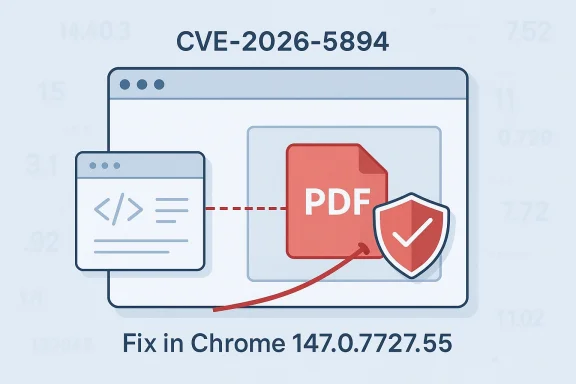
Chromium’s newly published CVE-2026-5894 is another reminder that not every browser security issue looks like a dramatic remote-code-execution headline. In this case, Google says the flaw is an inappropriate implementation in PDF that could let a remote attacker bypass navigation restrictions through a crafted HTML page, with the fix landing before Chrome 147.0.7727.55. Microsoft has already surfaced the issue in its Security Update Guide, signaling to Edge administrators and security teams that this is one of the upstream Chromium vulnerabilities they need to track as part of their normal browser patch cadence. The Chromium team classifies the issue as Low severity, but low does not mean irrelevant when the bug touches trust boundaries inside a widely deployed browser engine.
Chromium sits at the center of modern desktop browsing, and its security model has to defend more than just rendering code. It has to enforce navigation rules, origin boundaries, sandbox constraints, and content-type behaviors across HTML, PDF, media, extensions, and embedded web surfaces. That broad attack surface is exactly why Chromium bugs tend to show up in clusters: once attackers find a gap in policy enforcement, the same conceptual weakness can recur in different subsystems with only the details changed.
PDF handling is especially sensitive because it sits at the intersection of document rendering and browser navigation. A browser may treat a PDF as a static file, a rich interactive document, or a container that can trigger internal navigation and embedded actions. When the enforcement logic around that flow is imperfect, an attacker may not need code execution to cause damage; simply moving a victim into the wrong browser state can be enough to break assumptions the browser is supposed to preserve.
Microsoft’s Security Update Guide regularly mirrors these upstream Chromium issues because Microsoft Edge inherits Chromium code and therefore inherits Chromium fixes. Microsoft has also emphasized that the Security Update Guide is its authoritative place to track CVEs and advisories, while Edge-specific security information can appear on a different cadence than the monthly Windows Patch Tuesday cycle. That matters for administrators who manage fleets of Chromium-based browsers and need to know not just that a bug exists, but whether their deployed build has actually absorbed the upstream repair.
The entry for CVE-2026-5894 follows the same pattern seen in other recent Chromium disclosures: Google publishes the upstream fix in Chrome, and Microsoft records the CVE in its guide so customers can align patch status across Chrome and Edge environments. The file data provided alongside this story also matches that broader pattern, showing Microsoft’s Security Update Guide as the destination for Chromium-origin issues and emphasizing that Edge customers should use the guide to verify downstream ingestion of the fix. mingly modest browser bugs often get serious attention from enterprise teams. A vulnerability that allows a navigation restriction bypass may not produce the instant operational drama of a wormable exploit, but it can still weaken the browser’s ability to keep users inside the expected trust model. In a world where browsers are a primary execution environment for identity, SaaS, and internal apps, trust-boundary bugs are never just academic.
That makes this a policy enforcement issue more than a memory-safety issue. The exploit story here is not “execute attacker-controlled code inside the browser process,” but rather “make the browser do something it should have refused to do.” Those bugs often sound less severe on paper than use-after-free or buffer overflow issues, yet they can still be highly valuable to attackers because they bend the browser’s rules without needing a full compromise.
The current public description does not suggest that the flaw is a full sandbox escape or a direct remote code execution path. Instead, it points to a route for bypassing restrictions, which usually means the attacker needs user interaction, a targeted lure, or a carefully staged page flow. That still leaves room for phishing chains, malicious document delivery, or multi-step exploitation.
Microsoft’s documentation pattern for Chromium CVEs is designed to help administrators answer exactly that question: has the downstream browser ingested the upstream fix? The Security Update Guide exists to bridge that timing gap between upstream publication and downstream availability, and the uploaded material confirms that Microsoft uses this process for Chromium-origin issues.
A few immediate take*The bug is upstream in Chromium**, not unique to one vendor’s fork.
This is also why browser policy bugs are hard to dismiss. The attacker may not need an exotic binary payload; ordinary web primitives can be enough if the browser’s internal rules are inconsistent. That lowers the barrier for malicious actors who understand the feature interplay but do not have advanced exploit chains.
That is why the phrase “inappropriate implementation” should not be read as vague filler. It usually means the implementation did not consistently apply a policy, or applied it in the wrong place in the flow. Those bugs are especially dangerous because they can persist even after superficial fixes elsewhere in the codebase.
The answer is likely to vary by context, but the safe assumption is that this is abusable enough to warrant prompt patching. Browser vulnerabilities that break navigation policy often become useful in chains that combine social engineering with browser-state manipulation. Even if the individual CVE is low severity, the chain may not be.
That is why navigation restriction bypass should catch attention even when the severity tag is low. The browser’s job is not just to render content; it is to enforce boundaries. Once a boundary can be bypassed, even temporarily, attackers may gain the leverage they need for follow-on abuse.
Administrators should also remember that browsers are not homogeneous across the estate. Chrome, Edge, and any other Chromium-based browser may have different update channels, policies, and deferral windows. A fix landing in one channel does not guarantee that every endpoint has received the same protection.
A consumer might be tempted to shrug at the low severity label. That would be a mistake. Attackers often prefer bugs that do not generate obvious crashes or alarms. A subtle policy bypass may be more useful in a real attack than a noisy exploit that gets detected instantly.
The forum files describe this pattern repeatedly for other Chromium CVEs, and the same logic applies here: Microsoft’s tracking entry is useful because it tells you when Edge is no longer vulnerable by virtue of stream Chromium fix.
This is one reason browser vendors keep tightening PDF-related policies. The security challenge is not merely decoding a file correctly. It is maintaining the right browser invariants while the document is being opened, navigated, and displayed.
That is why browser bugs framed as “policy enforcement” issues deserve close attention. They often reveal that the browser has two competing ideas about what a page or document is allowed to do. Once those ideas diverge, security boundaries become porous.
For many users, the browser is the document viewer. That means a malformed or malicious web page can become the entry point to PDF-related behavior without ever asking the user to open a separate desktop application. That convenience is also the attack surface.
That is especially true for enterprise buyers who care about managed update cadence. A browser that is feature-rich but slow to absorb upstream fixes can become a liability. Conversely, a browser that reliably tracks upstream security work gains trust even if the underlying flaw originated elsewhere.
The same pattern also helps Microsoft reduce confusion. Instead of forcing administrators to monitor only Google’s release notes, Microsoft provides a vendor-specific view of when Edge is affected and when it is not. That can lower operational overhead, especially in environments where Edge is the default browser.
The larger market implication is that browser security is increasingly supply-chain security. The old model, where each browser was a nearly independent product, no longer fully applies. Now the question is how quickly one vendor’s security work becomes everyone else’s protection.
It is also worth reviewing any security controls that assume a browser’s PDF surface cannot be used to influence navigation state. That assumption may need to be revisited, especially if internal web applications deliver documents through embedded viewers or if the organization uses browser extensions that interact with PDFs.
Security teams should consider:
Another point to watch is whether additional technical details emerge about the PDF implementation flaw. Public CVE records sometimes stay high-level, but later write-ups or issue tracker updates can clarify whether the bug involved a specific navigation action, viewer state transition, or sandbox boundary. If that happens, defenders may be able to refine their controls or test for the vulnerable code path more precisely.
A few things are worth monitoring closely:
At the end of the day, the right response is simple: patch promptly, verify version status, and treat browser policy bugs as real security events even when they are not headline-grabbing memory corruptions. That habit is what keeps a low-severity Chromium issue from becoming a high-value foothold in the wild.
Source: NVD / Chromium Security Update Guide - Microsoft Security Response Center
 Background
Chromium sits at the center of modern desktop browsing, and its security model has to defend more than just rendering code. It has to enforce navigation rules, origin boundaries, sandbox constraints, and content-type behaviors across HTML, PDF, media, extensions, and embedded web surfaces. That broad attack surface is exactly why Chromium bugs tend to show up in clusters: once attackers find a gap in policy enforcement, the same conceptual weakness can recur in different subsystems with only the details changed.PDF handling is especially sensitive because it sits at the intersection of document rendering and browser navigation. A browser may treat a PDF as a static file, a rich interactive document, or a container that can trigger internal navigation and embedded actions. When the enforcement logic around that flow is imperfect, an attacker may not need code execution to cause damage; simply moving a victim into the wrong browser state can be enough to break assumptions the browser is supposed to preserve.
Microsoft’s Security Update Guide regularly mirrors these upstream Chromium issues because Microsoft Edge inherits Chromium code and therefore inherits Chromium fixes. Microsoft has also emphasized that the Security Update Guide is its authoritative place to track CVEs and advisories, while Edge-specific security information can appear on a different cadence than the monthly Windows Patch Tuesday cycle. That matters for administrators who manage fleets of Chromium-based browsers and need to know not just that a bug exists, but whether their deployed build has actually absorbed the upstream repair.
The entry for CVE-2026-5894 follows the same pattern seen in other recent Chromium disclosures: Google publishes the upstream fix in Chrome, and Microsoft records the CVE in its guide so customers can align patch status across Chrome and Edge environments. The file data provided alongside this story also matches that broader pattern, showing Microsoft’s Security Update Guide as the destination for Chromium-origin issues and emphasizing that Edge customers should use the guide to verify downstream ingestion of the fix. mingly modest browser bugs often get serious attention from enterprise teams. A vulnerability that allows a navigation restriction bypass may not produce the instant operational drama of a wormable exploit, but it can still weaken the browser’s ability to keep users inside the expected trust model. In a world where browsers are a primary execution environment for identity, SaaS, and internal apps, trust-boundary bugs are never just academic.
What CVE-2026-5894 Actually Is
Google’s description of CVE-2026-5894 is short but important: it is an inappropriate implementation in PDF that allowed a remote attacker to bypass navigation restrictions with a crafted HTML page. The key phrase is not merely “in PDF,” but the fact that the bug crosses from a web page into behavior that the browser was supposed to constrain. In browser-security terms, that is usually where the interesting risk lives.Why “navigation restrictions” matter
Navigation restrictions are one of the browser’s core defenses against hostile page content. They help stop a page from silently steering the user or embedding content in a way that violates policy expectations. If a crafted HTML page can influence PDF-related navigation in a way the browser should not allow, the result can be a boundary break rather than a classic crash.That makes this a policy enforcement issue more than a memory-safety issue. The exploit story here is not “execute attacker-controlled code inside the browser process,” but rather “make the browser do something it should have refused to do.” Those bugs often sound less severe on paper than use-after-free or buffer overflow issues, yet they can still be highly valuable to attackers because they bend the browser’s rules without needing a full compromise.
The current public description does not suggest that the flaw is a full sandbox escape or a direct remote code execution path. Instead, it points to a route for bypassing restrictions, which usually means the attacker needs user interaction, a targeted lure, or a carefully staged page flow. That still leaves room for phishing chains, malicious document delivery, or multi-step exploitation.
The Chrome version threshold
Google’s fixed version is 147.0.7727.55, which gives defenders a concrete cutoff for remediation. In practical terms, any Chrome build prior to that version should be treated as potentially exposed until the fix is confirmed in the local channel and channel-specific packaging. The exact version line matters because Chrome, Edge, and other Chromium-based browsers do not always receive updates simultaneously.Microsoft’s documentation pattern for Chromium CVEs is designed to help administrators answer exactly that question: has the downstream browser ingested the upstream fix? The Security Update Guide exists to bridge that timing gap between upstream publication and downstream availability, and the uploaded material confirms that Microsoft uses this process for Chromium-origin issues.
A few immediate take*The bug is upstream in Chromium**, not unique to one vendor’s fork.
- The affected surface is PDF handling, which is a high-value browser feature.
- The issue is policy-related, so exploitation may revolve around logic flow.
- The fix is already tied to a specific Chrome build, which helps triage.
- Edge administrators still need to confirm their own version lineage, even if Chrome is patched.
How the Attack Chain Likely Works
The public wording suggests a remote attacker could use a crafted HTML page to trigger the weakness. That implies the attacker’s initial payload is not a PDF file alone, but HTML that interacts with browser PDF handling in a way that bypasses protections. This is a classic pattern in browser exploitation: the “hostile content” does not have to look obviously dangerous if the vulnerable code path is hidden behind a feature interaction.Crafted HTML as the delivery vehicle
An HTML page is one of the most flexible attack containers on the web. It can embed frames, links, redirects, scripts, and document references, and it can be tuned to manipulate browser state transitions with surprising precision. If the vulnerability depends on user navigation into a PDF context, HTML is the natural delivery mechanism because it can choreograph the sequence of clicks, loads, and redirects needed to hit the bug.This is also why browser policy bugs are hard to dismiss. The attacker may not need an exotic binary payload; ordinary web primitives can be enough if the browser’s internal rules are inconsistent. That lowers the barrier for malicious actors who understand the feature interplay but do not have advanced exploit chains.
PDF as a trust boundary
Browsers often treat PDF content differently from ordinary HTML, even when the PDF is being displayed in a tab or built-in viewer. That difference creates a trust boundary. If the browser misclassifies the source of a navigation event or fails to enforce the expected restrictions at the right layer, the attacker may be able to steer the browser into a state it should have rejected.That is why the phrase “inappropriate implementation” should not be read as vague filler. It usually means the implementation did not consistently apply a policy, or applied it in the wrong place in the flow. Those bugs are especially dangerous because they can persist even after superficial fixes elsewhere in the codebase.
Practical exploitation questions
Security teams will want to know a few things immediately, even if the public advisory does not yet answer all of them. Was the issue reachable without special privileges? Did it require a victim click? Could it be chained with a phishing lure? Those questions shape how urgently the bug must be treated in different environments.The answer is likely to vary by context, but the safe assumption is that this is abusable enough to warrant prompt patching. Browser vulnerabilities that break navigation policy often become useful in chains that combine social engineering with browser-state manipulation. Even if the individual CVE is low severity, the chain may not be.
Why Low Severity Can Still Deserve Fast Patching
Chromium’s severity label for CVE-2026-5894 is Low, but patch prioritization should never rely on the label alone. Severity is a useful triage signal, not a full risk model. A low-rated browser bug can still be meaningful if it affects a core trust boundary, appears in a widely used code path, or can be chained with other weaknesses.Labels versus real-world risk
Browser vendors often assign lower severities to issues that are hard to exploit in isolation or that do not directly lead to code execution. That does not mean the issue is unimportant. It means the vendor believes the most obvious standalone impact is limited. Attackers, however, rarely work in isolation; they chain bugs, abuse user behavior, and exploit edge cases in the browser’s state machine.That is why navigation restriction bypass should catch attention even when the severity tag is low. The browser’s job is not just to render content; it is to enforce boundaries. Once a boundary can be bypassed, even temporarily, attackers may gain the leverage they need for follow-on abuse.
Enterprise perspective
In enterprise environments, low-severity browser bugs are often the ones that slip through because they do not trigger emergency response playbooks. That can be a mistake. If a flaw affects a common surface like PDF viewing, the number of potential exposure events may be enormous, especially in organizations that rely on webmail, document portals, or CRM systems that deliver PDFs as part of daily work.Administrators should also remember that browsers are not homogeneous across the estate. Chrome, Edge, and any other Chromium-based browser may have different update channels, policies, and deferral windows. A fix landing in one channel does not guarantee that every endpoint has received the same protection.
Consumer perspective
For consumer users, the main question is simpler: is the browser fully updated? Because the vulnerability is already tied to a specific fixed version, the most practical mitigation is to ensure the browser has been brought to or beyond that build. Users who rarely restart their browsers, or who operate with background update restrictions, may stay exposed longer than they realize.A consumer might be tempted to shrug at the low severity label. That would be a mistake. Attackers often prefer bugs that do not generate obvious crashes or alarms. A subtle policy bypass may be more useful in a real attack than a noisy exploit that gets detected instantly.
Microsoft Edge and the Chromium Supply Chain
Microsoft’s handling of Chromium CVEs remains one of the clearest examples of modern browser supply-chain security. Edge is built on Chromium, so upstream fixes eventually become downstream fixes when Microsoft ingests the relevant code. The uploaded forum material repeatedly reflects this same structure: Microsoft is not claiming ownership of the bug, but it is surfacing the CVE so customers can confirm whether their Edge build has taken the fix.Why the Security Update Guide matterse Guide** is the bridge between upstream vulnerability disclosure and downstream operational readiness. For administrators, that means one place to check whether a Chromium issue has been reflected in Microsoft’s own product tracking. Microsoft’s documentation has also emphasized that the guide is the authoritative source for CVEs, advisories, and update details, and that Edge security information may not align exactly with the monthly Windows release rhythm.
This matters because browsers update faster than many other enterprise applications. Edge may receive its fix through a different pipeline than OS patches, group policy changes, or Office updates. If the browser is one of the main tools employees use all day, then the window between disclosure and update completion can be operationally significant.The downstream verification problem
One of the trickiest issues in Chromium-based ecosystems is version verification. Security teams often know that a fix exists upstream, but they still need to prove that the local build has absorbed it. That is especially true in managed environments with rings, deferrals, or offline endpoints.The forum files describe this pattern repeatedly for other Chromium CVEs, and the same logic applies here: Microsoft’s tracking entry is useful because it tells you when Edge is no longer vulnerable by virtue of stream Chromium fix.
What administrators should do
A practical response plan is straightforward:- Identify all Chromium-based browsers in the environment.
- Check the exact build number against the fixed Chrome line.
- Confirm Edge policy status if updates are centrally managed.
- Prioritize internet-facing and high-risk user groups first.
- Validate PDF handling behavior after patching if you rely on custom controls.
PDF as a Security Boundary, Not Just a File Type
The phrase “inappropriate implementation in PDF” might sound narrow, but PDF is a large and complicated attack surface. It is not just a file format; inside a browser it becomes a rendering engine, a navigation environment, and sometimes an application-like surface with its own behavior. That complexity makes PDF a recurring source of security bugs across the industry.Why PDF bugs recur
PDF support has long been a magnet for security issues because it blends document structure with rich interactions. Links, embedded content, rendering transitions, and viewer-specific behavior all create opportunities for inconsistent enforcement. If one part of the pipeline assumes the content is passive while another part treats it as interactive, attackers can sometimes slip through the gap.This is one reason browser vendors keep tightening PDF-related policies. The security challenge is not merely decoding a file correctly. It is maintaining the right browser invariants while the document is being opened, navigated, and displayed.
The browser’s internal model
From the browser’s perspective, PDF is not always a simple static payload. It may be rendered in a native viewer, an extension-like module, or a specialized document surface. Each of those layers has its own assumptions about origin, navigation, and user intent. If policy checks are missing or misplaced, an attacker can exploit the mismatch.That is why browser bugs framed as “policy enforcement” issues deserve close attention. They often reveal that the browser has two competing ideas about what a page or document is allowed to do. Once those ideas diverge, security boundaries become porous.
Why this is relevant to Windows users
Windows users are affected because browsers are the main delivery point for PDFs in modern workflows. Email attachments, cloud storage previews, HR portals, invoicing systems, and government forms all use browser-based PDF handling. A flaw in this subsystem therefore reaches far beyond the classic “I downloaded a suspicious file” model.For many users, the browser is the document viewer. That means a malformed or malicious web page can become the entry point to PDF-related behavior without ever asking the user to open a separate desktop application. That convenience is also the attack surface.
Competitive and Market Implications
Although CVE-2026-5894 is a security bug, it also reveals something about the competitive dynamics of browser ecosystems. Chromium’s dominance means that when Google patches a core issue, the ripple effect reaches a large part of the browser market. That makes Chromium a shared infrastructure layer as much as a product.Chromium’s broad footprint
When one engine underlies multiple browsers, security incidents become platform events. Chrome gets the first fix, but downstream vendors must synchronize quickly or risk lagging behind. This makes patch velocity a competitive attribute: vendors compete not only on features, but on how quickly they can demonstrate that their browser has integrated upstream protections.That is especially true for enterprise buyers who care about managed update cadence. A browser that is feature-rich but slow to absorb upstream fixes can become a liability. Conversely, a browser that reliably tracks upstream security work gains trust even if the underlying flaw originated elsewhere.
Microsoft’s positioning
Microsoft’s behavior here is consistent with a broader strategy: treat Edge as a secure, enterprise-friendly Chromium implementation, not merely a rebranded browser. By surfacing Chromium CVEs in the Security Update Guide, Microsoft is signaling that it wants administrators to have a clear downstream view of upstream risk. That transparency is part of the product story.The same pattern also helps Microsoft reduce confusion. Instead of forcing administrators to monitor only Google’s release notes, Microsoft provides a vendor-specific view of when Edge is affected and when it is not. That can lower operational overhead, especially in environments where Edge is the default browser.
Google’s role in the ecosystem
For Google, the challenge is different. Chrome sets the pace for Chromium security, and the release cadence has to balance urgency with stability. Fixing a bug like CVE-2026-5894 quickly protects Chrome users, but the ecosystem still depends on downstream vendors doing their part. In that sense, Chromium is both a codebase and a coordination mechanism.The larger market implication is that browser security is increasingly supply-chain security. The old model, where each browser was a nearly independent product, no longer fully applies. Now the question is how quickly one vendor’s security work becomes everyone else’s protection.
What This Means for Security Teams
Security teams should read CVE-2026-5894 as a reminder to treat browser patching as a continuous control, not a quarterly maintenance task. The issue is not dramatic enough to dominate headlines on severity alone, but it lands in a highly sensitive area of browser behavior. That combination is precisely what makes it worth tracking closely.Immediate operational actions
At minimum, teams should verify browser build levels and confirm the exact version lineage on managed devices. They should also check whether update deferrals, offline systems, or software distribution delays are keeping some endpoints behind the fix line. If PDF handling is used heavily in business workflows, those systems deserve particular attention.It is also worth reviewing any security controls that assume a browser’s PDF surface cannot be used to influence navigation state. That assumption may need to be revisited, especially if internal web applications deliver documents through embedded viewers or if the organization uses browser extensions that interact with PDFs.
Detection and monitoring
This kind of issue is not always easy to detect after the fact. There may be no crash dump, no obvious exploit signature, and no malware artifact. That means patching and exposure reduction matter more than trying to hunt for a neat incident trail.Security teams should consider:
- Inventorying browsers by version and channel
- Checking update compliance across remote endpoints
- Reviewing PDF-heavy workflows for unusual redirects
- Monitoring for suspicious document delivery chains
- Validating enterprise policy settings around browser updates
- Coordinating Chrome and Edge remediation timelines
- Ensuring users restart browsers after update deployment
Strengths and Opportunities
The good news is that this disclosure also shows the ecosystem working the way it should. Google published the fix, Microsoft surfaced the issue for downstream consumers, and administrators now have a concrete version threshold to work from. That transparency gives security teams a cleaner path to remediation than would have existed a few years ago.- Clear version cutoff in Chrome makes triage easier.
- Downstream visibility in Microsoft’s guide helps Edge admins.
- Low severity suggests limited standalone exploit power.
- Browser update channels can fix the issue without OS servicing.
- Enterprise patch automation can absorb the fix quickly.
- PDF policy review may strengthen defenses beyond this one CVE.
- Cross-vendor coordination improves the security posture of the whole ecosystem.
Risks and Concerns
The primary concern is that “low severity” may cause some environments to delay remediation longer than they should. Browser policy bypasses are exactly the kind of issues that can be undervalued until they appear in a broader exploit chain. If attackers can turn a crafted HTML page into a navigation-control break, that may be enough to support phishing or trust-boundary abuse.- Patch fatigue may delay updates because the issue is labeled Low.
- Browser chains can make a small bug part of a larger exploit.
- PDF workflows are common, increasing exposure opportunities.
- Delayed restarts can leave patched browsers effectively unpatched.
- Managed update rings may create uneven protection across fleets.
- User interaction requirements still allow convincing social engineering.
- Downstream timing gaps between Chrome and Edge can create blind spots.
Looking Ahead
The next thing to watch is how quickly the fix propagates through Chrome and Edge channels beyond the initial release line. For organizations with aggressive browser management, the practical question is not whether the bug was patched upstream, but whether every endpoint has actually received the fixed build. That distinction often determines whether a disclosure becomes a brief compliance item or a prolonged exposure window.Another point to watch is whether additional technical details emerge about the PDF implementation flaw. Public CVE records sometimes stay high-level, but later write-ups or issue tracker updates can clarify whether the bug involved a specific navigation action, viewer state transition, or sandbox boundary. If that happens, defenders may be able to refine their controls or test for the vulnerable code path more precisely.
A few things are worth monitoring closely:
- Edge version rollout timing
- Any issue tracker updates from Chromium
- Whether the flaw appears in other Chromium-based browsers
- Possible chaining with other browser policy bugs
- Enterprise patch compliance reports
- Future PDF-related Chromium hardening work
At the end of the day, the right response is simple: patch promptly, verify version status, and treat browser policy bugs as real security events even when they are not headline-grabbing memory corruptions. That habit is what keeps a low-severity Chromium issue from becoming a high-value foothold in the wild.
Source: NVD / Chromium Security Update Guide - Microsoft Security Response Center
