

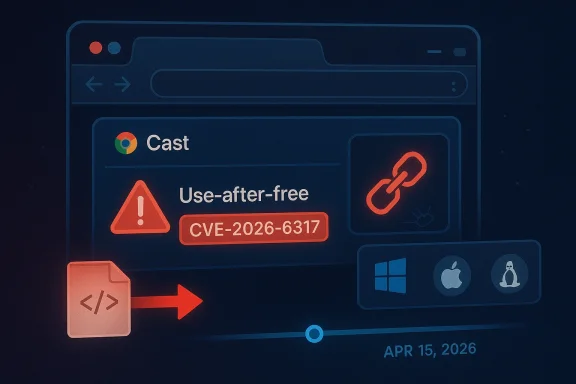
The newly disclosed CVE-2026-6317 is a high-severity use-after-free vulnerability in Chrome’s Cast component that Google says could let a remote attacker execute arbitrary code through a crafted HTML page. Google’s stable-channel fix landed on April 15, 2026, and the remedied versions are 147.0.7727.101/102 for Windows and Mac and 147.0.7727.101 for Linux. Microsoft’s Security Update Guide has also published the issue, underscoring how quickly Chromium flaws propagate across the wider browser ecosystem.
Chromium security issues tend to matter far beyond Chrome itself because Chromium powers a broad slice of the browser market and, in Microsoft’s case, the modern Microsoft Edge line as well. When Google labels a flaw High and ties it to remote code execution, the implication is simple: this is not a cosmetic browser bug, but a potentially weaponizable memory-safety failure that can be turned into a real-world compromise chain. The Cast subsystem is especially interesting here because it sits at the intersection of media workflows, device discovery, and browser-to-device interactions, which are often less scrutinized than core rendering paths.
That matters because browser exploit developers rarely limit themselves to the most obvious surfaces. A bug in a feature like Cast can be appealing precisely because it may be exercised by ordinary web content while still touching a complex code path with object lifetimes, asynchronous callbacks, and device state transitions. In memory-unsafe code, that combination is often enough to produce a reliable use-after-free primitive. The result is the kind of bug that security teams hate most: hard to reason about, easy to underestimate, and potentially useful as the first domino in a broader attack chain.
Google’s advisory language is also worth reading carefully. The company says access to details may be restricted until a majority of users are patched, which is a standard but telling practice. It reflects a tension between transparency and defense: releasing too much exploitation detail too early can help attackers, while holding back too long leaves defenders without enough context to gauge exposure. In this case, the vulnerability was acknowledged publicly with a named CVE, a severity rating, and a fixed build, which gives administrators something concrete to work from immediately.
For Windows users, the story extends beyond Chrome as a single application. Microsoft’s update guidance ecosystem routinely tracks Chromium CVEs because Edge consumes Chromium security fixes on its own release cadence, and enterprise administrators often need to understand both upstream and downstream timelines. Even when Microsoft is not the original vendor, its documentation helps security teams map browser risk to the actual fleet of Windows endpoints they manage.
The wording is concise but important. It says a remote attacker could execute arbitrary code via a crafted HTML page, which makes the bug web-reachable rather than dependent on local access or exotic file-based conditions. That kind of exposure is exactly why memory-safety issues in browser code still dominate serious vulnerability discussions in 2026: a flaw reachable through content a user merely visits can become a broadly scalable attack vector.
Google’s practice of keeping bug details restricted until patch adoption is common for Chromium. It is not a sign that a fix is incomplete; rather, it is a defense against rushing exploitation intelligence into the open while many users remain vulnerable. In practical terms, this means defenders should treat the existence of the fix itself as the urgent signal, not wait for public exploit proof or a detailed technical postmortem. That is usually the safer assumption.
The practical security lesson is that feature richness adds attack surface. Cast is useful, but every capability that brokers state across tabs, services, devices, or asynchronous callbacks increases the number of places where stale references can survive longer than intended. In browser security, that is exactly the sort of pattern exploit authors look for.
The dangerous part is that these bugs can be surprisingly nondeterministic during development yet very reliable in the hands of a skilled exploit writer. Timing, heap grooming, and content orchestration can make the same bug behave inconsistently for defenders and repeatably for attackers. That asymmetry is one reason browser vendors invest so heavily in fuzzing, sanitizers, and memory safety hardening.
Google’s release notes do not explain the exact root cause path, but the CVE’s CWE classification as CWE-416 is enough to frame the vulnerability class. For defenders, that means the right response is not speculation about the exact code path; it is ensuring patched versions are deployed quickly, especially on systems that regularly browse untrusted content or have elevated business risk.
The safe assumption is that public disclosure of a browser RCE, even without a public exploit note, can attract rapid weaponization research. Historically, security teams treat browser memory bugs as high-priority patch events for exactly that reason. Once a CVE is out, the clock starts ticking.
This release sits within a rapid cadence that has become normal for Chromium. Chrome 147 had already reached stable on April 7, and just over a week later Google was issuing a security-only follow-up build. The pace reflects modern browser development: high-frequency releases are not just about features, but also about absorbing vulnerabilities quickly once they are discovered and validated.
The fact that the April 15 release bundled 31 security fixes is equally important. It shows that browser patching today is rarely about a single bug; instead, it is about managing a stream of issues across rendering, media, network, graphics, and platform integration layers. Administrators should read the update as a batch remediation event, not a single-CVE affair.
For consumers, the advice is simpler: check the browser version and update if necessary. For enterprises, the lesson is broader: confirm that your managed browser channels, update policies, and endpoint compliance tools are actually converging on the fixed build. Announced is not the same as installed.
That cross-vendor visibility is especially useful for administrators who operate both Chrome and Edge. Microsoft Edge is built on Chromium, and Microsoft’s release notes explicitly say Edge stable releases incorporate the latest Chromium security updates. In practical terms, the moment Google publishes a high-severity Chromium fix, Microsoft customers should ask whether their Edge channel has already absorbed it or is pending the next browser update.
The broader enterprise takeaway is that browser security is now a supply-chain problem as much as an application patch problem. Chromium is upstream for multiple browsers, so a single upstream fix can affect Chrome, Edge, and other Chromium-based products on different release schedules. That creates a dependence chain that security teams need to model explicitly rather than implicitly.
For enterprise defenders, that means patch governance should include both vendors’ channels. If your organization uses Chrome for some users and Edge for others, the vulnerability management task is not duplicated work; it is a single risk domain expressed through two product channels. That distinction saves time and reduces false confidence.
In managed environments, the security question is not only “are we patched?” but also “which browser channel, on which endpoint class, at what time?” Microsoft’s release schedule documentation highlights the difference between Stable and Extended Stable channels, and that matters because enterprise rollouts often lag behind consumer releases for testing reasons. If your estate uses delayed channels, you may preserve compatibility at the cost of a longer exposure window.
There is also an operational lesson in how browser fixes are communicated. Vendors increasingly use rolling release notes, public CVE pages, and update guides rather than one-off bulletins. Security teams need their own aggregation layer so they can turn fragmented disclosures into actionable patch priorities.
The second priority is to review exposure paths. If users routinely visit untrusted sites, open external links inside the browser, or use web apps that render third-party content, the urgency rises further. User behavior is often the bridge between a bug and an incident.
The consumer risk model is less about persistent compromise and more about opportunistic exploitation. Attackers favor bugs that can be delivered at scale, and browser flaws that combine remote reachability with memory corruption are attractive precisely because they can be wrapped in ordinary web traffic. In a consumer context, the best defense is boring but effective: update promptly and avoid unnecessary delay.
There is also a wider educational point here. Many users assume browser updates are mostly about features, UI polish, or small bug fixes. CVE-2026-6317 is a reminder that some browser updates are fundamental security interventions, and that postponing them can have consequences well beyond the browser window itself.
Users who rely on Microsoft Edge should not assume Chrome’s advisory covers them automatically, even though both browsers share Chromium ancestry. Edge has its own release train, and Microsoft’s documentation shows that it ingests Chromium fixes on a separate schedule.
The April 2026 patch cadence also illustrates how browsers now operate like continuously updated platforms rather than static desktop applications. Chrome 147 had only recently reached stable when the team followed with another security-focused release. That kind of rhythm is good for defenders, but only if endpoint management is equally disciplined.
In the bigger market picture, the vendor that patches fastest often reduces not just its own risk, but the downstream risk of the ecosystem that depends on it. Chromium is a shared base, so a fix in Chrome can influence Edge, and awareness in one vendor’s channels can accelerate action elsewhere. That interdependence is becoming one of the defining security characteristics of the modern browser market.
That is why published fixed versions matter so much. They convert an abstract vulnerability description into a concrete endpoint check: if you are below the patched build, you are exposed; if you are at or above it, your risk from that specific bug drops sharply. Precision beats assumption.
Longer term, CVE-2026-6317 is another data point in the case for continued memory-safety work, especially in browser subsystems that combine asynchronous state and device interaction. As Chrome and Edge keep shipping at high cadence, the winning organizations will be the ones that treat browser patching as a standing operational control rather than an occasional IT chore. That is where the real security margin will come from.
Source: NVD / Chromium Security Update Guide - Microsoft Security Response Center
 Overview
Chromium security issues tend to matter far beyond Chrome itself because Chromium powers a broad slice of the browser market and, in Microsoft’s case, the modern Microsoft Edge line as well. When Google labels a flaw High and ties it to remote code execution, the implication is simple: this is not a cosmetic browser bug, but a potentially weaponizable memory-safety failure that can be turned into a real-world compromise chain. The Cast subsystem is especially interesting here because it sits at the intersection of media workflows, device discovery, and browser-to-device interactions, which are often less scrutinized than core rendering paths.That matters because browser exploit developers rarely limit themselves to the most obvious surfaces. A bug in a feature like Cast can be appealing precisely because it may be exercised by ordinary web content while still touching a complex code path with object lifetimes, asynchronous callbacks, and device state transitions. In memory-unsafe code, that combination is often enough to produce a reliable use-after-free primitive. The result is the kind of bug that security teams hate most: hard to reason about, easy to underestimate, and potentially useful as the first domino in a broader attack chain.
Google’s advisory language is also worth reading carefully. The company says access to details may be restricted until a majority of users are patched, which is a standard but telling practice. It reflects a tension between transparency and defense: releasing too much exploitation detail too early can help attackers, while holding back too long leaves defenders without enough context to gauge exposure. In this case, the vulnerability was acknowledged publicly with a named CVE, a severity rating, and a fixed build, which gives administrators something concrete to work from immediately.
For Windows users, the story extends beyond Chrome as a single application. Microsoft’s update guidance ecosystem routinely tracks Chromium CVEs because Edge consumes Chromium security fixes on its own release cadence, and enterprise administrators often need to understand both upstream and downstream timelines. Even when Microsoft is not the original vendor, its documentation helps security teams map browser risk to the actual fleet of Windows endpoints they manage.
What Google Disclosed
Google’s Stable Channel Update for Desktop on April 15, 2026 lists CVE-2026-6317 among the security fixes delivered in Chrome 147.0.7727.101/102. The release notes describe the issue as a use after free in Cast, and they assign it a High Chromium security severity. The same post notes that the update includes 31 security fixes in total, which is a reminder that browser patch cycles are often cumulative rather than singular.The wording is concise but important. It says a remote attacker could execute arbitrary code via a crafted HTML page, which makes the bug web-reachable rather than dependent on local access or exotic file-based conditions. That kind of exposure is exactly why memory-safety issues in browser code still dominate serious vulnerability discussions in 2026: a flaw reachable through content a user merely visits can become a broadly scalable attack vector.
Google’s practice of keeping bug details restricted until patch adoption is common for Chromium. It is not a sign that a fix is incomplete; rather, it is a defense against rushing exploitation intelligence into the open while many users remain vulnerable. In practical terms, this means defenders should treat the existence of the fix itself as the urgent signal, not wait for public exploit proof or a detailed technical postmortem. That is usually the safer assumption.
Why the Cast component stands out
Cast is not the most visible browser subsystem to average users, but it is deeply integrated into how browsers discover and communicate with external display and media targets. That makes it a plausible place for lifecycle mistakes, especially where UI-triggered objects interact with background services. A use-after-free in this space suggests a bug class rooted in object ownership rather than purely malformed input parsing.The practical security lesson is that feature richness adds attack surface. Cast is useful, but every capability that brokers state across tabs, services, devices, or asynchronous callbacks increases the number of places where stale references can survive longer than intended. In browser security, that is exactly the sort of pattern exploit authors look for.
- High severity means the issue is considered dangerous enough to merit rapid patching.
- Remote code execution is the core concern, not merely a crash.
- Crafted HTML lowers the bar for delivery because the trigger can be web content.
- Cast is a complex subsystem with nontrivial state handling.
- Memory safety bugs remain a primary browser threat class.
Why Use-After-Free Bugs Still Matter
A use-after-free happens when code continues to reference memory after that memory has been released. In browser engines and browser-adjacent services, that often turns into an attacker-controlled primitive: if the freed object’s memory is reallocated in a predictable way, the attacker may influence what the program sees when it follows the stale pointer. That is why use-after-free vulnerabilities routinely end up in exploit chains for browsers and document viewers.The dangerous part is that these bugs can be surprisingly nondeterministic during development yet very reliable in the hands of a skilled exploit writer. Timing, heap grooming, and content orchestration can make the same bug behave inconsistently for defenders and repeatably for attackers. That asymmetry is one reason browser vendors invest so heavily in fuzzing, sanitizers, and memory safety hardening.
Google’s release notes do not explain the exact root cause path, but the CVE’s CWE classification as CWE-416 is enough to frame the vulnerability class. For defenders, that means the right response is not speculation about the exact code path; it is ensuring patched versions are deployed quickly, especially on systems that regularly browse untrusted content or have elevated business risk.
The exploitability question
Whether a memory bug becomes a working exploit depends on a cluster of details: allocator behavior, sandbox boundaries, render-process isolation, and the attacker’s ability to shape execution timing. Chrome has spent years reducing the payoff of such bugs through isolation and sandboxing, but a remote code execution claim still deserves serious attention because it indicates the issue survived those layers well enough to be classified as exploitable.The safe assumption is that public disclosure of a browser RCE, even without a public exploit note, can attract rapid weaponization research. Historically, security teams treat browser memory bugs as high-priority patch events for exactly that reason. Once a CVE is out, the clock starts ticking.
- Use-after-free flaws often provide a path from crash to code execution.
- Browser sandboxing raises the bar, but does not eliminate exploitability.
- Timing and heap layout can make these bugs more reliable than they first appear.
- Memory safety issues remain a dominant class in modern browser advisories.
- Rapid patch adoption is usually the only realistic first-line defense.
The April 15 Patch Wave
The CVE arrived as part of a broader April 15, 2026 Chrome security update. Google moved stable channel users to 147.0.7727.101/102 depending on platform, and the note says the rollout would continue over the coming days and weeks. That staged rollout matters because many users do not receive browser patches at the same instant, which creates a window where some endpoints remain exposed even after the fix exists.This release sits within a rapid cadence that has become normal for Chromium. Chrome 147 had already reached stable on April 7, and just over a week later Google was issuing a security-only follow-up build. The pace reflects modern browser development: high-frequency releases are not just about features, but also about absorbing vulnerabilities quickly once they are discovered and validated.
The fact that the April 15 release bundled 31 security fixes is equally important. It shows that browser patching today is rarely about a single bug; instead, it is about managing a stream of issues across rendering, media, network, graphics, and platform integration layers. Administrators should read the update as a batch remediation event, not a single-CVE affair.
What staged rollout means for defenders
Staged rollout is practical for vendors, but it can complicate security operations. A machine may still be vulnerable simply because it has not yet received the new build, even though the patch was announced publicly. In enterprise environments, that means patch verification and compliance reporting matter as much as patch approval itself.For consumers, the advice is simpler: check the browser version and update if necessary. For enterprises, the lesson is broader: confirm that your managed browser channels, update policies, and endpoint compliance tools are actually converging on the fixed build. Announced is not the same as installed.
- Patch announcements can precede full deployment by days or weeks.
- Version verification is more reliable than assuming auto-update has finished.
- Enterprise reporting should distinguish approval from endpoint compliance.
- Security teams should watch managed and unmanaged browser fleets separately.
- Older channels may lag behind stable by design.
Microsoft’s Perspective
Microsoft’s Security Update Guide listing for CVE-2026-6317 reinforces how Chromium vulnerabilities ripple into the Microsoft ecosystem. Microsoft has spent several years increasing the transparency of its vulnerability records, including CVE entries and CWE associations, so it is no surprise to see a third-party Chromium issue reflected in its advisory infrastructure. The result is a more unified view for defenders who need to track browser risk across the Windows estate.That cross-vendor visibility is especially useful for administrators who operate both Chrome and Edge. Microsoft Edge is built on Chromium, and Microsoft’s release notes explicitly say Edge stable releases incorporate the latest Chromium security updates. In practical terms, the moment Google publishes a high-severity Chromium fix, Microsoft customers should ask whether their Edge channel has already absorbed it or is pending the next browser update.
The broader enterprise takeaway is that browser security is now a supply-chain problem as much as an application patch problem. Chromium is upstream for multiple browsers, so a single upstream fix can affect Chrome, Edge, and other Chromium-based products on different release schedules. That creates a dependence chain that security teams need to model explicitly rather than implicitly.
Why Microsoft tracks Chromium CVEs so closely
Microsoft’s release notes show that Edge stable updates are frequently described as incorporating Chromium security fixes, with specific CVEs called out when relevant. This is important because the browser version number alone may not tell the whole story; the security posture depends on whether the latest Chromium fixes have been folded into the Microsoft release train.For enterprise defenders, that means patch governance should include both vendors’ channels. If your organization uses Chrome for some users and Edge for others, the vulnerability management task is not duplicated work; it is a single risk domain expressed through two product channels. That distinction saves time and reduces false confidence.
- Chromium vulnerabilities affect multiple browser brands.
- Microsoft tracks these issues because Edge depends on Chromium.
- Channel lag can differ between Chrome and Edge.
- A unified vulnerability workflow reduces management gaps.
- Browser version data should be paired with update-channel data.
Enterprise Exposure
Enterprises should care about CVE-2026-6317 for the same reason they care about most browser RCEs: the attack surface is both broad and socially easy to reach. A user does not need to install a malicious package or open a suspicious executable if the exploit path is a crafted HTML page. That lowers the attacker’s operational burden and raises the probability of successful phishing or drive-by delivery attempts.In managed environments, the security question is not only “are we patched?” but also “which browser channel, on which endpoint class, at what time?” Microsoft’s release schedule documentation highlights the difference between Stable and Extended Stable channels, and that matters because enterprise rollouts often lag behind consumer releases for testing reasons. If your estate uses delayed channels, you may preserve compatibility at the cost of a longer exposure window.
There is also an operational lesson in how browser fixes are communicated. Vendors increasingly use rolling release notes, public CVE pages, and update guides rather than one-off bulletins. Security teams need their own aggregation layer so they can turn fragmented disclosures into actionable patch priorities.
Practical enterprise response
The first priority is to inventory every Chromium-based browser in the environment, not just Chrome. That includes Edge and any niche browsers built on the same engine. Once inventory is clear, patch compliance should be verified against the fixed versions rather than merely against patch job success.The second priority is to review exposure paths. If users routinely visit untrusted sites, open external links inside the browser, or use web apps that render third-party content, the urgency rises further. User behavior is often the bridge between a bug and an incident.
- Inventory all Chromium-based browsers.
- Confirm installed versions against the fixed release.
- Verify update-channel enrollment and rollout status.
- Prioritize high-risk user groups first.
- Recheck compliance after staged deployment completes.
- Patch Chrome to 147.0.7727.101 or later.
- Check Edge release notes for the matching Chromium fix.
- Audit unmanaged endpoints that may miss enterprise policy.
- Treat browser exposure as a phishing and drive-by risk.
- Verify compliance after the rollout window closes.
Consumer Impact
For home users, the immediate advice is mercifully straightforward: let Chrome update and confirm the browser is on the fixed build. Because the bug is reachable through crafted web content, ordinary browsing habits are enough to matter. That means even users who are not highly technical can still be affected if they remain on an older version.The consumer risk model is less about persistent compromise and more about opportunistic exploitation. Attackers favor bugs that can be delivered at scale, and browser flaws that combine remote reachability with memory corruption are attractive precisely because they can be wrapped in ordinary web traffic. In a consumer context, the best defense is boring but effective: update promptly and avoid unnecessary delay.
There is also a wider educational point here. Many users assume browser updates are mostly about features, UI polish, or small bug fixes. CVE-2026-6317 is a reminder that some browser updates are fundamental security interventions, and that postponing them can have consequences well beyond the browser window itself.
What users should do now
If Chrome has not updated automatically, users should manually trigger an update and restart the browser. Because Chrome’s rollout may take time to propagate, checking the exact version number is wiser than assuming a notification means the fix is active. Version checks are the truth serum of browser patching.Users who rely on Microsoft Edge should not assume Chrome’s advisory covers them automatically, even though both browsers share Chromium ancestry. Edge has its own release train, and Microsoft’s documentation shows that it ingests Chromium fixes on a separate schedule.
- Update Chrome immediately.
- Restart the browser after updating.
- Verify the installed version explicitly.
- Don’t assume Edge updates at the same time as Chrome.
- Treat browser updates as security actions, not optional maintenance.
Chromium Security Trends
CVE-2026-6317 fits a familiar pattern in Chromium security: memory-safety flaws in high-complexity subsystems continue to appear despite years of hardening. The browser’s scale is part of the problem. Every feature added to improve usability or interoperability can create new lifetime-management edges, and those edges remain fertile ground for attackers.The April 2026 patch cadence also illustrates how browsers now operate like continuously updated platforms rather than static desktop applications. Chrome 147 had only recently reached stable when the team followed with another security-focused release. That kind of rhythm is good for defenders, but only if endpoint management is equally disciplined.
In the bigger market picture, the vendor that patches fastest often reduces not just its own risk, but the downstream risk of the ecosystem that depends on it. Chromium is a shared base, so a fix in Chrome can influence Edge, and awareness in one vendor’s channels can accelerate action elsewhere. That interdependence is becoming one of the defining security characteristics of the modern browser market.
The race between disclosure and deployment
Once a browser CVE is public, the defensive task shifts from discovery to execution. Security teams need to move faster than the normal business rhythm because the attacker community can study the same release note and start probing for affected populations. The practical margin is often measured in days, not months.That is why published fixed versions matter so much. They convert an abstract vulnerability description into a concrete endpoint check: if you are below the patched build, you are exposed; if you are at or above it, your risk from that specific bug drops sharply. Precision beats assumption.
- Chromium’s shared codebase magnifies upstream security events.
- Faster release cadences help, but only if deployment keeps up.
- Public CVEs quickly become attacker research targets.
- Fixed build numbers turn vague risk into actionable compliance checks.
- Browser hardening is ongoing, not a one-time achievement.
Strengths and Opportunities
Google’s handling of CVE-2026-6317 shows the strengths of the modern browser response model: coordinated disclosure, rapid patching, and a clear fixed build. Microsoft’s parallel documentation adds a second layer of visibility for enterprises, especially those managing both Chrome and Edge. The opportunity now is to turn that visibility into tighter endpoint discipline, faster rollout verification, and better cross-browser inventory hygiene.- Fast patch availability reduces the vulnerability window.
- Clear version numbers make verification straightforward.
- Cross-vendor documentation helps enterprises manage Chromium risk holistically.
- Staged rollout can protect stability while fixes propagate.
- High-severity labeling helps prioritization teams focus resources.
- CWE mapping improves trend analysis and root-cause tracking.
- Shared ecosystem awareness can speed response across multiple browsers.
Risks and Concerns
The biggest concern is that a crafted HTML page is a low-friction delivery mechanism. That means the bug could be integrated into phishing, malvertising, or drive-by exploitation attempts with little additional complexity. A second concern is rollout lag, because staged deployment means some users remain vulnerable after the patch is published.- Web-reachable exploitation lowers the barrier for attackers.
- Memory corruption bugs can become code execution with sufficient tuning.
- Rollout lag leaves a temporary but real exposure window.
- Unmanaged devices may miss enterprise controls entirely.
- Browser channel differences can create false assumptions.
- Feature-rich subsystems like Cast expand attack surface.
- Delayed verification can let patched status drift in reporting.
Looking Ahead
The next few weeks will reveal how quickly the fixed Chrome builds reach the installed base and whether other Chromium-based browsers publish matching security updates on their own cadence. The most useful signal for defenders will not be commentary, but endpoint telemetry: how many systems have crossed to the safe version number, and how many are still below it. Microsoft’s ongoing release notes will remain a useful reference point for Edge administrators who need to confirm when the Chromium fix is available in their channel.Longer term, CVE-2026-6317 is another data point in the case for continued memory-safety work, especially in browser subsystems that combine asynchronous state and device interaction. As Chrome and Edge keep shipping at high cadence, the winning organizations will be the ones that treat browser patching as a standing operational control rather than an occasional IT chore. That is where the real security margin will come from.
- Confirm Chrome reaches 147.0.7727.101/102 across the fleet.
- Check when Edge receives the matching Chromium fix.
- Watch for exploit chatter and proof-of-concept activity.
- Reconcile patch status after the staged rollout window.
- Review browser inventory for unmanaged or forgotten endpoints.
Source: NVD / Chromium Security Update Guide - Microsoft Security Response Center
