

Microsoft published CVE-2026-7904 for Microsoft Edge on May 7, 2026, after Google fixed a high-severity Chromium font-processing flaw in Chrome 148.0.7778.96 and later, a bug that could let a remote attacker read memory through a crafted HTML page. The short version for Windows users is simple: Edge inherits the fix because Edge inherits Chromium. The longer version is more interesting, because this is exactly the kind of browser vulnerability that rarely looks dramatic in isolation but matters enormously at fleet scale. Fonts are not a cosmetic subsystem anymore; they are an attack surface delivered invisibly by almost every modern web page.
CVE-2026-7904 is described as an out-of-bounds read in Chromium’s Fonts component. That wording is dry enough to make even seasoned administrators skim past it, especially when the CVSS score being shown by CISA’s enrichment sits at a medium 4.3 rather than a screaming-red critical. But the mechanics deserve more respect than the number alone suggests.
An out-of-bounds read means software can be tricked into reading memory it was not supposed to access. In the browser context, the usual worst case is not immediate remote code execution, but information disclosure: data leaking across boundaries that users and administrators assume are enforced. With enough imagination, and sometimes with enough bug chaining, an information leak becomes a tool rather than a trophy.
The attack path here is particularly modern: a crafted HTML page. There is no exotic prerequisite in that phrase. It does not require a user to install a shady extension, unpack a malformed archive, or run a downloaded executable. The interaction requirement is simply the oldest browser risk in the book: someone has to visit or be driven to a page.
That is why the component matters. Font rendering sits in the ordinary flow of the web. Websites load custom fonts for branding, iconography, design systems, multilingual rendering, accessibility, and performance. The user does not think of the font engine as code parsing untrusted inputs, but that is exactly what it is doing.
That distinction matters for administrators who still mentally sort browser updates into “Google problems” and “Microsoft problems.” On Windows, Edge is now part of the Chromium patch ecosystem. When Chromium fixes a memory-safety bug in a shared component, Microsoft has to ingest and ship it, then document it through MSRC so enterprise customers can track exposure using the same processes they use for Windows, Office, Exchange, SharePoint, and Azure advisories.
The MSRC page lists Microsoft Edge (Chromium-based) as the affected Microsoft product and marks customer action as required. The fixed build line is expressed broadly as 148.0.7778.xxx, which is Microsoft’s way of anchoring the fix to the Chromium 148 branch without turning the advisory into a Google Chrome release note. For fleet teams, the practical check is not philosophical: confirm that Edge has moved onto a fixed 148.0.7778 build or later.
There is a subtle operational trap here. Google’s Chrome advisory says Chrome 148.0.7778.96 for Linux and 148.0.7778.96 or .97 for Windows and macOS contains the security fixes. Microsoft’s Edge build numbering follows the same Chromium base but does not always map in a way that makes casual comparison effortless. Security teams should therefore validate using Edge’s release notes, browser inventory, and management tooling rather than assuming that a Chrome version string alone fully describes Edge status.
CVSS is a useful instrument, but it is not a newsroom headline and it is not a patch-prioritization strategy by itself. A medium-score information disclosure in a browser may be less alarming than a wormable server bug. But browsers are exposed to arbitrary remote content all day, often in the hands of users who cannot meaningfully inspect what a page is doing.
Chromium’s high severity rating is more contextual. Browser vendors know that memory disclosure bugs are often valuable to exploit developers because they can help defeat exploit mitigations. If an attacker can read memory, they may be able to learn layout details, secrets, object states, or other data that makes a second bug more reliable. In modern exploitation, the first vulnerability is often not the one that gets the shell; it is the one that makes the next move possible.
That does not mean CVE-2026-7904 is being exploited in the wild. The public information available so far does not establish active exploitation. It does mean that treating this as “just medium” misses the browser-specific economics of vulnerability chaining.
That makes font handling a deeply exposed parser. And parsers are where memory-safety bugs thrive. Every format feature is a promise the browser must keep for the sake of compatibility, and every malformed input is a chance to discover whether the parser’s assumptions hold.
The uncomfortable truth is that browser security has moved far beyond JavaScript engines. V8 still gets attention because it is powerful, fast, and historically fertile ground for exploitation. But components such as fonts, images, graphics acceleration, media codecs, CSS, WebRTC, GPU process plumbing, and accessibility are equally part of the attack surface. A malicious page does not care which subsystem gives way.
CVE-2026-7904 is useful because it reminds defenders that web risk is not limited to scripts. Blocking JavaScript on untrusted pages may reduce some exposure, but the browser still parses HTML, CSS, fonts, images, and other resources. The web is a stack of file parsers wearing a user interface.
That context changes how enterprises should read the advisory. If you are deciding whether to accelerate a browser deployment, you should not isolate CVE-2026-7904 and ask whether a medium-scored memory read justifies urgency. The better question is whether you want endpoints spending another week on a browser build that predates a large Chromium security refresh.
Browser patching is cumulative in practice. You are not usually choosing to accept or reject one CVE. You are choosing whether the user’s primary untrusted-content runtime is current. That runtime opens invoices, SSO portals, intranet pages, SaaS dashboards, customer documents, support links, password reset flows, and whatever a user clicks after lunch.
The release cadence also matters. Google’s stable channel updates often roll out over days or weeks, and Microsoft Edge follows its own enterprise deployment behavior depending on channel, policy, and update configuration. “An update exists” is not the same as “your estate is fixed.” The gap between those two statements is where a lot of real-world risk lives.
NVD’s change history for CVE-2026-7904 shows a CPE configuration for Google Chrome versions before 148.0.7778.96 on Windows, Linux, and macOS. That is helpful for Chrome detection, but Microsoft Edge is represented through MSRC rather than simply as the same CPE line. In many enterprise scanners, that distinction determines whether Edge appears as separately vulnerable, separately remediated, or hidden behind a generic Chromium finding.
This is one of the places where security operations still feels more artisanal than it should. A vulnerability can be real, a patch can be shipped, and a scanner can still report confusing results because product identity does not line up cleanly across NVD, vendor advisories, package managers, and endpoint inventory. Chromium makes this more complicated because it is both a browser project and a shared foundation for other browsers.
Administrators should resist the temptation to treat CPE mismatches as someone else’s paperwork. If your scanner sees Chrome but not Edge, or sees Edge but cannot tie it to the MSRC advisory, your patch reports are incomplete. If it flags all Chromium-derived products as vulnerable without checking fixed build numbers, your reports are noisy. Both errors waste time during the window when the only thing that matters is finding the endpoints still running old code.
Microsoft’s inclusion of CVE-2026-7904 in the Security Update Guide is therefore not mere duplication. It is a translation layer for the Microsoft ecosystem. Security teams that consume MSRC data need to know when Edge inherits a Chromium fix. Compliance teams need a Microsoft-traceable advisory. Desktop teams need a version target. Executives need to know whether the action is optional. In this case, MSRC says customer action is required.
That customer action may be automatic for many users, assuming Edge updates are functioning and not blocked by policy. But enterprise fleets are full of exceptions: VDI images that are refreshed on a schedule, kiosks that are tightly controlled, servers where Edge exists but is rarely opened, lab machines, offline systems, and devices managed by multiple overlapping tools. The browser that updates itself on a consumer laptop is not necessarily the browser that updates cleanly across a regulated estate.
The right mental model is closer to antivirus signatures than monthly Windows patches. Browser security moves fast, and the exposure is direct. If you manage Windows endpoints but do not measure browser update latency, you are leaving one of the most attacked pieces of client software to hope.
A crafted HTML page can be a phishing lure, a compromised legitimate site, a malicious advertisement, a poisoned search result, a link in a chat client, a redirect from a cracked plugin site, or a page opened inside an embedded browser surface. The web’s distribution model is the attacker’s delivery model. There is no attachment gateway that can reliably strip all risk from browsing.
User interaction is required, according to the CVSS vector, but “user interaction” in browser CVEs often means something deceptively minimal. The user does not need to approve a security prompt or grant administrator rights. The user only needs to load content that triggers the vulnerable code path. In an enterprise, that is not a high bar.
This is why browsers have invested so heavily in sandboxing, site isolation, memory allocators, control-flow protections, and exploit mitigations. Vendors know that parsing untrusted web content is inherently dangerous. The goal is not to make every parser perfect; it is to prevent one parser failure from becoming a full compromise. Memory disclosure bugs remain worrying because they can help attackers learn enough to step around those defenses.
Browser vendors often restrict bug details until a majority of users have received the fix. The reason is pragmatic: publishing a clean exploit recipe before the installed base updates would help attackers more than defenders. This is not always satisfying, especially for enterprises that want to assess compensating controls, but it reflects the reality of mass-market software.
The lack of public exploit detail should not be mistaken for lack of seriousness. In the browser world, the time between patch availability and exploit adaptation can be short, particularly when the bug class is familiar and the component is reachable from common content. Attackers do not need a public proof of concept if they can reverse-engineer the patch or infer the vulnerable path from commits.
At the same time, defenders should avoid inventing drama. There is no public basis, as of the advisory’s publication window, to call CVE-2026-7904 a zero-day or to claim active exploitation. The honest position is narrower and more useful: this is a high-severity Chromium memory-read vulnerability fixed in the Chrome 148 line and acknowledged by Microsoft for Edge, and it deserves prompt browser updating.
For home users, the advice is boring but correct: update Chrome or Edge and restart the browser. Many browser updates download silently but do not fully apply until restart. A machine that has downloaded the patch but kept a browser session alive for days is not in the same state as a machine actually running the fixed build.
For enterprises, the work is more layered. Confirm update policies, validate installed versions, check stale sessions, and watch for devices that do not report browser inventory. If your organization controls both Chrome and Edge, treat both as first-class patch targets. If you allow alternative Chromium-based browsers, include those in the conversation too, even if the advisory names only Google Chrome and Microsoft Edge.
The larger lesson is that browser patch management should not be an afterthought inside monthly endpoint maintenance. Modern attacks frequently begin in the browser because the browser is where users meet untrusted content. A strong Windows patch program that ignores browser drift is like locking the front door while leaving the loading dock open.
Microsoft is doing the right thing by listing the CVE in the Security Update Guide. That gives Microsoft customers an official place to see Edge exposure and remediation. But the advisory still leans on Google’s release information for the underlying bug, and NVD’s CPE mapping may tell a Chrome story more cleanly than an Edge story. Security teams have to stitch the picture together.
This is not just a Microsoft problem. Chromium’s success as a shared engine means vulnerabilities propagate across a browser ecosystem that users experience as separate products. Chrome, Edge, Brave, Opera, Vivaldi, Electron-based applications, Android WebView, and embedded Chromium surfaces do not all patch at the same speed or disclose with the same vocabulary. The web platform has consolidated technically while vulnerability reporting remains product-shaped.
That gap is where mature vulnerability management should evolve. Instead of asking only “which CVEs affect this product,” teams increasingly need to ask “which upstream components does this product consume, and how quickly does the vendor ingest upstream fixes?” For Chromium-derived software, that question is now routine.
That role gives vulnerabilities like CVE-2026-7904 a kind of ambient importance. Even if the immediate impact is only a low-confidentiality memory read, the affected process sits at the center of daily enterprise activity. It touches secrets indirectly: cookies, tokens, rendered data, autofill surfaces, session state, and the shape of memory that other exploit steps may need to understand.
The response should not be panic. It should be discipline. Browser update latency should be measured in days, not weeks. Exceptions should be visible. Restart enforcement should be considered where users habitually keep browsers open indefinitely. Security teams should be able to answer, quickly, what percentage of managed Chrome and Edge installations are at or beyond the fixed build.
The best browser patch programs are boring from the outside. Updates arrive, restarts happen, laggards are found, and reports close. The only exciting browser patch program is the one being rebuilt after an incident.
Source: NVD / Chromium Security Update Guide - Microsoft Security Response Center
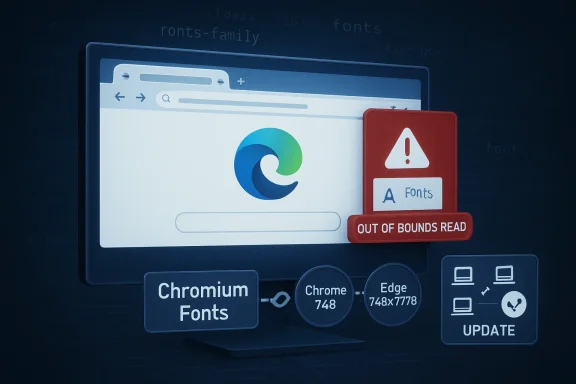 A Font Bug Is a Browser Bug, and a Browser Bug Is an Endpoint Bug
CVE-2026-7904 is described as an out-of-bounds read in Chromium’s Fonts component. That wording is dry enough to make even seasoned administrators skim past it, especially when the CVSS score being shown by CISA’s enrichment sits at a medium 4.3 rather than a screaming-red critical. But the mechanics deserve more respect than the number alone suggests.An out-of-bounds read means software can be tricked into reading memory it was not supposed to access. In the browser context, the usual worst case is not immediate remote code execution, but information disclosure: data leaking across boundaries that users and administrators assume are enforced. With enough imagination, and sometimes with enough bug chaining, an information leak becomes a tool rather than a trophy.
The attack path here is particularly modern: a crafted HTML page. There is no exotic prerequisite in that phrase. It does not require a user to install a shady extension, unpack a malformed archive, or run a downloaded executable. The interaction requirement is simply the oldest browser risk in the book: someone has to visit or be driven to a page.
That is why the component matters. Font rendering sits in the ordinary flow of the web. Websites load custom fonts for branding, iconography, design systems, multilingual rendering, accessibility, and performance. The user does not think of the font engine as code parsing untrusted inputs, but that is exactly what it is doing.
Microsoft’s Advisory Is a Mirror, Not a Separate Patch Story
Microsoft’s Security Update Guide entry for CVE-2026-7904 is not claiming Microsoft discovered a separate Edge-only vulnerability. The assigning CNA is Chrome, and Microsoft’s explanation is straightforward: Microsoft Edge is Chromium-based, Chromium consumed the fix, and the Edge security update exists to tell customers the latest Edge build is no longer vulnerable.That distinction matters for administrators who still mentally sort browser updates into “Google problems” and “Microsoft problems.” On Windows, Edge is now part of the Chromium patch ecosystem. When Chromium fixes a memory-safety bug in a shared component, Microsoft has to ingest and ship it, then document it through MSRC so enterprise customers can track exposure using the same processes they use for Windows, Office, Exchange, SharePoint, and Azure advisories.
The MSRC page lists Microsoft Edge (Chromium-based) as the affected Microsoft product and marks customer action as required. The fixed build line is expressed broadly as 148.0.7778.xxx, which is Microsoft’s way of anchoring the fix to the Chromium 148 branch without turning the advisory into a Google Chrome release note. For fleet teams, the practical check is not philosophical: confirm that Edge has moved onto a fixed 148.0.7778 build or later.
There is a subtle operational trap here. Google’s Chrome advisory says Chrome 148.0.7778.96 for Linux and 148.0.7778.96 or .97 for Windows and macOS contains the security fixes. Microsoft’s Edge build numbering follows the same Chromium base but does not always map in a way that makes casual comparison effortless. Security teams should therefore validate using Edge’s release notes, browser inventory, and management tooling rather than assuming that a Chrome version string alone fully describes Edge status.
The Severity Split Tells You How Different Audiences Read Risk
Chromium labels CVE-2026-7904 as high severity. CISA’s ADP enrichment gives it a CVSS 3.1 base score of 4.3, medium, with a vector that says network attack, low complexity, no privileges required, user interaction required, unchanged scope, low confidentiality impact, and no integrity or availability impact. Those two descriptions are not necessarily in conflict; they are measuring slightly different things.CVSS is a useful instrument, but it is not a newsroom headline and it is not a patch-prioritization strategy by itself. A medium-score information disclosure in a browser may be less alarming than a wormable server bug. But browsers are exposed to arbitrary remote content all day, often in the hands of users who cannot meaningfully inspect what a page is doing.
Chromium’s high severity rating is more contextual. Browser vendors know that memory disclosure bugs are often valuable to exploit developers because they can help defeat exploit mitigations. If an attacker can read memory, they may be able to learn layout details, secrets, object states, or other data that makes a second bug more reliable. In modern exploitation, the first vulnerability is often not the one that gets the shell; it is the one that makes the next move possible.
That does not mean CVE-2026-7904 is being exploited in the wild. The public information available so far does not establish active exploitation. It does mean that treating this as “just medium” misses the browser-specific economics of vulnerability chaining.
The Web Platform Keeps Turning Parsing Code Into Security Boundary Code
Fonts used to be files a desktop operating system installed and applications consumed. On the modern web, fonts are portable content. They arrive from the network, are selected by CSS, shaped by complex internationalization rules, cached by browsers, and passed through rendering stacks that must handle decades of formats, quirks, and compatibility expectations.That makes font handling a deeply exposed parser. And parsers are where memory-safety bugs thrive. Every format feature is a promise the browser must keep for the sake of compatibility, and every malformed input is a chance to discover whether the parser’s assumptions hold.
The uncomfortable truth is that browser security has moved far beyond JavaScript engines. V8 still gets attention because it is powerful, fast, and historically fertile ground for exploitation. But components such as fonts, images, graphics acceleration, media codecs, CSS, WebRTC, GPU process plumbing, and accessibility are equally part of the attack surface. A malicious page does not care which subsystem gives way.
CVE-2026-7904 is useful because it reminds defenders that web risk is not limited to scripts. Blocking JavaScript on untrusted pages may reduce some exposure, but the browser still parses HTML, CSS, fonts, images, and other resources. The web is a stack of file parsers wearing a user interface.
Chrome 148 Was Not a One-Bug Update
The Chrome 148 desktop stable release was a large security update, not a surgical fix for CVE-2026-7904 alone. Google’s release moved Chrome to 148.0.7778.96 on Linux and 148.0.7778.96 or .97 on Windows and macOS, with more than a hundred security fixes included in the broader release. Several of those were rated more severe than the Fonts issue.That context changes how enterprises should read the advisory. If you are deciding whether to accelerate a browser deployment, you should not isolate CVE-2026-7904 and ask whether a medium-scored memory read justifies urgency. The better question is whether you want endpoints spending another week on a browser build that predates a large Chromium security refresh.
Browser patching is cumulative in practice. You are not usually choosing to accept or reject one CVE. You are choosing whether the user’s primary untrusted-content runtime is current. That runtime opens invoices, SSO portals, intranet pages, SaaS dashboards, customer documents, support links, password reset flows, and whatever a user clicks after lunch.
The release cadence also matters. Google’s stable channel updates often roll out over days or weeks, and Microsoft Edge follows its own enterprise deployment behavior depending on channel, policy, and update configuration. “An update exists” is not the same as “your estate is fixed.” The gap between those two statements is where a lot of real-world risk lives.
The CPE Entry Is Boring Until Your Scanner Gets It Wrong
The user-facing question in the NVD entry — whether a CPE is missing — is not bureaucratic trivia. CPEs are how vulnerability management systems translate advisories into asset exposure. If the mapping is incomplete, delayed, or too broad, dashboards become either falsely calm or uselessly noisy.NVD’s change history for CVE-2026-7904 shows a CPE configuration for Google Chrome versions before 148.0.7778.96 on Windows, Linux, and macOS. That is helpful for Chrome detection, but Microsoft Edge is represented through MSRC rather than simply as the same CPE line. In many enterprise scanners, that distinction determines whether Edge appears as separately vulnerable, separately remediated, or hidden behind a generic Chromium finding.
This is one of the places where security operations still feels more artisanal than it should. A vulnerability can be real, a patch can be shipped, and a scanner can still report confusing results because product identity does not line up cleanly across NVD, vendor advisories, package managers, and endpoint inventory. Chromium makes this more complicated because it is both a browser project and a shared foundation for other browsers.
Administrators should resist the temptation to treat CPE mismatches as someone else’s paperwork. If your scanner sees Chrome but not Edge, or sees Edge but cannot tie it to the MSRC advisory, your patch reports are incomplete. If it flags all Chromium-derived products as vulnerable without checking fixed build numbers, your reports are noisy. Both errors waste time during the window when the only thing that matters is finding the endpoints still running old code.
Edge Turns Chromium Vulnerabilities Into Windows Hygiene
For Windows environments, Edge occupies a strange place. It is a browser, a system component, a WebView dependency, a PDF viewer, an identity surface, and a managed enterprise application all at once. That makes Chromium vulnerabilities a Windows hygiene issue even when the CVE title begins with “Chromium.”Microsoft’s inclusion of CVE-2026-7904 in the Security Update Guide is therefore not mere duplication. It is a translation layer for the Microsoft ecosystem. Security teams that consume MSRC data need to know when Edge inherits a Chromium fix. Compliance teams need a Microsoft-traceable advisory. Desktop teams need a version target. Executives need to know whether the action is optional. In this case, MSRC says customer action is required.
That customer action may be automatic for many users, assuming Edge updates are functioning and not blocked by policy. But enterprise fleets are full of exceptions: VDI images that are refreshed on a schedule, kiosks that are tightly controlled, servers where Edge exists but is rarely opened, lab machines, offline systems, and devices managed by multiple overlapping tools. The browser that updates itself on a consumer laptop is not necessarily the browser that updates cleanly across a regulated estate.
The right mental model is closer to antivirus signatures than monthly Windows patches. Browser security moves fast, and the exposure is direct. If you manage Windows endpoints but do not measure browser update latency, you are leaving one of the most attacked pieces of client software to hope.
Crafted HTML Is the Most Underwhelming Phrase in Security
The advisory says a remote attacker could perform an out-of-bounds memory read via a crafted HTML page. That phrase is so common that it has lost much of its force. It should not have.A crafted HTML page can be a phishing lure, a compromised legitimate site, a malicious advertisement, a poisoned search result, a link in a chat client, a redirect from a cracked plugin site, or a page opened inside an embedded browser surface. The web’s distribution model is the attacker’s delivery model. There is no attachment gateway that can reliably strip all risk from browsing.
User interaction is required, according to the CVSS vector, but “user interaction” in browser CVEs often means something deceptively minimal. The user does not need to approve a security prompt or grant administrator rights. The user only needs to load content that triggers the vulnerable code path. In an enterprise, that is not a high bar.
This is why browsers have invested so heavily in sandboxing, site isolation, memory allocators, control-flow protections, and exploit mitigations. Vendors know that parsing untrusted web content is inherently dangerous. The goal is not to make every parser perfect; it is to prevent one parser failure from becoming a full compromise. Memory disclosure bugs remain worrying because they can help attackers learn enough to step around those defenses.
The Restricted Bug Tracker Is a Feature, Not a Cover-Up
The Chromium issue linked from the advisory requires permission. That will frustrate researchers, administrators, and journalists looking for technical detail. It is also normal.Browser vendors often restrict bug details until a majority of users have received the fix. The reason is pragmatic: publishing a clean exploit recipe before the installed base updates would help attackers more than defenders. This is not always satisfying, especially for enterprises that want to assess compensating controls, but it reflects the reality of mass-market software.
The lack of public exploit detail should not be mistaken for lack of seriousness. In the browser world, the time between patch availability and exploit adaptation can be short, particularly when the bug class is familiar and the component is reachable from common content. Attackers do not need a public proof of concept if they can reverse-engineer the patch or infer the vulnerable path from commits.
At the same time, defenders should avoid inventing drama. There is no public basis, as of the advisory’s publication window, to call CVE-2026-7904 a zero-day or to claim active exploitation. The honest position is narrower and more useful: this is a high-severity Chromium memory-read vulnerability fixed in the Chrome 148 line and acknowledged by Microsoft for Edge, and it deserves prompt browser updating.
The Patch Priority Is Higher Than the Score Suggests
If this were a library buried in a non-networked desktop application, a 4.3 confidentiality-only issue might sit comfortably behind higher-scoring server vulnerabilities. But the affected software here is the browser, and the delivery mechanism is the web. That shifts the operational priority upward.For home users, the advice is boring but correct: update Chrome or Edge and restart the browser. Many browser updates download silently but do not fully apply until restart. A machine that has downloaded the patch but kept a browser session alive for days is not in the same state as a machine actually running the fixed build.
For enterprises, the work is more layered. Confirm update policies, validate installed versions, check stale sessions, and watch for devices that do not report browser inventory. If your organization controls both Chrome and Edge, treat both as first-class patch targets. If you allow alternative Chromium-based browsers, include those in the conversation too, even if the advisory names only Google Chrome and Microsoft Edge.
The larger lesson is that browser patch management should not be an afterthought inside monthly endpoint maintenance. Modern attacks frequently begin in the browser because the browser is where users meet untrusted content. A strong Windows patch program that ignores browser drift is like locking the front door while leaving the loading dock open.
Security Teams Need Better Language for Inherited Risk
CVE-2026-7904 also exposes a communications problem. When a vulnerability is in Chromium, and Chrome fixes it, and Edge ingests it, who “owns” the risk? The answer is everyone in the chain, but enterprise dashboards are rarely built for that nuance.Microsoft is doing the right thing by listing the CVE in the Security Update Guide. That gives Microsoft customers an official place to see Edge exposure and remediation. But the advisory still leans on Google’s release information for the underlying bug, and NVD’s CPE mapping may tell a Chrome story more cleanly than an Edge story. Security teams have to stitch the picture together.
This is not just a Microsoft problem. Chromium’s success as a shared engine means vulnerabilities propagate across a browser ecosystem that users experience as separate products. Chrome, Edge, Brave, Opera, Vivaldi, Electron-based applications, Android WebView, and embedded Chromium surfaces do not all patch at the same speed or disclose with the same vocabulary. The web platform has consolidated technically while vulnerability reporting remains product-shaped.
That gap is where mature vulnerability management should evolve. Instead of asking only “which CVEs affect this product,” teams increasingly need to ask “which upstream components does this product consume, and how quickly does the vendor ingest upstream fixes?” For Chromium-derived software, that question is now routine.
The Enterprise Browser Is Now Critical Infrastructure
There was a time when browser patching was seen as user convenience work. That time is over. The browser is now the execution environment for line-of-business applications, identity flows, device enrollment, collaboration, ticketing, payroll, finance, development platforms, and remote administration portals.That role gives vulnerabilities like CVE-2026-7904 a kind of ambient importance. Even if the immediate impact is only a low-confidentiality memory read, the affected process sits at the center of daily enterprise activity. It touches secrets indirectly: cookies, tokens, rendered data, autofill surfaces, session state, and the shape of memory that other exploit steps may need to understand.
The response should not be panic. It should be discipline. Browser update latency should be measured in days, not weeks. Exceptions should be visible. Restart enforcement should be considered where users habitually keep browsers open indefinitely. Security teams should be able to answer, quickly, what percentage of managed Chrome and Edge installations are at or beyond the fixed build.
The best browser patch programs are boring from the outside. Updates arrive, restarts happen, laggards are found, and reports close. The only exciting browser patch program is the one being rebuilt after an incident.
The Practical Read for WindowsForum Readers
CVE-2026-7904 is not the biggest Chromium bug of the year, and it is not the scariest item in the Chrome 148 security batch. Its importance is that it sits precisely at the intersection of everyday browsing, shared open-source infrastructure, Microsoft’s Edge distribution, and the messy reality of enterprise vulnerability tracking.- Microsoft published its Edge advisory for CVE-2026-7904 on May 7, 2026, because Edge consumes Chromium and inherits the upstream fix.
- Google fixed the underlying Chrome issue in the 148.0.7778.96 and later desktop release line, with Windows and macOS also seeing 148.0.7778.97 builds.
- The vulnerability is an out-of-bounds read in Chromium’s Fonts component and can be triggered through crafted HTML content.
- The public scoring currently shows a medium CVSS 3.1 value from CISA enrichment, but Chromium rates the issue high, which better reflects browser exploitation context.
- There is no public confirmation in the advisory trail that this specific CVE is being actively exploited, so the right response is prompt patching rather than zero-day panic.
- Asset teams should verify both Chrome and Edge versions directly, because NVD CPE mappings, MSRC product records, and scanner logic may not all describe inherited Chromium risk the same way.
Source: NVD / Chromium Security Update Guide - Microsoft Security Response Center
