
Google and Microsoft disclosed CVE-2026-7970 on May 6, 2026, as a use-after-free flaw in Chromium’s TopChrome component affecting Google Chrome before version 148.0.7778.96 and Chromium-based Microsoft Edge builds that consume the same upstream fix. The bug is not the loudest vulnerability in Chrome 148, nor is it described as actively exploited. But it is the kind of browser weakness enterprise defenders should learn to read carefully: a “medium” Chromium issue that becomes a high-impact incident when paired with renderer compromise.
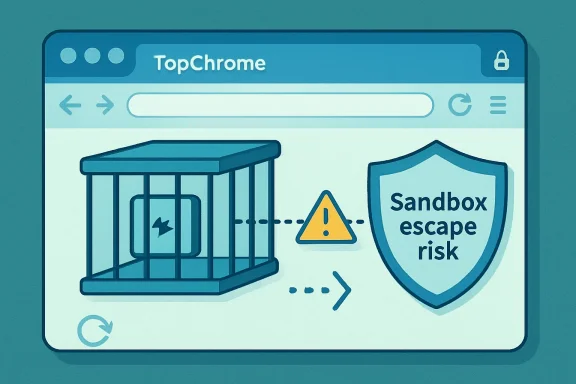
The uncomfortable lesson is that browser security in 2026 is no longer about single bugs with single blast radiuses. Modern Chromium exploitation is a chain business. CVE-2026-7970 sits in the part of the chain where a compromised renderer tries to break out of the cage, and that makes it more operationally interesting than its severity label suggests.
CVE-2026-7970 is described as a use-after-free vulnerability in TopChrome, the browser UI layer around the web content area. In plain English, that means the flaw concerns memory that can be referenced after it should no longer be valid, a class of bug that has haunted C and C++ software for decades and remains one of the browser world’s most reliable exploitation primitives.
The key phrase in the advisory is not “crafted HTML page.” That is boilerplate in browser CVEs. The key phrase is “remote attacker who had compromised the renderer process,” because it tells us CVE-2026-7970 is not framed as the first step in the attack. It is framed as the second step.
That distinction matters. Chrome’s renderer process is where untrusted web content is supposed to live, heavily sandboxed and denied broad access to the host operating system. A renderer compromise may let an attacker execute code inside that constrained process, but the sandbox is meant to prevent that code from reading arbitrary local files, touching other processes, or taking over the machine.
A sandbox escape changes the economics. It turns a browser bug from “the tab is hostile” into “the endpoint may now be in play.” That is why CISA’s ADP scoring can land at a high 8.3 under CVSS 3.1 even while Chromium’s own security severity is listed as Medium. The ratings are not necessarily contradictory; they are looking at different parts of the risk picture.
Modern Chromium architecture works hard to separate renderer content from browser-level interfaces. The renderer should not get to impersonate, corrupt, or commandeer the browser shell. But the more capable and integrated the browser becomes, the more complicated that boundary gets.
That complexity is not accidental. Chrome is now a password manager, identity broker, PDF reader, WebUSB negotiator, passkey portal, enterprise policy enforcement point, and AI feature delivery vehicle. Every added capability increases the number of interactions between web content, browser UI, system services, and user state.
CVE-2026-7970 appears to live in that seam. The advisory does not provide exploit details, and Chromium bug links for security issues are commonly restricted until enough users have received the update. But the public description is enough to place the vulnerability in a familiar exploitation pattern: win code execution in the renderer, then look for a way to cross the process boundary into something more privileged.
The scale of the update is notable. Public reporting and Google’s release notes place the security fix count at 127 vulnerabilities, including several critical flaws elsewhere in the browser. CVE-2026-7970 is one item in a very large basket, and that is exactly why it risks being missed by teams that only triage the headline criticals.
Security operations teams love prioritization because they have to. But browser updates punish overly narrow prioritization. A Chrome build that fixes three critical bugs and more than a hundred other vulnerabilities is not a menu where admins can choose only the scariest CVE. The patch is the unit of action.
That is especially true for Chromium-derived browsers. Microsoft Edge, Brave, Vivaldi, Opera, and Electron-based applications do not all ship fixes on precisely the same schedule, and not every advisory lands with the same prominence. In enterprise environments, the practical question is not “Did Google patch Chrome?” It is “Which Chromium runtimes do we actually have, and which of them are still below the fixed baseline?”
A renderer bug on its own is serious, but containment changes the blast radius. A sandbox escape on its own may require a prior foothold in a renderer, but when paired with one, it can become the bridge from web content to local compromise. CVE-2026-7970 is explicitly described in that second category.
This is why “requires renderer compromise” should not lull anyone to sleep. It is a precondition, not a comfort blanket. Attackers who target browsers already think in chains: type confusion in a JavaScript engine, heap corruption in a media parser, logic error in IPC, then escape from the sandbox and establish persistence.
The browser vendors think in chains, too. Their defenses layer process isolation, site isolation, control-flow protections, memory allocators, hardened JavaScript engines, exploit mitigations, and rapid auto-update. The result is a contest in which each individual bug may look conditional, but the complete exploit path is what matters.
A use-after-free occurs when software continues to use a pointer or reference to an object after that object has been freed. If an attacker can influence what memory gets placed there next, the program may be tricked into reading or executing attacker-controlled data. In browser exploitation, that can become a path to code execution, privilege confusion, or escape from a security boundary.
Chromium has invested heavily in mitigations, including memory safety work, partitioned allocators, MiraclePtr-style protections, and increasing use of safer languages in selected areas. But the transition is generational, not instant. The codebase is too large, too performance-sensitive, and too tied to C++ to make use-after-free disappear on command.
That reality should shape how IT leaders communicate browser risk. The goal is not to pretend every use-after-free is a five-alarm fire. The goal is to understand that repeated UAF fixes are a symptom of the browser’s central role as the most exposed application on most endpoints.
Chromium’s internal severity often reflects exploitability, reachable conditions, component context, and vendor-specific triage. CVSS tries to model impact and attack characteristics in a more standardized way. Neither rating is a substitute for environment-aware risk management.
For a home user, the practical advice is simple: let Chrome update, restart the browser, and move on. For a managed fleet, the analysis is more layered. Are users allowed to defer browser restarts indefinitely? Are multiple Chromium browsers installed? Are Electron apps pinned to old runtimes? Are VDI images and kiosk systems updated as aggressively as laptops?
The answer in many organizations is messy. Chrome may auto-update well, but old Edge WebView2 runtimes, unmanaged portable browsers, developer tools, and bundled Chromium shells can linger. CVE-2026-7970 is a reminder that Chromium exposure is an estate-management problem, not merely a browser-brand problem.
Microsoft has to integrate Chromium fixes into a browser that also carries Microsoft account integration, enterprise management hooks, Defender SmartScreen, IE mode baggage in some environments, WebView2 dependencies, and Windows platform assumptions. Edge is not simply Chrome with a different logo. It is Chromium fused into the Windows administrative ecosystem.
That matters for patch operations. Edge updates may be governed through Microsoft tooling, group policy, Intune, WSUS-adjacent processes, or application control regimes. Some organizations manage Chrome and Edge with different teams, different policies, and different reporting dashboards. A Chromium CVE can therefore expose process gaps rather than technical ones.
The MSRC listing is useful precisely because it pulls the vulnerability into Microsoft’s universe. Windows admins who do not live in Chrome release blogs still need to know when a Chromium flaw affects Edge. In 2026, the browser monoculture is not one executable; it is one engine lineage spread across many operational wrappers.
That gap is tolerable for ordinary feature releases and uncomfortable for security releases. It becomes more uncomfortable when the release fixes a large vulnerability set, including bugs that could participate in exploit chains. Enterprises that report “Chrome updated” without measuring restart completion are seeing only half the story.
The problem is cultural as much as technical. Users treat the browser as the operating system now. It holds tabs, sessions, meetings, documents, dashboards, admin consoles, chat windows, and unsaved work. Asking them to relaunch it feels like asking them to reboot their workday.
IT departments need to design around that reality. Browser restart prompts should be predictable, escalating, and backed by policy. Emergency restart windows should exist before an emergency arrives. The difference between a patched fleet and an almost-patched fleet is often one stubborn browser process.
Not all of those are necessarily affected in the same way by this CVE. But the broader lesson holds: Chromium has become infrastructure. It is the display layer for enterprise SaaS, the authentication surface for cloud identity, and the runtime beneath applications that users do not think of as browsers.
That creates a visibility problem. Vulnerability scanners may catch installed Chrome versions but miss per-user installs. Asset systems may know Edge versions but not Electron runtimes. Developers may run Canary, Beta, or custom Chromium builds outside standard patch channels. Security teams may discover that “the browser” is not a single managed object.
The smart response is to treat browser and embedded-web-runtime inventory as a first-class control. If the organization would not tolerate unknown VPN clients or unmanaged EDR agents, it should not tolerate unknown Chromium runtimes that parse arbitrary web content and authenticate to business systems.
The exploit market does not wait for defenders to finish change-control paperwork. Once a patch is published, attackers can diff old and new code, infer the vulnerable path, and evaluate whether a bug is useful. Restricted bug details slow that process, but they do not stop it forever.
This dynamic is especially sharp for browsers because the target population is huge and the attack surface is remote. A malicious page, compromised ad chain, poisoned redirect, or targeted phishing link can all be delivery mechanisms for browser exploitation. Even if CVE-2026-7970 itself requires a prior renderer compromise, the surrounding Chrome 148 release fixed many potential ingredients.
Patch latency therefore becomes the real vulnerability. The organizations most at risk are often not the ones that never patch; they are the ones that patch after the attacker’s reverse-engineering window has already opened.
The high bug count is both a warning and a sign of health. It shows the attack surface is vast, but it also shows a mature reporting and response machine. Google pays researchers, restricts details when necessary, ships quickly, and pushes updates to a massive user base. Microsoft and other downstream vendors then race to align their Chromium-based products.
The uncomfortable part is that this system normalizes continuous emergency maintenance. Browsers are now critical infrastructure with consumer-app update cadences. IT departments built around monthly patch rhythms have had to adapt to a world where the most exposed software on the endpoint may need attention any week.
CVE-2026-7970 is not exceptional in that sense. It is representative. It is another entry in the endless ledger of memory-safety bugs, sandbox assumptions, UI boundary risks, and patch-timing pressure that defines browser defense.
The next step is policy. Browser updates should not be left entirely to user patience. Managed environments need update enforcement, restart enforcement, and telemetry that proves the vulnerable process is gone. “Installed version” is useful; “running version” is better.
The final step is scope. Security teams should stop treating Chromium as just Chrome and Edge. They should inventory WebView2, Electron applications, unmanaged browsers, and developer channels. They should understand which business-critical apps depend on embedded Chromium and how those apps receive security updates.
That may sound like more work because it is. But it is also the cost of the modern endpoint. The browser is no longer an application sitting on top of Windows. In many workflows, it is the place where Windows users spend the day, cross trust boundaries, handle credentials, and touch production systems.
Source: NVD / Chromium Security Update Guide - Microsoft Security Response Center
The uncomfortable lesson is that browser security in 2026 is no longer about single bugs with single blast radiuses. Modern Chromium exploitation is a chain business. CVE-2026-7970 sits in the part of the chain where a compromised renderer tries to break out of the cage, and that makes it more operationally interesting than its severity label suggests.
 A Medium Bug With a High-Impact Shape
CVE-2026-7970 is described as a use-after-free vulnerability in TopChrome, the browser UI layer around the web content area. In plain English, that means the flaw concerns memory that can be referenced after it should no longer be valid, a class of bug that has haunted C and C++ software for decades and remains one of the browser world’s most reliable exploitation primitives.The key phrase in the advisory is not “crafted HTML page.” That is boilerplate in browser CVEs. The key phrase is “remote attacker who had compromised the renderer process,” because it tells us CVE-2026-7970 is not framed as the first step in the attack. It is framed as the second step.
That distinction matters. Chrome’s renderer process is where untrusted web content is supposed to live, heavily sandboxed and denied broad access to the host operating system. A renderer compromise may let an attacker execute code inside that constrained process, but the sandbox is meant to prevent that code from reading arbitrary local files, touching other processes, or taking over the machine.
A sandbox escape changes the economics. It turns a browser bug from “the tab is hostile” into “the endpoint may now be in play.” That is why CISA’s ADP scoring can land at a high 8.3 under CVSS 3.1 even while Chromium’s own security severity is listed as Medium. The ratings are not necessarily contradictory; they are looking at different parts of the risk picture.
TopChrome Is Where the Browser Stops Being Just a Web Page
The name TopChrome can sound cosmetic, like a bug in the browser’s trim. That would be the wrong mental model. Browser UI code is privileged territory because it stands between hostile web content and trusted user actions: address bars, permissions prompts, tab strips, page controls, profile indicators, extension surfaces, and other pieces of the browser that users are trained to trust.Modern Chromium architecture works hard to separate renderer content from browser-level interfaces. The renderer should not get to impersonate, corrupt, or commandeer the browser shell. But the more capable and integrated the browser becomes, the more complicated that boundary gets.
That complexity is not accidental. Chrome is now a password manager, identity broker, PDF reader, WebUSB negotiator, passkey portal, enterprise policy enforcement point, and AI feature delivery vehicle. Every added capability increases the number of interactions between web content, browser UI, system services, and user state.
CVE-2026-7970 appears to live in that seam. The advisory does not provide exploit details, and Chromium bug links for security issues are commonly restricted until enough users have received the update. But the public description is enough to place the vulnerability in a familiar exploitation pattern: win code execution in the renderer, then look for a way to cross the process boundary into something more privileged.
Chrome 148 Was Not a Routine Patch Tuesday Footnote
Chrome 148 arrived on the stable desktop channel on May 5, 2026, with versions 148.0.7778.96 for Linux and 148.0.7778.96/97 for Windows and macOS. Google said the release would roll out over the following days and weeks, the usual language for Chrome’s staged deployment model.The scale of the update is notable. Public reporting and Google’s release notes place the security fix count at 127 vulnerabilities, including several critical flaws elsewhere in the browser. CVE-2026-7970 is one item in a very large basket, and that is exactly why it risks being missed by teams that only triage the headline criticals.
Security operations teams love prioritization because they have to. But browser updates punish overly narrow prioritization. A Chrome build that fixes three critical bugs and more than a hundred other vulnerabilities is not a menu where admins can choose only the scariest CVE. The patch is the unit of action.
That is especially true for Chromium-derived browsers. Microsoft Edge, Brave, Vivaldi, Opera, and Electron-based applications do not all ship fixes on precisely the same schedule, and not every advisory lands with the same prominence. In enterprise environments, the practical question is not “Did Google patch Chrome?” It is “Which Chromium runtimes do we actually have, and which of them are still below the fixed baseline?”
The Sandbox Is Strong, So Attackers Chain Around It
The browser sandbox is one of the great security engineering successes of the last 20 years. It made drive-by browser exploitation harder, more expensive, and more dependent on chaining multiple flaws. It also changed how defenders should read CVEs.A renderer bug on its own is serious, but containment changes the blast radius. A sandbox escape on its own may require a prior foothold in a renderer, but when paired with one, it can become the bridge from web content to local compromise. CVE-2026-7970 is explicitly described in that second category.
This is why “requires renderer compromise” should not lull anyone to sleep. It is a precondition, not a comfort blanket. Attackers who target browsers already think in chains: type confusion in a JavaScript engine, heap corruption in a media parser, logic error in IPC, then escape from the sandbox and establish persistence.
The browser vendors think in chains, too. Their defenses layer process isolation, site isolation, control-flow protections, memory allocators, hardened JavaScript engines, exploit mitigations, and rapid auto-update. The result is a contest in which each individual bug may look conditional, but the complete exploit path is what matters.
Use-After-Free Remains the Bug Class That Will Not Die
Use-after-free vulnerabilities are not glamorous. They are not novel. They are, however, durable, because browsers are enormous state machines written largely in memory-unsafe languages and asked to juggle hostile input at interactive speed.A use-after-free occurs when software continues to use a pointer or reference to an object after that object has been freed. If an attacker can influence what memory gets placed there next, the program may be tricked into reading or executing attacker-controlled data. In browser exploitation, that can become a path to code execution, privilege confusion, or escape from a security boundary.
Chromium has invested heavily in mitigations, including memory safety work, partitioned allocators, MiraclePtr-style protections, and increasing use of safer languages in selected areas. But the transition is generational, not instant. The codebase is too large, too performance-sensitive, and too tied to C++ to make use-after-free disappear on command.
That reality should shape how IT leaders communicate browser risk. The goal is not to pretend every use-after-free is a five-alarm fire. The goal is to understand that repeated UAF fixes are a symptom of the browser’s central role as the most exposed application on most endpoints.
The Severity Label Is Doing Less Work Than Admins Think
Chromium lists CVE-2026-7970 as Medium. CISA’s ADP entry gives it a high CVSS 3.1 score of 8.3 with high confidentiality, integrity, and availability impacts under a changed scope. Both can be true because severity systems compress different assumptions into a single word or number.Chromium’s internal severity often reflects exploitability, reachable conditions, component context, and vendor-specific triage. CVSS tries to model impact and attack characteristics in a more standardized way. Neither rating is a substitute for environment-aware risk management.
For a home user, the practical advice is simple: let Chrome update, restart the browser, and move on. For a managed fleet, the analysis is more layered. Are users allowed to defer browser restarts indefinitely? Are multiple Chromium browsers installed? Are Electron apps pinned to old runtimes? Are VDI images and kiosk systems updated as aggressively as laptops?
The answer in many organizations is messy. Chrome may auto-update well, but old Edge WebView2 runtimes, unmanaged portable browsers, developer tools, and bundled Chromium shells can linger. CVE-2026-7970 is a reminder that Chromium exposure is an estate-management problem, not merely a browser-brand problem.
Microsoft’s Role Is Not Just Copying Google’s Homework
The user-facing trail for this vulnerability includes Microsoft’s Security Response Center because Microsoft Edge is Chromium-based. That relationship can make Edge security feel derivative: Google finds and fixes the Chromium flaw; Microsoft pulls the change into Edge; admins patch. The truth is more complicated and more important.Microsoft has to integrate Chromium fixes into a browser that also carries Microsoft account integration, enterprise management hooks, Defender SmartScreen, IE mode baggage in some environments, WebView2 dependencies, and Windows platform assumptions. Edge is not simply Chrome with a different logo. It is Chromium fused into the Windows administrative ecosystem.
That matters for patch operations. Edge updates may be governed through Microsoft tooling, group policy, Intune, WSUS-adjacent processes, or application control regimes. Some organizations manage Chrome and Edge with different teams, different policies, and different reporting dashboards. A Chromium CVE can therefore expose process gaps rather than technical ones.
The MSRC listing is useful precisely because it pulls the vulnerability into Microsoft’s universe. Windows admins who do not live in Chrome release blogs still need to know when a Chromium flaw affects Edge. In 2026, the browser monoculture is not one executable; it is one engine lineage spread across many operational wrappers.
The Craft of a Browser Patch Is Also the Craft of a Restart
Chrome’s auto-update system is one of the best consumer security mechanisms ever deployed, but it has a mundane weakness: users keep browsers open. The update can download, stage, and wait, but the vulnerable code may remain in memory until the process restarts.That gap is tolerable for ordinary feature releases and uncomfortable for security releases. It becomes more uncomfortable when the release fixes a large vulnerability set, including bugs that could participate in exploit chains. Enterprises that report “Chrome updated” without measuring restart completion are seeing only half the story.
The problem is cultural as much as technical. Users treat the browser as the operating system now. It holds tabs, sessions, meetings, documents, dashboards, admin consoles, chat windows, and unsaved work. Asking them to relaunch it feels like asking them to reboot their workday.
IT departments need to design around that reality. Browser restart prompts should be predictable, escalating, and backed by policy. Emergency restart windows should exist before an emergency arrives. The difference between a patched fleet and an almost-patched fleet is often one stubborn browser process.
The Enterprise Exposure Is Wider Than Chrome.exe
The neat version threshold for CVE-2026-7970 is Chrome prior to 148.0.7778.96. That is easy to state and harder to inventory. A Windows endpoint may have Chrome, Edge, WebView2 Runtime, Teams components, developer-installed Chromium builds, embedded browser controls, and applications that bundle their own rendering engines.Not all of those are necessarily affected in the same way by this CVE. But the broader lesson holds: Chromium has become infrastructure. It is the display layer for enterprise SaaS, the authentication surface for cloud identity, and the runtime beneath applications that users do not think of as browsers.
That creates a visibility problem. Vulnerability scanners may catch installed Chrome versions but miss per-user installs. Asset systems may know Edge versions but not Electron runtimes. Developers may run Canary, Beta, or custom Chromium builds outside standard patch channels. Security teams may discover that “the browser” is not a single managed object.
The smart response is to treat browser and embedded-web-runtime inventory as a first-class control. If the organization would not tolerate unknown VPN clients or unmanaged EDR agents, it should not tolerate unknown Chromium runtimes that parse arbitrary web content and authenticate to business systems.
The Absence of Active Exploitation Is Good News, Not a Strategy
There is no public indication in the advisory language that CVE-2026-7970 was exploited in the wild at disclosure. That is good news. It is also not a reason to slow-walk the update.The exploit market does not wait for defenders to finish change-control paperwork. Once a patch is published, attackers can diff old and new code, infer the vulnerable path, and evaluate whether a bug is useful. Restricted bug details slow that process, but they do not stop it forever.
This dynamic is especially sharp for browsers because the target population is huge and the attack surface is remote. A malicious page, compromised ad chain, poisoned redirect, or targeted phishing link can all be delivery mechanisms for browser exploitation. Even if CVE-2026-7970 itself requires a prior renderer compromise, the surrounding Chrome 148 release fixed many potential ingredients.
Patch latency therefore becomes the real vulnerability. The organizations most at risk are often not the ones that never patch; they are the ones that patch after the attacker’s reverse-engineering window has already opened.
Chrome’s Security Model Is Winning and Still Bleeding
It is tempting to look at 127 fixes and conclude that Chrome is unusually broken. That reading misses the scale of the project. Chromium is one of the most scrutinized codebases in the world, attacked constantly, fuzzed continuously, and patched in public at a pace few software projects could sustain.The high bug count is both a warning and a sign of health. It shows the attack surface is vast, but it also shows a mature reporting and response machine. Google pays researchers, restricts details when necessary, ships quickly, and pushes updates to a massive user base. Microsoft and other downstream vendors then race to align their Chromium-based products.
The uncomfortable part is that this system normalizes continuous emergency maintenance. Browsers are now critical infrastructure with consumer-app update cadences. IT departments built around monthly patch rhythms have had to adapt to a world where the most exposed software on the endpoint may need attention any week.
CVE-2026-7970 is not exceptional in that sense. It is representative. It is another entry in the endless ledger of memory-safety bugs, sandbox assumptions, UI boundary risks, and patch-timing pressure that defines browser defense.
The Real Fix Is Smaller Attack Windows
For WindowsForum readers, the practical response starts with version verification. Chrome should be at least 148.0.7778.96, with Windows and macOS systems possibly seeing 148.0.7778.97 depending on channel and platform packaging. Edge administrators should watch Microsoft’s Edge release stream and confirm the Chromium fix has landed in the deployed build.The next step is policy. Browser updates should not be left entirely to user patience. Managed environments need update enforcement, restart enforcement, and telemetry that proves the vulnerable process is gone. “Installed version” is useful; “running version” is better.
The final step is scope. Security teams should stop treating Chromium as just Chrome and Edge. They should inventory WebView2, Electron applications, unmanaged browsers, and developer channels. They should understand which business-critical apps depend on embedded Chromium and how those apps receive security updates.
That may sound like more work because it is. But it is also the cost of the modern endpoint. The browser is no longer an application sitting on top of Windows. In many workflows, it is the place where Windows users spend the day, cross trust boundaries, handle credentials, and touch production systems.
The Patch That Matters Is the One Users Actually Relaunch
The story of CVE-2026-7970 is not that every desktop is moments from compromise. The story is that browser security has become a race between exploit chaining and update completion, and the side that wins is often the side that moves from advisory to restart faster.- Chrome users should be on version 148.0.7778.96 or later, with 148.0.7778.96/97 appearing on Windows and macOS depending on channel rollout.
- CVE-2026-7970 is a use-after-free flaw in TopChrome that could help an attacker escape the sandbox after renderer compromise.
- The Chromium severity label is Medium, but CISA’s ADP CVSS 3.1 score is High because the modeled impact includes confidentiality, integrity, and availability compromise.
- There is no public advisory language indicating active exploitation at disclosure, but patch diffing can narrow the defender’s margin after release.
- Enterprise teams should verify Chromium-based Microsoft Edge, WebView2, Electron apps, and unmanaged browser installs rather than checking only Chrome.
- Restart enforcement is part of the patch, because a downloaded browser update does not fully protect a user who keeps vulnerable processes alive.
Source: NVD / Chromium Security Update Guide - Microsoft Security Response Center
