

Google and Microsoft disclosed CVE-2026-8007 on May 6, 2026, describing a Cast component input-validation flaw in Chromium-based browsers before Chrome 148.0.7778.96 that could let an attacker escalate privileges after first compromising the renderer process with a crafted web page. The dry wording makes the bug sound like a footnote in a large Chrome update, and in one narrow sense it is. But for Windows admins, this is exactly the sort of “low” Chromium issue that deserves a second look because it sits at the seam between browser isolation, media-casting features, and enterprise patch discipline.
The important word in the advisory is not “Cast.” It is after. CVE-2026-8007 is not being presented as a one-click browser takeover from a clean state; it assumes the attacker has already won a renderer compromise. That lowers the standalone severity, but it also places the flaw in the most familiar modern browser attack pattern: chain a memory corruption or sandbox-adjacent bug with a second mistake that helps turn code execution into something more useful.
Browser security advisories are written for classification systems, not for human fear calibration. Chromium labels CVE-2026-8007 as low severity, while the CISA ADP enrichment attached to the NVD entry gives it a CVSS 3.1 score of 7.5, which lands in high territory. That split is not necessarily a contradiction; it is a reminder that scoring models and browser security teams often ask different questions.
Chromium’s severity language tends to account for exploit preconditions and component context. If a flaw requires the renderer to be compromised first, Google can reasonably rank it below a bug that immediately corrupts memory from a web page. CVSS, meanwhile, is trying to express impact across confidentiality, integrity, and availability once the attacker satisfies the stated conditions.
That distinction matters because IT teams often consume CVEs through dashboards that flatten nuance into colors. A “low” item may be ignored in one queue, while a “high” item may trigger emergency patching in another. CVE-2026-8007 is a useful case study in why neither label should be read alone.
The exploit chain described in the CVE is narrow but meaningful. A remote attacker needs to compromise the renderer process, and user interaction is required because the path runs through a crafted HTML page. From there, insufficient validation of untrusted input in Cast could support privilege escalation. That is not the same as saying attackers can instantly own every Chrome installation, but it is also not the same as saying the bug is harmless.
That is why Cast’s presence in the advisory is interesting. Media-routing features touch device discovery, local-network assumptions, permissions, presentation APIs, and browser-to-system boundaries. Even when a specific CVE does not reveal enough detail to describe an exploit path, the component name tells defenders something about the attack surface being exercised.
The Chromium bug tracker entry remains restricted, which is normal at this stage. Vendors often keep bug details private until most users have received the fix. That protects users, but it leaves administrators reading the tea leaves from the CVE text, affected versions, and patch release notes.
The defensive takeaway is not to panic about Cast specifically. It is to remember that “optional” browser capabilities are still browser code. If an enterprise does not need media casting, remote playback, or device discovery in managed environments, those features belong in policy review rather than in the category of harmless defaults.
Modern browser exploitation rarely stops there. The renderer sandbox is designed to contain the blast, forcing attackers to find a second primitive that escapes, escalates, or reaches a more privileged broker. Bugs like CVE-2026-8007 are concerning not because they are necessarily catastrophic alone, but because they may become valuable as the second or third link in a chain.
That is the paradox of low-severity browser bugs. They may be less useful to a drive-by attacker on their own, yet highly useful to someone building a complete exploit. Attack chains prize reliability and composability. A flaw with high complexity can still be attractive if it pairs well with another vulnerability or bypasses a specific mitigation.
For defenders, this means triage should account for chainability. A renderer precondition should reduce panic, but it should not defer patching indefinitely. The correct conclusion is not “this requires another bug, so ignore it.” The correct conclusion is “this becomes more serious if another bug is available, and Chrome 148 fixed many bugs at once.”
That context should change how administrators look at this single CVE. CVE-2026-8007 may be the item in front of us because it appeared in the Microsoft Security Update Guide, but it is riding inside a much larger Chromium security train. The practical patch decision is about the whole train.
This is a recurring reality for Chromium-based browsers. Individual CVEs get names, scores, and database entries, while the browser update is the actual unit of defense. Users do not selectively patch the Cast validation fix. They update Chrome, Edge, Brave, Vivaldi, or another Chromium derivative when the vendor ships a build that incorporates the upstream changes.
That makes version awareness more important than CVE memorization. For Chrome desktop, the line to cross is 148.0.7778.96 or later, with the Windows and macOS .97 build also appearing in the stable release stream. For Microsoft Edge, the relevant question is when the Edge Stable and Extended Stable channels incorporate the corresponding Chromium fixes, because Edge follows its own release packaging even while inheriting upstream Chromium security work.
Microsoft’s Edge security release notes routinely state that new Edge builds incorporate the latest Chromium security updates. That language is bureaucratic, but it captures the dependency chain that now defines browser security on Windows. A vulnerability may originate in Google’s Chromium project, appear in NVD under Chrome, and still be operationally relevant to Microsoft administrators through Edge.
This is not a sign of duplicated blame. It is a sign of shared code. Chromium has become a browser operating layer for much of the web, and its fixes ripple outward. When Chromium patches a bug in Blink, V8, Cast, WebRTC, GPU, or another common component, every downstream browser vendor has to move.
Windows admins should therefore resist the old mental model that treats Chrome and Edge as separate patch islands. They are separate products, with separate update channels and enterprise controls, but many security fixes begin upstream. A browser inventory that ignores either one is incomplete.
This is one of the recurring annoyances of CPE data. CPEs are useful for scanners and asset matching, but they often encode product-platform relationships in ways that read strangely to humans. A browser vulnerability on Windows does not necessarily mean a Windows vulnerability. It means the vulnerable application can be installed and run there.
The “Are we missing a CPE?” prompt in NVD entries is also common. It reflects the database’s attempt to map real-world software into structured names that vulnerability-management systems can consume. The absence or presence of a given CPE should not be treated as the sole source of truth for exposure.
For enterprise teams, the better question is operational: where do we run Chromium-based browsers, what versions are installed, and which update channel governs them? CPE matching can help answer that, but it should be checked against endpoint management, browser reporting, and actual executable versions.
The CISA vector describes a network attack requiring no privileges and user interaction, with high attack complexity and high impact across confidentiality, integrity, and availability. That is a plausible model if the exploit chain succeeds. But CVSS is not a substitute for reading the exploit prerequisites.
The right security conversation is not “is it low or high?” It is “what would have to be true for this to matter in our environment?” A consumer browsing random sites on an unpatched Chrome build faces one kind of risk. A managed enterprise with rapid browser updates, site isolation, restricted extensions, and hardened policies faces another. A high-value target exposed to tailored exploit chains faces a third.
Automation should sort queues, not replace judgment. If your vulnerability platform promotes CVE-2026-8007 to urgent because of the CVSS score, the fix is still straightforward: update the browser. If it buries the issue because Chromium called it low, the broader Chrome 148 security update should pull it back into view.
User interaction in the CVSS vector should also be understood realistically. In browser CVEs, user interaction often means visiting a malicious or compromised page. It does not necessarily mean installing malware, approving a scary prompt, or making an obviously bad decision. The web has trained users to click links all day.
That is why patching browsers is not optional maintenance. It is internet-facing attack-surface management. Email gateways, DNS filters, EDR tools, and web isolation products can reduce exposure, but the browser still has to parse hostile input. The parser, renderer, JavaScript engine, media stack, GPU path, and auxiliary features like Cast all become part of the defensive perimeter.
CVE-2026-8007’s weakness classification, CWE-20, is one of the least exotic categories in software security: improper input validation. That is almost the point. Advanced exploitation often begins with unglamorous mistakes. The boundary between trusted and untrusted data is still where software gets hurt.
CVE-2026-8007 applies to Google Chrome before the fixed version, but its lesson is broader. Security teams need visibility into Chromium lineage across the estate. That does not mean every Electron app is affected by this CVE. It means the organization’s attack surface increasingly depends on a shared browser engine that appears in more places than the browser icon on the taskbar.
Managed update controls can help, but only if they are actually enforced. Chrome and Edge both support enterprise policies for update behavior, extension control, site isolation, and feature management. Yet many organizations still discover during incident response that browser updates were left to user sessions, blocked by stale golden images, or delayed by compatibility exceptions no one revisited.
The Cast angle should prompt a policy question as well. If casting is unnecessary on corporate endpoints, disable or restrict it where feasible. If it is required for conference rooms or classrooms, scope it intentionally. Security hardening is rarely about turning off every feature; it is about refusing to leave unused network-adjacent features enabled by accident.
For CVE-2026-8007, the immediate action is not complicated. Chrome should be at 148.0.7778.96 or later on Linux and at the corresponding fixed 148.0.7778.96 or .97 builds on Windows and macOS. Edge administrators should track the Edge stable and extended stable releases that incorporate the latest Chromium security updates and confirm deployment through their management stack rather than assuming Windows Update alone tells the whole story.
The harder part is proving coverage. Browser auto-update works well for many consumers, but enterprise controls can interfere with it. Offline machines, VDI templates, kiosk systems, lab equipment, and rarely rebooted servers with a browser installed all become exceptions that survive long after the headline fades.
Patch discipline also has to include restart behavior. A browser can download an update and still run old code until the application restarts. In user terms, that means the “relaunch to update” button matters. In enterprise terms, it means maintenance windows and forced restarts may be necessary for high-risk populations.
The published description is enough to understand the broad shape. An attacker starts in a compromised renderer, supplies crafted HTML, and uses insufficient validation in Cast to escalate privileges. The exact privilege boundary involved is not public, but the phrase “privilege escalation” tells us the impact is about moving beyond an initial constrained context.
That makes this a boundary bug. Boundary bugs are valuable because modern browsers are built from compartments. Renderers are isolated from privileged browser processes. Web content is separated from local devices. Permissions mediate access to microphones, cameras, screens, and network-adjacent features. Any validation mistake across those seams can become leverage.
The low Chromium severity may imply that the bug is hard to reach, limited by preconditions, or less broadly exploitable than scarier memory-safety flaws. But hard-to-reach bugs can still be used by capable attackers. Defenders should not confuse low frequency with low consequence for targeted environments.
For administrators, the better move is to verify versions centrally. Browser version reporting from endpoint management, EDR inventory, vulnerability scanners, and software asset tools should converge. If they do not, this is a good moment to find out why. The browser has become too important for “probably updated” to be a defensible answer.
Special attention should go to systems outside the normal workstation lifecycle. Shared conference-room PCs, digital signage boxes, classroom machines, lab workstations, jump boxes, and VDI base images are the places where browser updates quietly fall behind. Ironically, these are also the places where Cast or media features may be more likely to be used.
Organizations with strict change windows should avoid treating browser updates like traditional application upgrades. A major line like Chrome 148 can carry compatibility changes, but security fixes in browsers operate on internet time. The default should be rapid deployment with targeted rollback plans, not broad deferral while every CVE is debated individually.
They show how much trust now sits in shared components. They show how Microsoft’s advisory ecosystem and Google’s Chromium process overlap. They show how a single browser engine can create synchronized patch work across Windows, macOS, and Linux. They also show how quickly a seemingly minor feature can become part of a privilege boundary discussion.
The browser supply chain is not just source code. It is release engineering, vendor coordination, CVE enrichment, scanner interpretation, enterprise policy, and user restart behavior. Any weak link can turn a fixed vulnerability into a live exposure. The patch may exist, but the organization is only protected when the patched code is actually running.
That is why the most mature response to CVE-2026-8007 is boring by design. Update. Verify. Restart. Audit policy. Then use the event to improve the machinery that will handle the next Chromium advisory, because there will certainly be a next one.
Source: NVD / Chromium Security Update Guide - Microsoft Security Response Center
The important word in the advisory is not “Cast.” It is after. CVE-2026-8007 is not being presented as a one-click browser takeover from a clean state; it assumes the attacker has already won a renderer compromise. That lowers the standalone severity, but it also places the flaw in the most familiar modern browser attack pattern: chain a memory corruption or sandbox-adjacent bug with a second mistake that helps turn code execution into something more useful.
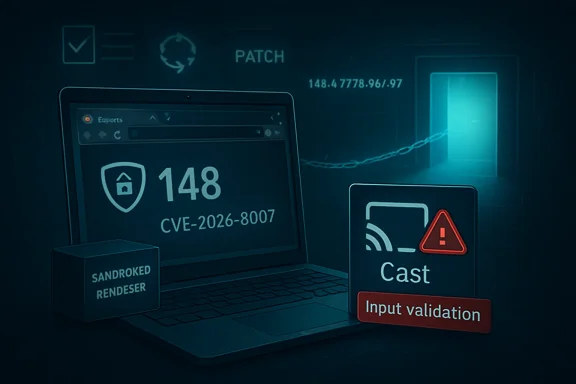 A Low-Severity Chrome Bug Lands in a High-Severity World
Browser security advisories are written for classification systems, not for human fear calibration. Chromium labels CVE-2026-8007 as low severity, while the CISA ADP enrichment attached to the NVD entry gives it a CVSS 3.1 score of 7.5, which lands in high territory. That split is not necessarily a contradiction; it is a reminder that scoring models and browser security teams often ask different questions.Chromium’s severity language tends to account for exploit preconditions and component context. If a flaw requires the renderer to be compromised first, Google can reasonably rank it below a bug that immediately corrupts memory from a web page. CVSS, meanwhile, is trying to express impact across confidentiality, integrity, and availability once the attacker satisfies the stated conditions.
That distinction matters because IT teams often consume CVEs through dashboards that flatten nuance into colors. A “low” item may be ignored in one queue, while a “high” item may trigger emergency patching in another. CVE-2026-8007 is a useful case study in why neither label should be read alone.
The exploit chain described in the CVE is narrow but meaningful. A remote attacker needs to compromise the renderer process, and user interaction is required because the path runs through a crafted HTML page. From there, insufficient validation of untrusted input in Cast could support privilege escalation. That is not the same as saying attackers can instantly own every Chrome installation, but it is also not the same as saying the bug is harmless.
Cast Is Not Just a Living-Room Feature Anymore
Many administrators still think of Cast as a consumer feature: a button that sends YouTube or a browser tab to a TV in a conference room. In practice, browser features have long since stopped fitting neatly into “consumer” and “enterprise” buckets. The same code that makes a living-room convenience possible can exist on corporate laptops, unmanaged BYOD machines, classroom fleets, kiosks, and thin-client-like workstations.That is why Cast’s presence in the advisory is interesting. Media-routing features touch device discovery, local-network assumptions, permissions, presentation APIs, and browser-to-system boundaries. Even when a specific CVE does not reveal enough detail to describe an exploit path, the component name tells defenders something about the attack surface being exercised.
The Chromium bug tracker entry remains restricted, which is normal at this stage. Vendors often keep bug details private until most users have received the fix. That protects users, but it leaves administrators reading the tea leaves from the CVE text, affected versions, and patch release notes.
The defensive takeaway is not to panic about Cast specifically. It is to remember that “optional” browser capabilities are still browser code. If an enterprise does not need media casting, remote playback, or device discovery in managed environments, those features belong in policy review rather than in the category of harmless defaults.
The Renderer Requirement Is a Guardrail, Not a Get-Out-of-Patching Card
The phrase “who had compromised the renderer process” is doing a lot of work. Chrome’s renderer process is where web content is handled, heavily sandboxed because the browser expects hostile input from the internet all day long. A renderer compromise means an attacker has already found a way to execute code inside that constrained part of the browser.Modern browser exploitation rarely stops there. The renderer sandbox is designed to contain the blast, forcing attackers to find a second primitive that escapes, escalates, or reaches a more privileged broker. Bugs like CVE-2026-8007 are concerning not because they are necessarily catastrophic alone, but because they may become valuable as the second or third link in a chain.
That is the paradox of low-severity browser bugs. They may be less useful to a drive-by attacker on their own, yet highly useful to someone building a complete exploit. Attack chains prize reliability and composability. A flaw with high complexity can still be attractive if it pairs well with another vulnerability or bypasses a specific mitigation.
For defenders, this means triage should account for chainability. A renderer precondition should reduce panic, but it should not defer patching indefinitely. The correct conclusion is not “this requires another bug, so ignore it.” The correct conclusion is “this becomes more serious if another bug is available, and Chrome 148 fixed many bugs at once.”
Chrome 148 Was the Real Security Event
CVE-2026-8007 arrived as part of the Chrome 148 stable desktop update, not as a lone emergency patch. Google’s May 2026 desktop release moved the Stable channel to 148.0.7778.96 on Linux and 148.0.7778.96 or 148.0.7778.97 on Windows and macOS. Reporting around the release indicates that the update addressed more than 100 security fixes, including several critical vulnerabilities.That context should change how administrators look at this single CVE. CVE-2026-8007 may be the item in front of us because it appeared in the Microsoft Security Update Guide, but it is riding inside a much larger Chromium security train. The practical patch decision is about the whole train.
This is a recurring reality for Chromium-based browsers. Individual CVEs get names, scores, and database entries, while the browser update is the actual unit of defense. Users do not selectively patch the Cast validation fix. They update Chrome, Edge, Brave, Vivaldi, or another Chromium derivative when the vendor ships a build that incorporates the upstream changes.
That makes version awareness more important than CVE memorization. For Chrome desktop, the line to cross is 148.0.7778.96 or later, with the Windows and macOS .97 build also appearing in the stable release stream. For Microsoft Edge, the relevant question is when the Edge Stable and Extended Stable channels incorporate the corresponding Chromium fixes, because Edge follows its own release packaging even while inheriting upstream Chromium security work.
Microsoft’s Role Is a Mirror, Not a Mystery
The user-facing source here is Microsoft’s Security Update Guide, which is why WindowsForum readers will naturally ask whether this is a Windows vulnerability. The answer is more subtle: it is a Chromium vulnerability tracked by Microsoft because Microsoft Edge is Chromium-based and because Windows fleets commonly depend on Edge even when Chrome is also installed.Microsoft’s Edge security release notes routinely state that new Edge builds incorporate the latest Chromium security updates. That language is bureaucratic, but it captures the dependency chain that now defines browser security on Windows. A vulnerability may originate in Google’s Chromium project, appear in NVD under Chrome, and still be operationally relevant to Microsoft administrators through Edge.
This is not a sign of duplicated blame. It is a sign of shared code. Chromium has become a browser operating layer for much of the web, and its fixes ripple outward. When Chromium patches a bug in Blink, V8, Cast, WebRTC, GPU, or another common component, every downstream browser vendor has to move.
Windows admins should therefore resist the old mental model that treats Chrome and Edge as separate patch islands. They are separate products, with separate update channels and enterprise controls, but many security fixes begin upstream. A browser inventory that ignores either one is incomplete.
The CPE Entry Looks Odd Because Browser Reality Is Odd
The NVD configuration added for CVE-2026-8007 lists Google Chrome versions before 148.0.7778.96 and ties them to Windows, Linux, and macOS operating-system platforms. That can make the entry look as if Microsoft Windows itself is vulnerable. It is not saying that the Windows kernel has the Cast input-validation flaw. It is expressing that vulnerable Chrome builds exist on those operating systems.This is one of the recurring annoyances of CPE data. CPEs are useful for scanners and asset matching, but they often encode product-platform relationships in ways that read strangely to humans. A browser vulnerability on Windows does not necessarily mean a Windows vulnerability. It means the vulnerable application can be installed and run there.
The “Are we missing a CPE?” prompt in NVD entries is also common. It reflects the database’s attempt to map real-world software into structured names that vulnerability-management systems can consume. The absence or presence of a given CPE should not be treated as the sole source of truth for exposure.
For enterprise teams, the better question is operational: where do we run Chromium-based browsers, what versions are installed, and which update channel governs them? CPE matching can help answer that, but it should be checked against endpoint management, browser reporting, and actual executable versions.
The Score Disagreement Is a Warning About Automation
CVE-2026-8007’s metrics are a perfect trap for automated triage. NVD had not yet provided its own CVSS assessment at the time reflected in the entry, while CISA ADP supplied a CVSS 3.1 vector with high impact ratings and high attack complexity. Chromium called the severity low. A dashboard ingesting all of this can produce noise, confusion, or both.The CISA vector describes a network attack requiring no privileges and user interaction, with high attack complexity and high impact across confidentiality, integrity, and availability. That is a plausible model if the exploit chain succeeds. But CVSS is not a substitute for reading the exploit prerequisites.
The right security conversation is not “is it low or high?” It is “what would have to be true for this to matter in our environment?” A consumer browsing random sites on an unpatched Chrome build faces one kind of risk. A managed enterprise with rapid browser updates, site isolation, restricted extensions, and hardened policies faces another. A high-value target exposed to tailored exploit chains faces a third.
Automation should sort queues, not replace judgment. If your vulnerability platform promotes CVE-2026-8007 to urgent because of the CVSS score, the fix is still straightforward: update the browser. If it buries the issue because Chromium called it low, the broader Chrome 148 security update should pull it back into view.
The Crafted HTML Page Is Still the Browser’s Oldest Problem
The attack vector described in the CVE is almost banal: a crafted HTML page. That simplicity is precisely why browser vulnerabilities remain so important. The web’s core promise is that users can visit arbitrary pages, execute complex client-side code, render media, interact with local devices, and leave safely. Every browser security boundary exists because that promise is dangerous.User interaction in the CVSS vector should also be understood realistically. In browser CVEs, user interaction often means visiting a malicious or compromised page. It does not necessarily mean installing malware, approving a scary prompt, or making an obviously bad decision. The web has trained users to click links all day.
That is why patching browsers is not optional maintenance. It is internet-facing attack-surface management. Email gateways, DNS filters, EDR tools, and web isolation products can reduce exposure, but the browser still has to parse hostile input. The parser, renderer, JavaScript engine, media stack, GPU path, and auxiliary features like Cast all become part of the defensive perimeter.
CVE-2026-8007’s weakness classification, CWE-20, is one of the least exotic categories in software security: improper input validation. That is almost the point. Advanced exploitation often begins with unglamorous mistakes. The boundary between trusted and untrusted data is still where software gets hurt.
Enterprise Policy Has to Catch Up With Browser Sprawl
The old enterprise browser problem was choosing a standard. The new enterprise browser problem is enforcing reality after the choice has already been made. A Windows fleet may contain Edge by default, Chrome for compatibility, a developer-installed Chromium build, Electron applications with embedded Chromium, and remote-browser tooling used by contractors or support teams.CVE-2026-8007 applies to Google Chrome before the fixed version, but its lesson is broader. Security teams need visibility into Chromium lineage across the estate. That does not mean every Electron app is affected by this CVE. It means the organization’s attack surface increasingly depends on a shared browser engine that appears in more places than the browser icon on the taskbar.
Managed update controls can help, but only if they are actually enforced. Chrome and Edge both support enterprise policies for update behavior, extension control, site isolation, and feature management. Yet many organizations still discover during incident response that browser updates were left to user sessions, blocked by stale golden images, or delayed by compatibility exceptions no one revisited.
The Cast angle should prompt a policy question as well. If casting is unnecessary on corporate endpoints, disable or restrict it where feasible. If it is required for conference rooms or classrooms, scope it intentionally. Security hardening is rarely about turning off every feature; it is about refusing to leave unused network-adjacent features enabled by accident.
Patch Cadence Beats Patch Theater
There is a performative rhythm to vulnerability response: an advisory appears, dashboards light up, someone asks for a severity call, and a status report follows. Browser security punishes that rhythm because the update cadence is already faster than the meeting cadence. By the time a team has debated one CVE, the browser vendor may have shipped another build.For CVE-2026-8007, the immediate action is not complicated. Chrome should be at 148.0.7778.96 or later on Linux and at the corresponding fixed 148.0.7778.96 or .97 builds on Windows and macOS. Edge administrators should track the Edge stable and extended stable releases that incorporate the latest Chromium security updates and confirm deployment through their management stack rather than assuming Windows Update alone tells the whole story.
The harder part is proving coverage. Browser auto-update works well for many consumers, but enterprise controls can interfere with it. Offline machines, VDI templates, kiosk systems, lab equipment, and rarely rebooted servers with a browser installed all become exceptions that survive long after the headline fades.
Patch discipline also has to include restart behavior. A browser can download an update and still run old code until the application restarts. In user terms, that means the “relaunch to update” button matters. In enterprise terms, it means maintenance windows and forced restarts may be necessary for high-risk populations.
The Bug Details Are Hidden, but the Risk Pattern Is Visible
The restricted Chromium issue link will frustrate researchers who want to know exactly how Cast mishandled input. That frustration is understandable, but it should not stall defensive action. Vendors restrict details because exploit developers read advisories too. The absence of public technical detail is not evidence that the bug is theoretical.The published description is enough to understand the broad shape. An attacker starts in a compromised renderer, supplies crafted HTML, and uses insufficient validation in Cast to escalate privileges. The exact privilege boundary involved is not public, but the phrase “privilege escalation” tells us the impact is about moving beyond an initial constrained context.
That makes this a boundary bug. Boundary bugs are valuable because modern browsers are built from compartments. Renderers are isolated from privileged browser processes. Web content is separated from local devices. Permissions mediate access to microphones, cameras, screens, and network-adjacent features. Any validation mistake across those seams can become leverage.
The low Chromium severity may imply that the bug is hard to reach, limited by preconditions, or less broadly exploitable than scarier memory-safety flaws. But hard-to-reach bugs can still be used by capable attackers. Defenders should not confuse low frequency with low consequence for targeted environments.
Home Users Should Update; Admins Should Verify
For individual users, the advice is blessedly simple: update Chrome, update Edge, and restart the browser. Chrome users can check the About page to trigger an update if it has not already arrived. Edge users can do the same through Edge’s About page, while Windows-managed environments may receive Edge through Microsoft’s update channels and enterprise deployment policies.For administrators, the better move is to verify versions centrally. Browser version reporting from endpoint management, EDR inventory, vulnerability scanners, and software asset tools should converge. If they do not, this is a good moment to find out why. The browser has become too important for “probably updated” to be a defensible answer.
Special attention should go to systems outside the normal workstation lifecycle. Shared conference-room PCs, digital signage boxes, classroom machines, lab workstations, jump boxes, and VDI base images are the places where browser updates quietly fall behind. Ironically, these are also the places where Cast or media features may be more likely to be used.
Organizations with strict change windows should avoid treating browser updates like traditional application upgrades. A major line like Chrome 148 can carry compatibility changes, but security fixes in browsers operate on internet time. The default should be rapid deployment with targeted rollback plans, not broad deferral while every CVE is debated individually.
The Cast Flaw Is Small, but the Browser Supply Chain Is Not
CVE-2026-8007 is not the Chrome 148 headline most users will remember. The larger release included many fixes, including issues rated critical elsewhere in the update. Yet smaller CVEs like this one often reveal more about the security system than the spectacular bugs do.They show how much trust now sits in shared components. They show how Microsoft’s advisory ecosystem and Google’s Chromium process overlap. They show how a single browser engine can create synchronized patch work across Windows, macOS, and Linux. They also show how quickly a seemingly minor feature can become part of a privilege boundary discussion.
The browser supply chain is not just source code. It is release engineering, vendor coordination, CVE enrichment, scanner interpretation, enterprise policy, and user restart behavior. Any weak link can turn a fixed vulnerability into a live exposure. The patch may exist, but the organization is only protected when the patched code is actually running.
That is why the most mature response to CVE-2026-8007 is boring by design. Update. Verify. Restart. Audit policy. Then use the event to improve the machinery that will handle the next Chromium advisory, because there will certainly be a next one.
The Patch Note That Should Change Your Browser Checklist
CVE-2026-8007 does not demand panic, but it does demand precision. The useful response is to treat it as both a specific browser flaw and a reminder that Chromium patching is now core Windows hygiene.- Chrome desktop installations should be updated to 148.0.7778.96 or later, with Windows and macOS systems also seeing the fixed .97 build in the stable release stream.
- Microsoft Edge fleets should be checked against the Edge release that incorporates the corresponding Chromium security updates rather than assuming Chrome’s version number maps directly to Edge.
- The renderer-compromise prerequisite reduces standalone urgency, but it does not eliminate risk because browser exploits are commonly chained.
- Cast and related media-routing features should be reviewed in enterprise policy, especially where they are not required for business use.
- Vulnerability dashboards should not rely on a single severity label when Chromium, CISA enrichment, and NVD state can present different risk signals.
- Browser updates should be verified after restart, because downloaded-but-not-running updates do not close the exposure.
Source: NVD / Chromium Security Update Guide - Microsoft Security Response Center
