

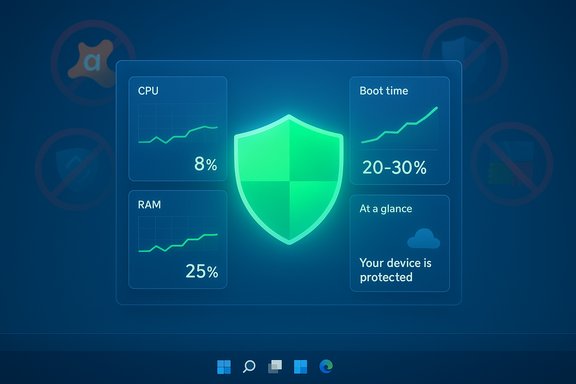
A MakeUseOf writer’s deliberate experiment — uninstalling every third‑party antivirus on a Windows PC and relying solely on Microsoft Defender — produced a counterintuitive result: faster boot times, lower idle resource use, fewer nuisance alerts and no obvious infections during the test period, prompting fresh questions about whether many consumers are paying for a redundant layer of protection they don’t need.
Windows users have long lived with a forked reality: a dominant built‑in security stack shipped for free by Microsoft, and an enormous ecosystem of paid and free third‑party antivirus suites promising extra protection and features. The antivirus and endpoint security market remains a multi‑billion‑dollar business — Impulsec places the sector’s 2025 valuation at roughly $4.25 billion — and commercial suites still play a major role in enterprise procurement and consumer marketing. Over the last five years Microsoft quietly upgraded its built‑in engine, rebranded and integrated it more deeply into Windows, and tied it to modern platform hardening features. Independent lab cycles during 2025 have increasingly shown Microsoft Defender hitting the top marks for protection, performance and usability, shifting the conversation from “is Defender good enough?” to “for whom is it sufficient?” The data from AV‑TEST’s 2025 consumer and business cycles give Defender the maximum 6/6 scores in key product review reports — a technical turning point that matters for risk decisions on home and small business endpoints.
Microsoft’s approach has been to tighten the usability curve: Defender aims to minimize false positives while letting suspicious artifacts be handled through cloud triage or deeper sandboxing when needed. AV‑TEST’s usability metrics (which measure false positives and user disruption) assigned Defender high marks in 2025 cycles, reflecting that the balance between blocking and false alarms has improved materially. For consumers who prize a “set it and forget it” experience, that matters. That said, third‑party suites still win on extras: parental controls, bundled VPNs, identity theft monitoring, cross‑platform management and value‑add subscription services are outside Defender’s core remit and are meaningful for many households.
In short: Microsoft Defender has evolved from “good enough” to “very good” for baseline protection on modern Windows hardware, and a defensible, lower‑friction defender‑only strategy is reasonable for many consumers — but each reader should weigh that option against their specific risk exposure, compliance needs and the value they place on the extra features third‑party suites provide.
Source: WebProNews Ditching Antivirus: Why One Tech Writer’s PC Got Safer Without It
 Background
Windows users have long lived with a forked reality: a dominant built‑in security stack shipped for free by Microsoft, and an enormous ecosystem of paid and free third‑party antivirus suites promising extra protection and features. The antivirus and endpoint security market remains a multi‑billion‑dollar business — Impulsec places the sector’s 2025 valuation at roughly $4.25 billion — and commercial suites still play a major role in enterprise procurement and consumer marketing. Over the last five years Microsoft quietly upgraded its built‑in engine, rebranded and integrated it more deeply into Windows, and tied it to modern platform hardening features. Independent lab cycles during 2025 have increasingly shown Microsoft Defender hitting the top marks for protection, performance and usability, shifting the conversation from “is Defender good enough?” to “for whom is it sufficient?” The data from AV‑TEST’s 2025 consumer and business cycles give Defender the maximum 6/6 scores in key product review reports — a technical turning point that matters for risk decisions on home and small business endpoints. What the MakeUseOf experiment actually did
The experiment that ignited the current debate was simple and reproducible in outline: a Windows user removed every third‑party antivirus and security agent on a desktop machine, allowed Windows Security (commonly called Microsoft Defender) to run as the sole real‑time protector, and documented performance, false positives and any infections over an extended usage period. The writer reported:- a noticeable reduction in boot time (claimed 20–30% improvement);
- idle CPU and RAM falling from double‑digit percentages with third‑party AVs installed to low single digits on Defender alone; and
- far fewer usability interruptions — fewer popups, fewer blocked legitimate downloads — while maintaining protection in everyday browsing, downloads and file use.
Why Defender looks better today: engineering and platform hardening
Microsoft didn’t get here by accident. Defender is no longer a single‑file scanner; it is an integrated, cloud‑assisted, behaviour‑and‑telemetry‑driven security subsystem that leverages Windows platform hardening. Key platform pieces that materially change the attack surface include:- Virtualization‑Based Security (VBS) and Hypervisor‑Protected Code Integrity (HVCI), which isolate critical code‑integrity checks from the main kernel and prevent many kernel‑level tampering techniques. These features are documented, broadly enabled on modern Windows 11 installs, and designed to limit the kinds of kernel‑level attacks that used to let malware survive or evade endpoint software.
- Cloud‑assisted telemetry and behavioral analysis, which allow Defender to offload heavy detection logic to cloud services and to make real‑time reputation decisions without maintaining a massive local signature database. This reduces local disk I/O and update churn for signature files while improving detection of novel threats.
- Tighter OS integration, which removes duplication and reduces the chance that two kernel drivers (one from Microsoft and one from a vendor) will conflict and cause performance or stability problems.
Performance: why users feel the difference
Third‑party suites often offer a rich feature matrix — VPNs, identity monitors, password managers, system clean‑up tools, and extra browser extensions — all of which can increase background workload. A few measurable pathways for performance impact:- Additional kernel‑mode drivers and services can increase context switching and memory pressure, particularly on modest hardware.
- Aggressive file‑system hooks (used to intercept downloads or scan on access) can slow file I/O or inflate perceived application startup time.
- Browser extensions and web‑filtering plugins add latency to page loads and may conflict with the browser’s native protections.
Usability: fewer false positives, fewer interruptions
A common complaint about legacy AV suites is noise: repeated prompts, quarantines or blocks for legitimate applications and installers. That friction can cause users to disable protections or to take unsafe workarounds — ironically increasing risk.Microsoft’s approach has been to tighten the usability curve: Defender aims to minimize false positives while letting suspicious artifacts be handled through cloud triage or deeper sandboxing when needed. AV‑TEST’s usability metrics (which measure false positives and user disruption) assigned Defender high marks in 2025 cycles, reflecting that the balance between blocking and false alarms has improved materially. For consumers who prize a “set it and forget it” experience, that matters. That said, third‑party suites still win on extras: parental controls, bundled VPNs, identity theft monitoring, cross‑platform management and value‑add subscription services are outside Defender’s core remit and are meaningful for many households.
The limits: where a Defender‑only strategy can be risky
The MakeUseOf test is compelling but represents a single user journey — there are several important caveats and real risks readers should understand before extrapolating to broader contexts.- Lab scores are not the same as targeted attack resistance. Defender’s high marks in AV‑TEST confirm it can handle broad classes of commodity malware very well in repeatable scenarios. But adversaries who craft targeted evasion chains, exploit novel kernel or service vulnerabilities, or leverage credential and protocol weaknesses don’t always get caught by signature‑plus‑telemetry models alone. Recent research presented at security conferences has shown real classes of Windows remote and local exploitation that require kernel or platform patches to fully mitigate. CVE‑2025‑33073 is one such example of a logical vulnerability enabling authenticated remote command execution; research on that issue was presented publicly at BSides Munich 2025. That kind of flaw affects the OS and all endpoint products and is not solved by switching AV vendors.
- Enterprise requirements and compliance often mandate third‑party agents. Many corporate policies, regulatory frameworks and managed detection programs insist on vendor agents that integrate with centralized consoles, provide specific telemetry formats, or implement corporate policies (device control, network isolation, managed remediation) in ways Defender’s consumer or unmanaged mode may not. Enterprises frequently require layered defenses — endpoint detection and response (EDR), SIEM integration, application allow‑listing, and network controls — that go beyond the consumer Defender scenario. Tech writing and lab reports agree that for managed, regulated or high‑value environments, layered and centrally controlled protection remains best practice.
- Feature differences matter for some users. Families that want parental controls, privacy‑conscious users that rely on vendor‑supplied VPNs, or people who use specific cross‑platform password managers may value that bundle. Defender’s strength is in baseline protection, not in feature parity with premium suites.
- Single‑case experiments can under‑report low‑probability, high‑impact events. The MakeUseOf author reported no infections during the trial period, but a one‑year anecdote on a single machine does not statistically rule out the possibility of an exploit or a delayed attack vector. Any decision to remove an extra layer should be judged against personal threat model and acceptable risk.
How to evaluate whether you can rely on Defender alone
For readers thinking “maybe I can uninstall the suite and live with Defender,” follow a practical checklist to decide and to harden the endpoint if you do move to Defender‑only protection.- Inventory and risk‑profile your machine(s).
- Are you a high‑value target (developer, IT admin, journalist, financier)? If yes, retain layered protection and tighter controls.
- Confirm Windows version and platform protections.
- Is the device on Windows 11 with hardware that supports VBS/HVCI and Secure Boot? These platform features materially improve resilience for Defender and should be enabled when available. Microsoft documents how VBS and HVCI operate and recommends enabling memory‑integrity features on compatible hardware.
- Remove third‑party suites cleanly.
- Use vendor removal tools or the operating system’s app uninstall process followed by a reboot to ensure kernel drivers aren’t left behind.
- Harden the system around Defender.
- Turn on Windows Update, enable Defender’s Cloud‑delivered protection and tamper protection, and enable Smart App Control / controlled folder access if you handle sensitive documents.
- Compensate for missing features.
- If you need a VPN or cross‑device parental controls, select reputable standalone tools rather than bundling a heavy AV agent.
- Monitor for anomalies and have a response plan.
- Keep backups (ideally air‑gapped or versioned cloud copies), enable file history or system restores, and have a remediation plan if an infection is suspected.
Market and industry implications: is this a trend or a blip?
MakeUseOf’s experiment resonated because it taps into a real tension: why pay $30–$60 per year for suites when the platform provider already includes strong baseline protection? Industry reporting and market data show continued investment in antivirus products, but also growing consumer fatigue with renewals and feature bloat. Impulsec’s market estimate underscores the size of the ecosystem even as usage patterns shift. Analysts and security teams must watch two opposing forces:- Microsoft (and OS vendors) continue to harden the platform and raise the baseline, reducing the marginal protection third‑party AV buys for the average home user.
- Third‑party vendors respond by pivoting to value‑added services (identity protection, VPNs, backup, parental controls) and by improving EDR and enterprise telemetry — areas where Defender for unmanaged home devices is not intended to deliver enterprise features.
What security practitioners say (sober takes)
Security professionals’ reactions clustered into three practical points:- “For most home users on current hardware, Defender is sufficient,” — backed by lab metrics that show high detection and low false‑positive rates in 2025 test cycles. AV‑TEST product reviews gave Defender top scores for protection, performance and usability in recent months, which aligns with the observed low overhead.
- “Defender is not a reason to be careless.” Good hygiene, patching, MFA on accounts, backups and cautious browsing are still the most effective risk reducers.
- “Enterprises still need vendor visibility.” Compliance, centralized detection, and bespoke remediation require tools that integrate into a security operations stack — a Defender‑only posture is usually not enough for corporate threat models.
Practical guidance for readers who want to try the Defender‑only path
- Keep Windows updated and enable platform protections (VBS/HVCI) where hardware supports them. Microsoft’s documentation explains how memory integrity and VBS protect kernel code integrity and why they matter.
- Use Defender’s cloud‑delivered protection and automatic sample submission options to maximize real‑time telemetry value.
- Replace suite extras with targeted standalone tools if needed: a dedicated VPN, a family account manager, and a password manager that fits your privacy needs.
- Maintain a robust backup cadence and test restores. If ransomware is the primary worry, backups are the decisive mitigation.
- Review your threat model: if you regularly handle high‑risk tasks or need central logging and incident response, keep or obtain an enterprise‑grade solution.
Bottom line: less can be more — but not for everyone
The MakeUseOf writer’s experiment is a high‑signal reminder that the best security posture depends on the user’s threat model, hardware, and appetite for management friction. For many ordinary home users on modern Windows 11 hardware, Defender’s improvements — coupled with VBS/HVCI platform hardening and strong lab results in 2025 — make a Defender‑only setup practical and low‑impact. AV‑TEST’s recent top scores for Defender reflect that technical maturity. However, this is not an argument for complacency. Enterprise environments, regulated industries and high‑risk individuals should treat the MakeUseOf story as a data point, not a policy change: layered defenses, centralized telemetry and tailored tooling remain essential where the stakes are higher. The combination of rapid platform patching, good operational hygiene and cautious use of complementary tools will continue to be the prudent path forward.In short: Microsoft Defender has evolved from “good enough” to “very good” for baseline protection on modern Windows hardware, and a defensible, lower‑friction defender‑only strategy is reasonable for many consumers — but each reader should weigh that option against their specific risk exposure, compliance needs and the value they place on the extra features third‑party suites provide.
Source: WebProNews Ditching Antivirus: Why One Tech Writer’s PC Got Safer Without It
