cybercore
New Member
- Joined
- Jul 7, 2009
- Messages
- 15,641
- Thread Author
- #1
Link Removed - Invalid URL
Link Removed - Invalid URL
Link Removed
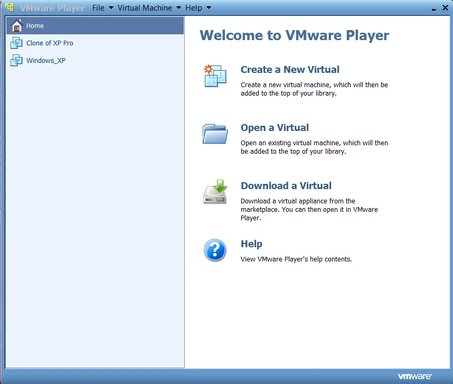
As we know, Link Removed is the free virtualization engine launched by VMware in October 2005.To create and run the new virtual machine we need two files: a virtual machine configuration file (.vmx) and a virtual machine hard disk (.vmdk).
EasyVMX is the online virtual machine builder, all it takes is to fill out your virtual machine parameters such as the number of cpu's, hard disk size, network adapter, etc. When done, you download the .zip with your .vmx and .vmdk files. Very handy.
Link Removed
Other ways to create .vmx and .vmdk:
Link Removed
Link Removed - Invalid URL
Link Removed
As we know, Link Removed is the free virtualization engine launched by VMware in October 2005.To create and run the new virtual machine we need two files: a virtual machine configuration file (.vmx) and a virtual machine hard disk (.vmdk).
EasyVMX is the online virtual machine builder, all it takes is to fill out your virtual machine parameters such as the number of cpu's, hard disk size, network adapter, etc. When done, you download the .zip with your .vmx and .vmdk files. Very handy.
Link Removed
Other ways to create .vmx and .vmdk:
Link Removed
- Link Removed
Released by Alessandro Perilli. It provides a .vmx and a .vmdk.
- Link Removed - Invalid URL
Released by Havard Skrodahl. It’s absolutely the best online virtual machine builder at today. - Link Removed
Released by Robert Petruska and Ulli Hankeln. It’s absolutely the best offline virtual machine builder at today.
- qemu-image
Released by Qemu creator, Fabrice Bellard. It provides only a .vmdk - vmx-builder.cmd
Released by Ulli Hankeln. It provides only a .vmx
Last edited: