

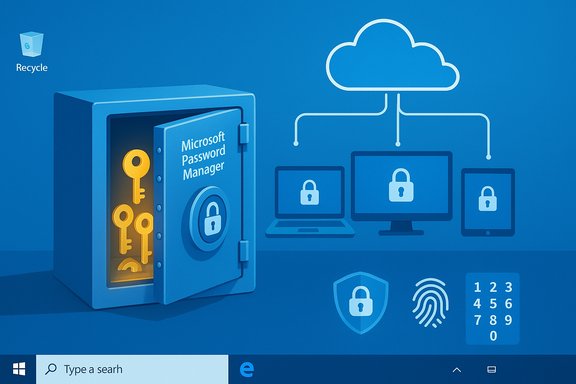
Microsoft’s latest stable update to Edge — version 142 — brings a major step forward for browser-based authentication: Edge can now save and sync passkeys across Windows devices using Microsoft Password Manager, protected by a PIN, and unlocked with Windows Hello. This change takes Microsoft’s long-running push toward passwordless sign‑ins and folds passkeys directly into Edge’s autofill and password-management surface, making it simpler for everyday users to replace fragile passwords with cryptographic, phishing‑resistant credentials while leaving legacy passwords intact for compatibility.
Source: Neowin Microsoft Edge can now store and sync passkeys across devices
 Background
What are passkeys and why they matter
Passkeys are a modern replacement for passwords based on the FIDO (Fast Identity Online) standards and WebAuthn. Instead of a shared secret string, a passkey uses a cryptographic key pair: a private key is kept on the user’s device and a public key is stored by the service. Authentication happens when the private key signs a challenge after local user verification (biometric or PIN) — a flow that prevents phishing, credential stuffing, and replay attacks that plague text passwords. Passkeys are increasingly supported by major browsers, platforms, and sites.Microsoft’s multi-year push toward passwordless
Microsoft has steadily pushed passwordless sign‑in options across consumer and enterprise products — Windows Hello, FIDO security keys, Microsoft Authenticator, and passkeys for consumer accounts. Microsoft’s security messaging highlights usability and security benefits: higher success rates, faster sign‑in times, and lower attack surface compared with passwords. In recent months Microsoft also moved password storage away from the Authenticator app toward Microsoft Edge’s password manager as part of a consolidation strategy.What Edge 142 changes — the essentials
Passkey saving and cloud sync in Microsoft Password Manager
With Edge 142 (Stable), the browser can now offer to generate and save passkeys for supported websites and sync those passkeys via the user’s Microsoft Account. Saved passkeys are stored in Microsoft Password Manager and are protected behind a Microsoft Password Manager PIN that users create when they first save a passkey. Once created, passkeys can be used immediately on that device via Windows Hello (biometrics or device PIN) and moved across Windows devices by signing into Edge and unlocking the passkey vault with the manager PIN. This functionality is rolling out in Edge 142 and initially available on Windows desktop devices.Requirements and scope (what you need to use it)
- Edge version: 142 (Stable) or later.
- Operating system: Windows 10 and newer (feature is currently Windows‑only at rollout).
- Account: A signed‑in Microsoft Account (consumer accounts initially; Entra/enterprise support is being clarified).
How passkeys behave inside Edge
- When visiting a site that supports passkeys, Edge will prompt to create a passkey and save it into Microsoft Password Manager.
- Existing passkeys on the current device can be used by authenticating with Windows Hello (fingerprint, face, or PIN).
- When signing into a new Windows device with the same Microsoft Account, Edge will ask for the Microsoft Password Manager PIN to unlock synced passkeys on that device. The PIN is a vault unlock mechanism distinct from the Windows sign‑in password.
How the feature works in practice
Typical user flow (high level)
- Browse to a supported website and choose “Create passkey.”
- Edge offers to save the new passkey to Microsoft Password Manager. On first use you set a Microsoft Password Manager PIN.
- To sign in later on the same device, use Windows Hello (fingerprint, face scan, or device PIN).
- To use the same passkey on another Windows PC, sign into Edge with your Microsoft Account on that device and unlock passkeys with the Microsoft Password Manager PIN.
Vault security model and recovery
Microsoft states that passkeys are encrypted and stored in the cloud and that the Password Manager PIN protects access to the vault when syncing to a new device. Microsoft also logs PIN unlock and reset attempts using integrity‑protected mechanisms (for example, Azure Confidential Ledger is mentioned as part of the logging/audit chain). There’s a limited number of PIN attempts before recovery steps are required; details and exact thresholds are controlled by Microsoft’s implementation. Administrators and users who require hardware‑backed, non‑exportable authenticators should continue to use security keys (physical FIDO keys) where policy or compliance requires them.Why this is important for Windows users
Benefits — usability and security
- Phishing resistance: Passkeys bind authentications to the website’s origin and cannot be tricked into signing into a malicious replica. This materially raises the bar on account takeover attacks.
- Faster sign‑ins: Removing typed passwords shortens authentication flows and reduces login friction, particularly on mobile and hybrid setups. Microsoft research cites higher success rates and faster sign‑ins with passkeys versus passwords.
- Centralized management (for consumers): Storing passkeys in Microsoft Password Manager provides a single place in Edge to view, manage, and migrate credentials — convenient for users transitioning from Authenticator or other password storages.
Compatibility and continuity
Edge’s passkey support does not remove or disable existing passwords: the password manager continues to store and autofill traditional credentials. Users can adopt passkeys progressively without being forced to abandon passwords immediately. This gradual approach reduces friction for services that do not yet support passkeys.Enterprise and compliance considerations
Microsoft Entra (work/school) accounts
At rollout, the passkey sync capability is targeted at consumer Microsoft Accounts; enterprise support (Microsoft Entra) is being described separately and may have different policy implications. Enterprises that rely on hardware‑backed authenticators, specific attestation levels, or NIST AAL3 assurances should review guidance: syncable password‑manager passkeys typically do not meet the hardware non‑exportability requirements that some high‑assurance policies mandate. Organizations should continue to provision hardware FIDO2 security keys for the most sensitive accounts and use passkeys in contexts where a managed, syncable credential is acceptable.Auditability and admin controls
Microsoft’s mention of logging and Azure Confidential Ledger suggests an attempt to provide tamper‑evident audit trails for passkey vault operations. However, enterprise administrators must confirm whether these logs meet internal compliance standards and whether passkey anchors can be programmatically managed, revoked, or rotated using existing identity management tooling. These operational details will drive adoption in regulated environments.Risks, limitations, and unanswered questions
1. Syncable passkeys vs. hardware tokens — tradeoffs
While syncable passkeys stored in the cloud offer convenience and recovery across devices, they differ from hardware‑bound keys (e.g., a TPM‑protected credential or a USB security key) that cannot be exported. For scenarios that require the highest assurance (e.g., sensitive enterprise roles or regulated industries), cloud‑synced passkeys may not be acceptable because they can be copied or restored if vault protection is compromised. Organizations should treat syncable passkeys as AAL2‑equivalent in many cases, not AAL3.2. Platform coverage and cross‑browser usage
At launch, Edge’s saved passkeys are available on Windows PCs running Edge 142+. Microsoft has signaled plans to expand passkey improvements to other platforms and to provide a plugin that will allow passkeys stored in Edge to be used by third‑party apps and browsers. However, the timing, scope, and cross‑platform behavior (macOS, iOS, Android) remain unspecified; users who rely on heterogeneous device ecosystems should be cautious and avoid assuming full parity with other vendors’ passkey syncing (for example, Apple iCloud Keychain and Google Password Manager implement cross‑device passkey sync differently). This is an area where Microsoft’s roadmap needs clearer dates and technical details.3. Recovery and PIN reset mechanics
Edge’s approach uses a Microsoft Password Manager PIN to protect vault access. While PINs provide local user verification and convenient recovery, they create a secondary secret that can be forgotten. Microsoft provides a recovery path via devices that already have passkey access, but the exact recovery UX, fallback scenarios, and impact on users who lose access to all enrolled devices should be carefully evaluated. Enterprises should map these recovery behaviors to their helpdesk and identity‑recovery policies.4. Third‑party interoperability and standards nuances
Passkey UX and security are shaped both by platform implementations and by the FIDO/WebAuthn standards. Different vendors make subtly different UX and attestation choices (for instance, how biometrics vs. PINs are reported to the relying party). Users who expect a single universal passkey store may encounter fragmentation in the short term. Microsoft’s plugin promise aims to reduce that friction on Windows, but it won’t immediately solve cross‑ecosystem differences.Practical guidance for Windows users
If you’re an everyday Windows user
- Update to Microsoft Edge 142 or newer and sign in with your Microsoft Account.
- When a site prompts to create a passkey, try it — set your Microsoft Password Manager PIN when prompted and enable Windows Hello if your device supports it. This provides both convenience and stronger protection than a password.
- Keep a fallback plan: make sure at least one device remains enrolled with your passkeys or that you record recovery options in your Microsoft Account settings.
If you manage devices for a family or small business
- Encourage adoption on low‑risk accounts first (email, streaming services) to let users gain comfort with the experience.
- Reserve hardware FIDO2 keys for financial, admin, or compliance‑critical accounts.
- Prepare helpdesk guidance for PIN resets and device transfers — document the steps to unlock or reset the Microsoft Password Manager PIN from a device that still has access.
If you’re an enterprise IT or security lead
- Evaluate whether syncable passkeys meet regulatory requirements; where AAL3/hardware‑backed keys are mandated, continue provisioning FIDO2 security keys.
- Test Edge’s passkey flows in a lab environment, verify audit logs and administrative controls, and map the vault‑unlock model into existing identity governance workflows.
- Monitor Microsoft’s roadmap for Entra integration and plugin availability if you plan to rely on Edge passkeys across browsers or apps.
How Edge’s passkey support fits into the larger ecosystem
Microsoft is not alone in bringing passkey sync to browser password managers: Apple (iCloud Keychain) and Google (Google Password Manager) already offer passkey sync across their device ecosystems, and third‑party password managers such as 1Password and Bitwarden have likewise added passkey support. The real question is interoperability: as the industry moves toward passkeys as the default authentication method, how easily users will move passkeys between ecosystems and apps will determine the pace of adoption. Microsoft’s approach — centralizing passkeys in the Microsoft Account and delivering a plugin for use in third‑party apps — is a pragmatic attempt to close gaps for Windows users, but full cross‑platform parity will take coordination across vendors and time.Strengths and notable innovations
- Integration with Windows Hello keeps biometric verification local and consistent with Windows sign‑in UX, reducing friction.
- Cloud sync via Microsoft Account solves device migration and recovery for many consumers who already rely on a Microsoft Account.
- Preserves existing passwords and autofill workflows, which aids a gradual transition and reduces user disruption.
- Audit and logging emphasis (Azure Confidential Ledger references) shows Microsoft is thinking about traceability and tamper evidence for vault operations, an important enterprise consideration.
What to watch next — roadmap signals
- Microsoft has indicated plans to expand passkey sync and the passkey plugin to other platforms and to integrate with third‑party apps and browsers on Windows. Watch for announcements with concrete timelines for macOS, iOS, and Android support, and for the official plugin release that enables Edge‑stored passkeys to be used outside Edge. These deliverables will materially impact cross‑device usability.
- Enterprise adoption will hinge on clearer Microsoft Entra guidance for organizational accounts: whether syncable passkeys will be supported in managed Entra tenants, and how admin controls, attestation, and policy enforcement will be exposed to IT.
- Interoperability standards and vendor choices around attestation, biometric reporting, and hardware assurances will shape which passkey implementations users trust for high‑value accounts. Follow FIDO Alliance developments and vendor release notes for changes to attestation and attestation‑related APIs.
Final analysis — practical verdict for Windows users
Microsoft Edge 142’s addition of passkey saving and syncing via Microsoft Password Manager is an important and practical advancement for Windows users that reduces friction for adopting passwordless security. The implementation brings passkeys closer to mainstream use by integrating with the familiar Microsoft Account and leveraging Windows Hello for local verification — a combination that should improve both security posture and daily usability for many people. However, there are caveats. Syncable passkeys are a tradeoff between convenience and the absolute security guarantees of hardware‑bound keys. Enterprises with stringent assurance requirements should not substitute syncable passkeys for hardware FIDO2 keys without careful policy review. Consumers who rely on multiple ecosystems (Apple, Google, Microsoft) should expect a transition period as vendors harmonize passkey UX and plugins appear to bridge cross‑browser gaps. Finally, certain operational details — precise PIN attempt limits, full Entra support timelines, and the plugin release schedule — are still being clarified and should be considered unknowns until Microsoft publishes definitive documentation. In short: Edge 142 makes passkeys more accessible for Windows users today and cements Microsoft’s direction toward a passwordless future — but successful, secure adoption will require attention to recovery flows, regulatory requirements, and cross‑platform interoperability in the months ahead.Source: Neowin Microsoft Edge can now store and sync passkeys across devices
