

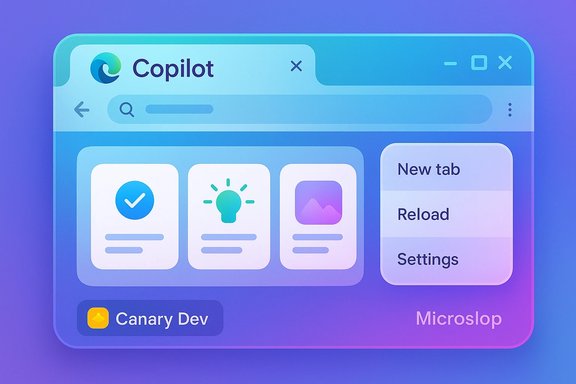
Microsoft’s Edge browser is quietly wearing Copilot’s clothes: test builds in the Canary and Dev channels show a Copilot‑inspired visual overhaul that applies the assistant’s color palette, fonts and softer geometry to Edge’s settings, context menus and new‑tab surfaces — and that visual unification is already provoking a vocal backlash under the meme label “Microslop.”
Microsoft has been folding its Copilot branding and capabilities across its product family for more than a year, promoting the assistant as the default way to discover search, summarization and automation features inside Windows, Office and Edge. The current Edge experiment is being surfaced in preview channels (Canary/Dev) as a UI re‑skin that borrows heavily from the Copilot app’s aesthetic while leaving many of the functional, agentic features opt‑in. That distinction—visual parity without identical behavior—matters for how users perceive the change. At the same time, a broader public conversation about quality and product design has hardened into a cultural shorthand: the term “slop” (popularized in wider discourse and picked up by Microsoft’s CEO in a recent post) now labels low‑value or poorly integrated AI features. Social media’s rapid nickname “Microslop” captures the sentiment that Microsoft is bundling a lot of AI‑first experiences into its software without adequate polish or user control. That cultural moment provides the context for the reaction to Edge’s Copilot look.
Two likely outcomes are possible:
The current public reaction — summarized in the “Microslop” meme — is less about aesthetics than about trust. Users are reacting to a pattern of AI‑first placements that sometimes feel rushed and opaque. Microsoft’s path forward must therefore be operational as much as aspirational: deliver demonstrable reliability, publish granular controls and telemetry, and provide enterprises the governance tools they need.
For Windows and Edge users the practical advice is simple: if you’re curious, try the Canary/Dev builds in a sandbox; if you’re cautious, keep Copilot Mode off and run Stable; if you manage devices, enforce policies and test thoroughly. The Copilot look may reach everyone eventually — but whether that change will be perceived as helpful polish or forced rebranding depends on Microsoft’s next moves in governance, documentation and listening to user feedback.
Source: TechRadar https://www.techradar.com/computing...-copilot-and-its-already-seriously-unpopular/
 Background
Microsoft has been folding its Copilot branding and capabilities across its product family for more than a year, promoting the assistant as the default way to discover search, summarization and automation features inside Windows, Office and Edge. The current Edge experiment is being surfaced in preview channels (Canary/Dev) as a UI re‑skin that borrows heavily from the Copilot app’s aesthetic while leaving many of the functional, agentic features opt‑in. That distinction—visual parity without identical behavior—matters for how users perceive the change. At the same time, a broader public conversation about quality and product design has hardened into a cultural shorthand: the term “slop” (popularized in wider discourse and picked up by Microsoft’s CEO in a recent post) now labels low‑value or poorly integrated AI features. Social media’s rapid nickname “Microslop” captures the sentiment that Microsoft is bundling a lot of AI‑first experiences into its software without adequate polish or user control. That cultural moment provides the context for the reaction to Edge’s Copilot look. What Microsoft is testing in Edge (what we can verify)
Visual changes visible in preview builds
- Context menus and right‑click panels are showing rounder corners, revised spacing and Copilot‑style color accents.
- Settings pages are being restyled to echo Copilot’s layout and typography.
- New Tab Page (NTP) variants in some test builds replace or augment the MSN/Bing feed with Copilot‑style compose/search areas and AI‑curated cards when Copilot Mode is enabled; otherwise the classic feed persists for users who don’t opt into Copilot Mode.
The functional split: appearance vs agentic features
Microsoft appears to be decoupling the visual language from the agentic features. In plain terms: Edge can look Copilot‑like even when the assistant’s cross‑tab actions and Journeys are disabled. When you enable Copilot Mode, the New Tab Page becomes a more assistant‑centric workspace with Journeys cards and compose/chat affordances; when Copilot Mode is off, Edge still sometimes carries the Copilot visual styling while retaining the older NTP content. This decoupling preserves rollout flexibility but creates friction: users may feel an AI identity has been forced onto the browser even if agentic features are not active.Why Microsoft is making this move (strategy and product rationale)
Microsoft’s strategic goal is straightforward: make the Copilot brand the consistent identity for AI‑first experiences across Windows and its apps. A unified visual language reduces cognitive friction when users move between the Copilot app, Windows Copilot surfaces, and Edge. It also increases discovery and adoption of Copilot features: when the browser already “looks like Copilot,” the assistant feels like a native part of the experience rather than an add‑on. Product teams benefit too: a single design language speeds iteration and cross‑product reuse of components and patterns. There’s also a market logic: Edge hasn’t unseated Chrome’s dominance, and bundling a distinctive assistant experience into Edge is a lever Microsoft can try to increase stickiness and differentiate the browser. However, strategic clarity does not automatically translate into user consent — and that’s the central tension unfolding right now.User reaction: the “Microslop” backlash
Across social platforms and enthusiast forums, the immediate reaction has been negative from a vocal subset of Windows users. Criticisms fall into three buckets:- Aesthetic fatigue and distrust — users who feel Microsoft is changing the look and behavior of system components repeatedly and without clear opt‑outs.
- Privacy and telemetry anxiety — when UI signals imply AI is present, users worry about what data is being sent, when and why.
- Performance and reliability concerns — agentic features can add CPU, memory and network use; users on older machines fear regressions.
Privacy, telemetry and enterprise concerns
The most consequential public questions about Copilot in Edge are about data flows, consent, and administrative governance. These are not hypothetical: Microsoft’s own documentation for Copilot Journeys and Copilot Mode clarifies that some features operate only when users opt in and that Journeys data is automatically deleted after a retention window (for example, Journeys cards are replaced and underlying data is purged on a schedule). Enterprise policies exist for Copilot Mode, but many policy knobs remain labeled “preview” or limited in scope during early testing. Key governance points to watch:- What exactly is sent to Microsoft services when Copilot analyzes a page or aggregates content across tabs?
- How long is browsing context retained server‑side, and how can admins enforce retention, export and audit?
- Will Admin Center/Intune/GP templates provide timely, reliable toggles to disable Copilot Mode or block Page Context in managed environments?
Performance, accessibility and compatibility implications
Agentic browsing features and richer compositional UI can increase system resource use. Practical effects include:- Increased CPU and memory use for on‑device preprocessing or real‑time transcription.
- More network traffic when page context is sent to remote models or when models fetch additional content.
- Accessibility regressions if the new UI diverges from established keyboard and screen‑reader patterns.
- Potential conflicts with extensions that hook into menus or the omnibox.
Design implications: Fluent vs Copilot look
Microsoft has historically used Fluent Design as a cross‑product visual framework. The Copilot aesthetic departs from some Fluent conventions: heavier emphasis on rounded corners, a different typographic scale, and palette shifts that signal an “assistant personality.” That divergence is meaningful: it’s not just a coat of paint, it’s a different product identity.Two likely outcomes are possible:
- Microsoft uses Copilot styling only for AI‑first surfaces, retaining Fluent for legacy productivity apps.
- Microsoft gradually makes Copilot the dominant consumer aesthetic, which would create a broad visual shift across Windows and Office over time.
Practical guidance: how to try, avoid or control these features
For power users, privacy‑minded users and IT administrators the immediate actions are different. Here’s a practical checklist.- If you want to try the Copilot‑styled UI:
- Install Edge Canary or Edge Dev (these channels contain preview experiments).
- Enable Copilot Mode via the experimental flags or the official opt‑in page aka.ms/copilot‑mode (availability varies by account/region).
- Test Journeys and compose features, and inspect how Page Context prompts behave.
- If you want to avoid Copilot agentic features while Edge adopts the visual language:
- Don’t enable Copilot Mode and check New Tab Page settings; some preview builds still apply Copilot visuals even with Mode off, so treat the browser chrome as a cosmetic change only.
- Keep Canary/Dev off production machines—use Stable/Beta on work devices.
- For IT administrators:
- Review and apply Copilot Mode policies via Group Policy or Intune; Microsoft’s management documentation lists policies for enabling/disabling Copilot Mode and controlling New Tab Page behavior (note: some policies remain in preview).
- Test builds in a controlled lab and confirm audit logs, telemetry behavior and policy enforcement before broad rollout.
Risks Microsoft must manage
- Trust erosion: Repeated UI and feature nudges without transparent defaults and controls can reduce long‑term user trust. The Microslop meme is the market’s shorthand for that risk.
- Regulatory attention: A design that channels users toward Microsoft’s own services raises competition and consumer choice questions in jurisdictions already scrutinizing Big Tech.
- Security and compliance: Agentic features that read page content need robust provenance logs, auditable actions and enterprise governance to be usable in regulated environments.
- Performance fragmentation: If Copilot‑first features materially increase resource use, users on older hardware will resent perceived forced upgrades.
Strengths and potential upsides
It’s not all downside. If Microsoft executes well, the Copilot infusion into Edge could produce real gains:- Faster discovery of AI workflows — non‑technical users might find summarization, cross‑tab synthesis and voice input genuinely useful if surfaced cleanly.
- Unified UX for AI tasks — consistency across Copilot surfaces reduces cognitive load for users who already use Copilot elsewhere.
- Opportunity for enterprise automation — permissioned, auditable agents could speed routine tasks if Microsoft provides governance and strong reliability.
What Microsoft should do next (practical recommendations)
- Publish precise telemetry documentation for Copilot Mode and Journeys, including endpoints, retention schedules and opt‑out mechanics.
- Ship immediate, clearly visible toggles to disable Copilot visuals, New Tab Journeys and Page Context on both consumer and managed devices.
- Provide a public, machine‑readable changelog and A/B test disclosures for major UI experiments in Canary/Dev so power users and admins can track what’s being rolled out.
- Prioritize resource and accessibility testing against a range of hardware configurations, and publish benchmark results comparing pre/post‑integration performance.
- Engage independent auditors for privacy and safety assessments of agentic features intended for enterprise use.
A few claims to treat cautiously
- Assertions that Microsoft will rename Windows to “Windows Copilot” or otherwise rebrand the OS are speculative and not confirmed by Microsoft; treat such claims as conjecture unless and until official product naming changes are announced.
- Any precise telemetry or internal retention timelines beyond what Microsoft’s support pages explicitly state remain provisional until Microsoft publishes full technical documentation.
Conclusion
The Edge Copilot redesign in preview channels is a visible manifestation of Microsoft’s strategic choice: fold Copilot’s visual and interaction language into mainstream product surfaces to accelerate discovery and adoption. That strategy has clear benefits for coherence and onboarding, but it also carries meaningful downsides if executed without transparent controls, rigorous performance safeguards and privacy guarantees.The current public reaction — summarized in the “Microslop” meme — is less about aesthetics than about trust. Users are reacting to a pattern of AI‑first placements that sometimes feel rushed and opaque. Microsoft’s path forward must therefore be operational as much as aspirational: deliver demonstrable reliability, publish granular controls and telemetry, and provide enterprises the governance tools they need.
For Windows and Edge users the practical advice is simple: if you’re curious, try the Canary/Dev builds in a sandbox; if you’re cautious, keep Copilot Mode off and run Stable; if you manage devices, enforce policies and test thoroughly. The Copilot look may reach everyone eventually — but whether that change will be perceived as helpful polish or forced rebranding depends on Microsoft’s next moves in governance, documentation and listening to user feedback.
Source: TechRadar https://www.techradar.com/computing...-copilot-and-its-already-seriously-unpopular/
