

Microsoft Is Treating the Endpoint as the Security Boundary
Microsoft’s response leans on a familiar maxim: if an attacker already has control of your device, the game is largely over. In a narrow sense, that is true. Malware running under the right user context can often steal cookies, session tokens, browser databases, screenshots, keystrokes, and the decrypted output of password managers at the moment those passwords are used.
But security engineering is not just about asking whether an attacker has breached a boundary. It is about asking what the attacker can do next, how quickly, how quietly, and at what scale. A design that decrypts one password when the user needs it is different from a design that reportedly decrypts the whole vault when the browser launches.
That distinction matters because attackers do not live in whiteboard threat models. They live in dwell time, privilege escalation, remote monitoring tools, memory dumps, terminal servers, and opportunistic credential harvesting. The endpoint may already be compromised, but the blast radius is still a design choice.
Microsoft’s formulation also turns a product decision into a user hygiene problem. Keep Windows updated, run antivirus, avoid malware — all sensible advice, and none of it addresses why every saved browser password should be resident in cleartext before the user has tried to sign in anywhere.
Plaintext in Memory Is Normal; Plaintext at Startup Is the Fight
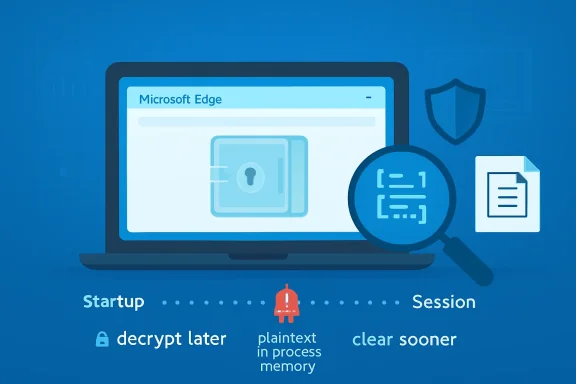
No password manager can perform magic. To autofill a password, display it, sync it, or submit it to a website, the software must at some point decrypt the secret and hold it in memory. The useful argument is not whether plaintext ever exists. It is whether plaintext exists only when needed and whether it is minimized afterward.
That is why the researcher’s comparison with other Chromium-based browsers is so important. Edge, Chrome, Brave, Opera, Vivaldi, and others share a common foundation, but they do not all make identical choices above that foundation. According to the public claim, Edge is unusual because it loads the entire saved-password set into cleartext memory at startup, while Chrome exposes credentials in memory more selectively when the user invokes password viewing or autofill.
If that characterization holds, Edge has turned a just-in-time secret into a session-long inventory. The password for a bank, a domain admin portal, a SaaS console, and an abandoned forum login may all be sitting in the same process before the user has opened a single matching site. That makes the attacker’s job simpler: dump the browser process, search memory, extract strings, repeat.
The irony is that Edge can still ask users to authenticate before showing passwords in its interface. That prompt reassures the human at the keyboard, but it does not necessarily mean the password was unavailable inside the browser process. Security UI can protect against shoulder-surfing and casual local access while doing much less against malware or an administrator with memory access.
The “Already Compromised” Argument Has a Scale Problem
Microsoft is not wrong that the reported scenario assumes a bad starting point. An attacker scraping Edge process memory has already obtained code execution, sufficient privilege, or administrative reach. In consumer support language, that is the moment when vendors often say the system is compromised and no application-level guarantee can survive.
Enterprise IT hears something different. It hears that a common browser may convert endpoint compromise into bulk credential compromise faster than necessary. On a single laptop, that is bad enough. On a remote desktop host, virtual desktop environment, jump box, or shared administrative workstation, it becomes more than a consumer-browser quirk.
Terminal servers are the obvious nightmare case because they concentrate logged-in users and long-running sessions. If an attacker gains administrative access to the host, process memory across users becomes a rich target. In that setting, Edge’s alleged startup behavior could mean many users’ saved passwords are ready to harvest even if those users did not browse to the relevant sites during the attacker’s window.
The same logic applies to managed desktops where users keep Edge open all day. Modern browsers are not occasional applications anymore; they are shells for work. If the browser launches at login and remains running until shutdown, startup decryption becomes all-day exposure.
Convenience Keeps Winning the Password Manager War
The built-in browser password manager exists because convenience beat purity. Users reuse passwords, write them down, forget them, and ignore external tools unless those tools are frictionless. Browser vendors responded by making password capture and autofill a default part of the web experience.
Microsoft has gone further by tying Edge into Windows, Microsoft accounts, Windows Hello, sync, enterprise policy, and identity workflows. From the product manager’s view, decrypting credentials early can look like a performance optimization. Users expect sign-ins to be instant, prompts to be minimal, and autofill to work without ceremony.
That is the trap. Every saved millisecond and removed prompt becomes part of a security bargain most users never knowingly accepted. The browser says, in effect: trust us to keep the vault available so the web feels seamless. The researcher’s claim says Edge may be keeping that vault more available than users imagine.
This is the kind of trade-off that tends to survive until someone demonstrates it plainly. A vendor can defend it as expected behavior, but public perception changes once the behavior is reduced to a screenshot, a memory dump, or a one-line summary: Edge loads all saved passwords into plaintext memory at startup.
Edge’s Password Story Was Already in Transition
The timing is awkward because Microsoft has already been reshaping Edge’s password model. The company has been moving users away from a custom primary password option and toward device authentication such as Windows Hello. That shift can be presented as modernization: fewer separate secrets, more biometric or PIN-backed device flows, less user confusion.
But the plaintext-memory report complicates the sales pitch. If users believe the prompt protecting their password list is the vault boundary, they may misunderstand what that prompt actually protects. Device authentication can govern access through the user interface, but it does not automatically imply that credentials are never resident in process memory.
This distinction is subtle, which is exactly why it matters. A user sees Windows Hello and thinks, “My passwords are locked.” A security engineer asks, “Locked where, against whom, and at what point in the application lifecycle?” Those are different conversations.
Microsoft could argue that the prompt is meant to prevent unauthorized viewing by someone sitting at the keyboard, not to defend against memory inspection on a compromised machine. That may be true. It also means the product’s security story is narrower than the interface suggests.
Chromium Is a Family, Not a Monoculture
One lazy reading of this story is that all Chromium browsers are equally implicated. That is not the allegation. The claim is precisely that Edge behaves differently from other Chromium browsers tested.
Chromium provides major plumbing: rendering, storage patterns, platform integration hooks, and a great deal of browser architecture. But vendors still make decisions about account systems, sync, identity prompts, enterprise policies, telemetry, memory handling, and user experience. Edge is not simply Chrome with a different icon; Microsoft has spent years making sure of that.
That differentiation cuts both ways. Edge’s deep Windows integration is a selling point when it enables management, authentication, and deployment controls. It becomes a liability when the integration or optimization choices appear to create unusual credential exposure.
The browser market has long treated password managers as sticky features. Once a user’s passwords live inside a browser, switching becomes harder. That stickiness increases the vendor’s responsibility to be conservative with secret handling, because the user is not merely choosing a rendering engine. They are entrusting the browser with a map of their digital life.
Memory Scraping Is Not Theoretical Enough to Ignore
Credential-stealing malware has spent years targeting browsers because browsers are where the credentials are. Infostealers do not need philosophical certainty about whether local compromise ends the game. They need useful artifacts: cookies, tokens, local databases, wallet files, session data, and passwords.
A browser that keeps more secrets decrypted for longer gives that ecosystem a better target. It may not create a remote exploit by itself, and it may not bypass the need for malware execution. But it can change a post-compromise operation from “wait for the user to visit interesting sites” or “invoke decryption flows” into “read the process and collect everything now.”
That is why the difference between encrypted-at-rest and cleartext-in-memory should not be waved away. Encrypted-at-rest protects against some offline theft scenarios. Runtime exposure is a different problem, but it is the problem attackers increasingly care about because users keep sessions alive and devices unlocked.
Security teams already know this. They monitor for suspicious process access, credential dumping tools, browser data theft, and abnormal memory operations. If Edge’s behavior is as described, defenders now have one more reason to treat browser processes as high-value credential containers, not just web clients.
Microsoft’s Statement Is Technically Careful and Politically Clumsy
Microsoft’s comment says safety and security are foundational to Edge, that the described access would require a compromised device, and that design choices balance performance, usability, and security. This is the language of a company trying not to concede a vulnerability classification. It is also the language of a company that knows a simple patch note may not be forthcoming.
The company’s position may be that this is not a security boundary violation. In many vendor programs, local administrative access or same-user compromise does not qualify as a traditional vulnerability because the attacker can already do so much. That framework is real, and it prevents bug bounty programs from drowning in reports that amount to “malware can read user data.”
But customer trust is not governed only by vulnerability taxonomies. Users care whether the browser is handling passwords in the least risky reasonable way. Enterprises care whether product behavior increases the yield of a compromise. Journalists care whether “by design” sounds like accountability or evasion.
The better response would be more specific. Microsoft could explain why Edge decrypts credentials at startup, whether all passwords remain resident, how long they persist, what mitigations exist, whether enterprise policies can alter the behavior, and whether a change is under review. “A compromised device is compromised” is an answer, but it is not the answer users deserve.
The Enterprise Fix Is Boring, Which Is Why It Will Work
For businesses, the immediate lesson is not to panic-uninstall Edge. That would be theater unless the organization has a realistic replacement plan and understands the equivalent risks in other browsers. The more durable lesson is to stop treating built-in browser password managers as the right place for broad enterprise credential storage.
A managed password manager can enforce stronger vault unlock rules, sharing controls, auditability, conditional access, and administrative policy. It can also separate credential storage from the browser vendor’s performance choices. That does not make it invincible; any password manager must decrypt secrets at some point. But it gives security teams a purpose-built control plane instead of a convenience feature bolted into a browser.
Least privilege matters here as much as product selection. If users run with unnecessary local admin rights, if remote desktop hosts are loosely administered, if endpoint detection is noisy or absent, then any browser-password debate becomes secondary. Attackers will take whatever is easiest.
Still, architecture matters. A company that stores privileged credentials in Edge profiles across shared machines is making a bet it may not understand. This report should force that bet into the open.
Consumers Should Not Confuse “Not a Vulnerability” With “No Risk”
For home users, the practical advice is more nuanced than “never save passwords in Edge.” Browser password managers are vastly better than reusing the same password everywhere. They generate stronger passwords, reduce typing, and can blunt some phishing patterns when autofill refuses to appear on the wrong domain.
But users should understand the hierarchy. A dedicated password manager with a strong master password and good device hygiene is usually a better long-term home for important credentials. Multifactor authentication is essential, especially for email, banking, cloud storage, Microsoft accounts, Google accounts, Apple accounts, and anything that can reset other passwords.
The biggest risk for most consumers remains malware and phishing, not a forensic memory attack by a person sitting at the machine. Yet those categories overlap. Infostealers are malware, and infostealers love browsers. If Edge is making the whole password set available in memory at launch, that is relevant to ordinary users, not just red teams.
There is also a simple behavioral point: do not store everything just because the browser offers. The password for a throwaway recipe site and the password for your retirement account do not deserve the same convenience calculation. The more sensitive the credential, the stronger the case for moving it out of the browser.
The Real Test Is Whether Microsoft Narrows the Window
The right engineering answer is not mysterious. Decrypt less. Decrypt later. Clear sooner. Make sensitive memory harder to scrape. Give administrators policy controls. Explain the threat model plainly.
None of those steps would make Edge immune to malware on a compromised machine. That is not the standard. The standard is whether Edge can reduce unnecessary exposure without wrecking the user experience that made browser password managers popular in the first place.
If Chrome and other Chromium browsers can operate with more selective credential decryption, Microsoft will face pressure to justify why Edge cannot. Performance arguments may exist, but they need evidence. Usability arguments may exist, but they need to be weighed against the fact that passwords are not thumbnails, cookies, or cached scripts.
The phrase plaintext at startup is going to stick because it is easy to understand. It collapses a complicated implementation debate into a user-level concern: my browser may unlock all my passwords before I ask it to use any of them. Microsoft can dislike that framing, but it cannot PR its way around the underlying question forever.
The Edge Password Report Leaves IT With Fewer Comfortable Assumptions
The immediate response should be neither panic nor dismissal. The report does not mean every Edge user has been hacked, but it does mean Edge’s password manager deserves a harder look in environments where endpoint compromise, shared hosts, or privileged credentials are realistic concerns.
- Microsoft Edge reportedly decrypts all saved passwords at startup and keeps them in cleartext process memory for the browser session.
- Microsoft’s position is that accessing this data requires an already compromised device, and that browsers need password data in memory to support sign-in features.
- The disputed design choice is not whether passwords ever become plaintext, but whether the entire vault should become plaintext before any specific credential is needed.
- Enterprise administrators should reconsider storing privileged or broadly reusable credentials in built-in browser password managers, especially on shared or remote-access systems.
- Consumers should keep using unique passwords and multifactor authentication, but should consider a dedicated password manager for high-value accounts.
- Microsoft’s credibility will depend on whether it documents the behavior clearly, offers policy controls, or changes Edge to reduce credential residency in memory.
Microsoft has spent years turning Edge from the browser Windows users tolerated into the browser Microsoft wants them to trust with identity, work, shopping, sync, and passwords. That trust is not destroyed by one memory-handling report, but it is tested by the company’s willingness to treat “by design” as the beginning of the conversation rather than the end. If the future of Windows security is passwordless, passkey-driven, and bound tightly to device identity, then the transition period demands more restraint around the passwords users still depend on today.