

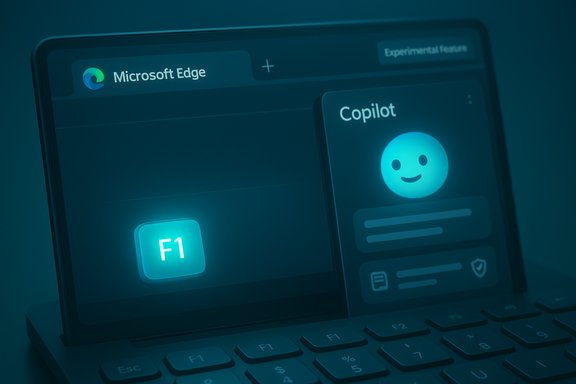
Microsoft is quietly re-routing the venerable F1 help shortcut in Microsoft Edge so it summons Copilot in the sidebar during testing — a small change with outsized implications for usability, privacy, and enterprise control that every Windows user and IT pro should notice now.
Microsoft Edge has for years honored a simple desktop convention: press F1 and you get help — typically a support page, the Get Help app, or a static documentation site explaining browser features and troubleshooting steps. That has been the expectation for novices and power users alike, and it’s one of the small, muscle‑memory shortcuts people rely on when something goes wrong. Recent test builds in Edge’s development channels are trying a different route: instead of opening the traditional support page, F1 can open Copilot in the Edge sidebar — the built‑in AI assistant that can answer questions, summarize content, and perform guided troubleshooting inside the browser. This behavior is experimental and currently visible only in certain pre‑release builds and community reports, not yet the stable release that most users run.
Microsoft’s push to make Copilot the primary in‑browser assistant is part of a broader strategy to embed AI across Edge and Windows. Copilot Mode, Copilot Actions, Journeys and other features are delivered as opt‑in toggles that let the assistant reason across tabs, execute multi‑step browser tasks, and offer contextual guidance when allowed to access page content or browsing history. Microsoft’s official pages describe Copilot as a sidebar assistant you can enable or disable, and they outline controls for page context, personalization, and permissions. Independent coverage of Copilot Mode and the assistant’s growing role in Edge confirms the company’s strategy to make Copilot more discoverable and central to the browser experience.
Practical mitigation is straightforward: confirm the behavior in your environment, disable the Copilot sidebar or block non‑stable channels if you need the old behavior, and update help documentation to reflect the new reality. Above all, administrators and users should treat this as an experiment in progress: expect Microsoft to iterate, communicate, and, if necessary, provide clearer opt‑outs as Copilot becomes more deeply woven into Edge.
Source: Windows Report Look, Microsoft Edge's F1 opens Copilot for Browser Help, Not the Help Page!
 Background / Overview
Microsoft Edge has for years honored a simple desktop convention: press F1 and you get help — typically a support page, the Get Help app, or a static documentation site explaining browser features and troubleshooting steps. That has been the expectation for novices and power users alike, and it’s one of the small, muscle‑memory shortcuts people rely on when something goes wrong. Recent test builds in Edge’s development channels are trying a different route: instead of opening the traditional support page, F1 can open Copilot in the Edge sidebar — the built‑in AI assistant that can answer questions, summarize content, and perform guided troubleshooting inside the browser. This behavior is experimental and currently visible only in certain pre‑release builds and community reports, not yet the stable release that most users run.Microsoft’s push to make Copilot the primary in‑browser assistant is part of a broader strategy to embed AI across Edge and Windows. Copilot Mode, Copilot Actions, Journeys and other features are delivered as opt‑in toggles that let the assistant reason across tabs, execute multi‑step browser tasks, and offer contextual guidance when allowed to access page content or browsing history. Microsoft’s official pages describe Copilot as a sidebar assistant you can enable or disable, and they outline controls for page context, personalization, and permissions. Independent coverage of Copilot Mode and the assistant’s growing role in Edge confirms the company’s strategy to make Copilot more discoverable and central to the browser experience.
What changed: the F1 shortcut and the “Help via Copilot” test
What testers are seeing
- In select Edge Dev/Canary builds, the traditional Help and Feedback → Help menu entry that listed the F1 shortcut now includes a “Help via Copilot” option.
- Pressing F1 in those builds opens the Copilot sidebar and, in at least one hands‑on report, pre‑populates the assistant with a session instruction along the lines of: “All queries in this session are related to Microsoft Edge. Provide specific guidance and wait for user input before responding.” That exact phrasing is reported from a third‑party preview and has not been published in Microsoft’s official docs. Treat that particular string as an observation from a tester rather than an official policy statement.
What remains unchanged (for now)
- In the current stable Edge release, F1 still opens the browser’s regular Help and Learning web page or surfaces the Get Help flow; the experimental Copilot mapping is being tried in non‑stable channels only. Microsoft’s support pages and guidance continue to describe the Copilot sidebar as an opt‑in feature invoked via the Copilot icon or settings, not via a mandatory keyboard remap.
Why Microsoft might be doing this
Microsoft’s product strategy is clear: make Copilot the primary route for assistance and browsing help to create a more interactive, context‑aware support experience inside Edge. Several motivations converge here:- Faster contextual help: Copilot can read the page, examine open tabs (with permission), and offer troubleshooting tailored to the current tab — something a static help page cannot do. This can reduce clicks and accelerate resolutions for many everyday tasks.
- Stronger product discovery: Exposing Copilot via a familiar shortcut (F1) or an address‑bar prompt nudges users to try Microsoft’s assistant instead of third‑party alternatives, increasing adoption of Microsoft’s AI stack. Independent reporting has documented similar UI nudges that surface Copilot when users visit competing AI sites.
- Unified assistance model: Microsoft is shifting from page‑centric help to an assistant‑driven model where help is conversational, multi‑turn, and potentially agentic (able to propose or run steps in the browser). This aligns Edge with the broader “AI browser” trend seen across the industry.
User impact: one shortcut, many ripples
Usability and muscle memory
For millions of users, F1 is a reflex. Changing that mapping can be convenient for users who prefer conversational help, but it will confuse those who expect a web help page or the Get Help app. The change is small on the surface, but it can create friction in learning and enterprise support scripts where "Press F1" is often still part of training and troubleshooting calls. Community threads already document variability in F1’s behavior across Windows builds and OEM customizations; the new Copilot switch adds another layer of variation administrators must manage.Privacy and telemetry concerns
Copilot’s strength — contextual access to page content, tabs, and browsing history — is the same feature that leads to legitimate privacy questions. If F1 summons Copilot by default, users who accidentally hit the key might find their session context queried unless they’ve previously declined context permissions. Microsoft’s documentation explains the opt‑in nature of page context and personalization controls, but sudden remapping amplifies the risk of accidental permission use when a user expects only a static page. For privacy‑sensitive environments, that expectation gap matters.Reliability and correctness
An AI assistant can be faster for triage, but it is also fallible. Early reporting and hands‑on reviews of Copilot Actions and agentic flows show they sometimes fail on complex dynamic pages, produce incorrect assertions, or return incomplete automations. Replacing a stable help page with an AI path as the default help vector increases the chance a user will receive a less deterministic answer — acceptable in many consumer scenarios, risky for critical troubleshooting.Competitive and regulatory angles
Microsoft surfacing Copilot at key moments — including via address‑bar affordances or keyboard shortcuts — can be perceived as preferential steering. Regulators and competitors are already attentive to platform defaults; subtle UI nudges that push users toward a vendor’s service can attract scrutiny if repeated or if they limit choice. Independent coverage has flagged these nudges in Edge, noting tension between user convenience and competitive neutrality.How to check if your Edge behaves this way — and what to do
Quick checks (non‑technical)
- Open Edge and go to the main menu (three dots) → Help and Feedback. See whether the Help entry references Copilot or still lists the F1 shortcut leading to a web page.
- Press F1 on your keyboard while Edge has focus. Does Copilot open in the sidebar, or does a support webpage appear?
Revert or control options for consumers
- Disable Copilot in Edge’s Sidebar settings: Edge Settings → Sidebar → turn off the Show Copilot toggle (or equivalent). This prevents the sidebar from opening via UI affordances and may stop F1 from invoking Copilot in builds that respect the toggle. Microsoft’s support documentation explains where Copilot toggles live and the related page‑context controls.
- Use an AutoHotkey script to intercept F1 and restore the previous action. An AutoHotkey approach can either re‑route F1 to open the legacy help page or block it entirely while Edge is active. Example (conceptual) steps:
- Install AutoHotkey.
- Create a script that checks whether Edge is active and then maps F1 to a desired action — for example, launching the Microsoft Edge Help & Learning page or starting the Get Help app.
- Run the script at login.
(Provide a careful system backup before running scripts and test in a limited environment. - Create a small shortcut (desktop or Start) that opens the old help page or Get Help and map F1 to that shortcut via a third‑party hotkey tool if desired.
Enterprise controls and admin guidance
- Review Edge management policies and Intune/Group Policy templates. Microsoft provides administrative controls and policies for Copilot functionality in Edge; organizations can disable Copilot features, restrict page context, or manage telemetry and permission flows centrally. IT should audit which Edge channels (Stable, Beta, Dev, Canary) are allowed on corporate devices to avoid accidental exposure to experimental behavior in Dev/Canary builds.
- Document and update support scripts and training materials. If your help desk uses “Press F1” as a troubleshooting starting point, update documentation to reflect potential differences across Edge channels and provide alternate steps (e.g., "If Copilot opens, click the menu and choose Get Help" or provide a fallback keystroke).
- Block preview channels at scale unless you need them. Preventing non‑stable Edge channels from being installed or permitted in managed images removes much of the exposure to experimental remappings like the F1 change.
Technical analysis: pros, cons and the trade-offs
Benefits
- Contextual problem solving: Copilot can triage using page content, making it faster to provide targeted steps or point to the right Settings pane.
- Conversational guidance: Multi‑turn interactions let users refine their issue descriptions without navigating between multiple pages.
- Unified experience: Copilot can be a single place for learning, summarization, and action — reducing fragmentation between help pages and assistant actions.
Risks and drawbacks
- Muscle memory disruption: Long‑standing desktop conventions (F1 → help) matter; breaking them without clear opt‑outs lowers usability for many.
- Accidental context access: Users may trigger Copilot inadvertently and, unless protections are in place, could have page content read by the assistant when they expected a neutral help page. Microsoft provides consent controls, but the default behavior during experimental rollouts can still surprise users.
- Reliability concerns: AI helpers can hallucinate or fail on complex tasks; replacing deterministic documentation with AI as the first help path increases the potential for incorrect guidance.
- Management overhead: Enterprises must add Copilot toggles and Edge channel allowances to their standard operating procedures to avoid inconsistent experiences across user fleets.
Broader context: Copilot’s growing role in Edge
The F1 experiment is one datapoint in a larger narrative: Edge is being reimagined as an AI‑first browser. Microsoft’s Copilot Mode, Actions, and Journeys aim to provide a persistent assistant that reasons across tabs and can perform limited agentic tasks (with user permission). While these features unlock productivity gains — summarizing multiple tabs, automating repetitive form fills, or orchestrating booking flows — they also introduce complexity in privacy, governance, and reliability that enterprises and discerning users must evaluate. Microsoft documents the opt‑in controls for these capabilities and has begun shipping admin controls, but the policy and operational surface is still evolving. Independent news outlets have documented both the promise and the pitfalls of this transition: reviewers praise the convenience of integrated AI but flag instances where agentic flows failed, produced incomplete results, or behaved inconsistently. Those real‑world tests underscore a core truth: AI can accelerate support, but the assistant must be accurate and transparent before it displaces deterministic pages as primary help vectors.Practical recommendations for readers
- If you manage a fleet, block or limit Dev/Canary channels from production images unless you are prepared to validate UI and keyboard mapping changes immediately after an update. Update your support scripts to include Copilot behaviors.
- For privacy‑sensitive users, review and disable Copilot page‑context and personalization toggles until you are comfortable with what Copilot can access and how long it retains session artifacts. Microsoft documents these toggles and the permissions model in its user guidance.
- For individuals who rely on F1, test your Edge install (press F1) to see current behavior. If Copilot opens and you prefer the old page, disable the Copilot sidebar in settings or use a hotkey remapping tool as a targeted workaround.
- Keep an eye on release notes before allowing automatic updates for Edge on critical systems. Experimental changes sometimes migrate from Dev/Canary to Stable only after broad testing and user feedback; monitoring release notes helps you avoid surprises.
What’s still unclear and what to watch for
- The precise rollout plan for an F1 remap (if Microsoft decides to ship it to Stable) is not public. At the time of reporting, the observation of F1 opening Copilot comes from experimental builds and third‑party hands‑on coverage; Microsoft’s formal documentation does not list F1 as a Copilot hotkey. Treat the change as an experimental UI tweak until Microsoft states otherwise.
- How Copilot interacts with regulated or corporate web content in agentic modes remains an open question for compliance teams. Administrators should demand clear auditing, logging, and policy control for any agentic actions before broadly enabling them in managed environments. Microsoft has begun documenting safety measures and restricted access modes, but enterprise needs for auditing and gating will drive additional features and policy options.
Conclusion
A single keystroke can be deceptively powerful. Mapping F1 to Copilot inside Microsoft Edge is a small, logical step in Microsoft’s larger plan to center AI in everyday workflows, but it’s also a reminder that product defaults carry outsized weight. For consumers, the change can be convenient — instant, contextual troubleshooting inside the browser. For power users, IT administrators, and privacy‑minded organizations, it creates another configuration to manage and another vector to audit.Practical mitigation is straightforward: confirm the behavior in your environment, disable the Copilot sidebar or block non‑stable channels if you need the old behavior, and update help documentation to reflect the new reality. Above all, administrators and users should treat this as an experiment in progress: expect Microsoft to iterate, communicate, and, if necessary, provide clearer opt‑outs as Copilot becomes more deeply woven into Edge.
Source: Windows Report Look, Microsoft Edge's F1 opens Copilot for Browser Help, Not the Help Page!
