

Nearly three decades after it first put a blue “e” on the map, Microsoft retired the Internet Explorer desktop application in mid‑2022 and redirected its legacy responsibilities into Microsoft Edge — a strategic and technical decision driven as much by modern web standards, security, and engineering costs as by market and product positioning. The company announced the end of Internet Explorer 11’s support lifecycle and a phased redirection to Edge, and it has committed to keeping IE mode in Edge for enterprises that still need legacy compatibility through at least 2029.
Internet Explorer (IE) launched as Microsoft’s flagship browser in the mid‑1990s and dominated the early web for more than a decade. Over time, however, it became increasingly associated with slow performance, inconsistent implementation of web standards, and a widening security surface — problems that made it progressively harder for Microsoft to close the functionality and compatibility gap with rivals. In response, Microsoft unveiled Microsoft Edge in 2015 and later rebuilt Edge on Chromium in 2020, adopting the broadly used open‑source engine that powers many modern browsers.
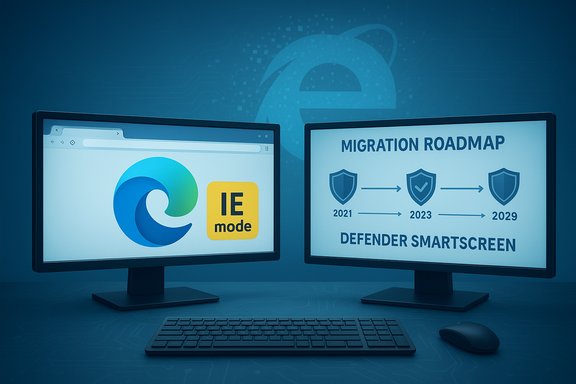
By 2021 Microsoft publicly laid out its plan: retire the Internet Explorer 11 desktop application for most Windows 10 editions and steer users — including those with legacy sites — to Microsoft Edge, which includes IE mode for compatibility with older, IE‑dependent intranet and line‑of‑business applications. The desktop retirement took effect on June 15, 2022 for most consumer and enterprise editions, with specific exceptions for some server and long‑term servicing channel (LTSC) editions.
At the same time, the browser market had consolidated around Chromium, which offered a large, active upstream community and compatibility benefits for web developers. Rebuilding Edge on Chromium in 2020 allowed Microsoft to improve web compatibility and reduce duplicate engine maintenance costs. The company then used its platform leverage in Windows to guide users to Edge while preserving enterprise compatibility via IE mode — a compromise between modernization and backwards compatibility.
Where reporting from third‑party outlets (including tech press coverage) diverges on interpretation — for example, motives tied to market share or the precise business incentives behind the Edge push — those points are described here as analysis or plausible interpretation rather than as direct admissions from Microsoft. Readers should treat interpretive claims about corporate motive as analysis supported by observable behavior rather than as company statements.
For IT teams, the immediate imperative is clear: inventory legacy dependencies, adopt Edge IE mode where necessary as a stopgap, and plan for modernization that removes reliance on Internet Explorer behaviors. For consumers, the change largely means using a faster, better‑supported browser out of the box — one that Microsoft will continue to improve and secure at a cadence appropriate for today’s threat landscape.
The blue “e” may no longer be the primary gateway to the internet, but the decision to retire Internet Explorer reflects a mature phase of platform stewardship: recognize when a foundation has outlived its usefulness, bring users along carefully, and focus future work on surfaces that can be defended, evolved, and shared across the ecosystem.
Source: bgr.com Why Microsoft Discontinued Internet Explorer After Almost 30 Years - BGR
 Background
Internet Explorer (IE) launched as Microsoft’s flagship browser in the mid‑1990s and dominated the early web for more than a decade. Over time, however, it became increasingly associated with slow performance, inconsistent implementation of web standards, and a widening security surface — problems that made it progressively harder for Microsoft to close the functionality and compatibility gap with rivals. In response, Microsoft unveiled Microsoft Edge in 2015 and later rebuilt Edge on Chromium in 2020, adopting the broadly used open‑source engine that powers many modern browsers.By 2021 Microsoft publicly laid out its plan: retire the Internet Explorer 11 desktop application for most Windows 10 editions and steer users — including those with legacy sites — to Microsoft Edge, which includes IE mode for compatibility with older, IE‑dependent intranet and line‑of‑business applications. The desktop retirement took effect on June 15, 2022 for most consumer and enterprise editions, with specific exceptions for some server and long‑term servicing channel (LTSC) editions.
Why Microsoft pulled the plug: technical reality meets product strategy
Legacy code, modern web
IE’s architecture accumulated decades of legacy features — ActiveX, Browser Helper Objects (BHOs), multiple document modes, and the MSHTML (Trident) rendering engine — that once solved real problems but later became obstacles to interoperability and security. Supporting these proprietary behaviors meant IE frequently diverged from web standards, forcing developers to write workarounds and making the browser increasingly brittle when modernizing sites. Microsoft acknowledged that incremental fixes could not bridge the structural gap; instead, a fresh, standards‑first engine was the sustainable path forward.Security and update cadence
One of the enduring weaknesses cited for Internet Explorer was the security model and the cadence of fixes. Legacy runtimes and in‑process binary extensions expanded the attack surface, while the update model (tied to OS servicing) could not match the rapid patch cycles of modern browsers. Microsoft positioned Edge as a faster, more agile vehicle for security updates and threat mitigation; Edge’s model allows for timely patches and modern protections such as Microsoft Defender SmartScreen and integrated enterprise telemetry. Over time, Microsoft consolidated protections on modern surfaces and moved legacy checks out of deprecated code paths.Engineering cost and code complexity
Maintaining compatibility with pre‑HTML5 technologies required preserving large swathes of legacy code. Microsoft publicly noted that moving forward would be costly if the company had to continue extending or backporting new web features into an aging engine. Re‑architecting Edge on Chromium enabled Microsoft to leverage a broadly maintained engine and to focus internal effort on differentiating features (privacy, sleeping tabs, IE mode integration) rather than on supporting obsolete APIs. This change reduced long‑term engineering and security debt.IE’s reputation and the market forces that accelerated retirement
Internet Explorer’s brand suffered from a long tail of negative perceptions: slowness, incompatibility, and a history of severe vulnerabilities. While nostalgia remains for IE’s role in popularizing web interactivity (DHTML, early AJAX), that legacy did not translate into modern competitiveness. By the late 2010s, both developers and users favored browsers that delivered predictable, standards‑compliant behavior and frequent updates — a space IE could no longer credibly occupy. The launch and later Chromium pivot of Edge were partly reputational — to shed the IE baggage — and partly technical.At the same time, the browser market had consolidated around Chromium, which offered a large, active upstream community and compatibility benefits for web developers. Rebuilding Edge on Chromium in 2020 allowed Microsoft to improve web compatibility and reduce duplicate engine maintenance costs. The company then used its platform leverage in Windows to guide users to Edge while preserving enterprise compatibility via IE mode — a compromise between modernization and backwards compatibility.
Enterprise reality: why Internet Explorer lingered and what IE mode does
The enterprise problem
Many large organizations built critical intranet apps that relied on IE‑specific behaviors: legacy ActiveX controls, exact document‑mode quirks, and COM integrations. Rewriting those apps is often expensive, risky, and time consuming. That reality made an immediate, universal shutdown of IE impractical. Microsoft’s response was to embed an IE compatibility layer into Edge — IE mode — allowing legacy pages to render with the expected behaviors while the rest of the web uses a modern engine.How IE mode works (high level)
- IE mode runs a legacy MSHTML rendering context inside Edge only for sites the organization specifies.
- Administrators can manage a site list to automatically open legacy pages in IE mode.
- Edge will offer a “Reload in IE mode” user control for ad‑hoc needs and will periodically check whether IE mode is still necessary.
- Microsoft committed to supporting IE mode through at least 2029 to give enterprises time to modernize or migrate their legacy applications.
Why this compromise matters
IE mode is pragmatic: it keeps mission‑critical legacy applications running without forcing enterprises to preserve a full, insecure, and unsupported browser. It also reduces the long‑term burden on Microsoft — only a narrow compatibility surface needs monitoring and mitigation instead of a full browser lifecycle. Nevertheless, the approach introduces operational complexity (site lists, testing, access control) and a continued responsibility for IT teams to modernize or isolate older apps.Microsoft Edge: the strategic successor
Edge’s technical gains
By adopting Chromium, Microsoft acquired the benefits of broad standards compatibility, faster rendering improvements, and a larger contributor pool. Edge also layered features designed for Windows users and enterprises: profile management, sleeping tabs for memory savings, deeper Microsoft 365 integrations, and security features tied to Microsoft Defender. The company argues this makes Edge a better default browser for Windows users and an easier migration path away from IE.Product positioning and market dynamics
Edge is the platform Microsoft uses to integrate browsing with its broader services: Bing, Microsoft 365, Copilot/AI features, and Windows security tools. This integration is strategic: it raises the perceived value of Microsoft’s ecosystem and helps retain users within that environment. Critics point out that bundling and aggressive nudging toward Edge can feel like dark patterns, and regulators have scrutinized such moves in other contexts. The tension between product convenience and competitive fairness remains a public and regulatory conversation.The migration playbook: practical steps for IT and admins
For organizations still running IE‑dependent workloads, the retirement did not mean immediate breakage — but it did create an action plan that should be approached deliberately.- Inventory legacy dependencies
- Identify internal sites and apps that rely on IE‑specific behaviors (ActiveX, COM, document modes).
- Evaluate containment vs. modernization
- For highly regulated or costly‑to‑rewrite apps, use Edge IE mode and manage a site list.
- For high‑value apps with long lifetimes, plan modernization to standard HTML5 and modern APIs.
- Test and validate in Edge’s IE mode
- Automate regression tests against the IE mode rendering context and test authentication/SSO flows.
- Harden and isolate legacy surfaces
- Limit IE mode exposure to intranet networks, restrict access via conditional access policies, and apply EDR/AV monitoring.
- Sunset and replace
- Establish timelines for rewriting or replacing legacy apps and track progress toward the 2029 IE mode horizon.
Strengths of the retirement decision
- Security consolidation: Removing a legacy public browsing surface reduces attack vectors and allows Microsoft to concentrate protections on Edge and platform services. This is a meaningful net reduction in risk when paired with good enterprise controls.
- Engineering efficiency: Maintaining a single modern browsing engine lowers duplicate maintenance costs and frees engineering resources for new features and integrations.
- Developer friendliness: A standardized Chromium base simplifies cross‑browser testing and reduces the need for hacks and conditional code paths targeted at IE.
- Practical enterprise compromise: IE mode is a pragmatic bridge that preserves business continuity for legacy apps while still enabling an overall migration away from IE.
Risks and trade‑offs
- Extended legacy support window: Committing to IE mode through 2029 buys time but can also enable delay. Organizations may deprioritize modernization, instead relying on a compatibility crutch that eventually becomes a maintenance burden.
- Consolidation risk: Rebuilding Edge on Chromium improved compatibility but increased architectural centralization in the web engine market. This concentration raises questions about competitive dynamics and innovation diversity among browsers.
- Operational complexity for IT: Managing IE mode site lists, access controls, and phased redirection creates administrative overhead. Misconfigured site lists can inadvertently expose legacy features beyond intended scopes.
- Behavioral and regulatory scrutiny: Microsoft’s bundling of Edge into Windows experiences and nudges to use Microsoft services can raise concerns about fair competition, and negative public perception may linger among users who feel coerced into a particular solution.
What the retirement tells us about modern software stewardship
The IE story is not merely a nostalgic tech footnote; it’s a case study in how long‑lived software accumulates complexity and risk, and how vendors must balance three competing priorities:- preserve customer investments (backwards compatibility),
- protect users and platforms (security and update velocity),
- and innovate sustainably (reduce engineering overhead).
A brief note on accuracy and verifiability
The major factual claims in this article are verified against Microsoft’s official communications about the retirement of Internet Explorer (notably the June 15, 2022 desktop retirement announcement), Microsoft’s documentation on IE mode, and subsequent Windows community and support summaries describing the transition plan and the IE mode support horizon. These claims — dates, the existence of IE mode, Edge’s Chromium transition, and Microsoft’s multi‑year support commitment for IE mode — are clearly documented in Microsoft’s public statements and related community archives.Where reporting from third‑party outlets (including tech press coverage) diverges on interpretation — for example, motives tied to market share or the precise business incentives behind the Edge push — those points are described here as analysis or plausible interpretation rather than as direct admissions from Microsoft. Readers should treat interpretive claims about corporate motive as analysis supported by observable behavior rather than as company statements.
Bottom line: Internet Explorer’s retirement was inevitable — and essential
Internet Explorer’s tenure was long and its contributions to the web undeniable. But running a modern platform requires shedding unsustainable legacy surfaces, improving security posture, and embracing standards that developers and users expect. Microsoft’s retirement of the IE desktop application — accompanied by Edge with IE mode — represents a pragmatic compromise: minimize disruption for enterprises dependent on legacy web apps, while moving the broader web experience to a modern, maintainable, and more secure platform.For IT teams, the immediate imperative is clear: inventory legacy dependencies, adopt Edge IE mode where necessary as a stopgap, and plan for modernization that removes reliance on Internet Explorer behaviors. For consumers, the change largely means using a faster, better‑supported browser out of the box — one that Microsoft will continue to improve and secure at a cadence appropriate for today’s threat landscape.
The blue “e” may no longer be the primary gateway to the internet, but the decision to retire Internet Explorer reflects a mature phase of platform stewardship: recognize when a foundation has outlived its usefulness, bring users along carefully, and focus future work on surfaces that can be defended, evolved, and shared across the ecosystem.
Source: bgr.com Why Microsoft Discontinued Internet Explorer After Almost 30 Years - BGR
