

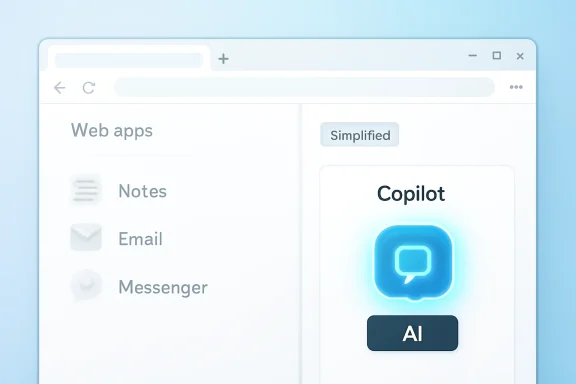
On May 6, 2026, Windows Central reported that Microsoft Edge is retiring the user-pinned apps portion of its Sidebar while explicitly sparing Copilot, meaning the browser’s once-flexible side rail will increasingly function as an AI entry point rather than a user-customized workspace. Microsoft calls this simplification, but the move exposes a more revealing priority: Edge is not being decluttered so much as being reorganized around Microsoft’s AI strategy. The company is removing a feature some users deliberately chose while preserving the feature many users feel was chosen for them. That distinction is why this small browser change has become a useful test case for the modern meaning of bloat.
The Edge Sidebar was never the most elegant feature in the browser, but it had a plain utility. Users could pin web apps and sites into a narrow side panel, keep a messenger, notes page, email inbox, or reference tool open, and avoid turning every small task into another tab. It was the sort of power-user convenience that made Edge feel different from Chrome without requiring Microsoft to reinvent the web.
Now Microsoft says new apps can no longer be added to that Sidebar app list, and pinned apps will be removed gradually in a future update. The support language matters because it does not say the whole side pane concept is going away. It says the customizable part is going away, while Copilot is not affected.
That is a narrow product decision with a much broader message. Edge is not becoming simpler in the abstract; it is becoming simpler in the places that do not map cleanly to Microsoft’s current strategic push. A user-created shortcut rail is expendable. A Microsoft-controlled AI rail is protected.
This is what frustrates people who actually used the Sidebar. They are not merely mourning a button. They are watching Microsoft preserve the thing that best serves Microsoft while removing the thing that best served them.
The problem with a Chromium browser is that compatibility cuts both ways. If your browser renders the web like Chrome, runs Chrome extensions, and follows many of the same platform conventions, you need reasons for people to pick your version. Microsoft tried several: Collections, vertical tabs, sleeping tabs, PDF features, shopping tools, enterprise policy, and eventually the Sidebar.
The Sidebar, introduced as a multitasking feature in 2022, fit that middle period of Edge development. It was a Microsoft-ish feature in the best and worst senses: slightly busy, slightly overstuffed, but genuinely useful if it matched your workflow. It gave Edge a texture that Chrome lacked.
That is why its removal feels different from trimming an abandoned experiment. Edge has had plenty of features that looked like growth-hacking debris: shopping prompts, coupon finders, finance widgets, games, rewards nudges, and little pieces of Microsoft’s consumer ecosystem wedged into the frame. The Sidebar app list was not that. It was a user-directed container.
A browser can survive the loss of any single convenience. What is harder to survive is the erosion of trust that the useful conveniences are safe.
The Edge Sidebar quickly became the obvious place for that assistant. A side pane can read alongside a webpage without replacing it. It can summarize, compare, draft, and answer without forcing the user into a separate full-screen application. As interface geography, the right rail was valuable.
But valuable geography creates conflict. If a side rail can host anything, then Copilot is one resident among many. If the side rail becomes less customizable, Copilot becomes the main attraction rather than another pinned tool.
That is the unspoken tension in Microsoft’s simplification claim. The company can plausibly argue that maintaining arbitrary pinned web apps creates complexity, support cost, security considerations, UI clutter, and inconsistent user experience. But the same company has also spent three years making Copilot the exception to almost every decluttering rule.
The result is a product philosophy that users can smell even when it is not written down. Optional user workflows are complexity. Strategic Microsoft workflows are experiences.
For some users, bloat means anything they do not use. For admins, it means anything that consumes resources, complicates policy, creates telemetry questions, expands attack surface, or generates help desk tickets. For product teams, bloat can mean code paths that slow development, confuse onboarding, or dilute a strategic story.
Those definitions overlap, but they are not identical. A feature can be useless to 80 percent of users and still valuable to the 20 percent who deliberately enabled it. A feature can be hidden by default and still impose maintenance costs. A feature can use negligible local resources and still create product complexity.
That is why the Sidebar debate is more revealing than a simple “Copilot bad, Sidebar good” argument. The question is not whether Microsoft has the right to simplify Edge. Of course it does. The question is whether Microsoft applies the same standard to features that advance its business priorities as it applies to features that mainly advance user preference.
By that standard, Copilot deserves scrutiny. It is increasingly central to Microsoft’s consumer and enterprise positioning, but it is not universally central to browsing. Many users still open a browser to navigate, read, authenticate, fill forms, manage web apps, and download files. They may occasionally want AI help, but that does not automatically make AI a core browser primitive.
That kind of optionality is supposed to be one of the PC’s strengths. Windows and its ecosystem have always been messy partly because they are adaptable. People build strange workflows, pin odd tools, stretch features into use cases the original designers did not imagine, and then depend on them for years.
Microsoft often celebrates this adaptability when it sells Windows to businesses. It talks about productivity, flexibility, and meeting users where they are. Yet consumer-facing Windows and Edge decisions increasingly treat user-shaped surfaces as liabilities when they interfere with curated Microsoft experiences.
The Sidebar app list embodied a modest kind of user agency. It did not require an extension marketplace. It did not demand a new desktop app. It let a user say, “This site matters enough to live beside my browsing.” Removing that ability narrows Edge’s personality.
Copilot, by contrast, is optional only in the thinner sense that it can be hidden or ignored in some configurations. It is not user-shaped in the same way. It is Microsoft-shaped, cloud-shaped, and roadmap-shaped.
The petition may not change the outcome. Large software companies rarely reverse course because a passionate minority makes a clean argument. They reverse course when telemetry, enterprise pressure, regulatory risk, or reputational damage crosses a threshold.
Still, the reaction matters because it identifies a class of Edge users Microsoft should be careful not to alienate. The people who used the Sidebar app list were not necessarily casual users who clicked whatever button appeared. They were often the people who had made a conscious decision to use Edge because it had something Chrome did not.
That is a dangerous group to disappoint. Browser loyalty is thin. Switching costs exist, but they are lower than they were in the Internet Explorer era. Passwords, bookmarks, extensions, and profiles move easily enough for motivated users. If Edge’s differentiators become indistinguishable from Microsoft’s AI distribution strategy, some of the browser’s most enthusiastic users may conclude that Edge no longer has a product argument independent of Copilot.
The irony is that Microsoft spent years earning back credibility in browsers by being practical. It should not squander that goodwill by appearing doctrinaire about AI placement.
A customizable sidebar can be a governance headache. It can blur the line between browser, app launcher, and embedded webview. Organizations may reasonably want to control which apps appear there, which URLs can be opened, and whether users can pin arbitrary services next to sensitive work. From that perspective, Microsoft may have defensible reasons for reducing the feature.
But Copilot raises its own governance questions. It touches data handling, page access, identity, compliance boundaries, logging, licensing, and user confusion between consumer and work experiences. In regulated environments, an AI assistant embedded into the browser is not automatically simpler than pinned web apps.
This is where Microsoft’s messaging becomes important. If the company says it is simplifying Edge, enterprise customers will ask whether simplification means fewer surfaces to manage or merely fewer non-AI surfaces. Those are not the same thing.
A browser that removes user-pinned apps while continuing to expand AI affordances may be easier to market, but not necessarily easier to govern. Admins do not judge simplicity by the number of icons. They judge it by policy clarity, predictable defaults, and whether users call the help desk because a feature changed under them.
That retreat was sensible. Not every text box needs a chatbot. Not every legacy app benefits from an AI badge. Users do not experience “Copilot everywhere” as magic if half the placements feel like internal OKRs made visible.
But Edge is different because Microsoft can make a stronger case for AI in the browser. Webpages contain text to summarize, tables to compare, forms to draft, products to research, and documents to interrogate. If Copilot belongs anywhere outside a dedicated app, the browser is one of the more plausible places.
That plausibility, however, does not excuse every adjacent decision. In fact, it raises the standard. If Copilot in Edge is genuinely useful, it should survive beside user customization, not instead of it.
The most persuasive AI products do not need rivals cleared from the interface. They become habits because they solve recurring problems better than the old workflow. If Microsoft believes Copilot is that kind of product, it should not need to make the Sidebar less user-owned to prove it.
But integration becomes contentious when it degrades the neutrality of a tool users consider foundational. A browser is not just another app. It is the frame around the modern computer. It mediates banking, work, school, entertainment, authentication, software delivery, and much of the cloud economy.
That is why users react strongly to browser changes that might look minor on a product manager’s dashboard. A sidebar is not just a sidebar when it sits inside the app people use all day. It is prime real estate.
Microsoft knows this. Google knows this. Apple knows this. The fight over browser surfaces is the fight over user attention, defaults, identity, and future behavior.
Seen through that lens, the Sidebar change is not a housekeeping note. It is a small border adjustment in the larger remapping of Edge around AI.
A cluttered browser also has brand costs. Edge has long fought the perception that it is busier than Chrome. Every extra pane, prompt, reward, shopping widget, and Microsoft service tile makes that perception harder to shake. If Microsoft has telemetry showing that Sidebar app pinning is lightly used, the internal argument for removal may be straightforward.
The company may also want a cleaner architecture. Features that began as clever differentiators can become drag when the browser team is trying to ship faster, improve performance, or reduce code paths. A product does not become better merely by keeping every feature ever loved by a minority.
But this is precisely why Microsoft should be more honest about the tradeoff. “We are simplifying Edge” sounds paternal when the visible simplification spares the company’s preferred feature. A better explanation would acknowledge that Microsoft is narrowing the Sidebar’s purpose, retiring app pinning, and investing the remaining side-pane experience around Copilot and selected browser functions.
Users may still dislike that. But at least it would describe the decision without pretending the word “simple” settles the argument.
Edge users have already lived through rounds of feature churn. Collections changed. Legacy Edge disappeared. Internet Explorer mode became an enterprise compatibility bridge rather than a general browser identity. Buttons moved. Settings migrated. AI arrived, was renamed, and expanded.
None of that is unusual in modern software. Browsers are living products. Security demands constant change, web standards evolve, and competitive pressure is relentless.
But power users build memory around features that save them time. When those features vanish, the loss is not abstract. It is the extra tab they now need to open, the web app they must install separately, the window arrangement they must rebuild, the muscle memory that no longer pays off.
That accumulated irritation is why “simplification” can backfire. A cleaner default experience for one user can be a less capable tool for another. The art is not avoiding that conflict; it is giving users enough control that the conflict does not become a referendum on the company’s motives.
The worst version of Edge is a browser that cannot decide whether it is a productivity tool, a shopping assistant, a rewards terminal, a news surface, an enterprise shell, or an AI launcher. That version feels bloated even when individual features are technically hideable because the overall product seems to be negotiating with too many internal stakeholders.
This is the deeper danger of the Sidebar decision. Microsoft may remove one feature in the name of clarity while leaving unresolved the larger question of who Edge is for. Is it for users who want a better Chromium browser? For IT departments that want manageable defaults? For Microsoft 365 customers? For Copilot adoption? For Bing distribution?
The answer can be “all of the above” only if the product is disciplined. Otherwise Edge becomes a map of Microsoft’s ambitions rather than a browser shaped by user needs.
The Sidebar app list was not perfect, but it represented a user-first kind of ambition. It let Edge be more than a search box and a tab strip. If Microsoft removes it, the company should replace that lost flexibility with something equally respectful, not just another route to Copilot.
The problem is entitlement. Copilot cannot be treated as an untouchable layer simply because Microsoft has made AI the center of its corporate narrative. It has to earn its place inside the browser with reliability, speed, privacy clarity, and actual usefulness.
That means Microsoft should resist the temptation to make Copilot feel inevitable through interface pressure. If users see AI as something that replaced their tools, they will judge it more harshly. If they see it as something that coexists with their tools and sometimes improves them, adoption becomes less adversarial.
The lesson from the Sidebar backlash is not that every niche feature must live forever. It is that users notice when Microsoft’s definition of bloat seems to exempt Microsoft’s priorities. Trust is the scarce interface resource now, not pixels.
Source: Windows Central https://www.windowscentral.com/soft...ing-the-ever-controversial-copilot-untouched/
 Microsoft Is Not Removing Clutter; It Is Choosing Which Clutter Gets a Business Case
The Edge Sidebar was never the most elegant feature in the browser, but it had a plain utility. Users could pin web apps and sites into a narrow side panel, keep a messenger, notes page, email inbox, or reference tool open, and avoid turning every small task into another tab. It was the sort of power-user convenience that made Edge feel different from Chrome without requiring Microsoft to reinvent the web.Now Microsoft says new apps can no longer be added to that Sidebar app list, and pinned apps will be removed gradually in a future update. The support language matters because it does not say the whole side pane concept is going away. It says the customizable part is going away, while Copilot is not affected.
That is a narrow product decision with a much broader message. Edge is not becoming simpler in the abstract; it is becoming simpler in the places that do not map cleanly to Microsoft’s current strategic push. A user-created shortcut rail is expendable. A Microsoft-controlled AI rail is protected.
This is what frustrates people who actually used the Sidebar. They are not merely mourning a button. They are watching Microsoft preserve the thing that best serves Microsoft while removing the thing that best served them.
The Sidebar Was an Edge Differentiator Before AI Ate the Roadmap
The Chromium version of Microsoft Edge arrived in January 2020 as a pragmatic surrender and a smart reset. Microsoft abandoned the old EdgeHTML engine, embraced the Chromium project, and rebuilt Edge around compatibility, enterprise manageability, performance, and Microsoft account integration. It was not a romantic comeback story, but it worked: Edge became a credible browser again.The problem with a Chromium browser is that compatibility cuts both ways. If your browser renders the web like Chrome, runs Chrome extensions, and follows many of the same platform conventions, you need reasons for people to pick your version. Microsoft tried several: Collections, vertical tabs, sleeping tabs, PDF features, shopping tools, enterprise policy, and eventually the Sidebar.
The Sidebar, introduced as a multitasking feature in 2022, fit that middle period of Edge development. It was a Microsoft-ish feature in the best and worst senses: slightly busy, slightly overstuffed, but genuinely useful if it matched your workflow. It gave Edge a texture that Chrome lacked.
That is why its removal feels different from trimming an abandoned experiment. Edge has had plenty of features that looked like growth-hacking debris: shopping prompts, coupon finders, finance widgets, games, rewards nudges, and little pieces of Microsoft’s consumer ecosystem wedged into the frame. The Sidebar app list was not that. It was a user-directed container.
A browser can survive the loss of any single convenience. What is harder to survive is the erosion of trust that the useful conveniences are safe.
Copilot Changed the Definition of the Browser Surface
When Microsoft introduced the new Bing and Edge AI experiences in February 2023, it framed the browser as a natural home for an assistant. That made sense on paper. A browser knows what page you are on, what you are trying to read, what you might want summarized, and where you might go next.The Edge Sidebar quickly became the obvious place for that assistant. A side pane can read alongside a webpage without replacing it. It can summarize, compare, draft, and answer without forcing the user into a separate full-screen application. As interface geography, the right rail was valuable.
But valuable geography creates conflict. If a side rail can host anything, then Copilot is one resident among many. If the side rail becomes less customizable, Copilot becomes the main attraction rather than another pinned tool.
That is the unspoken tension in Microsoft’s simplification claim. The company can plausibly argue that maintaining arbitrary pinned web apps creates complexity, support cost, security considerations, UI clutter, and inconsistent user experience. But the same company has also spent three years making Copilot the exception to almost every decluttering rule.
The result is a product philosophy that users can smell even when it is not written down. Optional user workflows are complexity. Strategic Microsoft workflows are experiences.
Bloat Is Not Just the Number of Buttons
The Windows Central piece lands on the right question: how do we define bloat? That question matters because the word is often thrown around as if everyone agrees on its meaning. They do not.For some users, bloat means anything they do not use. For admins, it means anything that consumes resources, complicates policy, creates telemetry questions, expands attack surface, or generates help desk tickets. For product teams, bloat can mean code paths that slow development, confuse onboarding, or dilute a strategic story.
Those definitions overlap, but they are not identical. A feature can be useless to 80 percent of users and still valuable to the 20 percent who deliberately enabled it. A feature can be hidden by default and still impose maintenance costs. A feature can use negligible local resources and still create product complexity.
That is why the Sidebar debate is more revealing than a simple “Copilot bad, Sidebar good” argument. The question is not whether Microsoft has the right to simplify Edge. Of course it does. The question is whether Microsoft applies the same standard to features that advance its business priorities as it applies to features that mainly advance user preference.
By that standard, Copilot deserves scrutiny. It is increasingly central to Microsoft’s consumer and enterprise positioning, but it is not universally central to browsing. Many users still open a browser to navigate, read, authenticate, fill forms, manage web apps, and download files. They may occasionally want AI help, but that does not automatically make AI a core browser primitive.
Optionality Was the Sidebar’s Strongest Defense
The best argument for keeping the Sidebar app list is not nostalgia. It is optionality. Users who disliked the Sidebar could hide it. Users who loved it could build a small, persistent workspace around it.That kind of optionality is supposed to be one of the PC’s strengths. Windows and its ecosystem have always been messy partly because they are adaptable. People build strange workflows, pin odd tools, stretch features into use cases the original designers did not imagine, and then depend on them for years.
Microsoft often celebrates this adaptability when it sells Windows to businesses. It talks about productivity, flexibility, and meeting users where they are. Yet consumer-facing Windows and Edge decisions increasingly treat user-shaped surfaces as liabilities when they interfere with curated Microsoft experiences.
The Sidebar app list embodied a modest kind of user agency. It did not require an extension marketplace. It did not demand a new desktop app. It let a user say, “This site matters enough to live beside my browsing.” Removing that ability narrows Edge’s personality.
Copilot, by contrast, is optional only in the thinner sense that it can be hidden or ignored in some configurations. It is not user-shaped in the same way. It is Microsoft-shaped, cloud-shaped, and roadmap-shaped.
The Petition Is Probably Not the Point
There is now a petition asking Microsoft to keep the Sidebar app list. There are complaints in feedback channels. There are Reddit threads filled with the kind of half-furious, half-resigned commentary that follows almost every unpopular browser decision.The petition may not change the outcome. Large software companies rarely reverse course because a passionate minority makes a clean argument. They reverse course when telemetry, enterprise pressure, regulatory risk, or reputational damage crosses a threshold.
Still, the reaction matters because it identifies a class of Edge users Microsoft should be careful not to alienate. The people who used the Sidebar app list were not necessarily casual users who clicked whatever button appeared. They were often the people who had made a conscious decision to use Edge because it had something Chrome did not.
That is a dangerous group to disappoint. Browser loyalty is thin. Switching costs exist, but they are lower than they were in the Internet Explorer era. Passwords, bookmarks, extensions, and profiles move easily enough for motivated users. If Edge’s differentiators become indistinguishable from Microsoft’s AI distribution strategy, some of the browser’s most enthusiastic users may conclude that Edge no longer has a product argument independent of Copilot.
The irony is that Microsoft spent years earning back credibility in browsers by being practical. It should not squander that goodwill by appearing doctrinaire about AI placement.
Enterprise IT Will Read This as a Governance Signal
For IT departments, the Sidebar debate is less emotional but no less relevant. Edge is not just a consumer browser; it is the default browser Microsoft wants in managed Windows environments. Admins care about what ships, what can be disabled, what policies exist, and what support burden follows.A customizable sidebar can be a governance headache. It can blur the line between browser, app launcher, and embedded webview. Organizations may reasonably want to control which apps appear there, which URLs can be opened, and whether users can pin arbitrary services next to sensitive work. From that perspective, Microsoft may have defensible reasons for reducing the feature.
But Copilot raises its own governance questions. It touches data handling, page access, identity, compliance boundaries, logging, licensing, and user confusion between consumer and work experiences. In regulated environments, an AI assistant embedded into the browser is not automatically simpler than pinned web apps.
This is where Microsoft’s messaging becomes important. If the company says it is simplifying Edge, enterprise customers will ask whether simplification means fewer surfaces to manage or merely fewer non-AI surfaces. Those are not the same thing.
A browser that removes user-pinned apps while continuing to expand AI affordances may be easier to market, but not necessarily easier to govern. Admins do not judge simplicity by the number of icons. They judge it by policy clarity, predictable defaults, and whether users call the help desk because a feature changed under them.
Microsoft’s AI Retrenchment Makes the Edge Exception Louder
The timing makes this story sharper. Microsoft has recently shown signs of trimming Copilot entry points in places where they felt gratuitous. Reports have pointed to AI buttons and branding being reduced or removed from some Windows apps where the assistant never quite justified its rent.That retreat was sensible. Not every text box needs a chatbot. Not every legacy app benefits from an AI badge. Users do not experience “Copilot everywhere” as magic if half the placements feel like internal OKRs made visible.
But Edge is different because Microsoft can make a stronger case for AI in the browser. Webpages contain text to summarize, tables to compare, forms to draft, products to research, and documents to interrogate. If Copilot belongs anywhere outside a dedicated app, the browser is one of the more plausible places.
That plausibility, however, does not excuse every adjacent decision. In fact, it raises the standard. If Copilot in Edge is genuinely useful, it should survive beside user customization, not instead of it.
The most persuasive AI products do not need rivals cleared from the interface. They become habits because they solve recurring problems better than the old workflow. If Microsoft believes Copilot is that kind of product, it should not need to make the Sidebar less user-owned to prove it.
The Browser Is Becoming an AI Distribution Channel
There is a bigger strategic pattern here. Microsoft’s browser is increasingly part of a funnel: Windows points to Edge, Edge points to Bing or Microsoft Search, the side pane points to Copilot, and Copilot points to Microsoft’s broader AI stack. This is not inherently sinister. Platform companies integrate their services; that is what platform companies do.But integration becomes contentious when it degrades the neutrality of a tool users consider foundational. A browser is not just another app. It is the frame around the modern computer. It mediates banking, work, school, entertainment, authentication, software delivery, and much of the cloud economy.
That is why users react strongly to browser changes that might look minor on a product manager’s dashboard. A sidebar is not just a sidebar when it sits inside the app people use all day. It is prime real estate.
Microsoft knows this. Google knows this. Apple knows this. The fight over browser surfaces is the fight over user attention, defaults, identity, and future behavior.
Seen through that lens, the Sidebar change is not a housekeeping note. It is a small border adjustment in the larger remapping of Edge around AI.
The Case for Microsoft Is Stronger Than Its Messaging
To be fair, there are legitimate reasons Microsoft might want to retire the Sidebar app list. Maintaining a semi-app platform inside a browser is not free. Every pinned service can break, render poorly, behave unpredictably, or create confusing support scenarios.A cluttered browser also has brand costs. Edge has long fought the perception that it is busier than Chrome. Every extra pane, prompt, reward, shopping widget, and Microsoft service tile makes that perception harder to shake. If Microsoft has telemetry showing that Sidebar app pinning is lightly used, the internal argument for removal may be straightforward.
The company may also want a cleaner architecture. Features that began as clever differentiators can become drag when the browser team is trying to ship faster, improve performance, or reduce code paths. A product does not become better merely by keeping every feature ever loved by a minority.
But this is precisely why Microsoft should be more honest about the tradeoff. “We are simplifying Edge” sounds paternal when the visible simplification spares the company’s preferred feature. A better explanation would acknowledge that Microsoft is narrowing the Sidebar’s purpose, retiring app pinning, and investing the remaining side-pane experience around Copilot and selected browser functions.
Users may still dislike that. But at least it would describe the decision without pretending the word “simple” settles the argument.
Power Users Remember the Features That Vanished
Microsoft has a long history of building features for power users and then later deciding those features do not fit the streamlined future. Sometimes the removals are justified. Sometimes they are reversed. Sometimes they become lore.Edge users have already lived through rounds of feature churn. Collections changed. Legacy Edge disappeared. Internet Explorer mode became an enterprise compatibility bridge rather than a general browser identity. Buttons moved. Settings migrated. AI arrived, was renamed, and expanded.
None of that is unusual in modern software. Browsers are living products. Security demands constant change, web standards evolve, and competitive pressure is relentless.
But power users build memory around features that save them time. When those features vanish, the loss is not abstract. It is the extra tab they now need to open, the web app they must install separately, the window arrangement they must rebuild, the muscle memory that no longer pays off.
That accumulated irritation is why “simplification” can backfire. A cleaner default experience for one user can be a less capable tool for another. The art is not avoiding that conflict; it is giving users enough control that the conflict does not become a referendum on the company’s motives.
Edge Needs Fewer Growth Hacks and More Durable Promises
The best version of Microsoft Edge is not Chrome with a Copilot button. It is a browser with a coherent point of view: fast, compatible, efficient, manageable, privacy-conscious enough to be trusted, and differentiated by features that respect user intent. Vertical tabs fit that vision. Sleeping tabs fit it. Strong PDF handling fits it. A user-customizable side workspace could fit it too.The worst version of Edge is a browser that cannot decide whether it is a productivity tool, a shopping assistant, a rewards terminal, a news surface, an enterprise shell, or an AI launcher. That version feels bloated even when individual features are technically hideable because the overall product seems to be negotiating with too many internal stakeholders.
This is the deeper danger of the Sidebar decision. Microsoft may remove one feature in the name of clarity while leaving unresolved the larger question of who Edge is for. Is it for users who want a better Chromium browser? For IT departments that want manageable defaults? For Microsoft 365 customers? For Copilot adoption? For Bing distribution?
The answer can be “all of the above” only if the product is disciplined. Otherwise Edge becomes a map of Microsoft’s ambitions rather than a browser shaped by user needs.
The Sidebar app list was not perfect, but it represented a user-first kind of ambition. It let Edge be more than a search box and a tab strip. If Microsoft removes it, the company should replace that lost flexibility with something equally respectful, not just another route to Copilot.
The Real Test Is Whether Copilot Can Earn the Space It Keeps
Copilot’s survival in Edge is not automatically a problem. The browser is one of the few places where an AI assistant can be contextually useful without feeling completely bolted on. Summarizing a long page, comparing products, drafting a reply, explaining a technical document, or interrogating a PDF are plausible use cases.The problem is entitlement. Copilot cannot be treated as an untouchable layer simply because Microsoft has made AI the center of its corporate narrative. It has to earn its place inside the browser with reliability, speed, privacy clarity, and actual usefulness.
That means Microsoft should resist the temptation to make Copilot feel inevitable through interface pressure. If users see AI as something that replaced their tools, they will judge it more harshly. If they see it as something that coexists with their tools and sometimes improves them, adoption becomes less adversarial.
The lesson from the Sidebar backlash is not that every niche feature must live forever. It is that users notice when Microsoft’s definition of bloat seems to exempt Microsoft’s priorities. Trust is the scarce interface resource now, not pixels.
The Sidebar Fight Leaves Microsoft With a Narrower Claim to Simplicity
The practical implications are clear enough, even if Microsoft’s rollout timing remains gradual. Edge users who relied on pinned Sidebar apps should plan for a workflow change, and admins should watch policy documentation closely as the browser’s side-pane model evolves.- Microsoft is retiring the ability to add apps to the Edge Sidebar app list, and already-pinned apps are expected to disappear in a future update.
- Copilot is explicitly excluded from the Sidebar retirement, which makes Microsoft’s simplification argument look selective rather than neutral.
- The removed feature was user-customizable and could be hidden, which weakens the claim that it was ordinary interface clutter.
- Edge’s differentiation problem gets harder if Microsoft removes workflow features while preserving AI surfaces that many users did not ask for.
- Enterprise customers should treat this as another sign that Edge’s management story will increasingly revolve around Copilot policy, not just browser policy.
- Microsoft can still make Copilot in Edge useful, but it will have to earn user trust instead of inheriting it from prime browser real estate.
Source: Windows Central https://www.windowscentral.com/soft...ing-the-ever-controversial-copilot-untouched/
