

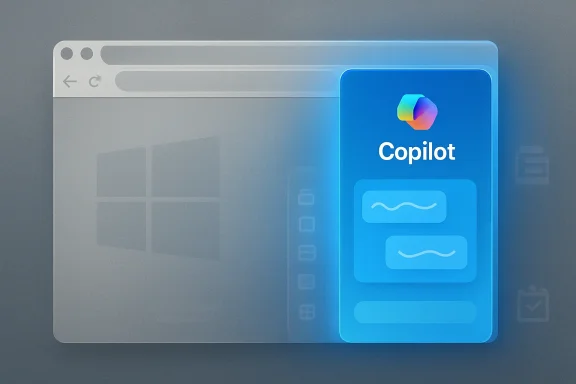
Microsoft is retiring the Microsoft Edge sidebar app list in upcoming browser updates, starting with users signed into Microsoft accounts, removing the ability to add new sidebar apps while preserving Copilot in the Edge sidebar for now. That is the plain fact; the more interesting story is what it says about Microsoft’s current software strategy. Edge is not merely being simplified. It is being narrowed around the parts of the product Microsoft believes can still serve its AI and Windows ecosystem ambitions.
For years, Edge has lived with a contradiction. Microsoft wanted it to be the clean, fast, Chromium-based alternative to Chrome, but it also kept stuffing the browser with Microsoft services, shopping tools, productivity panels, research features, coupons, visual search, collections, workspaces, games, and AI prompts. The result was a browser that could feel unusually useful or unusually overbuilt depending on which button you accidentally clicked.
The sidebar app list sat right in the middle of that contradiction. To its fans, it was one of Edge’s best differentiators: a place to pin Outlook, search, messaging tools, web apps, and quick-reference sites without breaking the current browsing flow. To everyone else, it was another vertical strip of icons in a browser already fighting a reputation for clutter.
Microsoft’s stated explanation is simplicity. New apps can no longer be added, existing pinned apps will disappear in a future update, and affected users are supposed to receive notifications before the feature is fully removed. The company has not given a precise retirement date, which is familiar territory for anyone who has watched Microsoft phase out a feature by warning banner rather than by ceremony.
But the selective nature of the removal matters. Copilot survives. User-pinned apps do not. That makes this less like a cleanup and more like a zoning decision: the right side of Edge is being rezoned from a user-customizable workspace into Microsoft-controlled AI real estate.
It let Edge behave a little like Vivaldi, a little like Opera, and a little like a desktop shell. A user could keep a document open in the main tab while running a web search, checking mail, monitoring a dashboard, or keeping a chat app in the side panel. It was not elegant in every case, and web apps were not always designed for that narrow frame, but it created a flexible middle ground between tab overload and full app switching.
That is why the reaction has been sharper than Microsoft may have expected. The people upset about this are not simply mourning a button. They are reacting to the loss of a workflow that made Edge feel less like “Chrome with Bing defaults” and more like a genuinely distinct browser.
Microsoft has often struggled to understand this distinction. Features that look minor in telemetry can be disproportionately important to the users who chose the product because of them. A browser does not win enthusiasts only by matching Chrome’s rendering engine and sync model. It wins them by giving them reasons to stay when Chrome, Brave, Firefox, Vivaldi, Arc, and Opera are all one download away.
Edge used to compete on a broad menu of productivity features. Collections tried to turn the browser into a research notebook. Vertical tabs targeted tab hoarders. Split Screen gave multitaskers a native way to compare pages. The sidebar app list made the browser feel like a mini operating environment. Some of these ideas were good, some were undercooked, and some were never likely to reach mainstream use. But together, they formed a recognizable identity: Edge as the productivity browser for Windows.
Now the center of gravity is shifting. Edge is increasingly positioned as a vehicle for Copilot, Microsoft 365 context, Bing, and AI-assisted browsing. The browser is not just where pages render; it is where Microsoft wants AI to observe, summarize, suggest, and eventually act. In that world, the sidebar is too valuable to remain a neutral dock for whatever web app the user prefers.
That does not mean Microsoft removed the app list because users might pin competing AI services. There is no need to overstate the case. Large software companies retire features for many reasons: maintenance cost, low usage, design complexity, accessibility burden, support overhead, telemetry, security review, and product focus. But it is impossible to ignore the direction of travel. When the customizable part goes away and the AI assistant remains, users are entitled to notice the asymmetry.
There is a good version of this strategy. Windows and Edge both need pruning. Microsoft has spent decades layering new experiences on top of old ones, often without fully removing the previous generation. That leaves users with duplicated settings pages, overlapping search entry points, half-modern dialogs, and features that appear in one build, move in another, then disappear behind a policy or banner later.
A leaner Edge could be a better Edge. Nobody benefits from a browser that feels like a department store where every Microsoft division has rented an aisle. If Microsoft is serious about performance, coherence, accessibility, and a calmer interface, removing low-use features may be necessary.
The problem is that Microsoft’s definition of clutter often seems suspiciously aligned with Microsoft’s commercial priorities. User-customizable side apps are clutter. Copilot is strategy. Collections are disposable. AI entry points are essential. Legacy surfaces are confusing. New promotional surfaces are onboarding. That is why users bristle when the company frames every removal as simplification. Sometimes it is simplification. Sometimes it is just a product manager reclaiming space.
Edge had a plausible answer. It was the browser most deeply integrated with Windows and Microsoft 365, but also one that offered genuinely useful power-user features. Vertical tabs, sleeping tabs, immersive reader, Split Screen, sidebar tools, enterprise policies, and profile management gave it a reason to exist beyond “Microsoft recommends this browser.”
Removing the sidebar app list chips away at that argument. Split Screen remains useful, but it is not the same thing. Favorites are not Collections. A Copilot pane is not a user-controlled web app dock. The replacement for a flexible feature cannot simply be another Microsoft feature occupying the same visual space.
This is where browser loyalty gets fragile. Users who switched to Edge because it did something specific will not necessarily stay because Microsoft says the new design is simpler. They will look at Vivaldi’s panels, Opera’s sidebar, Brave’s privacy pitch, Firefox’s independence, or Chrome’s ubiquity and ask a practical question: which browser still respects the way I work?
A sidebar app list that allows arbitrary sites can create governance concerns. Admins may worry about data leakage, unmanaged web apps, shadow productivity tools, or users pinning services that complicate compliance. From that perspective, Microsoft removing the feature may reduce one class of headache.
But the larger issue is predictability. IT departments can manage features they know will exist. They can disable them, configure them, document them, train users around them, or block them by policy. What is harder to manage is a browser whose user-facing model keeps changing because Microsoft is constantly rebalancing consumer UX, enterprise control, and AI integration.
The Copilot exception also complicates the story. In many organizations, Copilot is not simply another button. It is tied to licensing, data boundaries, tenant controls, user education, and legal review. A customizable sidebar disappearing while an AI pane remains may be acceptable in some environments and unwelcome in others. Either way, it reinforces the need for admins to audit Edge settings rather than assume Microsoft’s defaults map neatly onto organizational risk.
Collections are a recent example. For some users, Collections were a lightweight research tool with notes, links, and visual context. When retirement warnings appeared, the migration path did not feel like a full replacement for the original experience. Exporting data is not the same as preserving a workflow.
The sidebar app list now risks becoming another lesson in caution. Why invest in an Edge-specific workflow if Microsoft may remove the surface later? Why teach staff to use a browser feature if it might be deprecated before the next hardware refresh cycle? Why choose the Microsoft-native path when a third-party browser or extension may offer more continuity?
This is the cost Microsoft rarely accounts for in public messaging. A retired feature does not only remove code. It reduces confidence in the next feature. When Microsoft says a new AI workflow will transform browsing, some users will remember the last productivity workflow that was quietly marked for removal.
That explains the design pressure. A browser with too many independent productivity systems can feel incoherent when the strategic goal is to make Copilot the connective tissue. If Collections, sidebar apps, Bing services, shopping tools, and web panels each solve pieces of the workflow puzzle separately, Copilot is harder to present as the unified answer.
From Microsoft’s perspective, consolidation may look rational. Instead of maintaining multiple niche features, put resources behind a single assistant that can summarize pages, compare products, answer questions, draft text, analyze documents, and connect to Microsoft 365 data. If Copilot eventually does all of that well, the sidebar app list may look like a transitional artifact from a pre-AI browser era.
The risk is that users do not experience strategy; they experience affordances. A pinned web app opens exactly the service the user chose. A Copilot pane interprets, mediates, and suggests. Those are different relationships with software. One is a tool; the other is an intermediary.
But power users shape software reputation out of proportion to their numbers. They are the people relatives ask for browser advice. They are the admins writing deployment guides. They are the forum posters, Reddit commenters, IT consultants, and office troubleshooters who decide whether Edge is “actually good now” or “Microsoft being Microsoft again.”
Edge’s recent rise in credibility came partly from winning over these users. Chromium solved the compatibility problem, but features solved the interest problem. People tried Edge because it was already on Windows; some stayed because it had tools they liked. Removing those tools while retaining the most controversial Microsoft-branded surface risks turning a hard-won perception back into a punchline.
That is especially dangerous because the browser market offers immediate exits. Nobody has to wait for an operating-system upgrade to protest. A user can export passwords, sync bookmarks, install Brave or Vivaldi, and be gone before the next Patch Tuesday. Microsoft knows this, which is why Edge has spent years using Windows prompts, defaults, and search integration to defend its position. But coercive distribution and voluntary affection are not the same thing.
There is also a worse version. In that version, “simplification” becomes a euphemism for removing user agency while preserving Microsoft’s preferred funnels. The browser loses quirky but useful tools, gains more AI prompts, and becomes less customizable at the exact moment competitors are differentiating on control, privacy, and workflow.
The sidebar app list retirement is a small event, but it points toward that fork in the road. Microsoft can either use this cleanup phase to rebuild trust by making Edge more coherent and respectful, or it can teach users that every removed feature creates space for another Copilot surface.
The company’s challenge is not simply to decide what belongs in the browser. It is to persuade users that Edge is being simplified for them, not merely reorganized around Microsoft’s next growth engine.
Source: Digital Trends Microsoft Edge is getting rid of sidebar apps as Windows 11 decluttering continues
 Microsoft’s Cleanup Campaign Has Reached the Browser Chrome
For years, Edge has lived with a contradiction. Microsoft wanted it to be the clean, fast, Chromium-based alternative to Chrome, but it also kept stuffing the browser with Microsoft services, shopping tools, productivity panels, research features, coupons, visual search, collections, workspaces, games, and AI prompts. The result was a browser that could feel unusually useful or unusually overbuilt depending on which button you accidentally clicked.The sidebar app list sat right in the middle of that contradiction. To its fans, it was one of Edge’s best differentiators: a place to pin Outlook, search, messaging tools, web apps, and quick-reference sites without breaking the current browsing flow. To everyone else, it was another vertical strip of icons in a browser already fighting a reputation for clutter.
Microsoft’s stated explanation is simplicity. New apps can no longer be added, existing pinned apps will disappear in a future update, and affected users are supposed to receive notifications before the feature is fully removed. The company has not given a precise retirement date, which is familiar territory for anyone who has watched Microsoft phase out a feature by warning banner rather than by ceremony.
But the selective nature of the removal matters. Copilot survives. User-pinned apps do not. That makes this less like a cleanup and more like a zoning decision: the right side of Edge is being rezoned from a user-customizable workspace into Microsoft-controlled AI real estate.
The Sidebar Was Edge at Its Most Useful and Most Microsoft
The sidebar app list was never a mass-market revolution. Most people do not build elaborate browser-side workflows, and many Edge users likely ignored the feature entirely. But among the kind of users who do notice browser features — WindowsForum readers, sysadmins, productivity tinkerers, students, developers, and people with too many tabs — it had a clear appeal.It let Edge behave a little like Vivaldi, a little like Opera, and a little like a desktop shell. A user could keep a document open in the main tab while running a web search, checking mail, monitoring a dashboard, or keeping a chat app in the side panel. It was not elegant in every case, and web apps were not always designed for that narrow frame, but it created a flexible middle ground between tab overload and full app switching.
That is why the reaction has been sharper than Microsoft may have expected. The people upset about this are not simply mourning a button. They are reacting to the loss of a workflow that made Edge feel less like “Chrome with Bing defaults” and more like a genuinely distinct browser.
Microsoft has often struggled to understand this distinction. Features that look minor in telemetry can be disproportionately important to the users who chose the product because of them. A browser does not win enthusiasts only by matching Chrome’s rendering engine and sync model. It wins them by giving them reasons to stay when Chrome, Brave, Firefox, Vivaldi, Arc, and Opera are all one download away.
Copilot Survives Because Copilot Is the Product Strategy
The most revealing part of the announcement is not that the sidebar app list is going away. It is that Microsoft explicitly says Copilot is not affected. That one carve-out tells us where the browser is headed.Edge used to compete on a broad menu of productivity features. Collections tried to turn the browser into a research notebook. Vertical tabs targeted tab hoarders. Split Screen gave multitaskers a native way to compare pages. The sidebar app list made the browser feel like a mini operating environment. Some of these ideas were good, some were undercooked, and some were never likely to reach mainstream use. But together, they formed a recognizable identity: Edge as the productivity browser for Windows.
Now the center of gravity is shifting. Edge is increasingly positioned as a vehicle for Copilot, Microsoft 365 context, Bing, and AI-assisted browsing. The browser is not just where pages render; it is where Microsoft wants AI to observe, summarize, suggest, and eventually act. In that world, the sidebar is too valuable to remain a neutral dock for whatever web app the user prefers.
That does not mean Microsoft removed the app list because users might pin competing AI services. There is no need to overstate the case. Large software companies retire features for many reasons: maintenance cost, low usage, design complexity, accessibility burden, support overhead, telemetry, security review, and product focus. But it is impossible to ignore the direction of travel. When the customizable part goes away and the AI assistant remains, users are entitled to notice the asymmetry.
Decluttering Is Easier to Sell Than Deprioritization
Microsoft’s recent Edge changes fit a broader pattern. Collections began its retirement with warnings and export paths. Some older features have been deprecated or removed across Edge release notes. Windows itself continues to shed legacy pieces, from bundled apps to old platform components, as Microsoft tries to make Windows 11 feel less like a museum of accumulated decisions.There is a good version of this strategy. Windows and Edge both need pruning. Microsoft has spent decades layering new experiences on top of old ones, often without fully removing the previous generation. That leaves users with duplicated settings pages, overlapping search entry points, half-modern dialogs, and features that appear in one build, move in another, then disappear behind a policy or banner later.
A leaner Edge could be a better Edge. Nobody benefits from a browser that feels like a department store where every Microsoft division has rented an aisle. If Microsoft is serious about performance, coherence, accessibility, and a calmer interface, removing low-use features may be necessary.
The problem is that Microsoft’s definition of clutter often seems suspiciously aligned with Microsoft’s commercial priorities. User-customizable side apps are clutter. Copilot is strategy. Collections are disposable. AI entry points are essential. Legacy surfaces are confusing. New promotional surfaces are onboarding. That is why users bristle when the company frames every removal as simplification. Sometimes it is simplification. Sometimes it is just a product manager reclaiming space.
Edge’s Differentiation Problem Is Now Self-Inflicted
The irony is that Edge needs differentiation more than ever. Chromium gives Microsoft compatibility, speed, and web standards alignment, but it also makes every Chromium browser feel like a cousin. If the rendering engine is shared, identity comes from interface, trust, performance, privacy posture, extension handling, sync, enterprise controls, and workflow features.Edge had a plausible answer. It was the browser most deeply integrated with Windows and Microsoft 365, but also one that offered genuinely useful power-user features. Vertical tabs, sleeping tabs, immersive reader, Split Screen, sidebar tools, enterprise policies, and profile management gave it a reason to exist beyond “Microsoft recommends this browser.”
Removing the sidebar app list chips away at that argument. Split Screen remains useful, but it is not the same thing. Favorites are not Collections. A Copilot pane is not a user-controlled web app dock. The replacement for a flexible feature cannot simply be another Microsoft feature occupying the same visual space.
This is where browser loyalty gets fragile. Users who switched to Edge because it did something specific will not necessarily stay because Microsoft says the new design is simpler. They will look at Vivaldi’s panels, Opera’s sidebar, Brave’s privacy pitch, Firefox’s independence, or Chrome’s ubiquity and ask a practical question: which browser still respects the way I work?
Enterprise IT Will See Less Clutter and More Policy Drift
For enterprise administrators, the removal is not merely a consumer annoyance. Edge has become the default managed browser in many Windows environments not because every admin loves it, but because it is deployable, policy-rich, tied into Microsoft identity, and already present. That makes feature churn an operational issue.A sidebar app list that allows arbitrary sites can create governance concerns. Admins may worry about data leakage, unmanaged web apps, shadow productivity tools, or users pinning services that complicate compliance. From that perspective, Microsoft removing the feature may reduce one class of headache.
But the larger issue is predictability. IT departments can manage features they know will exist. They can disable them, configure them, document them, train users around them, or block them by policy. What is harder to manage is a browser whose user-facing model keeps changing because Microsoft is constantly rebalancing consumer UX, enterprise control, and AI integration.
The Copilot exception also complicates the story. In many organizations, Copilot is not simply another button. It is tied to licensing, data boundaries, tenant controls, user education, and legal review. A customizable sidebar disappearing while an AI pane remains may be acceptable in some environments and unwelcome in others. Either way, it reinforces the need for admins to audit Edge settings rather than assume Microsoft’s defaults map neatly onto organizational risk.
Microsoft Keeps Teaching Users Not to Trust New Microsoft Features
The deeper reputational issue is not one sidebar. It is the lifecycle pattern. Microsoft introduces a feature with enthusiasm, promotes it as part of a new workflow, lets a subset of users adopt it, then later retires or reworks it when priorities shift. The company is hardly alone in doing this; Google practically industrialized the practice. But Microsoft’s version stings because Windows users often organize long-lived workflows around built-in tools.Collections are a recent example. For some users, Collections were a lightweight research tool with notes, links, and visual context. When retirement warnings appeared, the migration path did not feel like a full replacement for the original experience. Exporting data is not the same as preserving a workflow.
The sidebar app list now risks becoming another lesson in caution. Why invest in an Edge-specific workflow if Microsoft may remove the surface later? Why teach staff to use a browser feature if it might be deprecated before the next hardware refresh cycle? Why choose the Microsoft-native path when a third-party browser or extension may offer more continuity?
This is the cost Microsoft rarely accounts for in public messaging. A retired feature does not only remove code. It reduces confidence in the next feature. When Microsoft says a new AI workflow will transform browsing, some users will remember the last productivity workflow that was quietly marked for removal.
The Browser Is Becoming an AI Container With a Web Engine Attached
Microsoft’s bet is not subtle. The company believes AI will become a primary interface layer across Windows, Microsoft 365, Edge, search, and developer tools. In that context, Edge is not just a browser. It is a context-gathering surface for whatever Copilot becomes next.That explains the design pressure. A browser with too many independent productivity systems can feel incoherent when the strategic goal is to make Copilot the connective tissue. If Collections, sidebar apps, Bing services, shopping tools, and web panels each solve pieces of the workflow puzzle separately, Copilot is harder to present as the unified answer.
From Microsoft’s perspective, consolidation may look rational. Instead of maintaining multiple niche features, put resources behind a single assistant that can summarize pages, compare products, answer questions, draft text, analyze documents, and connect to Microsoft 365 data. If Copilot eventually does all of that well, the sidebar app list may look like a transitional artifact from a pre-AI browser era.
The risk is that users do not experience strategy; they experience affordances. A pinned web app opens exactly the service the user chose. A Copilot pane interprets, mediates, and suggests. Those are different relationships with software. One is a tool; the other is an intermediary.
The Power-User Backlash Is Small, Loud, and Strategically Important
It would be easy to dismiss the backlash as a niche complaint. Most Edge users probably do not know what the sidebar app list is called. Some may be happy to see fewer icons. Others may never notice the removal at all.But power users shape software reputation out of proportion to their numbers. They are the people relatives ask for browser advice. They are the admins writing deployment guides. They are the forum posters, Reddit commenters, IT consultants, and office troubleshooters who decide whether Edge is “actually good now” or “Microsoft being Microsoft again.”
Edge’s recent rise in credibility came partly from winning over these users. Chromium solved the compatibility problem, but features solved the interest problem. People tried Edge because it was already on Windows; some stayed because it had tools they liked. Removing those tools while retaining the most controversial Microsoft-branded surface risks turning a hard-won perception back into a punchline.
That is especially dangerous because the browser market offers immediate exits. Nobody has to wait for an operating-system upgrade to protest. A user can export passwords, sync bookmarks, install Brave or Vivaldi, and be gone before the next Patch Tuesday. Microsoft knows this, which is why Edge has spent years using Windows prompts, defaults, and search integration to defend its position. But coercive distribution and voluntary affection are not the same thing.
The Cleaner Edge Microsoft Wants May Not Be the Edge Users Chose
There is a version of Edge’s future that makes sense. It is faster, quieter, less promotional, easier to manage, and more consistent across Windows, macOS, mobile, and enterprise deployments. It has fewer half-maintained features and clearer settings. It treats Copilot as optional, useful, and well-governed rather than as a glowing mandatory tenant in the browser’s best apartment.There is also a worse version. In that version, “simplification” becomes a euphemism for removing user agency while preserving Microsoft’s preferred funnels. The browser loses quirky but useful tools, gains more AI prompts, and becomes less customizable at the exact moment competitors are differentiating on control, privacy, and workflow.
The sidebar app list retirement is a small event, but it points toward that fork in the road. Microsoft can either use this cleanup phase to rebuild trust by making Edge more coherent and respectful, or it can teach users that every removed feature creates space for another Copilot surface.
The company’s challenge is not simply to decide what belongs in the browser. It is to persuade users that Edge is being simplified for them, not merely reorganized around Microsoft’s next growth engine.
The Sidebar’s Exit Leaves a Map of Microsoft’s Priorities
The practical consequences are straightforward, even if the product politics are not. Users who depend on sidebar apps should start planning around their disappearance rather than waiting for a final date.- Microsoft is retiring the Edge sidebar app list gradually, beginning with Microsoft account users.
- Users can no longer add new apps to the sidebar app list, and existing pinned apps are expected to be removed in a future Edge update.
- Copilot in Edge is explicitly not part of this retirement and will continue to be developed.
- Split Screen, favorites, tabs, and standalone web apps can replace parts of the workflow, but none is a one-for-one substitute for user-pinned sidebar apps.
- Enterprise admins should review Edge policies, user training, and Copilot controls before the change lands broadly.
- Users who chose Edge specifically for sidebar workflows may find closer equivalents in browsers with persistent customizable panels.
Source: Digital Trends Microsoft Edge is getting rid of sidebar apps as Windows 11 decluttering continues
