

Microsoft’s Xbox mode for Windows 11 began appearing in the optional April 2026 preview update KB5083631, but many updated PCs still do not show it because Microsoft is enabling the feature through a staged rollout rather than flipping it on for every eligible machine at once. That gap between “installed” and “available” is where ViVeTool enters the story. PCWorld’s advice is practical, but the larger lesson is more interesting: Windows gaming is being reshaped not by a new API or a faster scheduler, but by Microsoft’s willingness to hide the PC desktop when the moment calls for it.
For years, Microsoft’s pitch to PC gamers has been abundance. Windows runs Steam, Epic, GOG, Battle.net, the Xbox app, emulators, mods, launchers, overlays, anti-cheat systems, RGB utilities, driver panels, capture tools, and all the other barnacles that make PC gaming powerful and maddening in equal measure. Xbox mode is a quiet admission that abundance is not always the same thing as experience.
The most important thing about Xbox mode is not that it looks like a console dashboard. It is that Microsoft is carving out a sanctioned path around the traditional Windows desktop for moments when the desktop is the wrong interface. That is a philosophical shift for a company that has historically treated the shell as the center of gravity for almost everything.
The old Windows gaming story was essentially additive. Game Mode was added. Game Bar was added. Auto HDR was added. DirectStorage was added. The Xbox app was added, then revised, then revised again. Each layer helped, but each also lived inside the same broad desktop environment, where the user was still expected to tolerate a mouse-first shell and a background swarm of services.
Xbox mode works from a different premise. It says the machine may still be a Windows PC underneath, but the player should not have to feel that in the moment. A controller-first, full-screen home experience is not merely a skin over the Xbox app; it is Microsoft’s attempt to make Windows behave like a living-room device without asking users to give up Windows when they need it.
That distinction matters because Microsoft cannot beat SteamOS by pretending Windows is as lean or as coherent. Windows wins by running nearly everything. SteamOS wins by making a smaller set of things feel seamless. Xbox mode is Microsoft’s attempt to close the second gap without sacrificing the first advantage.
That is not inherently sinister. Controlled feature rollouts let Microsoft watch for crashes, incompatibilities, localization problems, regional requirements, and support spikes before a feature reaches the whole population. For a feature that changes the gaming shell and suppresses pieces of the standard Windows experience, caution is not irrational.
But it is also a recipe for confusion. Users see the same KB number, the same OS build family, and the same headlines, yet their Settings app does not match screenshots from another machine. In the old model, an update was a reasonably clear event. In the current model, an update is more like a delivery truck that may or may not unload the box you care about.
ViVeTool thrives in that ambiguity. It gives enthusiasts a way to say, “I know the feature is here; let me decide whether to expose it.” That is empowering, but it also turns a consumer feature into a small act of system spelunking. For WindowsForum readers, that may sound like Tuesday. For normal users, it is the sort of thing that makes Windows feel less like a product and more like an archaeological site.
This is where expectations need discipline. If a game is GPU-bound on a high-end desktop with 32GB or 64GB of RAM, Xbox mode is unlikely to transform the benchmark chart. If a handheld or living-room mini PC is fighting for memory, CPU time, and thermal headroom, trimming shell overhead and focusing the interface can matter more. The gains are likely to be contextual rather than universal.
The bigger performance improvement may be psychological. A console feels fast partly because it gives the user fewer opportunities to notice everything else the machine is doing. It wakes into a home screen, accepts controller input, launches games, and keeps the system drama backstage. Windows has traditionally shown too much of its machinery.
That does not mean the machinery disappears. Launchers still exist. Driver problems still exist. Anti-cheat conflicts still exist. Storefront fragmentation still exists. Xbox mode can hide the mess, but it cannot abolish the mess.
The ROG Ally, Legion Go, MSI Claw, and their successors made a simple point painfully visible: Windows had the game compatibility, but SteamOS had the posture. Valve understood that a handheld gaming device should boot into play, not into a general-purpose office environment. Microsoft could not ignore that forever, especially after partnering with Asus on Xbox-branded handheld hardware.
Xbox mode is therefore not just a desktop feature arriving late. It is a response to a market that embarrassed Windows in a category Windows should have owned. Microsoft had the ecosystem, the developer relationships, the controller heritage, and the Game Pass subscription. What it lacked was a first-class shell for playing games without touching the desktop.
That is why the rollout to laptops, desktops, and tablets matters. Microsoft is not building a niche handheld mode; it is building a gaming posture for Windows as a whole. The handheld exposed the problem, but the living-room PC, the bedroom mini PC, and the controller-on-the-couch laptop all benefit from the same answer.
Xbox mode is fundamentally a bet on controller continuity. If the user can move from wake to library to launch to task switcher without reaching for a mouse, Windows starts to behave like a device designed for the room rather than merely tolerated in it. That is the experience Microsoft has chased in fragments through Media Center, Big Picture-style app shells, Game Bar, and the Xbox app.
This is also why the feature’s relationship with Game Bar and Task View matters. Microsoft is not simply making the Xbox app bigger. It is trying to define a loop: enter the full-screen gaming environment, launch and switch games, surface overlays and utilities, then return to the gaming home without falling back to the desktop unless you choose to.
That loop is easy to describe and hard to perfect. Windows has decades of software that assumes it can put a window wherever it wants, ask for focus whenever it wants, and demand input however it wants. Xbox mode will succeed only to the extent that Microsoft can keep those assumptions from puncturing the experience.
That is the delicate balance. Microsoft wants the Xbox brand to be the front door, Game Pass to be prominent, cloud gaming to be visible, and the Xbox app to feel like the natural home of play on Windows. But it also knows that PC gamers distrust anything that smells like a walled garden imposed on top of their existing libraries.
The smartest version of Xbox mode is not a console dashboard pasted onto the PC. It is a gaming home that treats Windows-compatible libraries as first-class citizens while giving Microsoft’s services pride of place. That is a difficult political and product line to walk, but it is the only credible one.
Valve’s Steam Big Picture mode already has years of muscle memory behind it. SteamOS has the elegance of vertical integration. Microsoft’s counterweight is breadth: native Windows game compatibility, anti-cheat support, broad peripheral support, Game Pass, cloud streaming, and every weird launcher PC gamers have accumulated over a decade. Xbox mode must organize that sprawl without pretending it is not sprawl.
Most managed business PCs will not need Xbox mode, and many organizations will want it absent, disabled, or at least undocumented. That does not make the feature dangerous. It makes it another reminder that Windows 11 serves multiple constituencies from the same codebase: gamers, enterprises, students, developers, kiosk builders, handheld OEMs, and general consumers.
The ViVeTool angle is where IT pros may wince. Enthusiasts forcing hidden features is one thing on a personal gaming rig. It is another on a managed fleet, where an unsupported configuration can turn into a ticket that begins with “I saw this article online.” Microsoft’s controlled rollout model reduces risk at scale, but third-party flag toggling routes around that caution.
The practical answer is not panic. Organizations already have tools to manage Windows Update behavior, app availability, Store access, and gaming features. But Xbox mode is part of a broader pattern in which Windows features arrive as latent capabilities controlled by service-side decisions and feature IDs. For IT, the operating system is becoming less of a static artifact and more of a negotiated state.
If the future Xbox runs closer to Windows than any previous Xbox, Microsoft needs a shell that can reconcile console simplicity with PC flexibility. Xbox mode is a proving ground for that shell. It can expose problems with controller navigation, multi-store libraries, suspend and resume behavior, overlays, cloud gaming, performance tuning, and user expectations long before the next console hardware becomes the main event.
This strategy has a certain Microsoft logic. Rather than build a perfect console OS in private, the company can iterate on a Windows feature across messy real-world hardware. Every desktop, laptop, tablet, and handheld that runs Xbox mode becomes a compatibility lab.
The risk is that public iteration can make the product feel unfinished. A phased rollout, hidden flags, inconsistent availability, and uneven early impressions may be acceptable to insiders and enthusiasts. They are less charming to customers who just want the button to appear. Microsoft is betting that the long-term payoff is worth the short-term fuzziness.
Feature flags can be disabled for reasons that are invisible to the user. A PC may be in a rollout bucket that has not yet received the feature. It may be in a region where Microsoft is pacing availability. It may have a hardware, driver, language, app, or account condition that Microsoft wants to observe before broad enablement. Or it may simply be waiting its turn.
That does not mean nobody should force it. Windows enthusiasts have always pushed ahead of the official line, and communities like this one exist partly because people want to understand what Microsoft is shipping before Microsoft finishes explaining it. But the right attitude is experimentation, not entitlement. If you flip the switch manually, you own the weirdness that follows.
The safest path is the boring one: install the optional preview update only if you are comfortable with preview updates, update the Xbox app and related Store components, check the Gaming section in Settings, and wait if the option is not there. ViVeTool is the impatience button. Sometimes impatience is justified. Sometimes it is just a faster route to a bug report.
It does not require Microsoft to turn Windows into a console. It requires Microsoft to make Windows capable of acting like one for a while. That is a more realistic goal and a more useful one. PC gamers do not want to lose the freedom to mod, multitask, swap launchers, install tools, or run old games. They want that freedom to stop interrupting them when they are sitting on the couch with a controller.
This is why Xbox mode’s success should not be judged only by frame rates. It should be judged by how often it prevents the user from needing a keyboard. It should be judged by how cleanly it handles multiple launchers. It should be judged by how quickly a machine wakes into something playable. It should be judged by whether Windows feels less like Windows at the exact moment Windows is most in the way.
That is a subtle product challenge, and Microsoft’s first attempt will almost certainly be uneven. But uneven does not mean unimportant. The desktop PC is no longer the only mental model for Windows gaming, and Microsoft finally appears to be designing for that fact rather than merely acknowledging it in marketing.
Source: PCWorld Not seeing Xbox mode in Windows 11 yet? Unlock it using this free tool
For years, Microsoft’s pitch to PC gamers has been abundance. Windows runs Steam, Epic, GOG, Battle.net, the Xbox app, emulators, mods, launchers, overlays, anti-cheat systems, RGB utilities, driver panels, capture tools, and all the other barnacles that make PC gaming powerful and maddening in equal measure. Xbox mode is a quiet admission that abundance is not always the same thing as experience.
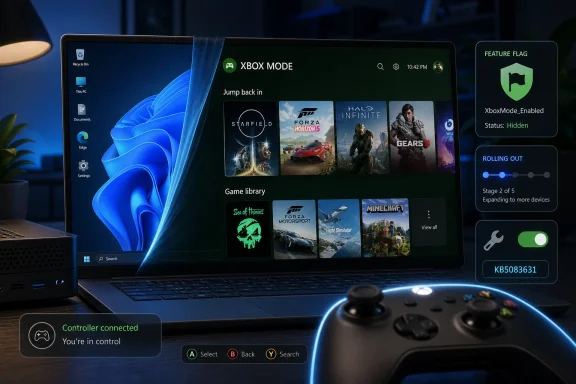 Microsoft Is Finally Treating the Desktop as Optional
The most important thing about Xbox mode is not that it looks like a console dashboard. It is that Microsoft is carving out a sanctioned path around the traditional Windows desktop for moments when the desktop is the wrong interface. That is a philosophical shift for a company that has historically treated the shell as the center of gravity for almost everything.The old Windows gaming story was essentially additive. Game Mode was added. Game Bar was added. Auto HDR was added. DirectStorage was added. The Xbox app was added, then revised, then revised again. Each layer helped, but each also lived inside the same broad desktop environment, where the user was still expected to tolerate a mouse-first shell and a background swarm of services.
Xbox mode works from a different premise. It says the machine may still be a Windows PC underneath, but the player should not have to feel that in the moment. A controller-first, full-screen home experience is not merely a skin over the Xbox app; it is Microsoft’s attempt to make Windows behave like a living-room device without asking users to give up Windows when they need it.
That distinction matters because Microsoft cannot beat SteamOS by pretending Windows is as lean or as coherent. Windows wins by running nearly everything. SteamOS wins by making a smaller set of things feel seamless. Xbox mode is Microsoft’s attempt to close the second gap without sacrificing the first advantage.
The ViVeTool Shortcut Exposes the Messiness of Modern Windows
PCWorld’s tip is straightforward: if the optional KB5083631 update is installed and Xbox mode has not appeared, ViVeTool may be able to force-enable the hidden feature flag. ViVeTool has become a familiar utility in the Windows enthusiast world because Microsoft increasingly ships features in the operating system before enabling them for everyone. The bits can be present while the switch remains off.That is not inherently sinister. Controlled feature rollouts let Microsoft watch for crashes, incompatibilities, localization problems, regional requirements, and support spikes before a feature reaches the whole population. For a feature that changes the gaming shell and suppresses pieces of the standard Windows experience, caution is not irrational.
But it is also a recipe for confusion. Users see the same KB number, the same OS build family, and the same headlines, yet their Settings app does not match screenshots from another machine. In the old model, an update was a reasonably clear event. In the current model, an update is more like a delivery truck that may or may not unload the box you care about.
ViVeTool thrives in that ambiguity. It gives enthusiasts a way to say, “I know the feature is here; let me decide whether to expose it.” That is empowering, but it also turns a consumer feature into a small act of system spelunking. For WindowsForum readers, that may sound like Tuesday. For normal users, it is the sort of thing that makes Windows feel less like a product and more like an archaeological site.
Xbox Mode Is Not a Magic Performance Button
The more overheated version of the Xbox mode story is that it “boosts gaming performance” by disabling unnecessary processes. That is directionally true in the sense that Microsoft’s full-screen gaming experience is designed to suppress standard Windows experiences such as parts of the taskbar and some startup behavior, freeing memory and reducing distractions. It is not the same as promising that every desktop PC will suddenly gain frames per second.This is where expectations need discipline. If a game is GPU-bound on a high-end desktop with 32GB or 64GB of RAM, Xbox mode is unlikely to transform the benchmark chart. If a handheld or living-room mini PC is fighting for memory, CPU time, and thermal headroom, trimming shell overhead and focusing the interface can matter more. The gains are likely to be contextual rather than universal.
The bigger performance improvement may be psychological. A console feels fast partly because it gives the user fewer opportunities to notice everything else the machine is doing. It wakes into a home screen, accepts controller input, launches games, and keeps the system drama backstage. Windows has traditionally shown too much of its machinery.
That does not mean the machinery disappears. Launchers still exist. Driver problems still exist. Anti-cheat conflicts still exist. Storefront fragmentation still exists. Xbox mode can hide the mess, but it cannot abolish the mess.
The Handheld PC Forced Microsoft’s Hand
The rise of handheld gaming PCs made the Windows desktop look worse than it did on a monitor. A 27-inch screen, keyboard, and mouse can absorb a lot of Windows eccentricity. A seven-inch handheld with a gamepad cannot. Tiny taskbar icons, pop-up dialogs, update prompts, file pickers, and launcher windows all become more insulting when the device is supposed to feel like a console.The ROG Ally, Legion Go, MSI Claw, and their successors made a simple point painfully visible: Windows had the game compatibility, but SteamOS had the posture. Valve understood that a handheld gaming device should boot into play, not into a general-purpose office environment. Microsoft could not ignore that forever, especially after partnering with Asus on Xbox-branded handheld hardware.
Xbox mode is therefore not just a desktop feature arriving late. It is a response to a market that embarrassed Windows in a category Windows should have owned. Microsoft had the ecosystem, the developer relationships, the controller heritage, and the Game Pass subscription. What it lacked was a first-class shell for playing games without touching the desktop.
That is why the rollout to laptops, desktops, and tablets matters. Microsoft is not building a niche handheld mode; it is building a gaming posture for Windows as a whole. The handheld exposed the problem, but the living-room PC, the bedroom mini PC, and the controller-on-the-couch laptop all benefit from the same answer.
The Controller Is the Real Customer
The mouse pointer has always been the ghost in the room for Windows gaming. Even in a gamepad-friendly setup, the user often needs a mouse to clear a dialog, close a launcher, accept a permissions prompt, or navigate a storefront. The moment that happens on a TV, the console illusion collapses.Xbox mode is fundamentally a bet on controller continuity. If the user can move from wake to library to launch to task switcher without reaching for a mouse, Windows starts to behave like a device designed for the room rather than merely tolerated in it. That is the experience Microsoft has chased in fragments through Media Center, Big Picture-style app shells, Game Bar, and the Xbox app.
This is also why the feature’s relationship with Game Bar and Task View matters. Microsoft is not simply making the Xbox app bigger. It is trying to define a loop: enter the full-screen gaming environment, launch and switch games, surface overlays and utilities, then return to the gaming home without falling back to the desktop unless you choose to.
That loop is easy to describe and hard to perfect. Windows has decades of software that assumes it can put a window wherever it wants, ask for focus whenever it wants, and demand input however it wants. Xbox mode will succeed only to the extent that Microsoft can keep those assumptions from puncturing the experience.
Storefront Neutrality Is Microsoft’s Necessary Compromise
Microsoft cannot make Xbox mode an Xbox-only launcher and expect PC gamers to care. The value of Windows is that it runs everything, and the value of a Windows gaming shell depends on whether it respects that reality. A controller-first interface that ignores Steam would be dead on arrival for a large part of the audience.That is the delicate balance. Microsoft wants the Xbox brand to be the front door, Game Pass to be prominent, cloud gaming to be visible, and the Xbox app to feel like the natural home of play on Windows. But it also knows that PC gamers distrust anything that smells like a walled garden imposed on top of their existing libraries.
The smartest version of Xbox mode is not a console dashboard pasted onto the PC. It is a gaming home that treats Windows-compatible libraries as first-class citizens while giving Microsoft’s services pride of place. That is a difficult political and product line to walk, but it is the only credible one.
Valve’s Steam Big Picture mode already has years of muscle memory behind it. SteamOS has the elegance of vertical integration. Microsoft’s counterweight is breadth: native Windows game compatibility, anti-cheat support, broad peripheral support, Game Pass, cloud streaming, and every weird launcher PC gamers have accumulated over a decade. Xbox mode must organize that sprawl without pretending it is not sprawl.
Enterprises Will See Another Consumer Feature With a Policy Shadow
For sysadmins, Xbox mode may look like a consumer flourish, but consumer flourishes in Windows have a way of becoming management questions. Any feature that changes startup behavior, suppresses standard shell elements, modifies foreground experience, or encourages hidden-feature toggling will eventually intersect with policy, imaging, support, and user expectation.Most managed business PCs will not need Xbox mode, and many organizations will want it absent, disabled, or at least undocumented. That does not make the feature dangerous. It makes it another reminder that Windows 11 serves multiple constituencies from the same codebase: gamers, enterprises, students, developers, kiosk builders, handheld OEMs, and general consumers.
The ViVeTool angle is where IT pros may wince. Enthusiasts forcing hidden features is one thing on a personal gaming rig. It is another on a managed fleet, where an unsupported configuration can turn into a ticket that begins with “I saw this article online.” Microsoft’s controlled rollout model reduces risk at scale, but third-party flag toggling routes around that caution.
The practical answer is not panic. Organizations already have tools to manage Windows Update behavior, app availability, Store access, and gaming features. But Xbox mode is part of a broader pattern in which Windows features arrive as latent capabilities controlled by service-side decisions and feature IDs. For IT, the operating system is becoming less of a static artifact and more of a negotiated state.
Microsoft Is Testing the Next Xbox in Public
The most intriguing reading of Xbox mode is that it is not primarily about today’s Windows 11 desktops. It is about the next hardware generation. Microsoft has been increasingly explicit that Xbox and PC gaming are converging, and a Windows-based full-screen gaming environment gives the company a way to test that convergence at enormous scale before it ships a dedicated box.If the future Xbox runs closer to Windows than any previous Xbox, Microsoft needs a shell that can reconcile console simplicity with PC flexibility. Xbox mode is a proving ground for that shell. It can expose problems with controller navigation, multi-store libraries, suspend and resume behavior, overlays, cloud gaming, performance tuning, and user expectations long before the next console hardware becomes the main event.
This strategy has a certain Microsoft logic. Rather than build a perfect console OS in private, the company can iterate on a Windows feature across messy real-world hardware. Every desktop, laptop, tablet, and handheld that runs Xbox mode becomes a compatibility lab.
The risk is that public iteration can make the product feel unfinished. A phased rollout, hidden flags, inconsistent availability, and uneven early impressions may be acceptable to insiders and enthusiasts. They are less charming to customers who just want the button to appear. Microsoft is betting that the long-term payoff is worth the short-term fuzziness.
The Enthusiast Shortcut Comes With Enthusiast Responsibilities
Using ViVeTool to enable Xbox mode is not reckless by definition. It is a common practice among Windows power users, and in this case the feature appears to be part of a real rollout rather than a random abandoned experiment. Still, it is not the same thing as receiving the feature through the normal switch Microsoft intended for your device.Feature flags can be disabled for reasons that are invisible to the user. A PC may be in a rollout bucket that has not yet received the feature. It may be in a region where Microsoft is pacing availability. It may have a hardware, driver, language, app, or account condition that Microsoft wants to observe before broad enablement. Or it may simply be waiting its turn.
That does not mean nobody should force it. Windows enthusiasts have always pushed ahead of the official line, and communities like this one exist partly because people want to understand what Microsoft is shipping before Microsoft finishes explaining it. But the right attitude is experimentation, not entitlement. If you flip the switch manually, you own the weirdness that follows.
The safest path is the boring one: install the optional preview update only if you are comfortable with preview updates, update the Xbox app and related Store components, check the Gaming section in Settings, and wait if the option is not there. ViVeTool is the impatience button. Sometimes impatience is justified. Sometimes it is just a faster route to a bug report.
The Real Story Is Windows Learning to Get Out of the Way
The old critique of Windows gaming was that Microsoft did not care enough. That critique is outdated. The newer critique is sharper: Microsoft cares, but Windows is too general-purpose to deliver a consistently console-like experience. Xbox mode is an answer to that second critique.It does not require Microsoft to turn Windows into a console. It requires Microsoft to make Windows capable of acting like one for a while. That is a more realistic goal and a more useful one. PC gamers do not want to lose the freedom to mod, multitask, swap launchers, install tools, or run old games. They want that freedom to stop interrupting them when they are sitting on the couch with a controller.
This is why Xbox mode’s success should not be judged only by frame rates. It should be judged by how often it prevents the user from needing a keyboard. It should be judged by how cleanly it handles multiple launchers. It should be judged by how quickly a machine wakes into something playable. It should be judged by whether Windows feels less like Windows at the exact moment Windows is most in the way.
That is a subtle product challenge, and Microsoft’s first attempt will almost certainly be uneven. But uneven does not mean unimportant. The desktop PC is no longer the only mental model for Windows gaming, and Microsoft finally appears to be designing for that fact rather than merely acknowledging it in marketing.
The April Preview Update Turns a Hidden Flag Into a Bigger Bet
There are a few concrete points worth separating from the noise, because Xbox mode is both simpler and more consequential than the rollout drama makes it seem.- Xbox mode is arriving through Windows 11’s optional April 2026 preview update KB5083631, but installation of the update does not guarantee immediate visibility on every eligible PC.
- Microsoft is using a staged rollout, which means two machines on similar builds may show different Gaming settings while the company expands availability.
- ViVeTool can reportedly expose the hidden feature flag for users who already have the necessary update, but doing so bypasses Microsoft’s normal rollout pacing.
- Xbox mode is best understood as a controller-first full-screen gaming shell, not as a universal performance upgrade that will automatically raise frame rates on every system.
- The feature matters most for handhelds, living-room PCs, tablets, and laptops used with controllers, where the traditional Windows desktop is least comfortable.
- Microsoft’s larger goal is to make Windows behave more like a console when appropriate while preserving the compatibility and openness that make PC gaming valuable.
Source: PCWorld Not seeing Xbox mode in Windows 11 yet? Unlock it using this free tool
