

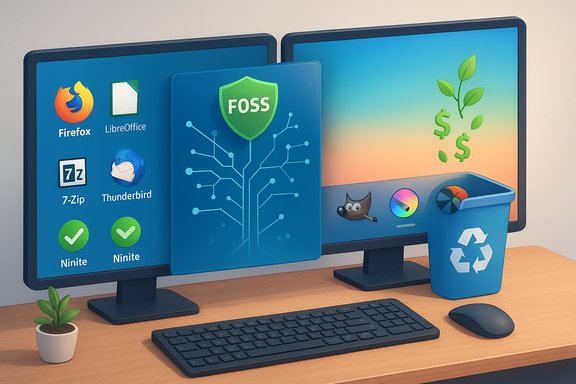
You don't need to switch to Linux to escape subscriptions, telemetry, or vendor lock‑in — a surprisingly large, modern, and usable free‑and‑open‑source (FOSS) ecosystem already runs cleanly on Windows and macOS, and with a little discipline you can eliminate many subscription costs without changing the OS.
The core argument is simple: the desktop operating system and the applications that run on it are separate decisions. You can keep Windows or macOS and replace expensive, subscription‑driven software with free, open alternatives that are actively maintained and cross‑platform. That approach lets you avoid the learning cost of a full OS migration while still gaining most of the economic and privacy benefits of FOSS. The practical manifesto here is: refresh the OS where needed, then populate it with community‑driven apps rather than proprietary ones.
This piece walks through that strategy in detail: where to get trusted installers, which replacement apps make the best batch migrations, what to watch for (licensing gotchas, telemetry, platform limitations), and a realistic assessment of trade‑offs. The recommendations are pragmatic and cross‑checked against project pages and vendor statements where possible.
That said, it’s not a magic bullet. There will be friction, and some specialist features will be harder or impossible to replicate. The sensible approach is incremental: migrate the low‑risk, high‑value items first (browser, mail, office basics, image viewers), keep mission‑critical proprietary pieces until you can validate their replacements, and document the switch so you can reverse course if needed.
The Register’s practical stance — keep your OS, replace the apps — is a humane, low‑disruption path that returns control to the user without demanding a full OS retraining. If you value predictable costs, local control over data, and the ability to audit or escape vendor lock‑in, that path is well worth exploring.
Conclusion
You don’t have to learn a new operating system to take back control of your software stack. With curated installers, a handful of well‑chosen FOSS applications, and a cautious approach to platform policies and licensing, you can shed recurring subscriptions and minimize telemetry while preserving the familiarity of Windows or macOS. The work is practical and incremental: inventory, test, migrate, and consolidate. For many users, that investment unlocks long‑term savings, privacy, and independence — without the disruption of a full OS migration.
Source: theregister.com You don't need Linux to run mostly FOSS
 Background
The core argument is simple: the desktop operating system and the applications that run on it are separate decisions. You can keep Windows or macOS and replace expensive, subscription‑driven software with free, open alternatives that are actively maintained and cross‑platform. That approach lets you avoid the learning cost of a full OS migration while still gaining most of the economic and privacy benefits of FOSS. The practical manifesto here is: refresh the OS where needed, then populate it with community‑driven apps rather than proprietary ones.This piece walks through that strategy in detail: where to get trusted installers, which replacement apps make the best batch migrations, what to watch for (licensing gotchas, telemetry, platform limitations), and a realistic assessment of trade‑offs. The recommendations are pragmatic and cross‑checked against project pages and vendor statements where possible.
Overview: a practical, risk‑aware plan
- Start with a clean system image if your machine needs it (a fresh OS reduces bloat and surprise components).
- Use curated installers for Windows to avoid toolbars and junk; consider Ninite for Windows.
- Prefer cross‑platform FOSS apps (Windows + macOS + Linux) to ease syncing and reduce retraining.
- Keep a small number of proprietary tools during transition if they’re essential; replace them only when FOSS alternatives satisfy your real needs.
- Understand licensing and enterprise caveats (for example, VirtualBox’s Extension Pack is covered by Oracle’s PUEL license — personal use is allowed but commercial use and redistribution are restricted).
Where to obtain software safely
Ninite and safe side‑loading on Windows
For Windows users, Ninite remains one of the safest and fastest ways to install and update a set of common FOSS and freeware utilities without toolbars, adware, or upsell dialogues. You pick the apps, Ninite builds a tiny custom installer, and the installer downloads and installs the current versions silently — and you can keep and rerun that installer later to update the same set. That model has stood the test of time and still works well for initial setups and quick refreshes. Note: Microsoft has started experimenting with multi‑app install flows in the Microsoft Store web experience, which looks similar to Ninite’s idea; this underscores the value of a single‑pass installer. But the new Store feature is from Microsoft and may behave differently and carry Store‑specific constraints. Use Ninite for lightweight, store‑independent installs.macOS and .dmg installs
macOS users can rely on direct downloads from project sites for most high‑quality FOSS apps. The native App Store is convenient but not necessary; many apps auto‑update outside the App Store and come without the subscription pressures embedded in some Store listings. On macOS, stick to the official project pages or reputable app archives rather than random “mac app collections.”General safety advice
- Prefer official project sites (project.org, GitHub/GitLab repos) or well‑known distribution channels (Flathub for Linux, reputable package maintainers).
- Avoid flashily designed “alternative app stores” that push paid tiers or modern UI flummery — simple, text‑forward lists are often safer and less commercial.
Recommended replacements: category by category
Each recommendation includes why it’s chosen, what it does, and key caveats. Where a claim bears time‑sensitive or legal weight, it is validated with project or vendor documentation.Browsing and privacy
- Mozilla Firefox (desktop): a mature, cross‑platform browser with robust extension support and sync. Recent releases have added a redesigned sidebar and built‑in vertical tabs (Firefox 136 introduced native vertical tabs in the new sidebar). Firefox remains a solid choice for privacy‑first browsing.
- Add uBlock Origin as the first extension for efficient ad/content blocking. Note: uBlock Origin’s situation on Chromium‑based browsers has been fluid because of the Manifest V2→V3 changes; Firefox continues to be the best place for the full uBlock Origin experience. If you must use Chrome or another Chromium fork, check the extension's compatibility and any limited "lite" variants.
- On LLM/AI features: some Firefox builds are experimenting with integrated assistant features. The Register article suggested toggling about:config prefs (searching for keys that begin with browser.ml) to disable the built‑in bot, but those preference names are implementation‑dependent and can change; check official Mozilla docs or the release notes for authoritative guidance. Treat such low‑level tweaks cautiously — when in doubt, disable experimental or telemetry features in the browser settings and check the release notes.
Email and messaging
- Thunderbird (MZLA): Thunderbird is actively maintained by MZLA Technologies (a Mozilla Foundation subsidiary) and remains a fully featured, cross‑platform, open‑source email client. It supports traditional mail protocols, calendar integration, and can be extended to handle XMPP and Matrix; it’s a solid default for replacing paid desktop mail clients.
- Multi‑protocol chat: Ferdium, Pidgin, or Thunderbird with extensions can unify many chat services. Expect friction with Signal (which is deliberately siloed for security reasons) — you may need to keep native apps for a handful of contacts.
Office productivity
- LibreOffice: a full replacement office suite with active releases and regular maintenance from The Document Foundation. Keep LibreOffice installed for compatibility and document recovery, especially with older legacy files. The project publishes regular announcements for maintenance releases.
- Alternatives with Microsoft‑like UIs: OnlyOffice and WPS Office often present more familiar ribbons and formatting, but check licensing and privacy differences (WPS has proprietary components). LibreOffice remains the best fully open source fallback.
Imaging, photo, and creative tools
- GIMP 3.x: GIMP’s major release cycle resumed with 3.0 and brought long‑awaited improvements (single‑window experience, HiDPI, Wayland and GTK3 changes, non‑destructive filters). If you miss Photoshop, consider the PhotoGIMP patch/skinpacks that reconfigure GIMP’s UI and shortcuts to mimic Photoshop — PhotoGIMP is a community project and is a lightweight, reversible overlay rather than a fork.
- Other creative apps: Krita for painting, Darktable for RAW processing, digiKam for photo library management, and Inkscape for vector work are all mature, actively maintained projects.
Utilities and file tools
- Compression: 7‑Zip (open source) or PeaZip as alternatives to WinRAR. 7‑Zip is simple, fast, and free.
- Image viewing: IrfanView (Windows classic), XnView, FastStone.
- Downloads: FileZilla for FTP/SFTP; browser download extensions or dedicated download managers as needed.
- Hypervisor: VirtualBox works well for general VM needs but be mindful of the plugin licensing model — the Extension Pack is covered by the Oracle PUEL license (free for personal and educational use; commercial uses may require a paid license). For macOS users, UTM is an all‑FOSS option; VMware Workstation / Fusion are free/paid alternatives that may perform better with some guest OSes.
Editing, writing, and notes
- Code and text editors: Notepad++ (Windows), Geany, VS Code (free build) or Neovim/Emacs for advanced users.
- Markdown and distraction‑free editors: Panwriter and Ghostwriter are options — Ghostwriter is lightweight and cross‑platform. Note: Panwriter is an Electron app and heavier, so balance features vs resource usage.
- Note‑taking/outlines: LogSeq (hierarchical Markdown + local graph) is powerful; syncing between machines sometimes yields edge‑case conflicts — treat it as part toolset, part workflow that needs testing on your dataset. If you depend on flawless cross‑device sync, evaluate carefully.
Critical analysis: strengths, weaknesses, and real trade‑offs
Strengths
- Cost control: Replacing subscription apps with FOSS drastically reduces ongoing expenses and license management headaches.
- Portability and interoperability: Using cross‑platform apps makes it easy to move between Windows, macOS, and Linux without retraining staff.
- Transparency and security: Open projects are auditable; many have active security practices and frequent updates (LibreOffice, GIMP, Firefox and Thunderbird are notable examples).
- Choice and customization: You can pick lightweight, privacy‑respecting tools rather than being locked into vendor ecosystems.
Weaknesses and risks
- Feature gaps: Some proprietary tools still have no real FOSS counterpart — advanced, industry‑specific workflows (e.g., high‑end Adobe Photoshop features, certain AutoDesk toolchains, specialised laboratory or CAD software) may require retaining a proprietary application or running it in a VM. The question is whether those missing features are essential or merely convenient.
- Integration and polish: Some FOSS apps, while powerful, offer a different workflow. Expect to spend time learning alternatives; the payoff is long term but upfront cost is real.
- Licensing caveats: Not all “free” software removes licensing complexity. Oracle’s VirtualBox Extension Pack is a classic example — the core hypervisor is GPL‑licensed, but the Extension Pack is under PUEL and restricted for commercial redistribution. Read vendor licensing before deploying in business settings.
- Extension/Platform churn: Ecosystem changes (for example, Chromium Manifest V3) can affect extension functionality. A blocker that works perfectly on Firefox may have limited capability on Chromium derivatives; this is a structural change from the browser platform providers, not the blocker authors. Choose your browser accordingly.
- Sync fragility: Synchronizing local‑first tools (LogSeq, Syncthing) between machines sometimes hits conflict edge cases. Test sync workflows with non‑critical data before committing your primary archives.
A pragmatic migration checklist
- Inventory everything you rely on today: apps, file formats, cloud services, printers, mobile sync, enterprise authentication.
- Back up everything: full system image and off‑site copy of personal files and mail stores.
- Pick replacements for the essentials and test them in parallel for a week or two.
- Use automation to install basics: Ninite for Windows or manual .dmg installs on macOS; keep the Ninite stub for periodic updates.
- Migrate mail slowly: export PST/MBox and import into Thunderbird; run mail in parallel for a while.
- Validate business documents: open your most critical DOCX/XLSX/PPTX files in LibreOffice and check for fidelity; keep your old office suite accessible until confident.
- If you require Windows‑only software, consider a local VM (VirtualBox or VMware) and evaluate licensing for VirtualBox Extension Pack if you need the extra features.
- Keep a short “escape list” of proprietary apps you’ll tolerate during transition. Reduce it over time.
Significant technical and legal verifications (what’s validated)
- Ninite still provides custom installers that update installed apps when re‑run; that’s the intended design.
- Firefox 136 shipped a redesigned sidebar with built‑in vertical tabs and sidebar‑based tools; you can enable vertical tabs in Settings → General → Browser Layout. Multiple vendor and press sources report this feature.
- VirtualBox’s Extension Pack is licensed under the PUEL; the base VirtualBox package is GPLv3. Personal and educational use of the Extension Pack is permitted, but commercial distribution requires a paid license. Read Oracle’s licensing pages before deploying at scale.
- Thunderbird is currently maintained under the MZLA umbrella and continues active development; the project communicates via Planet Thunderbird and official channels.
- LibreOffice is actively maintained with regular releases — it remains the practical open‑source office suite for compatibility with Microsoft formats.
- uBlock Origin remains the community‑recommended blocker for Firefox; Chromium support has been affected by Manifest V3 changes and some store issues, so Firefox is the safest place for the full uBlock Origin experience.
- GIMP 3.0 emerged after a long development cycle and brought modern UI and internal changes; PhotoGIMP is a community UI patch that adapts GIMP for Photoshop users and is maintained separately.
Practical cautions and unverifiable or changeable claims
- The Register article suggested disabling built‑in LLM features in Firefox via a set of about:config changes that begin with browser.ml; while the article’s claim reflects a real concern about integrated assistants, the exact preference names and behavior can change across releases and builds. Treat “about:config hacks” as fragile: check the official release notes or Mozilla support pages for the specific release you’re running before flipping hidden prefs.
- Browser extension availability and capabilities are subject to platform vendor policy. Google’s push to Manifest V3 and the resulting limitations on content blockers is a policy change that affects Chromium browsers; this can require you to either use Firefox for full ad‑blocking power or to accept reduced functionality on Chromium. Keep an eye on official extension docs and vendor announcements.
- Project health can change: many FOSS projects are robust and community‑backed, but volunteer project priorities sometimes shift. Where business continuity depends on a tool, prefer projects with active release cycles and visible governance (for example, The Document Foundation for LibreOffice, Mozilla/MZLA for Thunderbird).
Final assessment: is it worth it?
For a majority of home users and many professional workflows, replacing subscription software with FOSS while retaining Windows or macOS is not merely possible — it’s pragmatic and cost effective. You keep the user interface you know, avoid subscription management and vendor lock‑in, and still gain many of the benefits of open source: transparency, portability, and lower cost.That said, it’s not a magic bullet. There will be friction, and some specialist features will be harder or impossible to replicate. The sensible approach is incremental: migrate the low‑risk, high‑value items first (browser, mail, office basics, image viewers), keep mission‑critical proprietary pieces until you can validate their replacements, and document the switch so you can reverse course if needed.
The Register’s practical stance — keep your OS, replace the apps — is a humane, low‑disruption path that returns control to the user without demanding a full OS retraining. If you value predictable costs, local control over data, and the ability to audit or escape vendor lock‑in, that path is well worth exploring.
Conclusion
You don’t have to learn a new operating system to take back control of your software stack. With curated installers, a handful of well‑chosen FOSS applications, and a cautious approach to platform policies and licensing, you can shed recurring subscriptions and minimize telemetry while preserving the familiarity of Windows or macOS. The work is practical and incremental: inventory, test, migrate, and consolidate. For many users, that investment unlocks long‑term savings, privacy, and independence — without the disruption of a full OS migration.
Source: theregister.com You don't need Linux to run mostly FOSS
