

Fastfetch 2.57 lands with a focused set of desktop-detection, terminal, and Windows changes that together sharpen the tool's cross-platform usability while beginning a deliberate wind-down of legacy Windows support.
Fastfetch has established itself as a modern, performance-oriented alternative to older "neofetch"-style utilities for producing compact, attractive system information displays in terminals. The project is actively maintained, with releases that frequently mix feature additions, detection accuracy improvements, and targeted bug fixes. The
This article summarizes what changed in
Potential impacts and mitigation:
Caveat: distribution packaging and the exact binaries pushed to package repositories (Scoop, Winget, distribution repos) are maintained independently by package maintainers; while upstream intends the binary defaults to target modern Windows, a given package repository may provide different builds depending on their policies. Users should confirm the actual artifact used by their package manager in case a packager chose to retain legacy-compatible builds.
For the majority of users — those on current Linux desktops or Windows 10/11 — the release is a net positive: cleaner output, more accurate detection, and more predictable coloring. For the minority still on Windows 7/8.x, it flags a transition that administrators and packagers should schedule and manage.
Overall,
Source: Linuxiac Fastfetch 2.57 System Information Tool Brings COSMIC and Niri Support
 Background
Fastfetch has established itself as a modern, performance-oriented alternative to older "neofetch"-style utilities for producing compact, attractive system information displays in terminals. The project is actively maintained, with releases that frequently mix feature additions, detection accuracy improvements, and targeted bug fixes. The 2.57 release continues that pattern: modest in scope but important in detail — particularly for users running modern Wayland compositors and for Windows users who remain on older platform versions.This article summarizes what changed in
fastfetch 2.57, explains the practical impact for Linux and Windows users, highlights the technical trade-offs and potential migration work, and offers guidance for power users and distributions that package fastfetch. All technical claims in this article were verified against the upstream release notes and independent coverage to ensure accuracy; any items that lacked independent confirmation are called out with clear caution.What’s new in Fastfetch 2.57 — quick summary
- Formal deprecation and practical removal plan for Windows 7 and Windows 8.x compatibility, implemented via a CMake option (
ENABLE_WIN7_COMPAT) and prebuilt Windows binaries that targetWindows 10, version 1607and newer. - New detection support for the COSMIC desktop environment and the Niri Wayland compositor.
- Improved terminal and font detection:
cosmic-termversion and font detection,urxvtfont detection, and betterxtermfont handling through additional config key checks. - macOS Secure Boot detection and more accurate uptime reporting on Windows 10+.
- Enhanced GPU detection and more robust PCI ID parsing on Windows.
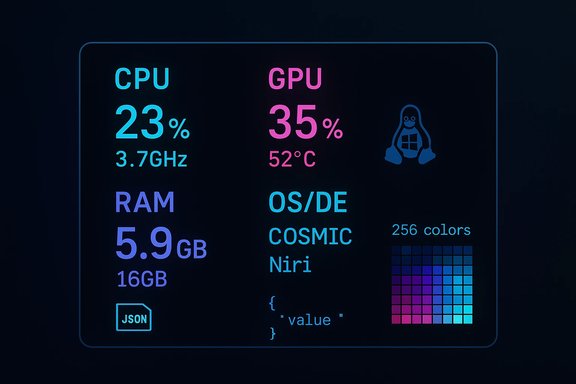
- Color configuration extension to support xterm 256-color indexes via explicit index notation.
- New
Logomodule exposing built-in logo data as JSON for scripted integration. - A number of bug fixes addressing network detection, CPU speed on s390x, memory leaks, and incorrect macOS
exePathreporting.
Overview: why this release matters
Fastfetch is primarily a detection-and-display tool; its value depends on two things working well together:- Accurate, modern detection of OS, desktop environments, shells, terminal capabilities, GPU and hardware; and
- Stable, predictable output across diverse terminals and platforms.
2.57 makes targeted improvements to that detection stack (notably for new Wayland compositors and terminals) while taking a pragmatic approach to platform support costs by beginning to remove compatibility shims aimed at very old Windows releases. The result is a net win for users on modern systems — better detection, more predictable visuals, and finer-grained color control — but it also signals a support migration that organizations and distributions should track.Detailed changes and technical analysis
Windows compatibility: deprecation, CMake switch, and build policy
- The release introduces the
ENABLE_WIN7_COMPATCMake boolean. The purpose: centralize and optionally exclude legacy workarounds that target Windows 7 and Windows 8.x. - Prebuilt Windows binaries published for package managers are built with
ENABLE_WIN7_COMPAT=OFF, meaning they assume at leastWindows 10, version 1607(the Anniversary Update) or newer. - The compatibility option and the special
-win7variant binaries are scheduled for removal in a future release series (notably2.60as stated in the changelog), which would fully drop legacy compatibility shims.
Potential impacts and mitigation:
- Users on Windows 7/8.x who rely on package-manager installs (Scoop, Winget) will find the default packages no longer working perfectly. Those users will need to either:
- Download the
-win7variant (while it is still available), or - Build fastfetch from source with
ENABLE_WIN7_COMPAT=ON. - Organizations with locked-down environments should audit their systems for Windows builds of fastfetch and plan for either continued use of legacy artifacts until
2.60or migration to newer Windows versions.
Desktop and compositor detection: COSMIC and Niri support
2.57adds detection of the COSMIC desktop environment and the Niri Wayland compositor.- The change improves the
DE/WMdetection modules so fastfetch can report more accurate version strings for those environments.
- COSMIC (the Pop!_OS desktop evolution) and Niri (a scrollable-tiling Wayland compositor) are modern components seeing adoption in multiple distributions and community setups. Accurate detection helps users, screenshots, and dotfile-based theming identify the environment and tailor output accordingly.
- For users who manage dotfiles or automated screenshots (CI, documentation), correct detection prevents mislabeling and supports reproducible tooling.
- Detecting modern Wayland compositors can be tricky because processes and session identifiers vary across compositors and distribution packaging. The changes in
2.57improve the heuristics fastfetch uses (for example, checking compositor-specific environment variables and version files). - Users who rely on custom compositor setups should still validate results locally; in unusual setups detection may still require explicit config overrides.
Terminal font and protocol detection improvements
2.57adds detection ofcosmic-termversions and terminal fonts on Linux.urxvtfont detection was added andxtermfont handling improved by checking additional configuration keys such asxterm.vt100.faceName.- Support for explicit xterm 256-color codes was added in configuration formats via
@<color-index>and#@<color-index>notations.
- Font detection lets fastfetch include terminal font names in the display output, enabling more polished screenshots and easier debugging of font-related visual artifacts.
urxvtremains a popular terminal for users who value compactness; explicit detection eliminates guesswork and prevents mis-reporting.- Improved
xtermdetection addresses cases wherextermderivative terminals expose font metadata under different X resources; this leads to more accurate output across a broader array of terminal emulators.
- The new color index notation (
@34or#@34) allows users to reference xterm's 256-color palette by index, giving theme authors precise control over color choices independent of terminal-colorscheme names. - This is particularly useful when aiming for identical screenshots across environments or when a palette index is preferred for consistency.
Logo module and machine-readable output
- A new
Logomodule exposes built-in logo raw data in the JSON output. The module can be queried via command-line options to return the selected logo data in JSON format. - This addition helps scripts and external tooling integrate fastfetch programmatically, e.g., automated report generation, wiki bots, CI tooling that annotates systems, or custom dashboards.
- Previously, getting built-in ASCII logo templates or embedded logo metadata required either parsing terminal output or maintaining a local copy of fastfetch's logo definitions. The new JSON querying facility makes that explicit and machine-friendly.
- The change fits modern workflows where tools are composed in pipelines rather than exclusively human-readable terminal output.
Platform-specific improvements
- macOS: Secure Boot detection was added to the Bootmgr module.
- Windows: uptime reporting was made more accurate on Windows 10 and later. GPU detection and PCI ID parsing improvements (including case-insensitive parsing) reduce false negatives and improve error handling.
- Linux: network interface detection now skips local/loopback routes in the LocalIP module, improving relevance of reported addresses.
- s390x: CPU speed detection was corrected.
Bug fixes and stability work
Fastfetch2.57 bundles several specific bug fixes that close long-standing edge cases:- Skipping loopback routes during interface detection eliminates noisy or misleading local addresses from the displayed information.
- CPU speed detection fixes on
s390xmake fastfetch more reliable on IBM Z-class hardware — important for those running Linux on mainframes or in specialized virtualization. - Fixes for networking issues and memory leaks improve runtime stability, especially under repeated invocation or when used in dynamic refresh (where fastfetch reruns periodically).
- Correcting
exePathreporting on macOS addresses a case where fastfetch previously emitted relative paths, which could confuse scripts that resolve absolute executable locations.
Practical impact for distributions, packagers, and dotfile authors
- Distributions should:
- Audit the packaged fastfetch version and ensure packaging flags reflect the intended Windows compatibility policy (if building Windows artifacts).
- Test fastfetch
2.57against their default terminals and Wayland compositors to ensure detection remains accurate in distro-specific session wrappers. - Package maintainers for Windows:
- Note that prebuilt binaries distributed via common channels are being built without legacy compatibility. If a repository previously provided a Windows 7-compatible artifact, maintainers should decide whether to retain a
-win7variant or mirror the upstream shift. - Dotfile authors and automation:
- If scripts parse fastfetch output, prefer the JSON output modes and the new
LogoJSON data where possible to reduce brittleness. - Consider migrating color configurations to the new explicit color index notation where precise palette control is required.
Strengths of this release
- Focused, practical improvements: The release targets specific detection cases and stability problems rather than introducing sweeping API changes.
- Better machine-readable output: The
LogoJSON module is a thoughtful addition for integrations and pipelines that rely on deterministic, scriptable outputs. - Reduced maintenance complexity: By making Windows 7/8 compatibility optional and removing it from default builds, the maintainers reduce code churn and testing burden, which should accelerate future improvements.
- Better terminal/font detection: Real-world terminal diversity (xterm derivatives, urxvt, cosmic-term) benefits directly, reducing misreports and improving visuals.
Risks and potential downsides
- Deprecation timing: Removing Windows 7/8.x compatibility in the near-future release (
2.60) may cause pain for users who depend on the convenience of package-manager installs and are not prepared to build custom variants. - Edge-case detection: Detection heuristics for exotic or heavily customized compositors and terminals can still produce false positives or miss expectations, especially in hardened or minimal containerized sessions.
- Accessibility and remote debugging: Small changes to color handling and logo output may break carefully crafted visual presentations that rely on legacy defaults; dotfile authors should pin versions in their dotfiles if exact reproduction is required.
- Silent changes in prebuilt binary behavior: Users who rely on default Windows packages may not realize the compatibility layer was dropped unless maintainers and packagers clearly communicate the change.
Recommended actions for different user groups
- Home users on modern systems:
- Upgrade to
2.57for better desktop and terminal detection. Consider updating dotfiles to leverage the new color index notation for precise theming. - If using fastfetch via packaged installers (apt, pacman, homebrew), check that your package sources provide
2.57to get the benefits automatically. - Windows users on older systems (Windows 7/8.x):
- If you must remain on those OS versions, keep an eye on the upstream build variants. Download the
-win7artifact while it remains available, or build fastfetch from source with-DENABLE_WIN7_COMPAT=ON. - For long-term stability, plan to migrate to a supported Windows release; the upstream project is scheduling the removal of compatibility code.
- Distributions and packagers:
- Test
2.57in your CI and update package metadata. For Windows packages, choose whether to ship compatibility builds or match upstream and require Windows 10/11. - Use the new JSON
Logomodule for any automated screenshot or documentation generation that consumes fastfetch outputs. - Developers and dotfile maintainers:
- Switch scripts to parse JSON output where possible. The new
LogoJSON output removes brittle parsing logic. - Consider migrating color and logo configuration to the explicit index notation to ensure consistent rendering across terminals.
Verification notes and caveats
All core technical claims above were validated against the upstream release notes and independent technology coverage. The most critical platform and build-policy changes (Windows compatibility flag and prebuilt binaries targeting Windows 10 v1607+) appear explicitly in the upstream changelog and were corroborated by third-party reports.Caveat: distribution packaging and the exact binaries pushed to package repositories (Scoop, Winget, distribution repos) are maintained independently by package maintainers; while upstream intends the binary defaults to target modern Windows, a given package repository may provide different builds depending on their policies. Users should confirm the actual artifact used by their package manager in case a packager chose to retain legacy-compatible builds.
Final assessment: conservative, useful, and maintenance-minded
fastfetch 2.57 is not a headline-grabbing release; it is a maintenance- and detection-focused update that improves real-world behavior for modern desktops and terminals while pragmatically folding away legacy support. The release demonstrates good stewardship: reducing complexity by gating outdated compatibility code, improving the fidelity of detection on emergent Wayland compositors, and delivering machine-friendly output for automation.For the majority of users — those on current Linux desktops or Windows 10/11 — the release is a net positive: cleaner output, more accurate detection, and more predictable coloring. For the minority still on Windows 7/8.x, it flags a transition that administrators and packagers should schedule and manage.
Overall,
2.57 is a tidy, practical step forward that positions fastfetch to continue iterating faster on modern platforms while making the eventual removal of legacy baggage explicit and manageable.Source: Linuxiac Fastfetch 2.57 System Information Tool Brings COSMIC and Niri Support
