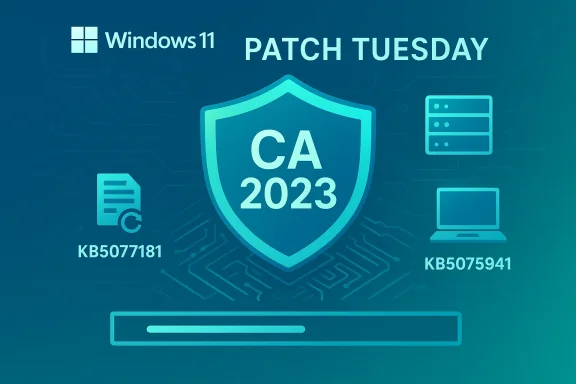
Microsoft’s February 10, 2026 cumulative updates for Windows 11 quietly carried more than routine security fixes — they continued a staged rollout that will refresh the operating system’s Secure Boot certificate chain ahead of a looming expiry window that begins in June 2026. What looks like a normal Patch Tuesday is actually a multi-month, cross‑industry operation: Windows updates are being used to seed new CA 2023 certificates and swap boot manager binaries on devices that are deemed ready, and the February packages (KB5077179, KB5077181, KB5075941) are part of that orchestration. This matters because devices that miss the transition will still boot, but they will progressively lose the ability to receive future boot‑level protections — an under‑the‑hood erosion that raises operational and security risks for enterprises and enthusiasts alike.
Secure Boot is a UEFI firmware mechanism that validates pre‑OS components (bootloaders, option ROMs) using cryptographic trust anchors stored in firmware variables (PK, KEK, DB, DBX). Microsoft and OEMs originally shipped a family of Secure Boot certificates and keys around 2011; those keys — commonly referred to in vendor documentation as the CA 2011 set — are scheduled to begin expiring in June 2026 and will be fully affected through October 2026. To avoid a hard cutover that could disrupt validation of future boot components, Microsoft issued a replacement family in 2023 (the CA 2023 set) and is quietly rolling those certificates to eligible devices via Windows updates and coordinated firmware updates. Microsoft’s guidance is explicit: devices should be transitioned to the 2023 certificates before the 2011 certs expire to maintain boot‑level security.
This effort has two parts that run in parallel:
If you manage or maintain Windows 11 devices, start with the basics: apply the February cumulative update for your version, reboot, verify Secure Boot and firmware DB status, and then scale the checks across your fleet. For edge cases — air‑gapped machines, servers, and devices with vendor‑specific firmware — plan manual remediation now. The transition is surmountable, but only with timely, deliberate action.
(This feature drew on Microsoft’s February 10, 2026 KB releases and Secure Boot guidance, contemporaneous reporting on the certificate refresh, and community‑facing operational notes summarizing pilot and verification steps.)
Source: Gridinsoft February Windows 11 updates put Secure Boot on the clock
 Background
Secure Boot is a UEFI firmware mechanism that validates pre‑OS components (bootloaders, option ROMs) using cryptographic trust anchors stored in firmware variables (PK, KEK, DB, DBX). Microsoft and OEMs originally shipped a family of Secure Boot certificates and keys around 2011; those keys — commonly referred to in vendor documentation as the CA 2011 set — are scheduled to begin expiring in June 2026 and will be fully affected through October 2026. To avoid a hard cutover that could disrupt validation of future boot components, Microsoft issued a replacement family in 2023 (the CA 2023 set) and is quietly rolling those certificates to eligible devices via Windows updates and coordinated firmware updates. Microsoft’s guidance is explicit: devices should be transitioned to the 2023 certificates before the 2011 certs expire to maintain boot‑level security. This effort has two parts that run in parallel:
- Firmware OEMs shipping new devices (and firmware updates) with CA 2023 baked into the UEFI key databases.
- Microsoft delivering OS‑side logic and update packages that can add the new certs into firmware on devices whose firmware accepts them, and swapping a Windows boot manager binary to one signed by the 2023 CA where appropriate.
What shipped in February 2026 (the practical summary)
Microsoft published three Windows 11 cumulative updates on February 10, 2026:- KB5077179 — Windows 11 version 26H1 (OS Build 28000.1575). Notable items include a fix for a dxgmms2.sys‑related kernel error, a WPA3‑Personal connectivity fix, servicing stack improvements, and an important configuration change: .NET Framework 3.5 is no longer a Windows Feature on Demand on 26H1 and must be installed using the standalone installer for legacy apps that rely on it.
- KB5077181 — Windows 11 versions 25H2 and 24H2 (OS Builds 26200.7840 and 26100.7840). This update folds in January fixes and adds expanded targeting metadata used to decide which devices will be staged to receive the 2023 Secure Boot certificates. It also addresses full‑screen gaming eligibility and WPA3 network issues.
- KB5075941 — Windows 11 23H2 (OS Build 22631.6649). This cumulative consolidates recent fixes and explicitly states it will execute updates in the Boot Manager on devices that already have the Windows UEFI CA 2023 certificate in their Secure Boot DB, replacing the 2011‑signed boot manager with a 2023‑signed one.
Why this is important — beyond a normal Patch Tuesday
At first glance the February releases look like typical cumulative updates: security patches, driver fixes, and small stability improvements. The real significance is strategic and long‑term:- The CA 2011 certificates begin expiring in June 2026 (with related PCA expirations stretching into October 2026). Devices that still rely on the 2011 certs after they lapse will continue to boot, but they will no longer be eligible to receive or validate future Secure Boot‑level updates — including updated boot managers, DB/DBX changes, and other pre‑OS mitigations. This means the boot‑time attack surface could become progressively harder to protect.
- Because Microsoft and OEMs cannot magically rewrite firmware on every device, the transition is necessarily staged and telemetry‑aware: only devices that present the correct readiness signals — firmware that accepts the new certs, update telemetry showing successful servicing, and other checks — will be enrolled automatically. That approach reduces the blast radius but creates multiple dependency points (Windows updates, OEM firmware behavior, device telemetry, and device management policies).
- For IT teams, the calendar is stricter than it looks: updating Windows alone may not be sufficient if a device’s firmware cannot accept the 2023 certificates. Firmware updates from vendors (or manual key imports when supported) may be required. For air‑gapped systems, servers with conservative firmware policies, or heavily controlled update rings, failing to plan can leave endpoints with boot‑time protections that will degrade in the months after June 2026.
What IT and advanced users must do now (practical checklist)
For most individual users the immediate step is straightforward: install the February 10, 2026 cumulative update that applies to your Windows 11 version and reboot when prompted. That will install the Microsoft side of the staged rollout and carry other security fixes. For administrators and power users, the checklist is longer and operational:- Inventory Secure Boot state and certificate status across your fleet.
- Confirm Secure Boot is enabled: use the GUI (Settings → Privacy & Security → Device Security → Secure Boot) or run PowerShell as admin and execute Confirm‑SecureBootUEFI; it returns True if Secure Boot is enabled.
- Verify whether the CA 2023 certificates are already present in firmware.
- On supported systems, use PowerShell to inspect the firmware DB:
[System.Text.Encoding]::ASCII.GetString((Get‑SecureBootUEFI db).bytes) -match 'Windows UEFI CA 2023'will return True if the Windows UEFI CA 2023 is present in the DB. Microsoft and the Windows IT Pro community document this as a recommended verification method. - Confirm Windows Update history, servicing stack updates (SSUs), and that the February cumulative has been applied where appropriate (KB5077179, KB5077181, KB5075941) — WSUS/ConfigMgr and other management tools may need approval or scheduling.
- Coordinate firmware updates with OEMs for devices that do not accept CA 2023 automatically.
- If a device’s firmware cannot import the new keys, OEM firmware updates or vendor tools will be required. Document vendor guidance and schedule maintenance windows.
- For air‑gapped fleets or systems with strict telemetry blocking, create a manual enrollment path and test certificate injection on a small pilot before broader deployment. Microsoft documents deployment playbooks and special steps for these environments.
- Test mission‑critical scenarios: anti‑cheat, DRM, BitLocker scenarios, virtualization, and Secure Boot dependencies used by enterprise protection stacks may behave differently after the swap. Validate those workflows in a dedicated ring. News outlets have already flagged anti‑cheat software as a sensitive dependency.
Deep dive: how the Windows rollout actually works (high level)
Microsoft’s published guidance and KB notes reveal the staged mechanics in plain terms:- The OS update may set a device flag indicating eligibility and then schedule a built‑in task to attempt Secure Boot database updates periodically (for example, a task that runs every 12 hours after targeting). If the device’s firmware accepts key updates and the OS Verification checks pass, the new keys are written into the KEK/DB variables. After a successful DB update, Windows may replace the boot manager with a version signed under the 2023 CA to maintain continuity. The replacement only executes on devices that already have the appropriate 2023 cert present in firmware.
- The targeting metadata in the cumulative updates helps Microsoft limit the rollout to devices that present readiness — the idea is to avoid trying to install keys on firmware that will refuse them or on devices where the injection could brick or otherwise disrupt functionality. The tradeoff is that this conservatism means some devices will be left for manual remediation.
What can go wrong — risks and trade‑offs
No major platform change is risk‑free. The Secure Boot transition introduces specific, actionable risks:- Firmware incompatibility and vendor lag. Older or vendor‑locked firmware may not support on‑the‑fly KEK/DB modifications, requiring a firmware image update or manual key import that some vendors may delay. If OEM firmware updates are slow, devices will remain dependent on the expiring CA 2011 chain and lose forward‑looking protections after June 2026.
- Air‑gapped and highly regulated systems. Environments that block telemetry or updates, or that only accept signed vendor images via manual processes, will not automatically receive the new certificates and need a documented manual remediation plan. Microsoft’s deployment playbook addresses these scenarios but demands operational effort.
- Legacy hardware and driver impacts. The larger January/February releasing cadence also removed some legacy components (e.g., in earlier releases) and changed how certain features ship; administrators who delay platform updates to keep old workflows intact may expose devices to unrelated but serious vulnerabilities included in the same cumulative updates.
- Virtualization and nested scenarios. Virtual machines and host firmware interactions vary by hypervisor. Microsoft’s guidance includes notes about Windows in virtualized environments; check vendor recommendations for Hyper‑V, VMware, and other hypervisors before broad deployment.
- Operational complexity and partial compliance. Because the rollout is phased and telemetry‑dependent, organizations may end up with mixed states across their fleet — some devices with CA 2023 present, others still on CA 2011. Mixed states complicate incident response, compliance checks, and anti‑tamper controls that expect uniform boot policies.
Strengths of Microsoft’s approach (what they got right)
- Phased rollout reduces immediate risk. A staged, telemetry‑backed rollout avoids a single, global change that would risk bricking or otherwise disrupting large device populations.
- OS‑side enrollment: practical reach. Using Windows updates to help seed certificates means Microsoft can reach millions of devices without every OEM having to simultaneously push firmware updates to every model.
- Clear timeline and guidance. Microsoft published explicit guidance and the technical checks to verify certificate presence and Secure Boot status, giving IT teams concrete steps to follow.
Where Microsoft’s approach leaves unanswered questions (and what to watch)
- Exact targeting criteria are opaque. The metadata used to decide which devices are eligible for automatic certificate injection isn’t fully public. That makes it harder for admins to predict which devices will be enrolled automatically and which will require vendor remediation. Treat this as a call to action: assume non‑enrolled devices require manual attention.
- OEM firmware update cadence varies. The process depends on OEMs providing firmware that accepts the keys. Not all vendors move at the same pace, and device models sold under smaller brands or in specialized verticals may lag significantly. Track OEM advisories closely.
- Operational monitoring requirements. Event logs, update health telemetry, and fleet‑wide query tooling become essential. Microsoft documents monitoring approaches, but deploying them at scale remains an IT task.
Practical remediation scenarios (concise how‑to)
- For a single device:
- Install the February cumulative update that applies to your build (KB5077179/KB5077181/KB5075941) and reboot.
- Run PowerShell as Administrator:
- Confirm Secure Boot:
Confirm‑SecureBootUEFI(returns True if enabled). - Check DB contents:
[System.Text.Encoding]::ASCII.GetString((Get‑SecureBootUEFI db).bytes) -match 'Windows UEFI CA 2023'(True indicates CA 2023 is present). - If CA 2023 is not present and the device rebooted successfully after installing the update, contact your OEM for firmware guidance or follow vendor instructions for manual key import where available.
- For fleets:
- Inventory: run an automated script to collect Secure Boot state and DB/KEK presence (Microsoft provides sample patterns and Intune/MDM guidance).
- Pilot: pick a representative ring and roll out the updates plus firmware patches; verify critical apps, anti‑cheat, DRM, and BitLocker behavior.
- Remediate: for non‑compliant models, schedule firmware updates or manual key injection under controlled maintenance windows.
- Monitor: track the rollout using update health dashboards, event logs, and the scheduled Secure Boot update task behavior described in Microsoft’s playbook.
Final assessment and recommended timeline
The February 2026 cumulative updates are more than a patch—they are the continuation of a necessary, cross‑ecosystem migration of Secure Boot trust anchors. Microsoft’s approach is cautious and technically sound: staged targeting reduces risk, and OS‑side delivery brings scale and automation. But the window is finite. With CA 2011 expirations beginning in June 2026, organizations and power users have a concrete deadline to finish remediation tasks, coordinate OEM firmware updates, and ensure that mission‑critical systems accept the 2023 certificates. Treat this as an operations project, not a routine security bulletin: inventory, test, and deploy with priority.If you manage or maintain Windows 11 devices, start with the basics: apply the February cumulative update for your version, reboot, verify Secure Boot and firmware DB status, and then scale the checks across your fleet. For edge cases — air‑gapped machines, servers, and devices with vendor‑specific firmware — plan manual remediation now. The transition is surmountable, but only with timely, deliberate action.
(This feature drew on Microsoft’s February 10, 2026 KB releases and Secure Boot guidance, contemporaneous reporting on the certificate refresh, and community‑facing operational notes summarizing pilot and verification steps.)
Source: Gridinsoft February Windows 11 updates put Secure Boot on the clock